9 Best All-In-One Printers for 2027 With Lowest Ink Cost
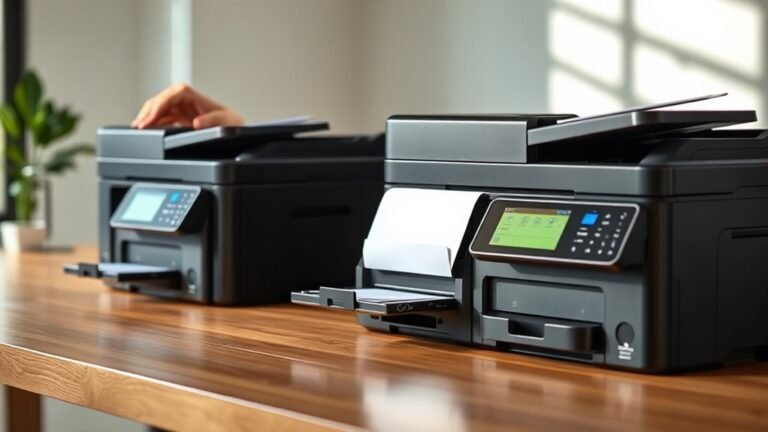
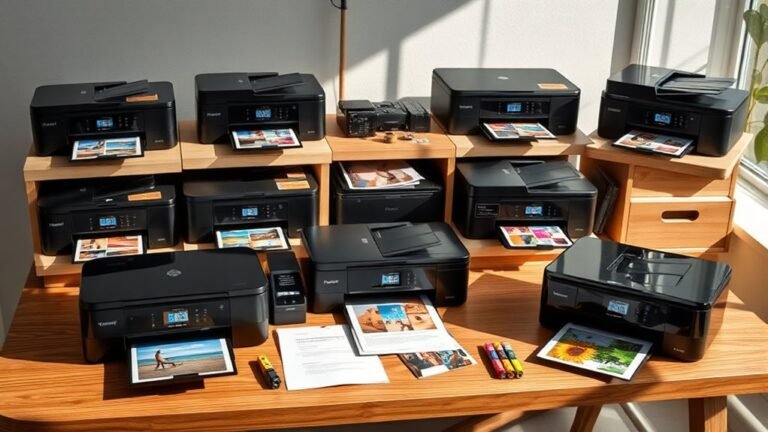
If you’re on the hunt for the best all-in-one printers for 2027 with the lowest ink costs, you’ve got some great options to consider. These printers not only save you money on ink but also offer excellent quality and convenience.
Take the HP Smart Tank 5100 and 7603, for example. They come with up to three years of ink included and cartridge-free tanks, which means fewer refills and more savings. Pretty cool, right?
Then there’s the Canon MegaTank G3270. It’s great because you can easily see the ink levels, and it delivers high-quality color prints without needing frequent refills.
Epson’s EcoTank ET-2900 is another solid pick. It offers mess-free refills and uses long-lasting ink, so you won’t have to worry about running out anytime soon.
All these choices balance quality, convenience, and cost savings perfectly. Take some time to explore which one fits your needs and workflow best!
| Image | Name | Editor's Rating | Price |
|---|---|---|---|

|
|
||

|
|
||

|
|
||

|
|
||

|
|
HP Smart Tank 5100 Ink Tank Printer | 3 Years of Ink Included | All-in-One
- THE LAST PRINTER YOU'LL EVER NEED – Set it up once and print with confidence; no complicated maintenance, just easy, reliable printing you can count on
- FULLY LOADED WITH SAVINGS – Best for low-cost, high-volume printing—up to 3 years of HP Ink included; get up to 6,000 color or black pages right out of the box
- KEY FEATURES – Print, copy and scan, plus borderless prints, mobile and wireless printing
- MESS-FREE REFILL – Replenish ink with HP's easy-access, mess-free refill system; simply plug the ink bottles into this cartridge-free ink tank and let them drain—no...
- BEST PRINT QUALITY, PERIOD – Sharper text, richer colors, only with HP Smart Tank

Experience hassle-free, high-volume printing with the HP Smart Tank 5100 Ink Tank Printer. This all-in-one device combines printing, copying, and scanning in a compact design that fits easily in your home or office. Say goodbye to costly ink cartridges—the included ink lets you print up to 6,000 color or black pages over three years, reducing your overall printing expenses.
The cartridge-free refill system makes ink replacement simple and mess-free. You won’t have to deal with frequent cartridge swaps, making maintenance straightforward and less time-consuming. Wireless connectivity options, including Apple AirPrint and HP ePrint, allow you to print directly from your mobile devices with ease.
While the printer supports manual duplex printing, it requires user involvement and driver support. The output tray holds up to 30 sheets, suitable for everyday use but may need frequent emptying during large print jobs. Print speeds are moderate, especially for color documents, making it ideal for regular home or small office tasks rather than high-speed demands.
Best for: Individuals or small offices seeking an affordable, reliable all-in-one printer with wireless and mobile printing capabilities.
What We Like:
- Up to 3 years of ink included for cost-effective printing
- Easy-to-use cartridge-free refill system
- Supports wireless and mobile printing technologies
- Compact design saves space in any workspace
Specification:
| Feature | Details |
|---|---|
| Manufacturer | HP |
| Dimensions (W x D x H) | Approx. 17.3 x 12.7 x 7.5 inches |
| Weight | Approx. 7.5 lbs (3.4 kg) |
| Ink System | Cartridge-free refillable tank |
| Connectivity | Wi-Fi, Apple AirPrint, HP ePrint |
HP Smart Tank 7603 Ink Tank Printer | 3 Years of Ink Included | All-in-One
- THE LAST PRINTER YOU'LL EVER NEED – Set it up once and print with confidence; no complicated maintenance, just easy, reliable printing you can count on
- FULLY LOADED WITH SAVINGS – Best for low-cost, high-volume printing—up to 3 years of HP Ink included; get up to 8,000 color or 6,000 black pages right out of the box
- KEY FEATURES – Print, copy and scan and fax, auto document feeder, magic touch control panel, plus borderless prints, mobile and wireless printing
- MESS-FREE REFILL – Replenish ink with HP's easy-access, mess-free refill system; simply plug the ink bottles into this cartridge-free ink tank and let them drain—no...
- BEST PRINT QUALITY, PERIOD – Sharper text, richer colors, only with HP Smart Tank
Experience hassle-free printing with the HP Smart Tank 7603 Ink Tank Printer, designed to keep your ink costs low while delivering high-quality results. This all-in-one device handles printing, copying, scanning, and faxing, making it an ideal solution for busy homes or small offices.
Its cartridge-free refillable ink tank system uses mess-free bottles, allowing you to print thousands of pages without interruption. You’ll get up to 3 years of ink included, producing as many as 8,000 color or 6,000 black pages right from the start, reducing the need for frequent refills.
The printer features a 35-sheet automatic document feeder and supports duplex automatic printing, helping you manage multitasking more efficiently. Wireless and mobile printing capabilities make it easy to print from your smartphone or laptop without cables.
With sharp print quality up to 4800 x 1200 dpi, this printer balances performance and convenience. Though its print speed is moderate and it has a larger footprint, it remains a reliable choice for those prioritizing ink economy and broad functionality.
Best for: users seeking an affordable, versatile all-in-one printer with high ink yield for home or small office environments.
What We Like:
- Includes up to 3 years of ink with high page yields
- Mess-free, cartridge-free refill system for easy maintenance
- Wireless and mobile printing with duplex and 35-sheet ADF support
- Sharp print quality at 4800 x 1200 dpi
Specification:
| Feature | Details |
|---|---|
| Manufacturer | HP |
| Dimensions (W×D×H) | Approx. 17.5 × 14.5 × 7.6 in |
| Weight | 17 lb (7.7 kg) |
| Ink System | Cartridge-free refillable tank |
| Paper Capacity | 250-sheet input tray |
| Connectivity | Wireless, mobile printing |
HP OfficeJet Pro 8125 Wireless All-in-One Printer
- FROM AMERICA'S MOST TRUSTED PRINTER BRAND – The OfficeJet Pro 8125 is perfect for home offices printing professional-quality color documents like business documents...
- 3 MONTH TRIAL OF INSTANT INK INCLUDED – Subscribe to the Instant Ink delivery service to get ink delivered directly to your door before you run out, and you save up to...
- KEY FEATURES – Fast color printing, scan, copy, auto 2-sided printing, auto document feeder, and a 225-sheet input tray
- 2.7-INCH TOUCHSCREEN – Quickly navigate your printer with a large color touchscreen and a phone-like user interface
- WIRELESS PRINTING – Stay connected with our most reliable dual-band Wi-Fi, which automatically detects and resolves connection issues
The HP OfficeJet Pro 8125 Wireless All-in-One Printer transforms your printing experience with efficient, reliable performance. It handles printing, scanning, copying, and faxing, making it ideal for busy home offices and personal use. This all-in-one solution simplifies tasks and keeps your workspace uncluttered.
Its fast print speeds—up to 20 ppm for black and 10 ppm for color—help you finish jobs quickly. Duplex automatic two-sided printing reduces paper use and saves you money. The 2.7-inch color touchscreen provides easy navigation, so you can operate the printer without hassle.
Wireless dual-band Wi-Fi ensures smooth connectivity to multiple devices. You can print directly from your smartphone or tablet using the mobile app. The printer’s water-resistant, fade-resistant prints maintain quality over time, perfect for important documents.
Maintenance is straightforward but requires original HP cartridges with chips, which may limit cartridge options. The single-sided automatic document feeder can slow down multi-page copying or scanning, so consider your workflow before choosing this model.
Best for: Home and home office users needing an all-in-one printer with wireless convenience and fast, reliable functionality.
What We Like:
- Fast print speeds with duplex two-sided printing
- Easy-to-use color touchscreen interface
- Wireless dual-band Wi-Fi and mobile app support
- Water-resistant, fade-resistant print quality
- Includes 3-month Instant Ink trial for cost efficiency
Specification:
| Feature | Details |
|---|---|
| Manufacturer | HP |
| Dimensions | Approx. 17.1 x 14.1 x 9.9 in |
| Weight | Approx. 17.5 lb (7.94 kg) |
| Connectivity | Wireless dual-band Wi-Fi |
| Display | 2.7-inch color touchscreen |
| Printing Speed | Up to 20 ppm (black), 10 ppm (color) |
| ADF Type | Single-sided automatic document feeder |
Canon MegaTank G3270 All-in-One Wireless Color Printer
- Wireless Print/Copy/Scan
- Up to 2 years of ink included (2)
- Print up to 6,000 black & white / 7,700 color pages using a single set of inks! (1)
- Save up to $1,000 on ink (1)
- 1.35” Square LCD display
The Canon MegaTank G3270 is designed to meet the needs of home users and small offices aiming to reduce printing costs without sacrificing quality. Its refillable ink tank system comes with enough ink to last up to two years, minimizing frequent replacements and interruptions. This setup lets you print thousands of pages economically, making it ideal for everyday document and photo printing.
This wireless color inkjet printer delivers sharp prints with resolutions up to 4800 x 1200 dpi. Whether you’re printing text or images, you can expect clear, vibrant results. The printer supports mobile printing, so you can easily send jobs from your smartphone or tablet without hassle.
Maintenance is simplified thanks to the visible ink tanks and easy refilling process. The user-friendly LCD screen guides you through setup and operation, helping you manage print jobs efficiently. It handles various paper sizes, including borderless options, adding versatility to your printing tasks.
While it offers solid performance, note that the MegaTank G3270 prints only on one side at a time and has moderate speeds—up to 11 pages per minute in black and 6 in color. It also has a single paper tray with a 100-sheet capacity, which may require frequent refilling in busy settings.
Best for: individuals and small home office users seeking an affordable, high-yield color inkjet printer with wireless and mobile printing capabilities.
What We Like:
- Includes up to two years of ink with a refillable MegaTank system for significant cost savings
- Produces sharp color and black-and-white prints up to 4800 x 1200 dpi
- Supports wireless and mobile printing with a convenient LCD interface
- Easy maintenance with visible ink levels and simple refilling
- Handles multiple paper sizes with borderless printing options
Specification:
| Feature | Details |
|---|---|
| Manufacturer | Canon |
| Dimensions | Approx. 17.7 x 11.7 x 7.3 in (45 x 30 x 18.5 cm) |
| Weight | Around 8.3 lb (3.8 kg) |
| Print Resolution | Up to 4800 x 1200 dpi |
| Print Speed | 11 ppm black, 6 ppm color |
| Connectivity | Wireless, Mobile Printing |
| Paper Capacity | 100 sheets |
| Duplex Printing | No (single-sided only) |
HP Smart Tank 5100 Ink Tank Printer | 3 Years of Ink Included | All-in-One
- THE LAST PRINTER YOU'LL EVER NEED – Set it up once and print with confidence; no complicated maintenance, just easy, reliable printing you can count on
- FULLY LOADED WITH SAVINGS – Best for low-cost, high-volume printing—up to 3 years of HP Ink included; get up to 6,000 color or black pages right out of the box
- KEY FEATURES – Print, copy and scan, plus borderless prints, mobile and wireless printing
- MESS-FREE REFILL – Replenish ink with HP's easy-access, mess-free refill system; simply plug the ink bottles into this cartridge-free ink tank and let them drain—no...
- BEST PRINT QUALITY, PERIOD – Sharper text, richer colors, only with HP Smart Tank
Experience hassle-free, high-volume printing with the HP Smart Tank 5100 Ink Tank Printer. Designed for homes and small offices, it delivers up to three years of ink, so you can print thousands of pages without worrying about frequent refills. This all-in-one printer simplifies your workflow with copy and scan functions in a compact design.
Its refillable ink tanks are cartridge-free, reducing mess and lowering your printing costs significantly. The system lets you monitor ink levels easily, ensuring you never run out unexpectedly. Wireless connectivity supports seamless printing from your smartphone or laptop, including compatibility with Apple AirPrint and HP ePrint.
With sharp print quality up to 4800 x 1200 dpi, your documents and photos come out clear and vibrant. While it’s not the fastest printer—color prints take about 5 pages per minute—it offers reliable performance for everyday tasks. Manual duplex printing requires user effort, but the cost savings and ease of maintenance make it a practical choice.
Best for: Small office users and home environments needing an affordable, easy-to-maintain printer for moderate to high-volume printing.
What We Like:
- Up to three years of ink included for extended printing without interruptions.
- Cartridge-free refillable ink tanks minimize mess and lower ongoing costs.
- Wide wireless and mobile printing options enhance convenience.
- High-resolution prints suitable for documents and photos.
- Compact all-in-one design saves space and adds multifunctionality.
Specification:
| Feature | Details |
|---|---|
| Manufacturer | HP |
| Dimensions | Approximately 16.4 x 14.6 x 7.9 in |
| Weight | Around 9.5 lb (4.3 kg) |
| Printing Technology | Ink Tank / Cartridge-free |
| Max Print Resolution | 4800 x 1200 dpi |
| Connectivity | Wireless, USB, Apple AirPrint, HP ePrint |
Epson EcoTank ET-2900 Wireless All-in-One Printer

- Epson EcoTank includes enough ink to last up to 3 years⁴
- WORRY-FREE PRINTING — Epson EcoTank comes with enough ink to print up to 3,600 pages black/6,500 color⁹ for fewer out-of-ink frustrations. Each replacement ink bottle...
- SIMPLE INK REFILLING — Supersized ink tanks and uniquely keyed EcoFit bottles make refilling ink simple—no mess, no stress and no ink bottle mix-ups; fits in...
- THE WORLD’S #1 SELLING SUPERTANK PRINTER² — Epson invented EcoTank to revolutionize the way people print; we’ve sold 100 million EcoTanks worldwide⁷ and this is...
- KEY PRODUCTIVITY FEATURES — 11 black/6 color ISO ppm print speeds with zero warmup time, 100-sheet paper tray, high-resolution flatbed scanner and a 1.44" color display...
Experience hassle-free printing with the Epson EcoTank ET-2900, designed to save you time and money. This wireless all-in-one printer includes enough ink to last up to three years, reducing frequent refills and the associated costs. Its compact design fits easily in home offices, while delivering sharp, photo-quality prints at a resolution of 5760 x 1440 dpi.
Maintenance is simplified with the refillable EcoFit ink tanks that feature keyed bottles, eliminating messes and color mix-ups during refills. The printer handles printing, scanning, and copying with ease, supporting borderless prints for professional-looking documents and photos. Although it prints at moderate speeds of 11 ppm black and 6 ppm color, it meets the needs of everyday users.
The ET-2900 includes a 100-sheet input tray and Wi-Fi connectivity, making it convenient for wireless printing in small office or home environments. Keep in mind, it does not support automatic duplex printing, which may slow down double-sided jobs.
Best for: home users and small offices seeking an affordable, high-capacity wireless all-in-one printer with low running costs and excellent print quality.
What We Like:
- Ink supply lasts up to three years, minimizing refill frequency
- High 5760 x 1440 dpi resolution delivers crisp, borderless prints
- EcoFit refillable tanks with keyed bottles reduce mess and errors
- Wireless functionality and compact design enhance usability
Specification:
| Feature | Details |
|---|---|
| Manufacturer | Epson |
| Dimensions | Compact size (exact not specified) |
| Weight | Not specified |
| Print Resolution | 5760 x 1440 dpi |
| Print Speed | 11 ppm black / 6 ppm color |
| Paper Capacity | 100-sheet input tray |
| Connectivity | Wi-Fi |
| Functions | Print, scan, copy |
| Ink System | Refillable EcoFit tanks |
HP Smart Tank 7001 Ink Tank Printer | 2 Years of Ink Included | All-in-One

- SET IT UP ONCE AND PRINT WITH CONFIDENCE. No complicated maintenance. Just easy, reliable printing you can count on.
- INK FOR YEARS. NOT MONTHS. Up to 2 years of ink included. Get thousands of pages of cartridge-free printing. More pages, less hassle
- KEEPS PRINTING WELL AFTER COMPETITORS HAVE QUIT. No complex maintenance. Sharper text, richer colors.[2] Only with HP Smart Tank
- INNOVATION YOU CAN TRUST. Cartridge-free printing that keeps you printing longer with fewer interruptions, powered by the trusted HP innovation you rely on today
- THE LAST PRINTER YOU'LL EVER NEED. Enjoy years of refillable, cartridge-free printing.[
Experience hassle-free, high-volume printing with the HP Smart Tank 7001 Ink Tank Printer. Designed for users who need consistent, low-cost output, it comes equipped with up to 2 years of original HP ink. This means you can print thousands of color and black pages without worrying about frequent refills.
The cartridge-free, refillable ink tank system minimizes mess and interruptions. It allows you to keep printing smoothly without the hassle of replacing cartridges. This design also reduces maintenance time and costs, making it ideal for busy environments.
This all-in-one device handles printing, copying, and scanning with clear text and vibrant colors. HP’s AI-driven formatting intelligently trims web pages and emails, conserving both ink and paper. Its robust build ensures long-lasting performance where other printers might falter.
Best for: Individuals or businesses seeking a reliable, high-volume all-in-one printer with an extended ink supply and easy upkeep.
What We Like:
- Up to 2 years of original HP ink included for high-volume printing
- Mess-free, refillable ink tanks reduce maintenance and downtime
- All-in-one functionality with sharp print quality and smart ink-saving features
Specification:
| Feature | Details |
|---|---|
| Manufacturer | HP |
| Dimensions | Not specified |
| Weight | Not specified |
| Ink System | Cartridge-free refillable tank |
| Color Options | Standard printer color |
HP OfficeJet 3830 Wireless All-in-One Printer

- Sold as 1 Each.
- Affordable at-home printing with HP Instant Ink Program.
- Easy mobile printing.
- Everything you need--right away.
- Designed to fit your life.
Experience versatile printing with the HP OfficeJet 3830 Wireless All-in-One Printer, designed to fit seamlessly into compact spaces. This device handles printing, scanning, copying, and faxing, simplifying your daily tasks. Its 35-page automatic document feeder speeds up multi-page jobs, reducing manual handling.
Navigating the printer is straightforward thanks to the 2.2-inch touchscreen. You can print directly from smartphones or tablets, and voice commands with Alexa add hands-free convenience. This flexibility makes managing documents easier, especially for home offices.
Maintenance is hassle-free with eligibility for HP Instant Ink, which helps lower ink expenses without compromising print quality. The printer supports various paper sizes and types, adapting to different project needs. However, manual duplex printing means you’ll need to flip pages yourself, which could slow down larger jobs.
Print speeds reach up to 20 ppm in black, adequate for moderate workloads, though it may be less suitable for high-volume environments. Its compact design and wireless capabilities make it a practical choice for everyday use.
Best for: Individuals or small home offices needing an affordable, compact all-in-one printer with wireless connectivity and versatile functionality including printing, scanning, copying, and faxing.
What We Like:
- 35-page automatic document feeder for efficient multi-page handling
- Mobile and voice-activated printing via smartphone apps and Alexa
- HP Instant Ink subscription eligibility for cost-effective ink management
Specification:
| Feature | Details |
|---|---|
| Manufacturer | HP |
| Dimensions (W x D x H) | 17.2 x 14.5 x 7.5 inches |
| Weight | 13.2 lbs (6.0 kg) |
| Color Options | White with gray accents |
| Connectivity | Wireless, USB |
| Touchscreen Size | 2.2 inches |
HP Smart Tank 7303 Ink Tank Printer | 3 Years of Ink Included | All-in-One

- THE LAST PRINTER YOU'LL EVER NEED – Set it up once and print with confidence; no complicated maintenance, just easy, reliable printing you can count on
- FULLY LOADED WITH SAVINGS – Best for low-cost, high-volume printing—up to 3 years of HP Ink included; get up to 8,000 color or 6,000 black pages right out of the box
- KEY FEATURES – Print, copy and scan, auto document feeder, plus borderless prints, mobile and wireless printing
- MESS-FREE REFILL – Replenish ink with HP's easy-access, mess-free refill system; simply plug the ink bottles into this cartridge-free ink tank and let them drain—no...
- BEST PRINT QUALITY, PERIOD – Sharper text, richer colors, only with HP Smart Tank
The HP Smart Tank 7303 Ink Tank Printer offers a practical solution for those needing a high-volume printing device with low ink costs. Designed for home and home office use, it reduces the hassle of frequent ink replacements by including up to 3 years of ink. This means you can print thousands of pages worry-free.
Its cartridge-free ink tanks feature a mess-free refill system, making maintenance simple and clean. The compact design fits easily into smaller workspaces while supporting duplex printing and a 35-sheet auto document feeder for increased productivity.
Connectivity options include wireless, Ethernet, and USB, allowing seamless integration into modern workflows. You can print sharp photos and documents up to legal size with reliable speed and resolution. This printer balances functionality and convenience without compromising on quality.
Best for: Users seeking an efficient, low-cost ink tank printer for heavy printing tasks at home or in a small office.
What We Like:
- Includes up to 3 years of ink for extended printing without frequent refills
- Cartridge-free ink tanks with mess-free refill system
- Supports duplex printing and auto document feeder for multitasking
- Multiple connectivity options: wireless, Ethernet, and USB
Specification:
| Feature | Details |
|---|---|
| Manufacturer | HP |
| Dimensions | Compact design (exact size not specified) |
| Weight | Not specified |
| Ink System | Cartridge-free refillable tanks |
| Connectivity | Wireless, Ethernet, USB |
| Paper Capacity | Single tray up to 250 sheets |
Factors to Consider When Choosing an All in One Printer Lowest Ink Cost

When choosing an all-in-one printer with the lowest ink cost, you’ll want to compare ink tank systems versus cartridges and check the ink yield and capacity.
Think about how easy it is to refill the ink and whether the printer matches your print volume needs. Also, make sure the connectivity options and compatibility fit your devices for smooth operation.
Ink Tank Vs Cartridge
Although choosing between ink tank and cartridge systems might seem straightforward, understanding their cost differences can save you a lot over time. Ink tank printers feature large refillable reservoirs and use bottled ink, cutting your cost per page considerably thanks to high in-box yields.
They’re ideal if you print hundreds or thousands of pages monthly, despite higher upfront costs. Cartridge printers, on the other hand, use smaller sealed cartridges with chips, which means you replace ink more often and usually pay more per page.
While cartridges are easier to swap and create less mess, they generate more plastic waste. If your printing needs are light, cartridges might be more economical.
But for bigger volumes, ink tanks offer a much more cost-effective solution in the long run.
Ink Yield and Capacity
Evaluating ink yield and capacity helps you pinpoint printers that deliver the lowest ink cost over time. Start by checking the page yield for black and color ink—look for printers offering thousands of pages per refill, such as 6,000 to 8,000 pages. This greatly reduces per-page costs.
Next, consider the actual ink tank or cartridge capacity measured in milliliters; larger tanks around 70 to 135 ml or more typically mean longer runs and savings. Also, verify if replacement ink comes in high-volume bottles or high-yield cartridges, and calculate the cost per page by dividing price by yield.
Printers with separate tanks for each color plus black help you replace only the empty color. This cuts waste and ongoing expenses. Finally, watch for included ink volumes that can affect initial cost comparisons.
Refill System Ease
Knowing a printer offers high ink yield and large capacity is just part of the savings equation—you also want a refill system that’s quick, clean, and hassle-free.
Look for cartridge-free refillable tanks where ink bottles plug directly in, letting ink drain without squeezing or spills. Prioritize bottles with keyed or color-coded, spill-proof nozzles to prevent cross-contamination and mess.
Choose printers with front-facing, clearly labeled refill ports and translucent tanks to monitor ink levels easily and avoid overfilling.
Consider how many steps and tools the refill process requires—ideally, one-step bottle insertion or simple cap removal beats complicated disassembly or manual priming.
Finally, pick systems needing little-to-no printhead priming or manual maintenance after refills to save time and reduce mistakes. It just makes the whole process smoother and less frustrating.
Print Volume Needs
When choosing an all-in-one printer with the lowest ink cost, you should estimate your monthly and annual print volume to find a model that matches your usage. If you print less than 100 pages per month, be aware that infrequent use can cause ink drying and nozzle clogs, increasing maintenance and ink waste.
For high-volume users printing over 500 pages monthly, look for printers with high-capacity cartridges or bottles and low cost-per-page rates to save money over time. Also, consider how much color printing you do since photos and graphics use more ink than black text.
Finally, plan for occasional heavy printing bursts by selecting a printer that handles sustained runs without frequent refills or overheating, keeping ink and maintenance costs down. This way, you won’t get caught off guard when you need to print a lot all at once.
Connectivity and Compatibility
Although ink cost is crucial, connectivity and compatibility play a key role in ensuring smooth, efficient printing that helps keep expenses low. You’ll want a printer that supports the connectivity types you use—Wi-Fi, Ethernet, USB, or mobile protocols like AirPrint and Mopria—to print without needing a wired hub.
Confirm it works seamlessly with your devices and operating systems, whether Windows, macOS, iOS, Android, or Chromebooks. This way, you avoid driver issues that could disrupt low-cost workflows.
Mobile and cloud printing support lets you submit jobs remotely and save ink by printing efficiently from phones or tablets. Also, check for reliable wired or Wi-Fi Direct options for multi-user access in busy settings.
Finally, easy firmware and driver updates help maintain compatibility, preventing inefficient printing and unnecessary ink waste. It’s all about keeping things running smoothly without extra hassle.
Cost per Page
Since ink costs can quickly add up, you should calculate the cost per page by dividing the price of replacement ink by the page yield specified by the manufacturer. Make sure to use the same measurement mode, like ISO/IEC or full-coverage yield, to keep comparisons accurate.
If you print both text and images, factor in the mixed or color page yields and convert multi-color cartridge costs accordingly. Don’t forget to include printhead or maintenance kit expenses amortized over their expected lifetime to get a true long-term cost.
Also, base your calculations on real-world coverage—around 5% for black text—instead of full-page photo yields to avoid underestimating costs. Finally, compare all supply options, including shipping and tax, to find the most cost-effective choice.
Frequently Asked Questions
How Do I Recycle Used Ink Cartridges Responsibly?
You can recycle used ink cartridges responsibly by returning them to manufacturer programs, dropping them off at local recycling centers, or using mail-back services.
Don’t toss them in the trash—they contain materials that can harm the environment. It’s pretty easy to do and helps keep harmful waste out of landfills. Just a little effort can make a big difference!
Can These Printers Connect to Mobile Devices via Bluetooth?
Yes, many all-in-one printers support Bluetooth, letting you connect your mobile devices wirelessly.
You’ll find it easy to print photos, documents, or scan directly from your phone without needing cables or complicated setups. It’s pretty convenient, right?
What Is the Typical Lifespan of an All-In-One Printer?
You can expect an all-in-one printer to last about 3 to 5 years with regular use. Proper maintenance and avoiding heavy-duty tasks can help you extend its lifespan beyond that timeframe.
Taking good care of your printer really makes a difference. So, don’t forget to clean it regularly and use it properly. That way, it can serve you well for years to come!
Are There Subscription Services for Automatic Ink Refills?
Yes, your printer can now nag you automatically with subscription ink refills.
You’ll love how it orders ink before you realize you need it—because who doesn’t want their printer to boss them around, right?
How Do These Printers Handle Photo Printing Quality?
You’ll find these printers deliver vibrant, sharp photo prints thanks to advanced ink technology and high-resolution capabilities.
They handle color gradients smoothly, making your photos look professional without extra effort or costly specialty inks.
Conclusion
Choosing the right all-in-one printer with the lowest ink cost is like planting a tree today to enjoy shade for years. You want a model that not only saves you money but also grows with your needs, offering reliability and convenience.
Just like a well-tended tree bears fruit, the right printer will reward you with seamless printing and fewer ink worries. It’s all about making a smart choice now to avoid hassles later.
Invest wisely today, and you’ll enjoy effortless efficiency every time you print. Finding the best all-in-one printer with low ink costs means less spending and more convenience in the long run. So, go for a printer that fits your lifestyle and budget — it’s a decision that pays off every single day.