4 Best 3D Printer Kits Under $300 for 2027
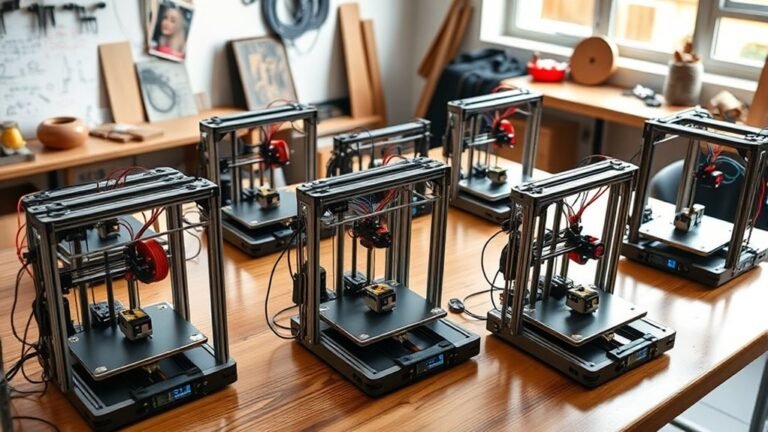
You’ll find four standout 3D printer kits under $300 in 2027, perfect for beginners and hobbyists looking to dive into 3D printing without breaking the bank.
These affordable kits offer a great mix of quality, ease of use, and exciting features that make them ideal for learning and creating.
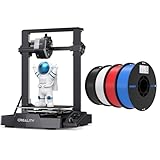
The Creality Ender 3 V3 SE offers speed and precision, making it a reliable choice for detailed projects.
Meanwhile, the Entina Tina2C Mini delivers easy plug-and-play use, so you can get started right away without any hassle.
The Portable Compact FDM printer is perfect for on-the-go projects, giving you flexibility wherever you are.
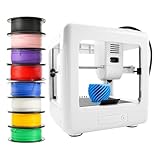
Plus, the Mini 3D Printer Kit comes with eight colorful PLA filaments to spark your creativity.
Keep exploring, and you’ll discover key features to help you pick the best fit for your needs.
| Image | Name | Editor's Rating | Price |
|---|---|---|---|
|
|
||

|
|
||

|
|
||
|
|
Creality Ender 3 V3 SE 3D Printer Bundle
- 【250mm/s High-speed Printing】Creality Ender 3 V3 SE 3d printer supports a maximum printing speed of 250mm/s, 2500mm/s² acceleration.The speed has been greatly...
- 【Powerful ""Sprite"" Direct Extruder】Ender 3 V3 SE is the upgrade of ender 3, ender 3 v2, ender 3 pro, ender 3 neo, ender 3 v2 neo, ender 3 s1, ender 3 s1 pro etc 3d...
- 【Worry-free CR Touch Auto Leveling & Strain Sensor】Creality Ender 3 upgraded 3d printer features a CR Touch sensor for auto leveling and a strain sensor for auto...
- 【Stable Dual Z-axis & Y-axis Linear Shafts】High-precision dual Z-axis lead screws reduce Z wobbling effectively, avoid printing deviation in single-axis printing...
- 【High-Quality PLA Filaments】Made of high-quality PLA, a commonly used thermoplastic material features lower melting temperature and ease of use, low warp and...
The Creality Ender 3 V3 SE Bundle delivers a smart balance of speed and precision for 3D printing enthusiasts. Its fast printing capabilities with speeds up to 250mm/s and high acceleration reduce project times significantly. This means you can complete prints quicker without sacrificing quality.
Designed for ease of use, the printer features the upgraded Sprite full metal dual-gear direct extruder. This improves filament feeding and supports materials like PLA, TPU, and PETG. You’ll experience fewer jams and more consistent extrusion during every print job.
Maintenance is straightforward thanks to the CR Touch auto-leveling sensor. This technology helps keep the print bed perfectly level, improving print accuracy without manual adjustments. The dual Z-axis lead screws and dual Y-axis linear shafts add extra stability, resulting in cleaner and more precise prints.
The bundle also includes four filament packs to get you started right away. While primarily featuring PLA, this gives you a solid base for experimenting with other materials as you expand your 3D printing projects.
Best for: hobbyists and beginners seeking an affordable, fast, and precise 3D printer with reliable auto-leveling and versatile filament compatibility.
What We Like:
- Fast printing speed (up to 250mm/s) and acceleration reduce print times
- Smooth filament feeding with upgraded Sprite dual-gear extruder
- Stable and accurate prints thanks to dual Z-axis and Y-axis components
- Convenient CR Touch auto-leveling sensor for hassle-free setup
Specification:
| Feature | Details |
|---|---|
| Manufacturer | Creality |
| Dimensions | 22.8 x 22.8 x 24.3 inches (58 x 58 x 61.7 cm) |
| Weight | Approx. 7.5 kg (16.5 lbs) |
| Material | Metal and plastic components |
| Color Options | Black |
Entina Tina2C Mini 3D Printer for Beginners
- 【Easy to Use 3D Printer – Ready in 5 Minutes】 Meet the Entina Tina2C, a plug-and-play mini 3D printer designed for first-time users. Fully assembled with factory...
- 【3500+ 3D Models & Easy One-Tap Printing】 Explore 3500+ ready-to-print 3D models and 25+ DIY projects in the Poloprint Cloud app, with new designs added daily...
- 【Smart WiFi 3D Printer & AI-Powered App】 Connect via 2.4GHz WiFi and enjoy convenient 3D printer app control through Poloprint Cloud. Explore models, manage prints...
- 【Auto Leveling 3D Printer & Power-Loss Recovery】 Automatic bed leveling helps improve first-layer adhesion and reduces manual adjustments for a smoother 3D printing...
- 【Flexible Magnetic Print Bed & Quick-Swap Nozzle】 The flexible magnetic build plate makes finished 3D prints easier to remove with a gentle bend. A removable...
The Entina Tina2C Mini 3D Printer is designed to make 3D printing accessible and hassle-free for beginners and kids. Its fully assembled, plug-and-play design means you can start printing within minutes, eliminating complex setups. The built-in auto leveling ensures reliable first-layer adhesion, reducing failed prints and frustration.
This compact printer fits comfortably in homes and classrooms, offering quiet operation that won’t disrupt your environment. Its flexible magnetic print bed simplifies print removal, while power-loss recovery protects your projects from unexpected interruptions. These features help users maintain smooth, continuous printing without constant supervision.
Control is intuitive through the AI-powered Poloprint app, which connects over 2.4GHz WiFi. This app provides access to over 3,500 models and smart tools like text-to-3D, making creativity and customization easy. Offline printing via TF card adds versatility when WiFi isn’t available.
While the build volume is limited to 3.9 x 3.9 x 3.9 inches, this mini printer excels at small-scale projects and learning purposes. It prioritizes ease of use over advanced features, making it ideal for those just starting their 3D printing journey.
Best for: Beginners and kids seeking a compact, easy-to-use 3D printer with quick setup and app control.
What We Like:
- Fully assembled with auto leveling for straightforward use
- AI-powered app offering thousands of models and creative tools
- Flexible magnetic print bed for easy print removal
- Power-loss recovery minimizes print failures
- Supports offline printing via TF card
Specification:
| Feature | Details |
|---|---|
| Manufacturer | Entina |
| Build Volume | 3.9 x 3.9 x 3.9 inches |
| Connectivity | 2.4GHz WiFi, TF card |
| Print Bed | Flexible magnetic |
| Weight | Compact and lightweight |
Portable Compact FDM 3D Printer for Beginners
- Foolproof Setup with Video Guides – Never get stuck! We provide a crystal-clear Quick Start Guide and step-by-step video tutorials. Watch them online to get started.
- Simple Assembly with Video Guide – Requires quick modular setup (watch our step-by-step video). Comes with 10m PLA filament, TF card, tools, and 12V Type-C power...
- Versatile Filament Compatibility – Unleash your creativity with both PLA and flexible TPU (1.75mm). The reliable 0.4mm nozzle and precise 0.05-0.3mm layer thickness...
- Reliable Performance & Compact Design – Features stable FDM technology and a removable build plate for easy model removal. The perfect 100x100x100mm build volume is...
- Complete Package – No Hidden Costs – Includes printer, 10m PLA filament, 8GB TF card + reader, tools, illustrated manual, and 12V Type-C power adapter. Plus free...
This portable compact FDM 3D printer is designed to make 3D printing accessible and hassle-free for beginners. Its small size and lightweight body allow it to fit easily into tight spaces, making it perfect for home or small workshop use. You can start printing quickly thanks to the clear video guides and simple assembly process.
The printer supports popular filaments like PLA and TPU, which are easy to work with and produce reliable results. Its 0.4mm nozzle and adjustable layer thickness let you balance detail and speed based on your project needs. Removing finished models is simple with the detachable build plate, reducing the risk of damage.
Maintenance is straightforward, requiring only basic care to keep the printer running smoothly. The complete kit includes all necessary accessories such as filament, tools, a TF card, and a power adapter, so you won’t need to source extras.
While the 100x100x100mm build volume limits larger prints, this printer excels in delivering consistent, user-friendly performance for small-scale models. It’s an excellent choice for those new to 3D printing who want a reliable and compact solution.
Best for: beginners and hobbyists who need a compact, easy-to-use 3D printer with dependable functionality and simple setup.
What We Like:
- Lightweight and space-saving design for easy portability
- Intuitive setup with video guides and modular assembly
- Includes all necessary accessories—filament, tools, TF card, and power adapter
- Removable build plate simplifies model removal and maintenance
Specification:
| Feature | Details |
|---|---|
| Manufacturer | — |
| Dimensions | Compact footprint |
| Weight | 2.2 lbs (1 kg) |
| Compatible Filaments | PLA, TPU |
| Nozzle Diameter | 0.4 mm |
| Layer Thickness | 0.05 – 0.3 mm |
| Build Volume | 100 x 100 x 100 mm |
Mini 3D Printer Kit with 8 Colors PLA Filament
- 🎨 All-in-One Starter 3D Printer Kit – Comes with 8 vibrant PLA filament colors (200g each), a fully equipped printing kit, and user-friendly instructions—perfect...
- 🖨️ Compact & Portable FDM Design – This mini desktop 3D printer uses FDM technology and is compact enough for any desk or workspace. Great for school, home, or...
- 🧠 Effortless Setup, Plug & Print – No complex calibration needed. Supports TF Card and USB connections, compatible with Windows and macOS using CURA, Easyware, or...
- 💡 Precise & Smooth Printing – Achieve detailed prints with 0.05-0.2mm accuracy. Features a 0.4mm nozzle, supports 1.75mm PLA, and even WOOD filament.
- 📦 Full Accessories Included – Package includes the printer components, 8-color filaments, TF card and reader, US power adapter, filament holder, screwdriver, and a...
Experience the joy of creating with this mini 3D printer kit, designed to make 3D printing accessible for everyone. Its compact size and lightweight design allow it to fit seamlessly into homes, classrooms, or hobby spaces without hassle. This printer eliminates the frustration of complex setups with a simple plug-and-print system, so you can start your projects quickly.
The kit includes eight vibrant PLA filament colors, inspiring creativity from the first print. It supports 1.75mm PLA and wood filaments, giving you precise control with a 0.4mm nozzle and accuracy ranging from 0.05 to 0.2mm. This ensures detailed results for small to medium-sized projects, perfect for learning and experimenting.
Maintenance is straightforward thanks to its reliable FDM technology and included accessories like a screwdriver and power adapter. Compatible with popular slicing software on Windows and macOS, this printer integrates smoothly into your workflow. However, its small build volume and filament limitations may not suit advanced or large-scale printing needs.
Best for: Beginners and hobbyists seeking an easy-to-use 3D printer kit with diverse filament colors for creative projects.
What We Like:
- Compact, lightweight design ideal for limited spaces
- Comes with eight vibrant PLA filament colors
- Easy plug-and-print setup requires no complex calibration
- Compatible with Windows and macOS slicing software
- Includes essential accessories for quick start-up
Specification:
| Feature | Details |
|---|---|
| Manufacturer | Not specified |
| Dimensions | Compact (exact size not provided) |
| Weight | 3.3 lb (1.5 kg) |
| Material Support | PLA and wood filaments |
| Nozzle Size | 0.4 mm |
| Filament Diameter | 1.75 mm |
| Accuracy | 0.05 – 0.2 mm |
| Color Options | 8 PLA filament colors |
Factors to Consider When Choosing a 3D Printer Kit Under $300
When choosing a 3D printer kit under $300, you’ll want to focus on print quality and precision to get the best results.
Also, consider how easy the setup is and what filament types the printer supports. These things can really make a difference.
Don’t forget to check the build volume size. Plus, look out for any extra features or accessories that come with the kit.
They can add a lot of value to your purchase.
Print Quality and Precision
Several key factors directly impact the print quality and precision of 3D printer kits under $300. Layer thickness plays a major role, ranging from 0.05mm to 0.3mm, affecting the detail and smoothness of your prints.
A standard 0.4mm nozzle diameter strikes a good balance between print speed and fine detail. Features like auto leveling enhance precision by improving first-layer adhesion and minimizing manual tweaks.
Consistency matters too; some printers offer accuracy within 0.05mm, which is essential for intricate designs. Don’t forget filament compatibility—materials such as PLA and TPU influence the finish and strength of your models due to their different melting points and shrinkage.
Paying attention to these factors will help you achieve the best results from your budget 3D printer kit.
Ease Of Setup
Choosing a 3D printer kit under $300 that’s easy to set up can save you hours of frustration and get you printing faster. Look for plug-and-play designs that let you start printing within minutes.
Models that come fully assembled or require only simple assembly help you avoid complex setup. Auto leveling features are a big plus—they improve first-layer adhesion and cut down on manual adjustments.
Also, pick printers with clear guides, video tutorials, and online support to make setup smooth, especially if you’re new. Compact printers with easy connectivity options like USB and TF card slots let you transfer files and print without complicated configuration.
Prioritizing these factors guarantees your 3D printing journey starts off hassle-free and enjoyable.
Filament Compatibility Options
Understanding filament compatibility is essential for getting the most out of your 3D printer kit under $300. You’ll want to choose a printer that supports common filaments like PLA, TPU, and PETG. Each of these is suited for different project needs.
Focus on models compatible with 1.75mm filament since it’s the industry standard. This size provides a wide range of material options, making your choices more flexible.
Check if your printer can handle specialty filaments such as flexible or wood-infused types. These can really expand your creative possibilities and add unique textures to your prints.
Also, consider the nozzle size—typically 0.4mm—to make sure it works well with your chosen filaments. Lastly, keep in mind the melting temperatures and warping tendencies of supported materials. These factors directly affect print quality and your overall success.
Build Volume Size
The build volume size defines the maximum dimensions of the objects you can create with your 3D printer kit under $300. It directly affects the types of projects you can tackle, from small toys to larger functional pieces.
Smaller printers typically offer build volumes around 3.9 x 3.9 x 3.9 inches, perfect for beginners and simple prints. Larger models, exceeding 10 x 10 x 10 inches, let you work on more complex designs but may cost more.
Keep in mind that a compact build volume makes the printer more portable and easier to fit in tight spaces like home offices. Also, consider how the nozzle size and layer thickness impact detail within your chosen build volume.
That way, you can make sure it matches your project needs and expectations.
Additional Features and Accessories
When exploring 3D printer kits under $300, paying attention to additional features and accessories can make a big difference in your printing experience. Look for kits that include multiple filament colors to boost creativity right away.
A removable build plate is a must-have—it makes taking off your models easier and safer. Also, confirm the printer supports popular slicing software like CURA or Simplify3D. This gives you flexibility with designs and compatibility.
Built-in auto leveling and power-loss recovery features reduce hassle and interruptions during prints. Plus, check if the kit comes with useful accessories like tools, manuals, and a TF card. These extras simplify setup and add value.
All in all, these little bonuses guarantee you get more out of your 3D printer without stretching your budget.
Frequently Asked Questions
How Do 3D Printer Kits Compare to Fully Assembled Printers?
You’ll find 3D printer kits cheaper and customizable, but they require assembly and troubleshooting.
Fully assembled printers save time and hassle, offering convenience and reliability. Though usually, they come at a higher price and offer less flexibility.
What Safety Precautions Are Needed When Using 3D Printer Kits?
Imagine handling a tiny dragon—keep gloves on to avoid burns. Make sure you have proper ventilation to chase fumes away.
And never leave it unattended. You’ll protect yourself and tame your 3D printer safely every time.
Can These 3D Printers Print With Materials Other Than PLA?
Yes, you can print with materials other than PLA, like ABS or PETG, but you’ll need to check your printer’s compatibility and adjust settings accordingly.
Some kits may require upgrades to handle different filaments effectively. It’s always a good idea to double-check before you start printing.
How Much Maintenance Do Budget 3D Printer Kits Require?
You’ll spend about 10-15% of your printing time on maintenance with budget 3D printers. You’ll clean nozzles, tighten belts, and level beds regularly.
But don’t worry—you’ll get faster and more efficient as you gain experience. It becomes second nature before you know it!
Are There Any Software Recommendations for Beginners Using These Kits?
You should try Cura or PrusaSlicer; both are user-friendly and free. They simplify slicing and settings, perfect for beginners.
OctoPrint’s also great if you want remote control and monitoring of your prints. It makes managing your 3D printer way easier, especially when you’re just starting out.
Conclusion
Choosing the perfect 3D printer kit under $300 doesn’t have to be intimidating. By balancing budget, build quality, and beginner-friendly features, you can confidently create countless cool crafts.
Whether you crave compact convenience or crave creative control, these kits combine capability and cost-effectiveness.
So, start your 3D printing journey today and watch your wildest designs wonderfully materialize with ease and excitement! With the best 3D printer kits under $300 in 2027, you get affordable options that don’t compromise on quality. These kits make 3D printing accessible and enjoyable for beginners and hobbyists alike. Dive into the world of 3D printing with confidence, and bring your creative ideas to life without breaking the bank!