4 Best and Fastest 3D Printers for 2027
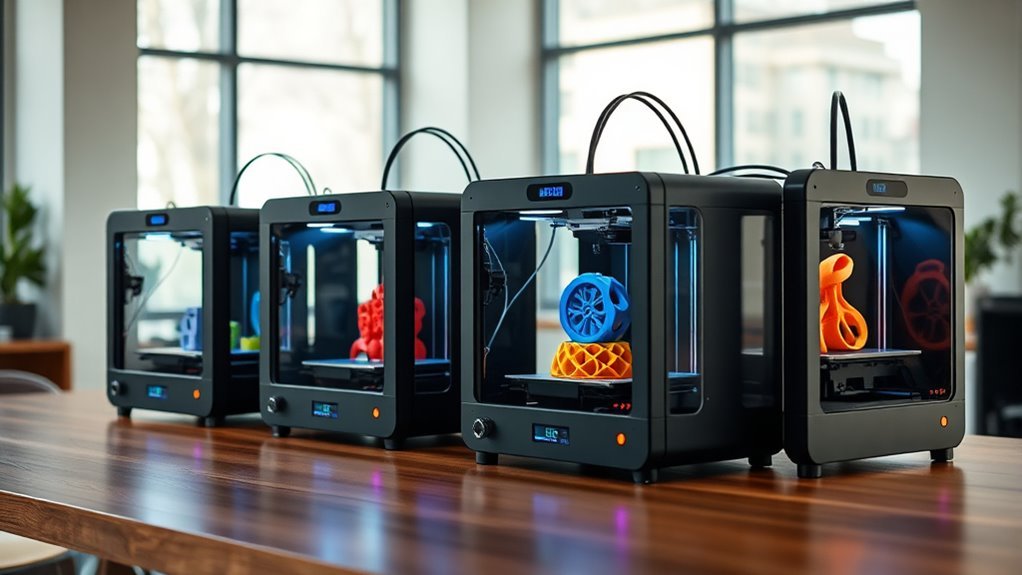
If you’re on the hunt for the best and fastest 3D printers in 2027, you’re in the right place.
Whether you want blazing speeds, multi-color capabilities, or large build volumes, these top models have you covered. Let’s dive into what makes each printer a standout choice for hobbyists and pros alike.
The Bambu Lab P2S Combo with its AMS 2 Pro is perfect if you want a 3D printer that balances blazing speeds up to 600 mm/s with high-quality multi-color finesse.
Meanwhile, the Creality K2 Plus Combo offers a huge 350 mm³ build volume and smart color switching, making it great for bigger projects with vibrant details.
The K1 Max races ahead with ultra-fast 600 mm/s prints and a 300 °C hotend for flexible material options.
For beginners, the reliable Ender-3 V3 Plus fits compact spaces perfectly and is easy to use.
Keep exploring to discover what makes these models the best choices for 2027!
| Image | Name | Editor's Rating | Price |
|---|---|---|---|

|
|
||

|
|
||
|
|
||

|
|
Bambu Lab P2S Combo, P2S 3D Printer & AMS 2 Pro, Multi-Color 3D Printing
- High-Speed Precision: The Bambu Lab P2S 3D printer prints up to 600 mm/s while maintaining exceptional accuracy. With the PMSM Servo Extruder and Active Flowrate...
- Ready to Print in 15 Minutes: Set up your P2S FDM 3D printer and start printing in just 15 minutes. With AI failure detection, quick-swap nozzles, and automatic...
- Effortless Multi-Color Printing: The AMS 2 Pro enables seamless multi-color/multi-material 3D printing. It features built-in filament drying at up to 65 °C, keeping...
- Smart Airflow for Any Filament: The Adaptive Airflow System automatically balances cooling and heat retention—keeping overhangs crisp with cool air, or maintaining a...
- Limitless Creativity, Seamless Workflow: Explore over one million 3D models on MakerWorld and bring them to life with a smooth, unified workflow using Bambu Studio, Bambu...
Experience the power of advanced multi-color and multi-material 3D printing with the Bambu Lab P2S Combo. This pairing of the fast P2S 3D printer and the AMS 2 Pro accessory addresses the challenge of creating complex, vibrant models without hassle. It enables smooth, precise prints by combining speed and accuracy.
The P2S’s CoreXY design accelerates movements up to 600 mm/s while maintaining sharp, consistent layers. The PMSM Servo Extruder delivers reliable extrusion, preventing print defects. Setup and maintenance are simplified through automatic calibration and quick-swap nozzles, reducing downtime and user effort.
The AMS 2 Pro enhances reliability with built-in filament drying and an adaptive airflow system, ensuring materials stay in optimal condition. This integration reduces print failures caused by moisture and environmental factors. Together, they provide a streamlined workflow for professionals and hobbyists working on detailed, multi-color projects.
While the system is slightly heavy and requires the AMS 2 Pro unit for multi-color printing, its design supports high performance and quality results. The combo is ideal for users ready to elevate their 3D printing capabilities with a robust, easy-to-maintain setup.
Best for: professionals and enthusiasts focused on high-speed, precise multi-color and multi-material 3D printing with minimal maintenance.
What We Like:
- Seamless multi-color printing enabled by AMS 2 Pro integration
- Fast CoreXY motion system with smooth, consistent extrusion
- Easy setup via automatic calibration and quick-swap nozzles
- Filament drying and airflow system improve print reliability
Specification:
| Feature | Specification |
|---|---|
| Manufacturer | Bambu Lab |
| Dimensions | Not specified |
| Weight | 46.3 lbs (21 kg) |
| Material | Not specified |
| Color Options | Not specified |
Creality K2 Plus Combo 3D Printer Large Volume
- Multi Color Printing with All-new CFS: K2 Plus Combo multi-color flagship printing, exciting for you to combine. With four CFS units hooked together, it is possible to...
- Larger Size to Meet More Needs: Compared to Creality K2 and K2 Pro, the Creality K2 Plus offers an extraordinary 350*350*350mm large build volume, great for handling...
- 600mm/s High Speed Printing: Creality 3D Printer K2 Plus Combo adopting industry-grade FOC step-servo motors for the XYZ axis and extrusion, Step-servo Motor System...
- Super Master of Materials: The Creality K2 Plus 3d printer actively maintains a constant temperature of up to 60°C, allowing you to easily print high-end filaments like...
- Dual AI Cameras & Automation: K2 Plus features 18 smart sensors. Everything is automated and closely monitored. It has two AI cameras. One is on the chamber side to watch...
Experience the power of large-scale, multi-color 3D printing with the Creality K2 Plus Combo. Designed to handle complex projects, it simplifies the process of creating detailed, multi-hued models without the hassle of manual filament changes. This printer’s innovative CFS multi-color system links four units, enabling up to 16 colors with automatic filament switching and RFID tracking to ensure smooth, uninterrupted prints.
The spacious 350 × 350 × 350 mm build volume allows you to produce sizable creations on a sturdy aerospace-grade aluminum frame with dual Z-axis support. This design enhances stability and printing precision, reducing errors and material waste. Its advanced FOC servos push print speeds up to 600 mm/s, while the heated chamber and hardened steel nozzle allow use of a wide range of advanced materials.
Maintenance is straightforward thanks to smart sensors and dual AI cameras that monitor prints in real-time. These features automate bed leveling, detect failures early, and optimize filament flow, minimizing downtime and improving overall reliability. Although its weight of 70.4 lb may limit portability, the robust build ensures durability and consistent performance.
Best for: professionals and hobbyists requiring large-volume, multi-color 3D prints with automated monitoring and support for advanced materials.
What We Like:
- Seamless multi-color printing with up to 16 colors and automatic filament switching
- Large, stable build volume with aerospace-grade aluminum frame and dual Z-axis
- Automated failure detection and bed leveling via smart sensors and AI cameras
- High-speed printing up to 600 mm/s for efficient workflows
Specification:
| Feature | Details |
|---|---|
| Manufacturer | Creality |
| Build Volume | 350 × 350 × 350 mm |
| Weight | 70.4 lb (32 kg) |
| Frame Material | Aerospace-grade aluminum |
| Multi-color Support | Up to 16 colors with RFID |
| Print Speed | Up to 600 mm/s |
Creality K1 Max High-Speed 3D Printer
- 𝐁𝐥𝐚𝐳𝐢𝐧𝐠 𝟔𝟎𝟎 𝐦𝐦/𝐬 𝐏𝐫𝐢𝐧𝐭 𝐒𝐩𝐞𝐞𝐝𝐬: The Creality K1 Max 3D printer delivers blazing speeds up to...
- 𝐒𝐩𝐚𝐜𝐢𝐨𝐮𝐬 𝟑𝟎𝟎 𝐦𝐦³ 𝐁𝐮𝐢𝐥𝐝 𝐕𝐨𝐥𝐮𝐦𝐞: A spacious 300 × 300 × 300 mm print area lets you produce...
- 𝐀𝐈-𝐏𝐨𝐰𝐞𝐫𝐞𝐝 𝐋𝐢𝐃𝐀𝐑 & 𝐂𝐚𝐦𝐞𝐫𝐚 𝐌𝐨𝐧𝐢𝐭𝐨𝐫𝐢𝐧𝐠: A 1 µm-resolution LiDAR scans the first...
- 𝐇𝐢𝐠𝐡-𝐅𝐥𝐨𝐰 𝐄𝐱𝐭𝐫𝐮𝐬𝐢𝐨𝐧 𝐰𝐢𝐭𝐡 𝐃𝐮𝐚𝐥 𝐂𝐨𝐨𝐥𝐢𝐧𝐠: A powerful ceramic heater surrounds...
- 𝐑𝐞𝐥𝐢𝐚𝐛𝐥𝐞 𝟐𝟒/𝟕 𝐂𝐮𝐬𝐭𝐨𝐦𝐞𝐫 𝐒𝐮𝐩𝐩𝐨𝐫𝐭: Backed by more than 20 dedicated engineers, Creality 3D...
Experience the power of high-speed 3D printing with the Creality K1 Max, engineered to tackle large projects efficiently. Its ability to print at speeds up to 600 mm/s and accelerate at 20,000 mm/s² means you spend less time waiting and more time creating.
This printer’s spacious 300 × 300 × 300 mm build volume accommodates bigger designs without sacrificing detail. The dual-gear direct drive extrusion combined with a 300 °C hotend handles a variety of filaments, offering flexibility for diverse applications.
Maintenance is simplified through smart technologies like LiDAR scanning and AI camera monitoring, which help detect errors early and ensure print accuracy. The auto-leveling feature further reduces setup time and enhances reliability.
Despite its size and weight, this device offers a robust solution for professionals and makers who need fast, precise output. It balances advanced functionality with ease of use, streamlining complex workflows.
Best for: professionals and makers seeking ultra-fast, high-precision 3D printing with a large build area and intelligent monitoring features.
What We Like:
- High-speed printing with rapid acceleration for efficient production
- Intelligent monitoring via LiDAR and AI camera for improved print quality
- Broad filament compatibility with high-temperature extrusion
- Auto-leveling for hassle-free setup and consistent results
Specification:
| Feature | Details |
|---|---|
| Manufacturer | Creality |
| Build Volume | 300 × 300 × 300 mm |
| Maximum Print Speed | 600 mm/s |
| Acceleration | 20,000 mm/s² |
| Extruder Type | Dual-gear direct drive |
| Maximum Extruder Temp | 300 °C |
| Smart Features | LiDAR scanning, AI camera, auto-leveling |
| Footprint | Larger, requires ample workspace |
Creality Ender-3 V3 Plus 3D Printer

The Creality Ender-3 V3 Plus is designed to bring reliable 3D printing into your workspace without hassle. Its compact size and lightweight build make it easy to set up and move, solving space constraints common in home or small workshop environments. This model simplifies the printing process, helping hobbyists achieve consistent quality with minimal adjustments.
Maintenance is straightforward, allowing users to focus on creativity rather than troubleshooting. The printer’s design supports smooth operation and easy access to components, which reduces downtime and keeps projects on schedule. This makes it well-suited for those who want dependable printing without complex upkeep.
With its balance of functionality and affordability, this printer meets the needs of beginners and hobbyists who want solid results. It performs well for a variety of standard printing tasks, offering versatility in material use and print detail. The Ender-3 V3 Plus is a practical choice for anyone looking to improve their 3D printing experience.
While it delivers on core performance, some users may find its warranty process less convenient since it must be requested. Overall, this model focuses on solving everyday printing challenges with an accessible design and reliable output.
Best for: hobbyists and beginners seeking an affordable, easy-to-use 3D printer that offers quality results and simple maintenance.
What We Like:
- Compact, lightweight design for easy placement and transport
- Reliable printing performance suitable for various projects
- User-friendly maintenance for minimal downtime
- Balanced features ideal for entry-level 3D printing enthusiasts
Specification:
| Specification | Details |
|---|---|
| Manufacturer | Creality |
| Dimensions | 18.19 x 17.13 x 20.71 in |
| Weight | 2.2 lb |
| Material | Not specified |
| Color Options | Not specified |
Factors to Consider When Choosing the Fastest 3D Printer

When choosing the fastest 3D printer, you’ll want to take into account print speed capabilities alongside build volume size to match your project needs. Don’t overlook multi-material support and the precision and accuracy the printer offers for high-quality results.
Automation and sensors also play a key role in keeping your prints smooth and hassle-free. These features help reduce errors and make the printing process a lot easier overall. So, it’s worth paying attention to them when making your decision.
Print Speed Capabilities
Although maximum print speed ratings often advertise speeds between 300 and 600 mm/s, you shouldn’t expect consistent quality at those rates without considering factors like acceleration, jerk settings, and extrusion limits.
Acceleration and jerk values control how quickly the printhead ramps up speed, directly impacting print time and potential ringing artifacts. You’ll also want to check the printer’s volumetric flow rate, which defines how fast filament can be extruded without under-extrusion.
The motion system type—whether CoreXY with linear rails or standard NEMA steppers—and the machine’s mechanical rigidity influence accuracy and surface finish at high speeds.
Finally, a powerful thermal system with efficient cooling guarantees filament melts and solidifies quickly, maintaining dimensional accuracy when printing fast. All these elements matter for true high-speed performance.
Build Volume Size
Speed alone doesn’t guarantee efficient printing if your build volume can’t accommodate the parts you need. Choose a build volume based on the largest part you plan to print, plus clearance for rafts, brims, and post-processing.
Larger volumes, like 300–350 mm per axis or more, let you print big functional parts or multiple smaller ones at once, which cuts down assembly time. But keep in mind, bigger build volumes increase machine size, weight, and cost. They also demand stronger frames and better thermal control to maintain accuracy.
When printing fast on large beds, the motion system has to control resonance and stiffness to avoid dimensional inaccuracies. Also, a well-controlled heated chamber helps reduce warping and layer issues when printing large engineering-grade parts.
Multi-Material Support
Choosing a 3D printer with robust multi-material support can open up new creative and functional possibilities for your projects. You’ll want a system that handles multiple filaments efficiently, whether it’s a single-extruder unit that swaps filaments mid-print or a multi-extruder setup for simultaneous multi-color or material printing.
Look for features like filament dry boxes or built-in drying to keep hygroscopic materials moisture-free. Sensors for filament runout and automatic switching reduce print failures and manual work.
A heated or semi-enclosed chamber with adaptive airflow helps print engineering-grade materials together by minimizing warping. Plus, precise extrusion management—like synchronized tool changes and purge towers—prevents color contamination and guarantees clean shifts.
These features keep your multi-material prints reliable and high-quality every time.
Precision And Accuracy
When you work with multiple materials, maintaining precision and accuracy becomes even more important to guarantee your prints come out as intended. You’ll want a printer with fine layer height options—ideally between 0.05 and 0.3 mm—and smaller nozzles around 0.2 mm for sharper details.
Look for a motion system like CoreXY or high-torque servos that deliver XY repeatability under 0.01 mm. A rigid frame with dual-Z or linear-rod supports helps reduce vibrations and ringing, keeping your parts dimensionally accurate at high speeds.
Also, precise extrusion control guarantees consistent filament flow, preventing over- or under-extrusion that can ruin fine features. Finally, stable temperatures in the hotend and build chamber prevent warping and layer adhesion issues, assuring each layer stays perfectly aligned for accurate, multi-material prints.
Automation And Sensors
Although raw speed is essential, automation and sensors play an indispensable role in ensuring your fastest 3D printer delivers reliable, high-quality results without constant supervision. Automated filament handling, like multi-spool selection and run-out detection, prevents failed prints by switching materials seamlessly.
Built-in cameras and AI failure detection catch issues like layer shifts or spaghetti early, pausing the print to save material. Automatic bed leveling and sensor-driven mesh compensation guarantee perfect first-layer adhesion and dimensional accuracy.
Environmental sensors monitor chamber temperature and filament humidity, actively drying materials to reduce warping. Motion and extrusion sensors provide real-time feedback, adjusting flow rates and toolhead movements to maintain precision at high speeds.
Together, these smart features let you push your printer’s limits without sacrificing quality. It’s like having a watchful assistant keeping everything on track while you focus on creating.
Ease Of Setup
Since setup time can make or break your initial experience, opting for a 3D printer that promises true “out-of-the-box” readiness—often under 30 minutes— helps you get started quickly without frustration. Look for models with pre-calibrated parts and minimal assembly to avoid complex manual adjustments.
Automatic bed leveling and self-calibration features save you from tedious shimming or paper tests. Quick-swap nozzles and modular extruders simplify maintenance and material changes, so you won’t waste time disassembling hardware.
Clear touchscreens and guided setup wizards walk you through each step, lowering the learning curve. Plus, built-in sensors and automated filament-loading routines detect jams early, helping you achieve consistent first-layer success faster.
Prioritizing these setup conveniences means less hassle and more time printing. It really makes a difference when you can jump right in and start creating without the usual headaches.
Frequently Asked Questions
How Do 3D Printers Impact Environmental Sustainability?
You reduce waste by printing only what you need, cutting excess materials.
You can recycle some filaments and use eco-friendly options, making 3D printing a greener choice when you manage energy and materials responsibly.
What Software Is Best for Designing 3D Models?
You’ll want to try Fusion 360 or Blender—they’re powerful and versatile. Don’t settle before exploring them; each offers unique features that can transform your ideas into stunning 3D models faster than you’d expect.
Jump right in!
Are There Health Risks Associated With 3D Printing Materials?
Yes, you can face health risks from fumes and particles released during 3D printing, especially with ABS or resin. Always use proper ventilation, wear protective gear, and handle materials carefully to keep yourself safe.
It’s really important to take these precautions seriously. A little care goes a long way in making sure your printing experience is safe and enjoyable.
How Do 3D Printers Handle Complex Geometries?
3D printers handle complex geometries by building objects layer by layer, allowing precise detail.
You’ll use support structures for overhangs, which print and remove easily. This lets you create intricate designs without compromising stability or accuracy.
What Maintenance Is Required for Long-Term Printer Performance?
You’ll need to regularly clean the nozzle, lubricate moving parts, and calibrate the bed for accurate prints.
Don’t forget to update firmware and check belts or gears to keep your printer running smoothly long-term.
Keeping up with these simple tasks can really extend the life of your printer and save you headaches down the road.
Conclusion
By now, you’ve seen the top 3D printers that’ll speed up your projects in 2027. Whether you’re after the multi-color magic of the Bambu Lab P2S Combo or the large volume of the Creality K2 Plus, there’s a perfect fit for your needs.
Don’t get stuck in the Stone Age of slow printing—embrace these cutting-edge machines and watch your creativity come to life faster than ever!
The best 3D printers in 2027 combine speed, precision, and versatility to help you achieve professional-quality results with ease. From hobbyists to professionals, these fast 3D printers will transform how you bring ideas into reality. So, if you want to stay ahead in the world of 3D printing, upgrading to one of these top-performing models is the way to go. Experience faster prints, vibrant colors, and larger build volumes that make your projects not only quicker but better.