15 Best All in One Printers for Printing Envelopes in 2027
If you need reliable envelope printing, models like HP OfficeJet Pro 8125 and 8135 offer fast, versatile output with envelope support and wireless convenience. These printers make sending mail easy and efficient, whether you’re tackling personal projects or office tasks.
Epson’s WF-4833 and WF-4935 bring high-speed printing plus dual trays and ADFs for heavy use. They’re great if you handle lots of envelopes regularly and want to save time.
Canon’s MegaTank G3270 is perfect for cost-effective frequent printing with refillable ink. It’s a smart choice if you want to keep your printing expenses low without sacrificing quality.
Whether for home or your small office, these all-in-ones balance quality and efficiency. Keep going to discover which model fits your exact needs best.
| Image | Name | Editor's Rating | Price |
|---|---|---|---|

|
|
||

|
|
||

|
|
||

|
|
||

|
|
HP OfficeJet Pro 8125 Wireless All-in-One Printer
- FROM AMERICA'S MOST TRUSTED PRINTER BRAND – The OfficeJet Pro 8125 is perfect for home offices printing professional-quality color documents like business documents...
- 3 MONTH TRIAL OF INSTANT INK INCLUDED – Subscribe to the Instant Ink delivery service to get ink delivered directly to your door before you run out, and you save up to...
- KEY FEATURES – Fast color printing, scan, copy, auto 2-sided printing, auto document feeder, and a 225-sheet input tray
- 2.7-INCH TOUCHSCREEN – Quickly navigate your printer with a large color touchscreen and a phone-like user interface
- WIRELESS PRINTING – Stay connected with our most reliable dual-band Wi-Fi, which automatically detects and resolves connection issues

The HP OfficeJet Pro 8125 Wireless All-in-One Printer is designed to make your printing tasks easier and more efficient. Its ability to handle envelopes and various media sizes up to 8.5 x 11.7 inches means you can print everything from letters to brochures without hassle. This versatility reduces the need for multiple devices, streamlining your workspace.
With print speeds up to 20 pages per minute and a sharp resolution of 4800 x 1200 dpi, it delivers crisp text and vibrant images quickly. The 2.7-inch color touchscreen offers intuitive navigation, while wireless dual-band Wi-Fi provides flexible connectivity options. These features help you stay productive without being tied down by cables.
Maintenance is straightforward, but keep in mind it uses only original HP cartridges with HP chips. Firmware updates may block non-HP cartridges, so plan accordingly to avoid interruptions. The single input tray holds up to 225 sheets, which suits moderate daily use but might require frequent refills for heavy printing.
Unique benefits include duplex automatic two-sided printing and an auto document feeder, which save time on multi-page documents. Faxing is handled through an app rather than built-in hardware, which may be less convenient for some but keeps the design compact.
Best for: Home and home office users seeking a versatile, fast all-in-one printer with wireless connectivity and support for envelope printing.
What We Like:
- Fast printing at 20 ppm with high-quality 4800 x 1200 dpi output
- User-friendly 2.7-inch color touchscreen and dual-band Wi-Fi
- Efficient duplex two-sided printing and auto document feeder
- Supports various media sizes including envelopes
Specification:
| Feature | Description |
|---|---|
| Manufacturer | HP |
| Dimensions (W x D x H) | 17.2 x 14.2 x 9.3 inches |
| Weight | Approx. 18.2 lb (8.3 kg) |
| Color Options | White with black accents |
| Connectivity | Wireless dual-band Wi-Fi |
| Input Tray Capacity | 225 sheets |
| Print Speed | Up to 20 ppm (black) |
| Print Resolution | Up to 4800 x 1200 dpi |
HP OfficeJet Pro 8135 Wireless All-in-One Printer
- FROM AMERICA'S MOST TRUSTED PRINTER BRAND – The OfficeJet Pro 8135 is perfect for home offices printing professional-quality color documents like business documents...
- 3 MONTH TRIAL OF INSTANT INK INCLUDED – Subscribe to the Instant Ink delivery service to get ink delivered directly to your door before you run out, and you save up to...
- KEY FEATURES – Fast color printing, scan, copy, fax, auto 2-sided printing, auto document feeder, and a 225-sheet input tray
- 2.7-INCH TOUCHSCREEN – Quickly navigate your printer with a large color touchscreen and a phone-like user interface
- WIRELESS PRINTING – Stay connected with our most reliable dual-band Wi-Fi, which automatically detects and resolves connection issues
The HP OfficeJet Pro 8135 Wireless All-in-One Printer is designed to simplify your printing tasks. It offers fast, high-quality color printing that handles envelopes and standard paper with ease. This makes it a solid choice for home offices or small businesses that frequently mail documents.
Its automatic two-sided printing saves time and paper, while the 225-sheet input tray supports various envelope sizes up to 8.5 x 11.7 inches. Wireless connectivity allows you to print directly from your smartphone using the HP Smart app or Apple AirPrint, streamlining your workflow without being tied to a desk.
Maintenance is straightforward, though note that the single paper tray means you may need to reload paper when switching between tasks. Also, the one-sided auto document feeder limits duplex scanning, so manual intervention is required for double-sided documents.
This printer’s AI-driven print optimization ensures crisp, water-resistant prints, giving your envelopes a professional finish. However, firmware restrictions on ink cartridges could increase ink costs if you prefer non-HP inks.
Best for: Small business owners and home office users who need a reliable all-in-one printer with wireless mobile printing and envelope handling.
What We Like:
- Fast print speeds with water-resistant, high-quality output
- Automatic duplex printing to save paper and time
- Large input tray supporting multiple envelope sizes
- Wireless printing via HP Smart app and Apple AirPrint
Specification:
| Feature | Details |
|---|---|
| Manufacturer | HP |
| Dimensions (W x D x H) | 17.2 x 19.3 x 10.4 inches |
| Weight | 18.7 lb (8.5 kg) |
| Color Options | White with black accents |
| Connectivity | Wireless (Wi-Fi), USB |
Epson WorkForce Pro WF-4833 Wireless All-in-One Printer
- High-speed printing — PrecisionCore Heat-Free Technology delivers high-speed, high-volume printing with 25 black/12 color ISO ppm and fast first-page-out
- High-precision printing — accurate dot placement and DURABrite Ultra instant-dry pigment inks for professional-quality prints
- High-volume reliability for heavy workloads — innovative heat-free technology designed for reliability and reduced downtime
- Complete duplex solution — auto 2-sided print, copy, scan and fax; plus 50-sheet ADF
- Maximize productivity — with 500-sheet paper capacity; includes two 250-sheet trays for added convenience
Experience seamless printing with the Epson WorkForce Pro WF-4833, engineered to meet the needs of busy professionals. Its fast, high-quality output ensures your documents and envelopes look sharp and professional every time.
This all-in-one printer handles various media sizes effortlessly, including envelopes up to 8.5 x 14 inches. Dual 250-sheet trays reduce the need for frequent paper refills, letting you focus on your tasks without interruptions.
Maintenance is straightforward with Epson’s Genuine 822 ink cartridges, designed for reliable performance. The device’s PrecisionCore Heat-Free Technology produces crisp prints up to 4800 x 2400 dpi while saving energy.
The 4.3″ touchscreen and Epson Smart Panel app make operation and connectivity simple, whether you use Wi-Fi, Ethernet, or USB. Additionally, features like auto-duplex printing and a 50-sheet automatic document feeder improve your efficiency.
Best for: Professionals and small businesses needing a versatile all-in-one printer that combines speed, quality, and ease of use.
What We Like:
- Crisp, high-resolution prints with fast black and color speeds
- Large paper capacity with support for multiple media types
- User-friendly 4.3″ touchscreen and smart app controls
- Energy-efficient PrecisionCore Heat-Free printing technology
- Enhanced productivity with auto-duplex and 50-sheet ADF
Specification:
| Feature | Details |
|---|---|
| Manufacturer | Epson |
| Dimensions (W×D×H) | 17.9 × 16.5 × 11.6 in |
| Weight | 26.2 lb |
| Media Handling | Two 250-sheet trays, envelopes up to 8.5 × 14 in |
| Connectivity | Wi-Fi, Ethernet, USB |
HP OfficeJet Pro 9125 Wireless All-in-One Printer
No products found.
Experience seamless multitasking with the HP OfficeJet Pro 9125 Wireless All-in-One Printer. This versatile device simplifies office workflows by combining printing, scanning, copying, and faxing into one compact unit. Its design enhances productivity, especially for users managing diverse document needs.
The printer’s duplex printing and scanning capabilities reduce paper use and save time on double-sided tasks. A 250-sheet input tray supports various media sizes, including envelopes, minimizing interruptions. Print sharp, professional-quality documents at speeds up to 22 ppm in black and 18 ppm in color.
Connectivity is straightforward with options like dual-band Wi-Fi, Ethernet, USB, and Apple AirPrint. The 2.7-inch color touchscreen and HP Smart app make operation intuitive, while HP Wolf Pro Security safeguards sensitive information. Maintenance is user-friendly, though original HP cartridges are required, which may affect ink costs.
Best for: Small to medium-sized offices or home offices needing a reliable, versatile all-in-one printer with strong connectivity and duplex capabilities.
What We Like:
- Efficient duplex printing and scanning for time and paper savings
- Multiple connectivity options including dual-band Wi-Fi and Apple AirPrint
- User-friendly 2.7-inch touchscreen and HP Smart app for easy control
- HP Wolf Pro Security enhances data protection
- Supports various media sizes, including envelopes
Specification:
| Feature | Details |
|---|---|
| Manufacturer | HP |
| Dimensions (W×D×H) | Approx. 18.9 × 16.7 × 11.7 inches |
| Weight | Around 25 lbs (11.3 kg) |
| Print Speed | Up to 22 ppm black, 18 ppm color |
| Resolution | 1200 x 1200 dpi |
| Connectivity | Dual-band Wi-Fi, Ethernet, USB, Apple AirPrint |
| Input Capacity | 250 sheets |
| Display | 2.7-inch color touchscreen |
Canon MegaTank G3270 All-in-One Wireless Color Printer
- Wireless Print/Copy/Scan
- Up to 2 years of ink included (2)
- Print up to 6,000 black & white / 7,700 color pages using a single set of inks! (1)
- Save up to $1,000 on ink (1)
- 1.35” Square LCD display
Experience hassle-free printing with the Canon MegaTank G3270 All-in-One Wireless Color Printer. This compact device is designed to handle all your home and small office printing tasks efficiently. It solves the common problem of frequent ink replacements by offering refillable ink tanks that last up to two years, saving you money and reducing downtime.
The printer produces sharp, vibrant prints with a high resolution of up to 4800 x 1200 dpi. It supports various paper sizes, including U.S. #10 envelopes, making it ideal for mailing and everyday document needs. Wireless connectivity allows you to print from multiple devices without complicated setups.
Maintenance is simple thanks to the MegaTank system, which minimizes ink costs and refills. While it does not support duplex printing, its straightforward design and easy-to-navigate LCD screen keep operations smooth and user-friendly. Print speeds are moderate but sufficient for typical home or office use.
Best for: Home and small office users who need a cost-effective, versatile color printer with long-lasting ink supply.
What We Like:
- High-quality color prints with sharp detail.
- Refillable ink tanks providing up to two years of ink.
- Easy wireless printing and app control.
- Supports multiple paper sizes and types.
- Compact design saves space.
Specification:
| Feature | Details |
|---|---|
| Manufacturer | Canon |
| Dimensions | Compact (exact size not specified) |
| Weight | Not specified |
| Printing Resolution | Up to 4800 x 1200 dpi |
| Connectivity | Wireless |
| Ink System | Refillable MegaTank |
| Display | 1.35-inch LCD screen |
| Duplex Printing | Not supported |
Canon PIXMA TS9521Ca – Wireless Home All-in-One Inkjet Printer
- ALL-IN-ONE: Print, Copy, Scan features for full control at your fingertips. Comes with a 1 year limited warranty.
- FAST PRINT SPEEDS: Print approximately 15 (black) / 10 (color) images per minute.
- EASY SETUP and INSTALL: Get running in just a few minutes thanks to a streamlined and easy setup process out of the box. The five individual ink system makes it easy to...
- USER-FRIENDLY TOUCHSCREEN: Get the job done with an intuitive and easy to use 4.3” touch LCD screen.
- AUTO 2-SIDED PRINTING: Built in auto duplex printing for convenience & paper savings.
The Canon PIXMA TS9521Ca is a versatile all-in-one inkjet printer designed to simplify your home and small business tasks. Whether you’re crafting personalized scrapbooks or managing office documents, this printer adapts to your needs with ease. Its wireless connectivity and 4.3” touchscreen make printing, copying, and scanning straightforward and accessible from multiple devices.
This model supports various paper sizes, including U.S. #10 envelopes, so you can handle mailing and specialty projects without hassle. It delivers sharp, vibrant prints at a resolution of 4800 x 1200 dpi, ensuring your documents and photos look professional. The automatic duplex feature helps save paper by printing on both sides.
Maintenance is made simpler with five individual ink cartridges, allowing you to replace only the colors that run out, reducing waste and cost. Its dual trays hold up to 200 sheets, which helps minimize how often you need to reload paper during busy periods.
While print speeds are moderate, around 15 ppm for black and 10 ppm for color, this printer balances quality and convenience well. The single processor and basic hardware interface suit typical home or small office workflows but might be less efficient for heavy multitasking.
Best for: Home users and small businesses needing a versatile, wireless all-in-one printer capable of handling diverse projects like scrapbooking, mailing, and office documents with easy mobile printing and duplex options.
What We Like:
- High-quality prints with up to 4800 x 1200 dpi resolution
- Supports a variety of media sizes, including envelopes and banners
- Five individual ink cartridges reduce ink replacement costs
- Wireless connectivity with intuitive 4.3” touchscreen control
- Dual paper trays hold up to 200 sheets for less frequent refills
Specification:
| Feature | Details |
|---|---|
| Manufacturer | Canon |
| Dimensions | Approx. 17.3 x 14.7 x 5.9 in (44 x 37.3 x 15 cm) |
| Weight | Approx. 14.3 lbs (6.5 kg) |
| Ink Type | Five individual ink cartridges |
| Connectivity | Wireless, USB |
| Display | 4.3-inch touchscreen |
Epson Workforce Pro WF-4935 Wireless All-in-One Printer

- Built for Speed — PrecisionCore Heat-Free technology delivers fast, high-volume printing with 25 (black)/12 (color) ISO ppm and fast first-page-out
- High-Precision Office Printing — Accurate dot placement and DURABrite Ultra instant-dry pigment inks for professional-quality prints
- High-Volume Durability for Heavy Workloads — Innovative heat-free technology engineered for reliability and reduced downtime
- Complete Duplex Solution — All-in-one printer with auto 2-sided print, copy, scan and fax; plus 50-sheet ADF
- Maximize Printing Productivity — High-performance office printer with 500-sheet paper capacity; includes two 250-sheet trays for added convenience
Experience hassle-free high-volume printing with the Epson Workforce Pro WF-4935 Wireless All-in-One Printer. Designed to handle diverse media, including envelopes up to 8.5″ x 14″, it simplifies your workflow and reduces manual tasks. Its PrecisionCore heat-free inkjet technology delivers sharp, durable prints quickly, helping you meet tight deadlines without compromising quality.
This printer’s dual 250-sheet trays and 50-sheet automatic document feeder (ADF) minimize paper refills and streamline multi-page tasks. The auto-duplex printing saves paper and effort, making it ideal for busy office environments. You can control settings easily through the intuitive 4.3″ color touchscreen or the Epson Smart Panel app, enhancing convenience whether you’re at your desk or on the go.
Maintenance is straightforward with long-lasting DURABrite Ultra pigment inks that resist smudges and fading. While the device supports wireless and Ethernet connectivity, it is limited to USB 2.0, which may affect data transfer speeds. Weighing 23.6 pounds, it’s designed more for stationary use than portability.
With its robust features and reliable performance, this all-in-one printer is a smart choice for businesses seeking versatility and efficiency in envelope and document printing.
Best for: Small to medium-sized offices or home offices needing fast, versatile printing with reliable wireless and wired connections.
What We Like:
- Fast black and color printing with durable pigment inks
- Dual 250-sheet trays plus 50-sheet ADF for high-volume tasks
- Auto-duplex printing reduces paper use and manual effort
- User-friendly 4.3″ touchscreen and Epson Smart Panel app
Specification:
| Feature | Details |
|---|---|
| Manufacturer | Epson |
| Dimensions (W×D×H) | 17.7″ × 17.7″ × 11″ |
| Weight | 23.6 lbs (10.7 kg) |
| Print Speed (Black) | Up to 25 ppm |
| Print Speed (Color) | Up to 12 ppm |
| Media Sizes Supported | Up to 8.5″ × 14″ (envelopes) |
| Connectivity | Wireless, Ethernet, USB 2.0 |
| Display | 4.3″ color touchscreen |
HP DeskJet 2923 Color Inkjet Printer | Wireless | All-in-One

- Perfect for basic printing needs – Print everyday color documents like to-do lists, letters, financial documents and recipes
- KEY FEATURES – Color print, copy, scan, and a 60-sheet input tray, plus mobile and wireless printing
- OPTIMIZE PRINT FORMATTING WITH HP AI – Print web pages and emails with precision—no wasted pages or awkward layouts; HP AI easily removes unwanted content, so your...
- ICON LCD – Print your basic documents with ease from the intuitive control panel
- PRINT SPEED – Up to 7.5 ppm black, 5.5 ppm color
The HP DeskJet 2923 is a compact all-in-one printer designed to simplify everyday printing tasks at home. Its small footprint fits neatly in tight spaces, making it ideal for home offices with limited room. This versatile device combines printing, scanning, and copying in one unit, streamlining your workflow.
Wireless connectivity is seamless with dual-band Wi-Fi, allowing direct printing from laptops and smartphones. The printer supports Apple AirPrint and Mopria, so you can print without hassle from various devices. An intuitive icon LCD control panel makes operation straightforward, even for beginners.
Maintaining the DeskJet 2923 is easy, thanks to its 60-sheet input tray that accommodates envelopes and standard paper. HP’s AI technology helps reduce ink waste when printing web pages and emails. Additionally, a six-month Instant Ink trial ensures you won’t run out of supplies unexpectedly.
While print speeds are moderate and duplex printing requires manual handling, this model offers reliable performance for typical home use. Its eco-friendly design and efficient ink management make it a practical choice for daily color printing needs.
Best for: Compact home users who want an affordable, user-friendly all-in-one printer for everyday color printing, scanning, and copying with wireless convenience.
What We Like:
- Dual-band Wi-Fi with Apple AirPrint and Mopria support for effortless wireless printing
- Six-month Instant Ink trial reduces ink costs and ensures timely ink delivery
- Compact size with an easy-to-use icon LCD control panel
- 60-sheet tray fits envelopes and standard documents comfortably
Specification:
| Feature | Details |
|---|---|
| Manufacturer | HP |
| Dimensions | Compact, fits small spaces |
| Weight | Lightweight for easy placement |
| Connectivity | Dual-band Wi-Fi, Apple AirPrint, Mopria |
| Input Tray Capacity | 60 sheets |
| Functions | Print, scan, copy |
HP Envy 6155 Wireless All-in-One Printer (C2WR7A)

- FROM AMERICA'S MOST TRUSTED PRINTER BRAND – The Envy 6155 is perfect for homes printing everyday high-quality color documents like homework and borderless photos. Print...
- 3 MONTH TRIAL OF INSTANT INK – Subscribe to the Instant Ink delivery service to get ink delivered directly to your door before you run out, and you save up to 50% on...
- KEY FEATURES – Color print, copy and scan, plus auto 2-sided printing and a 100-sheet input tray
- HP'S MOST INTUITIVE COLOR TOUCHSCREEN – Smoothly navigate your printer with the easy-to-use 2.4" touchscreen
- WIRELESS PRINTING – Stay connected with our most reliable dual-band Wi-Fi, which automatically detects and resolves connection issues
The HP Envy 6155 Wireless All-in-One Printer (C2WR7A) makes home printing easier and more efficient. It handles color printing, scanning, and copying with ease, perfect for documents, photos, and envelopes. This printer’s auto duplex printing saves time and paper by printing on both sides without manual effort.
Maintenance is simple with the 2.4-inch color touchscreen that offers user-friendly controls. The dual-band Wi-Fi ensures a stable connection and resolves common network issues automatically. Plus, the built-in HP AI helps optimize print layouts, reducing waste when printing envelopes or emails.
Designed for everyday home use, the Envy 6155 supports borderless photo printing for vibrant images that match what you see on screen. It uses original HP cartridges to maintain print quality, though this limits ink options. The printer’s 100-sheet input tray fits typical home printing volumes but may need refilling for larger tasks.
A unique benefit is the included 3-month Instant Ink trial, which helps keep ink supply steady and reduces running costs. Built with 60% recycled plastic, this model also supports eco-friendly printing.
Best for: Home users needing a reliable all-in-one color printer for photos, documents, and envelopes with smart connectivity and easy maintenance.
What We Like:
- Auto duplex printing and borderless photo capabilities enhance print quality and convenience.
- Dual-band Wi-Fi with smart fixes improves connection reliability.
- Intuitive 2.4-inch color touchscreen simplifies operation.
- 3-month Instant Ink trial ensures continuous ink supply and cost savings.
- Eco-friendly construction with 60% recycled plastic.
Specification:
| Feature | Details |
|---|---|
| Manufacturer | HP |
| Model | Envy 6155 Wireless All-in-One (C2WR7A) |
| Dimensions (W×D×H) | 17.3 × 14.5 × 5.7 inches |
| Weight | Approximately 13.5 lbs |
| Color Options | White with black accents |
| Connectivity | Dual-band Wi-Fi |
| Input Tray Capacity | 100 sheets |
Epson Workforce WF-2990 Wireless All-in-One Printer
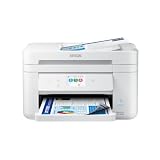
- Fast Professional-Quality Home Office Printing — Epson's leading-edge printing technology produces sharp text and clear, vibrant color graphics
- Our Fastest WorkForce Printer — Plus, a 150-sheet paper tray for convenient paper handling
- Convenient Operation — Large 2.4" color display for effortless navigation
- Engineered for Reliability — Consistently delivers high-quality prints with PrecisionCore Heat-Free technology and a permanent printhead designed to last the life of...
- Efficient, Economical Design — Automatic 2-sided printing helps you save paper and reduce paper waste
The Epson Workforce WF-2990 is designed to simplify tasks in small offices and home environments. It combines printing, scanning, copying, and faxing into one compact device, making it a versatile solution for daily document needs. With a 150-sheet tray and an Auto Document Feeder, it handles multi-page jobs efficiently, saving you time.
This all-in-one printer offers auto-duplex printing, reducing paper use and helping lower operating costs. Its PrecisionCore Heat-Free technology ensures sharp, vibrant prints while using less energy. The durable printhead supports long-term reliability, minimizing maintenance concerns.
Connectivity options include Wi-Fi, Ethernet, and USB, allowing flexible setup in various workspaces. Managing print jobs is straightforward thanks to the 2.4″ color touchscreen and the Epson Smart Panel app, which provides remote control and easy access to printer functions.
Operating costs are managed with individual ink cartridges, though it requires genuine Epson ink, which may affect expenses. The compact design fits well in tight spaces, but the small touchscreen might limit ease of use for some users.
Best for: Small offices and home users needing a reliable all-in-one printer with wireless capabilities and efficient paper handling.
What We Like:
- Efficient multi-functionality with print, scan, copy, and fax
- Auto-duplex printing reduces paper waste
- PrecisionCore Heat-Free technology delivers high-quality prints
- Multiple connectivity options including wireless and Ethernet
- Individual ink cartridges help control ink replacement costs
Specification:
| Feature | Details |
|---|---|
| Manufacturer | Epson |
| Dimensions | Approx. 15.7 x 14.9 x 9.8 in (W x D x H) |
| Weight | Approx. 10.1 lb (4.58 kg) |
| Paper Tray Capacity | 150 sheets |
| Max Media Size | 8.5 x 14 inches |
| Display | 2.4-inch color touchscreen |
| Connectivity | Wi-Fi, Ethernet, USB |
Epson Workforce Pro WF-4920 Wireless All-in-One Printer

- Built for Speed — PrecisionCore Heat-Free technology delivers fast, high-volume printing with 25 (black)/12 (color) ISO ppm and fast first-page-out
- High-Precision Office Printing — Accurate dot placement and DURABrite Ultra instant-dry pigment inks for professional-quality prints
- High-Volume Durability for Heavy Workloads — Innovative heat-free technology engineered for reliability and reduced downtime
- Designed for Productivity — All-in-one printer with auto 2-sided printing and 1-sided, 35-page ADF streamline workflow
- Maximize Printing Efficiency — High-performance office printer with large, 250-sheet paper capacity
The Epson Workforce Pro WF-4920 is designed to make printing tasks smoother and more efficient, especially when dealing with envelopes and varied paper sizes. It tackles the common frustrations of slow printing and complicated operations by delivering sharp, professional-quality prints quickly. This printer helps reduce time spent waiting by printing up to 25 pages per minute in black and 12 per minute in color.
Its auto duplex printing feature cuts paper use in half, making it ideal for businesses focused on efficiency and cost savings. The 35-page automatic document feeder (ADF) simplifies multi-page scanning and copying, minimizing manual effort. A large 4.3″ touchscreen offers intuitive control, so managing print jobs or settings is straightforward without needing technical expertise.
Connectivity is flexible with wireless, Ethernet, and USB options, enabling seamless integration into various work environments. The Epson Smart Panel app enhances convenience by supporting hands-free printing through Siri or remote control via mobile devices. However, users should note the 250-sheet maximum capacity may require more frequent refills during heavy use.
Maintenance is straightforward but requires Epson Genuine Cartridges to maintain print quality and avoid warranty issues. The printer’s robust build supports durability, though its size means it needs adequate desk space.
Best for: Small to medium-sized offices and home users needing a versatile, high-quality all-in-one printer with fast duplex printing and flexible connectivity.
What We Like:
- High-speed printing with professional 4800 x 1200 dpi resolution
- Auto duplex printing and 35-page ADF streamline workflow
- Large touchscreen for easy operation without confusion
- Multiple connectivity options including wireless and mobile app control
Specification:
| Feature | Details |
|---|---|
| Manufacturer | Epson |
| Dimensions (W×D×H) | 17.7 × 21.6 × 12.6 inches |
| Weight | 19.8 lb (9 kg) |
| Material | Plastic |
| Color Options | Black |
HP OfficeJet Pro 9730 Wide-Format Wireless Printer

- FROM AMERICA'S MOST TRUSTED PRINTER BRAND – The wide-format OfficeJet Pro 9730 is perfect for offices printing professional-quality color documents like floorplans...
- 3 MONTH TRIAL OF INSTANT INK INCLUDED – Subscribe to the Instant Ink delivery service to get ink delivered directly to your office door before you run out, and you save...
- KEY FEATURES – Fast color printing up to 11 x 17, copy, auto 2-sided printing, auto document feeder with single-pass 2-sided scanning, and two 250-sheet input trays
- EASILY ACHIEVE VIBRANT, SCREEN-ACCURATE PRINTS – Print true to screen with the world's first and only wide-format printer with P3 for a wider color gamut vs. sRGB
- 4.3-INCH TOUCHSCREEN – Quickly navigate your printer with a large color touchscreen and a phone-like user interface
Experience professional-quality wide-format printing with the HP OfficeJet Pro 9730 Wide-Format Wireless Printer. This versatile device handles larger documents and envelopes up to 11 x 17 inches, making it ideal for businesses that need more than standard-sized prints. It delivers sharp images and text with a high resolution of 4800 x 1200 dpi.
Designed for efficiency, the printer boasts fast print speeds and duplex scanning and copying, helping to streamline your daily tasks. Dual 250-sheet trays allow you to load up to 500 sheets, reducing frequent reloads. The intuitive 4.3-inch color touchscreen and HP Smart app provide simple control and easy access to printer functions.
Connectivity options include wireless, Ethernet, and USB, giving you flexible setup choices for various office environments. Maintenance is straightforward with individual ink cartridges, though costs may add up after the Instant Ink trial. The printer’s size and weight require a dedicated space but support robust multifunction use including faxing.
With built-in HP Wolf Pro Security and an eco-friendly design, this printer supports secure, sustainable operations, ensuring it fits well into busy office workflows.
Best for: Businesses and office environments that require versatile wide-format printing, high-quality color output, and efficient multifunction capabilities.
What We Like:
- Supports wide-format printing up to 11 x 17 inches for larger documents
- Fast print speeds combined with high-resolution output
- Dual 250-sheet trays hold up to 500 sheets, minimizing reloads
- Multiple connectivity options including dual-band Wi-Fi, Ethernet, and USB
- Easy control via a 4.3-inch touchscreen and HP Smart app
Specification:
| Feature | Details |
|---|---|
| Manufacturer | HP |
| Dimensions | Approx. 22.7 x 18.5 x 11.7 in |
| Weight | Approx. 26.9 lb (12.2 kg) |
| Color Options | Black |
| Print Resolution | Up to 4800 x 1200 dpi |
| Paper Capacity | 2 x 250-sheet trays (500 total) |
| Connectivity | Wireless, Ethernet, USB |
Epson EcoTank ET-4950 Wireless Color All-in-One Supertank Printer – Black

- Epson EcoTank Wireless All-in-One Ink Tank Printer – Cartridge-Free System, High-Capacity Ink Bottles, Mobile Printing, Auto Duplex
- WORRY-FREE PRINTING — Epson EcoTank comes with enough ink to print up to 6,600 pages black/5,500 color⁹ for fewer out-of-ink frustrations. Each replacement ink bottle...
- SIMPLE INK REFILLING — Supersized ink tanks and uniquely keyed EcoFit bottles make refilling ink simple—no mess, no stress and no ink bottle mix-ups
- THE WORLD’S #1 SELLING SUPERTANK PRINTER² — Epson invented EcoTank to revolutionize the way people print; we’ve sold 100 million EcoTanks worldwide⁷ and this is...
- ADVANCED PRODUCTIVITY FEATURES — Fast 18 black/9 color ISO ppm print speeds with zero warmup time, an Auto Document Feeder, fax, a high-capacity 250-sheet paper tray...
Experience hassle-free high-volume printing with the Epson EcoTank ET-4950 Wireless Color All-in-One Supertank Printer. Designed to reduce interruptions, its cartridge-free EcoTank system features supersized refillable ink tanks that can print up to 6,600 black and 5,500 color pages from the included bottles. This means fewer refills and more time focusing on your tasks.
The printer delivers efficient performance with fast ISO-equivalent speeds of 18 ppm for black and 9 ppm for color prints. Automatic duplex printing and a sizable 250-sheet tray accommodate various media, including envelopes up to 8.5×14 inches, streamlining your workflow. Its wireless and Ethernet connectivity options provide flexible setup for home offices or small business environments.
Maintenance is simple and cost-effective thanks to the EcoTank’s refillable ink system. The 2.4″ color LCD and Epson Smart Panel app make managing print jobs and settings straightforward. While the printer is optimized for standard media sizes, it may not suit needs requiring larger format printing.
With reliable performance and low operational costs, this all-in-one printer is ideal for users needing a dependable, high-volume solution that fits seamlessly into their workspace.
Best for: users who require a cost-efficient, high-capacity all-in-one printer with wireless connectivity for home or small office use.
What We Like:
- Cartridge-free EcoTank system with high page yield from included refill bottles
- Fast printing speeds with automatic duplex and large paper capacity
- Wireless and Ethernet support with easy setup via color LCD and Smart Panel app
Specification:
| Feature | Details |
|---|---|
| Manufacturer | Epson |
| Dimensions (W×D×H) | Not specified |
| Weight | Not specified |
| Color Options | Black |
| Connectivity | Wireless, Ethernet |
| Display | 2.4″ Color LCD |
| Paper Capacity | 250 sheets |
| Max Media Size | 8.5 × 14 inches |
HP OfficeJet Pro 9135 Wireless All-in-One Printer

- FROM AMERICA'S MOST TRUSTED PRINTER BRAND – The OfficeJet Pro 9135 is perfect for offices printing professional-quality color documents like presentations, brochures...
- 3 MONTH TRAIL OF INSTANT INK INCLUDED – Subscribe to the Instant Ink delivery service to get ink delivered directly to your office door before you run out, and you save...
- KEY FEATURES – Fast color printing, copy, fax, auto 2-sided printing, auto document feeder with single-pass 2-sided scanning, and two 250-sheet input trays
- 4.3-INCH TOUCHSCREEN – Quickly navigate your printer with a large color touchscreen and a phone-like user interface
- WIRELESS PRINTING – Stay connected with our most reliable dual-band Wi-Fi, which automatically detects and resolves connection issues
Experience seamless printing with the HP OfficeJet Pro 9135 Wireless All-in-One Printer, designed to keep your office running efficiently. Its fast print speeds and sharp resolution ensure professional-quality documents without long waits. Duplex printing and a large 500-sheet capacity minimize interruptions, helping you maintain smooth workflows.
This printer supports multiple connectivity options including dual-band Wi-Fi, Ethernet, and mobile printing through Apple AirPrint. The intuitive 4.3-inch touchscreen simplifies operation, letting you manage tasks effortlessly from your desk or device. These features help reduce time spent on setup and increase productivity.
Maintenance is straightforward, but note that it requires original HP cartridges with embedded chips. This ensures print quality but may limit third-party cartridge use. The printer handles standard paper sizes up to 8.5 x 11.7 inches, suitable for most office needs.
Built with sustainability in mind, the printer uses recycled plastic components and HP AI technology to cut down on wasted pages. This makes it a practical choice for businesses looking to balance performance with eco-conscious practices.
Best for: Small to medium businesses and office teams needing a fast, reliable, and eco-friendly all-in-one printer with versatile connectivity.
What We Like:
- Fast print speeds up to 25 ppm (black) and 20 ppm (color) for efficient document handling.
- Large 500-sheet paper capacity with automatic duplex printing to streamline workflows.
- Multiple connectivity options including dual-band Wi-Fi, Ethernet, USB, and mobile support.
- User-friendly 4.3-inch touchscreen for easy control and navigation.
- Eco-friendly design featuring recycled plastic parts and AI-driven waste reduction.
Specification:
| Feature | Details |
|---|---|
| Manufacturer | HP |
| Model | OfficeJet Pro 9135 |
| Dimensions (W×D×H) | Approx. 17.2 × 18.5 × 9.9 inches |
| Weight | Approx. 18.4 lbs (8.35 kg) |
| Print Resolution | Up to 4800 x 1200 dpi |
| Paper Capacity | 500 sheets |
| Connectivity | Dual-band Wi-Fi, Ethernet, USB |
| Touchscreen | 4.3-inch color |
| Supported Paper Size | Up to 8.5 × 11.7 inches |
Epson Workforce Pro WF-4930 Wireless All-in-One Printer

- Built for Speed — PrecisionCore Heat-Free technology delivers fast, high-volume printing with 25 (black)/12 (color) ISO ppm and fast first-page-out
- High-Precision Office Printing — Accurate dot placement and DURABrite Ultra instant-dry pigment inks for professional-quality prints
- High-Volume Durability for Heavy Workloads — Innovative heat-free technology engineered for reliability and reduced downtime
- Complete Duplex Solution — All-in-one printer with auto 2-sided print, copy, scan and fax; plus 50-sheet ADF
- Maximize Printing Productivity — High-performance office printer with 500-sheet paper capacity; includes two 250-sheet trays for added convenience
The Epson Workforce Pro WF-4930 stands out as a versatile all-in-one printer designed to tackle high-volume printing tasks with ease. It delivers crisp prints at a sharp 4800 x 2400 dpi resolution, ensuring that envelopes and documents look professional every time. This model is perfect for those seeking a seamless workflow, as it handles various media sizes, including envelopes up to 8.5 x 14 inches, without frequent paper changes.
Its dual 250-sheet trays minimize interruptions, while the 50-sheet automatic document feeder streamlines multi-page scanning or copying jobs. Wireless connectivity options like AirPrint and Epson’s Smart Panel app make printing from smartphones or tablets straightforward. The intuitive 4.3-inch touchscreen simplifies navigation, allowing users to manage print jobs efficiently.
Maintenance is straightforward, but keep in mind the printer requires Epson Genuine Cartridges, which may affect ongoing ink expenses. Though the color print speed is moderate at 12 ppm, the black-and-white output is faster, making it ideal for businesses or home offices with mixed printing needs.
Best for: users who require a reliable, fast, and flexible all-in-one printer capable of handling high-volume envelope and document printing in home or office environments.
What We Like:
- Sharp print quality with 4800 x 2400 dpi resolution.
- Large dual 250-sheet paper trays reduce paper refills.
- Wireless printing via AirPrint and Epson Smart Panel app.
- Automatic duplexing and 50-sheet ADF increase efficiency.
- Easy-to-use 4.3-inch touchscreen interface.
Specification:
| Feature | Details |
|---|---|
| Manufacturer | Epson |
| Dimensions (W x D x H) | 17.6 x 19.8 x 12.6 inches |
| Weight | 23.6 pounds |
| Media Size Support | Up to 8.5 x 14 inches envelopes |
| Connectivity | Wireless, AirPrint, Epson Smart Panel app |
Factors to Consider When Choosing an All in One Printer for Printing Envelopes
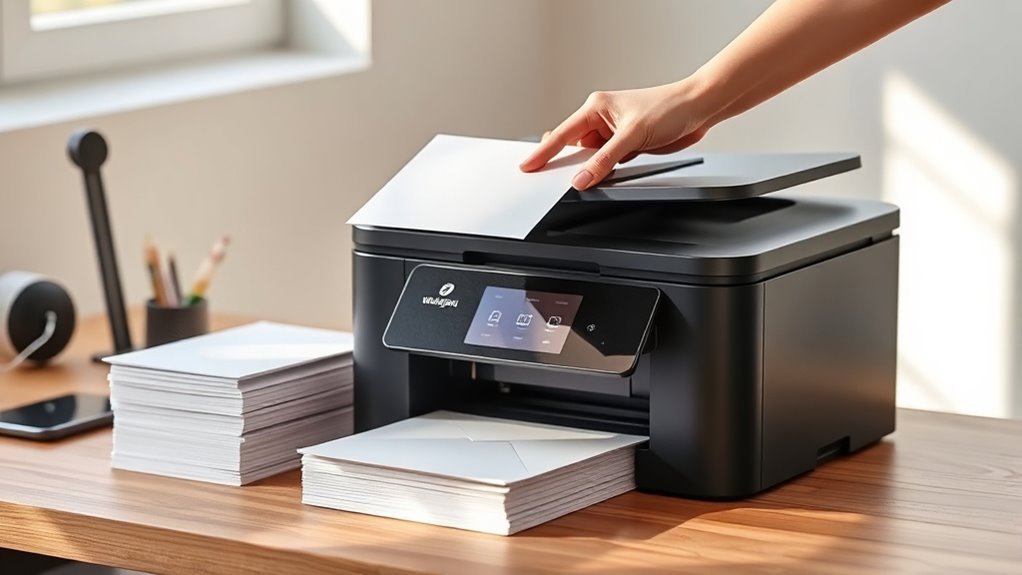
When picking an all-in-one printer for envelopes, you’ll want to check if it handles the sizes you use. Pay attention to print quality and how smoothly it feeds paper to avoid jams.
Also, consider connectivity options, ink costs, and how much paper it can hold to keep your workflow efficient. These factors can really make a difference in your day-to-day printing experience.
Envelope Size Compatibility
Before you pick an all-in-one printer for envelopes, make sure it can handle the sizes you need. Check the printer’s maximum and minimum media dimensions to confirm it supports common envelopes like #10, A2, or C6.
Look for printers with a straight-through or rear-feed paper path to reduce jams, especially with thicker or windowed envelopes. This really helps avoid those frustrating paper jams.
Verify the printer’s supported envelope weight—usually up to 90–110 gsm—to prevent feeding issues. A dedicated envelope tray with adjustable guides helps align different sizes and print close to the flap without smudging.
Also, confirm the printable margins accommodate your envelope layout, allowing ink-safe areas and return address placement. Ensuring these compatibility factors saves time and guarantees smooth, precise envelope printing.
Print Quality Precision
Ensuring your all-in-one printer handles different envelope sizes smoothly sets the stage for achieving sharp, professional-quality prints. You’ll want a printer with at least 1200 x 1200 dpi resolution to keep text and addresses crisp, even on textured or coated envelopes.
Look for precise dot placement and consistent color density to prevent banding or uneven ink coverage. It’s essential the printer excels at fine fonts and small printable areas, delivering clear return addresses and details without blurring.
Also, consider how well the printer manages ink absorption on various envelope finishes—plain, recycled, linen, or glossy—to avoid bleeding or fuzzy edges. Finally, reliable single-sheet feeding and minimal paper skew are vital to prevent smudging or off-center prints.
That way, each envelope looks polished and professional.
Paper Handling Capacity
Many all-in-one printers offer varying paper handling capacities, but not all are suited for printing envelopes efficiently. You’ll want to check the maximum input tray capacity and see if it handles small envelope runs without jamming.
Larger trays hold more sheets but might misalign envelopes if not designed for them. Look for a dedicated envelope feeder that feeds one envelope at a time to avoid creasing.
Also, confirm the printer supports the thickness and size of your envelopes to prevent feeding issues. Don’t forget to verify the output tray can stack printed envelopes without bending or crushing, especially if printing in batches.
Avoid using the ADF or multipage feeders for envelopes—they usually cause jams. Instead, rely on manual or specialty feeds for smooth handling.
Connectivity Options Variety
When choosing an all-in-one printer for envelopes, you’ll want to verify it supports multiple connectivity options like Wi-Fi, USB, and Ethernet. This way, you can print seamlessly from desktops, laptops, and mobile devices.
Look for printers with direct mobile printing protocols such as AirPrint or Mopria, or a dedicated app. These features help guarantee correct envelope sizing and margins when printing wirelessly from smartphones or tablets.
A front-feed or manual feed slot paired with a reliable USB or wired connection helps reduce feed errors with heavier envelope stock. Wireless connections can sometimes cause those annoying jams, so having that wired option is a bonus.
Also, check for driver settings that include envelope templates and adjustable feed source selection. It’s important these are accessible via all connection types.
For shared offices, Wi-Fi Direct or Ethernet guarantees stable network printing without interruptions. This prevents misfeeds or incomplete print jobs, keeping your workflow smooth.
Ink Efficiency and Cost
Besides connectivity, you’ll want to pay close attention to ink efficiency and cost, as these factors directly impact your printing budget. Envelope printing uses less total ink per page but demands darker, denser text. So, opt for printers with high page yields or large-capacity cartridges to lower your cost per envelope.
Pigment-based black inks provide sharper, water-resistant text, which helps reduce reprints and overall ink waste. Check the cost-per-page by dividing cartridge yield by price to estimate your ink expense based on typical print coverage.
Choose printers with individual color cartridges or refillable tanks. That way, you only replace depleted colors—ideal for black-dominant envelope jobs. Also, don’t forget to enable draft or economy modes for less critical prints. It cuts ink use without sacrificing legibility.
Frequently Asked Questions
Can All-In-One Printers Scan and Fax Envelopes?
Yes, you can scan and fax envelopes with many all-in-one printers. Just make sure your device supports scanning thick materials.
Also, check if it has a flatbed scanner or an automatic document feeder designed for envelopes. That way, you won’t run into any issues when sending or copying your mail.
What Is the Average Cost per Envelope Print?
Printing envelopes usually costs you around 5 to 15 cents each, depending on ink and paper quality.
Don’t let expenses sneak up like a fox; choosing efficient cartridges helps keep your budget snug and tight.
Are There Specific Envelope Sizes Compatible With These Printers?
Yes, you’ll find these printers support common envelope sizes like #10, DL, and C6.
Always check your model’s specifications to guarantee compatibility, especially if you need to print on unusual or custom-sized envelopes.
It’s a good idea to make sure before you start printing, so you don’t run into any issues.
How Do All-In-One Printers Handle Double-Sided Envelope Printing?
Think of double-sided envelope printing as a dance; your all-in-one printer carefully flips the envelope, ensuring both sides get their moment in the spotlight.
Just load correctly, and it’ll handle the rest seamlessly, no missteps.
Can These Printers Print on Textured or Colored Envelopes?
Yes, you can print on textured or colored envelopes with many all-in-one printers, but results vary.
You’ll want to use compatible ink and settings, and test first to avoid smudging or poor color visibility.
It’s a good idea to try a sample envelope before doing a whole batch. That way, you can make sure everything looks just right.
Conclusion
Choosing the perfect all-in-one printer for envelopes doesn’t have to feel like searching for a needle in a haystack. With options like HP’s OfficeJet series and Epson’s EcoTank models, you’re covered for quality, speed, and wireless convenience.
Just focus on what matters most to you—print speed, ink efficiency, or wireless features. You’ll be sealing your envelopes faster than a rocket launch.
Get ready to make your mail stand out effortlessly! Finding the best all-in-one printer for printing envelopes means balancing performance and ease of use. Whether you want fast printing or cost-effective ink, these printers have got your back. So dive in, pick the right one, and start sending your envelopes with style and precision.