7 Best 3D Printers for Terrain in 2027 That Wow Modelers
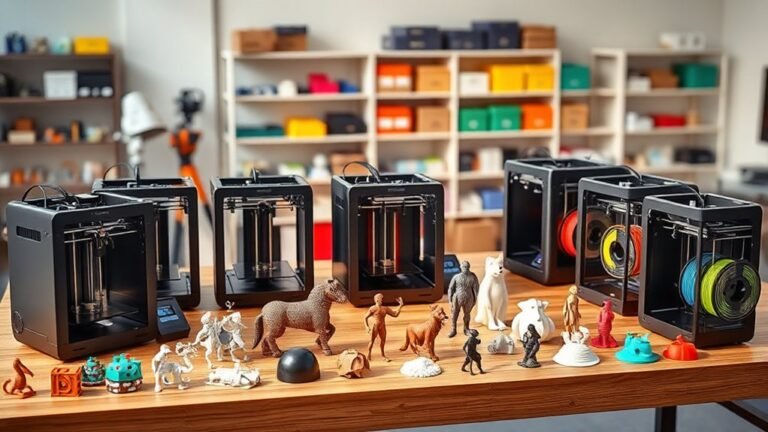
If you’re on the hunt for the best 3D printers for terrain in 2027, you’ve come to the right place. Terrain printing demands precision, speed, and sometimes vibrant color options to bring your models to life. Whether you’re a beginner or a seasoned modeler, there’s a printer that fits your workflow perfectly. Let’s dive into some of the top choices that wow terrain enthusiasts this year.
Consider the Bambu Lab P2S Combo if you want jaw-dropping terrain prints with vibrant multi-color and fast speeds. It’s perfect for those who want to add a splash of color without sacrificing time.
On the other hand, the Creality Ender 3 V3 SE is beginner-friendly and comes with auto leveling, making setup and printing hassle-free.
The FLASHFORGE Adventurer 5M delivers speedy, precise results, great for detailed terrain pieces. If you want native four-color ease, the Anycubic Kobra X Multicolor is a fantastic option.
For larger builds, the Creality Ender 5 Max is your go-to. And if speed and accuracy are your top priorities, the Creality K1 Max truly reigns supreme. Ready to see which suits your terrain workflow best?
| Image | Name | Editor's Rating | Price |
|---|---|---|---|

|
|
||

|
|
||

|
|
||

|
|
||

|
|
Bambu Lab P2S Combo, P2S 3D Printer & AMS 2 Pro, Multi-Color 3D Printing
- High-Speed Precision: The Bambu Lab P2S 3D printer prints up to 600 mm/s while maintaining exceptional accuracy. With the PMSM Servo Extruder and Active Flowrate...
- Ready to Print in 15 Minutes: Set up your P2S FDM 3D printer and start printing in just 15 minutes. With AI failure detection, quick-swap nozzles, and automatic...
- Effortless Multi-Color Printing: The AMS 2 Pro enables seamless multi-color/multi-material 3D printing. It features built-in filament drying at up to 65 °C, keeping...
- Smart Airflow for Any Filament: The Adaptive Airflow System automatically balances cooling and heat retention—keeping overhangs crisp with cool air, or maintaining a...
- Limitless Creativity, Seamless Workflow: Explore over one million 3D models on MakerWorld and bring them to life with a smooth, unified workflow using Bambu Studio, Bambu...
Achieve vibrant, detailed terrain models with ease using the Bambu Lab P2S Combo. This innovative system combines the P2S 3D Printer with the AMS 2 Pro, designed to tackle the challenges of multi-color and multi-material printing. It streamlines your workflow, allowing precise color transitions without manual intervention.
The combo’s quick-swap nozzles and automatic calibration reduce setup time, so you can focus on creativity instead of adjustments. Its high print speeds, reaching up to 600 mm/s, help you complete projects faster while maintaining quality. The heated chamber and adaptive airflow work together to ensure consistent print results, even on complex models.
Maintenance is simple with built-in filament drying, which prevents moisture-related print failures. Plus, the AI failure detection system monitors prints in real-time, alerting you to issues before they escalate. This makes the P2S Combo reliable for both beginners and professionals alike.
While the standalone P2S printer can’t print multiple colors alone, the AMS 2 Pro attachment unlocks full multi-material capabilities. The system’s size and weight mean it’s best suited for a dedicated workspace rather than portable use.
Best for: hobbyists and professionals needing fast, reliable multi-color 3D printing for detailed terrain and complex designs.
What We Like:
- High-speed printing with CoreXY design up to 600 mm/s
- Seamless multi-material and color changes with AMS 2 Pro
- Built-in filament drying for maintenance-free reliability
- AI failure detection enhances print success rates
- Automatic calibration and adaptive airflow improve print quality
Specification:
| Feature | Details |
|---|---|
| Manufacturer | Bambu Lab |
| Dimensions | Approx. 46.3 lb (21 kg) weight |
| Print Speed | Up to 600 mm/s |
| Multi-Color Capability | Requires AMS 2 Pro |
| Key Features | Heated chamber, AI failure detection, filament drying |
Creality Ender 3 V3 SE Beginner-Friendly 3D Printer with Auto Leveling
- 250mm/s High-Speed Printing: Print at speeds of up to 250mm/s with 2500mm/s² acceleration, helping you complete prototypes, functional parts, and everyday projects...
- Easy Setup with Auto Leveling: Designed for a fast and straightforward setup, the Ender 3 V3 SE can be assembled in just a few simple steps. CR Touch Auto Leveling and...
- Proven Sprite Direct Drive Extruder: The upgraded Sprite Direct Drive Extruder provides smooth and consistent filament feeding for PLA, PETG, and TPU. Its proven design...
- Stable Motion System for Consistent Results: Dual synchronized Z-axis lead screws and precision Y-axis linear shafts work together to help reduce vibration and Z...
- Quiet Operation with Easy Print Removal: A 32-bit silent mainboard helps reduce operating noise for a more comfortable printing experience, while the flexible PC spring...
The Creality Ender 3 V3 SE is designed to simplify 3D printing for beginners. Its auto leveling feature and automatic Z-offset calibration take the guesswork out of setup, ensuring your first layer is perfect every time. This reduces frustration and saves time, making it easier to start printing right away.
With a Sprite Direct Drive Extruder, filament feeds smoothly, supporting a variety of materials like PLA, PETG, and TPU. This flexibility allows users to experiment with different projects and materials without frequent adjustments. The compact design fits well in small spaces while offering a reliable printing experience.
Maintenance is straightforward thanks to the flexible spring steel bed, which lets you remove prints effortlessly without damaging the surface. The printer’s dual Z-axis screws and precision linear shafts minimize vibration and noise, providing stable operation and consistent results.
While the Ender 3 V3 SE prints up to 250 mm/s, this speed is balanced to ensure accuracy and quality, making it well-suited for hobbyists and newcomers rather than high-speed industrial use. Its build volume suits most everyday projects but may limit very large prints.
Best for: beginners and hobbyists looking for an easy-to-use 3D printer with dependable auto leveling and versatile filament support.
What We Like:
- Reliable auto leveling and Z-offset calibration for hassle-free setup
- Smooth filament handling with direct drive extruder supporting multiple materials
- Stable, quiet printing thanks to dual Z-axis screws and precision shafts
- Flexible spring steel bed for easy print removal
Specification:
| Feature | Details |
|---|---|
| Manufacturer | Creality |
| Maximum Print Speed | 250 mm/s |
| Supported Filaments | PLA, PETG, TPU |
| Bed Type | Flexible spring steel |
| Axis Configuration | Dual Z-axis screws |
| Dimensions (Approx.) | Compact and lightweight |
FLASHFORGE Adventurer 5M High-Speed 3D Printer
- Your Creativity Knows No Bounds: Good Helper for Beginners. Adventurer 5M meets the innovative needs of users with brand-new technology and craftsmanship, whether you are...
- Attain a Flawless Printing Experience: The Adventurer 5M features a fully automatic one-click leveling system. It measures the distance from the nozzle to the build plate...
- Core XY All-Metal Motion Structure: The Adventurer 5M employs a new and robust design to ensure fast printing speeds while delivering high-quality output. The stable and...
- Patent Quick-Detachable Nozzle: Different nozzle diameter options (0.25/0.4/0.6/0.8 mm) are suitable for both high precision and high-efficiency modes. Quick change...
- Smarter Control & More Efficiency: Orca-Flashforge slicer supports one-click group file sending and multi-printer network print monitoring, while you can use Flash Maker...
The FLASHFORGE Adventurer 5M is built to accelerate your 3D printing projects without compromising on quality. Its CoreXY all-metal motion system ensures quiet, stable operation even at high speeds, helping you complete models faster. This printer is designed to make complex terrain modeling and prototyping smoother and more efficient.
Maintenance is simple with the patent quick-detachable nozzle, which lets you change nozzle sizes from 0.25 to 0.8 mm in just seconds without tools. Setup is hassle-free thanks to the fully automatic one-click bed leveling, and the flexible double-sided PEI steel plate makes print removal easier, though care is needed to avoid damage.
The printer also protects your work with a power-loss resume feature, so unexpected outages won’t ruin your progress. Remote print management through the Flash Maker app and the Orca-Flashforge slicer’s multi-printer support streamline your workflow, though the advanced software may require some learning.
Best for: Professionals and hobbyists who want a fast, reliable 3D printer for detailed creative projects and rapid prototyping.
What We Like:
- Stable, low-noise CoreXY motion system enables fast printing without losing quality
- Quick-detachable nozzles allow fast, tool-free swaps for different print needs
- Fully automatic bed leveling simplifies setup and improves print reliability
- Power-loss resume protects ongoing prints from interruptions
- Remote printing and multi-printer support enhance productivity
Specification:
| Feature | Details |
|---|---|
| Manufacturer | FLASHFORGE |
| Motion System | CoreXY all-metal |
| Nozzle Size Range | 0.25 mm to 0.8 mm |
| Max Nozzle Temperature | 280°C |
| Bed Leveling | Fully automatic one-click |
| Build Plate | Flexible double-sided PEI steel |
| Connectivity | Flash Maker app support |
Anycubic Kobra X Multicolor 3D Printer, Easy Setup, Native 4-Color
- 【 Newest Level - 19-Color with 4 ACE 2 Pro】Why settle for one color when you can have multicolor? The Kobra X comes born with 4 colors built-in. It is innovative 3D...
- 【 Savings 2X Time】Stop wasting hours and filament on purging! Kobra X impresora 3D reduces the filament and machine travel path by 81.25%, so 2X the Speed, and...
- 【Hardened Precision & High Speed 】 Equipped with a high-durability hardened steel nozzle and vibration compensation, the Kobra X ensures every layer remains smooth...
- 【Flawless First Layer with LeviQ 3.0】The LeviQ 3.0 and auto bed leveling system uses a 49-point calibration and advanced leveling algorithm to ensure 100% bed...
- 【Smart AI Monitoring & Large Model Library】APP remote control, features Spaghetti detection and foreign object detection. The innovative top-mount spool holder...
Experience the power of color and precision with the Anycubic Kobra X Multicolor 3D Printer. Its native four-color printing capability transforms your complex terrain models into vivid, detailed creations without extra attachments. This feature simplifies multi-color projects, saving time and enhancing creativity.
The printer’s 260mm³ build volume and fast printing speeds up to 600 mm/s allow you to complete larger and more intricate prints quickly. With LeviQ 3.0 auto bed leveling, you get perfect first layers every time, reducing failed prints and material waste.
Maintenance is easy thanks to a hardened steel nozzle that supports a variety of filaments, including flexible materials. The built-in vibration compensation ensures smooth surfaces, while dual-band Wi-Fi and smart AI monitoring give you convenient remote control and print failure alerts.
Designed for both beginners and professionals, the Anycubic Kobra X offers an intuitive setup in just 15 minutes, making it ideal for schools, makerspaces, and home use. Its versatility and advanced features help users tackle diverse projects with confidence.
Best for: Creators and educators seeking a reliable, easy-to-use multicolor 3D printer with fast speeds and precise results.
What We Like:
- Native 4-color printing for vibrant, multi-material projects
- Quick and accurate LeviQ 3.0 auto bed leveling
- Hardened steel nozzle compatible with flexible filaments
- Dual-band Wi-Fi and AI monitoring for remote management
- Easy 15-minute setup ideal for beginners and pros
Specification:
| Feature | Details |
|---|---|
| Manufacturer | Anycubic |
| Print Volume | 260 mm × 260 mm × 260 mm |
| Max Print Speed | 600 mm/s |
| Nozzle Material | Hardened Steel |
| Color Capability | Native 4-color, expandable up to 19 colors |
| Weight | 20.9 lbs (9.5 kg) |
| Connectivity | Dual-band Wi-Fi |
Bambu Lab P1S 3D Printer, Ready-to-Use FDM 3D Printer
- Up to 16 Colors: Bring your designs to life with vibrant multi-color/multi-material printing capabilities, perfect for showcasing your creativity. Note: Connecting Bambu...
- 500mm/s and 20000 mm/s² Acceleration True High Speed: Don't wait around for your masterpieces. Lightning-fast printing speed lets you focus on creating, not waiting.
- Enclosed Design: Fully enclosed body improves print performance for advanced filaments. Automatic Bed Leveling: Say hello to high-quality, successful prints. Auto bed...
- Set Up in 15 Minutes: Spend more time printing and less time setting up. User-friendly design ensures a hassle-free assembly experience for all skill levels.
- Supported Filament: Ideal: PLA, PETG, TPU, PVA, PET ABS, ASA; Capable : PA, PC; Not Recommended: Carbon/Glass Fiber Reinforced Polymer.
The Bambu Lab P1S is a high-speed, ready-to-use 3D printer designed to streamline your creative process. Its CoreXY enclosed design allows printing speeds up to 500 mm/s with precise acceleration, helping you finish projects faster without sacrificing quality. This makes it ideal for users seeking both speed and accuracy.
Setting up the printer is quick and straightforward, taking about 15 minutes. Automatic bed leveling ensures your prints start smoothly every time, reducing the need for manual adjustments. The user-friendly ecosystem, including access to the MakerWorld model library, supports a seamless printing experience for both beginners and experts.
With the optional AMS accessory, the P1S supports multi-material and multi-color printing, allowing up to 16 colors. It handles a variety of common filaments such as PLA, PETG, and TPU, making it versatile for different project needs. However, it does not support carbon or glass fiber reinforced polymers, which limits some specialized material options.
Weighing 38.9 pounds, the printer’s compact size balances portability with stability. It’s designed for hobbyists and professionals who value speed, versatility, and ease of use in a single compact machine.
Best for: Creators and professionals needing a fast, versatile 3D printer that supports multi-material and multi-color projects with minimal setup.
What We Like:
- Prints up to 500 mm/s with precise CoreXY enclosed design.
- Supports 16 colors and multiple filament types via AMS accessory.
- Quick 15-minute setup with automatic bed leveling.
- User-friendly ecosystem with MakerWorld model library.
- Compact design balances portability and stability.
Specification:
| Feature | Details |
|---|---|
| Manufacturer | Bambu Lab |
| Dimensions | Not specified |
| Weight | 38.9 lb (17.6 kg) |
| Supported Materials | PLA, PETG, TPU, others |
| Color Options | Up to 16 colors (with AMS) |
Creality Ender 5 Max 3D Printer Large Build Volume

- 【Extra-Large 400×400×400 mm Build Volume】 Create significantly bigger models or batch-produce multiple parts at once with the expansive large build volume of...
- 【Ultra-Efficient CoreXY System Up to 700 mm/s】 Print more in less time with the ultra-fast Ender 5 Max 3D printer. The CoreXY structure and high-torque motors deliver...
- 【Built for Print Farms & Scaled Production】 Boost throughput on your Creality Ender 5 Max with WLAN multi-printer control, grouped management, and a tri-color status...
- 【Rigid All-Metal Frame & Precision Linear Rail】 The reinforced die-cast aluminum frame minimizes vibration on the Ender 5 Max 3D printer, ensuring stability for tall...
- 【 Fully Automatic 64-Point Leveling + Auto Z-Offset】 Start each project with perfect calibration on your Creality Ender 5 Max. The 64-point auto leveling system and...
Experience the freedom to create large, detailed 3D prints with the Creality Ender 5 Max. Its extra-large 400 × 400 × 400 mm build volume eliminates the need to split oversized models, saving time and preserving design integrity. Whether producing complex prototypes or multiple parts, this printer handles big projects efficiently.
The CoreXY motion system and high-torque motors deliver fast, precise printing up to 700 mm/s. Its sturdy all-metal frame and precision X-axis rail minimize vibrations, ensuring accuracy throughout each print. This combination enhances reliability and print quality, even at high speeds.
Maintenance is straightforward with features like automatic bed leveling, reducing setup time and improving first-layer adhesion. The direct-drive dual-gear extruder supports various materials, while the rapid 1000W heated bed provides consistent, even heating for diverse print jobs.
Designed for demanding workflows, the Ender 5 Max supports WLAN multi-printer control, allowing easy management of multiple units simultaneously. Its large footprint requires dedicated space but delivers professional-grade results for studios and businesses.
Best for: Designers, studios, and print farms needing a large-volume 3D printer for oversized prototypes and batch production.
What We Like:
- Large 400 × 400 × 400 mm build volume for big or multiple prints without splitting
- CoreXY system ensures fast and accurate motion control
- Automatic bed leveling simplifies setup and enhances print reliability
- Robust metal frame reduces vibration for precise results
- WLAN multi-printer control supports efficient workflow management
Specification:
| Feature | Details |
|---|---|
| Manufacturer | Creality |
| Build Volume | 400 × 400 × 400 mm |
| Motion System | CoreXY |
| Heated Bed Power | 1000W |
| Frame Material | All-metal |
| Printer Weight | 70.4 lbs (approx. 32 kg) |
| Connectivity | WLAN Multi-printer Control |
Creality K1 Max 3D Printer, 600mm/s Max High-Speed 3D Printer

- 𝟔𝟎𝟎 𝐦𝐦/𝐬 𝐔𝐥𝐭𝐫𝐚-𝐇𝐢𝐠𝐡-𝐒𝐩𝐞𝐞𝐝 𝐏𝐫𝐢𝐧𝐭𝐢𝐧𝐠: The Creality K1 Max 3D printer is built for...
- 𝐋𝐚𝐫𝐠𝐞 𝟑𝟎𝟎 × 𝟑𝟎𝟎 × 𝟑𝟎𝟎 𝐦𝐦 𝐁𝐮𝐢𝐥𝐝 𝐕𝐨𝐥𝐮𝐦𝐞: With an expansive 11.81 × 11.81 × 11.81 inch...
- 𝐒𝐦𝐚𝐫𝐭 𝐀𝐈 𝐋𝐢𝐃𝐀𝐑 & 𝐀𝐈 𝐂𝐚𝐦𝐞𝐫𝐚 𝐌𝐨𝐧𝐢𝐭𝐨𝐫𝐢𝐧𝐠: The 1 μm-resolution LiDAR automatically...
- 𝟑𝟐 𝐦𝐦³/𝐬 𝐇𝐢𝐠𝐡 𝐅𝐥𝐨𝐰 𝐄𝐱𝐭𝐫𝐮𝐬𝐢𝐨𝐧 & 𝐃𝐮𝐚𝐥 𝐂𝐨𝐨𝐥𝐢𝐧𝐠: A powerful ceramic heater...
- ...
Experience the power of speed and precision with the Creality K1 Max 3D Printer. Designed to tackle demanding projects, this high-speed machine delivers up to 600 mm/s print speeds and rapid acceleration. It helps you complete complex terrain models and prototypes faster without sacrificing quality.
The large build volume of 300 mm³ offers ample space for detailed creations. Its dual-gear direct-drive extruder supports a variety of materials including PLA, PETG, ABS, and TPU, making it versatile for different project needs. Intelligent features like LiDAR first-layer scanning and AI camera monitoring improve print accuracy and reduce errors.
Maintenance is streamlined with smart auto-leveling, ensuring consistent adhesion and minimizing manual adjustments. The robust design supports reliable operation but requires adequate workspace due to its size and weight. This printer suits users who prioritize speed and precision in their creative or professional work.
Best for: professionals and enthusiasts needing rapid, accurate 3D printing for prototypes, cosplay, and engineering parts.
What We Like:
- High-speed printing up to 600 mm/s with fast acceleration
- Advanced LiDAR and AI monitoring for precision
- Supports multiple filament types with reliable extrusion
- Intelligent auto-leveling for consistent print quality
Specification:
| Feature | Details |
|---|---|
| Manufacturer | Creality |
| Maximum Print Speed | 600 mm/s |
| Acceleration | 20,000 mm/s² |
| Build Volume | 300 mm³ |
| Extruder Type | Dual-gear direct-drive |
| Supported Materials | PLA, PETG, ABS, TPU |
| Dimensions (approx.) | Larger desktop size |
| Weight | Heavier than typical desktop 3D printers |
Factors to Consider When Choosing a 3D Printer for Terrain

When choosing a 3D printer for terrain, you’ll want to focus on print volume capacity and material compatibility to handle large, detailed models. These factors are key to making sure your printer can manage the size and complexity of your projects.
Pay close attention to print resolution and speed to guarantee your terrain pieces come out both precise and efficient. No one wants to wait forever or end up with blurry details, right?
Also, consider multi-material capability if you need varied textures or colors in your designs. It can really bring your terrain to life and add that extra level of realism.
Print Volume Capacity
Print volume capacity plays a crucial role in choosing a 3D printer for terrain models. You’ll want a build volume that fits your largest full-piece terrain without splitting. For example, 200×200×200 mm suits tabletop tiles, while 400×400×200+ mm fits large dioramas.
Larger volumes let you print bigger features like caves or cliffs seamlessly, which cuts down assembly and alignment. However, bigger print areas usually mean longer print times and higher failure risks. So, you’ll need to balance volume with reliability and whether you’re okay with multi-part builds.
Also, pay attention to maximum Z height, especially for tall elevation details. If your terrain demands high resolution, remember that larger volumes multiply print time and material use. Just make sure your workflow can handle the extra demands without slowing your progress.
Material Compatibility
Choosing the right materials can make or break your terrain prints. If you want smooth, detailed surfaces that sand and paint well, go for PLA or PETG—PLA prints easier but isn’t as heat or impact resistant.
For durable, weather-resistant outdoor terrain, pick engineering filaments like ASA, PETG, or PC. These handle UV and temperature far better than PLA, so they last longer outside.
Planning complex overhangs or hollow pieces? Make sure your printer supports dual extrusion with water-soluble supports like PVA. It makes removing supports way easier.
When printing large, interlocking parts, materials with low warp such as PETG, PLA, or ASA work best. Especially those that tolerate higher chamber temps for stronger layers.
Also, if you intend to post-process using heat or chemicals, confirm your filament’s resistance. ABS suits acetone smoothing, while PC is more heat and chemical resistant.
Print Resolution Precision
Material selection sets the foundation, but capturing the fine details of terrain relies heavily on your printer’s resolution and precision.
For sharp cliff textures and small foliage, aim for layer heights between 0.08 and 0.12 mm and an XY resolution of 0.2 to 0.4 mm. Maintaining steady Z-axis accuracy with less than 0.02 mm deviation guarantees smooth contours across large prints.
Using smaller nozzles (0.2–0.3 mm) enhances fidelity on tiny features but demands slower speeds and precise extrusion. High positional repeatability below 0.05 mm and minimal ringing are essential to preserve ridgelines and repeating patterns.
Finally, fine-tune slicer settings like minimum feature width and retraction to avoid stair-stepping and keep slopes natural. This way, your terrain models will look realistic and detailed.
Speed and Efficiency
Speed and efficiency play a crucial role when you’re tackling large terrain prints. Higher maximum print speeds cut build time, but you need to balance acceleration and jerk settings to avoid ringing on fine details.
The printer’s ability to swiftly change direction without losing accuracy depends on its acceleration and firmware motion planning. For big terrain sections, a high volumetric extrusion capacity guarantees consistent layers, especially when using thicker layers to speed coverage.
Remember, increasing layer height or reducing infill drastically cuts print time but sacrifices surface resolution and strength. Also, efficient features like reliable auto-leveling, quick bed heating, and resume-after-power-loss minimize downtime, letting you maximize your printing throughput.
Prioritize these factors to keep your terrain production fast and reliable. It’s all about finding the right balance to get great results without wasting time.
Multi-material Capability
Many terrain prints demand multiple materials to capture both structural strength and delicate details. When choosing a 3D printer, look for multi-material capability that lets you combine rigid filaments like PLA or ABS with flexible or soluble supports such as TPU or PVA.
This combo enables complex overhangs and thin cliff edges without damaging fine features during support removal. Native multi-extrusion or tool-changing systems with precise nozzle alignment guarantee clean material shifts, preserving texture seams and contours.
Also, printers with on-board drying or heated filament paths help prevent defects when using moisture-sensitive materials. Finally, slicer software that customizes settings per filament and manages color switches reduces stringing and contamination, keeping your terrain models crisp and detailed.
Multi-material printing truly elevates your terrain’s realism and structural integrity.
Reliability and Support
You’ll frequently rely on your 3D printer’s reliability and support to complete large terrain prints without costly interruptions. Choose models with proven uptime metrics and low failure rates, ensuring long, uninterrupted prints.
Features like power-loss resume, filament run-out detection, and strong bed adhesion help prevent mid-print failures. These little things can save you a lot of frustration.
Check that technical support is responsive, firmware updates are regular, and an active user community exists to troubleshoot complex issues. It’s great to have folks ready to help when things get tricky.
Make sure spare parts—nozzles, belts, motors, heated beds—are affordable and easy to get, minimizing downtime when components wear out. You don’t want to be stuck waiting on a part for weeks.
Finally, verify the printer’s durability specs, including a rigid frame, quality motion parts, and thermal stability, to avoid mechanical drift or thermal inconsistencies that can ruin large terrain accuracy. A solid machine means better prints every time.
Frequently Asked Questions
What Materials Are Best for Printing Durable Terrain Models?
You should use PLA for ease, but ABS or PETG are best for durability.
Nylon and resin offer strength and fine detail, making your terrain models sturdy and long-lasting. Perfect for intense handling and outdoor use.
How Do I Maintain My 3D Printer for Consistent Terrain Quality?
You should regularly clean the nozzle, lubricate moving parts, and level the bed.
Also, don’t forget to update your firmware and check the filament quality too.
Consistent maintenance prevents clogs and guarantees your terrain prints stay sharp and detailed every time.
Can These Printers Handle Multi-Textured Terrain Printing?
Yes, these printers handle multi-textured terrain printing like a painter blends colors on a canvas.
You’ll enjoy precise layering and varied materials, bringing your models to life with amazing detail and texture every time you print.
What Software Is Recommended for Designing 3D Terrain Models?
You should try software like Blender, Terrain.party, or World Machine for designing 3D terrain models. They’re user-friendly, powerful, and let you create detailed, realistic landscapes.
These tools are perfect for your 3D printing projects. Plus, they offer plenty of features to help you customize every aspect of your terrain. Give them a shot and see which one fits your style best!
Are There Any Safety Tips for Long 3D Printing Sessions?
You definitely want to stay alert during long prints. Don’t leave your printer unattended, guarantee good ventilation, and keep flammable materials away.
Also, take breaks to avoid eye strain and stay safe throughout your creative journey!
Conclusion
Choosing the perfect 3D printer for terrain modeling doesn’t have to be overwhelming. With options like the Bambu Lab P2S Combo’s multi-color magic or Creality Ender 3 V3 SE’s beginner-friendly ease, you’ve got tools that bring your vision to life.
So, why settle for less when you can create stunning landscapes with precision and speed? Ready to turn your ideas into breathtaking terrain models that wow every time?
The right printer is just a click away. Whether you’re a hobbyist or a pro modeler, these top 3D printers for terrain make it easy to craft detailed, realistic terrain. Embrace the best 3D printers for terrain and watch your miniature worlds come alive with incredible detail and vibrant colors. Don’t wait—start your terrain modeling journey with the perfect 3D printer today!