13 Best All In One Printers for Pictures in 2027
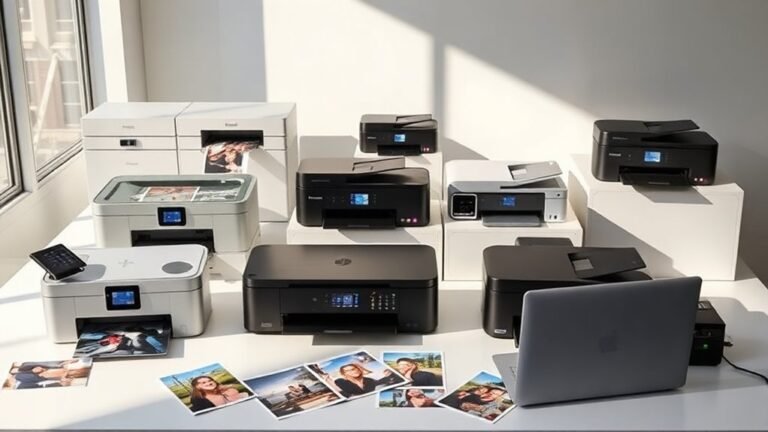
If you want vibrant, sharp photos from your all-in-one printer in 2027, there are some great options to consider. Models like the HP Envy Photo 7975 are perfect for borderless prints that really pop. Or, if you’re after versatility and a compact design, the Canon PIXMA TR8620a is a solid pick.
For those who need lab-quality wide-format photos, Epson’s EcoTank Photo ET-8550 fits the bill perfectly. Meanwhile, Canon’s MegaTank G3270 is great for low-maintenance, high-volume photo printing. Each of these printers balances quality, ink economy, and connectivity. That means your photo printing experience will be smooth and hassle-free.
Take some time to explore the details of each model. You’re sure to find the perfect match for your photo printing needs!
| Image | Name | Editor's Rating | Price |
|---|---|---|---|

|
|
||

|
|
||

|
|
||
|
|
||

|
|
HP Envy Photo 7975 Wireless Inkjet Printer (B63K3A)
- From America's most trusted printer brand, the HP Envy Photo 7975 is a premium multi-purpose home printer with everything families need to learn, work, and create. Loaded...
- PERFECT FOR HOME - The HP Envy Photo 7975 is great for printing documents, high-quality true-to-screen borderless photos, creative projects and more. Print speeds up to...
- 3 MONTHS OF INK INCLUDED - Subscribe to the Instant Ink delivery service to get ink delivered directly to your door before you run out. After 3 months, a monthly fee...
- KEY FEATURES - Print, copy, scan, automatic 2-sided printing, advanced photo features, separate photo tray, auto document feeder, mobile and wireless printing.
- EFFORTLESS PRINTING - Smoothly navigate printing with a large intuitive printer color touchscreen.

Discover a printer that transforms your home printing experience with ease and quality. The HP Envy Photo 7975 Wireless Inkjet Printer offers seamless photo printing alongside everyday document tasks. Its high-resolution photo printing delivers vibrant images up to 4800 x 1200 dpi, perfect for preserving memories and creative projects.
Designed for convenience, this all-in-one printer features automatic two-sided printing and a 35-sheet automatic document feeder, saving time on multitasking. The 2.7-inch color touchscreen simplifies navigation, while wireless mobile printing lets you print directly from your smartphone or tablet.
Maintenance is straightforward with a separate photo tray that prevents paper jams when switching media types. The printer supports a 3-month Instant Ink trial, helping you manage ink costs efficiently before deciding on a subscription. Its compact design fits well in home environments without sacrificing functionality.
While print speeds are moderate, the Envy Photo 7975 balances quality and efficiency for home use. It’s ideal for users who want reliable photo and document printing with easy wireless access and creative flexibility.
Best for: Home users seeking a versatile all-in-one printer that blends high-quality photo printing with everyday document handling and wireless convenience.
What We Like:
- Sharp, borderless photo printing with vivid colors up to 4800 x 1200 dpi
- Automatic two-sided printing and 35-sheet feeder for efficient document handling
- User-friendly 2.7-inch color touchscreen for easy operation
- Wireless and mobile printing for flexible connectivity options
Specification:
| Feature | Details |
|---|---|
| Manufacturer | HP |
| Dimensions (W x D x H) | Approximately 17.3 x 14.2 x 5.7 inches |
| Weight | Around 13.8 lbs (6.3 kg) |
| Printing Technology | Wireless Inkjet |
| Color Options | Black with photo tray |
Canon PIXMA TR8620a All-in-One Printer Black
- Never run out of ink. Connect your printer to Alexa and receive notifications when you’re running low. Alexa can even place a smart reorder from Amazon on your behalf...
- Enrolling in Smart Reorders with Alexa ensures that you never have too much or too little ink supplies. No subscription needed.
- Wireless 4-in-1 (Print | Copy | Scan | Fax)
- 15 / 10 ipm Print Speed
- 200 Sheet Capacity (100 Cassette, 100 Rear Feed)
The Canon PIXMA TR8620a All-in-One Printer Black offers a seamless solution for home offices and photo lovers who need versatile printing with excellent photo quality. This printer combines print, copy, scan, and fax functions, making it a compact hub for all your document and photo needs.
Its wireless connectivity and automatic two-sided printing simplify your workflow, reducing paper waste and saving time. The sharp 4800 x 1200 dpi resolution produces vibrant, borderless photos up to 8.5 x 11 inches, perfect for creating professional-quality prints at home.
Maintenance is straightforward with five individual ink tanks, which help lower replacement costs by letting you change only the color you need. Alexa integration adds convenience by notifying you when ink levels run low. The printer’s compact design fits easily into tight spaces and is ENERGY STAR certified for efficient operation.
While its maximum duty cycle suits moderate use, the PIXMA TR8620a may not meet the demands of heavy office printing. Print speeds are moderate, and connectivity options are limited to Wi-Fi and one USB 2.0 port, with no Ethernet support.
Best for: Home office users and photo enthusiasts seeking a versatile all-in-one printer with high-quality photo printing and smart connectivity features.
What We Like:
- High-resolution printing with borderless photo capability
- Cost-effective individual ink tanks and Alexa low ink alerts
- Automatic duplex printing and 20-sheet ADF for efficient use
Specification:
| Feature | Details |
|---|---|
| Manufacturer | Canon |
| Dimensions (W×D×H) | 14.6 x 11.7 x 7.5 inches |
| Weight | 15.7 lbs |
| Ink System | 5 individual ink tanks |
| Print Resolution | Up to 4800 x 1200 dpi |
| Connectivity | Wi-Fi, USB 2.0 |
| Color Options | Black |
Epson EcoTank Photo ET-8550 Wireless Wide-Format All-in-One Tank Printer
- CARTRIDGE-FREE PRINTING — Print lab-quality photos, graphics and creative projects; Get vibrant colors and sharp text with Epson's high-accuracy printhead and Claria ET...
- INK BOTTLES — Save on photos1 and creative projects with affordable in-house printing; All-in-one printer allows you to print 4" x 6" photos for about 4 cents each vs...
- LESS FREQUENT INK REPLACEMENT — Replacement ink bottles don't have to be changed nearly as often as ink cartridges¹; Printer, scanner and copier lets you print up to...
- PRINT FOR LONGER — Up to 2 years of ink in the box² (and with every replacement ink set) for fewer out-of-ink frustrations with this wireless printer
- ZERO CARTRIDGE WASTE — Epson EcoTank printer helps reduce the amount of cartridge waste ending up in landfills; Cartridge-free printer uses high-yield ink bottles; Each...
The Epson EcoTank Photo ET-8550 transforms home photo printing with its innovative cartridge-free ink system. This printer uses a 6-color Claria ET Premium ink setup, delivering sharp, lab-quality prints up to 13 x 19 inches. It handles everything from borderless photos to CD/DVD printing, making it versatile for creative projects.
Refilling the EcoTanks is simple and cost-effective, reducing ongoing expenses and minimizing waste. This design helps users print vibrant photos without worrying about frequent cartridge replacements or high ink costs. Wireless and USB connections make printing convenient from smartphones, tablets, or PCs.
Designed for photographers and creative enthusiasts, this wide-format all-in-one printer offers automatic duplex printing and a 100-sheet capacity. Its large footprint requires ample space, but it balances size with functionality. While not the fastest printer, it excels in quality and eco-friendly operation.
Best for: photographers and creative enthusiasts seeking vibrant, wide-format photo printing with affordable, eco-conscious ink solutions.
What We Like:
- Cartridge-free EcoTank system lowers printing costs and waste
- Prints sharp, borderless photos up to 13 x 19 inches
- Wireless and USB connectivity for easy device printing
- Supports CD/DVD printing for creative projects
- Automatic duplexing and sizeable paper capacity
Specification:
| Feature | Details |
|---|---|
| Manufacturer | Epson |
| Dimensions (W x D x H) | Approx. 23.2 x 14.8 x 9.8 inches |
| Weight | Approx. 15.7 lb (7.1 kg) |
| Ink System | 6-color Claria ET Premium Ink |
| Connectivity | Wireless, USB |
| Max Print Size | 13 x 19 inches |
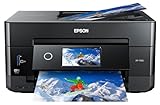
Epson Expression Premium XP-7100 Wireless Color All-in-One Inkjet Printer
- CLEAR AND VIBRANT PRINT QUALITY ― All-in-one inkjet color printer produces sharp text for eye-catching documents and impressive color photos and graphics; Your next...
- PRINTER FOR HOME USE ― Designed to increase your productivity at home, this wireless color printer features a 30 page auto document feeder (ADF), auto 2-sided print...
- CREATIVITY MADE EASY ― Epson color printer provides creative versatility, allowing you to print photos and documents on specialty paper¹ and DVDs; You can even print...
- SIMPLE FUNCTIONALITY ― Convenient features make printing, scanning, and copying a snap; Use the large, intuitive 4.3 in touchscreen to view, edit and print photos...
- CONVENIENT WIRELESS PRINTER ― Ultimate wireless plus ethernet; Easily print photos and documents directly from your tablet or smartphone³; Includes Wi-Fi direct for...
Experience vibrant, high-quality photo printing with the Epson Expression Premium XP-7100. This all-in-one printer tackles multiple tasks, including printing, scanning, copying, and even CD/DVD printing, making it a versatile solution for home and creative use.
Designed to handle projects efficiently, it features a 30-page auto document feeder and automatic duplex printing. These help reduce manual effort and save time when working with multiple pages or double-sided documents.
Maintenance is straightforward thanks to the 5-color Claria Premium ink system, which delivers sharp, rich images up to 8 × 10 inches. While it uses multiple cartridges, this setup ensures precise color output for photos and documents alike.
The 4.3-inch touchscreen allows easy navigation and direct printing from USB or SD cards. Wireless and Ethernet connectivity provide flexible options to print from various devices without hassle.
Best for: home users and photo enthusiasts seeking a versatile all-in-one printer that combines quality photo printing with practical document handling features.
What We Like:
- Sharp, vibrant borderless photo printing up to 8 × 10 inches
- Efficient multitasking with auto document feeder and duplex printing
- Flexible connectivity options including wireless, Ethernet, USB, and SD card
- Intuitive 4.3-inch touchscreen for easy operation and editing
Specification:
| Feature | Details |
|---|---|
| Manufacturer | Epson |
| Dimensions (W×D×H) | Approximately 15.7 × 13.4 × 7.8 inches |
| Weight | About 13.9 lbs (6.3 kg) |
| Ink System | 5-color Claria Premium |
| Connectivity | Wireless, Ethernet, USB, SD card |
| Display | 4.3-inch touchscreen |
Canon MegaTank G3270 All-in-One Wireless Color Printer
- Wireless Print/Copy/Scan
- Up to 2 years of ink included (2)
- Print up to 6,000 black & white / 7,700 color pages using a single set of inks! (1)
- Save up to $1,000 on ink (1)
- 1.35” Square LCD display
The Canon MegaTank G3270 All-in-One Wireless Color Printer is designed to simplify your printing needs at home or in a small office. It delivers sharp, vibrant prints with resolutions up to 4800 x 1200 dpi, making it ideal for both photos and documents. This printer helps you avoid frequent ink replacements thanks to its large refillable MegaTank, which can last up to two years.
Maintaining the printer is straightforward. The MegaTank system reduces downtime and saves money by providing a steady ink supply without messy cartridge changes. Wireless connectivity lets you print effortlessly from your smartphone or computer, adding convenience to your workflow.
Though it lacks automatic duplex printing, the G3270 meets everyday printing demands with consistent quality. Its compact design fits well in limited spaces, while energy-efficient operation keeps running costs low. This printer is a practical choice for users wanting reliable colors and long-lasting ink.
Best for: Home users and small office workers looking for an affordable wireless color printer with versatile media handling and low maintenance.
What We Like:
- High-resolution printing for crisp photos and text
- Refillable MegaTank ink system cuts replacement costs
- Wireless and smartphone app support for easy operation
- Compact design fits neatly in tight spaces
Specification:
| Feature | Details |
|---|---|
| Manufacturer | Canon |
| Dimensions (W×D×H) | 17.1 × 12.1 × 7.7 inches |
| Weight | 9.9 lbs (4.5 kg) |
| Color Options | White |
| Print Resolution | Up to 4800 x 1200 dpi |
| Paper Capacity | 100 sheets |
| Connectivity | Wireless, USB |
Canon PIXMA TS6520 Wireless Color Inkjet Printer, 1.42″ OLED Display, White

- Affordable Versatility - A budget-friendly all-in-one printer perfect for both home users and hybrid workers, offering exceptional value
- Crisp, Vibrant Prints - Experience impressive print quality for both documents and photos, thanks to its 2-cartridge hybrid ink system that delivers sharp text and vivid...
- Effortless Setup & Use - Get started quickly with easy setup for your smartphone or computer, so you can print, scan, and copy without delay
- Reliable Wireless Connectivity - Enjoy stable and consistent connections with dual-band Wi-Fi (2.4GHz or 5GHz), ensuring smooth printing from anywhere in your home or...
- Scan & Copy Handling - Utilize the device’s integrated scanner for efficient scanning and copying operations
Experience the convenience of the Canon PIXMA TS6520 Wireless Color Inkjet Printer, designed to meet the needs of busy homes and small offices. Its compact design ensures it fits effortlessly in tight spaces without compromising performance. This all-in-one printer handles photos and documents with ease, delivering sharp prints that bring your ideas to life.
Maintenance is simple thanks to the hybrid 2-cartridge ink system, which helps reduce waste and keeps running costs manageable. The 1.42″ OLED display provides clear updates on ink levels and settings, making it easy to monitor and manage your print jobs. Automatic duplex printing saves paper by printing on both sides, while borderless printing adds a professional touch to your photos.
Connectivity is seamless with dual-band Wi-Fi, allowing you to print directly from your smartphone or tablet. Voice control compatibility further enhances usability, fitting smoothly into a modern, connected lifestyle. This printer is tailored for users who value versatility and ease of use without sacrificing space.
Best for: Families, students, and home users needing a reliable, space-saving all-in-one printer for everyday photo and document printing.
What We Like:
- Compact footprint ideal for small workspaces
- High-quality prints with hybrid ink system and borderless capability
- Automatic duplex printing reduces paper waste
- Dual-band Wi-Fi and mobile printing for easy connectivity
- OLED display simplifies monitoring ink and settings
Specification:
| Feature | Details |
|---|---|
| Manufacturer | Canon |
| Dimensions | Approximately 14.8 x 11.7 x 5.6 in (37.6 x 29.7 x 14.2 cm) |
| Weight | About 13.9 lbs (6.3 kg) |
| Ink System | Hybrid 2-cartridge system |
| Display | 1.42-inch OLED screen |
| Connectivity | Dual-band Wi-Fi, mobile printing, voice control compatible |
| Color Options | White |
HP Envy 6155 Wireless All-in-One Printer (C2WR7A)

- FROM AMERICA'S MOST TRUSTED PRINTER BRAND – The Envy 6155 is perfect for homes printing everyday high-quality color documents like homework and borderless photos. Print...
- 3 MONTH TRIAL OF INSTANT INK – Subscribe to the Instant Ink delivery service to get ink delivered directly to your door before you run out, and you save up to 50% on...
- KEY FEATURES – Color print, copy and scan, plus auto 2-sided printing and a 100-sheet input tray
- HP'S MOST INTUITIVE COLOR TOUCHSCREEN – Smoothly navigate your printer with the easy-to-use 2.4" touchscreen
- WIRELESS PRINTING – Stay connected with our most reliable dual-band Wi-Fi, which automatically detects and resolves connection issues
The HP Envy 6155 Wireless All-in-One Printer is designed to make home photo printing effortless and precise. It delivers borderless photos with true-to-screen colors, thanks to HP P3 technology, ensuring your memories look vibrant and accurate. This printer simplifies everyday tasks with automatic duplex printing and a 100-sheet input tray, reducing your time spent on manual paper handling.
Connectivity is straightforward with dual-band Wi-Fi and a bright 2.4-inch color touchscreen that puts control at your fingertips. The HP App extends its functionality, allowing you to print, scan, and fax directly from your smartphone. This seamless integration helps you manage your documents conveniently without being tied to a computer.
Maintenance is user-friendly but requires original HP cartridges with embedded chips, which can limit cartridge options and affect ongoing costs. Print speeds reach up to 10 ppm in black and 7 ppm in color, suitable for regular home use though not the fastest on the market. The printer also supports HP Instant Ink, which can optimize ink usage but involves monthly fees after the initial trial.
Built with recycled plastic, the Envy 6155 is a responsible choice for environmentally conscious users. Its blend of functionality, ease of use, and sustainable design makes it a practical solution for families and individuals who want quality prints without hassle.
Best for: Home users seeking a versatile all-in-one printer that balances photo quality, wireless convenience, and eco-friendly design.
What We Like:
- True-to-screen, borderless photo printing with HP P3 technology
- Automatic double-sided printing and large 100-sheet tray for efficiency
- Easy wireless setup via dual-band Wi-Fi and intuitive color touchscreen
- Mobile printing and scanning through the HP App for added convenience
- Environmentally conscious build using recycled plastic materials
Specification:
| Feature | Details |
|---|---|
| Manufacturer | HP |
| Model | Envy 6155 Wireless All-in-One |
| Dimensions | 17.2 x 14.5 x 5.9 inches |
| Weight | Approx. 13.3 lbs (6.03 kg) |
| Connectivity | Dual-band Wi-Fi |
| Display | 2.4-inch color touchscreen |
| Input Tray Capacity | 100 sheets |
| Print Speed | Up to 10 ppm (black), 7 ppm (color) |
| Material | Includes recycled plastic |
Canon PIXMA G620 Wireless MegaTank All-in-One Printer

- Never run out of ink. Connect your printer to Alexa and receive notifications when you’re running low. Alexa can even place a smart reorder from Amazon on your behalf...
- Enrolling in Smart Reorders with Alexa ensures that you never have too much or too little ink supplies. No subscription needed.
- MEGATANK HIGH PAGE YIELD: Print up to 3,800 4” x 6” color photos on a full set of ink.
- LOW COST PER PRINT with approx. ink cost of 2.5 cents per 4” x 6” color photo.2
- 6-COLOR DYE-BASED INK SYSTEM including Red and Gray inks for a wider color gamut.
The Canon PIXMA G620 Wireless MegaTank All-in-One Printer offers an excellent solution for those needing high-quality photo prints without frequent ink replacements. Its high page yield allows you to print up to 3,800 vibrant 4″ x 6″ photos on a single set of ink, cutting down your printing costs significantly.
This printer uses a six-color dye-based ink system, including Red and Gray inks, to produce a wider color spectrum and longer-lasting photos with CHROMALIFE100 technology. Its compact design fits easily into small workspaces, providing convenience without sacrificing performance.
Connectivity is versatile, with wireless and USB options that let you print directly from multiple devices. The integration with Alexa adds ease to managing ink levels and reordering supplies, simplifying maintenance and ensuring you never run out mid-project.
With scanning and copying features delivering sharp resolution, this device is a multifunctional choice for both personal and small business use. While it handles photo printing efficiently, the modest copy speed and limited paper tray may require consideration for heavy office workloads.
Best for: individuals and small businesses seeking a compact, affordable all-in-one printer optimized for high-quality photo printing and easy wireless connectivity.
What We Like:
- High page yield reduces frequent ink changes and printing costs.
- Six-color ink system enhances color accuracy and photo durability.
- Compact size fits small spaces without sacrificing features.
- Wireless and USB connectivity with Alexa support for easy management.
- Versatile all-in-one functionality: print, scan, and copy.
Specification:
| Feature | Details |
|---|---|
| Manufacturer | Canon |
| Dimensions | Compact (exact size not provided) |
| Weight | Not specified |
| Ink System | 6-color dye-based (including Red and Gray) |
| Connectivity | Wireless, USB |
| Paper Tray Capacity | 50 sheets |
Epson EcoTank ET-4800 Wireless Color All-in-One Supertank Printer

- INNOVATIVE CARTRIDGE-FREE PRINTING — High-capacity ink tanks mean no more dealing with lots of tiny ink cartridges; Epson’s exclusive EcoFit ink bottles make filling...
- CLEAR AND VIBRANT PRINT QUALITY ― Create memorable prints and projects; Unique Micro Piezo Heat-Free Technology allows wireless color printer to produce sharp text and...
- ZERO CARTRIDGE WASTE — By using an Epson EcoTank printer you can help reduce the amount of cartridge waste ending up in landfills
- BUILT IN SCANNER AND COPIER ― All-In-One Epson EcoTank is more than a printer; High-resolution flatbed scanner and color display come together for easy document copying...
- LESS FREQUENT INK REPLACEMENT — Replacement ink bottles don't have to be changed nearly as often as ink cartridges¹; Printer, scanner and copier lets you print up to...
Experience hassle-free, vibrant printing with the Epson EcoTank ET-4800 Wireless Color All-in-One Supertank Printer. Designed to eliminate frequent cartridge replacements, it offers a cartridge-free solution that saves time and reduces waste. This makes it ideal for users who want high-quality prints without the usual maintenance headaches.
Its high-capacity refillable EcoTank ink tanks allow you to print thousands of color pages per bottle set, cutting down on costly ink purchases. The printer delivers sharp images with a resolution of up to 5760 x 1440 dpi, ideal for crisp photos and detailed documents. It’s not just a printer — it also copies, scans, and faxes, making it a versatile tool for any small office or home workspace.
Connectivity options include Wi-Fi, Ethernet, and USB, providing flexible ways to connect your devices. The printer’s intuitive LCD screen and voice control make operation straightforward, even for users less familiar with technology. While it requires manual duplex printing and has a larger footprint, it balances functionality with eco-friendly design.
Best for: small offices and individuals who need an efficient, all-in-one color printer that minimizes cartridge waste and delivers professional-quality results.
What We Like:
- Refillable EcoTank ink tanks support high-volume printing with fewer replacements
- Multi-function device: print, copy, scan, and fax in one compact unit
- Multiple connectivity options including wireless and voice commands
- High resolution for sharp, vibrant images
- Cartridge-free design reduces environmental impact
Specification:
| Feature | Details |
|---|---|
| Manufacturer | Epson |
| Dimensions (in) | 13.6 x 14.7 x 9.3 |
| Weight (lb) | 11 |
| Color Options | Black |
| Connectivity | Wi-Fi, Ethernet, USB |
Epson Expression Premium XP-6100 Wireless Color All-in-One Inkjet Printer

- WIRELESS CONNECTIVITY — This all-in-one printer supports Wi-Fi and Wi-Fi Direct, enabling easy wireless printing from iPads, iPhones, and Android smartphones or tablets...
- PRINT SPEED — This home printer delivers fast print speeds of 15.8 ISO ppm in black and 11.3 ISO ppm in color, plus crisp 4 x 6 in photos in as little as 15 seconds for...
- PHOTO QUALITY— Equipped with a 5-color ink system, this color inkjet printer produces vivid, sharp photos up to 8 x 10 in, making it a reliable Epson photo printer for...
- ALL-IN-ONE DESIGN — This compact printer scanner copier combines print, scan, and copy functions in a slim desktop footprint, offering versatile performance without...
- CONVENIENT FEATURES — Built-in USB and memory card slots, a 2.4 in color LCD screen, dedicated photo and DVD trays, and auto 2-sided printing make this Epson inkjet...
Bring your memories to life with the Epson Expression Premium XP-6100, a wireless all-in-one printer built for home users and casual photographers. It delivers vibrant, borderless photos quickly, eliminating the hassle of complex setups. You can print, scan, and copy with ease, making it a versatile addition to any household.
This printer offers sharp prints at a resolution of 5760×1440 dpi, producing 4×6 photos in just 15 seconds. Its dual trays allow you to switch effortlessly between photo and DVD paper, while auto duplex printing saves time and paper. The design also supports individual Claria Premium Ink cartridges, helping you reduce waste and cut costs by replacing only the colors you need.
Maintenance is straightforward, thanks to the wireless connectivity options including Wi-Fi Direct and voice commands through Alexa. This means you can print directly from your smartphone or tablet without complicated connections. However, the printer’s small 2.4-inch color LCD and 100-sheet output tray may require some patience during larger print jobs.
Best for: Home users and casual photographers seeking an easy-to-use, wireless all-in-one printer that produces high-quality photos with convenient mobile printing.
What We Like:
- Fast 4×6 photo prints with sharp image quality
- Wireless printing via Wi-Fi Direct and Alexa voice commands
- Individual ink cartridges reduce waste and expense
- Dual paper trays for flexible media handling
- Auto duplex printing for two-sided documents
Specification:
| Feature | Details |
|---|---|
| Manufacturer | Epson |
| Dimensions (WxDxH) | 14.8 × 12.2 × 5.8 inches |
| Weight | 11.5 lbs |
| Color Options | White |
| Maximum Print Resolution | 5760 × 1440 dpi |
| Maximum Media Size | 8.5 × 11 inches |
Canon PIXMA TS4320 – Wireless Color Inkjet Printer with Print, Copy, Scan

- Affordable Versatility - A budget-friendly all-in-one printer perfect for both home users and hybrid workers, offering exceptional value
- Crisp, Vibrant Prints - Experience impressive print quality for both documents and photos, thanks to its 2-cartridge hybrid ink system that delivers sharp text and vivid...
- Effortless Setup & Use - Get started quickly with easy setup for your smartphone or computer, so you can print, scan, and copy without delay
- Reliable Wireless Connectivity - Enjoy stable and consistent connections with dual-band Wi-Fi (2.4GHz or 5GHz), ensuring smooth printing from anywhere in your home or...
- Scan & Copy Handling - Utilize the device’s integrated scanner for efficient scanning and copying operations
The Canon PIXMA TS4320 is a compact and versatile wireless all-in-one printer designed to simplify your home printing needs. It produces sharp, vibrant color prints at 1200 x 1200 dpi, making it ideal for photos, school projects, and everyday documents. Its user-friendly interface and compact size fit comfortably in small spaces.
This printer’s wireless connectivity allows seamless printing via Wi-Fi or USB, eliminating cable clutter. The auto-duplex feature helps reduce paper use, saving you time and resources on double-sided printing. You can also print borderless photos up to letter size, perfect for creative projects.
Maintenance is straightforward with the PIXMA Print Plan, an ink subscription service that helps keep your printer stocked without hassle. While starter ink tanks are included, they may deplete quickly depending on usage, so the subscription can be a practical option.
The PIXMA TS4320 lacks an automatic document feeder, so scanning or copying multi-page documents requires manual handling. Its 100-sheet paper tray means frequent refills if you print in large volumes.
Best for: Budget-conscious home users seeking a compact, easy-to-use all-in-one printer for photos and everyday documents.
What We Like:
- Wireless dual-band Wi-Fi and USB connectivity for flexible device use
- Auto-duplex printing saves paper on two-sided documents
- Borderless photo printing up to letter size enhances creative projects
- Ink subscription plan simplifies maintenance and reduces running costs
Specification:
| Feature | Details |
|---|---|
| Manufacturer | Canon |
| Dimensions | Compact (exact size not specified) |
| Weight | Not specified |
| Connectivity | Wireless dual-band Wi-Fi, USB |
| Print Resolution | 1200 x 1200 dpi |
| Paper Tray Capacity | 100 sheets |
| Color Options | Not specified |
Epson EcoTank ET-2900 Wireless Color All-in-One Supertank Printer – Black

- Epson EcoTank includes enough ink to last up to 3 years⁴
- WORRY-FREE PRINTING — Epson EcoTank comes with enough ink to print up to 3,600 pages black/6,500 color⁹ for fewer out-of-ink frustrations. Each replacement ink bottle...
- SIMPLE INK REFILLING — Supersized ink tanks and uniquely keyed EcoFit bottles make refilling ink simple—no mess, no stress and no ink bottle mix-ups; fits in...
- THE WORLD’S #1 SELLING SUPERTANK PRINTER² — Epson invented EcoTank to revolutionize the way people print; we’ve sold 100 million EcoTanks worldwide⁷ and this is...
- KEY PRODUCTIVITY FEATURES — 11 black/6 color ISO ppm print speeds with zero warmup time, 100-sheet paper tray, high-resolution flatbed scanner and a 1.44" color display...
Experience hassle-free printing with the Epson EcoTank ET-2900, designed to eliminate the frustration of frequent ink cartridge replacements. Its cartridge-free EcoTank system offers up to 3 years of ink, reducing interruptions and saving you time and money on refills. This makes it ideal for users who want reliable performance without constant maintenance.
The ET-2900 delivers sharp documents and vibrant photos with a high print resolution of 5760 × 1440 dpi. Whether you’re printing text or borderless photos, this all-in-one printer handles your tasks with ease. Its compact black design fits neatly into home or office spaces, providing both functionality and style.
Wireless connectivity and the Epson Smart Panel app simplify printing and scanning from your smartphone or tablet. This feature helps you stay productive on the go, without needing to connect cables or transfer files manually. The 1.44″ color display offers straightforward control, though it may feel limited compared to larger touchscreens.
With moderate print speeds and a 100-sheet input tray, the ET-2900 is best suited for light to moderate printing needs. It balances quality and convenience, making it a smart choice for those who value efficient, low-maintenance printing.
Best for: Individuals or small offices seeking an affordable, cartridge-free all-in-one printer for quality document and photo printing with minimal upkeep.
What We Like:
- Long-lasting EcoTank ink system replaces about 80 cartridges, cutting refill frequency.
- High-resolution printing supports sharp documents and vibrant borderless photos.
- Easy wireless printing and scanning via the Epson Smart Panel app.
- Compact design fits well in home or office environments.
Specification:
| Feature | Details |
|---|---|
| Manufacturer | Epson |
| Dimensions (W×D×H) | 14.7 × 13.6 × 7.7 inches |
| Weight | 8.6 lbs (3.9 kg) |
| Color | Black |
| Print Resolution | Up to 5760 × 1440 dpi |
| Print Speed | 11 ppm (black), 6 ppm (color) |
| Input Tray Capacity | 100 sheets |
| Display | 1.44″ color LCD |
| Connectivity | Wireless, USB |
Liene PixCut S1 Color Sticker Printer & Cutter Kit

- All-in-One Convenience - Print and Cut in One Step. Say goodbye to the hassle of using separate machines. The PixCut S1 seamlessly integrates high-resolution photo...
- AI Image Extraction & Precision Cutting - Unleash your creativity with the AI image extraction feature that automatically recognizes and extracts subjects from your...
- High-Resolution Prints - Vivid and True-to-Life Colors. Utilizing thermal dye-sublimation technology, the PixCut S1 delivers stunning 300 dpi high-resolution prints with...
- AI Lab - Bring Your Imagination to Life. Upload a photo, pick a style from the Liene Photo App, and watch AI bring your vision to life instantly. Turn selfies into an...
- Durable Stickers - Create Long-Lasting Creations .Thanks to the four-layer thermal dye-sublimation technology, the photopaper is automatically laminated during printing...
Create vibrant, durable stickers and labels with ease using the Liene PixCut S1 Color Sticker Printer & Cutter Kit. This all-in-one device combines printing and cutting into a seamless process that saves time and effort. Simply connect via Bluetooth to your smartphone or tablet for precise, one-step print-and-cut functionality.
The printer uses advanced thermal dye-sublimation technology to produce vivid, waterproof, and scratch-resistant stickers. This ensures your creations stay bright and durable, even in challenging conditions. The compact design fits neatly into any workspace, making it ideal for home or small business use.
Maintenance is straightforward, thanks to the included media and intuitive software. The Liene Photo App offers AI-powered editing tools and access to over 50,000 design assets, simplifying customization. This helps users create professional-quality photo stickers, labels, badges, and phone skins without needing advanced skills.
While the kit excels at producing high-quality results, the media size is limited to 4 x 7 inches, which might restrict larger projects. Additionally, print speed is moderate at one color page per minute, so it may not suit high-volume printing needs.
Best for: Small business owners, crafters, and photo enthusiasts looking for a compact, Bluetooth-enabled printer and cutter that delivers vibrant, durable custom stickers with AI-driven design support.
What We Like:
- Seamless print-and-cut workflow controlled via smartphone or tablet
- Vivid, waterproof, and scratch-resistant dye-sublimation prints
- AI-powered editing and vast library with 50,000+ free design assets
- Compact and user-friendly design ideal for limited workspace
Specification:
| Feature | Details |
|---|---|
| Manufacturer | Liene |
| Dimensions | Compact (exact size not specified) |
| Maximum Media Size | 4 x 7 inches |
| Printing Technology | Thermal dye-sublimation |
| Connectivity | Bluetooth |
| Design Assets | 50,000+ free images, fonts, templates |
Factors to Consider When Choosing an All in One Printer for Pictures
When choosing an all in one printer for pictures, you’ll want to focus on print quality standards and the type of ink it uses. These factors directly affect how your photos turn out.
Also, consider how compatible the printer is with different photo papers. And think about whether its print speed meets your needs.
Don’t forget to check the connectivity options too. You want to make sure it works smoothly with all your devices.
Print Quality Standards
Although many factors influence photo print quality, focusing on key standards can help you choose the right all-in-one printer. Aim for a maximum print resolution of at least 4800 x 1200 dpi to capture fine details, with top models reaching 5760 x 1440 dpi for crisp photo and text reproduction.
Opt for printers featuring 4 to 6 color photo ink sets—including photo black or gray—to enhance tonal range, shadow depth, and skin-tone accuracy. Don’t overlook color gamut and ICC profile support, which guarantee consistent, accurate colors across various paper types.
Pay attention to minimum droplet size and printhead tech; droplets around 4 picoliters or less yield smoother gradients and sharper details. Finally, make sure the printer handles borderless printing on glossy or photo papers and supports thick cardstock for the best results.
Ink Type and Cost
Print quality depends not just on resolution and color range, but also on the type and cost of ink your printer uses. Dye-based inks offer vibrant, glossy photos with a wider color gamut, perfect for snapshots, but they fade faster and aren’t very water-resistant.
Pigment-based inks, on the other hand, provide superior longevity, water and smudge resistance, and crisper details, ideal for archival or fine-art prints despite a slightly narrower color range.
If you print a lot of photos, consider printers with supertank or refillable ink systems—they slash your cost per photo dramatically compared to disposable cartridges.
Also, check how many ink channels the printer has: more colors mean better tonal gradation and color accuracy, enhancing your print’s smoothness and depth.
Photo Paper Compatibility
Choosing an all-in-one printer that handles a variety of photo papers guarantees your images come out exactly as you envision. First, check the maximum supported paper sizes and borderless printing options to match your photo formats.
Make sure the printer supports the paper weights and thicknesses you plan to use, especially if you print on cardstock or heavyweight photo paper. Confirm which finishes—glossy, matte, luster, or fine art rag—the printer can handle, as inks interact differently with each.
If you want to print on CDs, panoramic sheets, or roll media, look for explicit manufacturer support for these specialized surfaces. Finally, consider the paper path and feeding method to avoid bending or smudging delicate photo sheets, ensuring your prints stay flawless every time.
Print Speed Requirements
After ensuring your printer supports the right photo papers, you’ll want to take into account how quickly it can produce your images. For casual photo printing at home, aim for color print speeds around 4–12 ppm for photos. High page-per-minute ratings usually refer to plain text, not photo quality.
If you often print many photos in one session, choose a printer with faster photo throughput or a dedicated photo tray to reduce wait times. It really helps keep things moving when you have a lot to print.
Keep in mind that high-resolution, borderless, or lab-quality modes slow printing compared to draft modes, so check speeds specific to photo sizes and quality. For larger projects, prioritize printers with multiple media feeds or larger output capacity. That way, you can maintain continuous printing without frequent interruptions.
Connectivity Options Available
When you want hassle-free photo printing, having versatile connectivity options is key. Wi‑Fi, especially dual‑band 2.4 GHz/5 GHz, lets you print wirelessly from phones, tablets, and computers without cables. It supports multiple users on the same network, making things super convenient.
AirPrint and Mopria make printing from iOS and Android devices a breeze. Just one tap and you’re good to go—no driver installation needed.
If you prefer a wired connection, USB ports provide fast and reliable transfers. Bluetooth and Wi‑Fi Direct are great too, letting you connect your device directly to the printer when there’s no network available. Perfect for quick mobile prints!
Finally, SD card slots and direct printing from USB drives let you print photos straight from your camera’s memory card or thumb drive. This means you can skip using a computer entirely.
Choose connectivity options that fit your devices and workflow for smooth photo printing. It really makes the whole process easier and more flexible.
Printer Size and Design
Although all-in-one printers offer great features, you’ll want to contemplate their size and design carefully to make certain they fit your workspace and printing needs. Check the printer’s dimensions and weight to guarantee it fits your desk or shelf, especially if space is tight.
If you print various photo sizes or cardstock, look for dedicated photo trays or specialty-media feeds to avoid constant paper swapping. Consider the control panel type—touchscreen displays simplify photo previews and menu navigation.
Pay attention to build quality and practical features like fold-down trays and easily accessible ink tanks, which make maintenance easier. Finally, factor in noise and ventilation, as larger models often run louder and need more clearance, especially if placed in living areas.
Color Accuracy Needs
Since accurate color reproduction is essential for photo printing, you’ll want to prioritize printers with high optical resolution and advanced color systems. Look for models offering at least 1440–4800 dpi and more than the standard CMYK inks.
Printers with dedicated photo inks like photo black or gray and 5–6+ ink channels deliver wider color gamuts and smoother gradations, especially in skin tones and dark areas. Check for color management features such as ICC profile support and manual calibration to guarantee consistent results.
Also, consider the printer’s color gamut coverage—higher percentages of sRGB or Adobe RGB mean richer colors. Don’t forget paper type; gloss, luster, or matte substrates greatly influence color accuracy and black depth.
These factors combined guarantee your photos look as vivid and true-to-life as possible.
Maintenance and Durability
Achieving accurate colors is only part of the equation for great photo prints; maintaining your printer properly guarantees those colors stay consistent over time. You should clean the printheads and platen glass every 1–3 months or whenever you notice streaks. This helps prevent clogged nozzles and preserves color fidelity.
Always use genuine inks and high-quality photo papers to minimize chemical buildup and extend your printer’s lifespan. It really makes a difference in keeping your prints vibrant and your machine running smoothly.
Replace consumables like ink tanks and maintenance cartridges before they run dry or hit page limits. Doing this helps avoid damage and keeps everything working as it should.
Keep your printer in a stable environment—moderate temperature, low humidity, and dust-free. Cover it when it’s idle to prevent corrosion and sensor issues.
Finally, run firmware updates and nozzle alignments regularly. This maintains lasting print accuracy and prevents calibration drift, so your prints always look their best.
Frequently Asked Questions
Can These Printers Connect to Smart Home Devices Like Alexa or Google Assistant?
Yes, many all-in-one printers now connect to Alexa or Google Assistant. You can easily control printing tasks with voice commands, making your printing experience hands-free and seamless.
This is especially handy when managing photos or documents at home. Just ask your smart device, and it gets the job done without you lifting a finger!
What Are the Average Ink Cartridge Replacement Costs for These Models?
Ink cartridge costs are the heartbeat of printer expenses, usually ranging from $20 to $60 per cartridge.
You’ll find some models offer high-yield options, letting you print more without emptying your wallet too quickly.
Do These Printers Support Printing on Specialty Photo Papers Like Canvas or Metal?
Yes, these printers support printing on specialty photo papers like canvas and metal. You’ll find they handle various media types, letting you create high-quality, personalized prints right at home.
No need to worry about getting separate equipment for specialty materials. It’s pretty convenient and makes your creative projects a lot easier!
Are There Any Eco-Friendly Certifications or Features in These All-In-One Printers?
Yes, you’ll find many all-in-one printers with eco-friendly certifications like Energy Star. They also come with features such as duplex printing, recycled materials, and low power consumption.
These help you reduce your environmental impact while still producing high-quality photos. It’s a great way to be more eco-conscious without sacrificing performance.
What Is the Average Lifespan or Durability Rating of These Printers?
You’d expect these printers to last a millennium, but realistically, they endure about 3-5 years with regular use.
If you treat them well, they’ll keep delivering stunning prints without throwing in the towel anytime soon.
Conclusion
Choosing the perfect all-in-one printer for your pictures doesn’t have to feel like searching for a needle in a haystack. With options like the HP Envy Photo 7975 or the Epson EcoTank Photo ET-8550, you’re set to create stunning prints effortlessly.
Whether you prioritize wireless convenience, photo quality, or ink efficiency, one of these printers will be your new best friend. Don’t settle—capture every moment with crystal-clear perfection!
Finding the best all-in-one printer for pictures means balancing features that matter most to you. From vibrant color reproduction to fast printing speeds, these models deliver on all fronts. So go ahead, pick your ideal printer and bring your photos to life with ease and clarity.