7 Best All-in-One Laser Color Printers for 2027
You’ll find top all-in-one laser color printers for 2027 that fit small offices, home setups, and hybrid work environments.
These printers combine speed, quality, and convenience to keep your workflow smooth. Whether you need wireless duplex printing or secure mobile features, there’s something here for you.
Models like Canon’s MF662Cdw and MF753Cdw II deliver sharp output and reliable wireless duplex printing.
Meanwhile, HP’s 3301sdw offers secure, mobile-friendly features that make printing on the go easy and safe.
Xerox’s C245 and Brother’s MFC-L3720CDW strike a great balance between reliability and cloud access.
Each option supports versatile media types and efficient workflows. Take a closer look to find the one that best matches your workspace needs and printing habits.
| Image | Name | Editor's Rating | Price |
|---|---|---|---|

|
|
||

|
|
||

|
|
||

|
|
||

|
|
Canon imageCLASS MF662Cdw Wireless Duplex Laser Printer
- Color, Wireless, Duplex 3-in-1: Print, scan, copy.
- Fast Print Speeds: Print up to 26 ppm in both color and monochrome and spend less time waiting with a quick first print time of approximately 10.3 seconds.
- Easy Wireless Setup: Setup your wireless connection and get up and running in just a few steps.
- 5-inch Color Touchscreen: Get the job done quickly with Application Library - an intuitive and easy to use customizable access to the features you use most.
- Mobile Device Printing: Print from your compatible mobile devices using the free Canon PRINT app, Apple AirPrint and Mopria Print Service.

Experience seamless printing, copying, and scanning with the Canon imageCLASS MF662Cdw. This wireless all-in-one printer is designed to enhance productivity in small or home office settings. Its ability to perform duplex printing automatically saves time and reduces paper waste, making your workflow more efficient.
The compact design fits easily into limited spaces without sacrificing functionality. A sharp 5-inch color touchscreen simplifies navigation, allowing you to manage tasks quickly and customize shortcuts to suit your needs. Wireless connectivity supports mobile printing through Canon PRINT, Apple AirPrint, and Mopria, enabling printing directly from smartphones or tablets.
Maintenance is straightforward with a 250-sheet paper capacity that reduces frequent refills, and it supports legal-size media for versatile document handling. While the print resolution of 600 x 600 dpi delivers clear text and graphics, it may not meet demands for high-detail photo printing. The starter toner yield is modest, so heavy users might need to replace cartridges often.
Best for: Small or home offices and hybrid work environments needing an efficient, wireless all-in-one printer with duplex printing and mobile connectivity.
What We Like:
- Fast print speed of up to 26 pages per minute in color and black & white
- Intuitive 5-inch touchscreen with customizable shortcuts
- Wireless and mobile printing support via Canon PRINT, AirPrint, and Mopria
Specification:
| Feature | Details |
|---|---|
| Manufacturer | Canon |
| Dimensions (W×D×H) | 16.5 × 18.1 × 15.1 inches |
| Weight | 41.2 lb (18.7 kg) |
| Print Resolution | 600 x 600 dpi |
| Paper Capacity | 250 sheets |
| Connectivity | Wireless, USB |
| Media Size Support | Up to Legal size |
Canon Color imageCLASS MF753Cdw II – All-in-One Color Duplex Laser Printer
- Color, Wireless, Duplex 4-in-1: Print, scan, copy, fax.
The Canon Color imageCLASS MF753Cdw II is designed to streamline everyday office tasks with fast and reliable color printing. Its high-speed output of 35 ppm ensures your documents are ready when you need them. The sharp 1200 x 1200 dpi resolution delivers clear text and vibrant images, enhancing the professionalism of your work.
This all-in-one laser printer goes beyond printing, offering efficient duplex scanning, copying, and faxing. The 50-sheet duplex automatic document feeder simplifies handling multi-page documents, saving time and effort. Its intuitive 5-inch color touchscreen puts control at your fingertips, making operation straightforward for all users.
Connectivity is flexible with Ethernet, USB, and Wi-Fi options, adapting to various office setups. The printer’s 250-sheet paper capacity can be expanded to 850 sheets, reducing interruptions during heavy print jobs. Despite its functionality, the device requires occasional maintenance to manage paper refills and keep performance smooth.
While the printer weighs 50 pounds, making it less portable, its design supports a busy office environment where speed and quality are priorities. It is a practical solution for those needing an all-in-one device that balances performance with user-friendly features.
Best for: Small offices, home offices, and hybrid work environments needing a fast, reliable all-in-one color laser printer with duplex capabilities.
What We Like:
- Fast print speed of up to 35 ppm with sharp 1200 x 1200 dpi resolution.
- Versatile 4-in-1 functions including duplex printing and scanning.
- Intuitive 5-inch color touchscreen for easy navigation.
- Multiple connectivity options: Ethernet, USB, and Wi-Fi.
- Expandable paper capacity up to 850 sheets for less frequent refilling.
Specification:
| Feature | Details |
|---|---|
| Manufacturer | Canon |
| Dimensions | Not specified |
| Weight | 50 lb (22.7 kg) |
| Print Speed | Up to 35 pages per minute |
| Print Resolution | 1200 x 1200 dpi |
| Connectivity | Ethernet, USB, Wi-Fi |
| Paper Capacity | 250 sheets standard, expandable to 850 sheets |
| Touchscreen | 5-inch color |
HP Color LaserJet Pro MFP 3301sdw Printer
- FROM AMERICA'S MOST TRUSTED PRINTER BRAND – Perfect for small teams printing, scanning and copying professional-quality color documents and reports. Print speeds up to...
- PROFESSIONAL PRODUCTIVITY – Proficiency with every print—next-generation TerraJet toner brings your business to life with more vivid colors.
- ORIGINAL HP TONER CARTRIDGES – This HP printer uses Original HP 218A standard and 218X high yield LaserJet toner cartridges.
- UPGRADED FEATURES – Fast color printing, scan, copy, auto 2-sided printing, auto document feeder, and a 250-sheet input tray.
- AWARD-WINNING RELIABILITY – Performance you can count on page after page, and always ready for the high demands of business.
The HP Color LaserJet Pro MFP 3301sdw is designed to boost productivity in small offices and teams. It handles fast print jobs with speeds up to 26 ppm in black and 30 ppm in color. This printer reduces manual work by offering automatic duplex printing and a 250-sheet input tray, helping you manage documents efficiently.
Its multifunction design includes a flatbed scanner and an automatic document feeder for quick copying and scanning. Connectivity is flexible with built-in Wi-Fi, Ethernet, and mobile printing through the HP app, making it easy to print from various devices without hassle.
Maintenance is straightforward but requires using Original HP 218A or 218X toner cartridges with HP chips. This ensures consistent print quality and reliable operation but limits cartridge options. The printer’s compact, white design fits well on a desk, though its weight and size may restrict placement in smaller workspaces.
Security is enhanced with HP Wolf Pro protection, giving peace of mind when handling sensitive information. The use of TerraJet toner improves color vibrancy, making documents stand out professionally.
Best for: small offices and teams needing a versatile, secure all-in-one color laser printer with mobile connectivity.
What We Like:
- Fast print speeds with auto duplex for efficient workflows
- Multiple connectivity options including Wi-Fi and Ethernet
- Sharp, vibrant color output with TerraJet toner
- Strong security features from HP Wolf Pro
- Compact design fits most office environments
Specification:
| Feature | Details |
|---|---|
| Manufacturer | HP |
| Dimensions | Approx. 16.5 x 15.5 x 12.5 in (42 x 39.5 x 31.8 cm) |
| Weight | Approx. 28.7 lb (13 kg) |
| Color Options | White |
| Toner Cartridge | Original HP 218A / 218X with HP chips |
Xerox C245 Wireless Color All-in-One Printer – Amazon Exclusive – 3 in 1
- AMAZON EXCLUSIVE & COMPACT MULTIFUNCTION DESIGN: This full-featured Xerox color MFP fits neatly on small desks, packing Print, Scan, and Copy functionality into a compact...
- VIBRANT PRINT QUALITY: Produce sharp text and brilliant color graphics. Ensure your business documents, presentations, and reports look professional and impressive every...
- WIRELESS & MOBILE PRINTING: Stay connected with dual-band Wi-Fi, Apple AirPrint, and Mopria. Effortlessly print and scan from your laptop, smartphone, or tablet from...
- EASY SMARTPHONE SETUP: Get printing in minutes. Use the Xerox Easy Assist App for a simplified, guided installation that eliminates complex manuals and traditional driver...
- 3-IN-1 VERSATILITY: Maximize productivity with 26ppm printing, scanning, and copying. The 50-sheet document feeder ensures efficient document handling for real estate...
The Xerox C245 Wireless Color All-in-One Printer offers a smart solution for busy professionals who need crisp, reliable color prints without taking up too much space. Its compact design fits neatly on small desks, making it ideal for home offices or remote work setups. This printer tackles printing, scanning, and copying tasks smoothly, saving time and effort.
With print speeds up to 26 pages per minute and sharp 2400 x 600 dpi resolution, the C245 delivers quality output quickly. It supports duplex printing and various media types, including card stock and glossy paper, helping you handle different projects with ease. Connectivity is versatile, featuring dual-band Wi-Fi, Ethernet, and USB options to keep you connected your way.
Maintenance is straightforward with the Xerox Easy Assist App, which simplifies setup and troubleshooting. The printer is energy efficient and designed for moderate use, with a monthly duty cycle of up to 1,500 pages. While the 50-sheet feeder and 42.8-pound weight might limit heavy use and portability, the high-yield toner options help reduce operating costs over time.
Best for: Home professionals, hybrid offices, and remote teams needing a compact, fast, and reliable all-in-one color printer with versatile media support.
What We Like:
- Fast printing at 26 ppm with sharp 2400 x 600 dpi resolution
- Flexible connectivity including dual-band Wi-Fi, Ethernet, and USB
- Energy-efficient design with automatic duplex printing
- Easy maintenance via the Xerox Easy Assist App
- Supports a range of media types like card stock and glossy paper
Specification:
| Feature | Details |
|---|---|
| Manufacturer | Xerox |
| Dimensions | Compact size (exact dimensions not provided) |
| Weight | 42.8 lb (19.4 kg) |
| Color Options | Not specified |
| Connectivity | Dual-band Wi-Fi, Ethernet, USB |
| Monthly Duty Cycle | Up to 1,500 pages |
Canon imageCLASS MF652Cw Wireless Color Laser Printer
- Wireless 3-in-1 (print, scan, copy)
- Print up to 22 pages per minute (CL/BW), with first print out in approximately 10.3 seconds
- Uses Canon Genuine Toner 067 / 067 high capacity
- Print on-the-go using a variety of mobile apps, including the Canon PRINT app using your compatible mobile device
- 250-sheet standard cassette, 1-sheet multipurpose tray
The Canon imageCLASS MF652Cw brings efficient wireless printing, scanning, and copying to small and medium businesses. Its sharp 1200 x 1200 dpi color laser prints reach speeds up to 22 pages per minute, helping offices complete tasks quickly without sacrificing quality. This all-in-one printer simplifies daily workflows and reduces the need for multiple devices.
Designed with versatility in mind, the MF652Cw supports various media types, including glossy photo paper and envelopes. Its 250-sheet capacity and multipurpose tray minimize interruptions during busy print jobs. Wireless, Ethernet, and USB connectivity options provide flexible network integration, making it easy to share across your team.
The user-friendly 5-inch color touchscreen streamlines operation, allowing quick access to key functions. Although duplex printing requires manual handling, the printer’s simple maintenance ensures reliable performance over time. Note that its maximum copy run is 10 pages, suitable for moderate copying needs.
Energy efficiency is another benefit, with ENERGY STAR certification helping reduce operational costs. The MF652Cw balances performance and practicality, making it a dependable choice for offices that require a color laser multifunction printer.
Best for: Small and medium-sized businesses needing a versatile and efficient wireless color laser printer for everyday office tasks.
What We Like:
- Fast, high-resolution color printing at 22 ppm
- Multiple connectivity options including wireless and Ethernet
- 250-sheet capacity with support for diverse media
- Easy-to-use 5-inch color touchscreen
- ENERGY STAR certified for energy efficiency
Specification:
| Feature | Details |
|---|---|
| Manufacturer | Canon |
| Dimensions (W x D x H) | 16.5 x 17.8 x 13.1 inches |
| Weight | 38.1 lbs (17.3 kg) |
| Printing Technology | Color Laser |
| Print Resolution | Up to 1200 x 1200 dpi |
| Print Speed | Up to 22 pages per minute |
| Connectivity | Wireless, Ethernet, USB |
| Media Capacity | 250 sheets + multipurpose tray |
| Touchscreen Display | 5-inch color touchscreen |
Brother MFC-L3720CDW Wireless Color Laser Printer

- Professional Performance: Dominate your business printing with this Brother Genuine color laser printer delivering exceptional print speeds up to 19 ppm and stunning...
- Advanced Connectivity: Take command of your workflow with dual-band wireless networking (2.4GHz/5GHz), Wi-Fi Direct, and USB 2.0 interface, enabling multiple users to...
- Productivity Powerhouse: Maximize efficiency with the 50-sheet auto document feeder, 250-sheet adjustable paper tray, and automatic duplex printing, ensuring...
- Smart Integration: Transform your workflow with the intuitive 3.5" color touchscreen featuring 48 customizable shortcuts and direct access to popular cloud services...
- Mobile Command Center: Leverage the power of mobile printing with remote access capabilities, toner level monitoring, and complete printer management directly from your...
The Brother MFC-L3720CDW is designed to simplify your printing tasks while delivering sharp, color laser quality. Its wireless capability removes the hassle of cables, letting you print from anywhere in your home or office. With fast output speeds, it handles everyday documents efficiently, reducing wait times and boosting productivity.
This all-in-one printer combines scanning, copying, and faxing functions, making it a versatile addition to your workspace. The automatic duplex printing and 50-sheet auto document feeder streamline multi-page jobs, cutting manual effort and paper use. These features help maintain smooth, uninterrupted workflows.
Maintenance is straightforward with a 250-sheet adjustable paper tray and easy toner monitoring via the touchscreen interface. The dual-band Wi-Fi and Wi-Fi Direct options ensure stable connectivity, while the 3.5″ color touchscreen offers quick access to settings and cloud services. It’s built to support busy environments without complicated setup or upkeep.
While it covers essential business needs, the printer lacks some advanced security features and uses USB 2.0, which might limit connection speed. The paper tray might need frequent refills in very high-volume settings.
Best for: Small to medium-sized businesses or home offices requiring a reliable wireless color laser printer with multifunction and workflow efficiency.
What We Like:
- Fast printing speed with laser-quality color output
- Multifunction device with scanning, copying, faxing, and duplex printing
- Convenient wireless options including dual-band Wi-Fi and Wi-Fi Direct
- User-friendly 3.5″ touchscreen with cloud access and customizable shortcuts
Specification:
| Feature | Details |
|---|---|
| Manufacturer | Brother |
| Dimensions (W×D×H) | 16.1 × 18.9 × 15.7 inches |
| Weight | 31.8 lbs |
| Paper Tray Capacity | 250 sheets (adjustable) |
| Auto Document Feeder | 50 sheets |
| Connectivity | Dual-band Wi-Fi, Wi-Fi Direct, USB 2.0 |
| Display | 3.5″ color touchscreen |
Brother HL-L3300CDW Wireless Color Laser Printer

- Best for Small Offices and Work from Home, the Brother HL-L3300CDW wireless compact 3-in-1 digital color printer with copy & scan functionalities consistently produces...
- UPGRADE YOUR PROFESSIONAL DOCUMENTS. With the consistent dependability of laser-quality digital color printing.
- EFFECTIVE PRODUCTIVITY WITH THREE-IN-ONE FUNCTIONALITY. Featuring a flatbed scan glass for convenient copying and scanning capabilities from a single, compact machine...
- FLEXIBLE CONNECTION OPTIONS. Count on steady connections at the office or on the go. Built-in dual band wireless (2.4GHz / 5GHz)(4), and Wi-Fi Direct, or USB interface...
The Brother HL-L3300CDW is designed to streamline printing tasks for freelancers and hybrid workers who need reliable, high-quality color prints. It tackles common issues like slow printing and smudged pages by delivering sharp, smudge-free output at speeds up to 19 pages per minute. Automatic duplex printing helps reduce paper waste, making it both efficient and eco-friendly.
Its compact design fits comfortably in home offices or small workspaces without sacrificing functionality. The flatbed scanner adds versatility, allowing users to copy and digitize documents quickly. Setup and maintenance are simplified through multiple connectivity options, including dual-band Wi-Fi and USB, with print control accessible via an easy-to-use LCD panel, mobile app, or Alexa voice commands.
While the paper tray holds up to 250 sheets, which may require frequent refills in heavy use, the printer’s single processor handles everyday tasks reliably. Users should note that wireless functionality needs app installation and network setup but rewards with seamless remote printing once configured.
This color laser printer delivers professional results while keeping operations smooth and space-efficient, perfect for small offices or home environments.
Best for: Freelancers, hybrid workers, and small office users needing a compact, fast, and secure wireless color laser printer with multifunction features.
What We Like:
- Fast, smudge-free color prints at up to 19 ppm
- Automatic duplex printing reduces paper usage
- Versatile connectivity: dual-band Wi-Fi, USB, app, and voice control
- Compact footprint fits easily in tight workspaces
- Flatbed scanner adds copying and scanning convenience
Specification:
| Feature | Details |
|---|---|
| Manufacturer | Brother |
| Dimensions | Approx. 16.1 x 18.5 x 15.7 in (WxDxH) |
| Weight | Approx. 38.5 lb (17.5 kg) |
| Color Options | White |
| Media Size Supported | Up to 8.5 x 14 inches |
Factors to Consider When Choosing an All in One Laser Color Printer
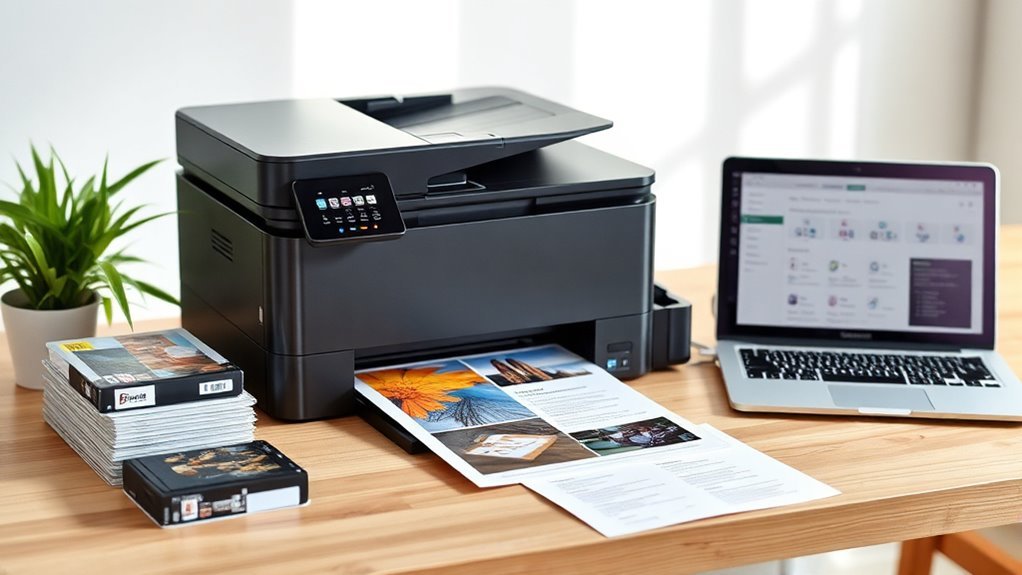
When choosing an all-in-one laser color printer, you’ll want to take into account print speed and quality to match your needs. Think about paper handling options and connectivity features that make your workflow smoother.
Also, make sure the user interface is intuitive so you can operate it without hassle. It’s all about finding something that fits seamlessly into your daily routine.
Print Speed Importance
Although print speed might seem straightforward, it plays a crucial role in how efficiently you can complete both single-page and large multi-page print jobs. You’ll want to weigh pages per minute (ppm) carefully—about 20 ppm suits light use, while busy workgroups benefit from 35+ ppm for faster output.
Don’t overlook first-page-out time; shorter waits improve responsiveness for frequent small prints. If you print double-sided often, check duplex speed and whether it prints both sides in one pass—slow duplex can halve your effective throughput.
Also, match the rated print speed with your realistic duty cycle and network demands, since advertised speeds are often idealized. Your printer’s processor, memory, and feeder capacity directly impact sustained performance, so choose accordingly to keep your workflow smooth.
Print Quality Factors
Print speed gets your documents out quickly, but the quality of those prints determines the impression they leave. You should aim for at least 600 x 600 dpi resolution for general office graphics and 1200 x 1200 dpi if you want crisper text and photos.
Next-gen toner technology enhances color vibrancy and resists fading or smudging, ensuring your prints stay sharp over time. Plus, paying attention to color gamut and management support, like ICC profiles, helps keep your brand colors and photographic tones accurate.
Effective halftoning and screening algorithms reduce banding, improving continuous-tone image quality even at typical office speeds. And finally, look for a printer with stable engine performance—consistent fuser temperature and precise registration help maintain color consistency and alignment during long print runs and duplex jobs.
Paper Handling Options
Paper handling plays a crucial role in how smoothly your all-in-one laser color printer fits into your workflow. Start by considering paper capacity, including the standard and multipurpose trays. Base capacities usually range from about 50 to 250 sheets but can often be expanded with optional cassettes if you handle larger volumes.
Look for automatic duplex printing and duplex scanning features to save paper and speed up double-sided tasks. Make sure the printer supports the media sizes and types you use regularly, like Legal paper, envelopes, cardstock, or glossy sheets.
Check input and output tray capacities and multipurpose tray flexibility to avoid constant refills during mixed jobs. Finally, evaluate the ADF’s sheet capacity and duplex scanning options to guarantee it meets your scanning volume and efficiency needs.
Connectivity Features Overview
How easily your all-in-one laser color printer connects to your devices can make a big difference in your daily workflow. Make sure it supports both wired connections like Ethernet and USB, as well as wireless options such as Wi‑Fi and Wi‑Fi Direct. This way, you can integrate it seamlessly with office networks and individual gadgets.
Look for mobile printing compatibility through AirPrint, Mopria, or vendor apps to print from smartphones and tablets without hassle. If you often scan double-sided documents, check for duplex ADF or one-pass duplex scanning over the network. These features can save you a lot of time.
Don’t overlook security features like WPA2/3, IPsec, and user authentication to protect your data. Security is key, especially when your printer is connected to a network.
Finally, opt for printers that offer remote management, cloud integration, and toner-level notifications. These features help simplify maintenance and make IT oversight much easier.
User Interface Ease
When choosing an all-in-one laser color printer, you’ll want an interface that’s both intuitive and efficient. Look for a color touchscreen of at least 4–5 inches with customizable shortcuts to speed up common tasks and cut down menu navigation time.
Choose printers with clear icons and labeled functions for print, copy, scan, and fax to reduce errors and training needs. It’s helpful if the interface supports on-device previewing and editing—like cropping, rotating, or adjusting duplex settings—so you can confirm output without returning to your computer.
Also, check for dedicated physical buttons or one-touch keys for frequent functions like start, stop, and power to enable quick operation. Finally, make certain mobile apps and web interfaces mirror on-device functionality for easy remote access and control.
Consumables And Costs
Although upfront costs can be tempting, you’ll want to focus on consumables and ongoing expenses to get an accurate picture of a printer’s true cost of ownership. Start by checking toner yield—compare standard versus high-yield cartridges because high-yield ones often lower your cost per page despite a higher initial price.
Calculate the cost per page by dividing cartridge price by its ISO yield. Make sure to include both color and black toners if you have mixed workloads.
Don’t forget to factor in replacement intervals and costs for drums, imaging units, and maintenance kits. These can really add up and increase your expenses more than you might expect.
Also, consider starter toner yields, which are usually lower, and plan your initial supply purchases accordingly.
Finally, include paper, optional trays, and energy use in your ongoing cost estimates. Base these on your actual print volume to get the most accurate picture.
Warranty And Support
Beyond consumables and ongoing costs, you’ll want to make sure your investment is protected through solid warranty coverage and reliable support. Check the length and scope of the manufacturer’s warranty—does it cover hardware defects and parts for one year, three years, or longer?
Confirm what’s included: parts, labor, on-site service, and whether consumables or user-replaceable items are excluded. Next, verify the technical support options—phone, chat, email—and their responsiveness during business hours and emergencies.
Look for extended warranty or service plan options, comparing costs, included services like advance replacements, and coverage duration. Finally, review the service network reach to make certain timely repairs or replacements through authorized centers in your area.
This will keep your printer running smoothly with minimal downtime.
Frequently Asked Questions
How Do Laser Printers Compare to Inkjet Printers in Long-Term Cost?
You’ll find laser printers cost less long-term since toner lasts longer and needs replacing less often than ink cartridges.
Though inkjets are cheaper upfront, their frequent cartridge replacements add up, making lasers more economical over time.
Are Laser Printers Safe for Home Use Around Children?
Think of laser printers as cautious cats—generally safe around kids if you keep them out of reach.
You’ll want to avoid toner spills and make certain proper ventilation to keep your home environment healthy and secure.
It’s kind of like making sure your curious little ones don’t get too close to anything that might cause a mess or trouble.
A bit of care goes a long way in keeping things safe and sound.
What Maintenance Is Required for All-In-One Laser Color Printers?
You’ll need to regularly replace toner cartridges, clean the printer heads, and clear paper jams.
Don’t forget to update firmware and run occasional calibration to keep colors accurate and your printer running smoothly.
Can These Printers Connect to Multiple Devices Simultaneously?
Like a busy café serving many customers at once, these printers can connect to multiple devices simultaneously.
You’ll easily print from your phone, laptop, or tablet without waiting, boosting your productivity and convenience instantly.
How Eco-Friendly Are Laser Color Printers Compared to Other Types?
You’ll find laser color printers use less energy and produce less waste than inkjets, but they still consume toner and power. They’re eco-friendly compared to some types, but choosing energy-efficient models helps you reduce your impact.
That said, not all laser printers are created equal. Picking one with Energy Star certification or similar ratings can make a noticeable difference. Plus, using duplex printing and recycling toner cartridges can boost your eco-friendly efforts even more.
Conclusion
When choosing your all-in-one laser color printer, remember that 60% of small businesses prefer models with wireless and duplex printing for efficiency and convenience. Whether you prioritize speed, print quality, or connectivity, these top picks offer something for everyone.
By focusing on your specific needs, you’ll find a printer that simplifies tasks and boosts productivity. Don’t settle—choose a model that keeps up with your demands and helps you work smarter every day.
Finding the right all-in-one laser color printer means balancing features like speed, wireless capabilities, and duplex printing. These printers are designed to handle busy workloads while delivering vibrant colors and sharp details. So, pick one that fits your business or personal needs and enjoy seamless printing that saves you time and effort.