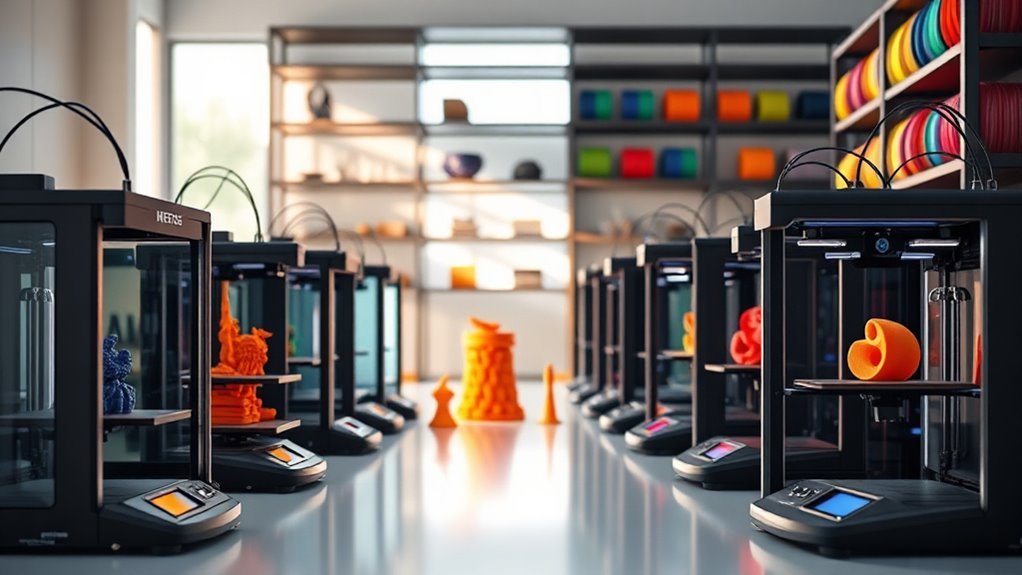
15 Best 3D Printer Names for 2027
If you want the top 3D printer names for 2027, you’re in the right place. Models like Bambu Lab P1S Combo, FLASHFORGE Adventurer 5M, and Anycubic Kobra X are leading the pack. They offer speedy multi-color printing and smart features that make your printing experience smooth and efficient.
For beginners, the MakeBuddy Smart5 is a standout choice with its AI-assisted ease of use. These printers combine fast speeds, precise layering, and essential safety features.
So whether you’re a hobbyist or a pro, you’ll get high-quality results every time.
Curious to see more? Explore the full list to find the perfect 3D printer that fits your needs and skill level. There’s something for everyone, from newbies to seasoned pros!
| Image | Name | Editor's Rating | Price |
|---|---|---|---|

|
|
||

|
|
||

|
|
||

|
|
||

|
|
Bambu Lab P1S Combo, P1S 3D Printer and AMS, Multi-Color 3D Printing
- Up to 16 Colors: Bring your designs to life with vibrant multi-color/multi-material printing capabilities, perfect for showcasing your creativity. Note: Connecting Bambu...
- 500mm/s and 20000 mm/s² Acceleration True High Speed: Don't wait around for your masterpieces. Lightning-fast printing speed lets you focus on creating, not waiting.
- Enclosed Design: Fully enclosed body improves print performance for advanced filaments. Automatic Bed Leveling: Say hello to high-quality, successful prints. Auto bed...
- Set Up in 15 Minutes: Spend more time printing and less time setting up. User-friendly design ensures a hassle-free assembly experience for all skill levels.
- Supported Filament: Ideal: PLA, PETG, TPU, PVA, PET ABS, ASA; Capable : PA, PC; Not Recommended: Carbon/Glass Fiber Reinforced Polymer.
The Bambu Lab P1S Combo stands out for users needing precise multi-color and multi-material 3D printing. Its combination of the P1S printer with the Automatic Material System (AMS) allows seamless printing with up to 16 colors. This advanced setup helps create complex, vibrant models without manual filament changes.
Designed with an enclosed frame, the printer maintains a stable environment that enhances print quality and consistency. It supports a wide variety of filaments including PLA, PETG, and TPU, making it versatile for different project needs. Its fast printing speed of up to 500mm/s helps reduce wait times on detailed prints.
Maintenance is straightforward with an automatic bed leveling feature, ensuring your prints stick properly and minimizing failed attempts. Setup is quick, taking only about 15 minutes, allowing both beginners and professionals to start printing with ease. However, it is not compatible with carbon or glass fiber reinforced polymers, limiting options for high-strength materials.
Weighing 47.5 pounds, the P1S Combo is best suited for stationary use rather than portability. Its release date is set for July 8, 2024, so early planning is recommended for those eager to adopt its capabilities.
Best for: Creatives and professionals seeking a high-speed, multi-color 3D printer with flexible filament compatibility and easy setup.
What We Like:
- Supports up to 16 colors via the Automatic Material System for intricate designs
- Fast printing speeds of 500mm/s and rapid acceleration improve efficiency
- User-friendly with quick assembly and automatic bed leveling for reliable results
Specification:
| Feature | Details |
|---|---|
| Manufacturer | Bambu Lab |
| Dimensions | Not specified |
| Weight | 47.5 lb (21.5 kg) |
| Supported Filaments | PLA, PETG, TPU, and more |
| Color Options | Up to 16 colors via AMS |
| Print Speed | Up to 500 mm/s |
FLASHFORGE Adventurer 5M 3D Printer, All-Metal CoreXY, 600mm/s Max Travel
- One-Click Automatic Printing: Experience hassle-free 3D printing with the Adventurer 5M Series. Enjoy automatic bed leveling for flawless first layers, ensuring...
- 12X Ultra Fast Printing: Featuring a CoreXY structure with 600mm/s travel speed and 20000mm/s² acceleration, the AD5M maximizes efficiency, reduces production cycles...
- Smart and Efficient Design: Quick 3-second nozzle changes, a high-flow 32mm³/s nozzle, and fast 35-second warm-up to 200°C deliver stable high-speed printing. Its...
- Superior Print Quality & Adaptability: Combines a 280°C direct drive extruder with dual-fan cooling and vibration compensation. Includes a standard 0.4mm nozzle and...
- Real-Time App Monitoring: Monitor print progress, adjust settings, and receive instant status alerts remotely with the Flash Studio. Smart mobile control ensures a...
The FLASHFORGE Adventurer 5M is designed to meet the demands of professionals requiring fast and precise 3D printing. Its all-metal CoreXY mechanism enables high-speed movement up to 600mm/s, making it ideal for rapid prototyping and efficient production workflows. This printer reduces downtime and accelerates project completion with smooth, reliable performance.
Maintenance is straightforward with features like automatic bed leveling, ensuring every print starts perfectly without manual adjustments. The 0.4mm nozzle supports high-flow output and allows quick 3-second swaps to minimize interruptions. Users can easily monitor and control prints remotely through the Flash Studio app, enhancing convenience and oversight.
Despite its compact 220 x 220 x 220 mm build volume, the Adventurer 5M fits well in professional workspaces without compromising on print quality. Its rigid all-metal frame maintains stability during fast movements, producing consistent results. While it weighs 22 pounds, this balance of portability and power suits many office or workshop settings.
Best for: Professionals and businesses needing ultra-fast, accurate 3D printing for prototyping and small-scale production.
What We Like:
- High-speed CoreXY system with 600mm/s max travel for efficient printing
- Automatic bed leveling for consistent first layers
- Quick nozzle changes reduce downtime
- Mobile app control for real-time monitoring and adjustments
Specification:
| Feature | Details |
|---|---|
| Manufacturer | FLASHFORGE |
| Build Volume | 220 x 220 x 220 mm |
| Max Travel Speed | 600 mm/s |
| Acceleration | 20,000 mm/s² |
| Nozzle Size | 0.4 mm |
| Weight | 22 lb (10 kg) |
| Frame Material | All-metal |
Anycubic Kobra X Multicolor 3D Printer, Easy Setup, Native 4-Color
- 【 Newest Level - 19-Color with 4 ACE 2 Pro】Why settle for one color when you can have multicolor? The Kobra X comes born with 4 colors built-in. It is innovative 3D...
- 【 Savings 2X Time】Stop wasting hours and filament on purging! Kobra X impresora 3D reduces the filament and machine travel path by 81.25%, so 2X the Speed, and...
- 【Hardened Precision & High Speed 】 Equipped with a high-durability hardened steel nozzle and vibration compensation, the Kobra X ensures every layer remains smooth...
- 【Flawless First Layer with LeviQ 3.0】The LeviQ 3.0 and auto bed leveling system uses a 49-point calibration and advanced leveling algorithm to ensure 100% bed...
- 【Smart AI Monitoring & Large Model Library】APP remote control, features Spaghetti detection and foreign object detection. The innovative top-mount spool holder...

The Anycubic Kobra X Multicolor 3D printer transforms multicolor printing with its native 4-color capability, enabling users to create vibrant, detailed models without complex setups. Its design focuses on simplifying the printing process, making it accessible for both beginners and experienced creators. Expanding to 19 colors is possible by adding units, offering flexibility for more intricate projects.
This printer significantly reduces filament travel by 81.25%, which enhances printing speed and efficiency. It can reach speeds up to 600mm/s, completing complex prints like the popular Benchy model in just 14 minutes. These performance improvements help users save time and increase productivity.
Maintenance is streamlined with the LeviQ 3.0 auto bed leveling system, which ensures a perfect first layer every time and reduces the need for manual adjustments. AI monitoring adds a layer of safety by continuously overseeing the print, minimizing the risk of errors or failures.
With support for multiple filament types and a spacious 260mm³ build volume, the Kobra X Multicolor is versatile enough for various creative and professional applications. Connectivity options include dual-band Wi-Fi and LAN, allowing remote control through a dedicated app. However, users should note the 300℃ nozzle temperature limit and the space requirements due to its large build volume.
Best for: Creative makers and professionals seeking a fast, reliable multicolor 3D printer with smart features and easy setup.
What We Like:
- Native 4-color printing with options to expand to 19 colors
- High-speed printing up to 600mm/s for quick project turnaround
- LeviQ 3.0 auto bed leveling for precise first layers
- AI monitoring for enhanced print safety
- Supports multiple filaments with a large build volume
Specification:
| Feature | Details |
|---|---|
| Manufacturer | Anycubic |
| Dimensions | Not specified |
| Weight | Not specified |
| Color Options | Multicolor (native 4) |
| Build Volume | 260mm x 260mm x 260mm |
| Max Nozzle Temp | 300℃ |
| Connectivity | Dual-band Wi-Fi, LAN |
MakeBuddy Smart5 AI 3D Printer for Beginners, Plug & Play, High Speed
- 【Designed for Beginners】 MakeBuddy Smart5 3d printer arrives fully assembled and enclosed, so there is no kit to build. Guided app setup and automatic bed leveling...
- 【Easy to Start – Beginner Friendly 3D Printer】From unboxing to your first print in just 15 minutes. Features the leveling technology inherited from QIDI’s...
- 【Safe & Low-Noise Home 3D Printer】The QIDI Smart5 features a sealed enclosure that covers the hot end and moving gantry while lowering operating noise, so the printer...
- 【AI 3D Printer with One-Tap Printing】 The MakeBuddy Smart5 AI 3D printer turns a photo into a printable model: capture an object with a phone or tablet, let the AI...
- 【Complete Starter Kit with Filament and Course Access】 Smart5 ships with 4 PLA filaments, LED and clock DIY build kits, and access to a regularly updated STEAM...
Experience the ease of 3D printing with the MakeBuddy Smart5 AI 3D Printer, designed specifically for beginners who want fast, reliable results. Its plug-and-play setup means you can start printing within 15 minutes, eliminating the frustration of complex assembly. The printer’s automatic bed leveling ensures smooth first layers without manual adjustments.
Maintenance is simple thanks to the sealed enclosure and active HEPA and carbon filtration, which keep your workspace safe and quiet. The compact design fits well in any home or classroom, and the included starter kit with PLA filaments and STEAM projects helps you dive right into creative printing.
The Smart5’s unique AI technology transforms photos into 3D models, opening new possibilities for personalized designs without needing CAD skills. Its CoreXY motion system provides fast, precise prints, though the 180 x 180 x 180 mm build volume may limit larger projects.
Best for: Beginners and hobbyists looking for an easy-to-use, AI-enhanced 3D printer that balances speed, safety, and simplicity.
What We Like:
- Quick, fully assembled setup with guided app and automatic bed leveling
- AI photo-to-3D conversion for creative, intuitive modeling
- Safe, quiet operation with sealed enclosure and advanced filtration
- CoreXY system delivers fast and accurate prints
- Includes starter kit with PLA filaments and educational projects
Specification:
| Feature | Details |
|---|---|
| Manufacturer | MakeBuddy |
| Dimensions | 18 x 18 x 18 cm |
| Weight | Not specified |
| Material | Sealed enclosure with HEPA and carbon filters |
| Color Options | Not specified |
Creality Ender 3 V3 SE Beginner-Friendly 3D Printer with Auto Leveling
- 250mm/s High-Speed Printing: Print at speeds of up to 250mm/s with 2500mm/s² acceleration, helping you complete prototypes, functional parts, and everyday projects...
- Easy Setup with Auto Leveling: Designed for a fast and straightforward setup, the Ender 3 V3 SE can be assembled in just a few simple steps. CR Touch Auto Leveling and...
- Proven Sprite Direct Drive Extruder: The upgraded Sprite Direct Drive Extruder provides smooth and consistent filament feeding for PLA, PETG, and TPU. Its proven design...
- Stable Motion System for Consistent Results: Dual synchronized Z-axis lead screws and precision Y-axis linear shafts work together to help reduce vibration and Z...
- Quiet Operation with Easy Print Removal: A 32-bit silent mainboard helps reduce operating noise for a more comfortable printing experience, while the flexible PC spring...
Experience hassle-free 3D printing with the Creality Ender 3 V3 SE, designed to make your creative projects smooth from the start. Its auto leveling system eliminates guesswork, ensuring your prints begin with a perfectly calibrated first layer every time. This solves a common challenge for beginners and helps avoid print failures.
The printer’s Sprite Direct Drive Extruder handles popular filaments like PLA, PETG, and TPU effortlessly. This versatility allows you to explore various materials without frequent adjustments. Dual Z-axis screws and precision Y-axis shafts stabilize the build platform, reducing vibration and wobble to maintain print quality.
Maintenance is straightforward thanks to its reliable components and the 32-bit silent mainboard, which keeps noise levels low during operation. The compact design fits well in small workspaces, making it accessible for both novices and seasoned users.
While its build volume suits most standard projects, it may be limiting for larger prints. Additionally, it supports common filaments but isn’t optimized for specialty materials like nylon or ABS without modifications.
Best for: Beginners and experienced makers seeking a reliable, easy-to-use 3D printer with advanced leveling and quiet performance.
What We Like:
- Fast setup with CR Touch auto leveling and Z-offset calibration
- Smooth extrusion with upgraded Sprite Direct Drive Extruder
- Stable prints thanks to dual Z-axis screws and precision shafts
- Quiet operation from the 32-bit silent mainboard
Specification:
| Feature | Details |
|---|---|
| Manufacturer | Creality |
| Dimensions | 15 x 19.6 x 15 inches |
| Weight | 19.8 lbs |
| Filament Types | PLA, PETG, TPU |
| Key Features | Auto leveling, Direct Drive Extruder, Silent mainboard |
Tkid AI 3D Printer for Kids, 400 mm/s Fast Printing, 20000+ Models

- All-in-One Creative Starter Kit: This complete set stands out among modern 3D printers, including a high-quality kids 3D printer, 2 rolls of PLA filament, essential...
- Fast and Precise: Prints at 220 to 250 mm/s with peaks up to 400 mm/s and 0.05 mm precision; small projects finish in as little as 20 minutes
- Safe Home Design: Enclosed pinch-resistant body, quiet operation, leveling-free platform, and TUV-tested PLA; ideal for kids, beginners, and family use
- Easy One-Tap Printing: Print from the app with fast Wi-Fi or voice control; works with iOS, Android, and Windows; built-in camera prevents failed prints with runout...
- Complete Starter Kit: Includes 2 PLA filament rolls, tools, a magnetic build plate, and stickers; note: single-color printing only, multi-color via assembled parts
The Tkid AI 3D Printer offers a fast and safe introduction to 3D printing for kids and families. Its high-speed printing, reaching up to 400 mm/s with 0.05 mm precision, ensures detailed creations are completed quickly, saving time and keeping young users engaged. This makes it ideal for those eager to explore creativity without long waits.
Designed with safety in mind, the printer features an enclosed, pinch-resistant build and uses TUV-tested PLA filament. The included built-in camera allows parents to monitor prints remotely, adding peace of mind during use. Its leveling-free platform and one-tap app printing simplify setup and operation, reducing frustration for beginners.
Maintenance is straightforward since the printer comes with essential tools and PLA filament, allowing users to start printing right away. Voice control enhances usability, making the experience hands-free and accessible for kids. With over 20,000 available models, inspiration is always at hand for continuous creative projects.
Best for: Families and children seeking a fast, safe, and easy 3D printer with a large model library to encourage learning and creativity.
What We Like:
- High-speed printing up to 400 mm/s with precise 0.05 mm detail
- Safe enclosed design with pinch resistance and camera monitoring
- User-friendly features like one-tap app printing and voice control
- Leveling-free platform simplifies setup and reduces maintenance
Specification:
| Feature | Details |
|---|---|
| Manufacturer | Tkid |
| Dimensions | Not specified |
| Weight | 12.47 pounds (5.66 kg) |
| Print Speed | Up to 400 mm/s |
| Precision | 0.05 mm |
| Included Materials | PLA filament, tools |
| Connectivity | iOS, Android, Windows |
Creality SPARKX i7 3D Printer with AI Camera

- Easy 3D Printing with Auto Leveling: The Creality SPARKX i7 features automatic bed leveling, quick setup, and streamlined calibration for a smoother desktop 3D printing...
- Smart Camera Monitoring for Reliable Printing: Built-in smart camera monitoring supports remote viewing, time-lapse recording, and print status detection to help improve...
- Quiet High-Speed Desktop 3D Printer: With an optimized motion system and low-noise operation, the SPARKX i7 delivers stable high-speed 3D printing with reduced vibration...
- Large Build Volume for Bigger Creative Projects: Featuring a 260×260×255mm build volume and flexible PEI build plate, the SPARKX i7 supports larger models, props...
- 5-Second Quick-Swap Hotend for Easy Maintenance: The tool-free quick-swap hotend design allows faster nozzle replacement and simplified maintenance, helping reduce...
The Creality SPARKX i7 3D printer transforms your printing experience with smart technology and practical design. Its auto leveling feature eliminates the hassle of manual adjustments, ensuring your prints start perfectly every time. The built-in AI camera allows you to monitor progress remotely, keeping you informed without being tied to your workspace.
Designed to provide reliable, quiet, and stable high-speed printing, it supports longer projects and daily use with consistent results. The generous build volume of 260×260×255mm gives you space to create larger models, while the flexible PEI plate makes removing prints quick and simple.
Maintenance is straightforward with the quick-swap hotend, reducing downtime and making upgrades or repairs easier. For users who want to expand their creative options, the printer supports the multi-color CFS Lite system, though this is sold separately.
The SPARKX i7 balances functionality and ease of use, making it a versatile choice for both beginners and seasoned users who value precision and convenience.
Best for: Creators and professionals looking for a dependable 3D printer with smart features for remote monitoring and easy maintenance.
What We Like:
- Auto leveling and AI camera simplify setup and remote print tracking
- Quiet operation ensures a distraction-free environment
- Flexible PEI plate enables fast print removal
- Quick-swap hotend streamlines maintenance
- Expandable with optional multi-color system
Specification:
| Feature | Details |
|---|---|
| Manufacturer | Creality |
| Build Volume | 260 × 260 × 255 mm |
| Weight | Approximately 30 lbs (13.6 kg) |
| Plate Material | Flexible PEI |
| Color Options | Not specified |
Snapmaker U1 3D Printer,4-Toolhead with 5s Toolchanger,Multi-Color Printing

- 【4-Toolhead System with 5-Second Tool Changer】 Powered by the SnapSwap system, Snapmaker U1 multi-color 3D printer features four independent toolheads with filaments...
- 【5X Faster Printing, 5X Less Waste】 Unlike traditional filament-changing systems, Snapmaker U1 3D printer swaps toolheads instead of repeatedly loading, unloading...
- 【True Multi-Material & Mixed-Material Printing】 Snapmaker U1 3D printer combines rigid and flexible materials, water-soluble supports, and engineering materials in a...
- 【Smart Calibration】 Automatic toolhead offset calibration, vibration compensation, fine-tuned extrusion, and perfect first-layer work together to deliver smooth...
- 【Easy to Use for Beginners & Professionals】 With a built-in model library, Snapmaker Orca — custom open-source slicing software, makes it easy to get started with...
The Snapmaker U1 redefines multi-color 3D printing by combining speed and versatility in one compact machine. Its innovative 4-toolhead system with a 5-second SnapSwap toolchanger dramatically reduces downtime, allowing you to switch between materials quickly and maintain workflow efficiency.
Designed for precision, the U1’s CoreXY motion system reaches speeds up to 500 mm/s within a spacious 270 mm build volume. This ensures fast, accurate prints without compromising quality. Auto-calibration and AI monitoring simplify maintenance, keeping your printer consistently performing at its best.
The Snapmaker U1 supports a variety of filaments, including rigid PLA, flexible TPU, and water-soluble ABS. This flexibility enables complex, multi-material projects that meet diverse creative and professional needs. Its user-friendly design suits both beginners and experienced users.
Though its advanced multi-toolhead setup may require some adjustment time, the U1 balances cutting-edge technology with ease of use. The build volume accommodates most standard projects, while its streamlined tool changes help maximize productivity.
Best for: Creators and small businesses needing fast, multi-material 3D printing with efficient tool changes and dependable results.
What We Like:
- Ultra-fast 5-second tool changes reduce printing interruptions.
- Supports diverse materials for versatile project options.
- High-speed CoreXY system ensures precise, consistent prints.
- Auto-calibration and AI monitoring simplify upkeep.
- Compact yet spacious build volume fits most projects.
Specification:
| Specification | Details |
|---|---|
| Manufacturer | Snapmaker |
| Build Volume | 270 x 270 x 270 mm |
| Motion System | CoreXY |
| Toolhead System | 4-toolhead with 5s SnapSwap |
| Supported Materials | PLA, TPU, ABS |
| Color Options | Not specified |
Spark AI 3D Printer for Kids, 20,000+ Models, Enclosed Safe

- [NOTE] This printer prints one filament at a time, so each print is a single color. PLA comes in many colors, including gradient. For multi-color models, print parts...
- Fully enclosed child-safe design: The enclosed printing chamber keeps all hot components and moving parts away from children at all times. Non-toxic PLA filament only...
- Fully assembled and ready to use out of the box: No tools, no manual assembly required. Connect to WiFi, load the included white PLA filament, and start printing. Once...
- 12,000+ toy models and creative design tools: Browse a growing library of toys, animals, vehicles, and STEM projects on iOS, Android, or Windows. New models added...
- Fast printing at up to 400mm/s with built-in camera: Small models complete in as little as 20 minutes. Most library models print in 1 to 3 hours. The built-in camera...
The Spark AI 3D Printer is designed to ignite creativity in kids while keeping safety a priority. Its fully enclosed structure and cool-touch exterior let children explore 3D printing without worry. Setting up the printer is simple, allowing young users to start designing quickly.
This printer offers access to over 20,000 models and AI-driven design tools, making it easy for kids to bring ideas to life. It prints swiftly using non-toxic PLA filament, ideal for safe and clean operation. The magnetic build plate ensures hassle-free print removal, reducing frustration.
Maintenance is straightforward, thanks to its compact and lightweight design. The built-in camera records time-lapse videos, helping children track their progress and share their creations. Although it prints only one color at a time and requires WiFi for full model access, it remains excellent for fostering design thinking and spatial skills.
Best for: Kids and young creatives seeking a safe, easy-to-use 3D printer that encourages independent learning and imaginative design.
What We Like:
- Safe enclosed design with cool-touch exterior
- Extensive library of 20,000+ models plus AI design tools
- Fast printing with non-toxic PLA filament
- Magnetic build plate for easy print removal
- Built-in camera for time-lapse recording
Specification:
| Feature | Details |
|---|---|
| Manufacturer | Spark |
| Dimensions | Compact, lightweight design |
| Weight | Lightweight |
| Material | Enclosed plastic exterior |
| Color Options | Not specified |
Geeetech M1S 3D Printer for Kids and Beginners

- Smart 3D Printer: Compact body with sleek design. Access massive 3D models, enjoy WiFi printing, and experience seamless smart operation-connect the "Geeetech" APP and...
- Designed for Kids and Beginners: The Geeetech M1 comes fully assembled and is incredibly user-friendly with knob operation and one-button filament loading. Its 2.4" LCD...
- High-Speed Printing & Superior Quality: Experience the future of printing with Geeetech M1's advanced nozzle and 50W heating rod, ensuring efficient heat dissipation for...
- Innovative Direct Drive Extruder: Equipped with a high-performance dual-drive metal gear system offering a 1:5 gear ratio for unmatched torque and extrusion force...
- Auto-Leveling & Heated Build Plate: Simplify your printing process with our 16-point full-auto leveling technology and a heated, flexible magnetic build plate. These...
The Geeetech M1S 3D printer simplifies the journey into 3D printing for beginners and kids. Its fully assembled design means you can start creating without hassle. The intuitive knob controls and one-button filament loading make daily use straightforward and stress-free.
This printer’s 16-point auto-leveling system ensures your prints are precise and consistent. The heated, flexible magnetic build plate reduces warping and allows easy removal of finished projects. These features work together to improve print quality and reduce maintenance time.
Designed for versatility, the direct drive extruder handles both TPU and PLA materials smoothly. It supports 0.5kg and 1kg spools, accommodating different filament needs. Lightweight and compact, the M1S fits comfortably in small spaces without sacrificing functionality.
While its print area is limited, it is ideal for smaller projects and learning purposes. The print speed is balanced for quality, though it may not suit users needing rapid production. Overall, the M1S delivers reliable performance with minimal upkeep.
Best for: beginners and young users seeking an easy-to-use, dependable 3D printer with quick setup and clear controls.
What We Like:
- Fully assembled for immediate use with simple knob and one-button controls
- 16-point auto-leveling and heated magnetic build plate improve print accuracy
- Supports flexible filament types and spool sizes for versatile printing
- Lightweight, compact design fits easily in small spaces
Specification:
| Specification | Details |
|---|---|
| Manufacturer | Geeetech |
| Dimensions | Not specified |
| Weight | Under 10 lb (approx.) |
| Material | Metal and plastic parts |
| Color Options | Not specified |
Creality K2 Combo 3D Printer with Auto Leveling

- Multicolor 3D Printing: 4 × CFS for up to 16 colors. By hooking up as many as four CFS units together, you are able to print in the splendor of 16 colors. Saves the need...
- Ultra Quiet Printing: Silent Mode for a quieter printing experience. Annoyed by the buzzing noise? Not K2. By adopting step-servo motors and dynamically balanced fans. It...
- Out-of-the-Box Experience: Pre-assembled for plug and play. You can use K2 right after unpacking and screen installation. Unlocks a wider selection of materials...
- Smart Auto Leveling & AI Camera: Faster leveling of only the target print area. The leveling sensor only probes and levels the bed area relevant to the desired print...
- Superior Print Quality: Sturdy frame and precise step-servo motor system. K2 uses 3 step-servo motors, both in the extruder and on the X/Y axis. They can adjust torque...
The Creality K2 Combo 3D Printer transforms multicolor printing into a fast, efficient process. Its 95% pre-assembled design means you spend less time setting up and more time creating. This printer addresses the challenge of long print times and complex color changes by supporting up to 16 colors with four CFS units, so you can achieve vibrant, detailed prints without additional painting.
With a spacious build volume of 260 x 260 x 260 mm and print speeds up to 600 mm/s, it handles large projects quickly and precisely. The smart auto-leveling system focuses only on necessary areas, ensuring accurate first layers without wasting time on full-bed calibration. This improves print reliability and reduces maintenance effort.
Designed for consistent performance, the K2 operates ultra-quietly thanks to advanced step-servo motors. It also integrates an AI camera for real-time monitoring, helping you catch errors early and avoid failed prints. Although its size and weight require a dedicated workspace, these features combine to offer a smooth, professional printing experience.
Best for: professionals and advanced hobbyists seeking fast, high-quality multicolor 3D printing with minimal setup and reliable monitoring features.
What We Like:
- Supports up to 16 colors with four CFS units, eliminating post-print painting
- Smart auto-leveling targets critical areas for precise printing
- AI camera enables real-time print failure detection
- Ultra-quiet operation ensures comfortable use during long prints
Specification:
| Feature | Details |
|---|---|
| Manufacturer | Creality |
| Build Volume | 260 x 260 x 260 mm |
| Maximum Speed | 600 mm/s |
| Weight | 61.9 lb (28.1 kg) |
| Assembly | 95% pre-assembled |
| Color Support | Up to 16 colors via 4 CFS units |
TINA2S 3D Printer Beginner Friendly, Fully Assembled, Ready to Use

- 【Ready to Use & Beginner Friendly】Hephi3d TINA2S beginner 3d printer for home. Fully assembled, auto leveling, out of the box, no setup. Ready to print in 5 minutes...
- 【Read to Print Model Library】 TINA2S beginner-friendly 3d printers with App, access 3,500+ online ready to print models, one-tap-print easily via your phone or...
- 【Pint Your Way-No Limits】TINA2S mini 3d printer is fully open-source, support use with Wiibuilder, Cura, Kiri(Chrome book), PrusaSlicer softwares on PC/Laptop. You...
- 【Ultra Quiet-Print】 Tina2S small 3d printers beginner-friendly, is built in self-developed motherboard for silent printing(40~50dB), provide family a conforatble...
- 【Auto Bed Leveling & Precise Printing】Plug and play 3d printer TINA2S auto-bed leveling make it more easy to use for starter. Filament Sensor detection and power-loss...
The TINA2S 3D printer is designed to make 3D printing accessible and hassle-free. Its fully assembled setup and auto-leveling feature mean you can start printing within minutes, eliminating complex calibration steps. This ease of use helps beginners avoid common startup frustrations.
Maintenance is straightforward thanks to its quiet operation and durable components like the flexible magnetic build plate and high-temp silicone nozzle cover. These features reduce wear and tear while enhancing safety, making the printer reliable for everyday use.
Its compact, semi-enclosed design keeps printing safe and contained, ideal for home or office environments. The printer supports PLA, PLA Pro, and TPU filaments, offering versatility for a variety of projects. Filament detection and power-loss resume add peace of mind by preventing print failures and wasted materials.
The TINA2S also simplifies creative workflows with wireless printing from mobile devices via an app that offers over 3,500 ready-to-print models. This feature streamlines the printing process and broadens design options without needing a computer.
Best for: Beginners and hobbyists seeking a beginner-friendly, fully assembled 3D printer with mobile app integration and reliable, quiet performance for home or office use.
What We Like:
- Quick start with auto-leveling and fully assembled design
- Wireless mobile printing with extensive model library
- Quiet operation and safety features for home environments
- Filament detection and power-loss resume enhance reliability
Specification:
| Feature | Details |
|---|---|
| Manufacturer | TINA |
| Dimensions | Compact semi-enclosed design |
| Supported Filaments | PLA, PLA Pro, TPU |
| Print Speed (max) | 200 mm/s |
| Operation Mode | Wireless printing via app |
| Safety Features | High-temp silicone nozzle cover, magnetic build plate |
| Weight | Not specified |
Toybox 3D Printer for Kids and Beginners

- 3D Printing Kit for Kids and Families: Includes the Toybox 3D Printer, 1 PLA filament spool for creative toy-making projects at home and a 1 month trial of Toybox Pro...
- New Auto-Leveling Bed System: The redesigned Toybox printer automatically calibrates print settings for greater precision, improved reliability, and a smoother printing...
- Fast, Easy Printing with Kid-Safe Design: Lightweight, durable frame and non-toxic PLA filament ensure safe, worry-free printing for children and families.
- Licensed Toys: Print officially licensed favorites from SpongeBob, Batman, How to Train Your Dragon, and more using the included filament spool.
- Access 15,000+ Ready-to-Print Designs: Choose from thousands of toys, including licensed characters, or draw and upload your own STL, OBJ, and gCode files through the...
The Toybox 3D Printer is designed to make 3D printing simple and accessible for kids and beginners. Its auto-leveling bed system removes the frustration of manual adjustments, ensuring every print comes out accurate without extra effort. This feature helps users focus on creativity rather than technical setup.
The printer’s frame is lightweight and durable, built with safety in mind. It uses non-toxic PLA filament, which is gentle for kids to handle and eliminates concerns about harmful materials. Maintenance is straightforward, making it easy for families to keep the printer running smoothly.
With the Toybox app, users gain access to over 15,000 ready-made designs and popular licensed characters like SpongeBob and Batman. This variety sparks imagination and encourages users to explore 3D printing through fun, familiar shapes. The included one-month trial of Toybox Pro and AI-powered Creator Space further support creative projects.
While limited to PLA filament, this printer offers a reliable and kid-friendly introduction to 3D printing. Its simple design and broad content library make it a valuable tool for families starting their 3D printing journey.
Best for: Kids and beginners seeking a safe, easy-to-use 3D printer with access to a wide range of creative designs and characters.
What We Like:
- Hassle-free auto-leveling bed for precise prints
- Kid-safe, lightweight frame with non-toxic PLA filament
- Extensive design library including licensed characters
- User-friendly app with AI-powered creative tools
Specification:
| Feature | Details |
|---|---|
| Manufacturer | Toybox |
| Dimensions | Not specified |
| Weight | Lightweight (exact weight not given) |
| Material | Durable frame, non-toxic PLA filament |
| Color Options | Not specified |
ANYCUBIC Kobra X 3D Printer, Native 4-Color, Up 19-Color with 4 ACE 2 Pro

- 【Native 4-Color & 19-Color Expansion】Maximize profit margins with ACE GEN 2 multicolor technology. Kobra X support native 4-color and expansion up to 19 colors with...
- 【81.25% Less Waste & Peak Efficiency】Kobra X shortens filament change length by 81.25%, drastically reducing purge waste. KX allows print farms to produce more parts...
- 【Space-Efficient Top-Mount Design for High Density】The vertical spool holder and top-mount architecture reduce the footprint compared to side-box systems. Fit more...
- 【LeviQ 3.0: Precision Auto-Leveling】Precision is non-negotiable. LeviQ 3.0 uses a 49-point auto-leveling mesh to eliminate bed variances, ensuring a flawless first...
- 【Smart Management & AI Guard】Manage a fleet via Anycubic App with object skipping to save batches. The integrated AI camera and space-saving build offer...
If you want to create vibrant multicolor 3D prints with ease, the ANYCUBIC Kobra X is designed to enhance your workflow. It supports native 4-color printing and expands up to 19 colors with the addition of 4 ACE 2 Pro units. This flexibility allows you to produce complex designs without switching filaments manually.
The printer uses advanced ACE GEN 2 technology to manage intricate print jobs efficiently. This system also reduces filament waste by over 81%, saving you material and lowering costs. Its vertical spool holder and compact design help keep your workspace organized while still offering a large 260mm³ build volume for bigger projects.
Maintenance is straightforward with LeviQ 3.0 auto-leveling, ensuring flawless first layers every time. The AI-powered 720P camera monitors prints continuously, detects errors early, and supports automatic recovery. Together with the Anycubic app, you can easily manage multiple printers remotely, making it ideal for professional print farms.
Best for: Professionals and hobbyists needing efficient, high-quality multicolor 3D printing with options to scale production.
What We Like:
- Native 4-color printing expandable to 19 colors for detailed multicolor models
- Over 81% filament waste reduction saves materials and costs
- AI-powered print monitoring with error detection and auto-recovery
- Compact design with vertical spool holder optimizes workspace
- Easy auto-leveling ensures precise first layers
Specification:
| Feature | Details |
|---|---|
| Manufacturer | ANYCUBIC |
| Build Volume | 260mm × 260mm × 260mm |
| Color Options | Native 4-color, up to 19-color (with 4 ACE 2 Pro) |
| Technology | ACE GEN 2 |
| Auto-Leveling | LeviQ 3.0 |
| Camera | AI-powered 720P |
| Spool Holder | Vertical |
FLASHFORGE Creator 5 3D Printer, 4-Toolhead Multi-Color and Multi-Material

- 4 Independent Toolheads for True Multi-Color: Unlike traditional single-nozzle multi-color printers, the Creator 5 utilizes 4 independent toolheads to prevent color...
- 7-Second Swaps with Intelligent Preheating: Standard single-nozzle setups demand constant filament loading, unloading, and purging for every color change. The Creator...
- Up to 80% Less Filament Waste: Single-nozzle multi-color printing generates massive amounts of wasted "poop." The Creator 5's independent architecture completely bypasses...
- True Multi-Material & Clean Support Removal: Print PLA, PETG, TPU, PETG-CF and support materials in a single job. By allocating one toolhead exclusively to specialized...
- 600mm/s CoreXY Speed & Auto Calibration: Built upon a rigid CoreXY motion system with fully automatic calibration, the Creator 5 delivers stable high-speed printing up to...
Experience the freedom of multi-color and multi-material 3D printing with the FLASHFORGE Creator 5. Its four independent toolheads allow seamless switching between materials like PLA, PETG, TPU, and specialized supports. This capability eliminates color mixing and reduces downtime with quick 7-second tool changes, making complex projects easier to manage.
Designed with efficiency in mind, the Creator 5 reduces filament waste by up to 80%, cutting costs and minimizing environmental impact. The advanced CoreXY system delivers fast, precise movements up to 600mm/s, ensuring your prints finish quickly without sacrificing quality.
Maintenance is straightforward thanks to fully automatic calibration and vibration compensation, which help maintain consistent print quality. Despite its compact size, the printer fits well in most workspaces, though it may limit the size of larger projects.
Best for: Professionals and enthusiasts who need fast, precise multi-color and multi-material 3D printing with minimal waste and hassle.
What We Like:
- Four independent toolheads for true multi-material printing without color mixing
- Quick 7-second tool changes with intelligent preheating
- Up to 80% reduction in filament waste for cost and environmental benefits
- Fast printing speeds up to 600mm/s with CoreXY system
- Automatic calibration and vibration compensation for consistent results
Specification:
| Feature | Specification |
|---|---|
| Manufacturer | FLASHFORGE |
| Dimensions | 16 x 14 x 18 inches |
| Weight | 30.8 pounds |
| Supported Materials | PLA, PETG, TPU, Support |
| Print Speed | Up to 600 mm/s |
Factors to Consider When Choosing 3d Printer Names

When choosing a 3D printer name, you’ll want to make sure it aligns with your brand identity and appeals to your target audience. It’s important to pick a name that’s unique, easy to pronounce, and relevant to the industry.
These factors help your printer stand out and stay memorable. So, take your time and think about what really represents your brand. You want a name that clicks with people and sticks in their minds.
Brand Identity Alignment
Although choosing a 3D printer name might seem straightforward, aligning it with your brand identity is essential to stand out in a competitive market. You want your name to reflect your company’s core values and mission, making certain it resonates with your audience.
Highlighting technological features like speed, precision, or multi-material capabilities can attract tech-savvy customers. Keep your naming consistent across product lines to build recognition and trust.
Also, choose a name that’s easy to pronounce and remember; this boosts word-of-mouth and brand recall. Finally, incorporating relevant 3D printing keywords improves searchability online, helping your brand gain visibility in crowded marketplaces and search engines.
Staying aligned with your brand identity guarantees your 3D printer name supports long-term success. It’s really about making sure every part of your branding works together seamlessly.
Target Audience Appeal
How do you guarantee your 3D printer name truly connects with your target audience? First, consider their age and experience—names that suggest ease and fun attract beginners and kids, while technical terms appeal to pros.
Use descriptive words like “smart,” “easy,” or “high-speed” to highlight benefits and catch efficiency seekers. Match the name to your audience’s interests by incorporating keywords such as “creativity,” “education,” or “innovation.”
This helps align with their goals and aspirations. Make certain the name reflects the printer’s purpose: hobbyist, professional, or educational use.
Finally, keep cultural nuances in mind and choose a simple, easy-to-pronounce name. This guarantees broad appeal and clear communication across diverse groups, helping you connect with the right users.
Uniqueness And Memorability
Because a unique and memorable name can set your 3D printer apart, you want to choose one that sticks in customers’ minds and sparks their curiosity. A distinctive name boosts brand recognition, making it easier for people to recall and recommend your printer.
Catchy names that resonate tend to encourage repeat purchases and spread positive word-of-mouth. Incorporate keywords related to 3D printing technology or key features to improve searchability and attract your target audience.
In a crowded market, originality helps your product stand out from competitors with similar functions. Using playful or inventive language can further pique interest, motivating potential customers to learn more.
Pronunciation And Spelling
Pronunciation and spelling play an essential role in choosing a 3D printer name that sticks with your audience. You want a name that’s easy to say and spell, so it spreads effortlessly among users and potential customers.
Aim for simple, common phonetic patterns to make certain people remember and pronounce it correctly. Avoid complicated or unusual spellings that could confuse your audience and hurt brand recognition.
Keep the name short—ideally one to three syllables—for better recall and smoother word-of-mouth marketing. Testing your name with focus groups can reveal any pronunciation or spelling challenges, helping you pick a name that truly resonates.
Industry Relevance
Choosing a 3D printer name that resonates with your target market is essential for standing out in a competitive industry. You need to tailor the name based on whether your audience is beginners or professionals to guarantee it connects effectively.
Incorporate terms that highlight key features like “Fast,” “Smart,” or “Multi-Material” to showcase your printer’s strengths. Using industry-specific language such as “CoreXY” or “Auto-Leveling” adds credibility and appeals to knowledgeable users.
Names that suggest innovation, like including “AI,” can position your printer as cutting-edge. Also, consider choosing names that are easy to pronounce globally, boosting appeal across different regions.
Staying relevant to industry trends and your audience’s expectations will make your 3D printer name memorable and effective. It’s all about making that strong, clear connection.
Future Scalability
While a name that connects with your audience sets the stage, thinking about how your 3D printer can grow with your needs is just as important. You’ll want to choose a model compatible with various materials like PLA, PETG, and TPU to keep pace with evolving projects.
Look for expandable features such as multi-color or multi-material printing through extra toolheads or modules. Consider the build volume—larger print areas let you tackle bigger or multiple projects at once.
Don’t overlook the software ecosystem; seamless app integration and monitoring tools can simplify updates and enhance usability. Finally, opt for printers backed by strong community support or open-source platforms.
This way, you get access to continuous improvements and shared knowledge that guarantee your printer stays relevant for years to come.
Frequently Asked Questions
How Do I Customize a 3D Printer Name for Personal Branding?
You customize a 3D printer name by blending your brand’s personality with creativity. Use unique words, tech references, or your initials.
Keep it catchy and memorable so it stands out and reflects your style perfectly. It’s all about making it yours in a way that feels right.
Are There Trademark Restrictions on 3D Printer Names?
Think of trademark restrictions as the fences in a garden—you can’t plant your name there if it’s already claimed. So, you’ll want to check trademarks before naming your 3D printer to avoid legal trouble and grow freely.
It’s kind of like making sure you’re not stepping on someone else’s turf. Doing a quick search can save you a lot of headaches down the line.
What Are Popular Naming Trends for 3D Printers in Other Industries?
You’ll notice popular naming trends borrow from tech and automotive industries, using sleek, futuristic words, alphanumeric codes, or mythological references.
They often convey speed, precision, or innovation to appeal to your cutting-edge needs. It’s all about sounding advanced and reliable. Makes sense, right?
Can 3D Printer Names Impact Resale Value?
Absolutely, a catchy, credible 3D printer name can boost buyer belief, building better resale value.
When you choose a memorable moniker, you create confidence. This makes it easier to sell and secure stronger offers later.
How Do Language and Culture Influence 3D Printer Name Choices?
You’ll find language and culture shape 3D printer names by reflecting local values, trends, and humor. They influence pronunciation, appeal, and meaning, ensuring names resonate with target audiences and avoid misunderstandings or negative connotations.
It’s kind of like how people pick nicknames or brand names that just “feel right” in their own community. This way, the names connect better and don’t accidentally offend anyone.
Conclusion
Choosing the perfect 3D printer name is like picking Excalibur—you want something powerful and memorable that fits your creative journey. Whether you’re diving into multicolor masterpieces with the Bambu Lab P1S or starting simple with the Creality Ender 3 V3 SE, your printer’s name sets the tone.
So, don’t just settle; choose a name that inspires innovation and makes every print feel legendary. Your creative quest deserves nothing less!
A great 3D printer name sparks creativity and reflects your style. It’s more than just a label—it’s your partner in bringing ideas to life. Whether you’re a beginner or a pro, the right name motivates you to push boundaries and explore new possibilities in 3D printing. So, pick a name that makes your 3D printer feel like a true tool for innovation and artistic expression.