6 Best All-in-One Laser Printers for Home Use in 2027
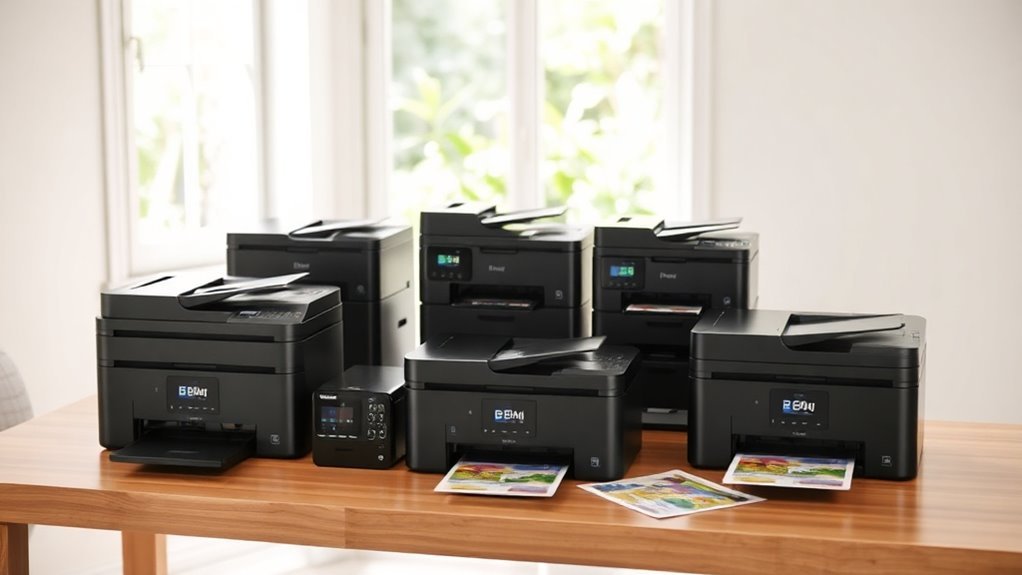
You’ll want a compact, reliable all-in-one laser printer for your home office that offers fast print speeds, duplex printing, and wireless connectivity. These features make your printing tasks smooth and efficient, whether you’re tackling work projects or school assignments.
The Brother DCP-L2640DW and HP LaserJet Pro 3105sdw really shine when it comes to monochrome printing. If you need color and touchscreen ease, check out the Canon imageCLASS MF662Cdw and HP Color LaserJet Pro 3301sdw. They add vibrant color and user-friendly controls to your setup.
Models like the HP MFP M235sdw and Brother MFC-L3720CDW strike a great balance between speed and versatility. Take a closer look at their features to find the perfect all-in-one laser printer for your home.
| Image | Name | Editor's Rating | Price |
|---|---|---|---|

|
|
||

|
|
||

|
|
||

|
|
||

|
|
Brother DCP-L2640DW Wireless Compact Monochrome Printer
- BEST FOR SMALL BUSINESSES – Engineered for extraordinary productivity, the Brother DCP-L2640DW Monochrome (Black & White) 3-in-1 combines laser printer, scanner, copier...
- FAST PRINTER WITH EFFICIENT SCANNING – Produces documents quickly with print speeds up to 36 ppm(2) and scan speeds up to 23.6/7.9 ipm(3) (black/color). A 50-page auto...
- FLEXIBLE CONNECTION OPTIONS – Easily navigate the changing demands of your business with secure multi-device connectivity via built-in dual-band wireless (2.4GHz...
- BROTHER MOBILE CONNECT APP – Print, scan, and manage your wireless printer anytime, from almost anywhere from your mobile device. Order Brother Genuine Supplies, track...
- CHOOSE BROTHER GENUINE TONER – When it’s time to replace your toner, be sure to choose Brother Genuine TN830 or TN830XL replacement toner. And with Refresh EZ Print...

The Brother DCP-L2640DW is a compact and efficient monochrome printer designed to streamline your office tasks. Its fast printing speed of up to 36 pages per minute helps you complete jobs quickly, reducing wait times. The 50-page auto document feeder simplifies scanning and copying, allowing multitasking with ease.
This printer is ideal for small workspaces thanks to its space-saving design. Wireless connectivity options, including dual-band Wi-Fi and Ethernet, provide flexible placement without the hassle of cables. You can print directly from your mobile device, enhancing convenience.
Maintenance is straightforward with energy-saving features like automatic duplex printing and toner save mode. These options help reduce paper use and toner consumption, lowering operational costs. Although it supports only black-and-white printing, it meets the needs of users focused on text and document productivity.
The Brother DCP-L2640DW suits home offices and small businesses that require reliable, high-speed monochrome printing with versatile connectivity and simple upkeep.
Best for: Small businesses and home offices needing a compact, high-speed monochrome printer with wireless connectivity for printing, copying, and scanning.
What We Like:
- Fast print and copy speed of up to 36 ppm with a quick first-page output.
- Multiple connectivity options including dual-band Wi-Fi, Ethernet, and USB.
- Energy-efficient duplex printing and toner save mode reduce waste.
- Compact design fits easily in limited spaces.
- Easy maintenance supports consistent productivity.
Specification:
| Feature | Details |
|---|---|
| Manufacturer | Brother |
| Dimensions (W×D×H) | Approx. 15.7 × 14.2 × 7.2 in |
| Weight | Approx. 14.3 lb (6.5 kg) |
| Color Options | White |
| Connectivity | Dual-band Wi-Fi, Ethernet, USB |
HP LaserJet Pro 3105sdw Monochrome Laser Printer | All-in-One
No products found.
The HP LaserJet Pro 3105sdw is designed to streamline your black-and-white printing tasks with speed and clarity. It produces sharp, professional-quality prints at up to 33 pages per minute, helping small teams and home offices stay productive without delays.
This all-in-one device simplifies your workflow by combining printing, copying, scanning, and faxing into one compact unit. Wireless and mobile printing through the HP app means you can work flexibly from anywhere in your space. Automatic duplex printing and scanning reduce paper use while saving time.
Maintenance is straightforward, though the printer uses original HP toner cartridges exclusively, which helps ensure consistent output but may increase operating costs. The single 250-sheet tray suits moderate volumes but might require frequent refilling in busier environments.
Security is enhanced with HP Wolf Pro, protecting sensitive data during your daily operations. AI-powered features improve the quality of scanned documents, making it easier to digitize and share important files.
Best for: small to medium business teams and home offices needing fast, reliable, and professional-quality monochrome printing with multi-function capabilities.
What We Like:
- Fast print speed with sharp 1200 x 1200 dpi resolution
- Automatic duplex printing and scanning save time and paper
- AI-enhanced scanned documents improve clarity and usability
- Strong security with HP Wolf Pro protection
- Wireless and mobile printing via HP app for flexible use
Specification:
| Feature | Details |
|---|---|
| Manufacturer | HP |
| Dimensions (W x D x H) | 16.9 x 14.3 x 11.7 inches (42.9 x 36.3 x 29.7 cm) |
| Weight | Approximately 20.9 lb (9.5 kg) |
| Color Options | Monochrome (Black and White) |
| Print Speed | Up to 33 pages per minute |
| Resolution | 1200 x 1200 dpi |
| Paper Capacity | 250-sheet single tray |
| Connectivity | Wireless, Mobile Printing via HP app |
Canon imageCLASS MF662Cdw Wireless Duplex Laser Printer
- Color, Wireless, Duplex 3-in-1: Print, scan, copy.
- Fast Print Speeds: Print up to 26 ppm in both color and monochrome and spend less time waiting with a quick first print time of approximately 10.3 seconds.
- Easy Wireless Setup: Setup your wireless connection and get up and running in just a few steps.
- 5-inch Color Touchscreen: Get the job done quickly with Application Library - an intuitive and easy to use customizable access to the features you use most.
- Mobile Device Printing: Print from your compatible mobile devices using the free Canon PRINT app, Apple AirPrint and Mopria Print Service.
The Canon imageCLASS MF662Cdw is designed to streamline printing tasks in busy home offices or hybrid workspaces. Its wireless capability and fast print speeds of up to 26 pages per minute help reduce wait times and keep projects moving smoothly. This multifunction printer combines printing, copying, and scanning in one compact device, saving space and increasing efficiency.
Handling legal-size documents and automatic duplex printing, it simplifies managing larger or double-sided jobs. The 5-inch color touchscreen allows quick access to customizable shortcuts, making everyday tasks easier to control. Connectivity options including Wi-Fi, Ethernet, and USB ensure it fits seamlessly into various work environments.
Maintenance is straightforward, though the starter toner may require replacement sooner under heavy use. While the print resolution of 600 x 600 dpi is suitable for sharp text and graphics, it might not satisfy detailed photo printing needs. The printer’s size and weight make it better suited for desks with ample space.
Best for: Small offices or home workspaces needing fast, reliable wireless printing with versatile multifunction features.
What We Like:
- Fast and efficient print speed of up to 26 ppm in color and black
- Automatic duplex printing supports double-sided documents effortlessly
- Intuitive 5-inch color touchscreen with customizable shortcuts
- Multiple connectivity options including Wi-Fi, Ethernet, and USB
Specification:
| Feature | Details |
|---|---|
| Manufacturer | Canon |
| Dimensions | Not specified |
| Weight | 55.1 lb (approx. 25 kg) |
| Print Resolution | 600 x 600 dpi |
| Connectivity | Wi-Fi, Ethernet, USB |
| Functions | Print, Copy, Scan |
| Touchscreen | 5-inch color touchscreen |
HP LaserJet MFP M235sdw | Monochrome | Laser Printer | All-in-One | Duplex
- FROM AMERICA'S MOST TRUSTED PRINTER BRAND – Perfect for offices printing, scanning and copying black & white brochures, business documents and presentations. Perfect...
- FASTEST TWO-SIDED PRINTING IN ITS CLASS – Up to 28 black-and-white pages per minute single-sided. Quickly finish multipage print projects with the fastest in-class...
- DUAL-BAND WI-FI WITH SELF-RESET – Automatically detects and resolves connectivity issues
- STRONG SECURITY – Built-in security features help protect your printer from potential attacks
- PRINT FROM ANY DEVICE – Wireless printing from any mobile device, PC or tablet. Ethernet included. Works with Microsoft, Mac, AirPrint, Android, Chromebook and more.
Experience efficient and versatile monochrome printing with the HP LaserJet MFP M235sdw. This all-in-one laser printer is tailored for small home offices and personal use, streamlining everyday tasks like printing, copying, and scanning. Its fast print speed and quick first-page output help you stay productive without delays.
The M235sdw enhances workflow with automatic duplex printing, reducing paper use and saving time by handling two-sided documents effortlessly. Connectivity options include dual-band Wi-Fi, Ethernet, and USB, allowing flexible setups and seamless mobile printing through the HP app.
Designed for convenience, this compact device fits neatly on your desk while offering a 150-sheet tray that balances capacity with manageable maintenance. Energy-saving features like Auto-On/Auto-Off help reduce power consumption, making it an eco-conscious choice.
While limited to black-and-white printing and standard letter-sized media, this printer meets the needs of users who require dependable, high-speed monochrome output without the bulk of larger machines.
Best for: Small home offices and individuals needing fast, reliable monochrome printing with duplex capability and wireless connectivity.
What We Like:
- Fast printing speed up to 28 ppm with quick first-page output
- Automatic two-sided printing saves time and paper
- Dual-band Wi-Fi, Ethernet, and USB connectivity with mobile printing support
- Compact design fits easily in limited workspace
- Energy-efficient operation with Auto-On/Auto-Off
Specification:
| Feature | Details |
|---|---|
| Manufacturer | HP |
| Model | LaserJet MFP M235sdw |
| Printing Technology | Monochrome Laser |
| Functions | Print, Copy, Scan |
| Print Speed | Up to 28 ppm |
| First Page Out | Approximately 7 seconds |
| Duplex Printing | Automatic two-sided |
| Connectivity | Dual-band Wi-Fi, Ethernet, USB |
| Paper Tray Capacity | 150 sheets |
| Max Media Size | 8.5 x 11.7 inches |
| Dimensions (W x D x H) | Compact design (specifics not provided) |
| Energy Efficiency | Auto-On/Auto-Off |
HP Color LaserJet Pro MFP 3301sdw Printer
- FROM AMERICA'S MOST TRUSTED PRINTER BRAND – Perfect for small teams printing, scanning and copying professional-quality color documents and reports. Print speeds up to...
- PROFESSIONAL PRODUCTIVITY – Proficiency with every print—next-generation TerraJet toner brings your business to life with more vivid colors.
- ORIGINAL HP TONER CARTRIDGES – This HP printer uses Original HP 218A standard and 218X high yield LaserJet toner cartridges.
- UPGRADED FEATURES – Fast color printing, scan, copy, auto 2-sided printing, auto document feeder, and a 250-sheet input tray.
- AWARD-WINNING RELIABILITY – Performance you can count on page after page, and always ready for the high demands of business.
Experience fast and vibrant color printing designed to meet the demands of small teams and home offices. The HP Color LaserJet Pro MFP 3301sdw delivers sharp documents at speeds up to 30 ppm in color and 26 ppm in black. Its auto-duplex printing helps you save paper effortlessly.
This compact all-in-one printer combines a flatbed scanner with advanced printing technology. Using next-generation TerraJet toner, it enhances color vibrancy for professional-looking results. Connectivity options like Wi-Fi, Ethernet, and mobile printing through the HP app keep your workflow smooth and flexible.
Maintenance is straightforward but requires Original HP 218A or 218X toner cartridges with embedded HP chips to ensure optimal performance. The printer’s design balances reliability with a slightly larger footprint, which may need consideration in smaller workspaces.
Security is strengthened by HP Wolf Pro, protecting your device and data from unauthorized access. This feature provides peace of mind in busy office environments where information safety is critical.
Best for: Small teams and home offices needing fast, vibrant color printing with reliable all-in-one functionality and secure connectivity.
What We Like:
- High-speed printing with auto-duplex for efficient document handling
- Enhanced color output using next-gen TerraJet toner
- Multiple connectivity choices including Wi-Fi, Ethernet, and mobile printing
- Strong security features with HP Wolf Pro protection
- Integrated flatbed scanner adds versatility
Specification:
| Feature | Details |
|---|---|
| Manufacturer | HP |
| Dimensions | Not specified |
| Weight | Not specified |
| Color Options | Standard white and black trim |
| Compatible Toner | Original HP 218A and 218X only |
| Max Paper Size | 8.5 x 14 inches (legal size) |
Brother MFC-L3720CDW Wireless Color Laser Printer
- Professional Performance: Dominate your business printing with this Brother Genuine color laser printer delivering exceptional print speeds up to 19 ppm and stunning...
- Advanced Connectivity: Take command of your workflow with dual-band wireless networking (2.4GHz/5GHz), Wi-Fi Direct, and USB 2.0 interface, enabling multiple users to...
- Productivity Powerhouse: Maximize efficiency with the 50-sheet auto document feeder, 250-sheet adjustable paper tray, and automatic duplex printing, ensuring...
- Smart Integration: Transform your workflow with the intuitive 3.5" color touchscreen featuring 48 customizable shortcuts and direct access to popular cloud services...
- Mobile Command Center: Leverage the power of mobile printing with remote access capabilities, toner level monitoring, and complete printer management directly from your...
The Brother MFC-L3720CDW is designed to simplify your printing tasks with reliable color laser performance. It delivers sharp, professional-quality prints quickly, helping you stay productive whether at home or in a busy office environment. Its fast speeds up to 19 ppm ensure your documents are ready without delay.
This all-in-one printer manages multiple tasks efficiently, thanks to a 50-sheet auto document feeder and a 250-sheet adjustable tray. Automatic duplex printing reduces paper waste and cuts costs, making it easier to maintain eco-friendly practices. Connectivity is seamless with dual-band Wi-Fi, Wi-Fi Direct, and USB options, allowing multiple users to connect effortlessly.
Maintenance is straightforward, though toner replacements can be an investment compared to inkjet printers. The 3.5″ color touchscreen provides easy navigation with 48 customizable shortcuts, although its size may feel limiting for some users. Cloud printing support from services like Google Drive adds flexibility to your workflow.
Best for: small to medium-sized businesses and home offices needing a versatile, fast, and reliable color laser printer with advanced connectivity and multifunction capabilities.
What We Like:
- Fast print speeds up to 19 ppm with crisp laser-quality output
- Automatic duplex printing with a large, adjustable 250-sheet tray
- Multiple connectivity options including dual-band Wi-Fi and cloud integration
- 50-sheet auto document feeder for efficient multitasking
- User-friendly 3.5″ color touchscreen with customizable shortcuts
Specification:
| Feature | Details |
|---|---|
| Manufacturer | Brother |
| Dimensions (W x D x H) | 16.1 x 18.5 x 15.7 in |
| Weight | 33.9 lb |
| Color Options | White |
| Connectivity | Dual-band Wi-Fi, Wi-Fi Direct, USB 2.0 |
Factors to Consider When Choosing All in One Laser Printer Home
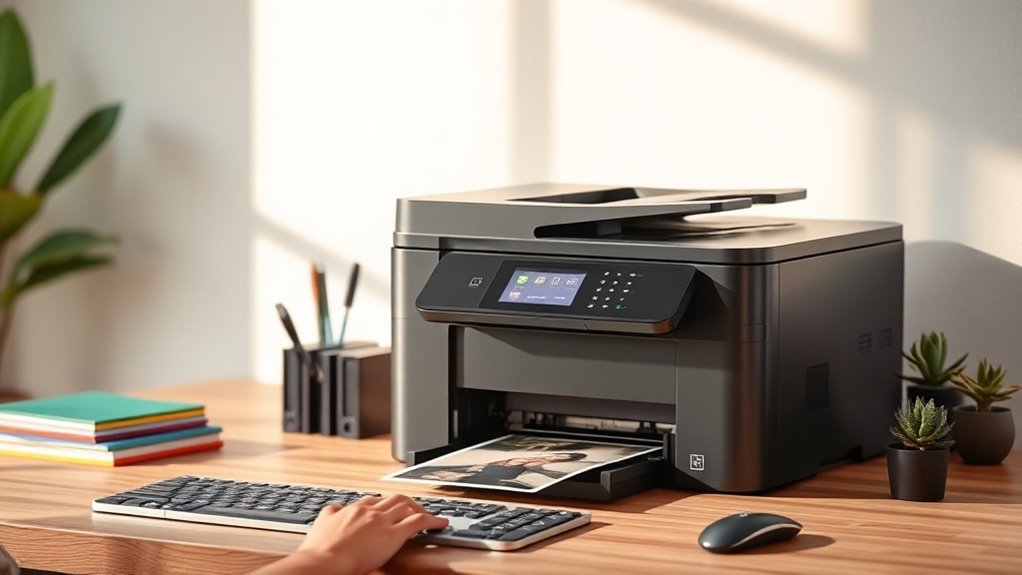
When choosing an all-in-one laser printer for your home, you’ll want to check its print speed and quality to match your needs. Don’t forget to look at connectivity options and paper handling capacity for smooth operation.
Also, consider the device’s size, weight, and energy efficiency to fit your space and save on power. These little details can make a big difference in your daily use.
Print Speed And Quality
Although print speed and quality often compete, you’ll want a laser printer that balances both to handle your home tasks efficiently. Aim for print speeds of 20–30 pages per minute (ppm) to comfortably manage multi-page documents, especially if you print often.
A quick first-page-out time under 10 seconds helps reduce your wait for those urgent prints. For sharp, readable text, a resolution of 600 x 600 dpi is sufficient, but if you need finer detail or smoother grayscale, look for 1200 x 1200 dpi or higher.
Laser printers consistently deliver crisp, smear-resistant black text and maintain quality at higher volumes. Also, consider duplex printing—it slightly slows printing but saves paper.
And don’t forget high-yield toner cartridges to extend run time between replacements. This helps keep costs and effort down.
Connectivity Options Available
Explore the connectivity options your all-in-one laser printer offers to guarantee seamless integration with your home setup. Make sure it supports both 2.4 GHz and 5 GHz Wi-Fi bands for faster, more stable wireless connections and less interference.
If you need higher security or multiple users to connect reliably, consider a printer with Ethernet (wired LAN) capability. Check for mobile printing compatibility like AirPrint, Mopria, or a vendor app so you can print and scan directly from your smartphone or tablet without fussing over drivers.
Don’t overlook USB ports for direct printing or scanning when you’re offline or want quick local jobs. Also, Wi-Fi Direct or Wireless Direct features let you print without connecting to your home network—great for guests or offline printing needs.
Paper Handling Capacity
Several key factors influence the paper handling capacity you’ll need in an all-in-one laser printer for home use. Start by checking the input tray capacity, typically 150–250 sheets, to match your monthly print volume and minimize refills.
An automatic document feeder (ADF) with 25–50 sheets lets you scan or copy multiple pages without constant manual feeding. It really saves time when you have lots to do.
Don’t overlook the output tray capacity—usually 100–250 sheets—to prevent jams during large print jobs. That way, your printing runs smoothly without interruptions.
Automatic duplexing is a smart feature that lets you print double-sided, cutting paper use in half and affecting how often you reload. It’s a great way to be more efficient and eco-friendly.
Finally, consider multipurpose trays or manual feed options designed for envelopes, labels, or specialty paper. These make handling diverse media hassle-free.
All these factors work together to guarantee smooth, efficient printing tailored just for your needs.
Device Size And Weight
When choosing an all-in-one laser printer for your home, you’ll want to measure your available desk or shelf space carefully to make certain the device fits comfortably. Remember to take into account the printer’s footprint and height, including extra clearance for the ADF lid and paper trays.
Weight matters too—lighter models around 20–30 pounds are easier to move and fit on typical furniture, while heavier ones need a sturdy surface. If you plan to place the printer on a shared workspace or high shelf, check dimensions and weight to guarantee stability and good airflow.
Also, leave room in front for paper trays to extend and behind for cables. For small spaces, prioritize compact, low-profile designs that still offer key features like duplexing and ADF.
Energy Efficiency Features
Beyond size and weight, energy efficiency plays a big role in choosing the right all-in-one laser printer for your home. Look for ENERGY STAR or EPEAT certifications—they show the printer meets strict standards for lower energy use and environmental impact.
Automatic duplex printing and auto-on/auto-off timers help cut paper waste and reduce idle power consumption. This saves you money on both energy and supplies.
Check the printer’s typical and maximum power consumption, including standby and active printing wattage, to estimate operating costs. Also, consider sleep mode recovery time and configurable sleep timeout settings—they affect how long the device stays in low-power states.
Features like toner-save modes and scheduled wake/scan functions also help extend consumable life and lower energy used per page. That way, your printing becomes greener and more cost-effective.
Frequently Asked Questions
How Do Laser Printers Compare to Inkjet Printers for Home Use?
You’ll find laser printers faster and more cost-effective for high-volume printing. They really shine when you need to crank out lots of pages without breaking the bank.
Inkjets, on the other hand, excel with vibrant photos and color accuracy. So, if you’re all about printing sharp, colorful images, they might be your best bet.
It really comes down to what matters most for your home use—speed or photo quality. Think about how you’ll use your printer and pick the one that fits your needs!
What Is the Average Lifespan of an All-In-One Laser Printer?
You can expect an all-in-one laser printer to last about 5 to 7 years with regular use. Proper maintenance and quality toner will help you keep it running smoothly throughout its lifespan.
Taking care of your printer really makes a difference. It’s not just about how often you use it, but how well you treat it. Regular cleaning and using good toner can extend its life quite a bit.
Are There Any Eco-Friendly Laser Printer Options Available?
Yes, you can find eco-friendly laser printers that use energy-saving modes, recycled materials, and eco-friendly toner cartridges. They help reduce waste and power consumption, making your printing more sustainable and better for the environment.
It’s pretty great how these printers are designed to be kinder to the planet. Plus, using them means you’re doing your bit to cut down on unnecessary energy use and landfill waste. So, if you’re looking to print responsibly, these options are definitely worth checking out!
How Secure Are Wireless Laser Printers Against Hacking?
Like two puzzle pieces fitting perfectly, wireless laser printers can be secure if you update firmware regularly, use strong passwords, and enable encryption.
Don’t skip these steps, or hackers might sneak in through weak connections. It’s really about staying one step ahead to keep your data safe.
Can Laser Printers Handle Printing Photos Effectively?
Laser printers can handle photo printing, but they don’t match inkjets’ color depth or vibrancy. You’ll get decent quality for casual photos, but for professional or high-quality images, inkjet printers usually perform better.
If you’re just printing snapshots or everyday pictures, a laser printer might do the job just fine. But when it comes to rich colors and fine details, inkjets tend to have the edge.
Conclusion
Imagine your home office humming smoothly, with crisp prints and sharp scans ready at your fingertips. Choosing the right all-in-one laser printer means no more waiting or frustrating jams, just seamless productivity that fits your space and style.
Whether you need vibrant color or reliable monochrome, these top picks make sure you’re covered. So, take the leap and bring that perfect printer into your home—making every project feel effortless and professional.
With the best all-in-one laser printers for home use, you get convenience, speed, and quality all wrapped into one compact machine. These printers not only save space but also handle printing, scanning, and copying with ease, making them ideal for any home office setup.
Investing in a reliable all-in-one laser printer ensures smooth workflow and crisp results every time, helping you stay productive without hassle. Find your perfect match and enjoy the blend of efficiency and style in your home office today!