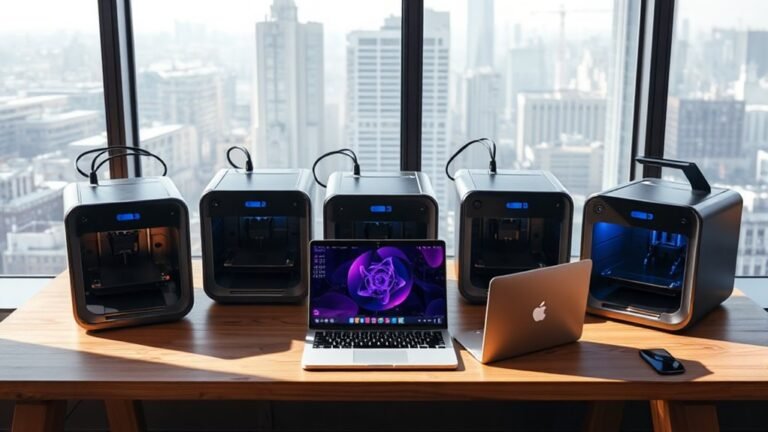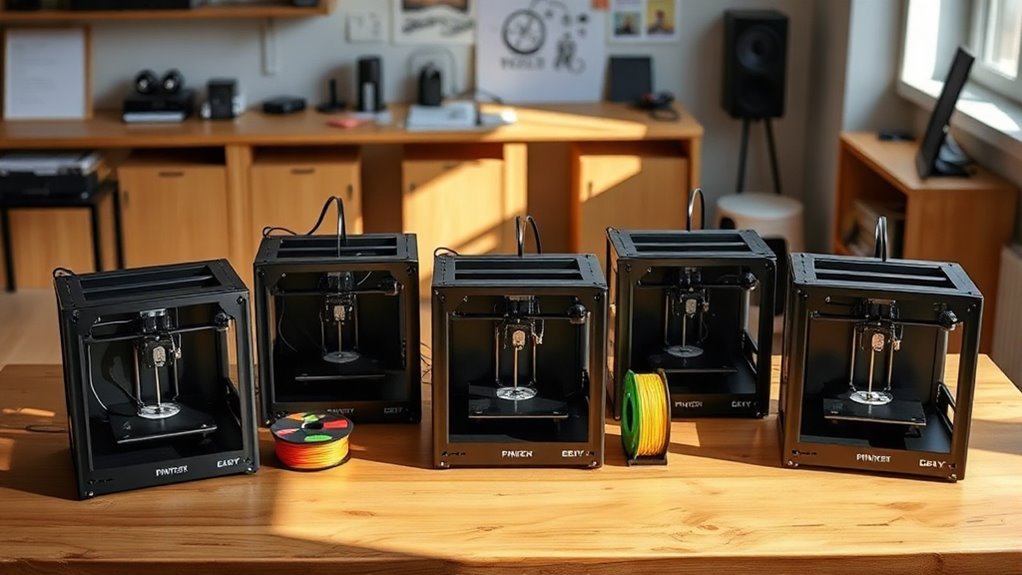
6 Best 3D Printer Kits Under $1000 for 2027
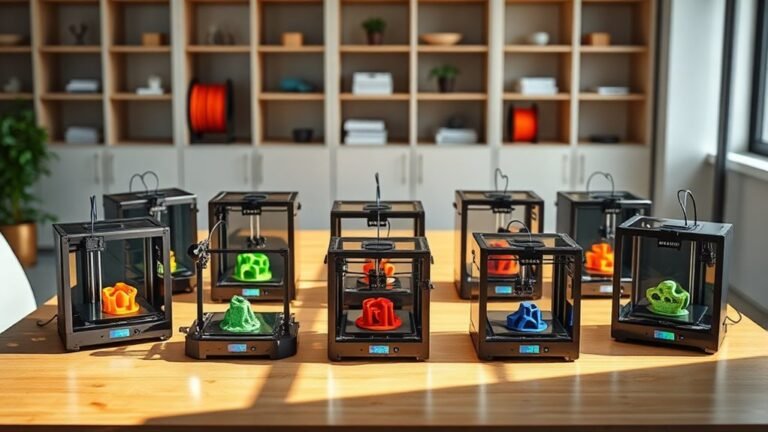
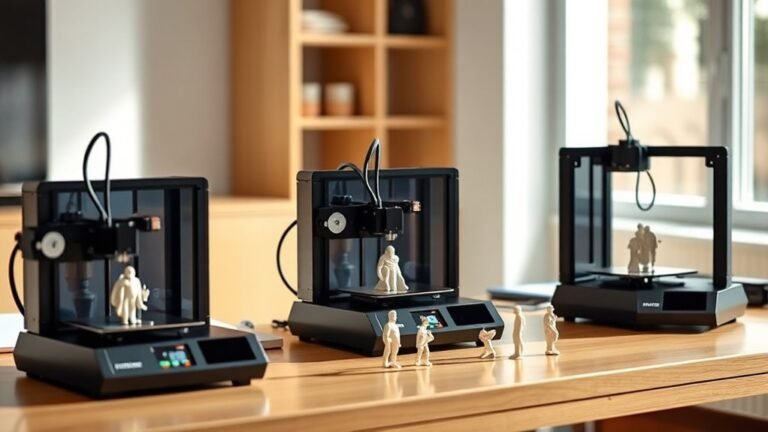
You can find excellent 3D printer kits under $1000 that fit beginner to advanced needs in 2027. Whether you’re just starting out or looking to upgrade, there’s something for everyone in this budget range.
These kits offer great value without compromising on features or quality. Options like the Entina Tina2C Mini offer easy setup and kid-friendly features, making it perfect for families and newcomers.
Meanwhile, the Bambu Lab P1S Combo supports fast multi-color prints, ideal for those who want to add vibrant details to their projects.
Models like the FLASHFORGE Adventurer 5M and Creality K2 Combo provide speed and smart auto-leveling, which saves you time and hassle.
The Original Prusa MK4S stands out for upgradeability and sharp prints, great for users who want to customize and enhance their 3D printing experience.
Keep exploring to discover which kit matches your creative goals perfectly. There’s a perfect 3D printer kit waiting for you under $1000!
| Image | Name | Editor's Rating | Price |
|---|---|---|---|

|
|
||

|
|
||

|
|
||

|
|
||

|
|
Entina Tina2C Mini 3D Printer Starter Bundle
- Complete Starter Bundle with 1kg PLA: Includes four 250g rolls of PLA filament in different colors. Start creating colorful toys, decorations, and DIY projects without...
- Fully Assembled & Ready in 5 Minutes: No complicated assembly required. The Tina2C mini 3D printer comes ready for guided setup through the Poloprint Cloud app, helping...
- 3500+ Models, New Designs Added Daily: Explore over 3500 printable models and 25+ DIY modules through the app. Discover fresh creative projects and hands-on STEM...
- Auto Leveling & Power-Loss Recovery: Automatic bed leveling improves first-layer setup and reduces manual adjustments. Power-loss recovery helps resume interrupted...
- Magnetic Build Plate & Quick-Swap Nozzle: The flexible magnetic plate helps release finished prints with a gentle bend, while the quick-swap nozzle design makes routine...
The Entina Tina2C Mini 3D Printer Starter Bundle offers an accessible entry into 3D printing, especially designed for kids and beginners. This compact printer arrives fully assembled, allowing users to start printing within minutes using the intuitive Poloprint Cloud app. Its auto-leveling system ensures a smooth setup, eliminating common frustrations during the first prints.
Maintenance is straightforward thanks to the magnetic build plate and quick-swap nozzle, which make cleaning and part replacement hassle-free. The printer also includes power-loss recovery, so projects are protected even if printing is interrupted. These features combine to provide a reliable and user-friendly experience.
Connectivity options include 2.4GHz WiFi and offline TF card printing, offering flexibility for different environments. The bundle comes with 1kg of PLA filament and access to over 3,500 models and STEM projects, supporting creativity and learning right from the start.
Though the build volume is limited to 3.9 x 3.9 x 3.9 inches, this size is ideal for small-scale creations. It’s best suited for educational settings or home use where easy operation and quick setup are priorities.
Best for: Kids and beginners seeking a compact, easy-to-use 3D printer with educational resources and simple maintenance.
What We Like:
- Fully assembled with guided setup via Poloprint Cloud app
- Auto-leveling and power-loss recovery for consistent print quality
- Magnetic build plate and quick-swap nozzle simplify maintenance
- Includes 1kg PLA filament and extensive model library
- Supports WiFi and offline TF card printing
Specification:
| Feature | Details |
|---|---|
| Manufacturer | Entina |
| Build Volume | 3.9 x 3.9 x 3.9 inches |
| Filament Included | 1kg PLA |
| Connectivity | 2.4GHz WiFi, TF card |
| Setup | Fully assembled |
| Special Features | Auto-leveling, power-loss recovery, magnetic build plate |
Bambu Lab P1S Combo, P1S 3D Printer and AMS, Multi-Color 3D Printing
- Up to 16 Colors: Bring your designs to life with vibrant multi-color/multi-material printing capabilities, perfect for showcasing your creativity. Note: Connecting Bambu...
- 500mm/s and 20000 mm/s² Acceleration True High Speed: Don't wait around for your masterpieces. Lightning-fast printing speed lets you focus on creating, not waiting.
- Enclosed Design: Fully enclosed body improves print performance for advanced filaments. Automatic Bed Leveling: Say hello to high-quality, successful prints. Auto bed...
- Set Up in 15 Minutes: Spend more time printing and less time setting up. User-friendly design ensures a hassle-free assembly experience for all skill levels.
- Supported Filament: Ideal: PLA, PETG, TPU, PVA, PET ABS, ASA; Capable : PA, PC; Not Recommended: Carbon/Glass Fiber Reinforced Polymer.
Experience the freedom of fast, multi-color 3D printing with the Bambu Lab P1S Combo. Designed to simplify complex projects, this enclosed printer uses an Automatic Material System (AMS) to handle up to 16 colors effortlessly. Its high-speed printing capability reaches 500mm/s with smooth acceleration, reducing wait times and boosting productivity.
Maintenance is straightforward with automatic bed leveling, ensuring consistent quality without manual adjustments. The setup process is quick, taking only about 15 minutes, so you can start printing without delay. Its compact design and moderate weight make it suitable for various workspaces, from home studios to professional environments.
Ideal for printing with PLA, PETG, TPU, and other common filaments, the P1S Combo supports diverse material needs. While it does not accommodate carbon or glass fiber reinforced polymers, it excels in multi-material projects that prioritize speed and color variety. This combination of functionality and ease of use makes it a reliable tool for both beginners and experienced users.
Best for: Professionals and hobbyists looking for efficient, multi-color 3D printing with minimal setup and versatile filament compatibility.
What We Like:
- Automatic Material System supports up to 16 colors for detailed multi-material prints
- High-speed printing up to 500mm/s with rapid 20,000 mm/s² acceleration
- Quick 15-minute setup and automatic bed leveling for hassle-free operation
- Compact and sturdy design fits well in various workspace sizes
Specification:
| Feature | Details |
|---|---|
| Manufacturer | Bambu Lab |
| Dimensions | Compact size (specifics not provided) |
| Weight | 47.5 lb (21.5 kg) |
| Material Support | PLA, PETG, TPU, multi-color filaments |
| Color Options | Up to 16 colors via AMS |
FLASHFORGE Adventurer 5M 3D Printer, All-Metal CoreXY, 600mm/s Max Travel
- One-Click Automatic Printing: Experience hassle-free 3D printing with the Adventurer 5M Series. Enjoy automatic bed leveling for flawless first layers, ensuring...
- 12X Ultra Fast Printing: Featuring a CoreXY structure with 600mm/s travel speed and 20000mm/s² acceleration, the AD5M maximizes efficiency, reduces production cycles...
- Smart and Efficient Design: Quick 3-second nozzle changes, a high-flow 32mm³/s nozzle, and fast 35-second warm-up to 200°C deliver stable high-speed printing. Its...
- Superior Print Quality & Adaptability: Combines a 280°C direct drive extruder with dual-fan cooling and vibration compensation. Includes a standard 0.4mm nozzle and...
- Real-Time App Monitoring: Monitor print progress, adjust settings, and receive instant status alerts remotely with the Flash Studio. Smart mobile control ensures a...
The FLASHFORGE Adventurer 5M is designed for creators who need fast, precise 3D printing with minimal setup. Its all-metal CoreXY frame reaches speeds of up to 600mm/s, making it ideal for rapid prototyping and quick project turnaround. This printer reduces downtime, letting you focus on design rather than tedious adjustments.
Maintenance is straightforward thanks to automatic bed leveling, which ensures perfect first layers every time. The nozzle heats to 200°C in just 35 seconds and can be swapped out quickly, boosting efficiency during long print runs. Its compact build volume of 220 x 220 x 220 mm suits detailed projects without occupying too much workspace.
The Adventurer 5M also enhances workflow with remote monitoring and control through the Flash Studio app. This feature allows you to manage prints from anywhere, adding flexibility and convenience to your process. Its sturdy build weighs 22 pounds, offering stability though limiting portability compared to lighter models.
While the build volume may constrain very large prints, the printer excels at delivering high-speed, accurate results for professional and hobbyist users. Its combination of speed, precision, and smart features makes it a practical choice for those who value quality and efficiency.
Best for: Professionals and creators seeking a fast, precise 3D printer with easy setup and remote print management.
What We Like:
- High-speed CoreXY design with up to 600mm/s travel and rapid acceleration
- Automatic bed leveling for consistent first layers without manual effort
- Quick-heating nozzle and easy replacement for efficient maintenance
- Remote print monitoring and control via Flash Studio app
Specification:
| Feature | Details |
|---|---|
| Manufacturer | FLASHFORGE |
| Build Volume | 220 x 220 x 220 mm |
| Max Speed | 600 mm/s |
| Acceleration | 20,000 mm/s² |
| Nozzle Size | 0.4 mm |
| Nozzle Temperature | Up to 200°C (heats in 35s) |
| Weight | 22 lbs (10 kg) |
| Frame | All-metal CoreXY |
Creality K2 Combo 3D Printer with Auto Leveling
- Multicolor 3D Printing: 4 × CFS for up to 16 colors. By hooking up as many as four CFS units together, you are able to print in the splendor of 16 colors. Saves the need...
- Ultra Quiet Printing: Silent Mode for a quieter printing experience. Annoyed by the buzzing noise? Not K2. By adopting step-servo motors and dynamically balanced fans. It...
- Out-of-the-Box Experience: Pre-assembled for plug and play. You can use K2 right after unpacking and screen installation. Unlocks a wider selection of materials...
- Smart Auto Leveling & AI Camera: Faster leveling of only the target print area. The leveling sensor only probes and levels the bed area relevant to the desired print...
- Superior Print Quality: Sturdy frame and precise step-servo motor system. K2 uses 3 step-servo motors, both in the extruder and on the X/Y axis. They can adjust torque...

Creality K2 Combo offers a practical solution for creators aiming to produce fast, multicolor 3D prints with minimal hassle. Its 95% pre-assembled design means you can start printing quickly, saving time on setup and allowing you to focus on your projects. The printer’s support for up to 16 colors through four CFS units removes the need for tedious post-print painting, helping you achieve vibrant and detailed results effortlessly.
The smart auto leveling system targets only the necessary print area. This feature not only speeds up preparation but also improves print accuracy by focusing on critical zones. Maintenance is simplified with the next-generation direct drive extruder, designed to provide smooth filament feeding while reducing noise thanks to ultra-quiet step-servo motors.
With a generous 260 x 260 x 260 mm build volume, the Creality K2 Combo accommodates a variety of creative needs and materials like PLA and ABS. While its weight of nearly 62 pounds may affect portability, the printer’s robust design favors stable and precise printing. Overall, it balances functionality and ease of use for detailed multicolor projects.
Best for: Creators and hobbyists needing a reliable multicolor 3D printer that combines quick setup, precise auto leveling, and consistent performance for vibrant prints.
What We Like:
- Supports up to 16 colors with four CFS units, eliminating post-print painting
- Smart auto leveling improves speed and precision by focusing on necessary areas
- Ultra-quiet operation with advanced step-servo motors for consistent extrusion
Specification:
| Feature | Details |
|---|---|
| Manufacturer | Creality |
| Build Volume | 260 x 260 x 260 mm |
| Weight | 61.9 lb (28.1 kg) |
| Supported Materials | PLA, ABS |
| Color Options | Multicolor (up to 16) |
Creality SPARKX i7 Nano Combo 3D Printer
- 𝐌𝐮𝐥𝐭𝐢-𝐜𝐨𝐥𝐨𝐫 𝐏𝐫𝐢𝐧𝐭𝐢𝐧𝐠: Supports automatic filament switching for up to 4 colors, no frequent manual...
- 𝐋𝐚𝐫𝐠𝐞 𝟐𝟔𝟎×𝟐𝟔𝟎×𝟐𝟓𝟓𝐦𝐦 𝐁𝐮𝐢𝐥𝐝 𝐒𝐢𝐳𝐞: Break free from size restrictions to complete diverse...
- 𝐂𝐨𝐦𝐩𝐚𝐜𝐭 𝐒𝐩𝐚𝐜𝐞‑𝐒𝐚𝐯𝐢𝐧𝐠 𝐃𝐞𝐬𝐢𝐠𝐧: Features a tiny footprint for easy desk placement. Optimized...
- ...
- 𝐄𝐦𝐩𝐭𝐲 𝐑𝐮𝐧 𝐃𝐞𝐭𝐞𝐜𝐭𝐢𝐨𝐧: Real‑time filament monitoring on all channels. Automatically halts printing upon detecting...
The Creality SPARKX i7 Nano Combo transforms multi-color 3D printing by handling up to four colors automatically. This feature removes the hassle of manual filament changes, saving time and reducing errors. Its automatic filament switching streamlines your creative process, making it easier to produce detailed, colorful models without interruption.
Designed for efficiency, this printer includes auto filament refill and empty run detection. These functions monitor filament status in real time to prevent failed prints, ensuring your projects finish smoothly. The auto feed and retract system further simplifies spool changes, allowing you to stay focused on your work.
Despite its compact size, the Creality SPARKX i7 Nano Combo offers a generous build volume of 260×260×255 mm. This balance means it fits comfortably on a desk without sacrificing space for detailed or moderately sized prints. Its stable design keeps prints precise and reduces the risk of vibration-related issues.
Maintenance is made easier with features aimed at reducing downtime and user intervention. While its weight and build size may limit portability and very large projects, the printer excels in small to medium creative tasks with reliable multi-color functionality.
Best for: creators and hobbyists seeking efficient multi-color 3D printing with automatic filament management in a compact and reliable desktop setup.
What We Like:
- Supports up to 4 colors with seamless automatic filament switching.
- Auto filament refill and empty run detection reduce print failures.
- Compact and stable design fits well on a desktop without losing build volume.
- Auto feed and retract simplify filament spool changes.
- Real-time filament monitoring enhances workflow reliability.
Specification:
| Feature | Details |
|---|---|
| Manufacturer | Creality |
| Build Volume | 260 × 260 × 255 mm |
| Weight | 21.4 lb (9.7 kg) |
| Color Support | Up to 4 colors |
| Design | Compact, desktop-friendly |
Original Prusa MK4S Kit High-Speed DIY Professional FDM 3D Printer

- [REWARDING DIY BUILD EXPERIENCE] Assemble your own high-performance 3D printer with a detailed step-by-step guide designed to teach the mechanics and electronics of...
- [HIGH-SPEED FDM PERFORMANCE] Delivers fast, precise printing with excellent surface quality, optimized for both prototyping and production use. Print Size 9.84 x 8.3 x...
- [INPUT SHAPING FOR CLEAN OUTPUT] Advanced motion control reduces ringing and vibration, ensuring sharp edges and consistent print quality at higher speeds.
- [PROFESSIONAL-GRADE RELIABILITY] Engineered for stable, repeatable performance in workshops, studios, and production environments.
- [OPEN-SOURCE & FUTURE-READY DESIGN] Fully upgradeable platform with long-term firmware support and modular hardware design from Prusa Research.
Experience fast and precise 3D printing with the Original Prusa MK4S Kit, designed for professionals and hobbyists who demand reliability. This DIY FDM 3D printer uses advanced Input Shaping technology to minimize vibrations, resulting in sharp and consistent prints every time.
Its stable performance adapts well to different environments, ensuring your projects stay on track. The hands-on assembly process is guided by clear instructions, offering a rewarding build experience while familiarizing you with the printer’s inner workings.
Maintenance is straightforward, supported by an open-source design that allows easy hardware and firmware upgrades. This keeps your printer future-ready without needing a full replacement. The kit also includes Prusament PLA filament, so you can start printing right away.
While the compact print volume suits most professional and hobby projects, it may limit very large prints. The lightweight frame enhances portability but may not match the stability of heavier industrial machines.
Best for: professionals and enthusiasts seeking a fast, reliable DIY 3D printer with upgrade potential and consistent results.
What We Like:
- Advanced Input Shaping reduces vibrations for sharper prints
- Clear assembly instructions and included Prusament PLA filament
- Open-source design supports hardware and firmware upgrades
- Compact size ideal for varied environments and setups
Specification:
| Feature | Details |
|---|---|
| Manufacturer | Original Prusa |
| Print Volume | 9.84 x 8.3 x 8.6 inches (250 x 210 x 218 mm) |
| Weight | 15.4 lbs (7 kg) |
| Printer Type | DIY FDM 3D Printer |
| Included Filament | Prusament PLA |
Factors to Consider When Choosing a 3D Printer Kit Under 1000
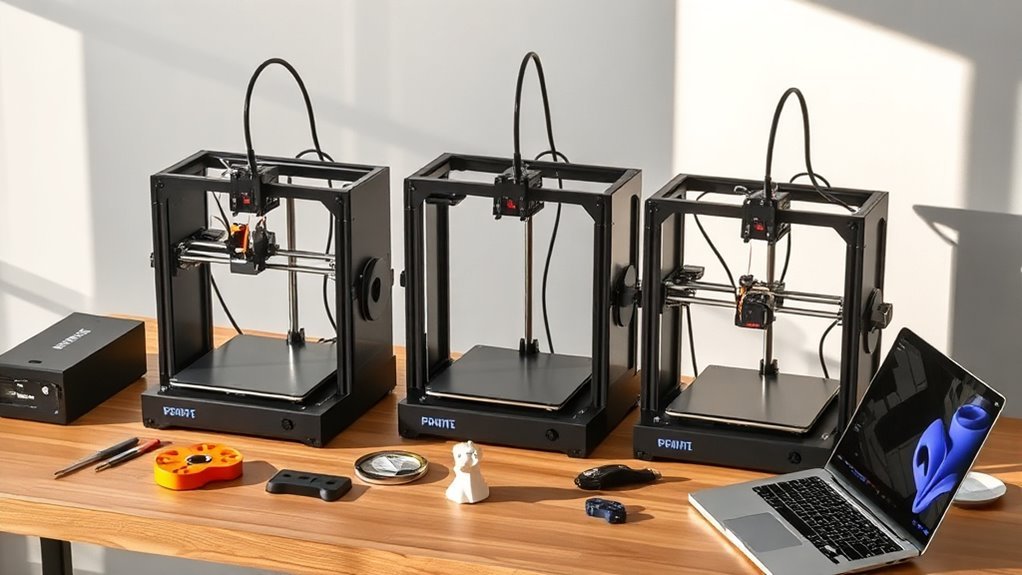
When choosing a 3D printer kit under $1000, you’ll want to focus on print quality and accuracy to get the best results. Consider the build volume capacity to make certain it fits your project needs, and check how easy it is to assemble.
Don’t forget to look at material compatibility, connectivity options, and software support to guarantee a smooth printing experience. These factors can really make a difference in how satisfied you are with your printer. So, take your time and pick one that suits your specific requirements.
Print Quality and Accuracy
Print quality and accuracy hinge on several key factors that you should evaluate carefully before choosing a 3D printer kit under $1000. Start by checking the printer’s layer resolution—lower micron values mean finer detail and smoother surfaces.
Make certain the printer offers accurate bed leveling since a consistent first layer boosts adhesion and overall quality. Consider the nozzle size too: smaller nozzles deliver intricate details but print slower, while larger ones speed up prints with less precision.
Also, pay attention to the frame stability and motion system; sturdy designs like CoreXY or Cartesian reduce vibrations and improve fidelity. Finally, verify the printer supports the materials you want and can control temperature precisely, as different filaments need specific conditions for the best results.
Build Volume Capacity
Understanding build volume capacity is essential for selecting the right 3D printer kit under $1000, as it determines the maximum size of your creations. Build volume refers to the largest object your printer can produce, usually measured in cubic inches or millimeters.
If you plan to print bigger models or multiple small items at once, a larger build volume will boost your efficiency and flexibility. However, if your projects focus on intricate, smaller designs, a compact build volume might suffice.
Keep in mind, bigger build volumes usually mean larger printer footprints, so consider your workspace. Some kits even offer adjustable build volumes, letting you tailor the printing area to your needs.
Weigh your project goals carefully to choose a build volume that fits both your ambitions and space. It’s all about finding that sweet spot!
Ease of Assembly
Choosing the right build volume sets the stage, but how easily you can put your 3D printer kit together plays a big role in your overall experience. Look for models that come at least 95% pre-assembled to cut down setup time and frustration.
Guided setup through apps can walk you through each step, making assembly and troubleshooting much simpler. Automatic bed leveling is another helpful feature—it removes the hassle of manual adjustments so you can print sooner.
Also, pick kits that need minimal tools; this keeps the build accessible even if you’re new to tech. Finally, clear instructions make a straightforward DIY build satisfying and educational, helping you understand your printer’s mechanics while boosting your confidence.
Material Compatibility Options
When selecting a 3D printer kit under $1000, you’ll want to evaluate the range of materials it can handle to match your project needs. Most kits support popular filaments like PLA, ABS, PETG, and TPU, covering basic and flexible applications.
If your projects demand more, look for printers compatible with specialty filaments such as PVA for supports or nylon for durability. Multi-material capabilities are a bonus, letting you print with different filaments simultaneously, saving time and boosting creativity.
Also, consider if the printer can handle composite filaments like carbon fiber or glass fiber reinforced materials. These are essential for strength and rigidity. Finally, verify the hotend and extruder can reach the required temperatures and handle your chosen materials efficiently for reliable printing results.
Connectivity and Software Support
While exploring 3D printer kits under $1000, you’ll want to prioritize connectivity and software support to guarantee a smooth printing experience. Look for options with WiFi and offline printing capabilities so you can easily transfer files between devices without hassle.
Make sure the printer supports popular slicing software like Cura or Simplify3D, as these enhance print quality and usability. A reliable app or software interface that offers guided setup and real-time print monitoring can be a game-changer, especially if you’re new to 3D printing.
Also, check for broad file format compatibility to avoid conversion headaches. Finally, choose a printer whose software receives regular updates and has an active community, ensuring continual improvements and support as you grow your skills.
Noise and Operation Levels
Beyond connectivity and software, you’ll want to think about noise and operation levels when picking a 3D printer kit under $1000. Noise can really impact your experience, especially if you plan to use the printer at home or in a classroom.
Many modern kits feature silent stepper motors and optimized cooling systems. These keep sound levels below 50 decibels—about as loud as a normal conversation.
Some printers also come with enclosures that reduce noise even more while stabilizing the printing environment for better quality. It’s important to consider how loud the printer runs since noisier models might disrupt shared spaces.
Choosing a quieter printer means you’ll work comfortably and won’t have to worry about distracting sounds during long print jobs.
Maintenance and Upgradeability
Since regular upkeep keeps your 3D printer running smoothly, you’ll want to focus on maintenance and upgradeability when choosing a kit under $1000. Look for features like quick-swap nozzles that simplify routine upkeep and cut downtime.
Automatic bed leveling and real-time monitoring minimize manual adjustments, ensuring consistent print quality with less effort. These features really take the hassle out of printing.
Prioritize user-friendly designs with guided setups to make troubleshooting easier, especially if you’re new to 3D printing. It’s a lot less intimidating when the instructions are clear and easy to follow.
Upgradeability is key, too—open-source models often let you enhance hardware and firmware over time, extending your printer’s lifespan. So you can keep improving your setup as you learn more.
Finally, access to a strong community or manufacturer support can be invaluable. They offer maintenance tips and upgrade advice that keep your printer performing at its best.
Frequently Asked Questions
How Do I Maintain and Clean My 3D Printer Kit?
You should regularly clean the print bed, lubricate moving parts, and check for loose screws. Use isopropyl alcohol on surfaces and remove filament debris.
Also, don’t forget to update the firmware now and then. This helps keep your 3D printer running smoothly and accurately.
What Types of Filaments Are Compatible With These Printers?
Like choosing the right brush for a masterpiece, you’ll find PLA, ABS, PETG, and TPU filaments compatible with your printer. Each offers unique strength and flexibility, letting you craft creations that truly come to life.
Can These Kits Be Upgraded With Additional Accessories?
Yes, you can upgrade these kits with additional accessories like better nozzles, heated beds, or enclosure kits. They’re designed for customization, letting you enhance print quality and expand functionality.
As you grow more experienced, adding these upgrades becomes easier and more rewarding. It’s a great way to get more out of your kit and tailor it to your needs.
What Software Is Recommended for Designing 3D Models?
You’ll want to try software like Tinkercad for beginners or Fusion 360 for advanced designs. Both let you create detailed 3D models easily.
Cura is great for slicing your designs before printing. It helps get your model ready for the 3D printer without any hassle.
Are There Any Safety Precautions to Follow While Printing?
“Better safe than sorry.” You should always ventilate your workspace and wear gloves when handling hot parts.
Also, make sure to keep the printer on a stable surface. Never leave it unattended during printing to avoid accidents or fumes.
Conclusion
When choosing your 3D printer kit under $1000, remember that over 60% of users prioritize print quality and ease of assembly. You want a reliable machine that won’t frustrate you with complicated setups or poor results.
Whether you go for the sleek Entina Tina2C or the versatile Original Prusa MK4S Kit, one thing’s clear: investing in the right 3D printer kit means revealing endless creative possibilities without breaking the bank.
Finding the best 3D printer kit under $1000 is all about balancing quality, ease of use, and affordability. With so many options available, picking a model that delivers great print quality and straightforward assembly can truly enhance your 3D printing experience. So, dive into your creative projects confidently, knowing you’ve chosen a printer kit that fits your budget and meets your needs perfectly.