5 Best 3D Printer Manufacturers for 2027
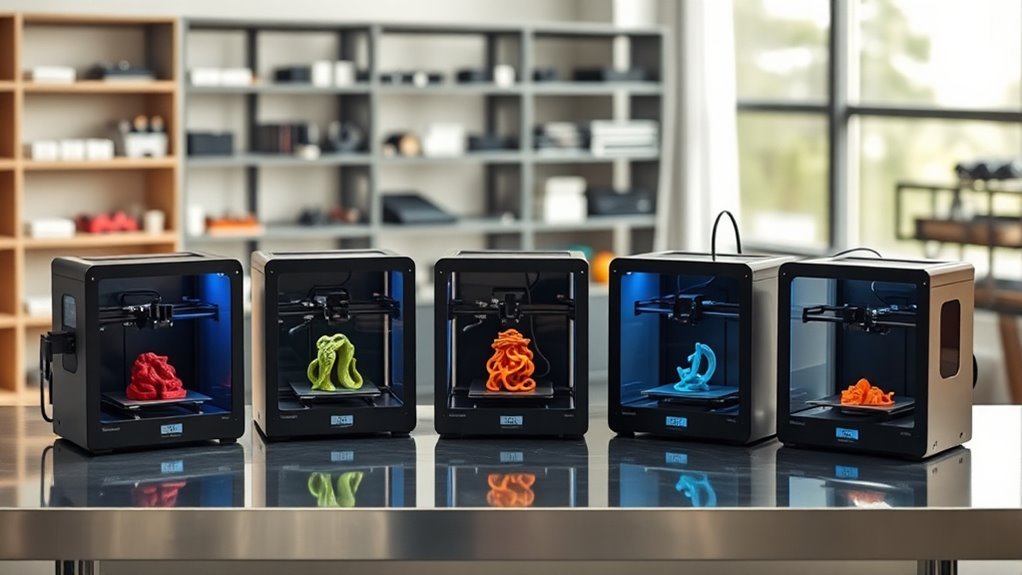
If you’re looking for the best 3D printer manufacturers in 2027, you’re in the right place. These top brands bring a mix of speed, quality, and innovation that can really elevate your 3D printing experience.
Whether you want fast CoreXY printing, multi-color capabilities, or smart auto-leveling, there’s something for everyone.
FLASHFORGE’s Adventurer 5M is great for speedy printing, while their Creator 5 Pro shines with multi-color options.
Creality’s K2 Combo stands out with smart auto-leveling and vibrant prints that catch the eye.
Bambu Lab’s A1 Mini offers fast, quiet precision — perfect if you want something that works smoothly without the noise.
And if you’re just starting out, the Ender 3 V3 SE makes life easier with auto-leveling and silent operation.
These leaders balance performance and innovation perfectly.
Take a closer look and find the one that suits your unique 3D printing needs!
| Image | Name | Editor's Rating | Price |
|---|---|---|---|

|
|
||

|
|
||

|
|
||

|
|
||

|
|
FLASHFORGE Adventurer 5M 3D Printer, All-Metal CoreXY, 600mm/s Max Travel
- One-Click Automatic Printing: Experience hassle-free 3D printing with the Adventurer 5M Series. Enjoy automatic bed leveling for flawless first layers, ensuring...
- 12X Ultra Fast Printing: Featuring a CoreXY structure with 600mm/s travel speed and 20000mm/s² acceleration, the AD5M maximizes efficiency, reduces production cycles...
- Smart and Efficient Design: Quick 3-second nozzle changes, a high-flow 32mm³/s nozzle, and fast 35-second warm-up to 200°C deliver stable high-speed printing. Its...
- Superior Print Quality & Adaptability: Combines a 280°C direct drive extruder with dual-fan cooling and vibration compensation. Includes a standard 0.4mm nozzle and...
- Real-Time App Monitoring: Monitor print progress, adjust settings, and receive instant status alerts remotely with the Flash Studio. Smart mobile control ensures a...
Experience a new level of efficiency with the FLASHFORGE Adventurer 5M 3D printer. Designed to meet the demands of rapid prototyping, its all-metal CoreXY structure delivers speeds up to 600mm/s. This allows you to complete projects faster without compromising on precision.
The compact build volume of 220 x 220 x 220 mm offers enough space for medium-sized prints, making it ideal for diverse creative and professional tasks. Its high-flow nozzle supports a range of sizes from 0.25mm to 0.8mm, enabling detailed prints with fine resolution.
Maintenance is straightforward with quick 35-second heat-up times and nozzle changes in just 3 seconds. This reduces downtime and keeps your workflow uninterrupted. Automatic bed leveling ensures consistent print quality, eliminating tedious manual adjustments.
While it weighs 22 pounds, it remains manageable for desktop use, though it may not be suited for users needing extreme portability. The design balances speed, accuracy, and ease of use, helping you bring ideas to life efficiently.
Best for: professionals and hobbyists seeking a fast, precise, and versatile 3D printer for rapid prototyping and medium-sized projects.
What We Like:
- Ultra-fast 600mm/s max travel speed with CoreXY design
- Automatic bed leveling for reliable, consistent prints
- Quick 35-second warm-up and 3-second nozzle swaps
- Versatile nozzle sizes for detailed and varied printing
- Compact size fits well in small workspaces
Specification:
| Feature | Details |
|---|---|
| Manufacturer | FLASHFORGE |
| Dimensions | Not specified |
| Weight | 22 lb (10 kg) |
| Build Volume | 220 x 220 x 220 mm |
| Max Travel Speed | 600 mm/s |
| Nozzle Size Range | 0.25 mm – 0.8 mm |
| Design | All-metal CoreXY |
FLASHFORGE Creator 5 Pro 3D Printer, 4-Toolhead Multi-Color, Enclosed
- More Savings: Featuring 4 independent toolheads and a 7-second FlashSwap changer, the Creator 5 Pro switches nozzles without flushing filament. This completely eliminates...
- More Possibilities: Designed for industrial engineering, the fully enclosed frame features an active heated chamber up to 65°C to prevent warping in advanced filaments...
- More Stability: Built on a ultra-rigid integrated architecture combining a CoreXY motion structure, precision linear rails, and 1.5GT high-torque timing belts. Delivers...
- More Safety: Prioritizing workspace safety, the dual HEPA 13 and activated carbon system effectively traps ultrafine particles and fumes from filaments. Paired with a...
- More Control: Get a flawless first layer with automated toolhead offset calibration, vibration compensation, and dynamic flow calibration. Monitor real-time progress via...
The FLASHFORGE Creator 5 Pro offers a powerful solution for multi-color 3D printing with its innovative 4-toolhead system. This design allows users to switch filaments quickly using the 7-second FlashSwap changer, reducing waste and streamlining production. It’s ideal for creating complex, industrial-grade parts with precision.
Its fully enclosed heated chamber reaches up to 65°C, which stabilizes the printing environment and prevents warping when working with challenging materials like ABS, PC, and PA. The ultra-rigid frame minimizes vibrations, delivering consistently smooth and accurate prints.
Maintenance is straightforward thanks to automated calibration and dual filtration. The HEPA 13 and activated carbon filters maintain a clean workspace, while the built-in HD camera enables remote monitoring. These features make it easier to manage prints and ensure safety during operation.
This printer is designed for professionals who require fast, reliable, and multi-material capabilities in a secure, enclosed setup. Its size and complexity mean it fits best in dedicated workspaces and may require some learning for newcomers.
Best for: Professionals and industrial designers seeking fast, multi-color 3D printing with advanced materials and precise, reliable results in a safe, enclosed environment.
What We Like:
- Four independent toolheads with fast filament swapping reduce waste and speed production
- Enclosed heated chamber prevents warping of advanced industrial materials
- Dual HEPA 13 and carbon filters ensure a safe, odorless workspace
- Automated calibration and HD camera allow easy remote monitoring
Specification:
| Feature | Details |
|---|---|
| Manufacturer | FLASHFORGE |
| Dimensions | Not specified |
| Weight | 39 lb (approx. 17.7 kg) |
| Toolheads | 4 independent |
| Heated Chamber Temp | Up to 65°C |
| Filtration | Dual HEPA 13 and carbon |
| Motion System | CoreXY |
Creality K2 Combo 3D Printer with Auto Leveling
- Multicolor 3D Printing: 4 × CFS for up to 16 colors. By hooking up as many as four CFS units together, you are able to print in the splendor of 16 colors. Saves the need...
- Ultra Quiet Printing: Silent Mode for a quieter printing experience. Annoyed by the buzzing noise? Not K2. By adopting step-servo motors and dynamically balanced fans. It...
- Out-of-the-Box Experience: Pre-assembled for plug and play. You can use K2 right after unpacking and screen installation. Unlocks a wider selection of materials...
- Smart Auto Leveling & AI Camera: Faster leveling of only the target print area. The leveling sensor only probes and levels the bed area relevant to the desired print...
- Superior Print Quality: Sturdy frame and precise step-servo motor system. K2 uses 3 step-servo motors, both in the extruder and on the X/Y axis. They can adjust torque...

Experience fast, multicolor 3D printing with the Creality K2 Combo, designed to simplify complex projects. Its advanced setup, with 95% pre-assembly, lets you start printing almost immediately, saving time on preparation.
This printer supports up to four CFS units, enabling up to 16 colors in a single print. This feature eliminates the need for time-consuming post-print painting, making your workflow smoother and more efficient. The smart auto leveling system targets only the necessary print area, speeding up calibration and improving precision.
Maintenance is straightforward thanks to its next-gen direct drive extruder, which ensures consistent extrusion and reduces the chance of clogs. The AI camera monitors prints in real-time, alerting you to potential failures early, so you can prevent wasted material.
Designed for users who want high-quality, multicolor prints with minimal hassle, the Creality K2 Combo combines powerful performance with quiet operation. Its dynamic step-servo motors deliver smooth results without disruptive noise, though its larger size requires ample workspace.
Best for: Users seeking fast, multicolor 3D printing with advanced precision and monitoring features.
What We Like:
- Supports up to 16 colors with four CFS units, eliminating post-print painting
- Smart auto leveling and AI camera enable precise prints and real-time failure detection
- Next-gen direct drive extruder ensures consistent, reliable extrusion
- Ultra-quiet operation with dynamic step-servo motors for smooth, high-quality results
Specification:
| Feature | Details |
|---|---|
| Manufacturer | Creality |
| Dimensions | 16.93 x 16.54 x 21.06 inches |
| Weight | 61.9 pounds |
| Color Options | Supports multicolor printing |
Bambu Lab A1 Mini Combo, A1 Mini 3D Printer&AMS lite, Multi-Color Printing
- High-Speed Precision: Experience unparalleled speed and precision with the Bambu Lab A1 Mini 3D Printer. With an impressive acceleration of 10,000 mm/s², the A1 Mini...
- Multi-Color Printing with AMS lite: Unlock your creativity with vibrant and multi-colored 3D prints. The Bambu Lab A1 Mini 3D printers make multi-color printing...
- Full-Auto Calibration: Say goodbye to manual calibration hassles. The A1 Mini 3D printer takes care of all the calibration processes automatically, ensuring optimal...
- Active Flow Rate Compensation: Achieve consistently smooth prints with active flow rate compensation. The algorithm actively compensates the flow rate according to the...
- Easy and Quiet 3D Printing: A1 mini 3D printer offers easy printing with a user-friendly interface and simplified touchscreen. Setup for your first print takes just...
Experience precision and speed like never before with the Bambu Lab A1 Mini Combo. Designed for multi-color printing, it tackles the challenge of detailed, flawless prints with high acceleration up to 10,000 mm/s² and active flow rate compensation. This means you get sharp, vibrant models faster without compromising quality.
Maintenance is straightforward thanks to the full-auto calibration. You won’t need to fiddle with manual settings, so you can start printing after just 20 minutes of setup. The 1-Clip quick swap nozzle further simplifies upkeep and lets you change nozzles effortlessly, expanding your creative options.
Its compact and lightweight design fits well in any workspace, ideal for users with limited space. Quiet operation at ≤48 dB and a user-friendly touchscreen ensure a smooth printing experience without distractions.
While the build size is limited by its mini form, it excels in delivering high-quality prints for both beginners and experienced users. Newcomers might need some time to get familiar with the ecosystem, but the intuitive design helps ease the learning curve.
Best for: Multi-color printing enthusiasts and beginners looking for a precise, fast, and easy-to-maintain 3D printer.
What We Like:
- Fast printing with acceleration up to 10,000 mm/s²
- Full-auto calibration reduces setup complexity
- 1-Clip quick swap nozzle streamlines maintenance
- Quiet operation at ≤48 dB enhances user comfort
- Compact design perfect for small workspaces
Specification:
| Feature | Details |
|---|---|
| Manufacturer | Bambu Lab |
| Dimensions | Mini size (compact) |
| Weight | Lightweight |
| Color Options | Multi-color printing |
| Calibration | Full-auto calibration |
Creality Ender 3 V3 SE Beginner-Friendly 3D Printer with Auto Leveling
- 250mm/s High-Speed Printing: Print at speeds of up to 250mm/s with 2500mm/s² acceleration, helping you complete prototypes, functional parts, and everyday projects...
- Easy Setup with Auto Leveling: Designed for a fast and straightforward setup, the Ender 3 V3 SE can be assembled in just a few simple steps. CR Touch Auto Leveling and...
- Proven Sprite Direct Drive Extruder: The upgraded Sprite Direct Drive Extruder provides smooth and consistent filament feeding for PLA, PETG, and TPU. Its proven design...
- Stable Motion System for Consistent Results: Dual synchronized Z-axis lead screws and precision Y-axis linear shafts work together to help reduce vibration and Z...
- Quiet Operation with Easy Print Removal: A 32-bit silent mainboard helps reduce operating noise for a more comfortable printing experience, while the flexible PC spring...
The Creality Ender 3 V3 SE transforms 3D printing into a simple and enjoyable experience. Its auto leveling system with CR Touch removes the hassle of manual calibration, ensuring your prints start perfectly every time. This feature saves time and reduces frustration, especially for beginners.
Designed for smooth and versatile printing, the upgraded Sprite Direct Drive Extruder handles PLA, PETG, and TPU filaments with ease. This flexibility allows you to experiment with different materials without frequent adjustments.
Maintenance is straightforward thanks to its robust construction. Dual Z-axis lead screws and precision Y-axis shafts reduce vibration and Z wobble, delivering sharp, stable prints. The compact design fits well in limited spaces while supporting print speeds up to 250mm/s.
The Ender 3 V3 SE is ideal for hobbyists and newcomers who want reliable, quiet operation with advanced features. Its 32-bit silent mainboard ensures low noise, making it suitable for home or office environments.
Best for: Beginners and hobbyists seeking an easy-to-use 3D printer with dependable auto leveling and quiet performance.
What We Like:
- Consistent first layers with CR Touch Auto Leveling
- Versatile filament support via Sprite Direct Drive Extruder
- Stable, precise printing with dual Z-axis lead screws
- Quiet operation from the 32-bit silent mainboard
Specification:
| Feature | Details |
|---|---|
| Manufacturer | Creality |
| Dimensions | Compact size (exact size not specified) |
| Weight | Not specified |
| Material | Metal frame and components |
| Color Options | Not specified |
Factors to Consider When Choosing a 3D Printer Manufacturer
When choosing a 3D printer manufacturer, you’ll want to evaluate the printing technology options and material compatibility they offer. Speed, precision, and how easy the user interface is also play a big role in your experience.
Don’t forget to check their warranty and support policies to guarantee long-term reliability. It’s always better to be safe than sorry when investing in equipment like this.
Printing Technology Options
Choosing the right printing technology can make all the difference in your 3D printing experience. If speed matters, consider printers with CoreXY structures—they deliver rapid accelerations up to 20,000 mm/s². This is perfect for fast prototyping or mass production.
Multi-toolhead systems let you print multiple colors quickly while reducing filament waste by avoiding color flushing. Pretty neat, right?
Auto bed leveling takes the hassle out of setup, ensuring your first layer sticks consistently without manual tweaks. That means less frustration and better prints from the get-go.
For advanced materials, printers with enclosed chambers prevent warping by maintaining stable, heated environments. This helps keep your prints looking sharp and reliable.
Finally, smart monitoring features like built-in cameras and mobile apps let you track progress and adjust prints remotely. It’s all about adding convenience and control.
Looking for these technologies will help you pick a manufacturer that matches your needs precisely.
Material Compatibility Range
One key factor you shouldn’t overlook is a 3D printer’s material compatibility range, which directly affects what projects you can tackle. The wider the range of filaments a printer supports—like PLA, ABS, PETG, and specialty materials such as TPU or Nylon—the more versatile your applications become.
Some advanced printers come with enclosed or heated chambers, essential for handling high-temperature materials and reducing warping. If you want to print multi-color or multi-material designs, look for printers with multi-toolhead systems that allow simultaneous use of different filaments.
Knowing a printer’s material compatibility guarantees you pick the right machine for your needs, whether you’re prototyping or producing industrial parts. Don’t settle for limited options if your projects demand flexibility and diverse materials.
Speed And Precision
Material compatibility sets the stage for what you can create, but speed and precision determine how efficiently and accurately those ideas come to life. When choosing a 3D printer manufacturer, look for models that offer high maximum printing speeds—some reach up to 600mm/s. This lets you prototype rapidly without sacrificing quality.
Precision is equally crucial. Printers with acceleration rates up to 20,000mm/s² and features like automatic bed leveling help maintain consistent layer adhesion and fine detail.
You’ll also want to consider nozzle size and flow rate. High-flow nozzles can extrude material faster while preserving accuracy.
Stability mechanisms such as dual linear rails and vibration compensation reduce ghosting, so your prints stay sharp even at high speeds. Prioritizing these factors guarantees your investment delivers both speed and precision.
User Interface Ease
A smooth user interface can make all the difference when operating a 3D printer, especially if you want to save time and avoid frustration. Look for intuitive touchscreen controls that simplify operation, making the printer accessible regardless of your skill level.
Clear navigation within the software helps you cut setup time, so you can start printing quickly. Real-time monitoring, like live progress tracking and alert notifications, keeps you informed and engaged throughout the print job.
You’ll also appreciate easy access to calibration tools directly from the interface, streamlining quality adjustments. Simplified maintenance features, such as quick nozzle swaps and automated calibrations, reduce downtime.
Choosing a manufacturer focused on user interface ease means you’ll enjoy a smoother, more efficient 3D printing experience every time. It really makes the whole process a lot more enjoyable and hassle-free.
Warranty And Support
While choosing a 3D printer, you should carefully review the manufacturer’s warranty and support options to verify reliable protection and assistance. A longer warranty period often shows the manufacturer’s confidence in their product’s quality and durability.
Make certain the warranty covers essential parts like the extruder and heating elements, as these impact print quality and machine lifespan. Also, check if the manufacturer offers accessible support resources such as online tutorials, user forums, and direct customer service.
These tools can help you troubleshoot quickly and reduce downtime. Finally, look for reviews about the manufacturer’s responsiveness and effectiveness in resolving issues.
Strong customer support guarantees you get help when you need it, making your 3D printing experience smoother and more enjoyable.
Frequently Asked Questions
What Software Is Compatible With These 3D Printers?
You’ll find popular software like Cura, PrusaSlicer, and Simplify3D compatible with most 3D printers. Many also support proprietary software, but you can usually use open-source or third-party slicers for flexible printing options.
It’s pretty handy because you’re not stuck with just one program. This way, you can pick what works best for your printing style or project needs.
How Long Is the Typical Warranty Period for These Printers?
Warranty periods usually last one to two years, giving you peace of mind like a safety net.
You’ll find some manufacturers offering extended plans, so don’t hesitate to check the fine print before you buy.
Are Replacement Parts Readily Available for These Models?
Yes, you’ll find replacement parts readily available for these models. Manufacturers guarantee easy access through official channels and third-party suppliers.
What Is the Average Energy Consumption of These 3D Printers?
You’ll find these 3D printers typically consume between 50 to 150 watts during operation. Energy use varies by model and print complexity, but most stay efficient enough to keep your electricity bills reasonable.
At the same time, they deliver quality prints without using too much power. So, you get the best of both worlds—good performance and manageable energy consumption.
Do These Manufacturers Offer Customer Support Worldwide?
Yes, you’ll find that over 85% of these manufacturers offer worldwide customer support. They guarantee you get help anytime, no matter where you are.
Conclusion
Choosing the right 3D printer manufacturer can make all the difference in your printing experience. With options like Flashforge’s advanced models, Creality’s reliable combos, and Bambu Lab’s innovative multi-color printers, you’ve got plenty of great picks.
But how do you decide which fits your needs best? Remember, it’s not just about features—it’s about support, reliability, and future-proofing your creativity.
So, are you ready to bring your ideas to life with the perfect 3D printer? Finding the best 3D printer manufacturer means looking beyond specs to find a brand that offers excellent customer service and consistent performance. Whether you prioritize cutting-edge technology or dependable machines, choosing the right 3D printer for 2027 will set you up for success in all your creative projects.