3 Best All-in-One Laser Printers Under $200 for 2027
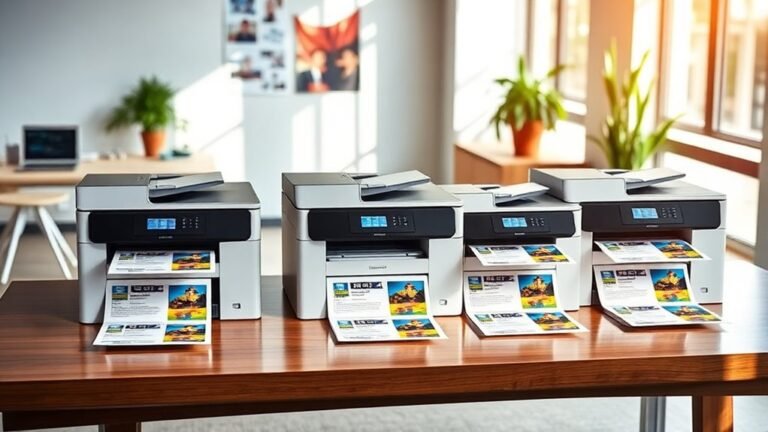
If you’re on the hunt for reliable all-in-one laser printers under $200 in 2027, you’ve got some great options to consider. These printers combine essential features like printing, scanning, and copying with wireless convenience, making them perfect for home offices or small businesses. Finding a budget-friendly printer that doesn’t compromise on speed or quality can be tricky, but these models stand out.
First up, the Brother DCP-L2640DW is a solid choice with fast duplex printing and a handy 50-page automatic document feeder (ADF).
Then there’s the HP LaserJet MFP M140w, which boasts a compact design and seamless wireless connectivity through the HP Smart app.
If speed is your priority, the HP LaserJet M234sdw delivers a speedy 30 pages per minute and Energy Star efficiency. Each one offers a balance of performance and value, so keep reading to see which best fits your workspace and needs!
| Image | Name | Editor's Rating | Price |
|---|---|---|---|

|
|
||

|
|
Brother DCP-L2640DW Wireless Compact Monochrome Printer
- BEST FOR SMALL BUSINESSES – Engineered for extraordinary productivity, the Brother DCP-L2640DW Monochrome (Black & White) 3-in-1 combines laser printer, scanner, copier...
- FAST PRINTER WITH EFFICIENT SCANNING – Produces documents quickly with print speeds up to 36 ppm(2) and scan speeds up to 23.6/7.9 ipm(3) (black/color). A 50-page auto...
- FLEXIBLE CONNECTION OPTIONS – Easily navigate the changing demands of your business with secure multi-device connectivity via built-in dual-band wireless (2.4GHz...
- BROTHER MOBILE CONNECT APP – Print, scan, and manage your wireless printer anytime, from almost anywhere from your mobile device. Order Brother Genuine Supplies, track...
- CHOOSE BROTHER GENUINE TONER – When it’s time to replace your toner, be sure to choose Brother Genuine TN830 or TN830XL replacement toner. And with Refresh EZ Print...

If you need a compact printer that handles high-volume black-and-white tasks efficiently, the Brother DCP-L2640DW fits the bill. It’s designed to streamline your workflow by combining printing, scanning, and copying in one device. This printer’s wireless capabilities let you print from almost anywhere in your home or office.
Maintenance is straightforward with high-yield toner options that reduce the need for frequent replacements. Automatic duplex printing saves paper and cuts costs. The 50-page auto document feeder handles multi-page jobs with ease, giving you more time to focus on your work.
The printer’s design balances functionality with convenience. It supports dual-band Wi-Fi, Ethernet, and USB connections, making setup flexible for different environments. The Brother Mobile Connect app lets you manage tasks remotely, adding a layer of ease to daily operations.
While it’s monochrome only, this printer is ideal for users who prioritize speed and reliability in black-and-white printing. Its size and weight are moderate for a compact printer, so it fits well in small workspaces but isn’t ultra-lightweight.
Best for: Small businesses and home offices needing fast, reliable, high-volume black-and-white printing with wireless multifunction features.
What We Like:
- Fast print and copy speeds up to 36 ppm with a 50-page auto document feeder.
- Multiple connectivity options, including dual-band Wi-Fi, Ethernet, and USB.
- Easy remote management via the Brother Mobile Connect app.
- ENERGY STAR compliance and automatic duplex printing for cost and paper savings.
Specification:
| Feature | Details |
|---|---|
| Manufacturer | Brother |
| Dimensions | Approximately 15.7 x 14.2 x 7.2 inches |
| Weight | About 25 pounds (11.3 kg) |
| Color | White with gray accents |
| Connectivity | Dual-band Wi-Fi, Ethernet, USB |
HP Laserjet MFP M140w Wireless Black & White Printer
- FROM AMERICA'S MOST TRUSTED PRINTER BRAND – Perfect for small teams printing, scanning and copying professional-quality black & white documents and reports. Perfect for...
- WORLD'S SMALLEST LASER IN ITS CLASS – Precision laser printing, scanning, and copying that fits anywhere
- FAST PRINT SPEEDS – Up to 21 black-and-white pages per minute single-sided
- WIRELESS WITH SELF-RESET – Helps you stay connected
- EASILY COPY ID CARDS AND MORE – Copy both sides of ID cards or other small-size documents onto the same side of one sheet of paper
The HP Laserjet MFP M140w is a compact powerhouse designed to streamline small office workflows. Its small footprint makes it ideal for tight spaces, ensuring you can place it where you need without hassle. With fast black-and-white printing at up to 21 pages per minute, it delivers professional-quality documents quickly.
This multifunction printer simplifies tasks by combining printing, scanning, and copying in one device. It also supports double-sided ID card copying on a single sheet, helping with everyday office needs. Wireless connectivity via the HP Smart app enables easy printing from PCs, tablets, or smartphones, enhancing convenience and flexibility.
Maintenance is straightforward thanks to original HP cartridges that include built-in security features. These keep your printer secure and firmware updated, ensuring reliable performance. However, it only supports genuine HP cartridges, which may limit cartridge choices.
Designed specifically for small teams, the M140w meets the demands of 1–3 users. While it excels in black-and-white tasks, it is not suited for color printing or high-volume environments.
Best for: small teams needing a compact, fast, and reliable black-and-white laser printer for professional-quality document handling.
What We Like:
- Compact design ideal for limited workspace
- Fast printing speeds up to 21 pages per minute
- Wireless printing via HP Smart app across multiple devices
- Multifunction capabilities including scanning and ID card copying
- Secure operation with original HP cartridges and firmware updates
Specification:
| Feature | Details |
|---|---|
| Manufacturer | HP |
| Dimensions | Compact (exact dimensions not provided) |
| Weight | Not specified |
| Color | Black |
| Printing Speed | Up to 21 pages per minute |
| Connectivity | Wireless (HP Smart app support) |
| Functions | Print, Scan, Copy, ID card copying |
HP LaserJet M234sdw Monochrome Laser Printer | All-in-One
No products found.
The HP LaserJet M234sdw is designed to streamline printing for small teams of up to five users. Its fast monochrome printing at 30 pages per minute saves time on daily tasks. Automatic duplex printing reduces paper waste and adds convenience for double-sided documents.
This all-in-one printer offers easy scanning and copying with a 40-page auto document feeder. It supports both wireless and wired connections, making it simple to integrate into various office setups. The printer works smoothly across Windows, macOS, and Android, with mobile printing available through the HP Smart app.
Maintenance is straightforward thanks to its compact design and Energy Star certification, which ensures low power consumption. Built-in security features help protect sensitive information, an important aspect for small offices managing confidential data.
While it only prints in black and white and holds up to 150 sheets, it meets the needs of general office tasks without excess bulk or complexity. Its print resolution of 600 x 600 dpi is suitable for typical documents but may not fulfill high-detail print demands.
Best for: Small teams of 1–5 users needing a reliable, efficient monochrome printer with scanning and copying capabilities for everyday office use.
What We Like:
- Quick 30 ppm print speed with automatic duplexing
- 40-page auto document feeder for efficient multi-page scanning
- Multiple connectivity options including dual-band Wi-Fi and Ethernet
- Energy Star certified for low power use
- Built-in security features to safeguard data
Specification:
| Feature | Details |
|---|---|
| Manufacturer | HP |
| Dimensions | Compact size (exact dimensions not provided) |
| Weight | Not specified |
| Color Options | Monochrome (black and white) |
| Connectivity | Wi-Fi (dual-band), Ethernet, USB |
Factors to Consider When Choosing an All in One Laser Printer Under 200
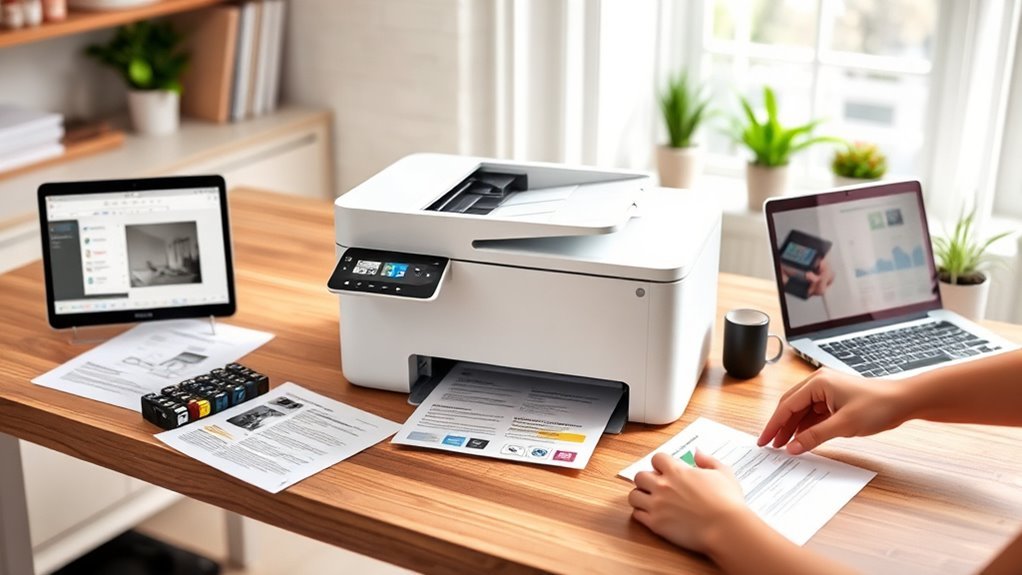
When choosing an all-in-one laser printer under $200, you’ll want to focus on print speed and efficiency to keep up with your tasks. Check the connectivity options and multifunction features to make sure it fits your workflow.
Don’t forget to factor in cartridge yield and a compact design for convenience and long-term value. These little details can really make a difference when you’re using the printer day in and day out.
Print Speed Efficiency
Although price often drives your choice, you shouldn’t overlook print speed efficiency when picking an all-in-one laser printer under $200.
Aim for a monochrome print speed of at least 20–30 ppm to handle typical small-office tasks swiftly. Don’t forget to check the first-page-out time—values under 10 seconds help reduce wait times for single sheets.
If you print double-sided often, look for duplex speeds close to single-sided rates to avoid halving your throughput. Also, consider warm-up and recovery times from sleep mode; long waits can ruin the benefit of a fast ppm rating during intermittent use.
For multitasking, verify scanner speed (ipm) and whether scanning and printing can happen simultaneously without slowing down your workflow. It makes a big difference when you’re juggling multiple tasks.
Connectivity Options Available
How you connect your all-in-one laser printer can make a big difference in convenience and performance. Look for dual-band Wi-Fi (2.4 GHz and 5 GHz) to reduce interference and boost stability, especially in busy wireless environments.
If you’re in a multi-user office, Ethernet offers reliable, faster network printing. For single-computer setups, USB 2.0 or higher guarantees quick, direct transfers without network reliance.
Don’t overlook mobile printing options like AirPrint or Mopria—they let you print or scan from your phone or tablet hassle-free. Also, printers with auto-resetting wireless and app-based management simplify reconnecting after network changes and let you monitor or configure remotely.
Choosing the right connectivity options guarantees your printer fits your workflow perfectly. It’s all about making your printing life easier and smoother.
Multifunction Features Included
Since multifunction features vary widely in budget all-in-one laser printers under $200, you’ll want to confirm exactly which functions you need. Print, copy, and scan are standard, but fax and automatic document feeders (ADF) are less common at this price.
Check if the scanner is flatbed only or includes an ADF, as its capacity—usually 20–50 sheets—affects batch scanning and copying convenience. Also, verify if automatic duplex printing is supported to save time and paper on double-sided jobs.
Pay attention to resolution and speed specs for scanning and copying to guarantee quality and efficiency. Finally, look for user-friendly controls like touchscreens or mobile app support that streamline multifunction workflows such as scan-to-email or USB.
Cartridge Yield Capacity
Consider cartridge yield capacity carefully when choosing an all-in-one laser printer under $200, as it directly impacts how often you’ll need to replace toner and your overall printing costs. Cartridge yield, measured by ISO/IEC standards at 5% page coverage, tells you how many pages you can print before replacing toner.
Opt for printers offering high-yield or “XL” cartridges if you print frequently; these lower your cost per page and reduce replacement frequency. Always check both standard and high-yield capacities, then calculate the cost per page by dividing cartridge price by its rated yield.
Keep in mind, if you print graphics or dense pages, actual yield may be lower than rated. Some models support multi-pack bundles or optional high-capacity cartridges, which help minimize interruptions in busy home offices. It’s worth looking out for these options!
Compact Design Benefits
When you’re tight on space, a compact all-in-one laser printer can really clear the clutter on your desk. These printers typically measure under 16 inches wide and 13 inches deep, making them perfect for home offices or cramped workstations.
They usually weigh less than 25 pounds, so you can easily move them between rooms or set them up temporarily. Compact designs often include essential features like single-tray paper handling and a modest automatic document feeder holding 30 to 50 sheets. This way, you get a good balance between functionality and size.
Just keep in mind, smaller printers usually have lower paper capacity—around 150 to 250 sheets—and fewer ports. That means you might find yourself refilling toner more often. Still, their size helps keep things efficient without sacrificing too much convenience.
Energy Consumption Levels
While a compact design keeps your workspace neat, energy consumption plays a big role in how cost-effective your all-in-one laser printer will be over time. You’ll want to choose models with low typical operating wattage, usually between 10 and 50 watts when idle or ready, to cut running costs.
Pay attention to sleep and deep-sleep power usage—printers that drop below 1–2 watts save energy when not in constant use. Also, consider the warm-up power spike, especially if you print short jobs frequently, since this can increase total consumption.
Features like duplexing and toner-save modes help reduce paper and toner use, indirectly lowering energy costs. Don’t forget to check ENERGY STAR certification and TEC ratings for realistic annual energy consumption comparisons. It really helps to make a smart choice!
Supported Media Types
Many all-in-one laser printers under $200 support a variety of media types, but you’ll want to verify compatibility with the specific materials you use most, such as plain paper, envelopes, labels, or cardstock.
Check the maximum recommended weights or thicknesses—most compact AIO lasers handle up to 90–110 gsm in standard trays, with heavier stock via manual feed. Confirm if the printer supports the media sizes you need, especially legal or custom dimensions, since some models limit output to letter or A4 only.
Look for a manual feed or multi-purpose tray for specialty media to avoid jams and guarantee proper alignment. Also, consider the paper capacity and output tray limits, especially if you print frequently or use heavier media, to reduce reloads and misfeeds.
Warranty And Support
Although affordability is key, you should still prioritize warranty and support when choosing an all-in-one laser printer under $200. Check the warranty length and scope—make sure it covers common issues like toner, drum, and mechanical failures rather than just consumables.
Also, confirm the support channels available, such as phone, live chat, or in-store service. Check their hours and response times too.
See if on-site repairs or expedited services come with extra fees. And think about optional extended-care or accidental-damage plans. It’s worth weighing their costs against potential repair expenses.
Finally, read the warranty terms carefully for required steps like product registration or using authorized supplies. Neglecting these could void your coverage.
Prioritizing these factors guarantees you get reliable protection without unexpected costs.
Frequently Asked Questions
How Long Do Toner Cartridges Typically Last in These Printers?
Toner cartridges typically last between 1,500 to 3,000 pages, depending on your printer model and usage.
You’ll want to check your printer’s specifications to get a more accurate estimate for your specific cartridge.
It really varies, so having a look at the details can save you some guesswork.
Are These Printers Compatible With macOS and Windows?
Think of these printers as bilingual friends—they usually work seamlessly with both macOS and Windows.
You’ll find drivers and software easy to install, so you won’t struggle to connect or print from either operating system.
Can These Printers Scan to Cloud Storage Services?
Yes, many of these printers let you scan directly to cloud storage like Google Drive or Dropbox.
You’ll just need to connect them to your network and set up the cloud service through the printer’s software or app.
It’s pretty straightforward once you get everything linked.
And then, scanning to the cloud becomes a breeze!
What Is the Average Print Speed for Color Documents?
You’ll find the average print speed for color documents is around 15 to 20 pages per minute. This lets you handle tasks quickly without waiting long.
It’s especially handy for everyday printing needs at home or in small offices. So, you can get your work done without much hassle.
Do These Printers Support Duplex (Double-Sided) Printing Automatically?
Yes, many of these printers support automatic duplex printing, letting you print double-sided without flipping pages manually. This feature saves paper and time, making your printing tasks more efficient and environmentally friendly.
It’s super convenient because you don’t have to worry about turning the pages yourself. Plus, it helps reduce waste, which is great for the planet!
Conclusion
Choosing the right all-in-one laser printer under $200 might feel overwhelming, but it doesn’t have to be. Whether you prioritize speed, wireless convenience, or compact design, there’s a perfect model waiting for you.
Don’t settle for less when you can get reliable, efficient printing without breaking the bank. These printers deliver quality and performance at an affordable price.
So, why compromise on quality when these options offer everything you need and more? Your ideal all-in-one laser printer under $200 is just a decision away. With the right choice, you’ll enjoy fast, crisp prints and versatile features that fit your budget and lifestyle perfectly.