4 Best 3D Printer Manufacturers for 2027
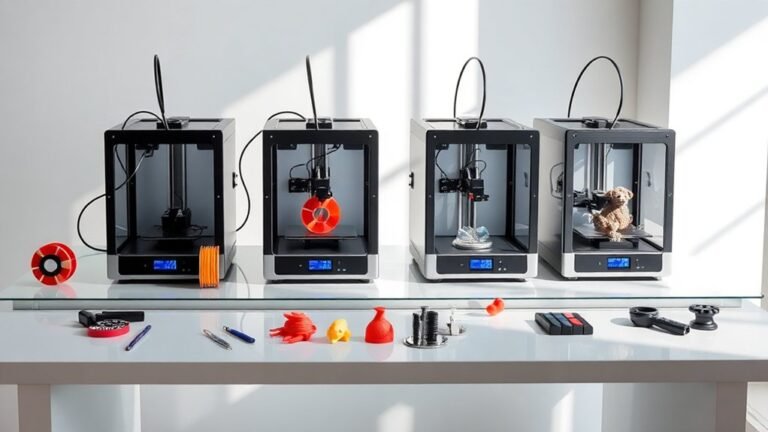
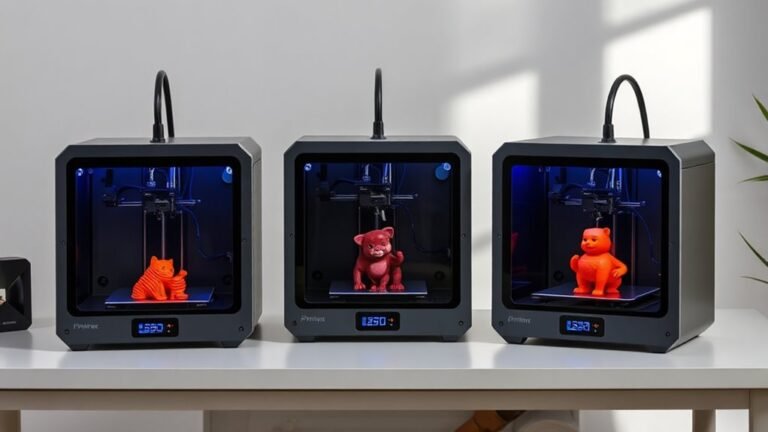
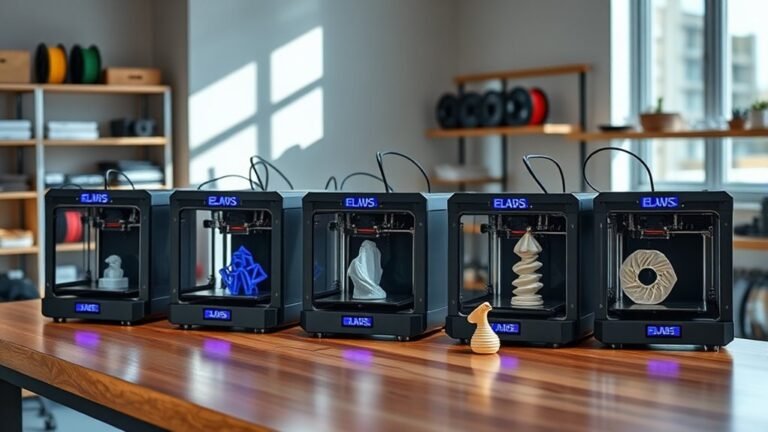
For 2027, if you’re diving into the world of 3D printing, you’ll want to check out some of the best 3D printer manufacturers offering cutting-edge technology.
These brands stand out for their innovation, reliability, and smart features that make 3D printing faster and more accurate. Whether you’re a hobbyist, a professional, or somewhere in between, these top choices have something to offer.
Bambu Lab’s P2S Combo is perfect for fast, multi-color prints and comes loaded with smart AI features that simplify your workflow.
Creality has the SPARKX i7, which is great if you’re after easy setup and AI monitoring. Plus, the K1 Max shines with high-speed precision.
Original Prusa XL is ideal for pros who need large, reliable prints with dual toolheads.
These picks blend speed, accuracy, and user-friendly design—so keep exploring to find the right fit for your 3D printing goals.
| Image | Name | Editor's Rating | Price |
|---|---|---|---|

|
|
||

|
|
||

|
|
||
|
|
Bambu Lab P2S Combo, P2S 3D Printer & AMS 2 Pro, Multi-Color 3D Printing
- High-Speed Precision: The Bambu Lab P2S 3D printer prints up to 600 mm/s while maintaining exceptional accuracy. With the PMSM Servo Extruder and Active Flowrate...
- Ready to Print in 15 Minutes: Set up your P2S FDM 3D printer and start printing in just 15 minutes. With AI failure detection, quick-swap nozzles, and automatic...
- Effortless Multi-Color Printing: The AMS 2 Pro enables seamless multi-color/multi-material 3D printing. It features built-in filament drying at up to 65 °C, keeping...
- Smart Airflow for Any Filament: The Adaptive Airflow System automatically balances cooling and heat retention—keeping overhangs crisp with cool air, or maintaining a...
- Limitless Creativity, Seamless Workflow: Explore over one million 3D models on MakerWorld and bring them to life with a smooth, unified workflow using Bambu Studio, Bambu...
The Bambu Lab P2S Combo redefines multi-color 3D printing with an impressive blend of speed and precision. Designed to tackle the challenges of complex, multi-material projects, this combo offers a smooth and efficient printing experience. It combines the P2S 3D Printer with the AMS 2 Pro to handle multiple filaments seamlessly, eliminating the hassle of manual filament changes.
This setup excels in delivering sharp, high-quality prints at speeds reaching 600 mm/s. Its advanced features like the PMSM Servo Extruder and Active Flowrate Compensation ensure consistent layer accuracy and reduce print errors. The compact design fits well into workspaces without sacrificing performance.
Maintenance is straightforward, with automatic calibration and AI failure detection simplifying routine tasks. The AMS 2 Pro also includes built-in filament drying, which helps maintain material integrity for reliable prints over time. This system is ideal for users focused on efficiency and quality in multi-color 3D printing.
Keep in mind that multi-color functionality requires the Combo version, as the P2S alone does not support this feature. While it weighs 46.3 pounds, its robust construction justifies the heft for stable, precise operation.
Best for: professionals and hobbyists seeking fast, accurate, and hassle-free multi-color 3D printing.
What We Like:
- High-speed printing up to 600 mm/s with precise extrusion control
- Seamless multi-material handling via AMS 2 Pro with filament drying
- User-friendly setup with AI failure detection and automatic calibration
- Compact footprint suitable for various workspace sizes
Specification:
| Feature | Details |
|---|---|
| Manufacturer | Bambu Lab |
| Dimensions | 18 x 22 x 18 inches |
| Weight | 46.3 pounds |
| Printer Model | P2S 3D Printer |
| Accessories | AMS 2 Pro Multi-Material System |
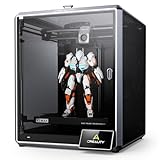
Creality SPARKX i7 3D Printer with AI Monitoring
- Easy 3D Printing with Auto Leveling: The Creality SPARKX i7 features automatic bed leveling, quick setup, and streamlined calibration for a smoother desktop 3D printing...
- Smart Camera Monitoring for Reliable Printing: Built-in smart camera monitoring supports remote viewing, time-lapse recording, and print status detection to help improve...
- Quiet High-Speed Desktop 3D Printer: With an optimized motion system and low-noise operation, the SPARKX i7 delivers stable high-speed 3D printing with reduced vibration...
- Large Build Volume for Bigger Creative Projects: Featuring a 260×260×255mm build volume and flexible PEI build plate, the SPARKX i7 supports larger models, props...
- 5-Second Quick-Swap Hotend for Easy Maintenance: The tool-free quick-swap hotend design allows faster nozzle replacement and simplified maintenance, helping reduce...
The Creality SPARKX i7 3D printer transforms complex setups into seamless starts with its auto leveling feature, eliminating the hassle of manual bed calibration. This makes it ideal for users new to 3D printing who want a smooth and reliable launch into their projects. The built-in AI camera enhances convenience by allowing you to monitor prints remotely, capture time-lapses, and stay updated without being tied to the machine.
Designed for long, detailed prints, the SPARKX i7 operates quietly and maintains stability with minimal vibration, ensuring consistent quality throughout. Its generous build volume of 260×260×255mm accommodates larger models, while the flexible PEI build plate simplifies print removal, reducing downtime.
Maintenance is straightforward with the quick-swap hotend, letting you replace parts quickly and keep the printer running efficiently. For those interested in expanding capabilities, the printer supports multi-color printing through the optional, expandable CFS Lite system, adding versatility to your creative options.
Best for: Beginners and hobbyists seeking an easy-to-use 3D printer with reliable remote monitoring and space for larger, multi-material projects.
What We Like:
- Auto leveling with AI camera for easy setup and monitoring
- Quiet, stable printing ideal for detailed work
- Flexible PEI build plate improves print removal
- Quick-swap hotend simplifies maintenance
Specification:
| Feature | Details |
|---|---|
| Manufacturer | Creality |
| Build Volume | 260 × 260 × 255 mm |
| Weight | 29.5 lb (13.4 kg) |
| Build Plate | Flexible PEI |
| Additional Features | AI camera, auto leveling, quick-swap hotend |
Original Prusa XL 2-Toolhead Multi-Material Large-Format CoreXY 3D Printer
- [MULTI-MATERIAL DUAL TOOL SYSTEM] Enables seamless switching between materials for complex prints, functional prototypes, and soluble support structures.
- [LARGE-SCALE PROFESSIONAL OUTPUT] Built for engineering teams, studios, and advanced makers requiring reliable industrial-grade performance at scale. Build Volume of...
- [SEGMENTED HEATED BED SYSTEM] Intelligent heating zones improve energy efficiency and reduce warping on large prints for reliable first-layer adhesion across the entire...
- [REDUCED MATERIAL WASTE WORKFLOW] Intelligent tool switching minimizes purge waste while maintaining high-quality transitions between materia
- [COREXY PRECISION & SPEED] Stable CoreXY motion system ensures accurate, fast printing even during complex multi-material operations.

The Original Prusa XL 2-Toolhead is designed to simplify complex multi-material 3D printing. It solves common challenges like material switching and warping, enabling you to create detailed, multi-part models with ease. The dual-tool system switches materials seamlessly, making intricate designs and soluble supports straightforward.
This printer offers a large 14.17-inch cubic build volume combined with a precise CoreXY motion system. These features improve print speed and accuracy, ensuring your projects come out flawless. The segmented heated bed reduces warping and guarantees strong first layers for better adhesion and durability.
Maintenance is straightforward thanks to its robust design and modular components. While the printer is sizable and weighs 63.4 pounds, its professional-grade build quality supports long-term use. Setup requires care, especially after transport, but the Prusa ecosystem provides clear guidance and support.
Running on a 32-bit platform with Input Shaper and Pressure Advance, it handles ultra-fast printing without sacrificing quality. This machine is ideal for those needing reliable multi-material printing with a large build area and precise results.
Best for: Professional makers and advanced hobbyists requiring dependable multi-material 3D printing for complex prototypes and designs.
What We Like:
- Dual-tool system enables smooth multi-material transitions.
- Large build volume paired with CoreXY motion for speed and precision.
- Segmented heated bed minimizes warping and improves layer adhesion.
- Advanced 32-bit platform supports ultra-fast, high-quality prints.
- Strong community and support within the Prusa ecosystem.
Specification:
| Specification | Details |
|---|---|
| Manufacturer | Original Prusa |
| Build Volume | 14.17 x 14.17 x 14.17 in (36 x 36 x 36 cm) |
| Weight | 63.4 lb (28.75 kg) |
| Motion System | CoreXY |
| Toolheads | Dual-tool system |
| Control Platform | 32-bit with Input Shaper and Pressure Advance |
Creality K1 Max 3D Printer, 600mm/s Max High-Speed with Dual Cooling
- 𝐁𝐥𝐚𝐳𝐢𝐧𝐠 𝟔𝟎𝟎 𝐦𝐦/𝐬 𝐏𝐫𝐢𝐧𝐭 𝐒𝐩𝐞𝐞𝐝𝐬: The Creality K1 Max 3D printer delivers blazing speeds up to...
- 𝐒𝐩𝐚𝐜𝐢𝐨𝐮𝐬 𝟑𝟎𝟎 𝐦𝐦³ 𝐁𝐮𝐢𝐥𝐝 𝐕𝐨𝐥𝐮𝐦𝐞: A spacious 300 × 300 × 300 mm print area lets you produce...
- 𝐀𝐈-𝐏𝐨𝐰𝐞𝐫𝐞𝐝 𝐋𝐢𝐃𝐀𝐑 & 𝐂𝐚𝐦𝐞𝐫𝐚 𝐌𝐨𝐧𝐢𝐭𝐨𝐫𝐢𝐧𝐠: A 1 µm-resolution LiDAR scans the first...
- 𝐇𝐢𝐠𝐡-𝐅𝐥𝐨𝐰 𝐄𝐱𝐭𝐫𝐮𝐬𝐢𝐨𝐧 𝐰𝐢𝐭𝐡 𝐃𝐮𝐚𝐥 𝐂𝐨𝐨𝐥𝐢𝐧𝐠: A powerful ceramic heater surrounds...
- 𝐑𝐞𝐥𝐢𝐚𝐛𝐥𝐞 𝟐𝟒/𝟕 𝐂𝐮𝐬𝐭𝐨𝐦𝐞𝐫 𝐒𝐮𝐩𝐩𝐨𝐫𝐭: Backed by more than 20 dedicated engineers, Creality 3D...
The Creality K1 Max redefines high-speed 3D printing with its impressive 600 mm/s maximum print speed. This capability significantly reduces print times, helping professionals and enthusiasts complete projects faster without sacrificing precision. Its powerful 20,000 mm/s² acceleration ensures smooth and accurate printing, even at top speeds.
Designed with a generous 300 × 300 × 300 mm build volume, the K1 Max allows you to create large-scale models or multiple parts simultaneously. The AI-driven 1 µm-resolution LiDAR and integrated camera constantly monitor prints for defects or foreign objects, pausing automatically to prevent errors and material waste.
Maintenance is simplified thanks to the dual-gear direct drive extruder, which delivers consistent filament feeding, and dual cooling fans that prevent warping and overheating. These features promote reliable layer adhesion and reduce the need for frequent adjustments, ensuring smoother operation over time.
This printer’s combination of speed, size, and smart monitoring makes it ideal for advanced users who demand efficiency and precision. However, optimizing print quality at such high speeds may require some fine-tuning experience, and the energy consumption is higher due to its advanced cooling and extrusion systems.
Best for: professionals and advanced hobbyists seeking ultra-fast, precise 3D printing with large build volumes and intelligent monitoring capabilities.
What We Like:
- Rapid print speeds up to 600 mm/s with high acceleration for faster project completion.
- Large 300 × 300 × 300 mm build area supports life-size models and batch printing.
- AI-powered LiDAR and camera system enhance print accuracy by detecting errors early.
- Dual-gear extruder and dual cooling fans maintain print quality and reduce warping.
- Streamlined maintenance thanks to robust design and smart features.
Specification:
| Feature | Details |
|---|---|
| Manufacturer | Creality |
| Build Volume | 300 × 300 × 300 mm |
| Max Print Speed | 600 mm/s |
| Acceleration | 20,000 mm/s² |
| Monitoring System | AI-powered LiDAR & camera |
| Extruder Type | Dual-gear direct drive |
| Cooling | Dual fans |
Factors to Consider When Choosing 3d Printer Manufacturers
When choosing a 3D printer manufacturer, you should focus on print quality and precision to guarantee your projects come out perfect. Consider speed, efficiency, and multi-material capabilities to match your workflow needs.
Don’t forget to check user-friendly features and build volume to find the right fit for your space and skill level. It’s all about making sure the printer works well for you, not the other way around.
Print Quality And Precision
Although print quality hinges on multiple factors, you’ll find that layer resolution plays a key role in defining the sharpness and smoothness of your final models. Higher resolutions deliver finer details and smoother surfaces, making your prints look professional.
Precision also depends on advanced features like active flowrate compensation and servo extruders, which guarantee consistent filament delivery and reduce defects. The printer’s motion system design, such as CoreXY, minimizes vibrations, boosting accuracy.
Temperature control matters, too—segmented heated beds and chamber heating help maintain material properties and improve adhesion. Plus, automatic bed leveling assures the first layer sticks perfectly, preventing warping and setting a solid foundation for quality prints.
Choosing manufacturers prioritizing these factors will raise the standard of your 3D printing projects. It’s all about those little details that come together to make a big difference.
Speed And Efficiency
Since speed and efficiency directly impact your project timelines and costs, choosing a 3D printer that excels in these areas is essential. Look for models boasting high print speeds—some reach up to 600 mm/s—to greatly cut production time.
Efficiency improves with high acceleration rates, sometimes up to 20,000 mm/s², enabling quick movements between print paths. Advanced cooling systems also matter; they prevent defects like stringing and warping by effectively cooling each layer during fast printing.
Automatic leveling systems maintain precision by adjusting for bed irregularities, ensuring consistent first-layer adhesion even at high speeds. Additionally, consider the build volume relative to the printer’s size—a higher build-to-printer size ratio lets you print larger models or batches efficiently without compromising speed.
Multi-Material Capabilities
Choosing a 3D printer with strong multi-material capabilities lets you create complex, functional prints that really stand out. You should prioritize printers that seamlessly switch between different materials, boosting print complexity and usability.
Look for models featuring an Automatic Material System (AMS) to handle various filaments efficiently. Automatic calibration and AI failure detection also help keep your prints consistent and reduce errors when juggling multiple materials.
Don’t forget to check the build volume—larger printers give you more room for ambitious multi-material projects. Advanced cooling and heating systems are a must, too, making sure print quality stays high by preventing warping and stringing.
User-Friendly Features
Mastering multi-material printing is just one part of the equation; having a 3D printer that’s easy to use can make all the difference in your overall experience. Look for models with automatic bed leveling and calibration systems—they simplify setup and guarantee precise first-layer adhesion, reducing print failures.
Quick-swap nozzles save you time by making maintenance and filament changes hassle-free. Integrated AI monitoring lets you check print status remotely and capture time-lapse videos, keeping you connected to your projects wherever you are.
Also, choose printers with user-friendly software that offers streamlined workflows and dedicated slicers, so you can focus more on creating and less on troubleshooting. Prioritizing these features will make your 3D printing journey smoother and more enjoyable.
Build Volume And Size
When you pick a 3D printer, the build volume plays a key role in what you can create. It defines the maximum size of your prints, letting you produce anything from small parts to life-size prototypes. This is especially important in fields like automotive and architecture.
You should consider how the build volume compares to the printer’s overall size—a higher ratio means better space optimization and efficiency. Keep in mind, larger volumes often demand stronger components and advanced cooling to maintain quality across the print bed.
Knowing your project’s size needs helps you choose a printer that’s versatile and capable. Focusing on build volume guarantees your 3D printer matches your creative and professional ambitions without unnecessary limitations.
Technological Innovations
Although build volume is essential, technological innovations truly set leading 3D printer manufacturers apart. You want a printer with advanced motion systems like CoreXY, which boost speed and accuracy for complex prints.
Integrated AI features, including real-time monitoring and automatic failure detection, help you avoid costly downtime. High-speed printing up to 600 mm/s can drastically cut your print times without sacrificing quality.
If creativity matters, look for multi-material and multi-color capabilities that let you switch seamlessly between materials. Don’t overlook advanced cooling systems, such as dual-fan designs, which prevent stringing and warping.
These features ensure your prints come out flawless. Prioritizing these innovations guarantees you get a reliable, efficient, and versatile 3D printer tailored to your needs.
Support And Maintenance
Since 3D printers can face issues unexpectedly, having reliable support and maintenance from the manufacturer is crucial. You want access to 24/7 assistance from dedicated engineers to minimize downtime and keep your projects on track.
A solid warranty, like a one-year limited warranty, offers peace of mind against defects and unexpected problems. Lifetime technical assistance can boost your confidence, especially if you’re new to 3D printing and need extra guidance.
Look for maintenance-friendly features such as quick-swap hotends that speed up repairs and keep print quality consistent. Thorough user manuals and online resources also empower you to troubleshoot effectively on your own.
Prioritizing these support and maintenance factors guarantees you get the most from your 3D printer investment. It’s all about making sure your printer stays reliable and ready whenever you need it.
Frequently Asked Questions
How Do 3D Printer Manufacturers Handle Customer Service and Support?
You’ll find 3D printer manufacturers provide quick customer service through live chat, phone support, and detailed online resources. They often offer troubleshooting guides, firmware updates, and warranty services to help you solve issues efficiently.
It’s pretty convenient, right? Having multiple ways to get help means you’re never stuck for long when something goes wrong. Plus, those detailed guides can save you a lot of time and frustration.
What Environmental Initiatives Do Top 3D Printer Manufacturers Follow?
You’ll find top 3D printer manufacturers commit to using recyclable materials, reducing energy consumption, and developing eco-friendly filaments.
They also focus on waste reduction and support sustainable packaging to minimize their environmental impact. It’s all about making 3D printing greener and more responsible these days.
Are There Any Warranty Differences Among Leading 3D Printer Brands?
You’ll find that warranty lengths vary—some top brands offer up to two years, while others stick to one.
Knowing this can save you headaches, especially since 30% of users report needing repairs within the first year. So, it’s definitely something to keep in mind when choosing a printer.
How Do Manufacturers Ensure the Safety of Their 3D Printers?
Manufacturers guarantee your 3D printer’s safety by integrating thermal sensors, automatic shutoffs, and enclosed printing areas. They also use fire-resistant materials and provide clear safety guidelines.
This way, you can operate confidently and avoid accidents. It’s all about making sure you feel safe while creating.
What Software Compatibility Options Do These 3D Printers Offer?
You’ll find these 3D printers support popular software like Cura, Simplify3D, and proprietary slicers. They often offer compatibility with various file formats such as STL, OBJ, and AMF.
This makes sure you get smooth workflow integration with your design tools. So, whether you’re a beginner or a pro, it’s pretty straightforward to get started.
Conclusion
Choosing the right 3D printer manufacturer is like picking the perfect tool for your masterpiece—it shapes your creative journey. Whether you’re drawn to Bambu Lab’s multi-color innovation, Creality’s AI monitoring and speed, or Prusa’s versatile multi-material design, each offers unique strengths.
Keep your needs and budget in mind, and you’ll find a printer that fits like a glove. The best 3D printer manufacturers for 2027 focus on precision, ease of use, and cutting-edge features that turn your ideas into reality.
By choosing from these top brands, you’re investing in quality and innovation. So, whether you prioritize speed, multi-material capabilities, or smart technology, these 3D printer manufacturers have something tailored just for you. Your creative journey deserves nothing less than the best tools available.