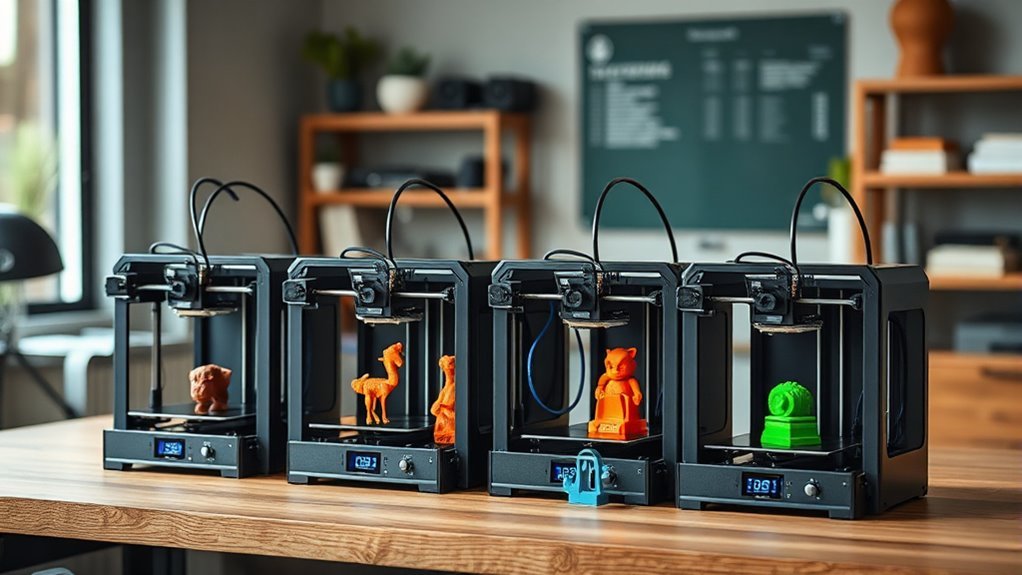
4 Best 3D Printer Kits Under $300 for 2027
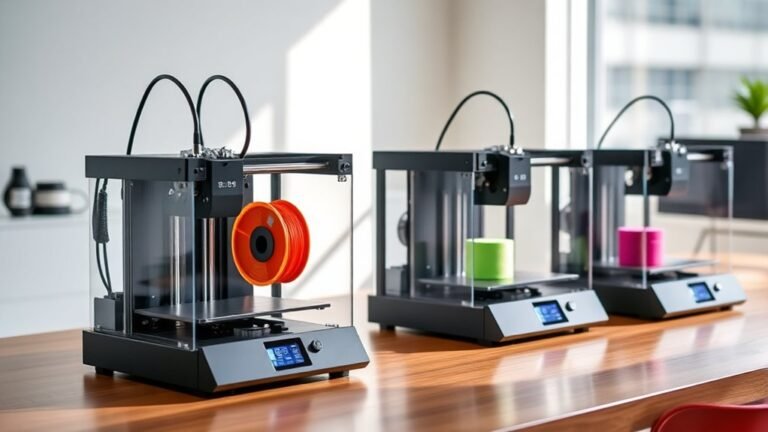
If you’re looking for a reliable 3D printer kit under $300 in 2027, you’re in the right place. Affordable 3D printer kits can be surprisingly powerful and user-friendly.
Whether you’re a beginner or someone who wants to dive into 3D printing without breaking the bank, these options have got you covered.
Check out the Mini 3D Printer Starter Kit, which offers quick setup and one-button leveling. It’s perfect if you want to start printing fast without fuss.
The TINA2C kit is great with app control and a magnetic build plate. It makes managing your prints super convenient.
The Mini 3D Printer Kit Model A supports multiple filaments and easy assembly. This one’s ideal if you want versatility with your materials.
For multicolor prints, the Creality K2 Combo is exceptional and comes with a full tool kit. It’s a great choice for those looking to get creative with colors.
Keep exploring to see what suits your needs best.
| Image | Name | Editor's Rating | Price |
|---|---|---|---|

|
|
||

|
|
||

|
|
Mini 3D Printer Starter Kit for Kids & Beginners
No products found.
Experience hassle-free 3D printing designed specifically for kids and beginners with the Mini 3D Printer Starter Kit. This fully assembled kit lets users start printing immediately, eliminating the frustration of complex setups. It simplifies the printing process, making it accessible and enjoyable for new users.
The printer’s user-friendly design includes features like automatic nozzle cleaning and one-button auto-leveling. These functions reduce maintenance time and ensure consistent print quality. One-touch filament loading further streamlines operation, allowing users to focus on creativity rather than technical adjustments.
With a printing speed of up to 250mm/s and professional-grade precision of 0.01mm, this 3D printer produces detailed models quickly. The PEI heated bed ensures easy removal of prints, preventing damage and improving the overall experience. However, it supports only PLA filament and may require an additional holder for larger filament rolls.
This starter kit provides a practical solution for learning and exploring 3D printing. Its design balances simplicity with precision, making it ideal for educational use and hobby projects.
Best for: Kids and beginners seeking an easy-to-use, fully assembled 3D printer with reliable speed and accuracy.
What We Like:
- Fully assembled for immediate use
- Automatic nozzle cleaning and one-button auto-leveling
- One-touch filament loading for easy operation
- High speed and professional precision
- PEI heated bed for smooth print removal
Specification:
| Feature | Details |
|---|---|
| Manufacturer | Not specified |
| Dimensions | Not specified |
| Weight | Not specified |
| Material | Not specified |
| Color Options | Not specified |
TINA2C 3D Printer for Beginners & Kids with Filament Starter Kit
- 【FULLY ASSEMBLED】Hephi3d Tina2C beginner 3d printer for kids with 4 colors PLA filaments starter kit, fully assembled, factory preset auto leveling, out of the box...
- 【ONE TAP PRINT】Tina2C mini 3d printer provides 3,500+ online massive eady to print model library, updated weekly. You can print in one tap and app smart control via...
- 【UNLIMITED CREATIVITY】Tina2C beginner & kids friendly 3d printers with APP provides STEM Education Module and 20+ design modules for simply customizing & drawing. And...
- 【FULLY OPEN SOURCE】Tina2C FDM beginner 3d printer is not limited your print way. You can freely slice with Wiibuilder or Cura on PC and laptops, create & custom...
- 【FAMILY-FRIENDLY】Tina2c compact 3d printer for kids can print anytime anywhere, space save. Silent Printing and Auto Detect Bed function give more safe printing...
The TINA2C 3D Printer is designed to make 3D printing simple and accessible for beginners and kids. Its ready-to-use setup with factory preset auto leveling eliminates complicated adjustments, so you can start creating in minutes. This ease of use helps users focus on learning and exploring their creativity without frustration.
Controlled through a straightforward one-tap app on your phone or tablet, the printer offers a smooth experience with silent operation and resume printing features. These functions reduce interruptions and allow hassle-free printing, even for long projects. Maintenance is minimal, thanks to the magnetic build plate and included tools that simplify upkeep.
The compact design fits well in small spaces but limits the build size to 8.27 x 6.7 x 9.84 inches. Access to over 3,500 online models and STEM education modules supports learning and endless creative possibilities. However, an internet connection is needed for full functionality, including software updates and model downloads.
This 3D printer bundle comes with a starter kit containing four PLA filament colors, making it easy to begin printing immediately. Its thoughtful design and educational resources help users develop skills while enjoying the creative process.
Best for: beginners and kids seeking an easy-to-use, ready-to-print 3D printer with educational tools and creative support.
What We Like:
- Fully assembled with factory preset auto leveling for quick and easy setup
- One-tap app control with silent operation and resume printing capability
- Magnetic build plate and included tools streamline maintenance
- Access to a large library of online models and STEM education modules
Specification:
| Feature | Details |
|---|---|
| Manufacturer | TINA2C |
| Dimensions | 8.27 x 6.7 x 9.84 inches |
| Weight | Not specified |
| Material | Not specified |
| Filament Colors | Four PLA filament colors included |
Mini 3D Printer Kit for Beginners (Model A)
- Quick Assembly: Mini 3D printer consists of 3 main parts, easy to assemble, you can print the attached model file or download the model file online.
- Improve Spatial Imagination: The mini 3D printer is suitable for beginners and children, which can cultivate their interest and improve spatial imagination and 3D...
- Uniform Heating: The mini 3D printer has a print size of 4x4x4in, and the nozzle is heated uniformly in just 5 minutes, and the nozzle temperature can reaching...
- Easy to Operate: Mini 3D printer has a unique system that allows you to start, stop and easily control the printing process, easy to operate and suitable for PLA and TPU...
- Smoothly Printing: The printer kit has a layer resolution of up to 0.05mm, which ensures the accuracy of the printed model and allows for smoothly and vivid printing.
Step into the world of 3D printing with this Mini 3D Printer Kit designed for beginners. Its easy assembly simplifies the setup process, requiring just three main parts to get started quickly. This means less time building and more time creating.
The printer’s compact size fits comfortably in small spaces, making it ideal for home or classroom use. Its ABS frame is lightweight, allowing you to move it easily without hassle. You can print objects up to 4 x 4 x 4 inches using common PLA or TPU filaments, expanding your creative possibilities.
With a 0.4mm nozzle that heats evenly within five minutes, the printer ensures consistent, reliable results. It supports popular slicing software such as CURA and Simplify 3D, providing flexibility and ease in preparing your designs.
Maintenance is straightforward thanks to its simple design and robust materials. While the print size and speed are modest, this mini printer is perfectly suited for beginners and young users eager to learn without overwhelming complexity.
Best for: beginners and kids looking for a compact, easy-to-use 3D printer to explore creative projects.
What We Like:
- Quick assembly with just three main parts
- Compatible with CURA and Simplify 3D slicing software
- Uniform nozzle heating in 5 minutes for consistent printing
- Lightweight and portable ABS frame
- Compact footprint fits small workspaces
Specification:
| Feature | Details |
|---|---|
| Manufacturer | (Not provided) |
| Dimensions | 6.3 x 7.9 x 9.8 inches |
| Weight | (Not provided) |
| Material | ABS frame |
| Print Volume | 4 x 4 x 4 inches |
| Nozzle Size | 0.4 mm |
| Supported Filaments | PLA, TPU |
| Compatible Software | CURA, Simplify 3D |
Creality K2 Combo 3D Printer Bundle with Tools
- Multicolor 3D Printing: 4 × CFS for up to 16 colors. By hooking up as many as four CFS units together, you are able to print in the splendor of 16 colors. Saves the need...
- Ultra Quiet Printing: Silent Mode for a quieter printing experience. Annoyed by the buzzing noise? Not K2. By adopting step-servo motors and dynamically balanced fans. It...
- Out-of-the-Box Experience: Pre-assembled for plug and play. You can use K2 right after unpacking and screen installation. Unlocks a wider selection of materials...
- Smart Auto Leveling & AI Camera: Faster leveling of only the target print area. The leveling sensor only probes and levels the bed area relevant to the desired print...
- Superior Print Quality: Sturdy frame and precise step-servo motor system. K2 uses 3 step-servo motors, both in the extruder and on the X/Y axis. They can adjust torque...
Experience the freedom of vivid multicolor 3D printing with the Creality K2 Combo. This innovative printer bundle lets you create detailed models in up to 16 colors, eliminating the need for additional painting. Its four CFS units simplify color changes, making your prints truly stand out.
Designed for convenience, the K2 Combo offers a generous 260 × 260 × 260 mm build volume. The pre-assembled setup and smart auto leveling system reduce setup time and hassle. You can focus more on your project and less on calibration.
Maintenance is straightforward thanks to its quiet step-servo motors and balanced fans, which minimize noise during operation. The included 74-piece tool kit supports a wide range of adjustments and upkeep, keeping your printer running smoothly.
A unique AI camera monitors your prints in real time, helping you catch issues early and avoid wasted material. This feature enhances reliability, especially for complex or long-duration prints.
Best for: hobbyists and professionals looking for vibrant multicolor 3D printing with an easy-to-use, quiet, and efficient device.
What We Like:
- Supports up to 16 colors with four CFS units for seamless multicolor printing
- Quiet operation with step-servo motors and balanced fans
- Pre-assembled with smart auto leveling for quick setup
- AI camera offers real-time print monitoring
- Comprehensive 74-piece tool kit included
Specification:
| Feature | Details |
|---|---|
| Manufacturer | Creality |
| Build Volume | 260 × 260 × 260 mm |
| Color Support | Up to 16 colors |
| Included Tools | 74-piece tool kit |
| Motor Type | Step-servo motors |
| Additional Features | Smart auto leveling, AI camera |
Factors to Consider When Choosing 3d Printer Kits Under 300
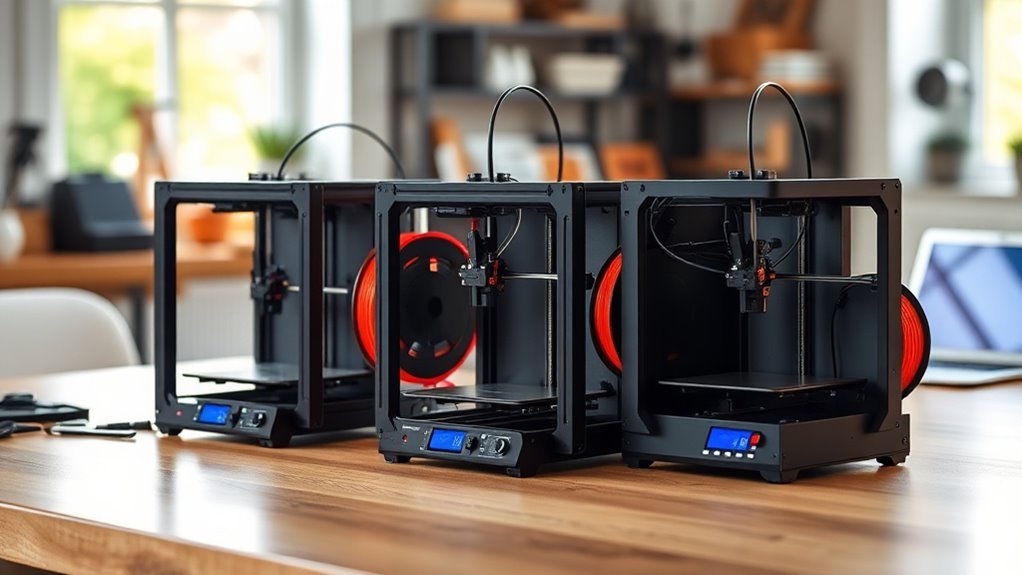
When choosing a 3D printer kit under $300, you’ll want to focus on printing speed and efficiency to save time. Look for user-friendly features and easy assembly to get started without frustration.
Don’t forget to check print quality, filament compatibility, and how straightforward the setup process is. These factors make a big difference, especially if you’re new to 3D printing.
Taking a little extra time to consider these details will help you pick a kit that’s both fun and functional right out of the box.
Printing Speed Efficiency
Although speed is important, you shouldn’t sacrifice print quality when choosing a 3D printer kit under $300. Look for printers that balance speed and precision, maintaining high-quality prints at around 40mm/s with fine layer resolutions of 0.01mm to 0.05mm.
Higher speeds like 250mm/s can cut printing time but might reduce detail. A sturdy motor and solid frame help guarantee consistent extrusion and fewer failures, boosting overall efficiency.
Also, consider how the filament affects speed; PLA lets you print faster due to its low melting point. While automatic features like one-button leveling and nozzle cleaning improve efficiency, focus primarily on how the printer performs at your desired speed to get the best results without compromising quality.
User-Friendly Features
Since ease of use greatly impacts your 3D printing experience, choosing a kit with user-friendly features is essential, especially under $300. Look for one-button auto-leveling and automatic nozzle cleaning, which simplify setup and maintenance, making the process hassle-free for beginners and kids.
Quick setup times—often under 5 minutes—let you start printing immediately without frustration. One-touch filament loading reduces complexity, so you won’t struggle to prepare the printer.
Silent printing capabilities keep your workspace quiet, helping you focus on your projects. Also, make sure the printer supports popular slicing software and online model libraries to easily access and customize designs, expanding your creative options.
These features collectively make 3D printing fun, efficient, and accessible right from the start.
Print Quality Precision
Because print quality precision determines the level of detail and finish your models will have, you should pay close attention to key factors like layer resolution, nozzle diameter, and temperature control when choosing a 3D printer kit under $300.
Aim for printers that offer fine layer resolutions, ideally around 0.01mm, to capture intricate details. A smaller nozzle diameter, typically near 0.4mm, helps produce sharper features.
Consistent temperature control during printing is essential to avoid warping and guarantee smooth extrusion. Keep in mind that faster print speeds might reduce detail unless the printer has advanced motion controls.
Also, consider the material compatibility, as different filaments like PLA or TPU affect adhesion and the final look of your prints. Prioritizing these factors guarantees higher precision and quality in your models.
Assembly And Setup
Choosing a 3D printer kit under $300 often means balancing assembly time with ease of use. If you prefer minimal setup, look for fully assembled models that let you start printing right away.
Beginner-friendly kits often include automatic leveling systems, which simplify setup and improve print quality without manual adjustments. Features like one-tap printing and one-touch filament loading can make your initial experience smoother, reducing hassle.
Also, consider the printer’s size and weight; compact, lightweight designs are easier to place and manage, especially in home or educational spaces. By focusing on these factors, you’ll find a kit that fits your comfort level and lets you jump into printing quickly and confidently, without getting bogged down in complicated assembly steps.
Filament Compatibility Options
Once you’ve settled on a 3D printer kit that suits your assembly preferences, the next step is to think about the types of filament it can handle. Aim for a printer that supports popular materials like PLA, TPU, and ABS. These cover a wide range of printing needs.
Make sure it’s compatible with the standard 1.75mm filament diameter. This way, you’ll have access to the broadest filament selection. Also, look for models with easy filament loading systems so you can switch materials quickly without any hassle.
Some kits even feature automatic nozzle cleaning. That’s a handy feature to help maintain print quality across different filaments. And finally, consider printers that let you customize filament settings through slicing software. This way, you can fine-tune parameters and get the best results from each material type.
Warranty And Support
Finding a 3D printer kit under $300 with solid warranty and support can save you time and frustration down the line. You should look for a 30-day return or replacement policy to guarantee you’re satisfied with your purchase.
Extended services, like a 12-month free repair, add valuable peace of mind for long-term use. Lifetime technical support with quick, ideally 24-hour, customer service response is essential when troubleshooting.
Make sure the manufacturer clearly shares warranty details on their website so you understand coverage. Additionally, a thorough user manual and accessible online resources will help you set up and operate your printer smoothly.
Prioritizing these support features assures you get a reliable kit and assistance whenever you need it. It’s really worth taking the time to check these out before buying.
Frequently Asked Questions
How Long Does Assembly Typically Take for These 3D Printer Kits?
Assembly typically takes you between 3 to 6 hours, depending on your experience and the kit’s complexity. You’ll want to follow instructions carefully, and don’t rush, so your printer works smoothly once built.
Take your time with each step. It’s better to go slow and get things right than to hurry and run into problems later. Just think of it as a fun project—you’ll be printing in no time!
Are Replacement Parts Readily Available for These Models?
Yes, you’ll find replacement parts easily for most models. Communities and suppliers support popular kits, so you won’t struggle to get what you need.
It’s smart to check availability before buying, though, just in case. That way, you won’t be caught off guard later.
What Is the Warranty Period for These 3D Printer Kits?
Think of your 3D printer kit as a trusty shield—most come with a 1-year warranty to guard your investment.
You’ll usually get support and repairs if anything breaks, so you’re not left battling alone.
Can These Printers Handle Flexible or Specialty Filaments?
Yes, many of these kits can handle flexible and specialty filaments, but you’ll want to check each model’s extruder and build plate compatibility.
Upgrading components might be necessary for ideal results with unusual materials. It’s always a good idea to double-check before you start printing.
Do These Kits Support Upgrades or Customization Options?
Yes, you’ll find many kits support upgrades and customization, letting you swap parts, add new features, or improve performance.
This flexibility helps you tailor your printer as your skills and projects evolve.
Conclusion
Choosing the right 3D printer kit under $300 can jumpstart your creative journey without breaking the bank. Imagine Sarah, a beginner who picked the Mini 3D Printer Starter Kit for Kids & Beginners—she quickly mastered printing simple models and now designs custom gifts for friends.
With options like the TINA2C and Creality K2 Combo, you’ll find a perfect match for your skills and budget. These kits make 3D printing accessible and fun right from the start.
Whether you’re a newbie or looking for an affordable upgrade, these 3D printer kits under $300 offer great value. They help you explore the exciting world of 3D printing without spending a fortune. So, dive in and discover how easy and rewarding 3D printing can be with the right kit by your side.