5 Best 3D Printer Kits Under $500 for 2027
If you’re looking for powerful and precise 3D printer kits under $500 for 2027, you’ve got some great options to choose from. Models like the Creality K2 SE and the Mini Portable 3D Printer Kit stand out with vibrant PLA color compatibility and quick, hassle-free setup.
These affordable kits pack a punch without breaking the bank. They come with versatile build volumes, advanced features such as auto-leveling, and sturdy frames that ensure sharp, high-quality prints.
Whether you’re a beginner just starting out or a hobbyist wanting reliable performance, these kits are designed to be user-friendly and efficient.
Keep exploring to find the perfect 3D printer kit that matches your projects and fits comfortably in your workspace. With so many choices, you’re sure to discover one that meets your creative needs and budget!
| Image | Name | Editor's Rating | Price |
|---|---|---|---|

|
|
||

|
|
||

|
|
||
|
|
Mini 3D Printer Starter Kit for Kids & Beginners
No products found.
Step into the world of 3D printing with the Mini 3D Printer Starter Kit, designed especially for beginners and kids. This compact, fully assembled printer removes the frustration of setup, allowing you to start creating right away. Its intuitive controls solve common beginner challenges like bed leveling and filament loading, making the printing process smooth and accessible.
Maintenance is straightforward with features like automatic nozzle cleaning and one-button auto-leveling. These functions reduce downtime and keep prints consistent without frequent manual adjustments. The included accessories and pre-sliced files on an SD card simplify your first prints and help you get comfortable with 3D design.
While the mini size means print volumes are smaller, it’s perfect for educational projects or personal use. The kit includes a test PLA filament roll, but larger projects may require additional material and a separate filament holder for 1kg spools. This setup encourages learning while managing space and material efficiently.
With a focus on ease and support, the Mini 3D Printer Starter Kit offers a practical introduction to 3D printing. Its design and maintenance features help users build confidence and skills without unnecessary complexity.
Best for: Beginners and kids eager to explore 3D printing through an easy-to-use, compact starter kit.
What We Like:
- One-button auto-leveling and one-touch filament loading for hassle-free operation
- High precision (0.01mm) and fast printing speed (up to 250mm/s) ensure quality results
- Automatic nozzle cleaning reduces maintenance time
- Comes fully assembled with pre-sliced files and test filament
- Includes customer support with a 30-day return and 12-month repair service
Specification:
| Feature | Details |
|---|---|
| Manufacturer | Mini 3D Printer Starter Kit |
| Dimensions | Compact size (exact size not specified) |
| Weight | Not specified |
| Material | PLA filament included |
| Color Options | Not specified |
Entina Tina2C Mini 3D Printer Starter Bundle
- Complete Starter Bundle with 1kg PLA: Includes four 250g rolls of PLA filament in different colors. Start creating colorful toys, decorations, and DIY projects without...
- Fully Assembled & Ready in 5 Minutes: No complicated assembly required. The Tina2C mini 3D printer comes ready for guided setup through the Poloprint Cloud app, helping...
- 3500+ Models, New Designs Added Daily: Explore over 3500 printable models and 25+ DIY modules through the app. Discover fresh creative projects and hands-on STEM...
- Auto Leveling & Power-Loss Recovery: Automatic bed leveling improves first-layer setup and reduces manual adjustments. Power-loss recovery helps resume interrupted...
- Magnetic Build Plate & Quick-Swap Nozzle: The flexible magnetic plate helps release finished prints with a gentle bend, while the quick-swap nozzle design makes routine...
The Entina Tina2C Mini 3D Printer Starter Bundle offers a straightforward way for kids and beginners to dive into 3D printing. Its quick setup through the Poloprint Cloud app gets you printing in just five minutes. Auto leveling ensures the first layer adheres properly, reducing frustration and wasted material.
This compact printer measures just 11.4 x 8.6 x 8.6 inches and weighs under 6 pounds, making it easy to place in any home or classroom. It prints quietly, so it won’t disrupt activities or learning environments. If the power goes out, the printer resumes automatically, protecting your progress.
You can print offline using a TF card or connect wirelessly via 2.4GHz WiFi for added convenience. The magnetic build plate simplifies removing finished prints, minimizing potential damage. Included with the printer is 1kg of colorful PLA filament, allowing immediate creativity without extra purchases.
Maintenance is simple thanks to its user-friendly design and reliable features, making it ideal for those new to 3D printing. However, the small build volume and limited connectivity options may not suit advanced users or larger projects.
Best for: Kids and beginners seeking an easy-to-use 3D printer for home or classroom settings.
What We Like:
- Quick, guided setup with Poloprint Cloud app
- Auto leveling and power-loss recovery improve print success
- Includes 1kg colorful PLA filament for immediate use
- Compact, lightweight design fits small spaces
- Quiet operation ideal for learning environments
Specification:
| Feature | Details |
|---|---|
| Manufacturer | Entina |
| Dimensions | 11.4 x 8.6 x 8.6 inches |
| Weight | Under 6 pounds |
| Build Volume | 3.9 x 3.9 x 3.9 inches |
| Connectivity | 2.4GHz WiFi, TF card |
| Filament Included | 1kg PLA filament |
Creality K2 SE 3D Printer Bundle with 74Pcs 3D Printing Tool Wrap Kit
- 【500mm/s High-Speed Fast Printing】Driven by a lightweight CoreXY motion system, the Creality K2 SE delivers up to 500mm/s high-speed printing with 20,000mm/s...
- 【Solid Metal Build—High Precision & Stable Printing】Featuring a die-cast aluminum alloy frame, corner gussets, and dual-side crossbeams, the K2 SE offers...
- 【Expandable Multicolor Printing—Compatible with Creality CFS】K2 SE is the upgrade of K1 SE 3d printer, the K2 SE is fully compatible with the Creality CFS...
- 【16 COLORS TO ENHANCE YOUR CREATIVITY】The Creality Filament System (CFS) has a connection hub on the back. By connecting up to four CFS units together, you can print...
- 【Professional Versatility & Wide Application】Disassemble, assemble, connect, grind, cut, cleaning, scrape, shovel.This 3D Printer Tool Wrap Kit Pro contains the tools...
Experience rapid, precise 3D printing with the Creality K2 SE, designed to elevate your creative projects. Its lightweight CoreXY motion system and vibration sensor work together to produce smooth walls and sharp details, solving common issues like print wobble and surface imperfections.
The sturdy die-cast aluminum frame with gussets ensures exceptional stability during printing. This reduces flex and maintains accuracy, even with large or complex models. Maintenance is straightforward, supported by the included 74-piece tool kit that keeps your printer running smoothly.
For expanded creativity, the K2 SE supports multicolor printing with up to 16 colors when paired with additional Creality CFS units. This feature opens new possibilities for detailed and vibrant designs. Keep in mind, the multicolor setup requires separate CFS units, which may add to your investment.
Overall, the Creality K2 SE balances speed, precision, and versatility in a robust, thoughtfully designed package. Its advanced features may require some learning, but the included tool kit helps ease maintenance and setup challenges.
Best for: Professionals and enthusiasts who need a stable, high-speed 3D printer with multicolor capabilities and comprehensive maintenance tools.
What We Like:
- Fast printing speeds up to 500mm/s with smooth, accurate results
- Durable die-cast aluminum frame provides strong structural support
- Multicolor printing capability with up to 16 colors via Creality CFS units
- Comprehensive 74-piece tool kit included for easy maintenance and setup
Specification:
| Feature | Details |
|---|---|
| Manufacturer | Creality |
| Dimensions | Not specified |
| Weight | Not specified |
| Frame Material | Die-cast aluminum |
| Printing Speed | Up to 500mm/s |
| Motion System | CoreXY |
| Tool Kit Included | 74-piece tool wrap kit |
| Color Printing Support | Up to 16 colors (with CFS units) |
Creality SPARKX i7 Nano Combo 3D Printer
- 𝐌𝐮𝐥𝐭𝐢-𝐜𝐨𝐥𝐨𝐫 𝐏𝐫𝐢𝐧𝐭𝐢𝐧𝐠: Supports automatic filament switching for up to 4 colors, no frequent manual...
- 𝐋𝐚𝐫𝐠𝐞 𝟐𝟔𝟎×𝟐𝟔𝟎×𝟐𝟓𝟓𝐦𝐦 𝐁𝐮𝐢𝐥𝐝 𝐒𝐢𝐳𝐞: Break free from size restrictions to complete diverse...
- 𝐂𝐨𝐦𝐩𝐚𝐜𝐭 𝐒𝐩𝐚𝐜𝐞‑𝐒𝐚𝐯𝐢𝐧𝐠 𝐃𝐞𝐬𝐢𝐠𝐧: Features a tiny footprint for easy desk placement. Optimized...
- ...
- 𝐄𝐦𝐩𝐭𝐲 𝐑𝐮𝐧 𝐃𝐞𝐭𝐞𝐜𝐭𝐢𝐨𝐧: Real‑time filament monitoring on all channels. Automatically halts printing upon detecting...

The Creality SPARKX i7 Nano Combo 3D Printer transforms multi-color printing by automatically switching filaments up to four colors. This feature eliminates manual filament changes, reducing print interruptions and saving time. Its generous 260×260×255 mm build volume accommodates both large creations and intricate miniatures with ease.
Designed to fit neatly on your desk, the compact SPARKX i7 Nano balances space-saving dimensions with stable performance. It actively monitors filament status, pausing prints if breakage or empty spools occur. This smart detection helps prevent wasted material and failed prints, improving reliability.
Maintenance is straightforward with the printer’s auto feed and retract functions. Spool changes are hassle-free, allowing smooth transitions between colors without manual adjustments. The automatic switch to backup filaments ensures your projects continue uninterrupted, making long prints more dependable.
While the build volume suits most needs, very large-scale projects might find it limiting. Weighing 21.4 pounds, the printer is portable but may require care when transporting. Overall, it offers a practical, user-friendly solution for diverse 3D printing tasks.
Best for: multi-color printing enthusiasts seeking a reliable, compact 3D printer with automatic filament management for both large and detailed projects.
What We Like:
- Automatic filament switching for up to 4 colors
- Real-time filament monitoring to prevent print failures
- Compact design saves workspace without compromising stability
- Auto feed and retract simplify filament changes
Specification:
| Feature | Details |
|---|---|
| Manufacturer | Creality |
| Build Volume | 260 × 260 × 255 mm |
| Weight | 21.4 lb (9.7 kg) |
| Color Options | Not specified |
| Material | Not specified |
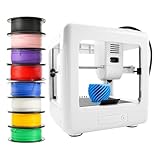
Mini Portable 3D Printer Kit with 8 PLA Colors
- 🎨 All-in-One Starter 3D Printer Kit – Comes with 8 vibrant PLA filament colors (200g each), a fully equipped printing kit, and user-friendly instructions—perfect...
- 🖨️ Compact & Portable FDM Design – This mini desktop 3D printer uses FDM technology and is compact enough for any desk or workspace. Great for school, home, or...
- 🧠 Effortless Setup, Plug & Print – No complex calibration needed. Supports TF Card and USB connections, compatible with Windows and macOS using CURA, Easyware, or...
- 💡 Precise & Smooth Printing – Achieve detailed prints with 0.05-0.2mm accuracy. Features a 0.4mm nozzle, supports 1.75mm PLA, and even WOOD filament.
- 📦 Full Accessories Included – Package includes the printer components, 8-color filaments, TF card and reader, US power adapter, filament holder, screwdriver, and a...
Experience the ease of 3D printing with this Mini Portable 3D Printer Kit, designed to fit neatly in tight spaces. Its compact size and lightweight design make it perfect for users who need a portable solution without sacrificing functionality. This printer works well in homes, classrooms, or hobby areas where space is limited.
The printer’s FDM technology and 0.4mm nozzle deliver reliable prints with an accuracy range of 0.05 to 0.2mm. It supports PLA and wood filaments, offering a balance between ease of use and creative options. The included set of eight vibrant PLA colors lets you start printing immediately, adding variety to your projects.
Setup is simple with the plug-and-play design compatible with Windows and macOS. Maintenance is straightforward, requiring minimal calibration and basic care, making it suitable for beginners. Its compact form and included accessories ensure you have everything needed to get started quickly.
While the print volume is limited due to its mini size, this printer excels in portability and ease of use. It provides an accessible entry point into 3D printing for those who value convenience and simplicity.
Best for: Beginners and hobbyists seeking a compact, portable, and easy-to-use 3D printer kit for home, school, or small workspace use.
What We Like:
- Compact and lightweight for easy transport and storage
- Includes eight vibrant PLA filament colors for varied projects
- Simple plug-and-play setup compatible with Windows and macOS
- Supports both PLA and wood filaments for creative flexibility
- Minimal calibration needed, ideal for beginners
Specification:
| Feature | Details |
|---|---|
| Manufacturer | CAIDAQC |
| Dimensions | 7.4 x 7.4 x 7.8 inches |
| Weight | 3.3 pounds |
| Filament Colors | 8 PLA colors, 200g each |
| Supported Filaments | PLA, Wood |
| Nozzle Size | 0.4 mm |
| Printing Accuracy | 0.05 – 0.2 mm |
| Compatibility | Windows, macOS |
Factors to Consider When Choosing 3D Printer Kits Under 500
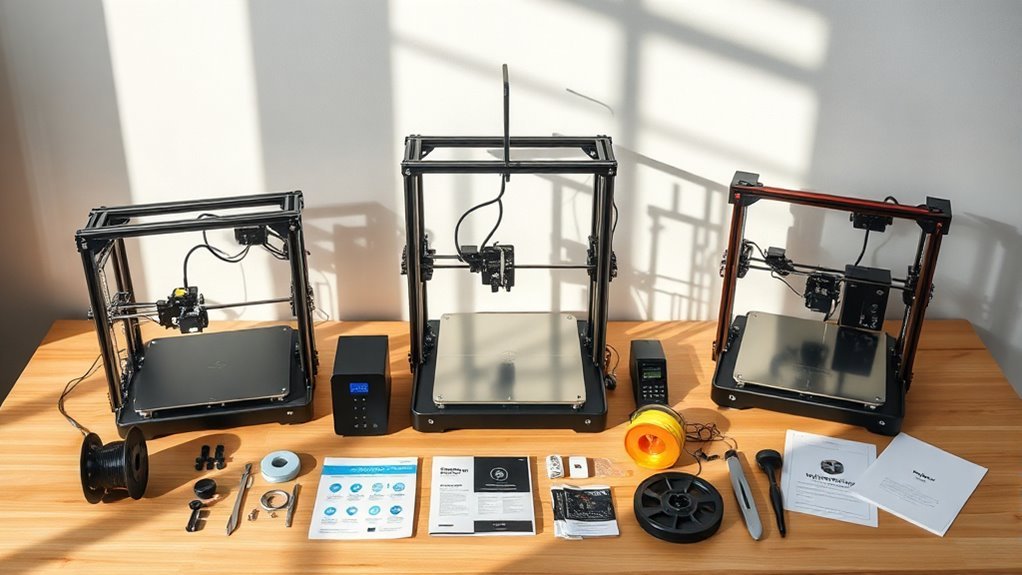
When choosing a 3D printer kit under $500, you’ll want to focus on print quality and precision to get the best results. Consider how easy it is to set up, the build volume, and the size to fit your projects and space.
Don’t forget to check included accessories and the warranty or support options to protect your investment. These little details can make a big difference when you’re just starting out.
Print Quality And Precision
Print quality and precision play a critical role in choosing a 3D printer kit under $500, as they directly affect the detail and smoothness of your models. Look for printers offering fine layer resolution—ideally as precise as 0.01mm—to capture intricate details.
Advanced motion systems like CoreXY boost speed without compromising accuracy, so you can print complex designs confidently. A stable frame made from die-cast aluminum reduces vibrations, ensuring sharper edges and smoother finishes.
Features such as automatic nozzle cleaning and auto-leveling help maintain consistent quality by minimizing setup errors. Also, consider a printer’s compatibility with various filaments like PLA and WOOD, as different materials need specific settings to achieve ideal print results.
Prioritizing these factors will help you get the best quality prints within your budget. It’s all about finding the right balance between precision, speed, and material versatility.
Ease Of Setup
Anyone diving into 3D printing wants a kit that gets them up and running quickly without frustration. Look for printers that arrive fully assembled or need less than 10 minutes to set up.
Features like one-button auto-leveling and automatic nozzle cleaning make the initial setup smoother, ensuring you get consistent prints right away. A plug-and-print design lets you start printing immediately without fiddling with complex calibrations.
Guided setup via mobile apps or clear manuals can walk you through each step, making the process easy even if you’re new. Also, prioritize printers with quick-swap nozzles and simple filament loading systems.
These save you time during routine maintenance and help you switch between prints effortlessly, keeping your 3D printing experience enjoyable and hassle-free.
Build Volume And Size
Choosing the right build volume is key to matching your 3D printer kit with the projects you want to create. Build volume defines the maximum size of objects you can print, so it directly affects what you can make.
If you want to print larger models or multiple smaller ones at once, pick a printer with a bigger build volume to boost your efficiency and creativity. Also, consider the printer’s physical size—if your workspace is tight, a compact design is a must.
Versatility matters too; a printer that handles various build sizes lets you shift easily between detailed miniatures and bigger projects. Finally, think about the printer’s weight if you plan to move it around often, ensuring portability without hassle.
Included Accessories
Three key accessory types can make a big difference when you pick a 3D printer kit under $500. First, check if the kit includes various filament options, from basic PLA to multiple colors. This gives you creative freedom right out of the box.
Second, look for essential tools like screwdrivers, filament holders, and cleaning equipment. These make setup and upkeep a whole lot easier.
Third, verify the package provides clear user manuals or guides and software compatibility info. That way, you can start printing without any hassle.
Bonus accessories like model libraries, DIY modules, power adapters, and memory storage (such as TF cards) add convenience. They also enhance your learning experience.
These included accessories help you get the most value and enjoyment from your 3D printer kit from day one.
Warranty And Support
Beyond the accessories included in your 3D printer kit, you’ll want to evaluate the warranty and support offered by the manufacturer. A solid warranty policy with at least a 30-day return or replacement option gives you peace of mind, especially if you’re new to 3D printing.
Look for kits that come with a minimum 12-month free repair service to guarantee your investment stays protected long term. Lifetime professional technical support with a fast, 24-hour response time is essential for resolving any issues quickly.
Also, check if the company provides clear warranty information upon request—that transparency shows they stand behind their product. Consider extended warranties or service plans too, as they can cover future repairs or part replacements, adding extra value to your purchase.
Frequently Asked Questions
What Safety Precautions Are Needed When Using 3D Printer Kits?
You should wear gloves and safety glasses, and guarantee good ventilation to avoid fumes. Keep the printer on a stable surface to prevent any wobbling or accidents.
Never touch hot parts—they can cause serious burns. Also, always supervise the printer while it’s running. This helps prevent accidents or fire hazards.
How Much Electricity Do These 3D Printers Consume?
Think of your 3D printer like a small space heater; it typically uses around 50-150 watts while printing.
You’ll notice it’s not a huge energy hog, but keeping it on long can add up on your bill.
Can These Kits Print With Materials Other Than PLA?
Yes, many kits let you print with materials beyond PLA, like ABS, PETG, or TPU. You’ll just need to adjust settings or upgrade components, such as the heated bed or nozzle, to handle different filament types effectively.
It’s usually not too complicated, but a few tweaks can make a big difference. So, if you want to try other materials, it’s definitely possible!
What Are Common Troubleshooting Tips for Beginner Users?
You’ll want to level your bed carefully and keep your nozzle clean—over 60% of beginners face issues here.
Also, tighten belts, check filament quality, and update firmware regularly to avoid common printing errors and improve results.
Are Replacement Parts Readily Available for These Printer Kits?
Yes, replacement parts are usually easy to find for these kits. You’ll often get access to online communities and suppliers who sell compatible components.
Conclusion
Choosing the right 3D printer kit under $500 is like planting a seed in fertile soil—it can grow your creativity into something extraordinary. Whether you’re a beginner or a budding pro, these kits give you the tools to shape your ideas into reality.
So, don’t just watch from the sidelines; immerse yourself and let your imagination take flight. Your next masterpiece is waiting to spring to life.
When searching for the best 3D printer kits under $500, it’s all about finding the perfect balance between quality, ease of use, and features. These affordable kits offer a fantastic entry point into 3D printing without breaking the bank.
By choosing one of these top kits, you’ll unlock endless possibilities for creating custom models, prototypes, and personalized projects. Dive in now and watch your ideas come alive with the best 3D printer kits under $500 for 2027!