5 Best All-in-One Portable Printers for 2027
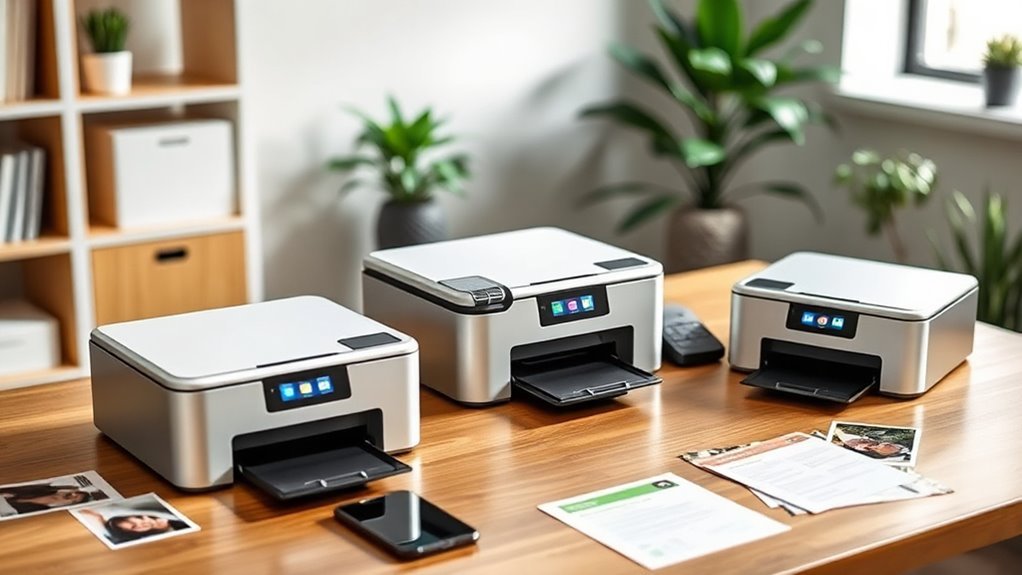
If you need a reliable all-in-one portable printer for 2027, you’re in luck! These compact devices are perfect for anyone who values convenience and mobility.
Whether you want wireless printing, scanning, or vibrant color outputs, there’s something for every need.
Consider the HP OfficeJet 250 for wireless convenience and scanning, or the Canon PIXMA TR160 for vibrant color prints.
The Epson WF-110 offers an ultra-compact design with strong resolution, while the HP OfficeJet 200 balances speed and battery life.
For ink-free quick prints, the Gloryang thermal printer is perfect.
Keep these options in mind, and you’ll find the ideal printer that fits your mobile lifestyle and printing needs.
| Image | Name | Editor's Rating | Price |
|---|---|---|---|

|
|
||

|
|
||

|
|
||

|
|
||

|
|
HP OfficeJet 250 Wireless Mobile Inkjet Printer
- BUSINESS PRINTING—VIRTUALLY ANYWHERE - Use your laptop, tablet, or smartphone to print, scan, and copy on the go, without having to connect to a network
- EASY PORTABLE PRINTING, SCANNING, AND COPYING WHEREVER YOU NEED IT - Print business documents anytime, anywhere, with a compact, portable all-in-one printer that fits...
- HP APP - Print and scan right from your smartphone with the easiest-to-use print app
- EASY SETUP AND PRINTING FROM MOBILE DEVICES - HP Auto Wireless Connect allows for easy setup right out of the box so you can print from your laptop or mobile devices...
- POWER UP, FAST - Charge within 90 minutes while the printer is turned off, with HP Fast Charge; plug in your AC power source at home, in the car, or the office

If you need a portable printer that adapts to your on-the-go lifestyle, the HP OfficeJet 250 Wireless Mobile Inkjet Printer offers a practical solution. Its compact design fits easily into a car, backpack, or briefcase, allowing you to print wherever you are. The built-in battery ensures true mobility without constant access to power outlets.
This printer supports wireless printing, scanning, and copying directly from laptops, tablets, or smartphones through the HP app. Setting it up is straightforward with HP Auto Wireless Connect, which works even without a router, saving you time and hassle.
Maintenance is simplified with fast battery charging—ready in just 90 minutes—and support for various paper sizes. However, keep in mind it uses Original HP 62 series cartridges, which may be more expensive, and the inkjet technology might be slower than laser printers for high-volume tasks.
Its lightweight portability and wireless functionality make it ideal for professionals and travelers who need reliable printing on the move.
Best for: Professionals and travelers requiring a compact, wireless mobile printer for printing, scanning, and copying anywhere.
What We Like:
- Compact, lightweight design with built-in battery for mobility
- Easy wireless setup using HP Auto Wireless Connect and mobile app
- Quick battery recharge in 90 minutes for uninterrupted use
- Supports multiple paper sizes for versatile printing needs
Specification:
| Feature | Details |
|---|---|
| Manufacturer | HP |
| Dimensions | Compact (fits in briefcase) |
| Weight | Lightweight (portable) |
| Connectivity | Wireless (Wi-Fi) |
| Power | Built-in rechargeable battery |
| Compatible Cartridges | Original HP 62 series |
Canon PIXMA TR160 Color Wireless Portable Printer
- LIGHTWEIGHT AND PORTABLE - Connect and print on the go with the PIXMA TR160. This lightweight portable printer can fit into a bag or backpack with room to spare.
- HIGH-QUALITY PRINTING ON THE GO - Print documents and photos up to 8.5” x 11” that showcase sharp black text and vibrant details with rich color thanks to a 5-Color...
- SIMPLE & EASY CONNECTIVITY - Printing is only an app away when using the Canon PRINT app, Apple AirPrint4, or Mopria Print Service5 with your compatible device(s) or the...
- WIRELESS DIRECT MODE - Connect your compatible device to the printer even without a wireless router.
- 1.44” OLED DISPLAY - Easily check ink levels, printer status, and other settings with the 1.44” Monochrome OLED.
Experience the freedom of printing anywhere with the Canon PIXMA TR160, a lightweight and energy-efficient color printer designed for mobile use. Its compact size and optional battery make it easy to carry and operate without needing constant power, ideal for professionals on the move.
This portable printer delivers sharp, high-resolution prints at 4800 x 1200 dpi, ensuring your documents and photos look clear and vibrant. While color print speeds reach up to 5.5 pages per minute, the device balances quality with portability for everyday mobile tasks.
Connectivity is hassle-free with wireless options like Canon PRINT app, AirPrint, Mopria, and USB-C, allowing seamless printing from various devices. The built-in 1.44” OLED display provides quick status updates, though its small size means detailed adjustments may require the app interface.
Maintenance is straightforward, but note the limited 50-sheet paper capacity, which means you’ll need to refill often during heavy use. Still, the printer’s design focuses on convenience and efficiency for users needing reliable, on-the-go color printing.
Best for: Professionals and individuals requiring a compact, portable color printer for high-quality prints while traveling or working remotely.
What We Like:
- Sharp print resolution of 4800 x 1200 dpi for vibrant color and clear black-and-white prints
- Multiple wireless connectivity options for flexible device compatibility
- Lightweight design with optional battery for true mobile printing
- Compact footprint ideal for small workspaces and travel
Specification:
| Feature | Details |
|---|---|
| Manufacturer | Canon |
| Dimensions | Not specified |
| Weight | 4.5 lb (2.04 kg) |
| Color Options | Not specified |
| Connectivity | Wireless (Canon PRINT, AirPrint, Mopria), USB-C |
Epson WorkForce WF-110 Wireless Color Mobile Portable Inkjet Printer
- PORTABLE DESIGN — Ultra-compact wireless portable printer designed for on-the-go, measuring 12.2 x 8.5 x 9.1 inches, suitable for travel and small office spaces where...
- RECHARGEABLE BATTERY — Built-in rechargeable lithium-ion battery provides wireless printing freedom with USB and AC charging options, plus optional external accessory...
- WIRELESS CONNECTIVITY — Wi-Fi 5 wireless printer technology with Wi-Fi Direct enables seamless printing from laptops, tablets, smartphones, iPad and iPhone without...
- GENUINE INK COMPATIBILITY — Exclusively designed for genuine Epson cartridges to support color printer performance, protecting it with reliable mobile printer...
- COMPACT PRINT SPECIFICATIONS — Compact mobile printer delivers color printing with AC-powered operation for presentations, invoices and contracts in portable business...
Experience the freedom of printing anywhere with the Epson WorkForce WF-110. This ultra-compact, wireless color printer is designed to fit seamlessly into your busy lifestyle. Whether you’re traveling or working in tight spaces, its lightweight build and small footprint make it easy to carry and set up.
With sharp color output up to 5760 x 1440 dpi, you can produce professional-quality documents without needing a bulky office printer. The built-in rechargeable battery and Wi-Fi Direct allow you to print wirelessly from laptops, tablets, or smartphones, eliminating the hassle of cables and enabling quick, on-the-go printing.
Maintenance is straightforward thanks to the use of genuine Epson ink cartridges, ensuring consistent print quality and reliability. While its paper capacity is limited to 20 sheets and smaller media sizes, this printer excels in delivering convenience and portability for essential document needs.
Print speeds are moderate, especially in color, and battery-powered operation may slow output, so it’s best suited for light to moderate printing tasks during travel or remote work.
Best for: Professionals and travelers needing a compact, wireless color printer for on-the-go printing of presentations, invoices, and reports.
What We Like:
- Lightweight, portable design ideal for travel
- Wireless printing with Wi-Fi Direct and voice control
- High-resolution color prints for sharp documents
- Rechargeable battery for cordless convenience
Specification:
| Feature | Details |
|---|---|
| Manufacturer | Epson |
| Dimensions (in) | 12.2 x 8.5 x 9.1 |
| Weight (lb) | 4.6 |
| Print Resolution | Up to 5760 x 1440 dpi |
| Print Speed | 6.7 ppm (black), 2.0 ppm (color) |
| Paper Capacity | 20 sheets |
| Media Size | Up to A6 |
| Connectivity | Wi-Fi Direct, voice control |
HP OfficeJet 200 Inkjet Mobile Printer | Wireless |Battery Included
- "BUSINESS PRINTING—VIRTUALLY ANYWHERE - Use your laptop, tablet, or smartphone to print on the go, without having to connect to a network"
- "EASY PORTABLE PRINTING WHEREVER YOU NEED IT - Print business documents anytime, anywhere, with a compact, portable printer that fits into your car, backpack, or...
- HP APP - Print and scan right from your smartphone with the easiest-to-use print app
- "EASY SETUP AND PRINTING FROM MOBILE DEVICES - HP Auto Wireless Connect allows for easy setup right out of the box so you can print from your laptop or mobile devices...
- "POWER UP, FAST - Charge within 90 minutes while the printer is turned off, with HP Fast Charge; simply plug in your AC power source at home, in the car, or in the...
The HP OfficeJet 200 Inkjet Mobile Printer is designed for professionals who need reliable printing wherever they work. Its lightweight build, at just 4.9 pounds, makes it easy to carry and perfect for mobile use. The wireless connectivity and fast-charging battery let you print up to 50 pages without needing a power outlet, keeping you productive on the move.
This portable printer delivers sharp prints at 600 x 600 dpi, ideal for clear documents. It prints up to 10 pages per minute in black-and-white, balancing speed and quality for everyday tasks. The HP Smart app allows simple connection with smartphones, tablets, or laptops, while cloud printing from services like iCloud and Google Drive keeps your files accessible anywhere.
Maintenance is straightforward, with a compact design that fits neatly into your workspace or travel bag. The printer supports smart features like Alexa voice control, adding convenience without extra complexity. ENERGY STAR certification also means it operates efficiently, reducing energy use during printing sessions.
Best for: professionals and mobile workers who need a lightweight, portable printer with wireless connectivity and a long-lasting battery for efficient on-the-go printing.
What We Like:
- Lightweight, portable design ideal for travel
- Fast-charging battery supports up to 50 pages per charge
- Easy wireless printing via HP Smart app and cloud services
- Alexa voice control for hands-free operation
- ENERGY STAR certified for energy efficiency
Specification:
| Feature | Details |
|---|---|
| Manufacturer | HP |
| Dimensions | Not specified |
| Weight | 4.9 pounds (2.22 kg) |
| Connectivity | Wireless |
| Print Resolution | 600 x 600 dpi |
| Print Speed | Up to 10 ppm (B&W) |
| Battery | Included, fast-charging |
| Color Options | Not specified |
Gloryang Inkless Portable Wireless Thermal Printer Kit
- Inkless Printing – Gloryang portable printer uses advanced thermal technology, requiring no ink, toner, or ribbons. The package includes the printer, 3 thermal paper...
- Seamless Bluetooth Connectivity – The Gloryang mobile sticker printer connects easily to iOS and Android via Bluetooth through the “Jadens Printer” app. It also...
- Ultra-Portable Design - Weighing just 1.75lb and measuring 1.7in thick, the Gloryang portable printer is incredibly lightweight and compact. Perfect for on-the-go...
- Space-Saving Design - Say goodbye to clutter with the built-in paper bin of the Gloryang printer. It saves space and keeps your workspace tidy, whether you're on the go...
- Perfect Gift for Holiday-Gloryang thermal printer can print clear photos, image, design drawings and text. It's perfect for busy professionals and students. Come with a...
Experience hassle-free printing wherever you go with the Gloryang Inkless Portable Wireless Thermal Printer Kit. This device uses advanced thermal printing technology to deliver fast, ink-free prints. It eliminates the need for ink, toner, or ribbons, making maintenance simple and cost-effective.
Its compact size and lightweight design mean you can easily carry it in a backpack or briefcase. At just 11 by 4 by 4 inches and 3.1 pounds, it’s perfect for travelers, students, and busy professionals. Connect seamlessly via Bluetooth to iOS or Android devices using the Jadens Printer app, or plug into your laptop with drivers for versatile use.
The printer supports only thermal paper, which reduces media options but ensures quick, reliable printing on the go. With a maximum print resolution of 203 x 203 dpi, it handles text and simple graphics well, though it may not suit high-quality photo printing. Driver installation is needed for laptop use, adding a minor setup step.
Best for: Travelers, students, and professionals needing fast, portable, and ink-free printing solutions.
What We Like:
- Inkless thermal printing reduces upkeep and cost
- Lightweight, compact design ideal for mobility
- Bluetooth connection supports iOS and Android
- Easy-to-use Jadens Printer app for mobile printing
Specification:
| Feature | Details |
|---|---|
| Manufacturer | Gloryang |
| Dimensions | 11 x 4 x 4 inches |
| Weight | 3.1 lbs |
| Printing Technology | Thermal (inkless) |
| Connectivity | Bluetooth, USB drivers |
Factors to Consider When Choosing an All in One Portable Printer
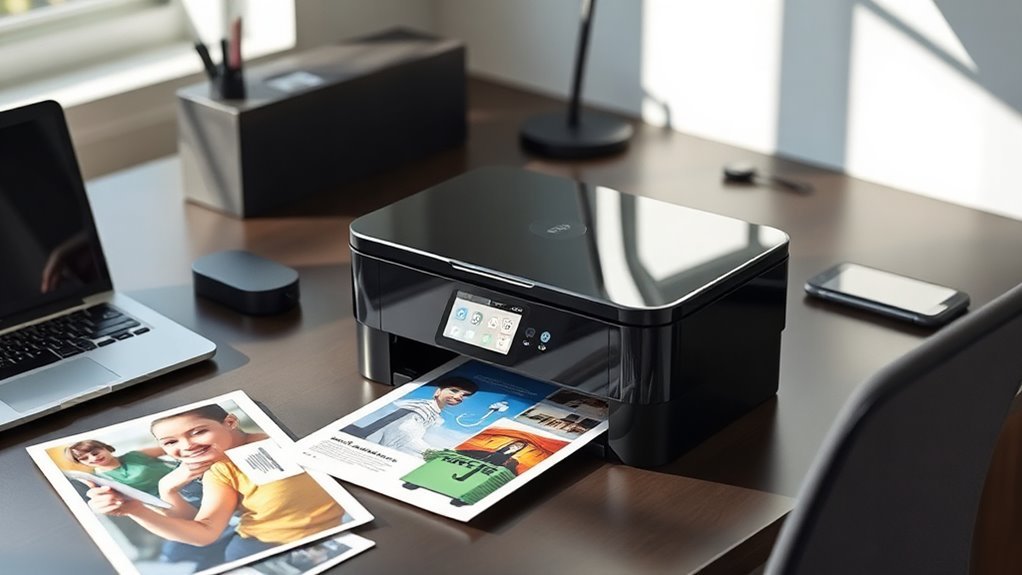
When choosing an all-in-one portable printer, you’ll want to focus on portability and size to guarantee it fits your on-the-go lifestyle. Don’t overlook printing quality, speed, battery life, and wireless connectivity options that match your devices.
Making the right choice means balancing these factors to get the best performance wherever you need it. It’s all about finding the perfect fit for how and where you plan to use it.
Portability And Size
Choosing the right portable all-in-one printer means focusing on size and weight to guarantee it fits your lifestyle. Compact models usually measure between 2.6 to 2.7 inches in depth and 7.3 to 7.32 inches in width, making them easy to store and carry.
Weight varies from about 3.1 to 4.9 pounds, so pick a lighter model if you travel often. The design should let you slip the printer easily into a backpack, briefcase, or car, boosting convenience on the go.
Don’t forget battery life—some printers fully charge in around 90 minutes, so you won’t be tied to power outlets. Also, choose a printer that supports various paper sizes and types to keep your portable printing flexible and practical.
Printing Quality And Speed
Printing quality and speed play an essential role in determining how well a portable all-in-one printer meets your needs. You want a printer that delivers sharp images and clear text, often measured in DPI—with resolutions like 4800 x 1200 DPI providing excellent detail.
At the same time, print speed matters; color prints may run around 2.0 pages per minute, while black and white can exceed 10 PPM, helping you stay productive. Balancing quality and speed is vital, especially when printing on the go.
Consider the maximum media size you’ll need, typically letter or legal, to guarantee versatility. Also, note the printing technology: inkjet models offer high quality but might be slower, while thermal printers can be faster but with different image results.
Choose based on your specific tasks. It’s all about finding that sweet spot between quality, speed, and convenience.
Battery Life And Charging
Since portability is a key feature, you’ll want a printer with long-lasting battery life and quick charging options. Look for models with built-in rechargeable batteries to print anywhere without needing a power outlet.
Check the estimated page yield on a single charge to understand how long the printer can operate before recharging. Consider printers that fully charge in as little as 90 minutes when powered off, so you can get back to work quickly.
Multiple charging options, like AC adapters and USB connections, add flexibility for charging at home, in your car, or at the office. Fast charging capabilities reduce downtime, especially if you work remotely or on the go.
Prioritizing these features guarantees your portable printer stays ready whenever you need it. It’s all about making sure your printer keeps up with your busy lifestyle.
Wireless Connectivity Options
Wireless connectivity plays an essential role in how easily you can print from various devices on the go. Most portable printers offer Wi-Fi, Bluetooth, and mobile app compatibility, letting you print seamlessly from smartphones, tablets, and laptops.
Wi-Fi Direct is a great feature to look for—it lets you connect directly to your printer without needing a router. That’s perfect when you’re away from stable networks.
Many printers also come with dedicated apps that simplify print management and setup right from your mobile device. If wireless isn’t reliable, having USB connectivity for wired connections can be a lifesaver.
Some models even support voice control, so you can print using smart assistants. It adds a modern touch to your portable printing experience.
Compatibility With Devices
How well a portable printer works with your devices can make or break your mobile printing experience. Make sure the printer supports multiple connectivity options like Wi-Fi, Bluetooth, and USB to easily link laptops, tablets, and smartphones.
Also, check if it’s compatible with popular printing apps such as Apple AirPrint, Google Cloud Print, or the manufacturer’s app for smooth mobile printing. This way, you can print right from your favorite apps without any hassle.
Think about whether it can print without a router using Wireless Direct or Bluetooth, so you can connect straight to your device. That’s super handy when you’re on the go.
Don’t forget to confirm it supports your operating system—iOS, Android, Windows, or macOS—to avoid any compatibility issues down the line. And finally, look for printers with auto wireless connect features; they make setup a breeze and get you printing faster.
Paper Size And Handling
Once you’ve verified your portable printer connects seamlessly with your devices, it’s time to contemplate the paper size and handling capabilities. You’ll want a printer that supports a variety of paper sizes, from standard letter and legal to photo and card formats, giving you versatility for different projects.
Check if it handles multiple media types like glossy photo paper and envelopes, so you’re ready for any task. Consider the sheet capacity, too—some models hold up to 50 sheets, while others only 20, which can impact your workflow.
Look for features like borderless printing and custom size support to boost creativity. Finally, prioritize easy paper handling, such as automatic feeding or a built-in paper bin, to keep your printing smooth and hassle-free.
Ink Or Printing Technology
Although portability is key, you’ll want to evaluate the ink or printing technology your all-in-one portable printer uses. It directly impacts print quality, speed, and maintenance.
Inkjet printers deliver vibrant colors and sharp details with resolutions up to 4800 x 1200 dpi. This makes them ideal for photos and detailed documents. However, they do require regular print head maintenance, especially if used sporadically.
Thermal printers, on the other hand, use heat to transfer images onto special paper. They offer fast speeds up to 35 pages per minute and minimal upkeep. But keep in mind, they are limited to black and white or simple color prints.
Think about your typical printing needs. Inkjet suits diverse media and high-quality output, while thermal excels in basic, fast, and portable printing.
Also, if you print a lot, high-yield ink cartridges can help reduce your running costs.
Warranty And Support
After reflecting on the ink or printing technology that best fits your needs, you should also pay close attention to the warranty and support options offered with your portable printer. Most models come with a limited one-year warranty, so check what hardware issues it covers to protect yourself from defects or malfunctions.
Look for manufacturers that provide a return policy, letting you send back the printer if it doesn’t meet your expectations. Additionally, review the support services available—access to responsive customer service, online resources, and troubleshooting guides can save you time and frustration.
Don’t forget to evaluate the availability of replacement parts and service centers nearby, as these factors play a vital role in maintaining your printer’s long-term usability and performance. It really makes a difference when you know help is close by if something goes wrong.
Frequently Asked Questions
How Do Portable Printers Connect to Smartphones?
You connect portable printers to smartphones mainly via Bluetooth or Wi-Fi. Just enable wireless on both devices, pair them, and use the printer’s app or your phone’s print function to send documents or photos easily.
It’s pretty straightforward once you get the hang of it. Just make sure both devices are close enough to maintain a good connection. Then, you’re all set to print on the go!
Can These Printers Print Photos Directly From a Camera?
You’re in luck—many portable printers can gracefully receive snapshots straight from your camera. By connecting via USB or Wi-Fi, you’ll effortlessly bring your images to life without the hassle of extra devices or transfers.
It’s pretty convenient, right? Just plug in or connect wirelessly, and you’re good to go! No need for complicated steps or extra gear.
What Types of Paper Sizes Do Portable Printers Support?
You’ll find portable printers support various paper sizes like 4×6, letter, and A4. Some even handle envelopes or labels, so you can print documents or photos on the go without worrying about limited size options.
Pretty handy, right? It means you’re not stuck with just one type of paper when you’re out and about.
Are Portable Printers Compatible With All Operating Systems?
You won’t need a floppy disk for this—most portable printers now work seamlessly with Windows, macOS, Android, and iOS.
Just check the specs to verify compatibility, and you’ll print effortlessly from any device you own.
How Long Does the Battery Last on Average During Printing?
You’ll typically get about 1.5 to 3 hours of continuous printing on a full charge, depending on the model and usage. Battery life varies, so it’s smart to check specific printer specs before buying.
Keep in mind, how you use the printer can affect battery performance. So, it’s always good to have a backup plan or charger handy just in case.
Conclusion
Choosing the right all-in-one portable printer can make your busy life so much easier. Imagine Sarah, a freelance designer, who prints contracts and proofs on the go with her HP OfficeJet 250—saving time and impressing clients.
Whether you need vibrant color prints or quick, wireless convenience, there’s a portable printer to fit your needs. Pick one that matches your lifestyle, and you’ll never miss a deadline or opportunity again.
With so many options available, finding the best all-in-one portable printer for 2027 means focusing on features like print quality, battery life, and connectivity. These printers are designed to keep up with your fast pace, making mobile printing hassle-free. Choosing a reliable, versatile model ensures you stay productive anywhere, anytime.