5 Best 3D Printers for Small Businesses in 2027
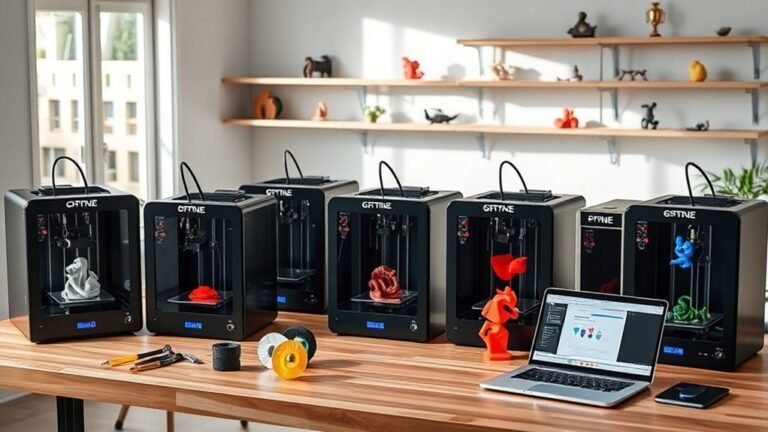
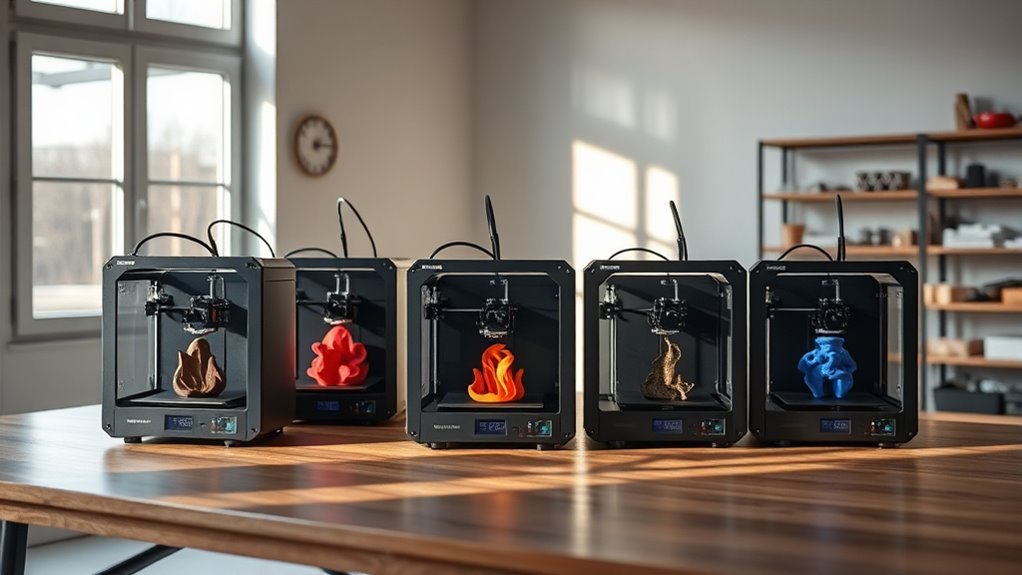
If you’re looking for fast, reliable 3D printers that support multiple materials, these are some of the best options for small businesses in 2027. Whether you need speed, precision, or multi-color capabilities, these models have got you covered. Choosing the right 3D printer can really boost your productivity and creativity.
Creality Ender 3 V3 SE offers speedy prints and easy filament handling. It’s perfect if you want something straightforward but efficient. Meanwhile, the Anycubic Kobra X Multicolor shines with its native 4-color system, making multi-color projects a breeze.
Bambu Lab P1S delivers CoreXY precision and multi-material options, ideal for detailed and complex designs.
The Snapmaker U1’s automatic tool changer allows smooth multi-color workflows without the hassle. And if you like DIY, the Original Prusa CORE One+ provides a high-speed kit that’s both versatile and powerful.
Take a closer look at their strengths to find the perfect fit for your small business needs!
| Image | Name | Editor's Rating | Price |
|---|---|---|---|

|
|
||

|
|
||

|
|
||

|
|
||

|
|
Creality Ender 3 V3 SE 3D Printer Upgrade
- 【250mm/s High-speed Printing】Creality Ender 3 V3 SE 3d printer supports a maximum printing speed of 250mm/s, 2500mm/s² acceleration.The speed has been greatly...
- 【Powerful ""Sprite"" Direct Extruder】Ender 3 V3 SE is the upgrade of ender 3, ender 3 v2, ender 3 pro, ender 3 neo, ender 3 v2 neo, ender 3 s1, ender 3 s1 pro etc 3d...
- 【Worry-free CR Touch Auto Leveling & Strain Sensor】Creality Ender 3 upgraded 3d printer features a CR Touch sensor for auto leveling and a strain sensor for auto...
- 【Stable Dual Z-axis & Y-axis Linear Shafts】High-precision dual Z-axis lead screws reduce Z wobbling effectively, avoid printing deviation in single-axis printing...
- 【Quick Assembly & Easy to Use】Preassembly has solved those hassles and worries of parts assembly, It only takes 3 steps to complete the assemble the ender-3 v3 se 3d...

Experience faster, more reliable 3D printing with the Creality Ender 3 V3 SE Upgrade. Designed to help small businesses and hobbyists reduce production time, it prints at speeds up to 250 mm/s with rapid acceleration, cutting your printing duration by nearly three-quarters. This efficiency lets you complete projects faster without sacrificing quality.
The printer’s full-metal dual-gear direct extruder supports PLA, TPU, and PETG filaments with smooth feeding and automatic filament loading and unloading. These features minimize downtime and simplify maintenance, so you spend less time troubleshooting and more time creating.
Precision is enhanced by the CR Touch auto-leveling sensor and strain sensor for accurate Z-offset adjustments. Dual Z-axis screws stabilize the frame, ensuring consistent, high-quality prints. Setup is straightforward, requiring just three steps and about 20 minutes before you can start printing.
While the build volume suits small to medium projects, it may limit larger prints. The machine’s weight of 15.66 pounds offers stability but reduces portability. Overall, this upgrade balances speed, print quality, and ease of use in a compact design.
Best for: Small businesses and hobbyists seeking a fast, reliable 3D printer with easy setup and versatile filament compatibility.
What We Like:
- Fast printing speed and high acceleration reduce project turnaround time.
- Durable full-metal dual-gear extruder with automated filament handling.
- Precise print leveling and stability with CR Touch, strain sensor, and dual Z-axis screws.
- Quick and simple setup process.
Specification:
| Feature | Specification |
|---|---|
| Manufacturer | Creality |
| Build Volume | 8.66 x 8.66 x 9.84 inches |
| Print Speed | Up to 250 mm/s |
| Acceleration | 2500 mm/s² |
| Extruder Type | Full-metal dual-gear direct |
| Filament Compatibility | PLA, TPU, PETG |
| Weight | 15.66 pounds (7.1 kg) |
Anycubic Kobra X Multicolor 3D Printer, Easy Setup, Native 4-Color
- 【 Newest Level - 19-Color with 4 ACE 2 Pro】Why settle for one color when you can have multicolor? The Kobra X comes born with 4 colors built-in. It is innovative 3D...
- 【 Savings 2X Time】Stop wasting hours and filament on purging! Kobra X impresora 3D reduces the filament and machine travel path by 81.25%, so 2X the Speed, and...
- 【Hardened Precision & High Speed 】 Equipped with a high-durability hardened steel nozzle and vibration compensation, the Kobra X ensures every layer remains smooth...
- 【Flawless First Layer with LeviQ 3.0】The LeviQ 3.0 and auto bed leveling system uses a 49-point calibration and advanced leveling algorithm to ensure 100% bed...
- 【Smart AI Monitoring & Large Model Library】APP remote control, features Spaghetti detection and foreign object detection. The innovative top-mount spool holder...
The Anycubic Kobra X Multicolor 3D Printer transforms multicolor printing with its native 4-color system, reducing filament purging and travel paths by 81.25%. This efficiency boost doubles print speeds and cuts material waste, helping small businesses and makerspaces save time and resources. Its max speed of 600 mm/s means complex prints finish quickly—like a Benchy in just 14 minutes—while vibration compensation and a hardened steel nozzle ensure smooth, reliable layers.
Setup is straightforward with the LeviQ 3.0 auto bed leveling, which uses 49-point calibration for consistent bed flatness. AI monitoring keeps an eye on prints to catch issues early. Maintenance is simple, and the printer supports a wide range of filaments, including PLA, PETG, TPU, PVA, and ASA, thanks to a high max nozzle temperature of 300°C.
The 260 × 260 × 260 mm build volume offers ample space for diverse projects. Dual-band Wi-Fi lets you control prints remotely, adding convenience for busy users. While expanding beyond four colors requires extra ACE 2 Pro units—which aren’t compatible with ACE Pro units—this system remains a strong choice for efficient multicolor printing.
Best for: Small businesses, makerspaces, and hobbyists seeking fast, efficient multicolor 3D printing with versatile material compatibility and easy setup.
What We Like:
- Native 4-color system cuts filament waste and doubles print speed
- LeviQ 3.0 auto bed leveling with 49-point calibration for precision
- AI monitoring enhances print reliability
- Supports multiple filaments with a 300°C max nozzle temperature
- Remote print control via dual-band Wi-Fi
Specification:
| Feature | Details |
|---|---|
| Manufacturer | Anycubic |
| Dimensions | 23 × 13 × 22 inches (58.4 × 33 × 55.9 cm) |
| Weight | 20.9 pounds (9.48 kg) |
| Build Volume | 260 × 260 × 260 mm |
| Max Nozzle Temperature | 300°C |
| Supported Filaments | PLA, PETG, TPU, PVA, ASA |
| Connectivity | Dual-band Wi-Fi |
Bambu Lab P1S 3D Printer, Ready-to-Use FDM 3D Printer
- Up to 16 Colors: Bring your designs to life with vibrant multi-color/multi-material printing capabilities, perfect for showcasing your creativity. Note: Connecting Bambu...
- 500mm/s and 20000 mm/s² Acceleration True High Speed: Don't wait around for your masterpieces. Lightning-fast printing speed lets you focus on creating, not waiting.
- Enclosed Design: Fully enclosed body improves print performance for advanced filaments. Automatic Bed Leveling: Say hello to high-quality, successful prints. Auto bed...
- Set Up in 15 Minutes: Spend more time printing and less time setting up. User-friendly design ensures a hassle-free assembly experience for all skill levels.
- Supported Filament: Ideal: PLA, PETG, TPU, PVA, PET ABS, ASA; Capable : PA, PC; Not Recommended: Carbon/Glass Fiber Reinforced Polymer.
The Bambu Lab P1S 3D Printer offers a seamless way to bring your ideas to life with speed and precision. Its compact CoreXY enclosed design is engineered for fast, reliable printing at speeds up to 500 mm/s. This means you can complete projects quickly without sacrificing quality.
Setup is straightforward, making it accessible for beginners. The printer includes automatic bed leveling and integrates with MakerWorld’s model library, simplifying the printing process. Its enclosed body supports a variety of filaments, including PLA, PETG, and TPU, and helps maintain stable printing conditions for advanced materials.
For those needing multi-material or multi-color prints, the P1S pairs with the AMS system to handle up to 16 colors in a single project. This versatility expands creative possibilities for small businesses and hobbyists alike. Maintenance is manageable, but users should handle advanced filaments with care despite the enclosed design.
While it offers many benefits, the P1S is not suited for carbon or glass fiber reinforced polymers and weighs 38.9 pounds, which may affect portability. Overall, it balances speed, precision, and ease of use in a user-friendly package.
Best for: small businesses and beginners seeking a fast, reliable, and multi-material 3D printing solution with easy setup and advanced filament support.
What We Like:
- High-speed CoreXY enclosed design enables fast, precise printing.
- Beginner-friendly with automatic bed leveling and MakerWorld model library.
- Supports multi-material and multi-color printing with AMS system.
- Enclosed body stabilizes printing conditions for advanced filaments.
Specification:
| Feature | Details |
|---|---|
| Manufacturer | Bambu Lab |
| Dimensions | Compact CoreXY enclosed design |
| Weight | 38.9 lb (17.6 kg) |
| Supported Materials | PLA, PETG, TPU, advanced filaments |
| Color Options | Multi-color printing up to 16 colors (with AMS) |
Snapmaker U1 3D Printer,4-Toolhead with 5s Toolchanger,Multi-Color Printing
- 【4-Toolhead System with 5-Second Tool Changer】 Powered by the SnapSwap system, Snapmaker U1 multi-color 3D printer features four independent toolheads with filaments...
- 【5X Faster Printing, 5X Less Waste】 Unlike traditional filament-changing systems, Snapmaker U1 3D printer swaps toolheads instead of repeatedly loading, unloading...
- 【True Multi-Material & Mixed-Material Printing】 Snapmaker U1 3D printer combines rigid and flexible materials, water-soluble supports, and engineering materials in a...
- 【Smart Calibration】 Automatic toolhead offset calibration, vibration compensation, fine-tuned extrusion, and perfect first-layer work together to deliver smooth...
- 【Easy to Use for Beginners & Professionals】 With a built-in model library, Snapmaker Orca — custom open-source slicing software, makes it easy to get started with...
Experience seamless multi-color and multi-material 3D printing with the Snapmaker U1. Its innovative 4-toolhead system and rapid 5-second automatic tool changer transform your workflow by eliminating manual tool swaps. This means you can produce complex, vibrant models without interruption or wasted filament.
The Snapmaker U1’s CoreXY motion system delivers precise prints at speeds up to 500 mm/s within a 270 mm³ build volume. Automatic calibration and AI-powered monitoring simplify maintenance, ensuring consistent, high-quality results with minimal effort. This reduces downtime and lets you focus on creating.
Designed for versatility, the U1 supports a broad range of filaments, including flexible and engineering-grade materials. Its robust construction balances stability with functionality, though its size and weight mean it’s best suited for dedicated workspaces rather than portability.
With intuitive software and remote control capabilities, the Snapmaker U1 integrates smoothly into small business environments. It enhances productivity by combining speed, accuracy, and multi-material flexibility into one reliable machine.
Best for: small businesses, professional creators, and makers seeking efficient, high-quality multi-color and multi-material 3D printing with minimal downtime and waste.
What We Like:
- Rapid 5-second automatic tool changing for uninterrupted multi-material printing
- Broad filament compatibility including flexible and engineering-grade options
- AI-powered monitoring and automatic calibration for precision and ease of use
- High-speed CoreXY motion system with stable build volume
- User-friendly software with remote control support
Specification:
| Feature | Details |
|---|---|
| Manufacturer | Snapmaker |
| Dimensions | Not specified |
| Weight | 57.9 lb (26.3 kg) |
| Build Volume | 270 mm³ |
| Motion System | CoreXY |
| Toolhead | 4-toolhead with 5s toolchanger |
| Material Compatibility | Wide range including flexible and engineering-grade filaments |
Original Prusa CORE One+ DIY Enclosed High-Speed CoreXY 3D Printer Kit
- [REWARDING DIY EXPERIENCE] Master your 3D printer by building it yourself with our detailed step-by-step photographic guide. This kit includes 1:1 scale hardware...
- [PRO-GRADE SPEED & QUALITY] Elevate your workshop with this high-speed CoreXY professional 3d printer. The all-steel exoskeleton frame ensures maximum stability for...
- [SMART PLUS UPDATES] The CORE One+ features a redesigned easy-flex loading system and bayonet spool holder. Enjoy a smoother, autonomous experience with the latest...
- [ADVANCED THERMAL CONTROL] Perfect 3d printer for hobby and pros. The enclosed chamber reaches 55°C with active control. The automatic top vent regulates airflow for...
- [SECURE OFFLINE OPERATION] Protect your intellectual property with a 100% offline-capable system. Features a removable Wi-Fi module and local processing. Ideal for...
The Original Prusa CORE One+ transforms professional 3D printing with its enclosed, high-speed CoreXY design. This setup ensures precise thermal control up to 55°C, solving common issues with print consistency. Its all-steel frame offers reliable stability, making it ideal for demanding environments.
With a print volume 30% larger than the MK4S, yet occupying 50% less space, it fits comfortably in tight workspaces. This compact design enhances productivity without compromising capacity. The DIY kit simplifies assembly with clear, solder-free guides, allowing users to develop technical skills while building their printer.
Maintenance is straightforward thanks to the enclosed chamber that protects prints and components from dust and temperature fluctuations. The CORE One+ supports advanced filaments like carbon fiber and nylon, catering to specialized professional needs. Operating fully offline, it safeguards intellectual property and sensitive projects.
While the assembly takes 15–20 hours, this investment helps users master the printer’s advanced features. Its design balances power, precision, and security, making it a versatile choice for growing businesses.
Best for: Professionals and small businesses needing a high-speed, enclosed 3D printer with offline operation and advanced material support.
What We Like:
- Enclosed all-steel frame ensures stability and thermal precision.
- Large print volume with a compact footprint saves workspace.
- Offline capability protects intellectual property.
- Clear, solder-free DIY assembly builds user expertise.
- Supports advanced filaments like carbon fiber and nylon.
Specification:
| Feature | Details |
|---|---|
| Manufacturer | Original Prusa |
| Dimensions | Not specified |
| Weight | Not specified |
| Frame Material | All-steel |
| Print Volume | 30% larger than MK4S |
| Thermal Control | Up to 55°C |
| Assembly | DIY kit, solder-free |
| Connectivity | Fully offline operation |
Factors to Consider When Choosing a 3d Printer Small Business
When choosing a 3D printer for your small business, you need to take into account factors like printing speed and material compatibility. Think about whether you require multi-color printing and how much build volume you’ll need for your projects.
Also, make sure the printer is easy to assemble so you can start working quickly. It’s all about finding the right fit that makes your workflow smoother.
Printing Speed Requirements
Although high print speeds can boost your daily output, it’s crucial to assess more than just nozzle velocity when choosing a 3D printer for your small business. Start by calculating your target throughput—consider print time per part and daily volume.
For example, a 10-minute print at 500 mm/s yields far more output than a 2-hour print at 50 mm/s. Also, look beyond max speed to achievable acceleration, since faster acceleration cuts time on short moves and small features.
Balance speed with quality and material needs; printing too fast may require finely tuned temperatures and limit filament choices. Finally, consider workflow efficiency—printers that minimize purge cycles or support parallel tool changes save time.
Systems that reduce setup, bed leveling, and filament swap delays also help maximize overall throughput.
Material Compatibility Options
Material compatibility plays a pivotal role in selecting the right 3D printer for your small business, as it directly impacts the range and quality of parts you can produce. First, confirm the printer supports the filament families you need—like PLA and PETG for prototyping or engineering plastics such as ABS, Nylon, and PC for end-use parts.
Check the maximum nozzle temperature and whether it has a heated, enclosed chamber. This is essential for high-temp materials requiring over 250°C.
Also, make certain the extrusion system handles abrasive or flexible filaments with hardened steel nozzles and direct-drive extruders. These features really help with tricky materials.
Finally, consider filament management features like dry-boxes, runout detection, and easy loading. These keep quality consistent, especially when working with hygroscopic materials like Nylon or TPU.
Multi-Color Printing Capability
How can multi-color printing enhance your small business’s 3D production? It lets you create more vibrant, detailed parts that stand out, boosting product appeal and customization options.
When choosing a multi-color system, consider how it changes print speed, waste, and complexity. Single-nozzle systems that purge between colors often waste filament and extend print time, while multi-extruder setups reduce purging but require more hardware and calibration.
Native multi-color printers that handle multiple filaments simultaneously minimize color-change time and filament waste, improving efficiency. Compare the maximum colors supported, purge lengths, and any automated oozing compensation.
Balance upfront costs and maintenance with long-term savings in material and time. Picking the right multi-color capability can really streamline your workflow and elevate your product quality.
Build Volume Needs
Multi-color printing can elevate your product’s visual appeal, but to bring your designs to life, you need a build volume that fits your parts. Start by measuring the largest finished product or assembly you plan to print, then add 10–20% clearance for fixtures and print orientation.
Pay attention to the build volume across all axes—X, Y, and especially Z—since taller prints might need different orientations or supports that impact quality and print time. Match your build volume to production goals: larger volumes allow fewer joins but usually mean bigger machines and higher costs.
For batch runs, decide if one large printer or multiple smaller ones offer better throughput and flexibility. Also, keep in mind that enclosures, toolheads, or multi-material systems can reduce usable space, so factor these in when planning.
Ease Of Assembly
Although 3D printers vary widely in assembly complexity, you’ll want to estimate the time and skill your team can dedicate before choosing a model. Some printers come mostly preassembled, requiring just a quick three-step setup, while others are full DIY kits demanding 15–20 hours.
Match this with your staff’s availability and technical know-how. Check if the manufacturer provides clear, step-by-step guides or plug-and-play instructions to simplify the process.
Also, consider whether specialized tools or manual calibration are needed post-assembly—automatic bed leveling can save you ongoing hassle.
Finally, review warranty and support tied to assembly: longer builds often come with advanced help, but quick-setup units typically offer faster-start assistance. This keeps your business printing smoothly from day one.
Software And Connectivity
Once your 3D printer is set up, you’ll rely heavily on its software and connectivity features to keep operations running smoothly. Make sure the firmware and slicing software support standard file formats like STL, OBJ, 3MF, and G-code. It’s important they receive regular updates for security and new features.
Prioritize printers offering dual-band Wi-Fi (2.4/5 GHz), Ethernet, and USB/SD card options. This helps guarantee reliable remote job submission and fallback connectivity. Having multiple connection options really comes in handy.
Look for integrated remote monitoring tools—things like a live webcam, print status updates, pause/resume functions, and error alerts. Plus, check if there’s API or app support for automation and fleet management. That way, you can keep an eye on things and manage multiple printers easily.
Confirm compatibility with popular slicers and open APIs or protocols like REST or MQTT. This lets you integrate your printer with inventory or order systems smoothly. Also, don’t forget to check for user access management, encryption, and offline modes. These features help protect sensitive data and support multi-user workflows efficiently.
Budget And Warranty Coverage
When choosing a 3D printer for your small business, you need to factor in more than just the initial purchase price. Set a realistic budget that includes filaments, replacement nozzles, build plates, and tooling—expect these extras to add 10–30% to the printer’s cost.
Compare warranty lengths and coverage carefully, focusing on parts, labor, electronics, and return shipping. Longer, all-encompassing warranties reduce downtime and lower your total cost of ownership.
Check service terms like response time, remote troubleshooting, and spare-part availability; fast support justifies a higher price for critical operations. If the standard warranty is limited, budget for extended service plans or third-party maintenance.
Finally, estimate annual repair and maintenance costs at 5–15% of the purchase price to manage cash flow effectively over the printer’s lifetime. This way, you won’t be caught off guard by unexpected expenses.
Frequently Asked Questions
What Materials Are Compatible With These 3D Printers?
You can print with PLA, ABS, PETG, TPU, nylon, and resin, depending on the model. Some printers also support metal and composite filaments, so you’ll have plenty of options to suit your small business needs.
It’s pretty cool how versatile these printers are. Whether you want something flexible like TPU or something sturdy like ABS, there’s something for everyone. Plus, if you’re feeling adventurous, metal and composite filaments open up a whole new world of possibilities!
How Do These Printers Compare in Energy Consumption?
You’ll find these printers vary vastly in their energy use; some sip power silently, saving considerably, while others gulp generously.
Choosing wisely lets you cut costs and conserve, combining cost-effectiveness with consistent, clean creation.
What Are the Warranty and Customer Support Options?
You’ll find most 3D printers offer warranties from one to three years, with premium models providing extended coverage.
Customer support usually includes live chat, phone, and email, so you can get help quickly when you need it.
It’s pretty convenient, right? Having multiple ways to reach out makes all the difference when troubleshooting.
Can These Printers Integrate With Popular CAD Software?
Yes, these printers easily integrate with popular CAD software like AutoCAD, SolidWorks, and Fusion 360. You’ll find seamless compatibility, making your design-to-print workflow smooth and efficient.
No need to worry about extra conversions or complicated setups. It just works, letting you focus on creating without any tech headaches.
Are There Any Ongoing Maintenance Costs to Consider?
Yes, you’ll need to budget for filament refills, nozzle replacements, and occasional calibration. You’ll clean regularly, update software, and monitor wear parts.
Staying proactive keeps your printer reliable, efficient, and ready for any project you tackle. It’s all about keeping things running smoothly without any surprises.
Conclusion
Choosing the right 3D printer can truly transform your small business. Imagine Sarah, who upgraded to the Bambu Lab P1S—her product prototypes went from taking weeks to just days. This boost not only sped up her workflow but also increased sales and client trust.
Whether you prioritize speed, color, or versatility, these top picks have you covered. Don’t hesitate—investing in the right printer now means faster growth and more creativity tomorrow. Your small business deserves that edge.
With the best 3D printers for small businesses in 2027, you’re setting yourself up for success. The right printer can enhance productivity, improve prototype quality, and open new creative possibilities. So, make the smart choice today and watch your small business thrive with advanced 3D printing technology.