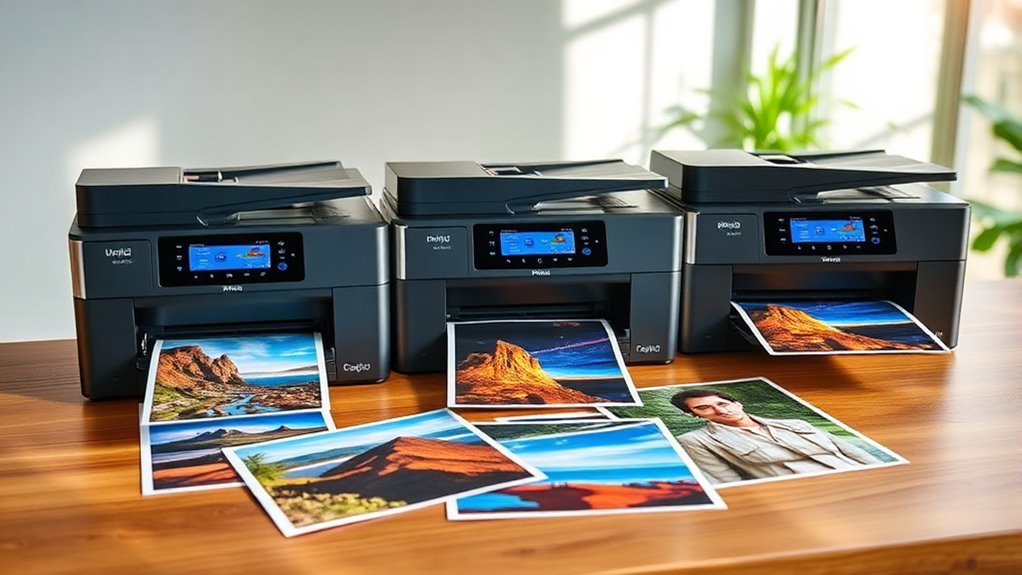
3 Best 17 Photo Printers for 2027 That Deliver Stunning Prints
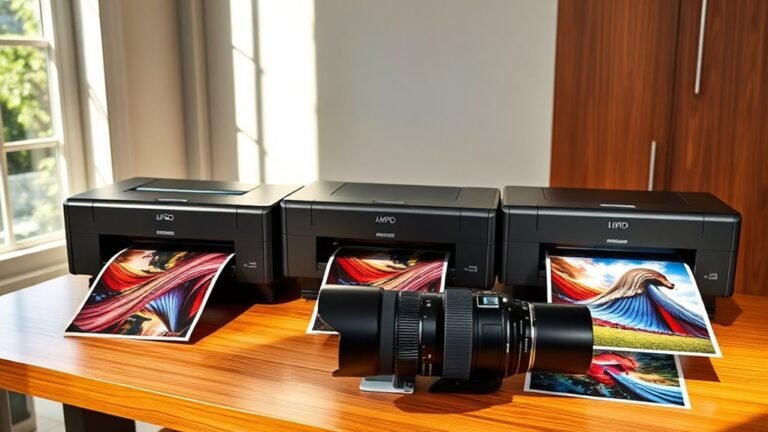
If you want stunning 17-inch photo prints in 2027, consider the Epson SureColor P900. It features UltraChrome PRO10 ink that delivers rich blacks and vivid colors, making your photos pop.
Or, check out the Canon imagePROGRAF PRO-1100. This printer boasts an 11-color LUCIA PRO II system for exceptional color accuracy and gloss control. Both printers support borderless printing and offer versatile connectivity options.
When choosing the best 17 photo printers, you’ll also want to think about ink technology, print resolution, and media handling. These factors are key to matching your professional printing needs. Stick with us to explore these features more deeply and find the perfect fit for your photo printing projects.
Epson SureColor P900 17 Inch Photo Printer Bundle
Experience stunning gallery-quality prints with the Epson SureColor P900 17 Inch Photo Printer Bundle. Designed for photographers and artists, this printer brings your digital images to life with exceptional detail and vibrant color. Its advanced UltraChrome PRO10 pigment-based inks ensure every print showcases smooth gradients and sharp clarity.
The printer’s dual black ink channels and Carbon Black Mode deliver deeper blacks on glossy media, solving common issues with print richness. Its large-format capability supports prints up to 17 by 22 inches, ideal for fine art and professional photo displays. Connectivity options like Wi-Fi, Ethernet, and AirPrint simplify printing from multiple devices, improving your workflow.
Maintenance is straightforward with intuitive controls via a 4.3-inch touchscreen. The included Ethernet and USB cables plus a fiber cloth help you get started quickly. While it does not support automatic duplex printing and is relatively heavy, its reliable performance and print quality outweigh these minor drawbacks.
Best for: professional photographers and artists needing precise, large-format photo prints with rich color depth and fine detail.
What We Like:
- UltraChrome PRO10 ink with matte and photo black channels for rich, detailed prints
- Supports large, borderless prints up to 17 × 22 inches
- Multiple connectivity options including Wi-Fi and AirPrint for easy integration
- User-friendly 4.3-inch touchscreen for quick operation
Specification:
| Feature | Details |
|---|---|
| Manufacturer | Epson |
| Maximum Print Size | 17 × 22 inches (43.18 × 55.88 cm) |
| Ink Type | UltraChrome PRO10 pigment-based |
| Connectivity | USB, Ethernet, Wi-Fi, AirPrint |
| Display | 4.3-inch touchscreen |
| Weight | 49.3 lb (22.35 kg) |
Canon imagePROGRAF PRO-1100: 17” Professional Wireless Inkjet Photo Printer
The Canon imagePROGRAF PRO-1100 redefines large-format photo printing with its advanced 11 pigment-based inks and Chroma Optimizer. This combination delivers outstanding color accuracy and a smooth, even gloss that helps your images stand out. It addresses common printing challenges like color fading and gloss inconsistency, ensuring your prints look professional every time.
Its FINE print head technology prevents clogs and places ink precisely, reducing maintenance interruptions. The L-COA PRO engine efficiently processes large image files, so you can print complex photos without slowdowns. An air feeding system keeps paper aligned, avoiding misprints and saving costly materials.
Designed for photographers and fine-art printmakers, this printer offers wireless connectivity to streamline your workflow. It integrates seamlessly with Adobe and Canon software, enhancing ease of use and productivity. Although the maximum print width is 17 inches, it covers most professional photo and fine art needs.
Ink cartridges are 80 mL, which may require more frequent replacements for high-volume work. Still, the printer’s functionality and print quality make it a valuable tool for demanding users.
Best for: Professional photographers and fine-art printmakers seeking precise, color-accurate large-format photo prints with wireless convenience.
What We Like:
- Eleven pigment-based inks plus Chroma Optimizer for superior color and gloss
- FINE print head with anti-clogging technology ensures reliable print quality
- Air feeding system prevents paper skewing for accurate prints
- Seamless software integration with Adobe and Canon applications
Specification:
| Feature | Details |
|---|---|
| Manufacturer | Canon |
| Maximum Print Width | 17 inches (43.18 cm) |
| Ink Type | 11 Pigment-based inks + Chroma Optimizer |
| Ink Cartridge Size | 80 mL |
| Connectivity | Wireless |
Canon imagePROGRAF PRO-1100 17″ Wireless Photo Printer
Experience professional-grade photo printing with the Canon imagePROGRAF PRO-1100. This 17″ wireless photo printer is designed to produce striking prints that capture every detail and color nuance. Its advanced ink system ensures your images come out vibrant and true to life, solving common issues like dull colors and inconsistent finishes.
The printer’s reliable Air Feeding System keeps paper perfectly aligned, reducing jams and misprints. Maintenance is straightforward thanks to its anti-clogging technology, which minimizes downtime and keeps your workflow smooth. Wireless connectivity options like USB, Ethernet, and Wi-Fi 5 allow easy integration into any workspace.
Ideal for artists and photographers, this printer supports large-format media up to 17 inches wide, letting you create impressive, gallery-quality prints. Although it’s relatively heavy and limited to a single-sheet paper tray, its print quality and ease of use make it a valuable tool for professional studios.
Best for: Professional photographers, artists, and designers who need large-format, high-quality photo prints with consistent color accuracy and reliable operation.
What We Like:
- 11-color LUCIA PRO II pigment ink system delivers deep blacks and vivid colors
- Air Feeding System ensures precise paper handling and alignment
- Anti-clogging technology reduces maintenance and downtime
- Multiple connectivity options, including wireless and mobile printing
- Supports large-format media for versatile creative projects
Specification:
| Feature | Details |
|---|---|
| Manufacturer | Canon |
| Dimensions | Not specified |
| Weight | 83.7 lb (37.95 kg) |
| Ink System | 11-color LUCIA PRO II pigment ink |
| Maximum Print Width | 17 inches |
| Connectivity | USB, Ethernet, Wi-Fi 5 |
| Paper Tray Capacity | Single sheet |
Factors to Consider When Choosing 17 Photo Printer
When choosing a 17-inch photo printer, you’ll want to focus on print quality metrics and the type of ink technology it uses. Consider how much media it can handle and what connectivity options it offers to fit your workflow.
Don’t forget to check for features that guarantee accurate color reproduction for your prints. These details really make a difference in getting the results you want.
Print Quality Metrics
Since print quality directly impacts the final appearance of your photos, you’ll want to carefully evaluate key metrics like resolution, ink system, color gamut, black reproduction, and gloss uniformity before choosing a photo printer.
Aim for a higher optical resolution (2400–5760 × 1200+ dpi) to capture fine details and smooth gradients. Check the ink system—printers with more channels and smaller droplet volumes offer finer tonal gradations and truer colors.
Look for a wide color gamut, especially strong Adobe RGB coverage, to guarantee vivid, accurate hues. Assess black reproduction by confirming dedicated black inks and multiple gray levels for deep neutrals and smooth monochrome gradients.
Finally, consider gloss uniformity and surface finish to avoid bronzing and maintain consistent sharpness on glossy or specialty papers. These details really make a difference in the final print quality.
Ink Technology Types
Understanding the different ink technologies is essential to picking a photo printer that meets your print longevity, color accuracy, and finish needs. Pigment inks, with microscopic colorant particles, offer superior durability, water resistance, and lightfastness, making them ideal for archival or fine-art prints.
Conversely, dye inks dissolve fully and produce vivid, saturated colors with smooth gradients on glossy paper but tend to fade faster and are more vulnerable to water damage.
Multi-channel pigment systems, featuring extra blacks and expanded colors, enhance gamut, neutral grays, and skin tone accuracy. Some printers include chroma-optimizing inks or gloss-control layers that reduce bronzing and improve sheen uniformity.
Finally, precise ink droplet control and advanced printheads affect grain and detail, letting you achieve smoother tonal shifts and higher apparent resolution for stunning photo prints.
Media Handling Capacity
Ink technology plays a key role in print quality, but the type and size of media your printer can handle equally impact your final results. You should check the maximum media width and length supported to make certain it fits your largest prints, including banners or panoramas.
Consider the maximum thickness allowed, especially if you want to print on heavy fine art paper, canvas, or boards without risking jams. Also, look at sheet feed capacity and input tray size—multi-sheet or roll support helps reduce frequent media changes during busy print runs.
If you plan long or wide prints, roll-feeding capability and maximum roll diameter matter. And don’t forget to confirm borderless printing support and the maximum printable area for gallery-ready edge-to-edge photos that meet your framing needs.
Connectivity Options Available
When choosing a photo printer, you’ll want to look closely at connectivity options to guarantee smooth and efficient workflow.
Wired Ethernet offers stable, high-speed network access, ideal for transferring large files and supporting multiple users without interruptions. USB 3.0 or 2.0 direct connections provide the fastest, most reliable data transfer for printing high-resolution images from a single computer.
Wi-Fi, including 802.11ac or ax, lets you print wirelessly from laptops, tablets, or phones but may suffer from network congestion or range issues.
Mobile and cloud printing protocols like AirPrint and Mopria simplify printing directly from smartphones without drivers. Additionally, local interfaces such as SD/CF card slots or USB thumb drives let you print directly from memory cards or drives.
It’s perfect for quick proofs or event photography.
Color Accuracy Features
Although choosing a photo printer involves many factors, color accuracy features play a crucial role in achieving stunning, true-to-life prints. You should look for printers with wide-gamut pigment ink systems and extra channels like dedicated matte or photo blacks and gloss optimizers. These expand the color range and enhance deep-tone reproduction.
High native print resolution, such as 4800–5760 × 1440 dpi, combined with precise droplet control, delivers finer tonal gradations and smoother color shifts. Color management support, including hardware profiles, built-in calibration tools, and ICC profile compatibility, guarantees consistent colors across different papers.
Additionally, gloss-uniformity technologies reduce bronzing and metamerism, producing more faithful color and sheen on glossy or specialty media. This is essential for professional-quality results. So, paying attention to these features really makes a difference if you want your prints to look their best.
Maintenance and Durability
Beyond color accuracy, you’ll want to take into account how a photo printer holds up over time and how much effort it takes to keep it running smoothly. Start by checking the ink system—pigment inks resist fading and humidity better than dye inks, offering longer archival life.
Look for printers with auto-nozzle-check and auto-cleaning features to minimize clogs and downtime. Those little features can save you a lot of headaches.
Consider maintenance routines, like scheduled head cleanings and ink cartridge replacements, to estimate ongoing time and cost. It’s good to know what you’re signing up for before buying.
Evaluate build quality—metal feed mechanisms and reinforced carriages handle high volumes better than plastic ones. That means your printer can take a beating and keep going.
Also, prioritize printers with firmware updates, user-replaceable parts, and clear maintenance guides. This way, you can easily perform repairs and extend your printer’s lifespan without hassle.
Frequently Asked Questions
Can These Printers Handle Printing on Canvas?
Yes, you can print on canvas with many photo printers, but you’ll need compatible inks and canvas sheets.
Always check your printer’s specifications to guarantee it supports thicker media like canvas before starting your project.
Are Photo Printers Compatible With Mac and Windows?
About 90% of photo printers support both Mac and Windows. You’ll find most models compatible, so you won’t have to worry about switching systems.
Just check the specs to guarantee seamless printing on your device. It’s always good to double-check before buying, but generally, compatibility isn’t an issue.
What Is the Average Lifespan of a Photo Printer?
You can expect a photo printer to last around 3 to 5 years with regular use. Proper maintenance and quality ink will help you get the most out of your printer’s lifespan.
Taking care of your printer really makes a difference. So, don’t skip the cleaning and always use good ink cartridges. That way, your printer will keep working smoothly for a longer time.
Do These Printers Support Borderless Printing?
Yes, most of these printers support borderless printing, letting you create full-bleed photos without white edges.
You’ll find this feature especially useful for professional-quality prints and vibrant, edge-to-edge images. It really makes your photos pop!
How Eco-Friendly Are the Ink Cartridges Used?
You’ll find many ink cartridges are surprisingly eco-friendly, designed for recycling and reduced waste. Don’t underestimate their impact—choosing cartridges with refill options or biodegradable materials lets you print stunning photos while protecting the planet.
It’s pretty cool how manufacturers are making these cartridges better for the environment. So, next time you pick one, think about going green without sacrificing quality.
Conclusion
Choosing the perfect 17-inch photo printer is like finding your own Excalibur in the world of printing—powerful, precise, and ready to bring your creative visions to life. Whether you go with Epson’s SureColor or Canon’s PRO-1100, you’re gearing up to produce stunning prints that rival gallery masterpieces.
So, trust your instincts, consider your needs, and prepare to wield a printer that turns every photo into a legendary work of art. With the best 17 inch photo printer, you can expect vibrant colors, sharp details, and professional-quality prints right at your fingertips.
Remember, the right printer doesn’t just print photos; it makes your memories come alive. Explore your options, and soon you’ll be creating stunning 17-inch prints that truly stand out in any collection or display.