5 Best 3D Printers for Teachers in 2027 to Inspire Students
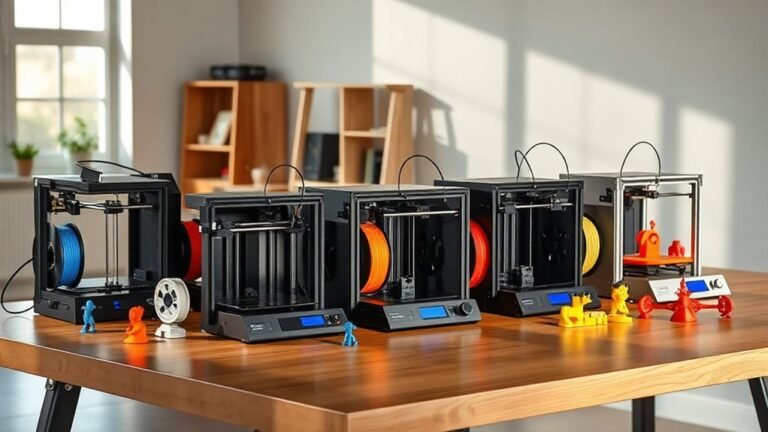
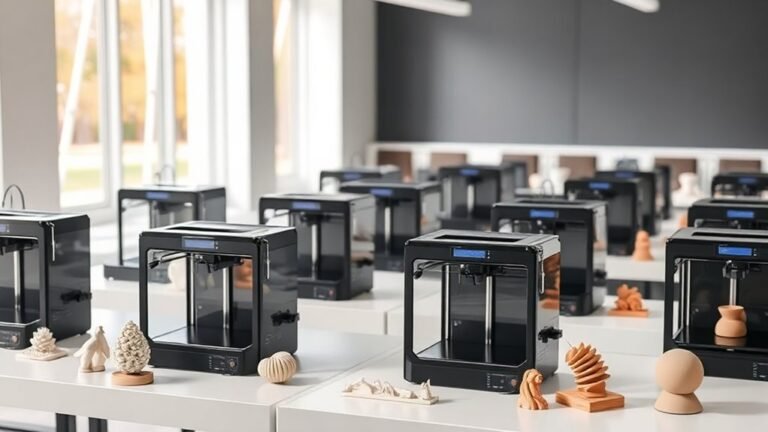
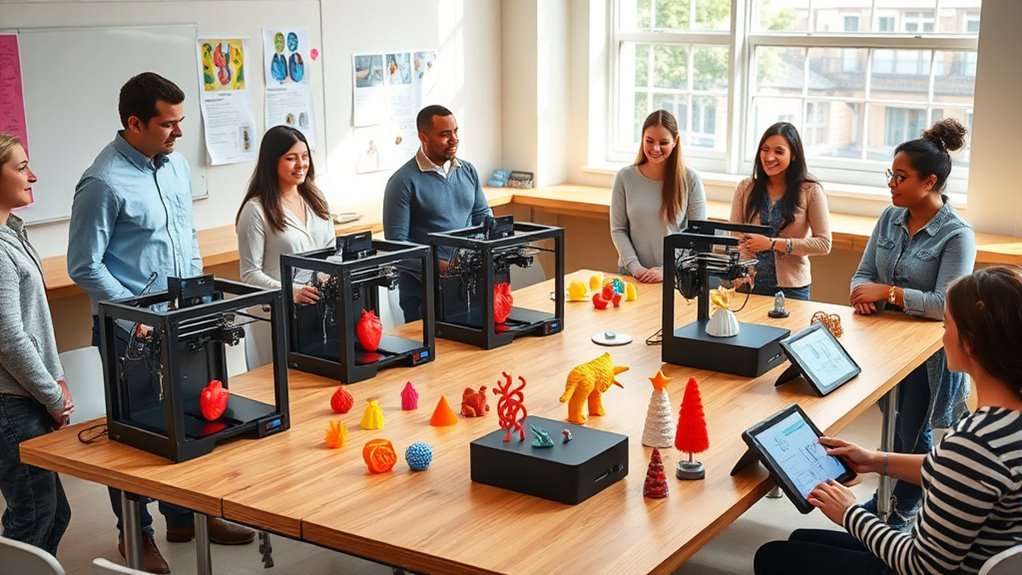
You’ll find the best 3D printers for teachers in 2027 combine safety, speed, and ease-of-use to spark student creativity. These printers aren’t just about making objects; they’re about inspiring innovation and hands-on learning in the classroom. Whether you’re looking to introduce basic 3D printing or dive into advanced multicolor projects, there’s a model that fits your teaching style and students’ needs.
The MakerBot Sketch offers an enclosed design and cloud collaboration, keeping things safe and simple. Meanwhile, the Anycubic Kobra X shines with native 4-color printing and a quick setup that gets you printing fast.
MakerBot Sketch Sprint speeds up classroom workflows, making it easier to manage multiple projects. Bambu Lab P2S Combo delivers advanced multicolor, multi-material options for more complex lessons. FLASHFORGE AD5X rounds out the list with high-speed, multi-nozzle capabilities. Discover what makes each ideal for inspiring classrooms.
| Image | Name | Editor's Rating | Price |
|---|---|---|---|

|
|
||

|
|
||

|
|
||

|
|
||

|
|
MakerBot Sketch 3D Printer Setup for Classroom
- In the Box:(1)MakerBot Sketch 3D Printer, (1) MakerBot Sketch PLA Filament Yellow (1kg, 2.2lbs), (1) MakerBot Sketch PLA Filament Blue (1kg, 2.2lbs), (1) MakerBot Teacher...
- User-Friendly Performance: MakerBot Sketch 3D Printer provides reliable, tinker-free 3D printing, ensuring easy operation
- Comprehensive Training: Enjoy ISTE-certified training for one teacher and five students, enhancing educational outcomes with MakerBot Sketch 3D Printer
- Cloud-Based Management: Utilize MakerBot Cloud for seamless file management, integrated with TinkerCad and Fusion 360 for streamlined workflows
- Educator-Approved Lesson Plans: Benefit from over 600 certified lesson plans contributed by educators nationwide, supporting varied learning objectives with MakerBot...
The MakerBot Sketch 3D Printer is designed to bring 3D printing into classrooms with ease and safety. Its fully enclosed design and built-in particulate filter help create a secure learning environment. This reduces concerns about air quality and safety during print sessions.
Setup and daily use are streamlined through a user-friendly touchscreen interface and Wi-Fi connectivity. Educators can monitor prints remotely via the built-in camera, saving time and enabling focus on teaching. The cloud-based file management supports smooth project sharing and collaboration.
Maintenance is simple with a tinker-free design that minimizes downtime. The kit includes two PLA filaments and provides ISTE-certified training alongside teacher and student certifications, ensuring a quick start for educators and learners alike.
Integration with popular tools like Tinkercad and Fusion 360 allows easy design creation and modification. While the printer supports single setups and comes with a limited color selection, it meets most classroom needs effectively.
Best for: Educators and schools seeking a safe, easy-to-use 3D printing solution with strong support and classroom-ready features.
What We Like:
- Fully enclosed design with particulate filter enhances classroom safety
- Easy touchscreen and Wi-Fi enable simple control and remote monitoring
- Includes certifications and ISTE training for seamless educator adoption
- Cloud-based file management integrates well with popular design software
Specification:
| Feature | Details |
|---|---|
| Manufacturer | MakerBot |
| Dimensions | Not specified |
| Weight | Approximately 1 lb (may be inaccurate) |
| Material | PLA Filament (included) |
| Color Options | Two filament colors included |
Anycubic Kobra X Multicolor 3D Printer, Easy Setup, Native 4-Color
- 【 Newest Level - 19-Color with 4 ACE 2 Pro】Why settle for one color when you can have multicolor? The Kobra X comes born with 4 colors built-in. It is innovative 3D...
- 【 Savings 2X Time】Stop wasting hours and filament on purging! Kobra X impresora 3D reduces the filament and machine travel path by 81.25%, so 2X the Speed, and...
- 【Hardened Precision & High Speed 】 Equipped with a high-durability hardened steel nozzle and vibration compensation, the Kobra X ensures every layer remains smooth...
- 【Flawless First Layer with LeviQ 3.0】The LeviQ 3.0 and auto bed leveling system uses a 49-point calibration and advanced leveling algorithm to ensure 100% bed...
- 【Smart AI Monitoring & Large Model Library】APP remote control, features Spaghetti detection and foreign object detection. The innovative top-mount spool holder...

Bring your creative projects to life with the Anycubic Kobra X Multicolor 3D Printer, designed for seamless multi-material printing. This printer allows you to produce vibrant, four-color prints natively, eliminating the complexity of color mixing or manual filament changes. Setup is straightforward, and you can start printing in about 15 minutes, making it ideal for busy classrooms and makerspaces.
Its innovative LeviQ 3.0 auto bed leveling ensures your print bed is perfectly flat every time. This feature reduces failed prints and saves filament, enhancing reliability and efficiency. The printer operates quietly and supports a variety of filaments, including flexible materials, which expands your creative possibilities.
Connectivity is flexible with both dual-band Wi-Fi and LAN options. You can monitor your prints remotely and access a vast library of over 100,000 models via the companion app. This smart integration streamlines workflow and encourages experimentation without technical barriers.
Maintenance is simplified thanks to the printer’s user-friendly design and robust build quality. While filament must be purchased separately, the printer’s performance and versatility justify the investment. For projects requiring more colors, additional units can be added, though compatibility is limited to newer models.
Best for: Educators, beginners, and makerspaces looking for an easy-to-use, multicolor 3D printer that balances speed, precision, and material versatility.
What We Like:
- Native 4-color printing with a quick, 15-minute setup
- Advanced LeviQ 3.0 auto bed leveling for consistent print quality
- Dual-band Wi-Fi and LAN connectivity with remote print monitoring
- Supports a wide range of filaments including flexible materials
- Compact, quiet operation suitable for classroom or workshop environments
Specification:
| Feature | Details |
|---|---|
| Manufacturer | Anycubic |
| Dimensions | Compact size (exact dimensions not provided) |
| Weight | Not specified |
| Color Options | Native 4-color printing |
| Connectivity | Dual-band Wi-Fi, LAN |
| Noise Level | Approximately 45 dB |
MakerBot Sketch Sprint 3D Printer
- Unbelievable Print Speed: The MakerBot Sketch Sprint 3D Printer has an impressive print speed of 250 mm per second
- Ideal Audience: It is an ideal printer for K-12 educators and administrators looking for reliable, fast, efficient, and user-friendly 3D printing solutions for their...
- Empowers Educators: Whether it’s for collaborative projects, prototypes, or demonstrations, the Sketch Sprint empowers educators to provide their students with the best
- Certification Programs: The Sprint printer includes access to the MakerBot Certification program, offering teachers professional development and students a pathway to...
- Versatility of Cloud Cura: The UltiMaker Cura integrates with any workflow through UltiMaker Marketplace plugins allowing scale production and digital distribution
The MakerBot Sketch Sprint 3D Printer is designed to keep classroom projects moving quickly and smoothly. With a print speed of up to 250 mm per second, it helps teachers manage multiple assignments without delays. This printer is tailored for K–12 educators focused on hands-on learning and collaborative prototyping.
Its compact design fits well in classrooms, though it weighs 48.9 pounds, which may limit portability. The printer uses plastic filament exclusively, making it simple to maintain but less versatile in material options. The included UltiMaker Digital Factory Cloud Cura software requires no installation, easing setup and daily use.
Managing classroom projects is straightforward with built-in tools for organizing student submissions and print queues. Plus, the MakerBot Certification program supports skill development for both teachers and students. This combination of speed, ease of use, and educational integration helps streamline 3D printing in school environments.
Best for: K–12 educators and administrators seeking a fast, reliable 3D printer designed for collaborative classroom projects and hands-on learning.
What We Like:
- Fast print speed of 250 mm/s accelerates project completion
- No-installation UltiMaker Digital Factory Cloud Cura software simplifies use
- MakerBot Certification program enhances teacher and student learning
- Classroom management features streamline print queues and submissions
Specification:
| Feature | Details |
|---|---|
| Manufacturer | MakerBot |
| Dimensions | Not specified |
| Weight | 48.9 lb (22.17 kg) |
| Material | Plastic filament only |
| Color Options | Black |
Bambu Lab P2S Combo, P2S 3D Printer & AMS 2 Pro, Multi-Color 3D Printing
- High-Speed Precision: The Bambu Lab P2S 3D printer prints up to 600 mm/s while maintaining exceptional accuracy. With the PMSM Servo Extruder and Active Flowrate...
- Ready to Print in 15 Minutes: Set up your P2S FDM 3D printer and start printing in just 15 minutes. With AI failure detection, quick-swap nozzles, and automatic...
- Effortless Multi-Color Printing: The AMS 2 Pro enables seamless multi-color/multi-material 3D printing. It features built-in filament drying at up to 65 °C, keeping...
- Smart Airflow for Any Filament: The Adaptive Airflow System automatically balances cooling and heat retention—keeping overhangs crisp with cool air, or maintaining a...
- Limitless Creativity, Seamless Workflow: Explore over one million 3D models on MakerWorld and bring them to life with a smooth, unified workflow using Bambu Studio, Bambu...
Experience the future of 3D printing with the Bambu Lab P2S Combo, designed to revolutionize multi-color and multi-material projects. This advanced system combines the P2S 3D printer’s fast CoreXY mechanics with the AMS 2 Pro’s seamless filament management. It solves common printing challenges by delivering high-speed, reliable results without compromising quality.
The combo’s built-in filament drying and quick-swap nozzles reduce maintenance downtime and filament issues. AI-powered failure detection helps prevent costly print errors, making it easy to achieve consistent, smooth layers. The heated chamber paired with an Adaptive Airflow System ensures precise temperature control and print accuracy.
Setup is straightforward, taking about 15 minutes, and the unified Bambu Studio software simplifies the entire printing process. Educators and professionals can access a vast MakerWorld model library, inspiring creativity and streamlining lesson plans or prototypes. While the system is larger and heavier, its robust design ensures stable, high-quality performance in various settings.
Best for: Educators and professionals seeking a versatile, fast 3D printer with advanced multi-color and multi-material capabilities for efficient teaching and prototyping.
What We Like:
- High-speed CoreXY design with print speeds up to 600 mm/s
- AMS 2 Pro enables hassle-free multi-color and multi-material printing
- Built-in filament drying and AI failure detection for reliable operation
- Heated chamber and Adaptive Airflow System improve print precision
- Beginner-friendly setup and unified software streamline workflow
Specification:
| Feature | Details |
|---|---|
| Manufacturer | Bambu Lab |
| Dimensions (WxDxH) | 18 x 22 x 18 inches |
| Weight | 46.3 pounds (21 kg) |
| Material | Metal frame with advanced components |
| Color Options | Standard black and silver |
FLASHFORGE AD5X Multi-Color High-Speed 3D Printer
- Vivid Multi-Color Printing: Bring your creations to life with vibrant, multi-color prints. This printer supports up to 4 colors simultaneously, giving you endless...
- 1-Click Auto Leveling: Enjoy smooth, uninterrupted prints with the advanced 1-Click Auto Leveling feature that automatically calibrates your print bed for optimal results...
- Ultra-Fast 12X Printing Speed: The AD5X features a Core XY structure with speeds up to 600mm/s and acceleration of 20,000mm/s². Its stable design boosts both efficiency...
- Exceptional Print Quality: The AD5X delivers outstanding print results with its advanced dual-channel cooling fan, vibration compensation system, and 300°C direct-drive...
- Versatile Nozzle Options: The AD5X supports four nozzle sizes (0.25mm to 0.8mm) for full creative control. The 0.4mm nozzle comes pre-installed for versatile, everyday...
Bring your multi-color 3D printing projects to life with the FLASHFORGE AD5X Multi-Color High-Speed 3D Printer. Designed to help you create vibrant, detailed models quickly, this printer solves the common problem of slow multi-color printing without sacrificing quality. Its advanced Core XY mechanism enables speeds up to 600 mm/s, making it perfect for fast prototyping.
The printer supports up to four colors at once, allowing complex designs with smooth color transitions. Nozzle options ranging from 0.25 mm to 0.8 mm let you switch between fine details and larger prints effortlessly. The direct-drive extruder heats up to 300°C, expanding your material choices for different project needs.
Maintenance is straightforward with features like 1-click auto leveling and resume-after-power-loss, which minimize downtime and keep your workflow uninterrupted. Remote control through the mobile app adds convenience, letting you monitor prints from anywhere. Its compact build volume of 220 x 220 x 220 mm balances workspace needs with project size.
While the price is higher than simpler models, the FLASHFORGE AD5X offers professional-grade functionality designed to inspire creativity and efficiency in classrooms, studios, and workshops.
Best for: educators, designers, and hobbyists needing a fast, reliable multi-color 3D printer for detailed and mid-sized projects.
What We Like:
- Ultra-fast printing speeds up to 600 mm/s for rapid prototyping
- Simultaneous 4-color printing with versatile nozzle sizes
- Easy maintenance with 1-click auto leveling and power-loss resume
- Remote monitoring and control via mobile app
Specification:
| Feature | Details |
|---|---|
| Manufacturer | FLASHFORGE |
| Build Volume | 220 x 220 x 220 mm |
| Printing Speed | Up to 600 mm/s |
| Nozzle Diameter Range | 0.25 mm – 0.8 mm |
| Extruder Temperature | Up to 300°C |
| Structure | Core XY |
Factors to Consider When Choosing a 3d Printer for Teachers
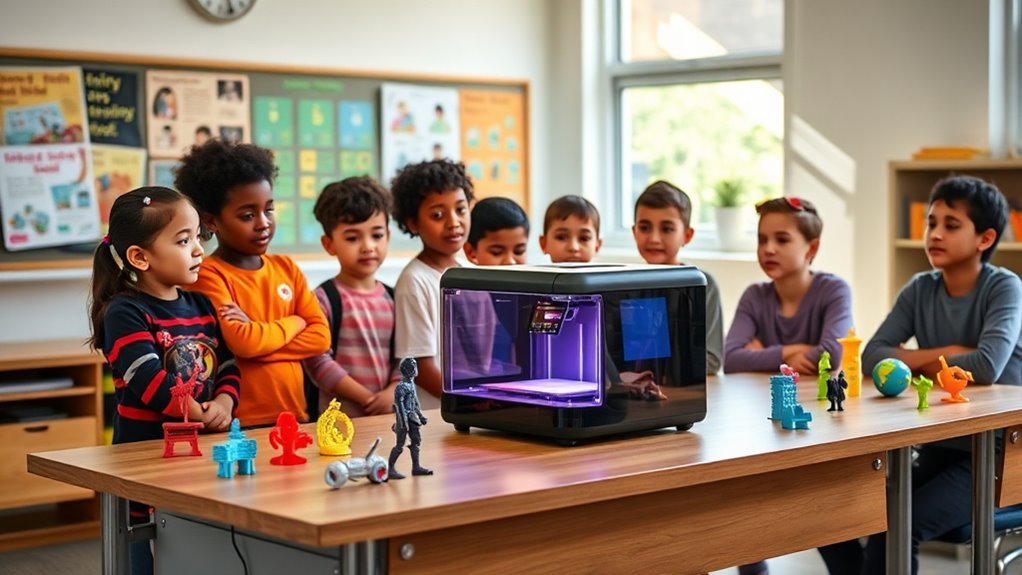
When picking a 3D printer for your classroom, you’ll want to prioritize safety features to keep students protected. Make sure the printer is easy to use and offers reliable print speed and quality.
Also, check that its software works well with your devices and supports your lesson plans seamlessly. It’s important that everything runs smoothly so you can focus on teaching, not troubleshooting.
Classroom Safety Features
Although 3D printing offers exciting classroom opportunities, you’ll want to prioritize safety features that protect students and equipment. Look for printers with fully enclosed build chambers and HEPA or activated carbon filters to contain harmful particles and VOCs.
Make sure moving parts are enclosed or guarded, and choose models with automatic shutoffs or door-interlock sensors that stop heating and motors when panels open. These features really help keep things safe and sound.
Prioritize printers with sealed filament paths and integrated drying to prevent jams and reduce manual fixes. Also, verify the printer’s temperature limits match your classroom’s approved materials, with clear labels to avoid accidental high-temp filament use.
Remote monitoring, camera feeds, and print queue management help you oversee prints from a distance. This way, you minimize unsupervised access and can quickly catch issues like failed prints or fire risks before they become problems.
Ease of Use
Beyond safety, you’ll want a 3D printer that’s easy for both you and your students to use. Look for models with intuitive touchscreens or web interfaces featuring clear icons and step-by-step workflows. These features cut setup time and simplify learning.
Reliable auto bed leveling and filament loading reduce calibration from tens of minutes to under five, maximizing class productivity. Plus, printers with robust failure detection and resume-after-power-loss functions prevent print interruptions. That way, you won’t have to constantly intervene.
Quiet operation, ideally below 45 dB, and enclosed build chambers keep the classroom comfortable and distraction-free. And easy-access maintenance—like tool-free nozzle and bed removal, clear error messages, and modular parts—means you or trained students can quickly handle routine fixes. This minimizes downtime and keeps projects on track.
Print Speed and Quality
Choose a 3D printer that balances speed and quality to keep your classroom projects on schedule without sacrificing detail. Faster printers reduce print times, letting you complete small models in minutes instead of hours, which is great for handling multiple student projects.
However, pushing for top speeds can cause vibrations that lower surface quality unless the printer has features like vibration-damping or motion tuning. Remember, layer height and nozzle size directly affect detail—finer layers and smaller nozzles produce smoother prints but take longer.
For classroom use, aim for consistent, reliable quality at moderate speeds rather than max speed. This balance minimizes filament waste and teacher intervention, ensuring your students get predictable, high-quality prints every time.
Software Compatibility
How well your 3D printer’s software integrates with your classroom tools can make or break your teaching experience. You’ll want a printer that supports common file formats like STL, OBJ, and AMF. This way, students can easily import and export models from various CAD and scanning tools.
Make sure the software works with popular slicing programs designed for teachers. These usually have simplified interfaces and preset profiles to minimize setup errors.
Cloud or networked options are a big help, too. They let you monitor and manage print jobs remotely, which saves time when handling multiple students’ projects.
Compatibility with educational design platforms and file repositories also streamlines lessons and assignment submissions.
Ultimately, look for built-in user management and security features to protect student data and control access. This helps you maintain a safe and organized classroom environment.
Curriculum Integration Support
Integrating a 3D printer into your curriculum means finding one that aligns with your teaching goals and simplifies lesson planning. Look for models offering standards-mapped curricula and teacher guides to save you time and keep lessons on target.
Prioritize printers that track student progress through certifications or skill assessments. This helps you measure competencies in design, CAD, and fabrication.
Choose systems with diverse, grade-appropriate project libraries supporting different abilities and subjects. Make certain the printer works well with familiar design software and learning management systems to streamline submissions and grading.
Also, check for professional development resources like ISTE-aligned training and step-by-step tutorials. These will boost your confidence and ease implementation.
This support guarantees your 3D printing lessons inspire students while fitting seamlessly into your teaching workflow.
Maintenance and Reliability
While selecting a 3D printer for your classroom, you’ll want to focus on maintenance and reliability features that save you time and reduce disruptions. Choose printers with automatic bed leveling and filament runout sensors to cut manual calibration and print failures by over 50%.
This means less time fussing with adjustments and more time creating. Prioritize enclosed build chambers with HEPA filtration to protect electronics from dust. This helps minimize cleaning and extends the life of key components.
Look for modular parts and accessible service points so you can swap nozzles or extruders quickly. That way, you avoid lengthy downtime when something needs fixing. Models with active failure detection and resume-after-power-loss features are also a big help.
They reduce wasted materials and keep prints from being interrupted. Lastly, check if the printer offers online diagnostics and remote monitoring. This lets you troubleshoot and update firmware without taking the printer offline, keeping your classroom projects on track.
Frequently Asked Questions
How Do 3D Printers Impact Student Creativity and Problem-Solving Skills?
You’ll see 3D printers boost your creativity by turning ideas into real objects, letting you experiment freely.
They sharpen your problem-solving skills as you troubleshoot designs, learn from mistakes, and refine solutions hands-on.
What Safety Precautions Are Necessary When Using 3D Printers in Classrooms?
Sure, just let the molten plastic fumes fill the room!
Or, you could wear gloves, secure proper ventilation, supervise students closely, and keep the area tidy to actually keep everyone safe while using 3D printers in the classroom.
Are There Any Grants Available for Teachers to Purchase 3D Printers?
Yes, you can find grants from organizations like DonorsChoose, Maker Education Initiative, and local STEM programs. Check government education grants too.
Applying with a clear project plan increases your chances of funding for 3D printers. It really helps to be specific about how you’ll use the printer in your classroom and the benefits for your students.
How Can 3D Printing Be Integrated Into Different Subjects Beyond STEM?
Imagine crafting historical artifacts or sculpting literary characters in 3D. You can integrate 3D printing into art, history, and literature classes, making lessons tactile and engaging.
It also helps students visualize complex concepts beyond just STEM. This way, learning becomes more interactive and fun!
What Maintenance Is Required to Keep 3D Printers Running Efficiently?
You’ll need to regularly clean the print bed and lubricate moving parts. Also, keep an eye out for nozzle clogs—they can really mess with your prints.
Don’t forget to update the firmware and calibrate the printer often. Doing all this helps keep your prints precise and prevents mechanical issues.
That way, you’re set for smooth, efficient 3D printing every time. It’s worth the effort!
Conclusion
Choosing the right 3D printer for your classroom doesn’t have to be an intimidating task. With options like the MakerBot Sketch and the Bambu Lab P2S Combo, you’re well on your way to sparking creativity without the usual hassle.
These printers gently balance ease and innovation, making your teaching experience smoother and more inspiring. They’re designed to be user-friendly, so you can focus more on engaging your students and less on troubleshooting.
So, why wait? Embrace this subtle upgrade and watch your students’ imaginations take flight in ways you never imagined. The best 3D printers for teachers empower you to bring lessons to life, foster hands-on learning, and inspire a new generation of innovators right in your classroom.