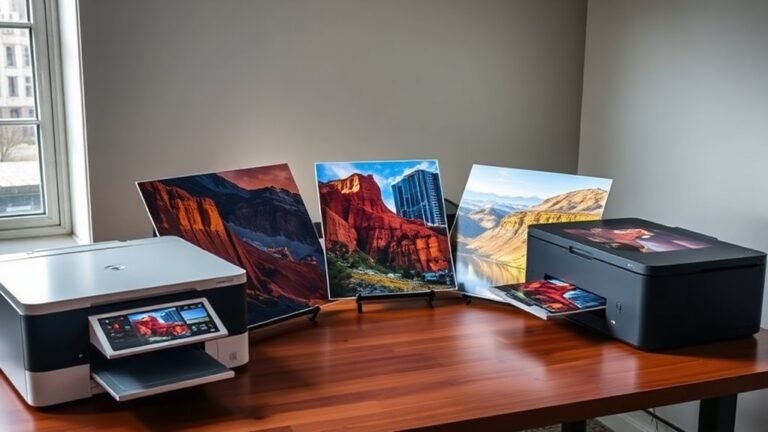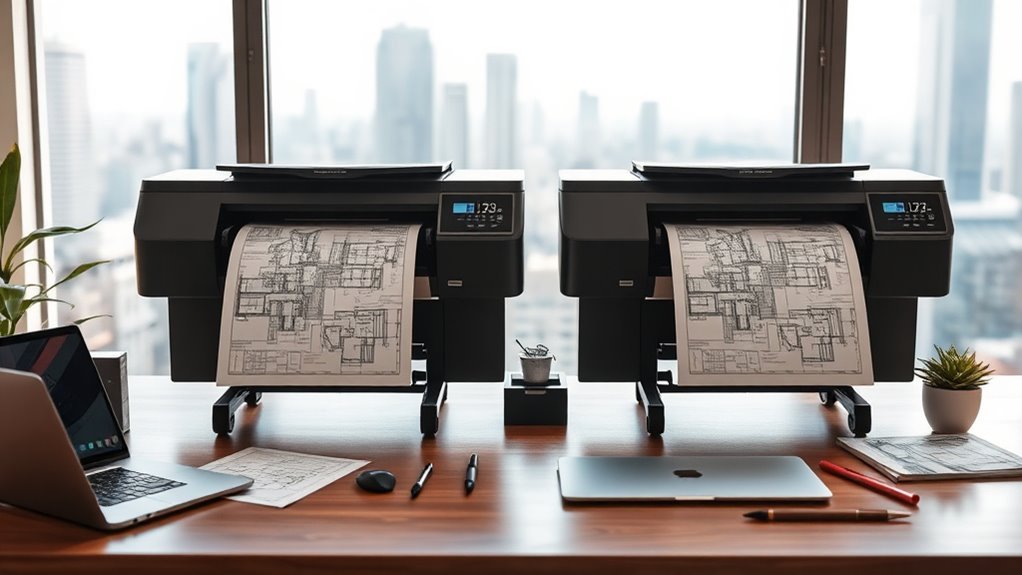
4 Best 13 X 19 Printers for Architects in 2027
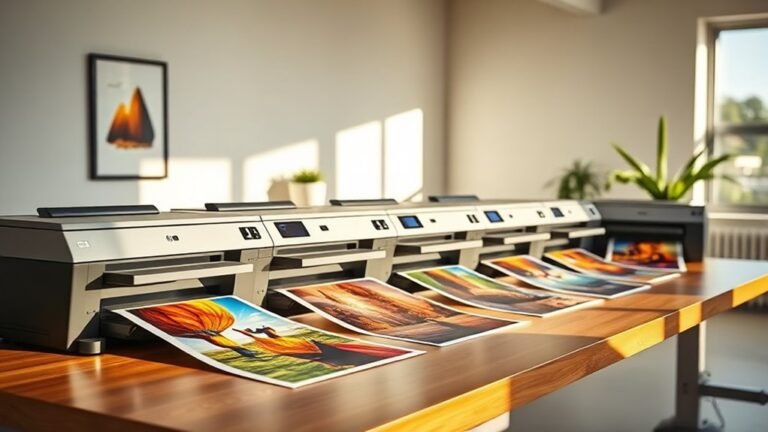
For precise, wide-format architectural printing in 2027, consider the Epson EcoTank ET-15000. It offers cartridge-free, cost-efficient ink and multifunction tasks that can save both time and money. This printer is ideal if you want to minimize cartridge replacements without sacrificing quality.
The WorkForce Pro WF-7310 is another great option. It delivers fast, smudge-resistant prints and features dual trays designed for heavy media. This means you can handle large projects without constantly reloading paper.
The WF-7840 stands out with its high-resolution output and duplexing capabilities. Meanwhile, the WF-7820 adds convenience with a 50-sheet automatic document feeder (ADF) and voice control. Each model balances speed, quality, and durability to fit your workflow perfectly.
Take some time to explore how these features can match your project needs and make your architectural printing more efficient.
Epson EcoTank ET-15000 Wireless All-in-One Wide-Format Supertank Printer
The Epson EcoTank ET-15000 redefines printing for home offices and small businesses that need wide-format capabilities without the mess of cartridges. Its cartridge-free supersized ink tanks drastically reduce ink costs by up to 90%, making it a smart choice for frequent printing.
This all-in-one device handles printing, scanning, copying, and faxing with impressive speed and precision. It delivers high-resolution prints up to 13 x 19 inches at sharp 4800 x 1200 dpi, ensuring your documents and graphics look professional every time.
Maintenance is simple thanks to easily refillable ink tanks, minimizing downtime and waste. Wireless connectivity and a 2.7″ color touchscreen make setup and operation straightforward, while voice-activated printing adds convenience to your workflow.
Though the scanner and copier support a maximum size of 8.5 x 14 inches, the printer’s wide-format function covers larger projects. Its robust build requires more desk space but supports versatility without ongoing cartridge purchases.
Best for: users who want a cost-effective, cartridge-free wide-format printer with multifunction features ideal for home offices or small business environments.
What We Like:
- Cartridge-free refillable tanks cut ink costs by up to 90%
- Prints wide-format documents up to 13 x 19 inches with high detail
- User-friendly 2.7″ touchscreen and wireless, voice-activated printing
- Multifunction capabilities: print, scan, copy, and fax
- Eco-conscious design reduces cartridge waste
Specification:
| Feature | Details |
|---|---|
| Manufacturer | Epson |
| Dimensions | Approx. 23.6 x 23.4 x 10.5 in (W x D x H) |
| Weight | Approx. 15.7 lbs (7.1 kg) |
| Color Options | White |
| Max Print Size | 13 x 19 inches |
| Scan/Copy Max Size | 8.5 x 14 inches |
| Display | 2.7″ color touchscreen |
| Connectivity | Wireless, Wi-Fi Direct, Voice-activated printing |
Epson Workforce Pro WF-7310 Wireless All-in-One Wide-Format Inkjet Printer
The Epson Workforce Pro WF-7310 is designed to deliver high-quality wide-format prints with ease and precision. It tackles the challenge of producing sharp, instant-dry images up to 13 x 19 inches, making it ideal for detailed architectural plans and professional documents. Its DURABrite Ultra pigment inks ensure prints remain vibrant and resistant to smudging.
This printer speeds up your workflow with fast print speeds of 25 ppm in black and 12 ppm in color. Automatic duplexing and borderless printing up to 11 x 17 inches save time and reduce paper waste. The large paper capacity, including two 250-sheet trays and a rear feed, supports various media types like envelopes and glossy photo paper, reducing the need for frequent reloads.
Wireless and Ethernet connectivity simplify integration into busy offices, and mobile app control offers convenience on the go. The compact design paired with energy-efficient PrecisionCore technology helps maintain an organized and eco-friendly workspace. However, the sheetfed scanner may limit handling of bulky originals, and a single USB port restricts wired connections.
Best for: Architects and professionals needing fast, precise wide-format printing with versatile media handling.
What We Like:
- Sharp, durable prints with DURABrite Ultra pigment inks
- Fast print speeds with automatic duplexing and borderless options
- Large paper capacity supports multiple media types
- Wireless and Ethernet connectivity for easy office integration
- Compact, energy-efficient design fits small workspaces
Specification:
| Feature | Details |
|---|---|
| Manufacturer | Epson |
| Dimensions | Not specified |
| Weight | Not specified |
| Print Technology | Inkjet with DURABrite Ultra |
| Max Print Size | 13 x 19 inches |
| Paper Capacity | Up to 500 sheets |
| Connectivity | Wireless, Ethernet, USB |
| Scanner Type | Sheetfed |
Epson WorkForce Pro WF-7840 Wireless All-in-One Wide-Format Inkjet Printer
The Epson WorkForce Pro WF-7840 is designed to meet the demands of professionals needing large-format prints quickly and accurately. It handles wide-format documents up to 13 x 19 inches, delivering sharp images with a high resolution of 4800 x 2400 dpi. This printer helps streamline workflows by producing crisp prints without sacrificing speed.
Its fast output speeds—up to 25 pages per minute in black and 12 in color—reduce wait times during busy projects. The automatic duplex printing and large 500-sheet tray minimize manual handling, making it easier to manage high-volume jobs. Wireless connectivity supports AirPrint, Android, and Epson’s mobile apps for flexible remote printing options.
Maintenance is straightforward with DURABrite Ultra inks that produce durable, smudge-resistant prints. The 4.3-inch touchscreen interface offers simple control over tasks such as scanning, copying, and faxing, consolidating multiple office functions in one device.
While the printer has a larger footprint and slower color print speed compared to black, its multifunction capabilities and wide-format support make it a reliable choice for businesses needing efficient, professional-quality output.
Best for: Professionals and businesses requiring high-volume, wide-format printing with fast output and multifunction capabilities.
What We Like:
- High-resolution wide-format printing up to 13 x 19 inches
- Fast black-and-white printing speeds with duplex support
- Easy wireless printing via AirPrint, Android, and Epson apps
- Durable, smudge-resistant prints with DURABrite Ultra inks
- Intuitive 4.3-inch touchscreen for multifunction control
Specification:
| Feature | Details |
|---|---|
| Manufacturer | Epson |
| Dimensions (W×D×H) | 38.4 × 20.5 × 20.3 inches |
| Weight | 45.4 pounds |
| Maximum Print Size | 13 × 19 inches |
| Print Resolution | 4800 × 2400 dpi |
| Print Speed | Up to 25 ppm (black), 12 ppm (color) |
| Connectivity | Wireless (AirPrint, Android, Epson apps) |
| Display | 4.3-inch touchscreen |
Epson Workforce Pro WF-7820 Wireless All-in-One Wide-Format Inkjet Printer
Capture every detail of your wide-format projects with the Epson Workforce Pro WF-7820. This wireless all-in-one printer delivers sharp prints up to 13 x 19 inches, ideal for architectural plans and professional documents. Its fast speeds help you keep up with busy workflows without delays.
Designed for efficiency, the WF-7820 features a 50-sheet automatic document feeder and automatic duplex printing, allowing smooth multitasking and reducing paper waste. The 4.3-inch color touchscreen and voice control options simplify operation, letting you focus on your work rather than printer settings.
Maintenance is straightforward with Epson’s PrecisionCore Heat-Free Technology, which ensures reliable performance during high-volume tasks. Using DURABrite Ultra pigment inks, the printer produces vibrant colors that stand up to smudging and fading, perfect for presentations and client proposals.
Connectivity options are versatile, supporting wireless printing from multiple devices to fit modern office setups. Keep in mind, the printer requires genuine Epson cartridges to maintain quality and avoid damage. Its larger size means it needs ample desk space, so plan your workspace accordingly.
Best for: professionals and small businesses needing fast, reliable wide-format printing and scanning with versatile connectivity and high-quality output.
What We Like:
- Sharp wide-format printing up to 13 x 19 inches with accurate colors
- Fast print speeds and efficient multitasking with 50-sheet ADF and duplex
- Intuitive 4.3-inch touchscreen and convenient voice control compatibility
- Reliable PrecisionCore Heat-Free Technology for high-volume use
- Durable pigment inks provide professional-quality, long-lasting prints
Specification:
| Feature | Details |
|---|---|
| Manufacturer | Epson |
| Dimensions (W×D×H) | 24.4 × 19.8 × 13.7 in |
| Weight | 33.5 lb |
| Printing Technology | Inkjet (PrecisionCore) |
| Maximum Print Size | 13 × 19 inches |
| Input Capacity | 250 sheets |
| ADF Capacity | 50 sheets |
| Display | 4.3-inch color touchscreen |
| Connectivity | Wireless, USB |
Factors to Consider When Choosing a 13 X 19 Printer for Architects

When choosing a 13 x 19 printer for your architectural work, you’ll want to focus on print quality and whether the printer supports wide-format designs.
Consider how ink type and cost affect your budget, along with the printer’s speed to keep your projects on track.
Don’t forget to check paper handling capacity to make certain it meets your workload demands.
Print Quality Requirements
Although choosing a 13 x 19 printer might seem straightforward, guaranteeing the specific print quality requirements for architectural work demands careful attention.
You’ll want a minimum resolution of 600 dpi for sharp vector lines and fine hatch details, but 1200–2400 dpi is ideal for high-fidelity renderings or photo overlays.
Make sure the printer handles thin lines (0.1 mm and finer) without bleeding by using pigment-based inks or formulas designed for crisp edges.
For colored plans and presentations, look for wide color gamut support with at least 24-bit color output and advanced color management like ICC profiles.
Consistent tonal gradation and resolutions up to 4800 dpi ensure smooth gradients.
Finally, verify media compatibility and ink permanence to guarantee archival-quality prints that won’t fade or smear over time.
Wide-Format Capability
Print quality matters, but it’s only part of what makes a 13 x 19 printer ideal for architectural work. You need to make sure the printer truly supports wide-format media up to 13 x 19 inches without forcing you to scale down your drawings.
Check if larger sheets require a rear-feed or special tray, as handling matters during big projects. Automatic duplex and borderless printing for 13 x 19 can save time when producing two-sided plans or edge-to-edge presentations.
Don’t overlook the paper handling setup—whether it’s a dedicated wide tray or single rear feed—to avoid constant manual feeding. Finally, confirm the printer’s specs for resolution, color consistency, and media thickness compatibility to keep your linework sharp and prints jam-free.
Ink Type and Cost
Since ink type directly impacts both the quality and cost of your architectural prints, you’ll want to choose carefully between pigment-based and dye-based options. Pigment inks offer sharper lines and better water resistance, ideal for detailed drawings, while dye inks deliver brighter colors but may fade or bleed on certain papers.
Always calculate your cost-per-page using real-world ink yields, factoring in heavy line coverage typical of architectural prints. Refillable tank or bulk-ink systems can drastically reduce ongoing expenses compared to cartridges, especially if you print frequently.
Also, consider how ink interacts with your preferred substrates—pigment and dye inks adhere differently to coated, glossy, or matte papers, affecting color accuracy and reprint needs. Don’t forget to include maintenance ink use and warranty terms in your total cost of ownership.
Print Speed Needs
Choosing the right ink for your architectural prints affects not only quality and cost but also how quickly you can complete your jobs. If you print full-size 11×17 or 13×19 plans regularly, aim for printers with sustained black text speeds of 20–25 ppm to keep turnaround efficient.
Color prints, especially mixed content like renderings, often slow to 8–12 ppm, so plan accordingly. Look for printers with near-instant first-page-out times to reduce waiting during short runs or revisions.
For high-volume offices, prioritize machines with high monthly duty cycles and fast duplexing to prevent bottlenecks. Remember, real-world throughput depends on workflow factors like network speed, file complexity, and RIP processing, which can reduce effective print speeds by up to half—so factor these into your productivity expectations.
Paper Handling Capacity
When handling large architectural plans regularly, you’ll want a printer with a high sheet capacity—typically between 250 and 500 sheets or more. This helps reduce interruptions caused by frequent refills.
Look for models offering multiple trays or a dedicated rear/manual feed tray to handle heavy media and wide-format sheets up to 13 x 19 inches without jams. Printers with separate input and output bins help keep your delicate prints safe and organized during batch jobs.
If you often scan or copy multi-page sets, consider one with an automatic document feeder or multi-tray setup to streamline your workflow. Finally, make certain the printer supports mixed-media handling and adjustable paper guides. This way, you can seamlessly switch between proof sheets and large plans without constant manual adjustments.
Connectivity Options
To get the most out of a 13 x 19 printer, you’ll want to zero in on its connectivity options. Make sure it supports both wired Ethernet and dual-band Wi-Fi (2.4 GHz and 5 GHz) to transfer large CAD or PDF files reliably without wireless congestion.
Look for Wi-Fi Direct or network-free peer-to-peer printing so you can print on-site even without a central network. Confirm compatibility with mobile printing protocols like AirPrint, Mopria, and IPP, plus SMB/FTP/HTTP(S) for direct printing from smartphones, tablets, and network shares.
Check for USB 3.0 or at least USB 2.0 and a Gigabit Ethernet port to speed up file spooling and reduce wait times. These connectivity features make sure smooth, flexible printing tailored to your architectural workflow.
Multi-Function Features
Don’t overlook multifunction features if you want a 13 x 19 printer that truly fits your architectural workflow. Make certain the device supports wide-format scanning and copying up to 13 x 19 inches. This way, you can digitize full-size plans without piecing images together.
An automatic document feeder sized for ledger/tabloid and a flatbed scanner help you handle batch jobs and delicate originals efficiently. Plus, check that the scanner resolution ranges between 300–600 dpi for general plans and up to 1200 dpi for high-detail reproductions.
Duplex copying and scanning save time on multi-page sets, minimizing manual effort. And finally, choose multifunctions with networked scan-to-folder/email and searchable PDF (OCR) capabilities. These features simplify sharing, version control, and digital archiving of your architectural drawings.
Durability and Warranty
Although durability might not be the most exciting feature, it’s essential to pick a 13 x 19 printer that can handle your printing volume without frequent breakdowns. Look for models with a duty cycle well above your monthly page volume—tens of thousands of pages if you print large-format sets regularly.
Check the warranty length and coverage carefully, making sure it includes parts, labor, printheads, and ideally on-site service. See if extended warranty or business-care plans are available for heavy use.
Pay attention to maintenance needs and the cost and availability of replaceable parts like printheads and rollers, since frequent printing speeds up wear. Also, confirm whether using third-party ink affects your warranty and how responsive the support is to keep your projects on track with minimal downtime.
Frequently Asked Questions
How Do 13 X 19 Printers Handle Large-Scale Architectural Blueprints?
13 x 19 printers handle large-scale blueprints by printing detailed sections in high resolution, letting you piece them together accurately.
They don’t print full-scale sheets but offer precision and clarity for architectural details you’ll appreciate.
What Paper Types Are Best for Architectural Prints on 13 X 19 Printers?
Imagine your prints as a canvas—matte bond paper works great for crisp lines, while glossy photo paper highlights details.
You’ll want heavyweight, acid-free paper to keep your architectural prints sharp and lasting long.
Can These Printers Connect to Mobile Devices for On-Site Printing?
Yes, these printers usually connect to mobile devices via Wi-Fi or Bluetooth, letting you print on-site effortlessly.
You’ll find apps and wireless options that make sending your architectural prints directly from smartphones or tablets quick and easy. It’s all about convenience when you’re out in the field.
What Is the Typical Maintenance Cost for Wide-Format Architectural Printers?
You can expect typical maintenance costs for wide-format architectural printers to range from $200 to $500 annually. This usually covers ink, printhead replacements, and routine servicing.
Of course, it depends on how often you use the printer and which model you have. So, it’s a good idea to plan ahead to avoid any surprises down the road.
Are There Eco-Friendly Ink Options Compatible With 13 X 19 Printers?
Yes, you’ll find several sustainable, soy-based and water-resistant inks compatible with 13 x 19 printers.
These eco-friendly options not only reduce environmental impact but also deliver durable, dynamic designs.
And the best part? They do all this without compromising print quality or performance.
Conclusion
Choosing the perfect 13 x 19 printer is like finding the right brush for your architectural masterpiece—it shapes your vision with precision and clarity.
Whether you’re sketching bold concepts or detailed blueprints, these Epson printers deliver the reliability and quality you need.
Don’t let your ideas get lost in translation; pick a printer that works as hard as you do, turning every print into a vivid story waiting to be built.
When it comes to architects, having a 13 x 19 printer that can handle large-format prints with sharp detail is essential. The best printers not only provide exceptional color accuracy but also ensure that every line and shade in your design is perfectly rendered.
So, if you want a printer that supports your creativity and professional needs, investing in one of the best 13 x 19 printers for architects is a smart choice.
Your designs deserve nothing less than crisp, vibrant prints that bring your vision to life.