5 Best Budget 3D Printers with Auto Bed Leveling in 2027
If you’re looking for the best budget 3D printers with auto bed leveling in 2027, you’ve got some solid options to consider. These printers make 3D printing fast and reliable without the usual hassle of manual leveling.
Models like the Creality Ender 3 V3 SE, Anycubic Kobra 4 Combo, Entina Tina2 Plus, Creality K2 SE 4C, and Creality K1C stand out for their value. They come with automatic bed leveling, which means less guesswork and more successful prints right out of the box.
On top of that, these machines have sturdy frames and smart features like filament detection and AI monitoring. Most of them arrive mostly pre-assembled, so setup is a breeze. They also support a variety of filaments, giving you flexibility for your projects.
Keep exploring these options to find the perfect 3D printer that fits your workspace and printing needs. You’re sure to find a model that makes your 3D printing journey easier and more enjoyable.
| Image | Name | Editor's Rating | Price |
|---|---|---|---|

|
|
||

|
|
||

|
|
||

|
|
||
|
|
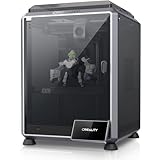
Creality Ender 3 V3 SE 3D Printer Upgrade
- 【250mm/s High-speed Printing】Creality Ender 3 V3 SE 3d printer supports a maximum printing speed of 250mm/s, 2500mm/s² acceleration.The speed has been greatly...
- 【Powerful ""Sprite"" Direct Extruder】Ender 3 V3 SE is the upgrade of ender 3, ender 3 v2, ender 3 pro, ender 3 neo, ender 3 v2 neo, ender 3 s1, ender 3 s1 pro etc 3d...
- 【Worry-free CR Touch Auto Leveling & Strain Sensor】Creality Ender 3 upgraded 3d printer features a CR Touch sensor for auto leveling and a strain sensor for auto...
- 【Stable Dual Z-axis & Y-axis Linear Shafts】High-precision dual Z-axis lead screws reduce Z wobbling effectively, avoid printing deviation in single-axis printing...
- 【Quick Assembly & Easy to Use】Preassembly has solved those hassles and worries of parts assembly, It only takes 3 steps to complete the assemble the ender-3 v3 se 3d...

The Creality Ender 3 V3 SE Upgrade redefines efficiency in budget 3D printing. Designed to cut print times by up to 73%, it helps you complete projects faster without sacrificing quality. Its high-speed and acceleration capabilities make it ideal for users who value both speed and precision in their prints.
Maintenance is simplified with the reliable Sprite full-metal dual-gear direct extruder. This system supports a range of filaments like PLA, TPU, and PETG and features auto filament loading and unloading, reducing downtime and hassle. The CR Touch auto leveling sensor paired with a strain sensor ensures effortless bed leveling and precise Z-offset adjustments.
The printer’s dual Z-axis lead screws and sturdy Y-axis shafts provide exceptional motion stability. This results in consistent, accurate prints even during complex jobs. Its compact yet stable design balances a moderate build volume with reliable performance. Setup is straightforward, taking about 20 minutes, making it accessible even for beginners.
Best for: hobbyists and enthusiasts seeking a fast, reliable 3D printer upgrade with advanced features and broad filament compatibility.
What We Like:
- Significant reduction in print times with high speed and acceleration
- Durable full-metal dual-gear extruder with auto filament handling
- Accurate bed leveling and stable motion for consistent prints
- Quick and easy assembly in approximately 20 minutes
Specification:
| Feature | Details |
|---|---|
| Manufacturer | Creality |
| Maximum Print Speed | 250 mm/s |
| Acceleration | 2500 mm/s² |
| Filament Compatibility | PLA, TPU, PETG |
| Bed Leveling Sensor | CR Touch auto leveling |
| Motion Stability | Dual Z-axis lead screws, robust Y-axis shafts |
| Setup Time | ~20 minutes |
Anycubic Kobra 4 Combo 3D Printer with ACE 2 Pro, Native 4-Color Printing
- 【Fun Family Printing Experience】The Kobra 4 features simple setup and stable printing for family use. Print school projects, decorations, and DIY models together...
- 【LeviQ 3.0 Auto Leveling】 Smart auto leveling improves first-layer adhesion by compensating for uneven surfaces automatically. Reduce setup time and failed prints...
- 【Large Build Volume for Creativity】 The 260×260×260mm³ print area supports larger models, cosplay props, educational models, and multi-part projects. Print bigger...
- 【Quiet & Beginner Friendly】 Built for home use, the Kobra 4 combines quieter operation with intuitive controls and simple workflows. Easy operation makes it ideal for...
- 【Fast & Stable Home Printing】The optimized motion system supports faster printing with smooth surfaces and stable details. Finish projects with less waiting time...
The Anycubic Kobra 4 Combo is designed to simplify multi-material 3D printing. Its native 4-color printing capability helps you create detailed, vibrant models without complicated setups. The printer’s automatic bed leveling removes guesswork, ensuring your first layer sticks perfectly every time.
This 3D printer fits into compact spaces thanks to its 260 x 260 x 260 mm build volume and enclosed gantry design. The enclosure offers 360° visibility and keeps the printing area safe and clean. Maintenance is straightforward, and setup takes only about 15 minutes since it arrives mostly pre-assembled.
You can expand the color range up to 8 by adding extra ACE 2 Pro units, ideal for more complex projects. The smart app lets you control prints remotely and monitor progress easily. Its quiet operation and enclosed frame make it suitable for home, classroom, or small business environments.
While the build volume may limit very large prints, and the printer weighs nearly 30 pounds, it balances functionality with a user-friendly design.
Best for: Hobbyists, educators, and small business users seeking a versatile, multi-color 3D printer with easy setup and remote control.
What We Like:
- Native 4-color printing with expandability to 8 colors
- Automatic bed leveling for reliable first-layer adhesion
- Compact, enclosed design with 360° visibility and safety
- Remote print control via smart app
- Quiet operation suitable for shared spaces
Specification:
| Feature | Details |
|---|---|
| Manufacturer | Anycubic |
| Build Volume | 26 x 26 x 26 cm |
| Weight | ~13.6 kg (30 lbs) |
| Color Options | Native 4-color, expandable to 8 colors |
| Design | Enclosed gantry with 360° visibility |
Entina Tina2 Plus Fast WiFi 3D Printer
- 【Start Printing in Minutes – Beginner Friendly】No setup required. Tina2 Plus 3d printer comes fully assembled and ready to use out of the box. With included TF card...
- 【Fast 250mm/s Printing Performance】This Tina2 Plus high speed 3D printer print speeds up to 250 mm/s help reduce waiting time and support fast project turnaround...
- 【WiFi App Control & STEM Model Library】Powered by the Poloprint Cloud app, this WiFi-enabled 3D printer gives access to 3,500+ printable models and 25+ creative DIY...
- 【40-Second Fast Heat Ceramic Hotend】High-efficiency ceramic hotend heats up in just 40 seconds for faster start-up and less downtime. The quick-swap nozzle design...
- 【Compact 3D Printer for Home & Classroom】Designed with a space-saving footprint while maintaining practical print capacity, this compact 3D printer fits easily on...
Entina Tina2 Plus Fast WiFi 3D Printer offers a smooth start for beginners eager to dive into 3D printing without complexity. Its fully assembled setup and preloaded TF card allow users to start printing models within minutes, eliminating frustrating preparation delays.
This printer combines speed and precision, reaching print speeds up to 250 mm/s and heating up quickly in just 40 seconds. The stable dual Z-axis and PEI spring steel build plate ensure consistent print quality and durability over time. Maintenance is straightforward, with a design that supports easy bed leveling and material handling.
Connectivity is a strong point with WiFi support and the Poloprint Cloud app, enabling remote print management and access to thousands of models. Its compact footprint fits comfortably in classrooms or home workspaces, making it ideal for educational settings and personal projects.
While the build volume is moderate and the printer is best used under supervision, especially for younger users, its reliable performance and user-friendly features make it a practical choice for those new to 3D printing.
Best for: Beginners, students, and educators seeking a fast, easy-to-use 3D printer with remote control and classroom-friendly features.
What We Like:
- Fully assembled with preloaded models for instant use
- Fast printing speeds and rapid heat-up time
- Stable dual Z-axis and durable spring steel build plate
- WiFi connectivity with remote control via Poloprint Cloud app
Specification:
| Feature | Details |
|---|---|
| Manufacturer | Entina |
| Dimensions | Compact design (exact size not specified) |
| Weight | Not specified |
| Material | PEI spring steel build plate |
| Color Options | Not specified |
Creality K2 SE 4C Multi-Color 3D Printer
- Integrated Multi-color Printing: K2 SE 4C is pre-equipped for instant multicolor printing with a space-saving design that occupies 37% less space than K2 SE Combo. You...
- Easy Setup & Smart Auto Leveling: Only simple setup is needed to start printing, acting as a hassle-free portal to turn your imagination into physical objects. It...
- High-Speed Core-XY Printing: Creality K2 SE 4C 3d printer adopting the advanced Core-XY structure, supports a maximum print speed of 500 mm/s and peak acceleration of...
- Sturdy Die-Cast Aluminum Frame: Constructed with rigid die-cast aluminum alloy frame reinforced by bilateral crossbeams and corner gussets. The reinforced structure...
- Multi Smart Printing Protection Features: Multiple practical protection functions prevent material and time waste: built-in sensors detect filament tangling and run-out...
Experience the ease of multi-color 3D printing with the Creality K2 SE 4C, designed for creators with limited space. This compact printer delivers instant 4-color output in a model that is 37% smaller than the K2 SE Combo. Its fully assembled design means you can start printing quickly without the hassle of setup.
The printer’s targeted auto bed leveling ensures a precise first layer every time, reducing print errors and saving material. With the advanced Core-XY motion system, you can achieve fast print speeds up to 500 mm/s while maintaining accuracy. The sturdy aluminum frame keeps vibrations minimal, improving print quality.
Maintenance is straightforward thanks to built-in sensors that detect filament run-outs and power interruptions, helping to protect your ongoing projects. Compatibility with Creality OS and Fluidd UI offers comprehensive workflow control, though some users may need time to master these advanced tools.
While the K2 SE 4C supports mainly PLA and PETG, it excels at producing detailed multi-color prints in a compact form. Its smaller build volume suits medium-sized projects, making it ideal for efficient, high-speed printing in tight spaces.
Best for: Creators and makers seeking efficient, high-speed multi-color 3D printing in a compact, easy-to-use machine with advanced workflow controls.
What We Like:
- Instant 4-color printing in a compact design 37% smaller than similar models
- Fast and precise Core-XY motion system with speeds up to 500 mm/s
- Reliable printing with filament run-out detection and power loss recovery
- Sturdy aluminum frame reduces vibrations for higher print quality
- Fully assembled for quick setup and easy maintenance
Specification:
| Feature | Details |
|---|---|
| Manufacturer | Creality |
| Dimensions (L×W×H) | Smaller by 37% than K2 SE Combo (exact size not specified) |
| Frame Material | Aluminum |
| Print Speed | Up to 500 mm/s |
| Supported Materials | PLA, PETG |
| Color Printing | 4-color instant printing |
Creality K1C 3D Printer, 600mm/s with AI Camera and Auto Leveling
- 【CoreXY, 12X Faster Performance】The Creality K1C 3D Printer utilizes an advanced CoreXY system with 600mm/s printing speed and 20000mm/s² acceleration, offering up...
- 【Enhanced Direct Extruder with Tri-metal Nozzle】Equipped with a clog-free direct extruder and a tri-metal Unicorn nozzle, the K1C handles high-temperature materials...
- 【One-tap Auto Calibration with Reduced Vibration】With a single tap, the K1C auto-calibration system accurately levels the bed. Its dynamically balanced printhead fans...
- 【AI Camera for Real-time Monitoring】The built-in AI camera enables continuous real-time monitoring, detecting foreign objects or malfunctions during printing. It also...
- 【Quiet Operation with Efficient Filtration】K1C features an effective air purification system using activated carbon to remove odors and particles. Switch to silent...
Experience a breakthrough in 3D printing with the Creality K1C, designed to deliver unmatched speed and accuracy. Its innovative CoreXY system allows printing at up to 600 mm/s, significantly reducing project turnaround times. This means you can bring your ideas to life faster without sacrificing quality.
Setup is effortless thanks to the one-tap auto bed leveling and calibration, which eliminates manual adjustments. The built-in AI camera continuously monitors prints, helping detect potential issues early to save time and material. This smart feature ensures greater reliability during long or complex print jobs.
The K1C’s direct extruder features a clog-resistant tri-metal “Unicorn” nozzle, optimized for high-temperature and carbon-fiber filaments. This expands your material options and supports demanding applications. However, the printer’s compact yet relatively heavy design may limit portability and large-scale printing.
Regular maintenance is important to keep the advanced components running smoothly, especially when using specialty filaments. Overall, the Creality K1C offers a powerful solution for users seeking precise, high-speed 3D printing with intelligent monitoring and easy calibration.
Best for: professionals and makers who require ultra-fast, precise 3D printing with advanced monitoring and hassle-free setup.
What We Like:
- High-speed CoreXY design for rapid and precise prints
- Clog-resistant tri-metal “Unicorn” nozzle supports diverse filaments
- AI camera provides real-time print monitoring for early error detection
- One-tap auto bed leveling simplifies setup and calibration
Specification:
| Feature | Detail |
|---|---|
| Manufacturer | Creality |
| Print Speed | Up to 600 mm/s |
| Acceleration | Up to 20,000 mm/s² |
| Extruder | Direct with tri-metal nozzle |
| Monitoring | Built-in AI camera |
| Bed Leveling | One-tap auto leveling |
| Dimensions | Compact design |
| Weight | Relatively heavy |
Factors to Consider When Choosing a Budget 3D Printer With Auto Bed Leveling

When choosing a budget 3D printer with auto bed leveling, you’ll want to focus on print quality and accuracy to get the best results. Consider the printer’s speed, ease of setup, and filament compatibility to match your needs.
Don’t forget to evaluate the bed leveling technology itself, as it directly impacts your printing experience. It might seem like a small detail, but trust me, it makes a big difference in the long run.
Print Quality And Accuracy
Although budget 3D printers with auto bed leveling offer convenience, you still need to make certain they deliver consistent print quality and accuracy. Auto bed leveling helps by compensating for uneven build plates, reducing warping and improving layer adhesion.
Look for printers with sensors that support fine Z-offset adjustments, as precise nozzle-to-bed distance is key to dimensional accuracy and surface finish. A stiffer frame with dual-Z or reinforced gantry designs minimizes vibrations and Z-wobble, keeping layers aligned and tolerances tight.
Consistent filament feeding through direct-drive or well-tuned extruders, alongside reliable hotend temperature control, reduces extrusion variability. These factors combined make certain your prints come out smooth and dimensionally accurate, making your investment in a budget 3D printer truly worthwhile.
Speed And Performance
Maximizing speed and performance is essential when choosing a budget 3D printer with auto bed leveling. Look for printers with higher maximum print speeds, typically between 250 and 600 mm/s. But make certain their motion systems and frames are sturdy enough to prevent quality loss like ringing or layer misalignment.
Consider acceleration and jerk settings; higher values speed up prints but demand well-tuned mechanics and firmware to avoid defects. Auto bed leveling helps reduce first-layer failures and lets you print initial layers faster by compensating for bed irregularities. This really boosts throughput, especially for batch jobs.
Also, check for fast-heating hotends that warm up in under a minute to cut start-up delays. Finally, confirm that motion components, extruder flow, and cooling can handle sustained filament flow rates. This way, you maintain accuracy and surface finish at high speeds.
Ease Of Setup
How quickly you can set up your 3D printer matters, especially if you’re new to the hobby. Look for models with pre-assembled frames or screw-on gantry modules to cut setup time to under 30 minutes.
Auto bed leveling that includes automatic mesh probing and one-touch Z-offset means you won’t waste time tweaking the first layer. Clear on-screen or app-guided calibration wizards, plus included leveling probes like BLTouch, simplify adjustments and reduce guesswork.
Bundled features such as preloaded test models, quick-start guides, and auto-loading filament help you print within minutes. Also, check connectivity options like USB, SD card, or Wi-Fi and make certain the printer’s software supports easy file transfer and slicing.
These factors make your initial experience smooth and frustration-free. It’s all about getting you printing fast without the headaches.
Filament Compatibility
When choosing a budget 3D printer with auto bed leveling, you’ll want to zero in on filament compatibility to avoid printing frustrations. Make sure the printer supports the filament types you plan to use, like PLA, PETG, or TPU, since each needs specific extrusion temperatures.
Check the maximum hotend and heated bed temps to confirm they match your filament’s requirements—for example, PETG needs around 230–250°C. Consider the extruder type, too; direct-drive or metal dual-gear extruders handle flexible filaments like TPU much better than Bowden setups.
Also, verify the build surface and whether the printer’s leveling system guarantees proper first-layer adhesion for your chosen materials. Finally, if you’ll print with hygroscopic or specialty filaments, look for features like filament run-out detection and enclosure support to keep prints consistent.
Bed Leveling Technology
Understanding bed leveling technology is key to getting reliable prints from a budget 3D printer with auto bed leveling. These systems use sensors—capacitive, inductive, IR, mechanical probes, or strain sensors—to map your build plate’s surface and create a compensation mesh.
Look for probes with sub-0.1 mm repeatability and a dense mesh grid, like 3×3 to 7×7, to handle warping or tilt effectively. Some printers probe multiple points for accuracy, while others measure a single reference with a stable Z-offset.
Firmware support matters too; it affects how corrections apply—either in real time or at layer start. Also, consider probe placement, repeatability under heated conditions, and whether the printer saves mesh data after power cycles for consistent performance.
Support And Warranty
Reliability depends not just on hardware but also on solid support and warranty coverage. When choosing a budget 3D printer with auto bed leveling, look for at least a 12-month parts and labor warranty to shield you from early failures.
Make sure the warranty explicitly covers key components like the electronics, extruder, bed leveling sensor, and motion parts. Also, keep an eye out for any exclusions such as user damage or consumables.
Check if the manufacturer offers responsive technical support through email, phone, or chat. Ideally, they should have documented response times, like 24-hour replies.
Don’t forget to confirm spare parts availability and replacement policies. This helps reduce downtime if sensors or other parts fail.
Finally, understand the warranty service process and costs, including return shipping and repair turnaround. It’s best to know this upfront so you’re not caught off guard after purchase.
Frequently Asked Questions
How Does Auto Bed Leveling Improve Print Quality?
Auto bed leveling improves print quality by making sure the nozzle stays at a consistent distance from the bed. This helps prevent uneven layers and warping.
Are Replacement Parts for These Printers Readily Available?
Don’t worry about finding parts—they’re usually easy to get for budget printers with auto bed leveling. You’ll quickly find replacements online or from communities, so keeping your printer running smoothly won’t be a hassle at all.
It’s pretty convenient, honestly. When something needs fixing, the parts are just a few clicks away, making maintenance super straightforward.
What Software Is Compatible With These Budget 3D Printers?
You’ll find these printers compatible with popular software like Cura, PrusaSlicer, and Simplify3D. They also work with open-source options, letting you customize settings easily.
This way, you can get the best prints without much hassle. It’s pretty straightforward to tweak things to your liking.
Can These Printers Handle Flexible Filaments Like TPU?
Back in the day, you’d struggle, but now you can print flexible filaments like TPU with these printers.
Just make sure you adjust the print speed and use a compatible extruder to avoid jams or misprints.
How Noisy Are These 3D Printers During Operation?
These 3D printers are generally quiet during operation, but some noise from fans and stepper motors is normal. You’ll notice occasional sounds, but they won’t be disruptive.
This means you can focus on your printing projects comfortably without much distraction. The noise level is pretty manageable overall.
Conclusion
Choosing a budget 3D printer with auto bed leveling lets you leap into layered learning and lively creations without breaking the bank. Whether you crave the crisp consistency of the Creality Ender 3 V3 SE or the colorful capabilities of the Anycubic Kobra 4 Combo, these printers pack powerful performance with practical prices.
Plunge into dependable designs, discover dynamic details, and deliver dazzling drafts—all while saving time and stress. Auto bed leveling takes the hassle out of setup, making printing easier whether you’re a beginner or a seasoned pro.
With so many budget 3D printers featuring this feature in 2027, finding one that suits your needs and budget has never been easier. Your perfect print partner, packed with quality and affordability, truly awaits!