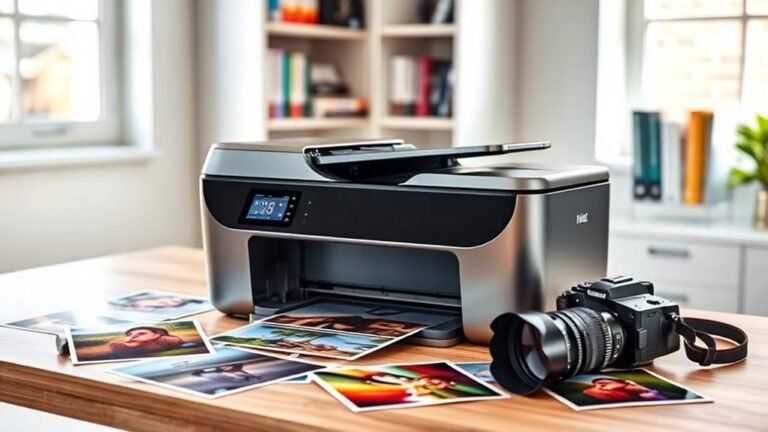
4 Best Budget Inkjet Photo Printers for 2027
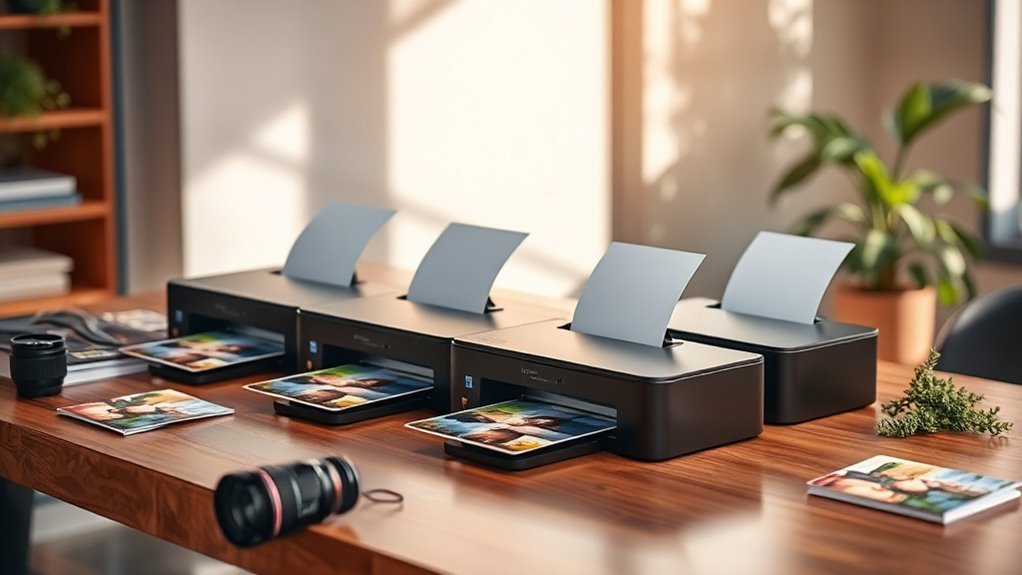
You’ll want the Canon PIXMA TS4320 for compact, sharp prints and easy wireless use. It’s perfect if you need a small printer that doesn’t skimp on quality. Plus, setting it up and connecting wirelessly is a breeze.
The TS7720 offers vivid photos with hybrid inks and dual trays for flexibility. This one’s great if you want more options for paper types and sizes. Its colors really pop, making your photos look fantastic every time.
The TS6520 stands out with its 1.42″ OLED and borderless printing for great photo presentation. You’ll love how your pictures come out edge-to-edge without any annoying white borders. The OLED display also makes navigating settings super simple.
For eco-friendly options and mobile app support, the HP Envy 6155 is solid. It’s a good pick if you care about sustainability and want to print directly from your phone or tablet.
Each printer balances print quality, connectivity, and cost—explore their features to find the perfect fit for your needs.
| Image | Name | Editor's Rating | Price |
|---|---|---|---|

|
|
||

|
|
||

|
|
||

|
|
Canon PIXMA TS4320 – Wireless Color Inkjet Printer with Print, Copy, Scan
- Affordable Versatility - A budget-friendly all-in-one printer perfect for both home users and hybrid workers, offering exceptional value
- Crisp, Vibrant Prints - Experience impressive print quality for both documents and photos, thanks to its 2-cartridge hybrid ink system that delivers sharp text and vivid...
- Effortless Setup & Use - Get started quickly with easy setup for your smartphone or computer, so you can print, scan, and copy without delay
- Reliable Wireless Connectivity - Enjoy stable and consistent connections with dual-band Wi-Fi (2.4GHz or 5GHz), ensuring smooth printing from anywhere in your home or...
- Scan & Copy Handling - Utilize the device’s integrated scanner for efficient scanning and copying operations

The Canon PIXMA TS4320 is a compact and stylish all-in-one printer designed to simplify everyday tasks. It produces sharp color and black-and-white prints up to 1200 dpi, helping you create clear documents and vibrant photos with ease. Auto duplex printing saves paper, making your printing routine more eco-friendly and cost-effective.
Wireless connectivity supports dual-band Wi-Fi, so you can print from multiple devices without hassle. Mobile printing through the Canon PRINT app and AirPrint adds convenience, letting you send jobs directly from your smartphone or tablet. Its small footprint fits well in tight spaces, perfect for home or hybrid work setups.
Maintenance is straightforward with included starter ink tanks, ensuring you’re ready to print right away. The flatbed scanner and color copying features cover light scanning and copying needs, ideal for occasional use. While the paper tray holds up to 100 sheets, it may need refilling for heavier workloads.
Best for: Home users and hybrid workers who need a compact, stylish all-in-one printer for light, occasional printing, copying, and scanning tasks.
What We Like:
- Sharp prints up to 1200 dpi with auto duplex to save paper
- Dual-band Wi-Fi and mobile printing via Canon PRINT app and AirPrint
- Compact design fits small spaces and includes starter ink tanks
- Flatbed scanner and color copying for light home office use
Specification:
| Feature | Details |
|---|---|
| Manufacturer | Canon |
| Dimensions | Approx. 12.0 x 14.0 x 5.5 in (30.5 x 35.5 x 14 cm) |
| Weight | Approx. 8.2 lb (3.7 kg) |
| Printing Resolution | Up to 1200 dpi |
| Scanner Resolution | Up to 600 x 600 dpi |
| Paper Capacity | 100-sheet tray |
| Connectivity | Dual-band Wi-Fi, Mobile printing (Canon PRINT app, AirPrint) |
Canon PIXMA TS7720 Wireless All-in-One Printer
- ALL-IN-ONE: Print, Copy, Scan features for full control at your fingertips.
- FAST PRINT SPEEDS: Print approximately 15 (black) / 10 (color) images per minute.
- EASY SETUP: Get running in just a few minutes thanks to a streamlined and easy setup process out of the box.
- EASY TO INSTALL INK: Print full color with only 2 (no mess) easy-to-replace ink cartridges.
- 2.7” LCD SCREEN: Get the job done with an intuitive and easy to use 2.7” LCD touchscreen.
Experience the convenience of a compact printer that adapts to your home and creative needs. The Canon PIXMA TS7720 Wireless All-in-One Printer combines printing, copying, and scanning in a sleek design that fits easily on your desk. Its intuitive 2.7″ touchscreen makes operation simple and efficient.
This printer delivers sharp text and vibrant photos by using hybrid pigment and dye inks. With print resolutions up to 1200 x 1200 dpi, your documents and images come out clear and detailed. Dual paper trays support various media sizes, including borderless prints up to 8.5″ x 11″, helping you manage different projects without hassle.
Connectivity is flexible, allowing you to print via Wi-Fi or USB with ease. Maintenance is straightforward, especially with Canon’s subscription plan that helps you save on ink and avoid unexpected refills. While print speeds are moderate and tray capacity is limited to 100 sheets, this model offers reliable quality for everyday home use.
Best for: users looking for a compact, versatile all-in-one printer that produces high-quality photos and documents with easy maintenance.
What We Like:
- Sharp text and vivid photo printing with hybrid ink technology
- Dual trays accommodate various paper sizes, including borderless printing
- Easy connectivity via Wi-Fi and USB, controlled through a user-friendly touchscreen
Specification:
| Feature | Details |
|---|---|
| Manufacturer | Canon |
| Dimensions | Compact size (exact size not specified) |
| Weight | 13.8 lbs (6.26 kg) |
| Color Options | White |
Canon PIXMA TS6520 Wireless Color Inkjet Printer, 1.42″ OLED Display, White
- Affordable Versatility - A budget-friendly all-in-one printer perfect for both home users and hybrid workers, offering exceptional value
- Crisp, Vibrant Prints - Experience impressive print quality for both documents and photos, thanks to its 2-cartridge hybrid ink system that delivers sharp text and vivid...
- Effortless Setup & Use - Get started quickly with easy setup for your smartphone or computer, so you can print, scan, and copy without delay
- Reliable Wireless Connectivity - Enjoy stable and consistent connections with dual-band Wi-Fi (2.4GHz or 5GHz), ensuring smooth printing from anywhere in your home or...
- Scan & Copy Handling - Utilize the device’s integrated scanner for efficient scanning and copying operations
Experience hassle-free printing with the Canon PIXMA TS6520, designed to fit seamlessly into your home workspace. Its compact size saves space without sacrificing functionality, offering print, scan, and copy capabilities in one sleek unit. The intuitive 1.42″ OLED display makes navigating tasks simple and efficient.
This wireless color inkjet printer delivers sharp prints at 1200 x 1200 dpi, ensuring clear documents and vibrant photos. Automatic duplex and borderless printing reduce paper waste and enhance presentation, making everyday printing tasks easier and more professional.
Maintenance is straightforward with included starter ink tanks and an optional ink subscription plan, helping you avoid unexpected interruptions. Dual-band Wi-Fi and Alexa voice control support allow effortless printing from smartphones, laptops, or other devices, providing flexibility for busy households.
While it lacks an automatic document feeder and has a single paper tray, the TS6520 remains an ideal choice for users who prioritize space-saving design and versatile wireless printing for typical home or hybrid work needs.
Best for: families, students, and home or hybrid workers needing a compact, wireless color inkjet printer for everyday printing, scanning, and copying.
What We Like:
- Compact design fits comfortably in limited spaces.
- Sharp 1200 x 1200 dpi resolution with automatic duplex and borderless printing.
- Dual-band Wi-Fi and voice command support for convenient wireless use.
- Easy maintenance with starter ink tanks and subscription option.
Specification:
| Feature | Details |
|---|---|
| Manufacturer | Canon |
| Dimensions | Not specified |
| Weight | Not specified |
| Color | White |
| Display | 1.42″ OLED |
| Print Resolution | 1200 x 1200 dpi |
| Connectivity | Dual-band Wi-Fi, Alexa voice control |
HP Envy 6155 Wireless All-in-One Inkjet Printer
- FROM AMERICA'S MOST TRUSTED PRINTER BRAND – The Envy 6155 is perfect for homes printing everyday high-quality color documents like homework and borderless photos. Print...
- 3 MONTH TRIAL OF INSTANT INK – Subscribe to the Instant Ink delivery service to get ink delivered directly to your door before you run out, and you save up to 50% on...
- KEY FEATURES – Color print, copy and scan, plus auto 2-sided printing and a 100-sheet input tray
- HP'S MOST INTUITIVE COLOR TOUCHSCREEN – Smoothly navigate your printer with the easy-to-use 2.4" touchscreen
- WIRELESS PRINTING – Stay connected with our most reliable dual-band Wi-Fi, which automatically detects and resolves connection issues
The HP Envy 6155 Wireless All-in-One Inkjet Printer offers an easy solution for everyday printing challenges at home. It delivers vibrant color documents and sharp borderless photos, helping you bring your ideas to life without hassle. This printer combines printing, scanning, and copying in one compact device, saving space and simplifying your workflow.
Maintenance is straightforward thanks to automatic duplex printing and a 100-sheet input tray, reducing the need for frequent paper refills. Wireless connectivity via dual-band Wi-Fi and the HP App lets you print directly from your smartphone, streamlining tasks and increasing convenience. The 2.4″ color touchscreen provides intuitive control, making navigation quick and simple.
Designed with eco-conscious users in mind, the Envy 6155 uses at least 60% recycled plastic. It also includes a 3-month Instant Ink trial, ensuring you won’t run out of ink unexpectedly. However, the printer requires original HP cartridges with chip compatibility, which may limit cartridge choices. Print speeds are moderate, suitable for typical home use but less ideal for heavy workloads.
Best for: Home users needing a reliable all-in-one printer for vibrant color prints, efficient wireless mobile printing, and easy maintenance.
What We Like:
- All-in-one design with automatic duplex printing and a large 100-sheet input tray
- Seamless wireless printing via dual-band Wi-Fi and HP App
- User-friendly 2.4″ color touchscreen for easy operation
- Eco-friendly build with 60% recycled plastic
- Includes a 3-month Instant Ink trial for hassle-free ink management
Specification:
| Feature | Details |
|---|---|
| Manufacturer | HP |
| Dimensions | Not specified |
| Weight | Not specified |
| Material | At least 60% recycled plastic |
| Connectivity | Dual-band Wi-Fi |
| Display | 2.4″ color touchscreen |
Factors to Consider When Choosing a Budget Inkjet Photo Printer
When choosing a budget inkjet photo printer, you’ll want to focus on print quality and resolution to get sharp, vibrant images. It’s all about making sure your photos look great every time.
Consider how efficient the ink is and the overall cost to keep your printing affordable. Nobody wants to spend a fortune on cartridges, right?
Also, check the printer’s media compatibility, connectivity options, and size. You want to make certain it fits your needs and workspace without any hassle.
Print Quality And Resolution
Delivering sharp text and vibrant photos hinges on choosing a printer with at least a 1200 x 1200 dpi native resolution. Look for models that combine pigment black ink for crisp text with dye-based color inks to achieve rich, vivid photos.
Don’t overlook color gamut and borderless printing—wider gamuts and true edge-to-edge capability enhance photo vibrancy and presentation. Also, pay attention to the printer’s droplet size and print head tech; smaller droplets and finer nozzles guarantee smoother gradients and detailed images.
Finally, always use the manufacturer’s recommended photo paper and print modes like photo glossy or high-resolution settings. These factors together will help you get the best print quality and resolution from a budget inkjet photo printer without compromise.
Ink Efficiency And Cost
Choosing a budget inkjet photo printer often means balancing print quality with ongoing ink costs, so you’ll want to pay close attention to ink efficiency. Start by checking the page yield and cost per page—divide the cartridge price by its yield to find true ink expenses.
Opt for printers using pigment black for crisp text and dye-based colors for vibrant photos if cost per photo matters. Printers with individual CMYK cartridges let you replace only the colors you use up, saving money over combined cartridges.
Look for models offering high-yield or XL cartridges and subscription refill plans. Calculate annual refill costs to see real savings.
Also, consider ink waste from maintenance. Printers with lower cleaning frequency or manual cleaning controls tend to consume less ink overall.
Media Compatibility Range
Because your printing needs might vary widely, understanding a printer’s media compatibility range is essential before making a purchase. First, check the maximum supported paper size and if the printer offers borderless printing for popular photo sizes like 4×6, 5×7, or 8×10.
Next, verify which media types it handles—glossy photo paper, cardstock, envelopes, and labels—to make certain it fits your projects. Also, confirm paper handling limits such as input tray capacity and whether there’s a rear tray or dedicated feed for specialty stocks.
Don’t forget to look at media weight and thickness support to handle heavier cardstock or specialty photo papers. Finally, make sure the printer supports coated/photo media with driver presets for peak color, saturation, and drying on specific photo finishes.
Connectivity Options Available
When picking a budget inkjet photo printer, you’ll want to make sure it offers a range of connectivity options that fit how you print. Prioritize models supporting both 2.4 GHz and 5 GHz Wi-Fi for stable, interference-free connections.
Look for Wi-Fi Direct or built-in access point features so you can print from mobile devices without relying on a router. Also, check if the printer supports mobile standards like Apple AirPrint or Mopria to print from your smartphone or tablet effortlessly.
Don’t overlook wired USB connections—they provide a reliable backup when wireless isn’t available. If voice control or cloud printing matters to you, confirm compatibility with popular voice assistants and cloud services, plus app-based controls and firmware updates.
These features guarantee seamless connectivity tailored to your needs.
Device Size And Design
Though budget inkjet photo printers come in various sizes, you’ll want to measure your available workspace carefully to find a model that fits comfortably. Compact models typically measure 14–15″ wide and 6–7″ tall, while larger ones need more desk depth.
Consider the printer’s footprint and height, especially if space is tight. Weight matters too—many weigh 13–16 pounds, so lighter units are easier to move if needed.
Pay attention to design features like front-loading trays or rear feed trays, as they affect clearance in front or back. Also, check how control interfaces and paper output areas impact space for doors or covers to open fully.
If storage is limited, look for slim, low-profile models without protruding parts. And don’t forget to note if duplexing or flatbed scanners add to the device’s size.
Speed And Performance
Several key factors influence the speed and performance of budget inkjet photo printers, and understanding them helps you pick the right model for your needs. Start by checking print speeds for black and color pages per minute, as well as the initial page print time—faster rates mean less waiting.
If two-sided printing matters, look for automatic duplexing and its speed to save time with multi-page jobs. For all-in-one units, scan and copy speeds affect your workflow if you often digitize or duplicate photos.
Also, consider print resolution and ink type; higher dpi and specific dye or pigment inks usually slow printing but enhance photo quality. Finally, don’t overlook paper handling—small trays cause frequent reloads, which can slow down batch printing.
User Interface Features
How easily you interact with your budget inkjet photo printer can make a big difference in your overall experience. Look for a clear, responsive display—touchscreen or OLED—that lets you navigate menus quickly and preview print options.
The interface should support mobile and app control, letting you send jobs and check ink levels remotely without fuss. Voice-control compatibility with Alexa or Google Assistant adds convenience for hands-free printing and status checks.
Choose a printer with easy-to-understand icons, one-touch shortcuts for common tasks like borderless or duplex printing, and clear error messages to avoid wasted prints. Built-in help screens, setup wizards, and visible ink or connection indicators help you troubleshoot and manage maintenance efficiently, saving you time and frustration.
Frequently Asked Questions
How Do Inkjet Printers Compare to Laser Printers for Photo Quality?
Inkjet printers usually deliver better photo quality than laser printers because they blend colors smoothly. You’ll get richer, more vibrant images with inkjets.
On the other hand, lasers excel more in sharp text and fast printing. So, if you need quick documents, a laser might be your best bet. But for photos, inkjets tend to shine.
What Types of Photo Paper Work Best With Inkjet Printers?
Why settle for less when you can choose glossy, matte, or luster photo paper designed for inkjets?
You’ll get vibrant colors and sharp details, especially with acid-free, heavyweight options that prevent smudging and fading.
These papers really make your prints pop and last longer.
Can Inkjet Photo Printers Connect Directly to Smartphones?
Yes, you can connect inkjet photo printers directly to your smartphone using Wi-Fi, Bluetooth, or specific apps. This lets you print photos quickly without needing a computer.
It makes the process simple and convenient wherever you are. So, whether you’re at home or on the go, printing your favorite photos is super easy!
How Long Do Inkjet Printer Cartridges Typically Last?
Inkjet printer cartridges typically last for about 200 to 400 pages. You’ll notice that color cartridges often run out faster because photos use more ink.
Are There Eco-Friendly Ink Options for Inkjet Photo Printers?
Yes, you’ll find eco-friendly ink options made from vegetable-based or biodegradable materials. These inks reduce environmental impact and often come in refillable cartridges.
That way, you save money and cut down on waste while still producing vibrant photo prints. It’s a win-win for your wallet and the planet!
Conclusion
When choosing your budget inkjet photo printer, remember that “you get what you pay for.” While all four options offer great value, consider what features matter most to you—whether it’s wireless convenience, print quality, or ease of use.
By weighing these factors, you’ll find a printer that fits both your budget and needs perfectly. Don’t rush; the right choice guarantees you get vibrant, lasting photos without breaking the bank.
In the end, picking the best budget inkjet photo printer means balancing cost with quality. Think about what you want most—clear, sharp prints or simple, hassle-free operation. With the right printer, you’ll enjoy beautiful photos that last, all while sticking to your budget. So take your time and choose wisely to get the most out of your new inkjet photo printer in 2027.