12 Best All-in-One Printers for Home Business in 2027
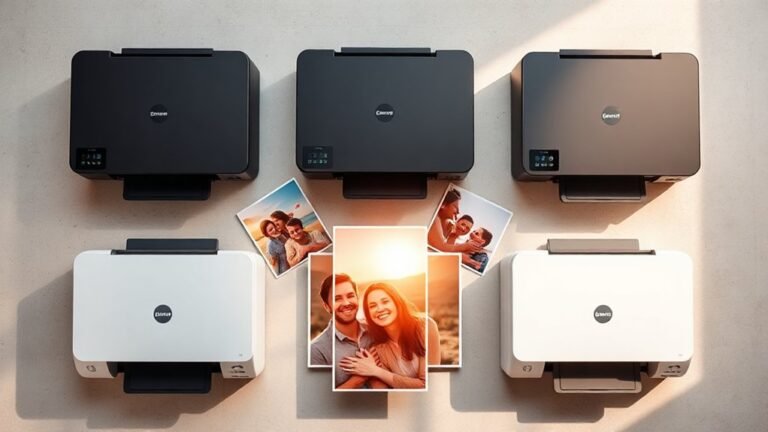
If you’re running a home business in 2027, choosing the right all-in-one printer is key. You want something compact, fast, and reliable to keep your workflow smooth and efficient.
Models like the HP OfficeJet Pro 8125 and Brother INKvestment 5010 stand out with wireless printing, duplex capabilities, and high page yields. These features help you save time and costs while handling busy print jobs.
Whether you need vibrant color prints or sharp monochrome documents, options like the Canon MegaTank G3270 and Brother’s laser printers have you covered.
Don’t forget to consider connectivity and overall cost when making your choice.
Take a look at these top all-in-one printers to find the perfect match for your home business needs.
| Image | Name | Editor's Rating | Price |
|---|---|---|---|

|
|
||

|
|
||

|
|
||

|
|
||

|
|
HP OfficeJet Pro 8125 Wireless All-in-One Printer
- FROM AMERICA'S MOST TRUSTED PRINTER BRAND – The OfficeJet Pro 8125 is perfect for home offices printing professional-quality color documents like business documents...
- 3 MONTH TRIAL OF INSTANT INK INCLUDED – Subscribe to the Instant Ink delivery service to get ink delivered directly to your door before you run out, and you save up to...
- KEY FEATURES – Fast color printing, scan, copy, auto 2-sided printing, auto document feeder, and a 225-sheet input tray
- 2.7-INCH TOUCHSCREEN – Quickly navigate your printer with a large color touchscreen and a phone-like user interface
- WIRELESS PRINTING – Stay connected with our most reliable dual-band Wi-Fi, which automatically detects and resolves connection issues

The HP OfficeJet Pro 8125 is designed to streamline your home office tasks with reliable, wireless all-in-one functionality. It integrates printing, scanning, copying, and duplex printing, helping you manage multiple jobs without hassle. This printer’s ability to handle both black and color documents efficiently makes it a versatile tool for daily use.
Its compact design fits neatly into limited spaces, while the dual-band Wi-Fi ensures a stable connection for uninterrupted workflow. You can print directly from smartphones or tablets using the HP app or AirPrint, adding convenience to your busy schedule. The 2.7-inch color touchscreen simplifies operation, allowing you to control tasks quickly and intuitively.
Maintenance is straightforward with a 225-sheet input tray that reduces frequent paper refills. While the color print speed is slower than black, the printer balances quality and speed, ideal for moderate color printing needs. Overall, it improves productivity by combining essential functions in one device.
Best for: Professionals and individuals managing a home office who require a dependable wireless all-in-one printer with easy connectivity and multifunction capabilities.
What We Like:
- Fast black print speeds up to 20 ppm for heavy workloads
- User-friendly 2.7-inch color touchscreen for quick task management
- Reliable dual-band Wi-Fi with mobile printing via HP app and AirPrint
Specification:
| Feature | Details |
|---|---|
| Manufacturer | HP |
| Dimensions | Not specified |
| Weight | Not specified |
| Color Options | Not specified |
| Paper Capacity | 225 sheets |
Brother INKvestment 5010 Wireless Color Inkjet Printer
- BEST FOR SMALL BUSINESS: Print, copy, scan, and fax with one powerful device, with advanced security features for business. Includes one 1,800-page yield black ink...
- PRODUCTIVITY-FOCUSED FEATURES: A 250-sheet paper tray, 50-page single-pass duplex (2-sided) automatic document feeder (ADF), and automatic duplex printing on paper up to...
- SUPERIOR PRINTING: Engineered with the Brother PerfectPrint Auto Detection System, which helps ensure reliable, consistent print quality and performance you can depend on...
- SEAMLESS CONNECTIONS: Simplify your workflow with Wi-Fi Direct and multiple connection options, including wireless network interfacing, Ethernet, and USB. Plus, print...
- THE BROTHER MOBILE CONNECT APP: Put the power of printing at your fingertips. Go mobile with the simple-to-use Brother Mobile Connect app, which delivers easy on-screen...
The Brother INKvestment 5010 is designed to meet the demands of small business owners seeking a secure and efficient printing solution. Its fast print speeds of up to 28 ppm in black and 26 ppm in color help you complete tasks quickly, reducing wait times and boosting productivity. The sharp 4800 x 1200 dpi resolution ensures professional-quality documents every time.
Maintenance is easy with high-yield ink cartridges, which lower the frequency of replacements and help keep running costs manageable. The printer supports automatic duplex printing and includes a 50-page duplex automatic document feeder (ADF), making it ideal for multi-page jobs and double-sided documents without extra effort.
Connectivity is flexible, offering Wi-Fi Direct, Ethernet, USB options, and mobile management through the Brother Mobile Connect app. This lets you print and monitor your device remotely, streamlining workflow whether you’re at your desk or on the go.
With a 250-sheet paper tray, the printer balances capacity with a compact design. However, its 30.9-pound weight may require a dedicated space, and color cartridge yields are lower than black ink, so plan for occasional replacements.
Best for: Small business owners who need a reliable, secure, and fast all-in-one printer with advanced connectivity and high-yield ink options.
What We Like:
- Fast print speeds with high-resolution output
- Automatic duplex printing with 50-page duplex ADF
- Multiple connectivity options including mobile app control
- High-yield ink cartridges reduce maintenance frequency
Specification:
| Feature | Details |
|---|---|
| Manufacturer | Brother |
| Dimensions (W x D x H) | 16.7 x 15.7 x 11.7 inches |
| Weight | 30.9 pounds |
| Print Resolution | Up to 4800 x 1200 dpi |
| Print Speed (Black) | Up to 28 ppm |
| Print Speed (Color) | Up to 26 ppm |
| Paper Capacity | 250 sheets |
| Duplex | Automatic duplex printing |
| Connectivity | Wi-Fi Direct, Ethernet, USB, Mobile app |
Epson Workforce Pro WF-4935 Wireless All-in-One Printer
- Built for Speed — PrecisionCore Heat-Free technology delivers fast, high-volume printing with 25 (black)/12 (color) ISO ppm and fast first-page-out
- High-Precision Office Printing — Accurate dot placement and DURABrite Ultra instant-dry pigment inks for professional-quality prints
- High-Volume Durability for Heavy Workloads — Innovative heat-free technology engineered for reliability and reduced downtime
- Complete Duplex Solution — All-in-one printer with auto 2-sided print, copy, scan and fax; plus 50-sheet ADF
- Maximize Printing Productivity — High-performance office printer with 500-sheet paper capacity; includes two 250-sheet trays for added convenience
The Epson Workforce Pro WF-4935 tackles your daily printing challenges with speed and precision. It delivers sharp prints at up to 25 pages per minute in black, helping you keep up with tight deadlines. Its high resolution of 4800 x 2400 dpi ensures every document looks professional and clear.
Designed for busy environments, this all-in-one printer handles printing, copying, scanning, and faxing with ease. The 4.3″ color touchscreen simplifies navigation, reducing time spent on setup and adjustments. Its large 500-sheet capacity and 50-sheet auto document feeder reduce interruptions during high-volume tasks.
Maintenance is straightforward with DURABrite Ultra pigment inks that resist smudging and fading. Wireless connectivity via Wi-Fi, Ethernet, or USB allows seamless integration into your home office or small business network. This printer balances efficiency and versatility to improve workflow and reduce downtime.
Best for: Small to medium-sized businesses and home offices requiring fast, reliable, and multifunctional wireless printing.
What We Like:
- Fast printing speeds with sharp, high-resolution output
- Large paper capacity and efficient auto document feeder
- User-friendly color touchscreen interface
- Multiple connectivity options for flexible use
Specification:
| Feature | Details |
|---|---|
| Manufacturer | Epson |
| Dimensions (W×D×H) | 18.2 × 15.2 × 11.7 in |
| Weight | 21.4 lb |
| Printing Technology | Inkjet |
| Max Print Resolution | 4800 x 2400 dpi |
| Connectivity | Wi-Fi, Ethernet, USB |
| Paper Capacity | 500 sheets + 50-sheet ADF |
Canon MegaTank G3270 All-in-One Wireless Color Printer
- Wireless Print/Copy/Scan
- Up to 2 years of ink included (2)
- Print up to 6,000 black & white / 7,700 color pages using a single set of inks! (1)
- Save up to $1,000 on ink (1)
- 1.35” Square LCD display
The Canon MegaTank G3270 All-in-One Wireless Color Printer is designed to meet the needs of home businesses and home offices requiring affordable, high-volume printing. Its refillable ink tanks deliver a remarkable page yield, helping you save significantly on ink costs. You can print up to 6,000 black-and-white or 7,700 color pages per refill, reducing the hassle and expense of frequent cartridge replacements.
This printer handles print, copy, and scan tasks efficiently, producing sharp images with a resolution of 4800 x 1200 dpi. Its compact design fits easily into small workspaces, making it ideal where space is limited. Maintenance is simple thanks to the MegaTank system, which is easy to refill and reduces downtime.
Wireless connectivity options allow seamless connection via USB or Wi-Fi to smartphones, tablets, and computers. This makes it a flexible and convenient choice for everyday use. While it offers solid performance, the print speed is moderate and the small LCD screen may limit ease of navigation for complex settings.
Best for: Small home businesses and home office users seeking affordable, high-volume, wireless color printing with low ink costs.
What We Like:
- High page yield with refillable MegaTank ink system
- Sharp print quality with 4800 x 1200 dpi resolution
- Compact design suitable for small spaces
- Wireless connectivity compatible with multiple devices
- Simple maintenance with easy-to-refill tanks
Specification:
| Feature | Details |
|---|---|
| Manufacturer | Canon |
| Dimensions | Compact (exact size not provided) |
| Weight | Not specified |
| Color Options | Standard (black and white) |
| Max Media Size | 8.5 x 14 inches |
| Print Resolution | 4800 x 1200 dpi |
| Connectivity | USB, Wi-Fi |
Brother Work Smart 1360 Wireless Color Inkjet All-in-One Print, Scan, Copy
- AFFORDABLE ALL-IN-ONE FOR HOME AND HOME OFFICE: Print, copy, and scan on one compact wireless printer designed for everyday home office printing, schoolwork, documents...
- EASY TO USE WITH CLOUD APP CONNECTIONS: Print from and scan to popular Cloud apps(2), including Google Drive, Dropbox, Box, OneDrive, and more from the simple-to-use...
- FULL-SIZE FEATURES IN A COMPACT DESIGN: This printer includes automatic duplex (2-sided) printing, a 20-sheet single-sided Automatic Document Feeder (ADF)(3), and a...
- MULTIPLE CONNECTION OPTIONS: Connect your way. Interface with your printer on your wireless network or via USB.
- MOBILE PRINTING MADE EASY: Go mobile with the Brother Mobile Connect app(5) that delivers easy onscreen menu navigation for printing, copying, scanning, and device...
Experience efficient wireless color printing with the Brother Work Smart 1360, designed to meet the needs of small home businesses and home offices. This all-in-one printer simplifies tasks by combining printing, scanning, and copying in one compact device. It helps streamline daily operations while saving valuable workspace.
With print speeds of up to 16 pages per minute in black and 9 in color, it handles typical office workloads smoothly. Automatic duplex printing reduces paper waste, supporting environmentally conscious practices. The 20-sheet Automatic Document Feeder (ADF) and 150-sheet tray keep document handling convenient but are best suited for moderate volumes.
Maintenance is straightforward with the 1.8” color display that guides users through menus and settings. The Page Gauge feature monitors ink levels clearly, preventing unexpected interruptions. Wireless connectivity options like Wi-Fi Direct, AirPrint®, and the Brother Mobile Connect app allow flexible printing from various devices.
The printer supports multiple media types, giving businesses the versatility to produce different documents. Although the ADF capacity and paper tray size may limit very large jobs, its compact design and Energy Star certification make it an efficient choice for everyday use.
Best for: small home businesses and home offices needing a versatile, compact wireless color printer with scanning and copying functions.
What We Like:
- Fast print speeds with automatic duplex to save paper
- Multiple wireless options including Wi-Fi Direct and mobile app
- Easy navigation with a clear 1.8” color touchscreen
- Compact footprint with energy-efficient operation
Specification:
| Feature | Details |
|---|---|
| Manufacturer | Brother |
| Dimensions (W×D×H) | Compact size (exact dimensions not provided) |
| Weight | Not specified |
| Color Options | Not specified |
| Connectivity | Wi-Fi Direct, AirPrint®, Mobile App |
Canon MAXIFY GX2020 Wireless All-in-One Printer

- Wireless Print/Copy/Scan/Fax (2)
- Print up to 3,000 black & white / 3,000 color pages using a single set of inks! (1)
- 2.7” LCD Color Touchscreen
- Auto 2-sided printing
- ADF – 35 sheet Auto Document Feeder
The Canon MAXIFY GX2020 is designed to meet the demands of busy home offices and small businesses. It handles high-volume printing with ease, delivering up to 6,000 pages per ink set. This reduces downtime and keeps your workflow smooth.
Its wireless dual-band WiFi and USB connectivity make it simple to connect from multiple devices, including Chromebooks. The printer supports automatic duplex printing and features a 35-sheet feeder and 250-sheet paper capacity to manage diverse tasks efficiently.
Maintenance is straightforward thanks to the high page yield and easy-to-navigate 2.7-inch touchscreen. The device scans, copies, and faxes, making it a versatile all-in-one solution. While compact, it balances power and space-saving design, fitting well in tight workspaces.
The print speed is solid, with 15 ppm for black-and-white and 10 ppm for color, providing sharp, professional-quality documents. Note that its maximum media size is limited to 8 x 10 inches, which may restrict larger print jobs.
Best for: Small business owners and home offices needing a reliable, high-volume all-in-one printer with wireless connectivity and low maintenance demands.
What We Like:
- High ink yield reducing cartridge replacements
- Fast print speeds with crisp 2400 dpi resolution
- Automatic duplex printing and 35-sheet feeder
- Easy navigation via a 2.7-inch touchscreen
- Compact design suitable for limited workspace
Specification:
| Feature | Details |
|---|---|
| Manufacturer | Canon |
| Dimensions | Not specified |
| Weight | Not specified |
| Connectivity | Wireless dual-band WiFi, USB, Chromebook compatible |
| Paper Capacity | 250 sheets |
| Document Feeder | 35 sheets |
| Maximum Print Size | 8 x 10 inches |
| Print Speed | 15 ppm (B&W), 10 ppm (Color) |
| Resolution | Up to 2400 dpi |
Brother MFC-L8930CDW Color Laser All-in-One Printer

- Updated design, professional results. High-quality output with sharp color and black printing. Fast print and copy speeds up to 33ppm(1) help boost productivity. Reliable...
- Maximize printing budgets. Offers built-in value with included Brother Genuine 3,000-page black and 1,800-page color standard yield toner cartridges. Help lower printing...
- Advanced scanning. High-speed, two-sided scanning up to 104ipm(3) with 80-page auto document feeder(4) and legal-size glass. Scan to cloud, email, SharePoint, and more...
- Productivity-enhancing features. Flexible connectivity, including built-in dual-band (2.4GHz / 5GHz) wireless networking and Gigabit Ethernet networking. 7” color...
- Triple Layer Security. Advanced security features to help keep devices secure, protect documents in transit to and from print devices, and safeguard networks. Includes an...
If you need fast and dependable color printing, the Brother MFC-L8930CDW is designed to keep your workflow smooth. It handles high-volume tasks with ease, delivering crisp prints at up to 33 pages per minute. This printer also offers versatile scanning and copying features, helping you manage documents efficiently.
The device’s compact design fits well in tight spaces without compromising performance. The large 7-inch touchscreen simplifies navigation and operation. An 80-page auto document feeder supports multitasking, reducing the time spent handling paperwork manually.
Maintenance is straightforward with cost-effective super high yield toner cartridges that lower your running costs. Dual-band wireless and Gigabit Ethernet ensure reliable connectivity, while mobile printing adds convenience for busy users on the go. Triple-layer security plus NFC badge authentication safeguard sensitive data, making it a secure choice for small offices.
While it weighs over 70 pounds, which limits portability, this model suits environments where durability and security are priorities. Initial toner yields are moderate but can be extended with high yield replacements.
Best for: Small to medium-sized businesses and home offices needing fast, reliable color printing with versatile scanning, copying, and strong security features.
What We Like:
- Fast color printing and high-speed two-sided scanning improve efficiency
- Compact footprint with an intuitive 7-inch touchscreen and large 80-page ADF
- Cost-effective printing using super high yield cartridges
- Strong security including NFC badge authentication and triple-layer protection
Specification:
| Feature | Details |
|---|---|
| Manufacturer | Brother |
| Dimensions | Approx. 16.1 x 18.7 x 17.7 in (41 x 47.5 x 45 cm) |
| Weight | Over 70 lbs (approx. 32 kg) |
| Connectivity | Dual-band wireless, Gigabit Ethernet, Mobile printing |
| Display | 7-inch touchscreen |
| Auto Document Feeder | 80 pages |
Brother DCP-L2640DW Wireless Compact Monochrome Printer

- BEST FOR SMALL BUSINESSES – Engineered for extraordinary productivity, the Brother DCP-L2640DW Monochrome (Black & White) 3-in-1 combines laser printer, scanner, copier...
- FAST PRINTER WITH EFFICIENT SCANNING – Produces documents quickly with print speeds up to 36 ppm(2) and scan speeds up to 23.6/7.9 ipm(3) (black/color). A 50-page auto...
- FLEXIBLE CONNECTION OPTIONS – Easily navigate the changing demands of your business with secure multi-device connectivity via built-in dual-band wireless (2.4GHz...
- BROTHER MOBILE CONNECT APP – Print, scan, and manage your wireless printer anytime, from almost anywhere from your mobile device. Order Brother Genuine Supplies, track...
- CHOOSE BROTHER GENUINE TONER – When it’s time to replace your toner, be sure to choose Brother Genuine TN830 or TN830XL replacement toner. And with Refresh EZ Print...
Experience efficient printing that keeps up with your busy home office or small business. The Brother DCP-L2640DW offers fast, reliable monochrome printing, copying, and scanning to streamline your daily tasks. Its compact design fits easily into tight spaces without sacrificing power.
This printer handles large jobs smoothly with a 50-page auto document feeder and a generous 250-sheet tray, reducing interruptions. You can connect effortlessly through dual-band Wi-Fi, Ethernet, or USB, while the Brother Mobile Connect app adds flexibility with remote printing from your smartphone.
Maintenance is simple with energy-saving features like automatic duplex printing and toner save mode, helping you reduce waste and lower operating costs. The device’s monochrome laser technology ensures sharp, professional-quality text, ideal for documents and reports.
While it only prints in black and white, this printer is designed to meet the core needs of busy professionals who prioritize speed, convenience, and durability. Its sturdy build and thoughtful features make it a valuable addition to any workspace.
Best for: Small businesses and home offices needing a fast, reliable, and compact monochrome printer with wireless connectivity and multi-function capabilities.
What We Like:
- Fast print speed of up to 36 ppm for quick turnaround.
- Multiple connectivity options including dual-band Wi-Fi and mobile app support.
- Energy-efficient with automatic duplexing and toner save mode.
- Compact design fits well in limited spaces.
- Easy to maintain and reduces waste.
Specification:
| Feature | Details |
|---|---|
| Manufacturer | Brother |
| Dimensions | Compact size (specifics not provided) |
| Weight | 25 lb (11.34 kg) |
| Color Options | Monochrome (Black and White) |
| Connectivity | Dual-band Wi-Fi, Ethernet, USB, Mobile App |
Xerox C245 Wireless Color All-in-One Printer – Amazon Exclusive – 3 in 1

- AMAZON EXCLUSIVE & COMPACT MULTIFUNCTION DESIGN: This full-featured Xerox color MFP fits neatly on small desks, packing Print, Scan, and Copy functionality into a compact...
- VIBRANT PRINT QUALITY: Produce sharp text and brilliant color graphics. Ensure your business documents, presentations, and reports look professional and impressive every...
- WIRELESS & MOBILE PRINTING: Stay connected with dual-band Wi-Fi, Apple AirPrint, and Mopria. Effortlessly print and scan from your laptop, smartphone, or tablet from...
- EASY SMARTPHONE SETUP: Get printing in minutes. Use the Xerox Easy Assist App for a simplified, guided installation that eliminates complex manuals and traditional driver...
- 3-IN-1 VERSATILITY: Maximize productivity with 26ppm printing, scanning, and copying. The 50-sheet document feeder ensures efficient document handling for real estate...
Experience seamless printing with the Xerox C245 Wireless Color All-in-One Printer, designed to fit perfectly in small workspaces. Its compact size and wireless setup eliminate clutter, making it ideal for home offices and remote teams seeking efficient, space-saving solutions.
This 3-in-1 printer simplifies daily tasks by combining printing, scanning, and copying into one device. It delivers sharp text and vibrant colors quickly at 26 pages per minute, helping you complete projects faster. Automatic double-sided printing and a 50-sheet feeder reduce manual effort and save valuable time.
Maintenance is straightforward, with reliable wireless connectivity options including dual-band Wi-Fi, Apple AirPrint, and Mopria. The printer supports up to 1,500 pages monthly, suitable for moderate workloads without frequent upkeep. Its energy-saving modes help lower operating costs while keeping performance steady.
While compact, the printer weighs 42.8 pounds, which may affect portability. Exclusive availability on Amazon limits where you can purchase it. Overall, the Xerox C245 offers a balanced combination of functionality and convenience for everyday office needs.
Best for: small home offices and remote teams needing a compact, wireless all-in-one printer with reliable color printing and scanning capabilities.
What We Like:
- Fast print speed of 26 pages per minute with clear 2400 x 600 dpi resolution
- Easy wireless connections via dual-band Wi-Fi, Apple AirPrint, and Mopria
- Time-saving automatic double-sided printing and 50-sheet feeder
- Energy-efficient operation to reduce running costs
Specification:
| Feature | Details |
|---|---|
| Manufacturer | Xerox |
| Dimensions | Compact size (exact size not specified) |
| Weight | 42.8 lb (19.4 kg) |
| Color Options | Not specified |
| Connectivity | Dual-band Wi-Fi, Apple AirPrint, Mopria |
Brother MFC-L3720CDW Wireless Color Laser Printer

- Professional Performance: Dominate your business printing with this Brother Genuine color laser printer delivering exceptional print speeds up to 19 ppm and stunning...
- Advanced Connectivity: Take command of your workflow with dual-band wireless networking (2.4GHz/5GHz), Wi-Fi Direct, and USB 2.0 interface, enabling multiple users to...
- Productivity Powerhouse: Maximize efficiency with the 50-sheet auto document feeder, 250-sheet adjustable paper tray, and automatic duplex printing, ensuring...
- Smart Integration: Transform your workflow with the intuitive 3.5" color touchscreen featuring 48 customizable shortcuts and direct access to popular cloud services...
- Mobile Command Center: Leverage the power of mobile printing with remote access capabilities, toner level monitoring, and complete printer management directly from your...
The Brother MFC-L3720CDW wireless color laser printer is built to keep your home office running smoothly. It solves the common challenge of slow, unreliable printing by delivering fast, vibrant color output at up to 19 pages per minute. This helps you stay productive without waiting around.
Its 250-sheet paper tray and 50-sheet auto document feeder make handling multiple pages effortless. You can scan documents quickly at up to 29 images per minute, reducing time spent on administrative tasks. The printer’s dual-band Wi-Fi and mobile printing features ensure you stay connected and can print from anywhere at home.
Designed for easy upkeep, this model includes toner-saving modes that reduce waste and lower operating costs. A compact 3.5-inch touchscreen lets you customize shortcuts, speeding up frequent tasks while maintaining a clean, user-friendly interface.
Security features protect your sensitive information, giving peace of mind when handling confidential documents. This printer’s combination of speed, convenience, and eco-conscious design makes it ideal for busy home offices.
Best for: small home businesses and home office users seeking fast, reliable wireless color printing and scanning.
What We Like:
- Fast print speed and large paper capacity enhance workflow efficiency
- Dual-band wireless and mobile printing keep you connected
- Toner-saving modes support eco-friendly use
- Security features help protect sensitive data
- Compact touchscreen enables easy navigation and task customization
Specification:
| Feature | Details |
|---|---|
| Manufacturer | Brother |
| Dimensions | Approx. 16.1 x 18.7 x 17.7 in (WxDxH) |
| Weight | Approx. 33.1 lb (15 kg) |
| Color Options | White with gray accents |
| Connectivity | Dual-band Wi-Fi, USB 2.0 |
Canon PIXMA TR4720 Wireless All-in-One Printer

- Wireless 4-in-1 (print | copy | scan | fax)..Power Consumption: 7W (0.8W Standby / 0.3W Off)
- Print speed up to: 4" x 6" Borderless Photo (PP-201): Approx. 65.0 Seconds / Black Document (Letter/Simplex): Approx. 8.8 ipm / Color Document (Letter/Simplex): Approx...
- Designed for easy ink cartridge installation and replacement.
- Auto 2-sided printing and auto document feeder.
- Produce quality documents, photos and boarderless prints up to 8.5" x 11".
The Canon PIXMA TR4720 is designed to streamline your home office tasks with its versatile all-in-one functionality. It handles printing, scanning, copying, and faxing seamlessly, helping you stay productive without clutter. Wireless connectivity allows easy access from mobile devices and supports Alexa for ink level alerts and smart reordering, reducing downtime.
This printer’s auto 2-sided printing and 100-sheet auto document feeder simplify multi-page jobs, saving time and effort. Borderless photos print quickly in about 65 seconds, while black and color documents are produced at respectable speeds for standard letter-size pages. The compact design fits well in small workspaces.
Maintenance is straightforward with simple cartridge replacements and energy-efficient operation, as the PIXMA TR4720 is ENERGY STAR certified. The PIXMA Print Plan offers significant ink cost savings, making it economical for frequent use. However, print size is limited to letter dimensions, and the color print speed is moderate.
Best for: Small home businesses or home offices needing a versatile, wireless all-in-one printer with smart connectivity and cost-efficient ink options.
What We Like:
- 4-in-1 functionality with auto 2-sided printing and 100-sheet feeder
- Mobile printing and Alexa integration for convenience
- ENERGY STAR certified for energy savings
- Cost-effective ink management with PIXMA Print Plan
Specification:
| Feature | Details |
|---|---|
| Manufacturer | Canon |
| Dimensions | Compact design |
| Weight | Not specified |
| Color Options | Not specified |
| Max Print Size | Letter (8.5 x 11 in) |
Brother MFC-L5915DW Professional Laser Printer All-in-One

- FAST BUSINESS PRINTING AND COPYING: The Brother MFC-L5915DW business monochrome laser all-in-one printer delivers high-quality output and print and copy speeds of up to...
- LOW-COST OUTPUT: Help reduce operating costs by using the Brother Genuine TN920UXXL ultra high-yield 18,000-page replacement toner cartridge. Includes a Brother Genuine...
- FAST, HIGH-VOLUME SCANNING: The 70-page capacity(3) auto document feeder offers single-pass, two-sided scanning up to 56ipm(4). Features a large document glass for up to...
- FLEXIBLE CONNECTIVITY OPTIONS: Features built‐in Gigabit Ethernet and dual band wireless networking to seamlessly set up and share on your wired.
Experience efficient, high-volume printing with the Brother MFC-L5915DW, designed to meet the demands of home businesses. This monochrome laser all-in-one printer offers fast output, helping you complete tasks quickly and maintain productivity. Its compact design fits well in tight spaces without sacrificing performance.
The printer simplifies your workflow with a 70-page auto document feeder and a responsive 5-inch touchscreen. Maintenance is straightforward thanks to ultra high-yield toner cartridges that reduce the frequency of replacements and lower operating costs. You can rely on consistent print quality over long print runs.
Connectivity options like dual-band WiFi, Gigabit Ethernet, and mobile printing ensure you stay connected without hassle. The device also supports secure printing with triple-layer security features to protect sensitive information. Expandable paper capacity and legal-size document support add versatility for diverse printing needs.
While it handles monochrome printing efficiently, the lack of color limits its use for color documents. Also, its moderate paper capacity means frequent refills during large print jobs. The absence of finishing features like stapling or hole-punching may require additional equipment.
Best for: Small to home-based businesses needing fast, high-volume monochrome printing with wireless and secure connectivity.
What We Like:
- Fast printing and two-sided scanning enhance productivity.
- Cost-effective ultra high-yield toner cartridges reduce downtime.
- Multiple connectivity options include dual-band WiFi and mobile printing.
- Easy-to-use touchscreen streamlines operation.
- Strong security protects sensitive business data.
Specification:
| Feature | Details |
|---|---|
| Manufacturer | Brother |
| Dimensions (W×D×H) | Approx. 16.1 × 15.7 × 12.7 inches (41 × 40 × 32.3 cm) |
| Weight | Approx. 24.7 lbs (11.2 kg) |
| Printing Technology | Monochrome Laser |
| Print Speed | Up to 50 ppm |
| Scan Speed | Up to 56 ipm (two-sided) |
| Paper Capacity | 250 sheets (expandable) |
| Display | 5-inch touchscreen |
| Connectivity | Dual-band WiFi, Gigabit Ethernet, Mobile printing |
Factors to Consider When Choosing an All in One Printer for Home Business
When choosing an all-in-one printer for your home business, you’ll want to evaluate how fast it prints and the types of connectivity it offers. Think about the quality of prints you need and how much you’ll spend on ink or toner over time.
Also, make sure the printer can handle the amount of paper you use regularly. It’s important to pick one that fits your workflow and won’t slow you down.
Print Speed Requirements
Although print speed might seem like a minor detail, it directly impacts your home business’s efficiency. When choosing an all-in-one printer, look for models offering between 10 to 33 pages per minute (ppm) for black and color documents.
If you often print large volumes or during busy periods, aim for speeds of 28 ppm or higher to keep productivity high. Remember, black print speeds are usually faster than color, so consider your typical print jobs.
Automatic duplex printing saves time and paper, but check if it slows the print speed when printing double-sided. Also, pay attention to the first page out time—getting that initial print quickly helps you handle urgent tasks without delay.
Prioritize print speed to streamline your workflow effectively. It makes a bigger difference than you might think!
Connectivity Options Available
Since connectivity directly affects how smoothly your all-in-one printer integrates with your home business setup, you need to evaluate the available options carefully. Many printers offer multiple choices like Wi-Fi Direct, Ethernet, and USB, giving you flexibility depending on your workspace.
Mobile printing capabilities let you print from smartphones or tablets via Apple AirPrint or dedicated apps, which really helps streamline your workflow. Also, look for dual-band Wi-Fi support (2.4GHz and 5GHz) to guarantee faster, more stable connections, especially on busy networks.
Cloud integration is a huge plus, enabling you to print and scan directly to services like Google Drive or Dropbox. And if your printer has an automatic document feeder, it definitely needs a strong, reliable connection to handle multi-page tasks efficiently without hiccups.
Print Quality Expectations
Three key factors determine the print quality you can expect from an all-in-one printer for your home business: resolution, ink technology, and maintenance. Higher resolutions, like 4800 x 2400 dpi, guarantee sharper images and vibrant colors, especially for photos.
The type of ink matters too; pigment-based inks offer better color accuracy and longevity compared to dye-based ones. Choose printers with AI optimization features—they automatically adjust settings to boost quality while reducing waste.
Don’t overlook regular maintenance and using the recommended paper; these prevent smudging and color bleeding, keeping prints crisp. Finally, balance print speed with quality, since faster printers might sacrifice detail.
Ink and Toner Costs
When choosing an all-in-one printer for your home business, understanding ink and toner costs is essential to managing ongoing expenses. Inkjet printers usually cost less upfront but require frequent cartridge replacements, which can add up quickly.
That said, many inkjets offer high-yield cartridges that print thousands of pages. This helps lower your cost per page over time.
Laser printers demand a higher initial investment but use toner cartridges that yield between 1,800 and 18,000 pages. They’re ideal if you print heavily.
You should also consider subscription services for ink delivery. These can save you money with automatic replenishment and discounts based on your usage.
Evaluating page yield alongside cost per page lets you estimate long-term expenses. That way, you can choose the best printer for your business needs without surprises.
Paper Handling Capacity
Paper handling capacity plays an essential role in keeping your home business running smoothly by minimizing interruptions caused by frequent paper refills. When choosing an all-in-one printer, look for one with a high paper tray capacity—250 sheets or more—to handle large print jobs without constant reloads.
An Automatic Document Feeder (ADF) is also a valuable feature. It lets you scan or copy multi-page documents automatically, typically holding 20 to 80 sheets. This can save you a lot of time and hassle.
Duplex printing capability helps you save paper by printing on both sides. This cuts costs and reduces waste, which is always a bonus.
Don’t forget to check the maximum media size your printer supports. Making sure it can handle various document sizes, from standard letter to legal or tabloid, means you’ll have the flexibility needed for diverse home business tasks.
Security Features Included
How can you protect your home business from cyber threats while managing your printing needs? Start by choosing an all-in-one printer with built-in security features like HP Wolf Essential Security, which guards against cyberattacks and guarantees safe document handling.
Look for devices offering triple-layer security to protect your data in transit and block unauthorized access. Make certain your printer supports regular firmware updates to stay ahead of evolving threats.
Consider models with NFC card readers for convenient badge authentication, enhancing access control. Also, prioritize printers that support secure cloud printing, enabling you to print sensitive documents without risking data integrity.
Device Size And Weight
Securing your documents is essential, but so is fitting your all-in-one printer comfortably within your home office. You’ll want to evaluate the device’s size carefully—compact models can measure around 13 x 15 inches, while larger ones exceed 20 inches in width and depth.
Weight matters too, ranging from lightweight 13-pound units to hefty 70-pound machines. Think about your available desk space and whether you need a smaller footprint or can accommodate a larger printer with features like automatic document feeders.
Heavy printers might need sturdy furniture and can be harder to move for maintenance tasks like ink replacement or clearing jams. Balancing size and weight helps you pick a printer that fits your space and workflow smoothly without causing inconvenience.
Mobile Printing Compatibility
Why should mobile printing compatibility matter to your home business? It lets you print directly from your smartphone or tablet, boosting flexibility and saving time.
Many all-in-one printers support Apple AirPrint and Google Cloud Print, so you can print without a computer. Some models even offer dedicated mobile apps that let you print, scan, and check ink levels remotely.
Features like Wi-Fi Direct let you connect your device to the printer without a network, perfect if connectivity is spotty. Plus, cloud printing lets you print documents stored online, integrating smoothly with your mobile workflow.
Choosing a printer with strong mobile printing compatibility guarantees your home business stays efficient and adaptable in today’s fast-paced environment.
Frequently Asked Questions
How Do All-In-One Printers Handle Security for Home Business Networks?
All-in-one printers protect your home business network by using encryption, password protection, and secure Wi-Fi connections. They often include user authentication and firewall features to prevent unauthorized access.
This way, your sensitive documents stay safe. It’s all about keeping things secure without making it complicated for you.
What Is the Average Lifespan of an All-In-One Printer in a Home Office?
You can expect your all-in-one printer to last around 3 to 5 years with regular use. Proper maintenance and timely replacement of parts can extend its lifespan and keep it running smoothly in your home office.
Taking care of your printer isn’t too complicated. Just a little attention here and there goes a long way in making sure it doesn’t give up on you too soon. So, don’t forget to clean it regularly and replace ink or toner cartridges when needed!
Are There Eco-Friendly Ink or Toner Options Available for These Printers?
Yes, you’ll find eco-friendly ink and toner options that reduce waste by up to 60%. These sustainable cartridges use recycled materials and often come with refill programs.
They help you save money while protecting the environment. It’s a win-win situation!
Can These Printers Integrate With Popular Accounting or Business Software?
Yes, these printers can integrate with popular accounting and business software. You’ll find apps and drivers that connect them seamlessly, letting you print invoices, receipts, and reports directly from platforms like QuickBooks or Microsoft Office.
It’s pretty straightforward to set up, so you won’t have to jump through hoops. This makes managing your documents a lot easier and faster.
What Warranty and Customer Support Options Are Typically Offered?
You’ll typically get a one-year warranty with options to extend. Customer support includes phone, chat, and email assistance.
Some brands offer on-site repairs or replacement guarantees to keep your business running smoothly without interruptions.
It’s nice to have these options so you’re not left hanging if something goes wrong. Plus, extended warranties can give you extra peace of mind.
Conclusion
When you choose the right all-in-one printer, imagine your workspace humming smoothly—documents printing crisp and clear, scans flowing effortlessly, and copies ready in a flash.
Whether you’re juggling invoices or creative projects, these printers are your reliable sidekick, blending efficiency with convenience.
With the perfect model by your side, your home business will run like a well-oiled machine, letting you focus on what truly matters—growing your dreams with every print.
Finding the best all-in-one printer for home business means less hassle and more productivity. These versatile machines handle everything from printing and scanning to copying, making your daily tasks simpler.
So, invest in a quality all-in-one printer designed for home business use, and watch your workflow become smoother and your business grow stronger, one page at a time.