5 Best Brother Laser Printers for Home Use in 2027
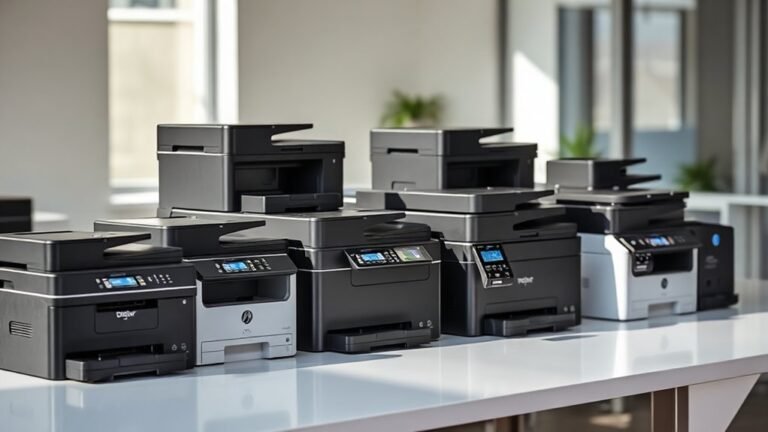
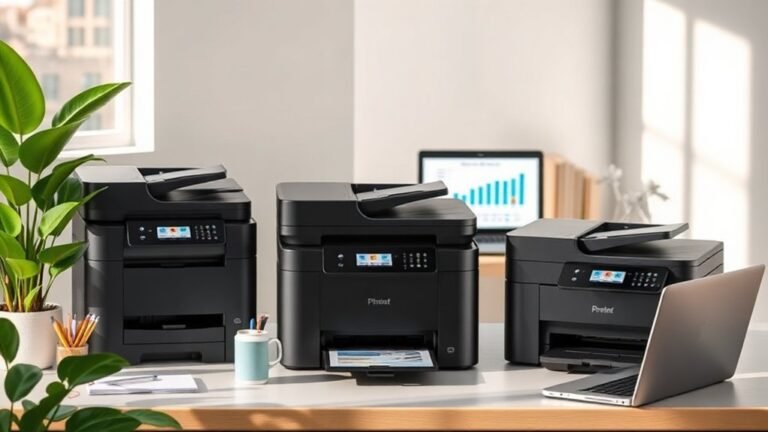
If you’re looking for the best Brother laser printers for home use in 2027, you want something fast and reliable. The Brother DCP-L2640DW handles monochrome printing quickly, perfect for everyday black-and-white documents. Meanwhile, the HL-L3280CDW is great if you need vibrant color printing to make your projects pop.
For those wanting all-in-one versatility, the MFC-L3780CDW offers speedy printing plus duplex scanning to save time and paper. The MFC-L3720CDW steps it up with cloud integration and easy-to-use controls, making remote printing a breeze.
If space is tight, the compact HL-L3300CDW fits right in, giving you color multifunction features without taking up much room. Ultimately, picking the right Brother laser printer depends on whether you need color and multifunction capabilities. Take a closer look at these models to find the perfect fit for your home setup!
| Image | Name | Editor's Rating | Price |
|---|---|---|---|

|
|
||

|
|
||

|
|
||

|
|
Brother DCP-L2640DW Wireless Compact Monochrome Printer
- BEST FOR SMALL BUSINESSES – Engineered for extraordinary productivity, the Brother DCP-L2640DW Monochrome (Black & White) 3-in-1 combines laser printer, scanner, copier...
- FAST PRINTER WITH EFFICIENT SCANNING – Produces documents quickly with print speeds up to 36 ppm(2) and scan speeds up to 23.6/7.9 ipm(3) (black/color). A 50-page auto...
- FLEXIBLE CONNECTION OPTIONS – Easily navigate the changing demands of your business with secure multi-device connectivity via built-in dual-band wireless (2.4GHz...
- BROTHER MOBILE CONNECT APP – Print, scan, and manage your wireless printer anytime, from almost anywhere from your mobile device. Order Brother Genuine Supplies, track...
- CHOOSE BROTHER GENUINE TONER – When it’s time to replace your toner, be sure to choose Brother Genuine TN830 or TN830XL replacement toner. And with Refresh EZ Print...

The Brother DCP-L2640DW is designed to meet the demands of busy home offices and small businesses. Its compact size fits neatly into tight spaces while delivering fast, reliable monochrome printing. You can quickly produce sharp documents without waiting long, thanks to its high-speed output of up to 36 pages per minute and a first page out time of just 8.5 seconds.
This multifunction printer simplifies your workflow by combining printing, copying, and scanning in one device. The 50-sheet auto document feeder and 250-sheet paper tray reduce interruptions during large jobs. Automatic duplex printing saves paper and time by handling double-sided documents effortlessly.
Connectivity options include dual-band Wi-Fi, Ethernet, and USB, allowing seamless integration with laptops, tablets, and smartphones. This flexibility supports mobile printing and network sharing, enhancing productivity. Maintenance is straightforward with easy access to toner replacement and a user-friendly LCD control panel.
While it only supports monochrome printing and paper sizes up to legal (8.5″ x 14″), the DCP-L2640DW excels in delivering dependable, efficient performance for everyday document tasks.
Best for: Small businesses and home offices needing a compact, high-speed monochrome multifunction printer with versatile connectivity.
What We Like:
- Fast printing speed with a quick first page out
- Automatic duplexing and large paper capacity
- Multiple connectivity options including dual-band Wi-Fi
- Easy maintenance and clear LCD interface
Specification:
| Feature | Details |
|---|---|
| Manufacturer | Brother |
| Dimensions (W x D x H) | 16.1 x 15.7 x 13.7 inches |
| Weight | 14.3 lb (6.5 kg) |
| Color Options | White |
| Printing Technology | Monochrome Laser |
| Max Paper Size | Legal (8.5″ x 14″) |
Brother HL-L3280CDW Wireless Color Laser Printer
No products found.
The Brother HL-L3280CDW Wireless Color Laser Printer is designed to enhance productivity in small offices and home workspaces. It addresses the need for fast, high-quality color printing with speeds up to 27 pages per minute, delivering sharp output at 2400 x 600 dpi resolution. This printer reduces manual effort by offering automatic duplexing, saving time and paper.
Its compact design fits easily on a desk without sacrificing functionality. The 250-sheet input tray and support for various media types, from labels to card stock, allow flexible printing options. Connectivity is seamless with dual-band Wi-Fi, Ethernet, and USB, enabling effortless integration into any workspace.
Maintenance is simplified with the Brother Refresh EZ Print toner delivery trial, which anticipates toner needs and sends replacements automatically, helping to avoid downtime. The intuitive 2.7″ touchscreen enhances user control and supports cloud printing for convenient mobile use.
While it focuses on printing without scanning or copying functions, this model is ideal for users prioritizing reliable, wireless color printing in a compact unit.
Best for: Small offices and home workspaces needing a compact, reliable color laser printer with wireless connectivity and automatic duplexing.
What We Like:
- Fast printing at up to 27 ppm with sharp 2400 x 600 dpi quality
- Multiple connectivity options including dual-band Wi-Fi and Ethernet
- Automatic duplex printing reduces paper waste and manual handling
- Supports various media types for versatile printing needs
- Simple toner management with the Brother Refresh EZ Print service
Specification:
| Feature | Details |
|---|---|
| Manufacturer | Brother |
| Dimensions (W×D×H) | 16.1 x 18.7 x 15 inches |
| Weight | 32.6 lbs (14.8 kg) |
| Printing Technology | Wireless Color Laser |
| Print Speed | Up to 27 ppm |
| Resolution | 2400 x 600 dpi |
| Connectivity | Dual-band Wi-Fi, Ethernet, USB |
| Input Tray Capacity | 250 sheets |
| Display | 2.7″ Color Touchscreen |
Brother MFC-L3780CDW Wireless Digital Color All-in-One Printer
- Best for Small Businesses: The Brother MFC L3780CDW small business printer is a wireless multi-function digital color printer with copy, scan, and fax functionalities...
- AMPLIFY YOUR PROFESSIONAL DOCUMENTS. This Brother laser printer provides the consistent performance of laser-quality digital color printing
- MAXIMIZE EFFICIENCY WITH ALL-IN-ONE FUNCTIONALITY. This Brother all in one printer has print speeds up to 31 ppm(1) and scan speeds up to 29/22 ipm(2) (black/color) with...
- RELIABLE RESULTS WITH BROTHER GENUINE TONER. Choose Brother Genuine TN229 Standard Yield, TN229XL High Yield, or TN229XXL Super High Yield for your Brother printer...
- Flexible Connection Options: Brother laser color printer has built-in dual band wireless (2.4GHz / 5GHz)(5), Gigabit Ethernet, and Wi-Fi Direct connections, plus a USB...
The Brother MFC-L3780CDW Wireless Digital Color All-in-One Printer brings a practical solution for busy home offices and small businesses. It smoothly handles printing, copying, scanning, and faxing tasks, reducing the need for multiple devices. With crisp, laser-quality color prints at up to 31 pages per minute, it keeps productivity high and waiting times low.
Designed for efficiency, it offers automatic duplex printing and single-pass duplex scanning, saving time and paper. The 3.5″ touchscreen makes operation straightforward, while dual-band Wi-Fi and Ethernet ensure reliable, flexible connectivity. This printer supports various media types and holds 250 sheets, fitting diverse office needs without frequent reloads.
Maintenance is simplified with an optional subscription toner service, which helps manage supplies and reduce running costs. Energy-saving modes also contribute to lower electricity use. However, its power consumption reaches 660 watts during operation, which is higher than some alternatives, and the paper capacity might require expansion for heavy workloads.
Overall, this all-in-one printer balances speed, quality, and convenience, making it a versatile tool for everyday office tasks.
Best for: Small businesses and home offices needing a versatile, fast, and reliable all-in-one color laser printer with wireless connectivity.
What We Like:
- Fast print speeds of up to 31 ppm with sharp color output
- Convenient automatic duplex printing and scanning
- Flexible connectivity options including dual-band Wi-Fi and Ethernet
- Intuitive 3.5″ touchscreen for easy use
- Subscription toner option simplifies maintenance and cost control
Specification:
| Feature | Details |
|---|---|
| Manufacturer | Brother |
| Dimensions | Not specified |
| Weight | Not specified |
| Connectivity | Dual-band Wi-Fi, Ethernet, NFC |
| Paper Capacity | 250 sheets |
| Print Speed | Up to 31 ppm |
| Display | 3.5″ Touchscreen |
| Power Consumption | 660 watts (operating) |
Brother MFC-L3720CDW Wireless Color Laser Printer
- Professional Performance: Dominate your business printing with this Brother Genuine color laser printer delivering exceptional print speeds up to 19 ppm and stunning...
- Advanced Connectivity: Take command of your workflow with dual-band wireless networking (2.4GHz/5GHz), Wi-Fi Direct, and USB 2.0 interface, enabling multiple users to...
- Productivity Powerhouse: Maximize efficiency with the 50-sheet auto document feeder, 250-sheet adjustable paper tray, and automatic duplex printing, ensuring...
- Smart Integration: Transform your workflow with the intuitive 3.5" color touchscreen featuring 48 customizable shortcuts and direct access to popular cloud services...
- Mobile Command Center: Leverage the power of mobile printing with remote access capabilities, toner level monitoring, and complete printer management directly from your...
Experience vibrant, professional-quality prints with the Brother MFC-L3720CDW wireless color laser printer. This all-in-one device simplifies your home office tasks by combining printing, scanning, copying, and faxing in one compact machine. Its laser technology ensures crisp, smudge-free documents at speeds up to 19 pages per minute, helping you work efficiently.
Designed with convenience in mind, the printer features a 250-sheet adjustable tray and a 50-sheet auto document feeder. These allow you to handle various paper sizes and volumes without frequent reloading. The 3.5-inch color touchscreen offers easy navigation and customizable shortcuts, streamlining your workflow.
Maintenance is straightforward, with easy access to replaceable toner cartridges and routine cleaning. Wireless connectivity and cloud integration with Google Drive and Dropbox keep you connected and enable printing from multiple devices. While weighing 44 pounds and consuming up to 500 watts, it balances performance with eco-friendly ENERGY STAR certification.
Best for: Home users needing a versatile and reliable wireless color laser printer that combines quality and convenience.
What We Like:
- All-in-one functions: print, scan, copy, and fax
- Sharp, smudge-free laser prints with good speed
- User-friendly touchscreen and cloud connectivity
- Large paper capacity for less frequent refills
- ENERGY STAR certified for energy efficiency
Specification:
| Feature | Details |
|---|---|
| Manufacturer | Brother |
| Dimensions (W x D x H) | Approx. 16.1 x 18.5 x 15.7 in (41 x 47 x 40 cm) |
| Weight | 44 lb (20 kg) |
| Connectivity | Wireless, USB |
| Paper Capacity | 250-sheet adjustable tray, 50-sheet ADF |
| Display | 3.5-inch color touchscreen |
| Power Consumption | Up to 500 W |
| ENERGY STAR Certified | Yes |
Brother HL-L3300CDW Wireless Color Laser Printer
- Best for Small Offices and Work from Home, the Brother HL-L3300CDW wireless compact 3-in-1 digital color printer with copy & scan functionalities consistently produces...
- UPGRADE YOUR PROFESSIONAL DOCUMENTS. With the consistent dependability of laser-quality digital color printing.
- EFFECTIVE PRODUCTIVITY WITH THREE-IN-ONE FUNCTIONALITY. Featuring a flatbed scan glass for convenient copying and scanning capabilities from a single, compact machine...
- FLEXIBLE CONNECTION OPTIONS. Count on steady connections at the office or on the go. Built-in dual band wireless (2.4GHz / 5GHz)(4), and Wi-Fi Direct, or USB interface...
Experience seamless productivity with the Brother HL-L3300CDW Wireless Color Laser Printer. This compact 3-in-1 device combines printing, copying, and scanning to meet the demands of freelancers and hybrid workers. Its space-saving design fits comfortably in any workspace, delivering sharp, smudge-free color prints that elevate your professional documents.
Efficiency is key with print speeds reaching up to 19 pages per minute and automatic duplexing that saves paper and time. The printer’s versatile connectivity options, including dual-band Wi-Fi, USB, and Wi-Fi Direct, offer flexible setup. Integration with Alexa allows for convenient voice-activated printing.
Maintenance is straightforward thanks to the included 2-month Refresh EZ Print trial, ensuring you stay stocked with consumables. However, ongoing supply requires subscription enrollment, which may add to your costs. The 250-sheet paper capacity supports moderate daily use without frequent refills.
While the initial print time may be a bit slow for urgent large jobs, the HL-L3300CDW balances performance with convenience for small office environments. Its multifunctionality and wireless capabilities make it an effective tool for busy professionals.
Best for: Freelancers, hybrid workers, and small offices seeking a compact, versatile wireless color laser printer with reliable print, copy, and scan functions.
What We Like:
- Compact 3-in-1 device saves workspace while providing multiple functions
- Fast print speeds up to 19 ppm with automatic double-sided printing
- Flexible connectivity including dual-band Wi-Fi, USB, Wi-Fi Direct, and Alexa voice control
- Easy maintenance supported by Refresh EZ Print trial supply program
Specification:
| Feature | Details |
|---|---|
| Manufacturer | Brother |
| Dimensions | Approx. 16.1 x 18.5 x 15.7 inches (41 x 47 x 40 cm) |
| Weight | Approx. 31.9 lbs (14.5 kg) |
| Printing Technology | Color Laser |
| Paper Capacity | 250 sheets |
| Connectivity | Dual-band Wi-Fi, USB, Wi-Fi Direct, Alexa voice commands |
Factors to Consider When Choosing a Brother Laser Printer for Home
When choosing a Brother laser printer for your home, you’ll want to contemplate how fast it prints and the connectivity options it offers. Think about whether you need a multifunction model or just a single-function printer, along with its paper handling capacity.
Don’t forget to check energy efficiency features to keep your power use in check. It’s all about finding a balance that fits your needs and lifestyle. That way, you get the best value and convenience from your new printer.
Print Speed Importance
Although print speed might not be your top priority, it plays an essential role in how quickly your Brother laser printer handles large or frequent jobs. Print speed, measured in pages per minute (ppm), affects how fast single-sided prints finish. You’ll notice this most with big documents or bulk printing.
If you print often or handle multi-page reports, choosing a model with a faster ppm—typically in the mid-20s to mid-30s—can save you time and boost productivity. Also, consider the first-page-out time; shorter delays make the printer feel quicker during small, frequent prints.
Duplex printing helps reduce the number of pages, lessening the impact of slower single-sided speeds. Keep in mind, faster print speeds may increase noise and energy use, so balance speed with your home environment needs.
Connectivity Options Available
Print speed matters, but how you connect your Brother laser printer can have an even bigger impact on your daily convenience. Dual-band Wi-Fi (2.4 GHz and 5 GHz) reduces interference, ensuring stable wireless printing from multiple devices.
If you share the printer in a home office, an Ethernet port offers a reliable, low-latency connection. For direct, secure printing, USB 2.0 or higher lets you connect one computer without relying on the network.
Wi-Fi Direct and NFC make pairing with smartphones or tablets quick, bypassing the need to join your home network. Cloud and mobile printing support, including apps and AirPrint, let you print remotely, though they usually require an internet connection and account setup.
Choosing the right combination of these options simplifies your printing experience. It’s all about what fits your workflow best!
Multifunction vs. Single
Deciding between a multifunction printer (MFP) and a single-function model depends largely on your specific needs and workspace.
If you need printing only, a single-function printer usually offers faster speeds and a lower upfront cost since it skips scanners and extra components.
However, if you frequently scan, copy, or fax, an MFP saves space by combining these functions in one device.
Look for features like an automatic document feeder (ADF) and duplex scanning to speed up multi-page jobs.
Keep in mind, MFPs may have higher maintenance and consumable costs due to additional parts.
Compare duty cycles and tray sizes too, as MFPs with larger capacities handle higher workloads better.
Choose based on your workflow and budget to find the best Brother laser printer for your home.
Paper Handling Capacity
When choosing a Brother laser printer for home use, you’ll want to pay close attention to paper handling capacity to match your printing habits. Check the input tray capacity, typically around 250 sheets, to avoid frequent refills if you print a lot.
Don’t overlook the output tray size, usually 120–250 sheets, so your prints don’t spill out during big jobs or duplex printing.
If you scan or copy multi-page documents, an automatic document feeder with about 50-sheet capacity can save you time.
Also, confirm the supported media sizes, including envelopes and legal paper, to guarantee versatility. Finally, verify if the printer has automatic duplexing and understand its paper-handling limits to gauge efficiency and avoid interruptions during heavy or mixed-media printing.
Energy Efficiency Features
Explore energy efficiency features to save both power and resources with your Brother laser printer at home. First, look for ENERGY STAR certification and EPEAT Silver rating to make certain your printer meets top energy and environmental standards.
Check its power consumption, including maximum and standby watts, so you can compare energy use during printing and idle times. Features like automatic duplex printing and Toner Save or Eco modes help reduce paper and toner waste, cutting overall resource use.
Auto power-off and configurable sleep timers minimize energy draw when the printer isn’t in use. Finally, consider scan and copy speeds alongside ADF efficiency—faster tasks mean less active run time and lower energy consumption, making your home printing both eco-friendly and cost-effective.
Frequently Asked Questions
How Energy-Efficient Are Brother Laser Printers?
Brother laser printers are quite energy-efficient, so you’ll save power during use. They often include sleep modes and automatic shutoff features.
These help you reduce electricity consumption without sacrificing performance or print quality in your home setup. It’s a smart choice if you want to keep energy costs down while printing.
Can These Printers Handle Mobile Printing Apps?
Yes, Brother laser printers support mobile printing apps, letting you print directly from your smartphone or tablet.
You’ll find compatibility with popular apps like Brother iPrint&Scan, Apple AirPrint, and Google Cloud Print for easy wireless printing.
So, whether you’re on Android or iOS, printing on the go is pretty straightforward.
Just connect your device, and you’re good to go!
What Is the Average Cartridge Replacement Cost?
You’ll find the average cartridge replacement cost ranges from $40 to $80, depending on the model.
Don’t let the price fool you; investing in high-yield cartridges saves you money and time long-term.
It might seem like a bigger upfront cost, but trust me, it pays off in the long run.
Are Brother Printers Compatible With Macos and Linux?
Yes, Brother printers are compatible with macOS and Linux. You’ll find drivers and support on Brother’s website, making setup easy.
Just download the right software, and you’ll have your printer working smoothly in no time. It’s pretty straightforward once you get started!
Do These Models Offer Duplex Scanning Features?
Yes, many Brother laser printers include duplex scanning features, letting you scan both sides of a document automatically.
You’ll save time and effort, especially when handling double-sided pages at home or in your small office. It’s really convenient and helps keep things moving quickly.
Conclusion
Choosing the right Brother laser printer for your home is like finding the perfect dance partner—it should move seamlessly with your needs. Whether you want crisp monochrome prints or vibrant color, these models offer reliability and wireless convenience.
Keep your priorities in mind, and you’ll have a printer that works as hard as you do. With Brother’s range, you’re set to print smoothly and efficiently, right from your cozy home office.
When selecting the best Brother laser printer for home use, consider factors like print speed, connectivity options, and cost per page. These features ensure your printer matches your lifestyle and budget perfectly.
In 2027, Brother continues to lead with innovative technology that caters to home users. So, whether you need fast monochrome printing or vibrant color outputs, Brother laser printers deliver quality and convenience.
Ultimately, choosing a Brother laser printer means investing in a device that combines durability, performance, and ease of use. Your home printing experience will be hassle-free, making these Brother laser printers the ideal choice for reliable and efficient home use.