13 Best Brother Laser Printer All-in-One Models for 2027
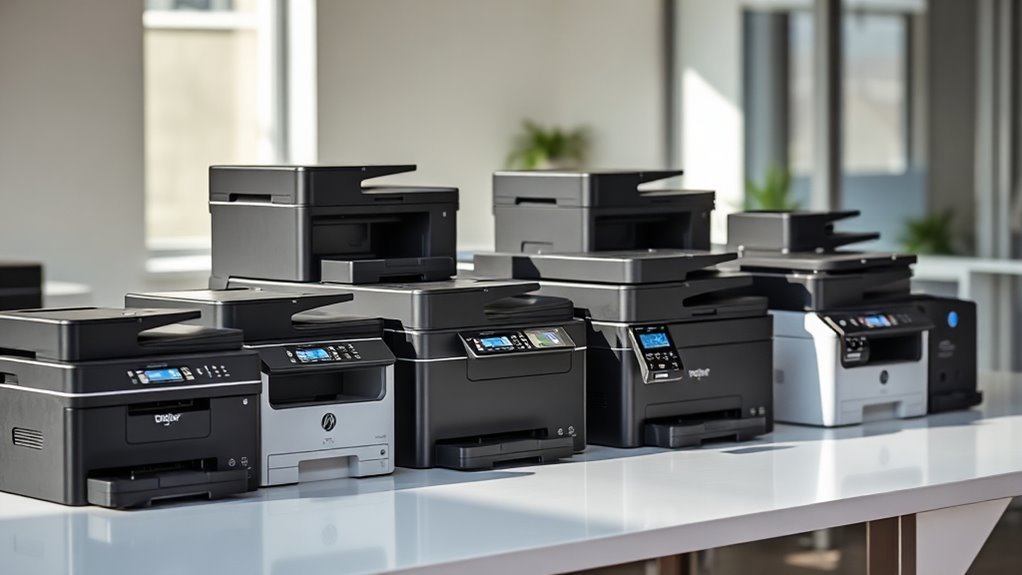
If you’re searching for a reliable Brother laser printer all-in-one for 2027, you’ve got some great options to consider. Models like the MFC-L8400CDW and MFC-L8930CDW stand out with fast printing speeds—up to 33 to 50 pages per minute. They also come with automatic duplex scanning and strong security features, making them perfect for busy offices.
Need something more compact? The DCP-L2640DW and MFC-L2820DW offer efficient monochrome printing and easy mobile connectivity, ideal for smaller spaces or personal use. If color printing is a priority, the MFC-L3780CDW combines speed with handy touchscreen controls.
Keep reading, and you’ll discover how each model suits different office needs and budgets, helping you find the best fit for your situation.
| Image | Name | Editor's Rating | Price |
|---|---|---|---|

|
|
||

|
|
||

|
|
||

|
|
||

|
|
Brother DCP-L2640DW Wireless Monochrome Multi-Function Printer
- BEST FOR SMALL BUSINESSES – Engineered for extraordinary productivity, the Brother DCP-L2640DW Monochrome (Black & White) 3-in-1 combines laser printer, scanner, copier...
- FAST PRINTER WITH EFFICIENT SCANNING – Produces documents quickly with print speeds up to 36 ppm(2) and scan speeds up to 23.6/7.9 ipm(3) (black/color). A 50-page auto...
- FLEXIBLE CONNECTION OPTIONS – Easily navigate the changing demands of your business with secure multi-device connectivity via built-in dual-band wireless (2.4GHz...
- BROTHER MOBILE CONNECT APP – Print, scan, and manage your wireless printer anytime, from almost anywhere from your mobile device. Order Brother Genuine Supplies, track...
- CHOOSE BROTHER GENUINE TONER – When it’s time to replace your toner, be sure to choose Brother Genuine TN830 or TN830XL replacement toner. And with Refresh EZ Print...

The Brother DCP-L2640DW Wireless Monochrome Multi-Function Printer is ideal for small businesses that require efficient document handling. Its compact all-in-one design combines printing, copying, and scanning in one device, saving valuable workspace. The printer’s fast output speeds help reduce wait times, allowing you to focus on more important tasks.
This model offers automatic duplex printing, which cuts paper usage in half and supports eco-friendly office practices. A 50-page auto document feeder streamlines multi-page scanning and copying, making batch jobs easier. Wireless and Ethernet connectivity provide flexible setup options, including mobile printing from smartphones or tablets.
Maintenance is simplified with Brother’s optional toner subscription service, ensuring you never run out of supplies. The device is also ENERGY STAR certified, helping reduce energy consumption without sacrificing performance. However, it only supports monochrome printing and has a 250-sheet paper capacity, which might require frequent refills in high-volume settings.
Best for: Small businesses needing reliable, fast monochrome printing and scanning with versatile connectivity options.
What We Like:
- Fast print and copy speeds up to 36 ppm with automatic duplexing
- Compact design with a 50-page auto document feeder
- Wireless and Ethernet connectivity with mobile printing support
- ENERGY STAR certified and optional toner subscription service
Specification:
| Feature | Details |
|---|---|
| Manufacturer | Brother |
| Dimensions (W x D x H) | 16.1 x 14.7 x 7.2 inches (41 x 37.3 x 18.3 cm) |
| Weight | 15.6 lbs (7.1 kg) |
| Color Options | White |
| Connectivity | Wireless (dual-band Wi-Fi), Ethernet, USB |
Brother MFC-L2820DW Wireless Monochrome All-in-One Printer
- BEST FOR SMALL OFFICES – Combining space-saving efficiency and premium monochrome (black & white) print quality with affordability, the Brother MFC-L2820DW delivers...
- EFFICIENT PRINTING & SCANNING – Produces black & white documents quickly with print speeds up to 36 ppm(2) and scan speeds up to 23.6/7.9 ipm(3) (bk/cl). A 50-page auto...
- FLEXIBLE CONNECTION OPTIONS – Securely connect to multiple devices with built-in dual-band wireless (2.4GHz / 5GHz), Ethernet, or connect locally to a single computer...
- 2.7" TOUCHSCREEN – The intuitive 2.7” touchscreen enables effortless navigation with the added ability to print-from and scan-to popular Cloud-based apps such as...
- BROTHER MOBILE CONNECT APP – Print, scan, and manage your wireless printer anytime, from almost anywhere from your mobile device. Order Brother Genuine Supplies, track...
The Brother MFC-L2820DW Wireless Monochrome All-in-One Printer is designed to meet the needs of small offices and home workspaces. Its compact design saves valuable desk space while providing versatile 4-in-1 functionality. You can print, copy, scan, and fax from a single device, streamlining daily tasks efficiently.
This printer helps reduce time spent on repetitive jobs with a fast output of up to 36 pages per minute. Automatic duplex printing cuts paper use in half by producing double-sided documents without extra effort. The 50-page auto document feeder adds convenience for handling multi-page scanning or copying.
Wireless dual-band Wi-Fi and mobile app support allow you to print and scan directly from smartphones or laptops. Alexa compatibility introduces voice command options, adding to the ease of use. Maintenance is straightforward with a single 250-sheet paper tray, though frequent refills may be needed in busy environments.
While it only supports monochrome printing, this device offers reliable performance for everyday black-and-white documents. Its moderate scanner and copy resolution suit general office needs rather than high-detail imaging tasks.
Best for: Small offices and home users requiring a compact, efficient monochrome printer with wireless connectivity.
What We Like:
- Fast print speed of up to 36 ppm with automatic duplex printing
- 50-page auto document feeder for easy multi-page tasks
- Dual-band Wi-Fi and mobile app support for wireless convenience
- Alexa-compatible for voice-activated printing
- Compact design fits neatly into limited workspace
Specification:
| Feature | Details |
|---|---|
| Manufacturer | Brother |
| Dimensions (W x D x H) | 16.1 x 15.7 x 12.0 inches |
| Weight | Approx. 16.6 lbs (7.5 kg) |
| Print Technology | Monochrome Laser |
| Paper Tray Capacity | 250 sheets |
| Connectivity | Wireless Dual-Band Wi-Fi |
| Functions | Print, Copy, Scan, Fax |
Brother MFC-L3720CDW Wireless Color Laser Printer
- Professional Performance: Dominate your business printing with this Brother Genuine color laser printer delivering exceptional print speeds up to 19 ppm and stunning...
- Advanced Connectivity: Take command of your workflow with dual-band wireless networking (2.4GHz/5GHz), Wi-Fi Direct, and USB 2.0 interface, enabling multiple users to...
- Productivity Powerhouse: Maximize efficiency with the 50-sheet auto document feeder, 250-sheet adjustable paper tray, and automatic duplex printing, ensuring...
- Smart Integration: Transform your workflow with the intuitive 3.5" color touchscreen featuring 48 customizable shortcuts and direct access to popular cloud services...
- Mobile Command Center: Leverage the power of mobile printing with remote access capabilities, toner level monitoring, and complete printer management directly from your...
The Brother MFC-L3720CDW Wireless Color Laser Printer brings versatile functionality to your home or office. It combines printing, scanning, copying, and faxing into one compact device, helping you save space and streamline tasks. With laser-quality, smudge-free prints, it ensures professional results every time.
This printer handles everyday printing needs smoothly at speeds up to 19 pages per minute. Automatic duplexing reduces paper usage and effort, while a 250-sheet capacity limits frequent refills. The 3.5″ color touchscreen makes operation intuitive, with 48 customizable shortcuts to speed up common jobs.
Connectivity is simple with dual-band Wi-Fi and support for direct printing from cloud services like Google Drive. Scanning is fast and clear too, with monochrome speeds up to 29 images per minute. Maintenance is straightforward, designed to minimize downtime and keep your workflow moving.
Though slightly bulky at 44 pounds, its robust build supports high-quality output and reliable operation. Its eco-friendly features and security options add peace of mind for sensitive documents and energy-conscious users.
Best for: Small offices or individuals needing a reliable all-in-one wireless color laser printer that blends multiple functions with easy cloud connectivity.
What We Like:
- Sharp, smudge-free laser print quality with automatic duplexing
- Large paper capacity and automatic document feeder enhance efficiency
- Easy-to-use 3.5″ color touchscreen with customizable shortcuts
- Strong wireless and mobile device connectivity options
Specification:
| Feature | Details |
|---|---|
| Manufacturer | Brother |
| Dimensions (W×D×H) | Approx. 16.1 × 18.0 × 15.7 inches |
| Weight | 44 lb (20 kg) |
| Printing Technology | Wireless Color Laser |
| Paper Capacity | 250 sheets |
| Touchscreen | 3.5-inch color |
Brother MFC-L3780CDW Wireless Digital Color All-in-One Printer
- Best for Small Businesses: The Brother MFC L3780CDW small business printer is a wireless multi-function digital color printer with copy, scan, and fax functionalities...
- AMPLIFY YOUR PROFESSIONAL DOCUMENTS. This Brother laser printer provides the consistent performance of laser-quality digital color printing
- MAXIMIZE EFFICIENCY WITH ALL-IN-ONE FUNCTIONALITY. This Brother all in one printer has print speeds up to 31 ppm(1) and scan speeds up to 29/22 ipm(2) (black/color) with...
- RELIABLE RESULTS WITH BROTHER GENUINE TONER. Choose Brother Genuine TN229 Standard Yield, TN229XL High Yield, or TN229XXL Super High Yield for your Brother printer...
- Flexible Connection Options: Brother laser color printer has built-in dual band wireless (2.4GHz / 5GHz)(5), Gigabit Ethernet, and Wi-Fi Direct connections, plus a USB...
Experience efficient, high-quality printing with the Brother MFC-L3780CDW Wireless Digital Color All-in-One Printer. Designed to streamline office tasks, it combines printing, copying, scanning, and faxing in one compact device. This versatility helps reduce clutter and improves workflow in small business and home office environments.
The printer delivers sharp, laser-quality color prints at speeds up to 31 pages per minute. Its intuitive 3.5″ touchscreen makes operation simple, while automatic duplex printing and scanning cut both paper use and task time significantly. These features support a smoother, more eco-friendly office routine.
Connectivity options are robust, featuring dual-band Wi-Fi, Ethernet, and NFC, allowing easy integration into various network setups. Advanced security measures keep sensitive data protected, giving peace of mind for business users.
Maintenance is straightforward, though the device’s power consumption is higher than average at 660 watts. The standard 250-sheet input capacity may require expansion for heavier workloads. Some cloud services and apps need an internet connection and may involve subscriptions.
Best for: Small businesses and home offices needing a reliable, fast all-in-one color laser printer with strong connectivity and security features.
What We Like:
- Fast print speed with crisp 2400 x 600 dpi color output
- Automatic duplex printing and scanning save time and paper
- Flexible connectivity including dual-band Wi-Fi and NFC
- User-friendly 3.5″ touchscreen interface
- Advanced security features protect sensitive information
Specification:
| Feature | Details |
|---|---|
| Manufacturer | Brother |
| Dimensions | Not specified |
| Weight | Not specified |
| Print Speed | Up to 31 pages per minute (ppm) |
| Print Resolution | 2400 x 600 dpi |
| Connectivity | Dual-band Wi-Fi, Ethernet, NFC |
| Input Capacity | 250 sheets (standard) |
| Power Consumption | 660 watts |
| Display | 3.5″ touchscreen |
Brother Work Smart 1360 Wireless Color Inkjet All-in-One Print, Scan, Copy
- AFFORDABLE ALL-IN-ONE FOR HOME AND HOME OFFICE: Print, copy, and scan on one compact wireless printer designed for everyday home office printing, schoolwork, documents...
- EASY TO USE WITH CLOUD APP CONNECTIONS: Print from and scan to popular Cloud apps(2), including Google Drive, Dropbox, Box, OneDrive, and more from the simple-to-use...
- FULL-SIZE FEATURES IN A COMPACT DESIGN: This printer includes automatic duplex (2-sided) printing, a 20-sheet single-sided Automatic Document Feeder (ADF)(3), and a...
- MULTIPLE CONNECTION OPTIONS: Connect your way. Interface with your printer on your wireless network or via USB.
- MOBILE PRINTING MADE EASY: Go mobile with the Brother Mobile Connect app(5) that delivers easy onscreen menu navigation for printing, copying, scanning, and device...
The Brother Work Smart 1360 Wireless Color Inkjet All-in-One printer offers a smart solution for busy homes and small offices. It simplifies document handling by combining printing, scanning, and copying in one compact device. With wireless connectivity, you can print from multiple devices without hassle.
This printer tackles everyday tasks efficiently with automatic duplex printing and a 20-sheet automatic document feeder. It delivers sharp black-and-white and color prints up to 16 ppm and 9 ppm, respectively, helping you manage moderate workloads smoothly. The 150-sheet paper tray supports various media sizes, including legal documents.
Maintenance is straightforward with starter ink cartridges included and a user-friendly 1.8” color display for easy navigation. The device’s Energy Star certification ensures energy savings while keeping your workspace tidy and efficient. Cloud app integration further expands your printing options, making it a flexible choice.
While its print speed is moderate and the single paper tray may require refills during heavy use, the Work Smart 1360 balances functionality and convenience. It’s designed to improve productivity by streamlining common office tasks with dependable color output.
Best for: individuals or small home offices needing a versatile, wireless all-in-one printer with reliable color printing, scanning, and copying features.
What We Like:
- Automatic duplex printing and 20-sheet ADF enhance workflow efficiency.
- Multiple connectivity options including Wi-Fi, USB, and cloud apps.
- Compact design with Energy Star certification saves space and energy.
Specification:
| Feature | Details |
|---|---|
| Manufacturer | Brother |
| Dimensions (W x D x H) | Approx. 16.3 x 14.3 x 7.6 in |
| Weight | Approx. 11.2 lbs (5.1 kg) |
| Printing Technology | Wireless Color Inkjet |
| Paper Capacity | 150 sheets |
| Display | 1.8” Color LCD |
Brother Work Smart 1410 Wireless Color Inkjet Printer

- BEST FOR HOME OFFICE AND SMALL OFFICE: Get your work done with a multifunction printer. Print, copy, and scan on one convenient, compact printer, with quick and easy...
- EASY-TO-USE TOUCHSCREEN WITH CLOUD APP CONNECTIONS: Seamless integration with the Cloud(2). Print from and scan to popular Cloud apps(2), including Google Drive, Dropbox...
- PRODUCTIVITY-FOCUSED FEATURES: Automatic duplex (2-sided) printing, 20-sheet single-sided Automatic Document Feeder (ADF)(3), 150-sheet paper tray(3). Print at fast...
- MULTIPLE CONNECTION OPTIONS: Connect your way. Interface with your printer on your wireless network or via USB.
- THE BROTHER MOBILE CONNECT APP: Go mobile with the Brother Mobile Connect app(5) for easy onscreen menu navigation for printing, copying, scanning, and device management...
The Brother Work Smart 1410 Wireless Color Inkjet Printer is designed to simplify your daily printing, copying, and scanning tasks. Its wireless connectivity lets you print from anywhere in your home or office, reducing clutter and improving workflow. The intuitive 2.7” color touchscreen makes operation straightforward, cutting down time spent on setup and adjustments.
This printer helps you save paper with automatic duplex printing and speeds up multi-page jobs using the 20-sheet automatic document feeder. Managing your print jobs is effortless through the Brother Mobile Connect app, which also keeps you informed about ink levels to avoid unexpected interruptions.
Maintenance is hassle-free thanks to the use of specific Brother Genuine LC501 ink cartridges, ensuring consistent print quality and reliability. Cloud integration enables seamless printing and scanning with Google Drive, Dropbox, and other popular services, making it easier to handle documents across devices.
While print speeds are moderate, and the paper tray holds 150 sheets, this printer balances functionality and convenience for small-scale use. Its features are tailored to support home offices and small workspaces with dependable wireless color printing and scanning.
Best for: home users and small offices seeking a versatile, wireless color inkjet printer with easy mobile and cloud management.
What We Like:
- Automatic duplex printing and 20-sheet ADF boost efficiency.
- Wireless setup with Brother Mobile Connect app for remote control and ink monitoring.
- Cloud service integration for easy printing and scanning to Google Drive and Dropbox.
Specification:
| Feature | Details |
|---|---|
| Manufacturer | Brother |
| Dimensions (W x D x H) | Approx. 17.2 x 15.7 x 7.5 in |
| Weight | Approx. 13 lbs (5.9 kg) |
| Color Options | White |
| Ink Cartridge Model | Brother Genuine LC501 |
Brother MFC-L2820DW Wireless Monochrome Laser Printer

- BEST FOR SMALL OFFICES – Combining space-saving efficiency and premium monochrome (black & white) print quality with affordability, the Brother MFC-L2820DW delivers...
- EFFICIENT PRINTING & SCANNING – Produces black & white documents quickly with print speeds up to 36 ppm(2) and scan speeds up to 23.6/7.9 ipm(3) (bk/cl). A 50-page auto...
- FLEXIBLE CONNECTION OPTIONS – Securely connect to multiple devices with built-in dual-band wireless (2.4GHz / 5GHz), Ethernet, or connect locally to a single computer...
- 2.7" TOUCHSCREEN – The intuitive 2.7” touchscreen enables effortless navigation with the added ability to print-from and scan-to popular Cloud-based apps such as...
- BROTHER MOBILE CONNECT APP – Print, scan, and manage your wireless printer anytime, from almost anywhere from your mobile device. Order Brother Genuine Supplies, track...
The Brother MFC-L2820DW Wireless Monochrome Laser Printer offers a compact and efficient solution for your office needs. It delivers crisp black-and-white prints quickly, helping you manage daily tasks without delays. Its automatic duplex printing reduces paper use, making it both practical and eco-conscious.
This all-in-one device simplifies your workflow by combining printing, scanning, copying, and faxing in one machine. The 50-page automatic document feeder speeds up multi-page tasks, while the 250-sheet tray minimizes interruptions for paper refills. Its design suits small office spaces or home offices where functionality and space-saving are essential.
Connectivity is flexible with dual-band Wi-Fi, Ethernet, and USB options. You can easily control operations via the 2.7″ touchscreen or the Brother Mobile Connect app, making mobile printing straightforward. Maintenance is user-friendly, ensuring that routine tasks like replacing toner or clearing paper jams won’t slow you down.
While it only supports monochrome printing, this printer is ideal for users focused on sharp, professional black-and-white documents. Its renewed status may be a consideration for those seeking brand-new hardware, but it maintains reliable performance and efficiency.
Best for: Small offices and home users needing a compact, fast, and reliable monochrome all-in-one printer with wireless connectivity and multifunction capabilities.
What We Like:
- Fast print speeds up to 34 pages per minute with automatic duplex.
- Multifunction capabilities including scan, copy, and fax with a 50-page ADF.
- Multiple connectivity options: dual-band Wi-Fi, Ethernet, USB, and mobile app control.
- Compact design fits easily into small office or home environments.
Specification:
| Feature | Details |
|---|---|
| Manufacturer | Brother |
| Dimensions (W×D×H) | 16.1 × 15.7 × 12.5 inches |
| Weight | 15.9 lb (7.2 kg) |
| Color Options | Monochrome (Black & White) |
| Connectivity | Dual-band Wi-Fi, Ethernet, USB |
| Display | 2.7-inch touchscreen |
Brother MFC-L8930CDW Color Laser All-in-One Printer

- Updated design, professional results. High-quality output with sharp color and black printing. Fast print and copy speeds up to 33ppm(1) help boost productivity. Reliable...
- Maximize printing budgets. Offers built-in value with included Brother Genuine 3,000-page black and 1,800-page color standard yield toner cartridges. Help lower printing...
- Advanced scanning. High-speed, two-sided scanning up to 104ipm(3) with 80-page auto document feeder(4) and legal-size glass. Scan to cloud, email, SharePoint, and more...
- Productivity-enhancing features. Flexible connectivity, including built-in dual-band (2.4GHz / 5GHz) wireless networking and Gigabit Ethernet networking. 7” color...
- Triple Layer Security. Advanced security features to help keep devices secure, protect documents in transit to and from print devices, and safeguard networks. Includes an...
The Brother MFC-L8930CDW Color Laser All-in-One Printer is designed to streamline office tasks with efficient color printing, scanning, copying, and faxing. Its compact design, 25% smaller than the previous model, fits neatly into busy workspaces without sacrificing performance. This printer delivers sharp prints at speeds of up to 33 pages per minute, helping teams stay productive.
Maintenance is straightforward, though the printer is on the heavier side at 71.2 pounds, so it’s best suited for a fixed office setup. Replacing toner cartridges, especially high-yield ones, can be costly, but the machine’s durability and quality help justify the investment. The 80-sheet automatic document feeder supports quick double-sided scanning, reducing manual effort.
Connectivity is flexible with built-in wireless and Gigabit Ethernet, making it easy to integrate into office networks. Advanced security features, including NFC badge authentication and triple-layer protection, help safeguard sensitive documents and user access. The 7-inch touchscreen offers a user-friendly interface with customizable shortcuts, saving time on repetitive tasks.
Best for: Offices and business teams that need reliable, fast, and secure color printing combined with versatile scanning and copying capabilities.
What We Like:
- Compact size saves valuable office space
- Fast color and black-and-white printing up to 33 ppm
- Automatic duplex scanning with 80-page feeder
- Strong security with NFC and multi-layer protection
- Easy-to-use 7″ touchscreen with customizable controls
Specification:
| Manufacturer | Brother |
|---|---|
| Dimensions | Compact (25% smaller than predecessor) |
| Weight | 71.2 lb (32.3 kg) |
| Connectivity | Wireless, Gigabit Ethernet |
| Display | 7-inch Color Touchscreen |
| Features | Color Laser Printing, Scanning, Copying, Faxing |
Brother MFC-L2900DW Professional Laser Printer Scanner

- Professional Performance: Elevate your business efficiency with this Brother Genuine laser printer delivering lightning-fast 36 ppm output, crystal-clear monochrome...
- Versatile Connectivity: Take command of your workflow with dual-band wireless (2.4GHz/5GHz), Ethernet, or USB connectivity options, plus seamless mobile printing and...
- Advanced Document Handling: Maximize productivity with the 50-page auto document feeder, automatic duplex printing to save paper, and convenient single-pass two-sided...
- Smart Interface: Navigate effortlessly through printing, scanning, and cloud functions using the responsive 3.5 in touchscreen display, with direct access to popular...
- Energy Efficient: Benefit from an enhanced fuser design that delivers 22% reduction in electricity consumption, faster warm-up times from sleep mode, and automatic duplex...
The Brother MFC-L2900DW is a versatile monochrome laser printer designed to streamline your office tasks. It handles printing, scanning, copying, and faxing with ease, eliminating the need for multiple devices. Its fast print speed of 36 pages per minute ensures your documents are ready quickly, enhancing productivity.
With a sharp 1200 x 1200 dpi resolution, your monochrome prints come out clear and professional every time. The printer supports automatic duplex printing and features a 50-sheet automatic document feeder for single-pass duplex scanning, saving time on double-sided jobs.
Connectivity is flexible with dual-band wireless, Ethernet, and USB options. Mobile printing via the Brother Mobile Connect app means you can print from your smartphone or tablet effortlessly. The 3.5″ touchscreen makes navigation simple, while cloud service support, including Google Drive, keeps your workflow connected.
Maintenance is straightforward, though the starter toner cartridge yields about 700 pages, so regular replacement is necessary for heavy use. The 250-sheet paper tray suits small to medium print volumes but may require refills during busy periods.
Best for: Small to medium-sized offices and professionals seeking a reliable, efficient monochrome all-in-one printer with advanced duplex scanning and mobile connectivity.
What We Like:
- Fast printing at 36 ppm with sharp 1200 x 1200 dpi resolution
- Automatic duplex printing and single-pass duplex scanning increase efficiency
- Multiple connectivity options including dual-band wireless and mobile app support
- Easy-to-use 3.5″ touchscreen interface
- Supports cloud printing services like Google Drive
Specification:
| Feature | Details |
|---|---|
| Manufacturer | Brother |
| Dimensions (W x D x H) | 16.1 x 14.0 x 13.7 in |
| Weight | 13.7 lb (6.2 kg) |
| Color Options | White |
| Print Speed | Up to 36 pages per min |
| Print Resolution | 1200 x 1200 dpi |
| Paper Tray Capacity | 250 sheets |
| ADF Capacity | 50 sheets |
Brother Professional All-in-One Laser Printer (MFC-L5915DW)

- FAST BUSINESS PRINTING AND COPYING: The Brother MFC-L5915DW business monochrome laser all-in-one printer delivers high-quality output and print and copy speeds of up to...
- LOW-COST OUTPUT: Help reduce operating costs by using the Brother Genuine TN920UXXL ultra high-yield 18,000-page replacement toner cartridge. Includes a Brother Genuine...
- FAST, HIGH-VOLUME SCANNING: The 70-page capacity(3) auto document feeder offers single-pass, two-sided scanning up to 56ipm(4). Features a large document glass for up to...
- FLEXIBLE CONNECTIVITY OPTIONS: Features built‐in Gigabit Ethernet and dual band wireless networking to seamlessly set up and share on your wired.
Experience efficient, professional-quality printing designed for busy offices with the Brother MFC-L5915DW all-in-one laser printer. This monochrome printer handles high-volume tasks swiftly, producing sharp documents at 1200 x 1200 dpi with speeds up to 50 pages per minute. It helps reduce manual effort with automatic duplex printing, saving time and paper.
Scanning is streamlined thanks to the 70-sheet automatic document feeder (ADF) that scans double-sided documents at 56 images per minute. The 5-inch color touchscreen makes navigating settings straightforward, cutting down on setup time and errors. This device supports versatile connectivity options including Gigabit Ethernet, dual-band Wi-Fi, and USB, allowing seamless integration into various work environments.
Maintenance is simplified with a single paper tray holding 250 sheets, which suits moderate print volumes but may require frequent refills in busier settings. While it supports mobile and cloud printing, the monochrome-only output limits tasks requiring color. The printer’s robust design balances lightweight portability with reliable performance, ideal for small businesses aiming to boost productivity without complexity.
Best for: Small businesses and office teams needing fast, dependable monochrome printing with multifunction features.
What We Like:
- High-speed printing at 50 ppm with crisp 1200 x 1200 dpi output
- Automatic duplex printing and scanning with a 70-sheet ADF for efficient workflows
- Multiple connectivity options including Ethernet, dual-band Wi-Fi, USB, and mobile/cloud printing support
Specification:
| Feature | Details |
|---|---|
| Manufacturer | Brother |
| Dimensions (W×D×H) | 16.1 × 15.7 × 12.6 inches |
| Weight | 28.7 lbs (13 kg) |
| Printing Technology | Monochrome Laser |
| Max Print Speed | Up to 50 pages per minute |
| Scan Speed | 56 ipm duplex |
| Connectivity | Gigabit Ethernet, Dual-band Wi-Fi, USB |
| Paper Capacity | 250-sheet single tray |
| Display | 5-inch color touchscreen |
Brother HL-L2480DW Wireless Monochrome Laser Printer

- BEST FOR SMALL OFFICES & WORK FROM HOME – Engineered for efficiency, the Brother HL-L2480DW Monochrome (Black & White) 3-in-1 Laser Printer is equipped with a...
- COMPACT, CONNECTED, DYNAMIC – Connect with built-in dual-band wireless (2.4GHz/5GHz), Ethernet, or to a single computer via USB interface. Produces B/W prints at speeds...
- 2.7" TOUCHSCREEN – The intuitive 2.7” touchscreen enables effortless navigation with the added ability to print-from and scan-to popular Cloud-based apps such as...
- BROTHER MOBILE CONNECT APP – Print, scan, and manage your wireless printer anytime, from almost anywhere from your mobile device. Order Brother Genuine Supplies, track...
- VERSATILE PAPER HANDLING – Tackle high-volume black & white printing with the 250-sheet capacity paper tray.(5) The manual feed slot enables printing on envelopes and...
The Brother HL-L2480DW Wireless Monochrome Laser Printer is designed to simplify your daily printing tasks. Its compact all-in-one design fits easily in small offices or home workspaces, saving you valuable desk space. This printer excels at producing sharp black-and-white documents quickly, printing up to 36 pages per minute with crisp 1200 x 1200 dpi resolution.
You can scan and copy documents conveniently using the flatbed scanner, though it’s best suited for single or occasional multi-page jobs. The 2.7″ touchscreen offers intuitive access to cloud apps and supports Alexa voice commands, making it easy to print from multiple sources. Dual-band Wi-Fi, Ethernet, and USB connections provide reliable and flexible connectivity options.
Maintenance is straightforward with a 250-sheet paper tray and automatic duplex printing to reduce paper use. The Brother Mobile Connect app helps manage print jobs and supplies remotely, so you stay productive without interruptions. Keep in mind, this model handles only monochrome printing and offers a single paper tray, which may limit versatility for diverse media types.
Best for: Small offices and home users seeking an efficient, compact monochrome laser printer with wireless and cloud integration.
What We Like:
- Fast prints at up to 36 ppm with sharp monochrome quality
- Easy navigation via 2.7″ touchscreen and Alexa compatibility
- Multiple connectivity options including dual-band Wi-Fi and Ethernet
- Automatic duplexing and 250-sheet tray reduce manual handling
- Mobile app support for remote management
Specification:
| Feature | Details |
|---|---|
| Manufacturer | Brother |
| Dimensions (W×D×H) | 16.1 × 15.7 × 13.0 inches |
| Weight | 19.1 lb (8.66 kg) |
| Printing Technology | Monochrome Laser |
| Print Speed | Up to 36 pages per minute |
| Resolution | 1200 x 1200 dpi |
| Connectivity | Dual-band Wi-Fi, Ethernet, USB |
| Touchscreen | 2.7 inches |
| Paper Capacity | 250 sheets |
| Duplex Printing | Automatic |
Brother HL-L2405W Wireless Monochrome Laser Printer

- BEST FOR HOMES & HOME OFFICES – Engineered for consistent, premium print quality, the Brother HL-L2405W Monochrome (Black & White) Laser Printer delivers sharp, crisp...
- COMPACT, CONNECTED PRINTER – Flexible connection options make this an ideal printer for home use and at-home offices. Securely connect to multiple devices with built-in...
- BROTHER MOBILE CONNECT APP – Manage your printer remotely and print from your mobile device anytime, from almost anywhere. Order Brother Genuine Supplies, track toner...
- VERSATILE PAPER HANDLING – Enjoy seamless, reliable everyday printing with the 250-sheet paper tray(4) and a manual feed slot that enables printing on envelopes and...
- BROTHER IS AT YOUR SIDE – Backed by Brother with a 1-year limited warranty and free online, call, or live chat support for the life of your printer
The Brother HL-L2405W Wireless Monochrome Laser Printer is designed to simplify printing for home offices and small workspaces. Its fast print speed of up to 30 pages per minute ensures your documents are ready quickly, saving you valuable time. The sharp 1200 x 1200 dpi resolution delivers clear, professional-quality text every time.
This printer supports up to 250 sheets and can handle specialty media like envelopes and labels, providing flexibility for various printing tasks. Its compact design fits easily into tight spaces without sacrificing capacity or performance. Dual-band Wi-Fi and USB connectivity make printing from multiple devices easy and convenient.
Managing your prints is straightforward with mobile app support and Alexa integration, allowing remote control and toner monitoring. While it offers manual duplex printing, this feature requires user intervention and may slow down two-sided jobs. The 100-sheet output tray balances functionality with a small footprint.
Overall, the Brother HL-L2405W is a practical, efficient choice for reliable monochrome printing in environments where space and speed matter.
Best for: Small businesses and home offices needing quick, dependable wireless black-and-white printing.
What We Like:
- Fast printing speed with crisp 1200 x 1200 dpi output
- Versatile media handling including envelopes and labels
- Compact design that fits small spaces easily
- Dual-band Wi-Fi and USB for flexible connectivity
- Mobile app and voice assistant support for remote management
Specification:
| Feature | Details |
|---|---|
| Manufacturer | Brother |
| Dimensions (W×D×H) | Approximately 14.2 × 14 × 7.2 inches (36 × 35.5 × 18.3 cm) |
| Weight | Around 15.4 lbs (7 kg) |
| Connectivity | Dual-band Wi-Fi, USB |
| Printing Speed | Up to 30 ppm |
| Resolution | 1200 x 1200 dpi |
| Paper Capacity | 250-sheet input tray |
| Duplex Printing | Manual |
Brother INKvestment Wireless Color Inkjet Printer MCF-J5010DW

- BEST FOR SMALL BUSINESS: Print, copy, scan, and fax with one powerful device, with advanced security features for business. Includes one 1,800-page yield black ink...
- PRODUCTIVITY-FOCUSED FEATURES: A 250-sheet paper tray, 50-page single-pass duplex (2-sided) automatic document feeder (ADF), and automatic duplex printing on paper up to...
- SUPERIOR PRINTING: Engineered with the Brother PerfectPrint Auto Detection System, which helps ensure reliable, consistent print quality and performance you can depend on...
- SEAMLESS CONNECTIONS: Simplify your workflow with Wi-Fi Direct and multiple connection options, including wireless network interfacing, Ethernet, and USB. Plus, print...
- THE BROTHER MOBILE CONNECT APP: Put the power of printing at your fingertips. Go mobile with the simple-to-use Brother Mobile Connect app, which delivers easy on-screen...
The Brother INKvestment Wireless Color Inkjet Printer MFC-J5010DW is designed to streamline your office tasks with efficiency and ease. It handles printing, scanning, copying, and faxing, making it a versatile all-in-one solution. Fast print speeds help you meet deadlines without delays.
This printer’s automatic duplex printing reduces paper use and simplifies double-sided jobs. Its substantial paper capacity minimizes frequent refills, while the 2.7″ color touchscreen offers intuitive control over all functions. Wireless and Ethernet connectivity ensure you can print from multiple devices effortlessly.
Maintenance is straightforward thanks to the INKvestment system, which extends ink life and reduces replacement frequency. This feature is especially beneficial for small businesses aiming to manage costs without compromising quality. The printer’s size and weight require some space, but its performance compensates for the footprint.
Best for: Small businesses and home offices needing a fast, reliable all-in-one printer with color capabilities and cost-effective ink management.
What We Like:
- Fast print speeds with automatic duplex printing
- Large paper capacity for uninterrupted workflows
- Versatile connectivity options including dual-band Wi-Fi and Ethernet
- User-friendly 2.7″ color touchscreen
- INKvestment system for extended ink yields and cost savings
Specification:
| Feature | Details |
|---|---|
| Manufacturer | Brother |
| Dimensions | Not specified |
| Weight | 30.9 lb (14.0 kg) |
| Color Options | Not specified |
Factors to Consider When Choosing Brother Laser Printer All in One
When choosing a Brother laser all-in-one printer, you’ll want to check print speed and quality to match your needs. Don’t forget to take into account connectivity options and paper handling capacity for smooth daily use.
Also, look at the multifunction features and energy efficiency ratings to get the best value and performance. These factors can really make a difference in how well the printer fits your workflow.
Print Speed and Quality
Although many factors influence your choice of a Brother Laser Printer All-in-One, print speed and quality often top the list. You’ll want to check pages per minute (ppm) for single-sided and duplex printing under similar conditions to gauge throughput accurately.
Don’t overlook first-page-out time—it shows how fast the printer starts printing from idle, which is vital for quick tasks. Print resolution, measured in dpi, affects the sharpness of text and graphics; higher dpi means crisper results.
Beyond dpi, the printer’s halftoning, toner and drum system, plus image-processing algorithms, play key roles in producing smooth gradations and clear edges. For mixed black and color workloads, compare rated ppm and real-world tests since lab speeds can differ from everyday use.
Connectivity Options Available
Print speed and quality matter a lot, but how you connect your Brother Laser Printer All-in-One plays a big role in your overall experience. Look for dual-band Wi-Fi (2.4 GHz and 5 GHz) to guarantee a reliable wireless connection and reduce interference, especially in busy networks.
If you need a stable, fast link for multiple users, an Ethernet port is your best bet. For simple, direct connection from one computer, USB 2.0 or higher works perfectly without network setup.
Don’t overlook Wi-Fi Direct and mobile printing features like AirPrint and Mopria—they let you print from smartphones or tablets without joining a network. Plus, cloud and app services offer convenience for remote print, scan, and supply ordering, although they require internet access and account setup.
Paper Handling Capacity
Several key factors influence the paper handling capacity of Brother Laser Printer All-in-One models, and understanding these will help you choose one that fits your workflow. First, check the input tray capacity—typically 150 to 250 sheets—to match your usual print volume and cut down on refills.
If you scan or copy multi-page documents often, look for an Automatic Document Feeder (ADF) with at least 50-sheet capacity to save time. Also, verify the output tray’s size, usually 100 to 250 sheets, so printed jobs don’t overflow during large or duplex runs.
Don’t forget to confirm support for various media types and sizes, like envelopes and legal paper, and whether the trays handle these without manual adjustment. Finally, consider the maximum monthly duty cycle and optional tray capacity for peak workloads and future needs.
Multifunction Features Included
Once you’ve assessed paper handling, turn your attention to the multifunction features included in Brother Laser Printer All-in-One models. First, confirm which functions you need—print, copy, scan, and fax—as some models omit fax or advanced scanning.
Check if an automatic document feeder (ADF) is included and its capacity, typically 50 sheets, for efficient multi-page jobs. Verify duplex capabilities for both printing and scanning to save paper and time.
Consider the recommended maximum copy/print speed and first-page-out time to ensure the device keeps up with your workflow. Finally, make certain the scanner meets your needs by supporting the right resolutions and features, such as optical DPI, color or monochrome scanning speed, plus options like scan-to-email or cloud integration.
Energy Efficiency Ratings
Although performance and features matter, you should also prioritize energy efficiency when choosing a Brother Laser Printer All-in-One. Look for ENERGY STAR certification, which guarantees the printer meets strict EPA energy-use standards in both active and standby modes.
Check the printer’s power consumption ratings—compare watts during operation and sleep to understand energy draw. Features like automatic duplexing and toner-save modes help reduce wasted paper and lower energy use.
Also, consider the warm-up or first-page-out time; shorter times mean less energy spent waking the printer. Finally, review eco modes and scheduled sleep or auto-off settings, which minimize power use during idle periods.
Choosing a model with these energy-efficient features saves you money and supports environmental sustainability. It’s a win-win!
Consumables and Cost
Evaluate toner yield carefully to match your monthly printing needs and avoid frequent replacements. Compare page yield numbers against your typical volume so you know how often you’ll need new cartridges.
Don’t just look at cartridge prices—divide the cost by the ISO yield to find the true cost per page. Opt for high-yield or extra-high-yield cartridges when possible; they may cost more upfront but reduce your per-page expenses.
Also, check if the drum or imaging unit requires replacement separately, since these can be costly and impact long-term costs. If you consider subscription or automatic-replenishment plans, review their pricing and policies thoroughly.
Confirm if cartridges deactivate upon cancellation or if unused pages roll over, as these factors affect your total consumables cost over time. It’s worth understanding these details so you don’t get caught off guard.
Security and Network Compatibility
When choosing a Brother laser printer all-in-one, you’ll want to confirm it supports dual-band Wi-Fi and wired Ethernet. This guarantees seamless connectivity in various network setups.
Also, prioritize models with built-in security features like IPsec, SSL/TLS, and secure HTTPS web management. These help safeguard data during transmission and remote access.
Check user authentication options such as PIN, LDAP/Active Directory, or NFC/card authentication. Plus, look for role-based access controls to limit printing and admin functions.
Make sure the device supports secure document handling, including encrypted storage, secure print/release, and automatic overwrite of temporary files. These features keep your documents safe.
Finally, verify regular firmware updates and compatibility with centralized management tools like SNMP or cloud-based systems. This helps keep your network secure and up to date across all units.
Frequently Asked Questions
How Does Brother Support Environmental Sustainability in Their Printers?
Brother supports environmental sustainability by using energy-efficient technology, offering recyclable cartridges, and designing printers with eco-friendly materials.
You’ll find features like duplex printing to save paper and power-saving modes to reduce energy use.
It’s pretty great how these features help minimize waste and lower environmental impact without compromising on performance. Plus, using eco-friendly materials means the printers are better for the planet from the start.
What Warranty Options Are Available for Brother Laser Printers?
Brother offers standard one-year limited warranties on their laser printers. But you can extend coverage with BrotherCare plans.
You’ll get peace of mind with protection against defects and technical support for smooth operation. It’s a great way to keep your printer running hassle-free.
Are There Special Brother Printers Designed for Mobile Printing?
Yes, Brother offers special printers designed for mobile printing, letting you easily print from your smartphone or tablet.
They support wireless connections like Wi-Fi and Bluetooth, so you can print conveniently wherever you are. It’s super handy when you’re on the go!
How Compatible Are Brother Printers With Different Operating Systems?
You’ll find Brother printers highly compatible with various operating systems, including Windows, macOS, Linux, and mobile platforms like iOS and Android.
They offer user-friendly drivers and apps, ensuring smooth printing across devices you use daily. So, whether you’re working from a laptop or a smartphone, Brother has you covered.
What Software Features Enhance Brother Laser Printer Productivity?
You’ll appreciate features like Brother’s iPrint&Scan app, secure print, and cloud integration. These tools let you print, scan, and manage documents remotely, boosting your workflow and saving time with easy access and enhanced security.
Plus, being able to handle tasks from your phone or computer without being tied to the printer really makes a difference. It’s all about making your day smoother and more efficient.
Conclusion
Choosing the perfect Brother laser printer all-in-one might feel like searching for a needle in a haystack, but it doesn’t have to be. With models designed for every need—from speedy monochrome jobs to vibrant color tasks—you’re sure to find your match.
Remember, the best printer isn’t just about features; it’s about fitting seamlessly into your workflow. So, take the leap and let Brother handle your printing worries with ease and efficiency!
When you’re looking for an all-in-one solution, Brother laser printers stand out for their reliability and versatility. Whether you need fast printing speeds or high-quality color output, there’s a model tailored for you.
By choosing one of the best Brother laser printer all-in-one models for 2027, you ensure your office or home setup stays productive without a hitch. Embrace the convenience, save time, and enjoy crisp prints every time!