3 Best 11×17 Printers for Graphic Designers in 2027
For vibrant, precise 11×17 prints in 2027, graphic designers need reliable printers that handle wide-format tasks with ease. Whether you’re working on posters, layouts, or detailed graphics, the right printer can make all the difference in your creative process.
Consider the Epson EcoTank ET-15000 for budget-friendly wide-format needs. Its refillable tanks save money and reduce waste, making it a solid choice for both beginners and pros.
The Epson WorkForce Pro WF-7840 offers high-resolution, fast output perfect for high-volume projects. It’s designed to keep up with professional workflows without sacrificing quality.
If photo-quality and color accuracy matter most, the EcoTank Photo ET-8550’s six-color system is ideal. It delivers stunning color depth and detail that photographers and designers will love.
All these printers support wide-format tasks with efficient connectivity and multifunction features. Take some time to explore which one fits your creative workflow best.
Epson EcoTank ET-15000 Wireless All-in-One Wide-Format Supertank Printer
The Epson EcoTank ET-15000 is designed for those who need vibrant, wide-format prints without the hassle of frequent cartridge changes. Its refillable supersized ink tanks let you print large projects up to 13 x 19 inches while cutting ink costs by up to 90%. This makes it ideal for creative studios or small offices where budget and quality matter.
This all-in-one printer handles printing, scanning, copying, and faxing with ease. Its 2.7-inch color touchscreen and voice-activated printing add convenience, making daily tasks simpler. Wireless connectivity ensures you can print from multiple devices without cables cluttering your workspace.
Maintenance is straightforward thanks to the cartridge-free design, reducing interruptions and waste. However, the scanner and copier support documents only up to 8.5 x 14 inches, which is smaller than the maximum print size. Print speeds are moderate, suited best for low to medium volume use.
Best for: graphic designers, small office users, and home studios needing wide-format printing with low ink costs and versatile functionality.
What We Like:
- Cartridge-free printing with supersized refillable ink tanks saves up to 90% on ink costs
- Supports wide-format printing up to 13 x 19 inches for diverse projects
- 2.7″ color touchscreen and voice-activated printing enhance usability
- Wireless connectivity for convenient printing from multiple devices
Specification:
| Feature | Details |
|---|---|
| Manufacturer | Epson |
| Maximum Print Size | 13 x 19 inches |
| Scanner/Copier Max Size | 8.5 x 14 inches |
| Ink System | Refillable supersized tanks |
| Display | 2.7-inch color touchscreen |
| Connectivity | Wi-Fi, Voice-activated print |
| Print Speed (B/W) | Up to 17 pages per minute |
| Print Speed (Color) | Up to 9 pages per minute |
Epson WorkForce Pro WF-7840 Wireless All-in-One Wide-Format Inkjet Printer
The Epson WorkForce Pro WF-7840 transforms wide-format printing into a seamless experience for professionals who demand precision and efficiency. It handles prints up to 13 x 19 inches, delivering sharp, vibrant images with its 4800 x 2400 dpi resolution. This printer is designed to streamline your workflow, combining printing, copying, scanning, and faxing in one device.
Its intuitive 4.3-inch touchscreen simplifies operation, making complex tasks easy to manage. With fast print speeds—up to 25 ppm in black and 12 ppm in color—it keeps up with high-volume projects without compromising quality. Wireless and Ethernet connectivity options, along with mobile printing support, ensure flexibility in busy environments.
Maintenance is straightforward thanks to DURABrite Ultra ink, which produces durable prints that resist smudging and fading. Automatic duplex printing saves paper and time, making it ideal for producing professional marketing materials, detailed presentations, or high-quality photos. While large in size, its capacity and multifunction features cater well to demanding office settings.
Best for: Graphic designers and business professionals needing a reliable wide-format multifunction printer for vibrant, high-volume output.
What We Like:
- Wide-format printing up to 13 x 19 inches with high-resolution output
- Multifunction capabilities: print, copy, scan, and fax in one device
- Fast black and color print speeds to support busy workflows
- Robust connectivity including wireless, Ethernet, and mobile printing options
- Durable prints with smudge- and fade-resistant DURABrite Ultra ink
Specification:
| Feature | Details |
|---|---|
| Manufacturer | Epson |
| Dimensions (W×D×H) | 24.4 x 27.3 x 14.8 inches |
| Weight | 29.3 lbs (13.3 kg) |
| Print Resolution | Up to 4800 x 2400 dpi |
| Max Print Size | 13 x 19 inches |
| Connectivity | Wireless, Ethernet, USB |
| Display | 4.3-inch color touchscreen |
| Ink Type | DURABrite Ultra ink |
Epson EcoTank Photo ET-8550 Wireless Wide-Format All-in-One Tank Printer
Experience professional-quality wide-format printing without the hassle of cartridges with the Epson EcoTank Photo ET-8550. This all-in-one tank printer delivers vibrant, lab-quality photos and sharp text up to 13 x 19 inches, perfect for photographers and creative studios. Its wireless functionality simplifies setup and supports seamless printing from various devices.
Maintenance is easy with the EcoTank system, which uses large refillable ink tanks instead of cartridges. This design reduces ink costs and waste, providing up to two years of ink in the box. You can print borderless photos on cardstock or customize CDs and DVDs with vivid color.
The ET-8550 also handles scanning and copying, making it a versatile tool for home studios and photo enthusiasts. Duplex printing and app control add convenience to creative workflows, saving time and paper. Its sturdy build and size require adequate space but support heavy-duty use.
Best for: Creators and photo enthusiasts needing a wireless, cartridge-free printer that produces wide-format, high-quality photos and documents.
What We Like:
- Cartridge-free EcoTank design lowers ink costs and waste
- High-quality 6-color ink system for vibrant, lab-grade images
- Wireless connectivity with app control for easy printing
- Supports borderless wide-format prints up to 13 x 19 inches
- Multifunctional with scanning, copying, and duplex printing
Specification:
| Feature | Details |
|---|---|
| Manufacturer | Epson |
| Dimensions (W×D×H) | 23.7 × 14.8 × 9.8 inches |
| Weight | 24.5 lb (11.1 kg) |
| Color Options | Black |
| Ink System | 6-color Claria ET Premium |
Factors to Consider When Choosing an 11X17 Printer for Graphic Designers
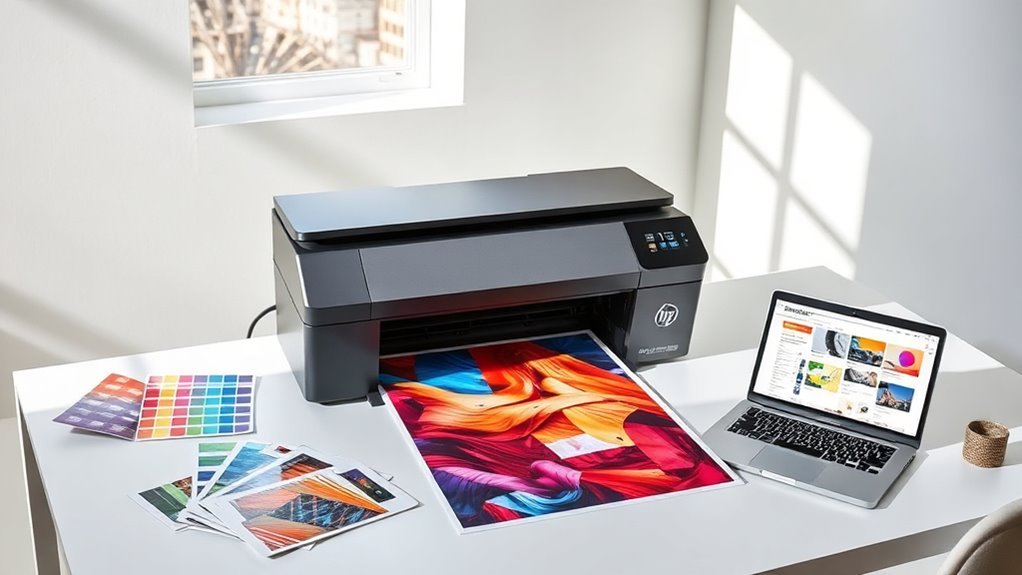
When choosing an 11×17 printer, you need to focus on print quality and color accuracy to guarantee your designs look professional. Don’t forget to check media size compatibility and consider ink type and cost for long-term use.
Also, look at connectivity options to keep your workflow smooth and efficient. It’s all about finding a printer that fits your specific needs and makes your design process easier.
Print Quality Essentials
Since print quality directly impacts how your designs come to life, choosing an 11×17 printer with high resolution, accurate color reproduction, and reliable media handling is essential. Look for a maximum print resolution of at least 2400 x 1200 dpi to ensure crisp lines and smooth gradients, with up to 5760 x 1440 dpi for superior photo detail.
Opt for a printer supporting 48-bit color depth and wide gamuts, including extended CMYK or light inks, to capture subtle tonal shifts. True borderless 11×17 printing with consistent, small droplet control guarantees edge-to-edge sharpness and fine halftones.
Also, select printers with robust media handling—flat feeding and rear specialty feed—to accommodate thick or textured stocks without smudging or banding. This helps preserve your print’s integrity throughout the process.
Color Accuracy Importance
Color accuracy plays a crucial role in ensuring your printed designs look as vibrant and true to your vision as they do on screen. To achieve this, pick printers with wide color gamut support—covering sRGB and ideally Adobe RGB—so your prints perfectly match your digital files.
Look for high optical resolution and precise droplet placement to capture smooth gradients and subtle color shifts. Consistency comes from stable workflows, so choose printers compatible with ICC profiling, calibrated RIP software, and hardware colorimeters.
Don’t overlook ink sets; extra photo or gray inks improve neutral tones and reduce metamerism beyond basic CMYK. Finally, remember that your choice of paper affects color perception—profile the exact stock you print on to maintain accurate contrast and gamut.
Media Size Compatibility
Media size compatibility directly impacts how efficiently you can produce your designs, especially with 11×17 printers tailored for graphic work. Make sure your printer supports true 11×17 (tabloid/A3) printing through both the main tray and rear or specialty feed. This allows for consistent borderless or heavy-stock printing.
Check the maximum media thickness and weight it can handle—this is important for posters or mounted proofs. You don’t want to deal with jams when working on bigger projects.
Verify the range of supported media types like photo paper, fine art paper, cardstock, envelopes, and transparencies. Also, confirm if these feed through the correct trays to avoid any hassle.
Look for automatic duplexing that supports two-sided 11×17 layouts without manual intervention. This feature saves time and effort when printing double-sided materials.
Finally, consider input and output tray capacities to match your batch production needs. This helps minimize downtime for reloading sheets and keeps your workflow smooth.
Ink Type and Cost
When choosing an 11×17 printer, you’ll want to zero in on the ink type and its cost because they directly impact your print quality and budget. Pigment inks deliver sharper text, better longevity, and color stability—ideal for proofs and fine art.
Dye inks offer more vibrant colors and smoother gradations, perfect for photos. Look for printers with extra ink channels like light cyan or gray to expand the color gamut and reduce grain, enhancing your graphic work.
Calculate ink cost by dividing cartridge price by yield to understand ongoing expenses. High-capacity tanks or XL cartridges lower costs and require fewer replacements, but remember maintenance and head cleaning also consume ink.
Finally, pick pigment or archival inks matched to your media for fade resistance and lasting prints. This way, your work stays vibrant and sharp for years to come.
Connectivity and Workflow
Understanding ink types and costs sets the foundation for quality prints, but how you connect and manage your 11×17 printer can make or break your workflow.
You’ll want a printer that supports both wired Ethernet and Wi‑Fi, ideally dual‑band 802.11ac, so you can print seamlessly from desktops or mobile devices without lag. Look for native mobile printing support like AirPrint and Mopria, plus email or remote print options to print directly from smartphones, tablets, or cloud services without driver hassles.
USB and network scanning with searchable PDF and OCR streamlines proof archiving. Prioritize color-managed workflow features like ICC profiles and onboard calibration to keep colors consistent.
Finally, a responsive onboard UI and solid software utilities help you manage jobs efficiently and integrate smoothly into your studio’s workflow.
Speed and Efficiency
Because tight deadlines demand quick turnarounds, you’ll want an 11×17 printer that delivers high pages-per-minute speeds—ideally over 20 ppm for black and 10 to 15 ppm for color. Look for printers with robust monthly duty cycles (20,000+ pages) and large paper capacities (300+ sheets or multi-tray setups) to minimize interruptions during heavy runs.
Features like automatic duplexing and fast warm-up times cut down latency on two-sided proofs. Don’t overlook first-page-out and color RIP processing speeds, since complex graphics and high-res PDFs can bottleneck your workflow.
Finally, make sure your printer maintains consistent color accuracy and resolution (2400–4800 dpi) without slowing down when switching from drafts to high-quality prints. This way, you’ll keep your projects moving smoothly and professionally.
Frequently Asked Questions
What Type of Paper Is Best for 11X17 Printing?
You’ll want heavyweight, matte or glossy photo paper designed for 11×17 prints. It delivers vibrant colors and sharp details, perfect for your designs.
Make sure the paper matches your printer’s specifications for the best results. That way, your prints come out looking crisp and professional every time.
Can These Printers Handle Borderless Printing?
You’ll be thrilled to know these printers do handle borderless printing, letting your designs flow edge-to-edge.
Just imagine vibrant, full-bleed prints that pop without any white margins—perfect for stunning, professional-quality artwork every time.
How Long Do the Ink Cartridges Typically Last?
Ink cartridges typically last between 300 to 1,000 pages, depending on your printer model and usage.
You’ll want to keep spare cartridges handy, especially if you print high-quality, color-heavy projects regularly.
That way, you won’t run out at a crucial moment! It’s always better to be prepared.
Are These Printers Compatible With Mac and Windows?
You’ll find these printers dance seamlessly with both Mac and Windows, syncing like a well-tuned orchestra.
What Maintenance Is Required for Long-Term Printer Use?
You’ll need to regularly clean print heads and replace ink cartridges. It’s also important to perform firmware updates to keep everything running smoothly.
Don’t forget to keep your printer dust-free. Running test prints every now and then helps avoid clogs.
Proper maintenance guarantees long-term, high-quality printing performance. So, taking these simple steps really pays off in the long run!
Conclusion
Choosing the right 11×17 printer can make all the difference in bringing your designs to life. Whether you prioritize vibrant color, speed, or cost-efficiency, these Epson models have got your back.
Don’t let your creativity fall flat—invest in a printer that matches your workflow and style. After all, you want your prints to speak louder than words, not just color inside the lines but blow your clients away every time.
When selecting the best 11×17 printer for graphic designers, consider how each model handles color accuracy and detail. Speed and cost per page also matter, especially when deadlines loom. With the right printer, your large-format prints will showcase every nuance of your work beautifully, helping you stand out in a competitive market.
So, if you want your graphic design projects to truly shine, choose an 11×17 printer that delivers exceptional quality and reliability. Your prints deserve to be as bold and vibrant as your creativity!