5 Best 11 X 17 Printers for Architects in 2027
If you’re an architect looking for sharp, reliable 11 x 17 printing for your plans and blueprints, you want a printer that delivers precision and efficiency. The right 11 x 17 printer can make a huge difference in how you present your work, whether it’s detailed floor plans or vibrant renderings.
Consider the HP OfficeJet Pro 9730, which comes with an intuitive touchscreen and duplex printing that saves time and paper. Epson’s Workforce Pro WF-7310 is another great option, known for fast, smudge-resistant prints that won’t slow you down.
For those on a budget but who print a lot, the EcoTank ET-15000 really cuts ink costs dramatically. Then there’s the WF-7840 and WF-7820, both offering high capacity and versatile scanning features, plus vibrant pigment inks for sharp, lasting images.
Each of these printers supports wide-format media and mobile connectivity, helping to keep your workflow smooth and flexible. It’s all about finding the features that best match your project demands and budget.
HP OfficeJet Pro 9730 Wireless All-in-One Printer
The HP OfficeJet Pro 9730 Wireless All-in-One Printer is designed to simplify your printing needs with precise, professional-quality output. It handles wide-format documents up to 11 x 17 inches, making it ideal for detailed plans and vibrant presentations. This printer ensures sharp images with a resolution of up to 4800 x 1200 dpi, enhancing the clarity of your work.
With fast print speeds of up to 22 pages per minute for black and 18 for color, you can complete large jobs efficiently. Automatic duplex printing reduces paper waste, supporting eco-friendly practices. The two 250-sheet trays offer a total capacity of 500 sheets, minimizing interruptions for refills in busy settings.
The intuitive 4.3-inch touchscreen and HP Smart app streamline operation and mobile printing, allowing you to control tasks from virtually anywhere. Connectivity options include dual-band Wi-Fi, Ethernet, and USB, providing secure and flexible network integration tailored for professional environments.
While the printer’s bulkier design requires dedicated space, its reliable performance makes it a valuable asset. Keep in mind, the Instant Ink subscription begins after a 3-month trial, which may add ongoing costs unless canceled.
Best for: Professionals and small offices needing a dependable wide-format printer for high-quality color documents and architectural plans.
What We Like:
- Supports wide-format printing up to 11 x 17 inches with sharp 4800 x 1200 dpi resolution
- Fast print speeds and large 500-sheet paper capacity reduce downtime
- Easy-to-use 4.3-inch touchscreen paired with versatile connectivity options
- Automatic duplex printing helps save paper and lowers costs
Specification:
| Feature | Details |
|---|---|
| Manufacturer | HP |
| Dimensions | Not specified |
| Weight | 43 lb (19.5 kg) |
| Color Options | Not specified |
| Connectivity | Dual-band Wi-Fi, Ethernet, USB |
Epson Workforce Pro WF-7310 Wireless All-in-One Wide-Format Inkjet Printer
The Epson Workforce Pro WF-7310 Wireless All-in-One Wide-Format Inkjet Printer is designed to meet the demands of professionals who require precise, large-format printing. It handles detailed, borderless documents up to 13 x 19 inches, perfect for architectural plans and presentations. This printer helps streamline your workflow by producing sharp, durable prints quickly and efficiently.
Its fast print speeds of 25 ppm in black and 12 ppm in color mean you spend less time waiting for output. The DURABrite Ultra pigment inks ensure your documents resist smudges and fading, maintaining professional quality. Automatic duplex printing and a large 500-sheet capacity reduce interruptions, keeping your projects moving smoothly.
Connectivity options include Wi-Fi 5, Ethernet, and USB, allowing wireless printing and scanning directly from your smartphone via the Epson Smart Panel app. However, the scanner is sheetfed only, which may limit scanning options compared to flatbed models. Also, mobile features rely on the app and internet connection, so offline use is limited.
Maintenance is straightforward, with easy ink replacement and a design focused on minimizing downtime. This printer suits busy environments where consistent, high-quality wide-format output is essential.
Best for: Architects and professionals needing fast, reliable wireless printing of detailed, borderless wide-format documents.
What We Like:
- High-speed printing with sharp 4800 x 2400 dpi resolution
- Wide-format support up to 13 x 19 inches for detailed plans
- Multiple connectivity options including wireless and mobile app control
- Large paper capacity and automatic duplex printing enhance workflow
Specification:
| Feature | Details |
|---|---|
| Manufacturer | Epson |
| Dimensions (W×D×H) | 24.8 x 18.7 x 13.6 inches |
| Weight | Approx. 32.4 lbs (14.7 kg) |
| Printing Technology | Inkjet (DURABrite Ultra pigment) |
| Maximum Print Size | 13 x 19 inches |
| Connectivity | Wi-Fi 5, Ethernet, USB |
| Scanner Type | Sheetfed only |
Epson EcoTank ET-15000 Wireless All-in-One Wide-Format Supertank Printer
The Epson EcoTank ET-15000 is designed for professionals who need versatile wide-format printing without the hassle of frequent ink replacements. It handles media up to 13 x 19 inches, making it perfect for large architectural plans and detailed design projects. This all-in-one printer combines printing, scanning, copying, and faxing, streamlining your workflow.
Its cartridge-free ink system with large refillable tanks significantly cuts ink costs by up to 90%. This reduces downtime and maintenance, keeping your projects moving smoothly. Wireless, Ethernet, and USB connections offer flexible printing options, including voice-activated commands and a user-friendly 2.7″ color touchscreen.
Though scanning and copying are limited to 8.5 x 14 inches, the ET-15000 excels in delivering fast print speeds and high-quality output for wide-format documents. Its larger size means it requires ample workspace, but its efficiency and eco-friendly design provide excellent long-term value.
Best for: Architects, designers, and small offices needing wide-format, cost-effective printing with multi-function capabilities.
What We Like:
- Wide-format printing up to 13 x 19 inches for large-scale projects
- Cartridge-free ink tanks reduce ink costs by up to 90%
- Multiple connectivity options, including wireless and voice-activated printing
- User-friendly 2.7″ color touchscreen for easy operation
- Fast print speeds with high-quality output
Specification:
| Feature | Details |
|---|---|
| Manufacturer | Epson |
| Maximum Print Size | 13 x 19 inches |
| Scan/Copy Max Size | 8.5 x 14 inches |
| Ink System | Refillable EcoTank tanks |
| Connectivity | Wireless, Ethernet, USB |
| Control Panel | 2.7″ color touchscreen |
| Dimensions (W×D×H) | Approx. 23.6 x 18.5 x 9.3 inches |
| Weight | Approx. 15.7 lbs (7.1 kg) |
Epson WorkForce Pro WF-7840 Wireless All-in-One Wide-Format Inkjet Printer
Experience the power of wide-format printing with the Epson WorkForce Pro WF-7840. Designed to handle documents up to 13 x 19 inches, this all-in-one printer delivers professional-quality results that enhance your office productivity. Whether you need to print, copy, scan, or fax, this device adapts to your busy workflow with ease.
Its large paper capacity, including a 500-sheet main tray and two additional trays, minimizes interruptions during high-volume tasks. You’ll find maintenance manageable with DURABrite Ultra ink, which produces sharp, vibrant prints while resisting smudges and water.
Wireless connectivity simplifies operations, letting you print directly from your smartphone or tablet via Apple AirPrint or Epson Connect. The intuitive 4.3-inch touchscreen makes navigation straightforward, reducing setup time and errors.
Despite its size, which requires ample workspace, the WF-7840 offers duplex printing and fast black-and-white output to keep projects moving efficiently. It’s a practical choice for offices needing versatility without compromising quality.
Best for: Professionals and small businesses requiring a reliable, high-capacity all-in-one printer with wide-format capabilities.
What We Like:
- Wide-format printing up to 13 x 19 inches for detailed, professional documents
- Large paper capacity supports uninterrupted high-volume printing
- Easy wireless and mobile printing options, including Apple AirPrint and Epson Connect
- Sharp, vibrant prints with DURABrite Ultra ink technology
- User-friendly 4.3-inch touchscreen for efficient control
Specification:
| Feature | Details |
|---|---|
| Manufacturer | Epson |
| Dimensions (W×D×H) | Approx. 24.4 × 22.4 × 12.7 in |
| Weight | Approx. 26.5 lbs (12 kg) |
| Printing Technology | Inkjet (DURABrite Ultra Ink) |
| Maximum Print Size | 13 × 19 inches |
| Connectivity | Wireless, USB, Ethernet |
| Display | 4.3-inch color touchscreen |
Epson Workforce Pro WF-7820 Wireless All-in-One Wide-Format Inkjet Printer
Experience the power of wide-format printing with the Epson Workforce Pro WF-7820. This all-in-one printer handles detailed prints up to 13 x 19 inches, perfect for architectural plans and large documents. Its sharp 5760 x 1440 dpi resolution ensures every detail stands out clearly.
Designed for busy professionals, it offers fast print speeds of 25 ppm in black and 12 ppm in color. Automatic duplexing helps save time and paper, making it ideal for high-volume tasks. The printer’s multifunction capabilities include copying, scanning, and faxing to streamline your workflow.
Maintenance is straightforward, thanks to DURABrite Ultra pigment inks that produce durable, professional-quality prints. However, it uses proprietary Epson cartridges, which might increase ink costs. The device supports wireless, Ethernet, and USB connections, plus voice control for convenient operation.
Its 4.3-inch touchscreen makes navigation simple, but some features need app downloads and internet access. The printer is sizable, so ensure you have enough workspace to accommodate its 39.9-pound frame.
Best for: professionals and small businesses requiring reliable, high-quality wide-format printing with versatile all-in-one features.
What We Like:
- Wide-format printing up to 13 x 19 inches with sharp resolution
- Fast print speeds with automatic duplexing for efficiency
- Multiple connectivity options including wireless and voice control
- Durable prints with DURABrite Ultra pigment inks
- Easy-to-use 4.3-inch touchscreen interface
Specification:
| Feature | Details |
|---|---|
| Manufacturer | Epson |
| Dimensions | Not specified |
| Weight | 39.9 lb (18.1 kg) |
| Max Print Size | 13 x 19 inches |
| Print Resolution | 5760 x 1440 dpi |
| Connectivity | Wireless, Ethernet, USB |
| Ink Type | DURABrite Ultra pigment inks |
| Display | 4.3-inch touchscreen |
Factors to Consider When Choosing 11 X 17 Printer for Architects
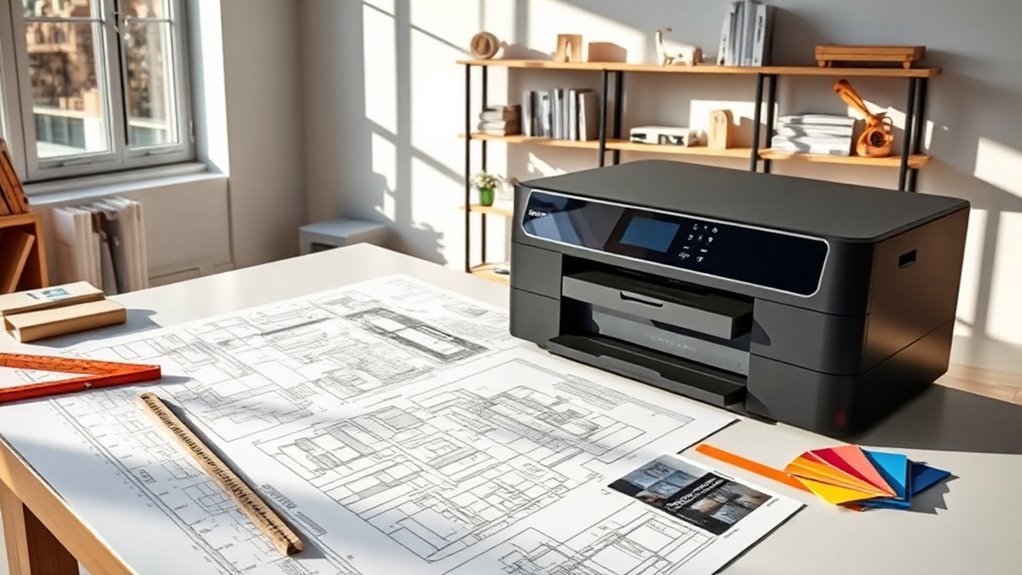
When picking an 11×17 printer for your architectural work, you’ll want to focus on print quality and resolution to assure sharp, detailed plans. Make sure it handles wide-format printing efficiently and offers fast speeds to keep your workflow smooth.
Don’t forget to check connectivity options and ink costs so you get the best value without sacrificing performance. It’s all about finding a balance that fits your needs and budget.
Print Quality and Resolution
Because your architectural prints demand sharp lines and accurate colors, choosing an 11×17 printer with at least 1200–2400 dpi optical resolution is essential. This guarantees crisp linework and hatch details, while up to 4800 dpi benefits high-quality renderings and embedded photos.
You’ll want a true color depth of 24–48 bits and wide color gamut support like high sRGB or Adobe RGB coverage to faithfully reproduce material swatches and presentation graphics. Consistent line thickness and registration tolerance of ±0.1 mm or better are critical for scaled drawings and layered overlays, preventing misalignment.
Opt for printers using pigment-based inks or archival dyes, as they deliver crisp vector lines and better longevity. Also, confirm your printer maintains sharpness on the media weights you use, since resolution can vary with heavier or textured papers.
Wide-Format Capability
Wide-format printing capability plays an essential role in handling your 11×17 architectural plans and presentations. Make sure your printer truly supports wide-format sizes like 11 x 17 inches, with both tray and rear-feed options. This helps feed large sheets smoothly and avoid unwanted scaling.
Automatic duplexing and a scanner or ADF that handles tabloid or legal sizes are also helpful. They let you manage two-sided prints and scan large layouts efficiently.
Pay attention to maximum print resolution and color depth to keep fine lines and hatch patterns sharp. Also, check paper handling—look for dual trays or a rear feed to handle thicker media and higher volumes without constant reloading.
Finally, verify supported media types and printable margins. This way, you can print on bond, tracing, or coated stock with minimal borders for professional results.
Speed and Efficiency
Boost your productivity by choosing an 11×17 printer that delivers fast and reliable performance. Aim for printers with sustained speeds of at least 20 ppm in black to handle large sets efficiently.
Look for models with quick first-page-out times and near-instant print technologies to cut down waiting between small jobs and iterative design prints. A high-capacity paper path—like two 250-sheet trays—and a large output bin help minimize interruptions during high-volume runs.
Automatic duplexing and a single-pass duplex scanner or ADF speed up double-sided printing and scanning workflows. Finally, consider the printer’s duty cycle and recommended monthly volume to make certain it can handle your peak output without throttling or maintenance downtime.
This way, you keep your work flowing smoothly without unnecessary delays.
Connectivity Options Offered
After ensuring your 11×17 printer can keep up with your workload, you’ll want to focus on how it connects to your devices and network. Make sure it supports both wired options like Ethernet and USB, plus wireless connections such as dual-band Wi‑Fi 5/6 and Wi‑Fi Direct.
This flexibility lets you print reliably from office networks, laptops, and mobile devices. Check for mobile printing features like AirPrint, Mopria, and proprietary apps so you can print quickly from tablets, phones, or remote collaborators.
If the printer will be shared on your firm’s LAN or VLAN, look for an Ethernet port with strong network security, including WPA3 and device hardening. Also, verify scan-to-network and cloud-storage support to streamline workflows.
For occasional large media prints, a USB host or manual tray is handy when network access isn’t practical.
Ink and Cost Efficiency
When choosing an 11×17 printer for your architectural work, you’ll want to pay close attention to ink and cost efficiency. For high-volume prints, compare the cost per page for monochrome and color outputs—pigment-based inkjet pages vary from a few cents with supertank systems to much higher with cartridge-based ones.
Opt for printers offering high-capacity ink options like refillable tanks or XL cartridges to cut down frequent replacements and ongoing costs. Don’t just focus on the purchase price; factor in monthly page volume, ink yield, and maintenance expenses to understand total ownership costs.
Also, consider ink types: pigment inks resist smudging and bleed, ideal for technical drawings, though they may cost more per page than dye inks. Finally, check duty cycles and warranty terms linked to ink use to avoid unexpected maintenance fees.
Paper Handling Capacity
To handle large architectural print jobs smoothly, you’ll want to make sure your 11×17 printer can hold plenty of paper and manage different media types without constant reloading. Look for printers that support true 11×17 media in both the main tray and bypass or rear feed, so you can print wide-format plans easily.
Aim for a total paper capacity between 250 and 500 sheets to avoid interruptions during multi-page sets. Multiple input trays let you load various media sizes and types simultaneously, like tabloid, letter, bond, or coated paper.
Also, check for a rear or specialty feed designed to handle heavier stocks or presentation papers. Finally, make certain the printer has a robust output capacity and a reliable paper path to reduce jams while handling thick sheets.
Durability and Build
Beyond paper capacity and handling, you’ll want a durable printer built to withstand the demands of an architectural office. Look for models with robust duty cycles—tens of thousands of pages monthly—that exceed your peak output. This helps prevent premature wear.
Choose printers featuring metal chassis, reinforced paper-feed paths, and high-quality gears or rollers. These reduce mechanical failures, especially when handling heavy stocks or frequent duplexing.
Prioritize high-capacity input trays and large output bins (250–500+ sheets). This minimizes paper jams and the stress of constant restocking.
Also, check the rated lifespan of the automatic document feeder and duplex mechanisms. Favor single-pass duplex scanning for reliable two-sided workflows.
Finally, consider serviceability features like user-replaceable rollers and accessible maintenance parts. Plus, look for options like on-site service or extended warranties to reduce downtime and repair costs.
Security Features Available
Because architectural plans often contain sensitive client information, you’ll want a printer with robust security features to protect your work. Look for user authentication options like PINs, badges, or single sign-on to restrict access to print jobs and prevent unauthorized retrieval.
Make sure the printer supports encrypted network protocols such as WPA3/WPA2 for Wi-Fi and TLS/SSL or IPsec for data in transit. Onboard data encryption and secure erase options safeguard local storage from data recovery.
Choose devices offering secure printing features like pull-print/release and job accounting to track print activity. Finally, verify firmware update management with tamper-resistant architecture, including signed firmware and automatic checks, to keep your printer secure against vulnerabilities and unauthorized changes.
This way, you maintain confidentiality and control over your architectural documents.
Frequently Asked Questions
Can These Printers Handle 3D Printing Models for Architecture?
No, these printers can’t handle 3D printing models since they’re designed for large-format 2D prints.
If you want to create physical architectural models, you’ll need a specialized 3D printer instead of a standard 11×17 printer.
Those printers just aren’t built for the kind of depth and detail that 3D printing requires. So, sticking with a dedicated 3D printer is definitely the way to go.
What Is the Typical Lifespan of an 11X17 Printer?
You can expect an 11×17 printer to last around 3 to 5 years with regular use. Proper maintenance and quality parts extend its lifespan, so keep it clean and replace consumables timely to get the best performance.
If you want your printer to stick around longer, just give it a little TLC. Regular cleaning and swapping out things like ink and rollers when needed really help. It’s all about staying on top of those small tasks to keep things running smoothly.
Are There Eco-Friendly Ink Options Compatible With These Printers?
You know what they say, “Every little bit helps.”
Yes, you can use eco-friendly inks with many 11×17 printers. These inks reduce environmental impact, save resources, and keep your prints vibrant without sacrificing quality.
Do These Printers Support Printing on Specialty Architectural Papers?
Yes, these printers support specialty architectural papers like vellum, bond, and linen. You’ll find they handle various thicknesses and textures.
This means your prints come out with professional quality and durability. Perfectly tailored to your architectural needs.
Can These Printers Connect Directly to CAD Software for Seamless Printing?
You can connect these printers directly to CAD software for seamless printing, no need to dust off your old quill and parchment. They integrate smoothly, saving you time and ensuring your blueprints come out crisp and precise every time.
It’s super straightforward—just a few clicks and you’re good to go. No more fussing with complicated setups or worrying about compatibility issues.
Conclusion
Choosing the right 11 x 17 printer can seriously boost your productivity and print quality, especially when you’re working on detailed architectural plans.
Did you know that 65% of architects say having a reliable wide-format printer saves them at least 3 hours a week? That’s a game-changer when deadlines are tight.
With options like the HP OfficeJet Pro 9730 and Epson’s EcoTank ET-15000, you’re all set to handle large prints effortlessly. These printers are designed to deliver crisp, clear images that bring your designs to life.
Just pick one that fits your workflow and budget. Investing in the best 11 x 17 printer for architects means precise, professional prints every time, helping your projects stand out and keeping your work efficient.