How to Choose a 3D Printer €“ 7 Key Factors
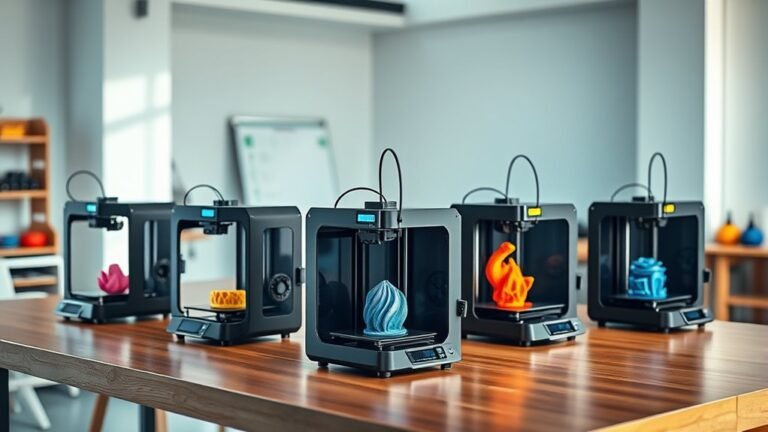
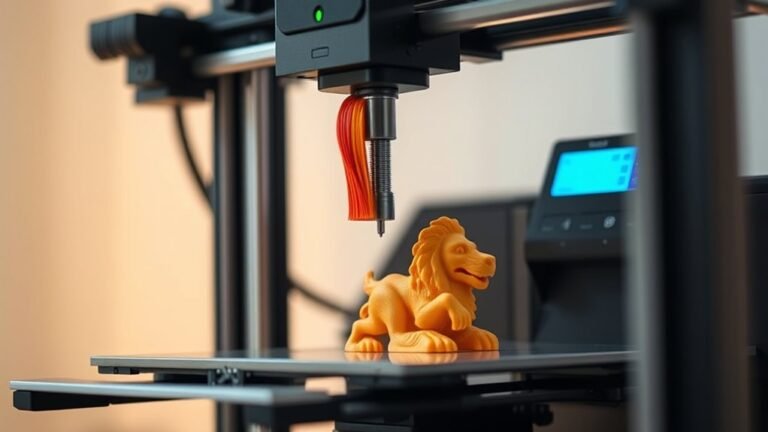
To choose the right 3D printer, it’s important to focus on the technology that best fits your projects. For example, FDM printers are great for functional parts, while resin printers excel at capturing fine details. Knowing what you want to create helps narrow down your options right away.
Next, check the frame rigidity and motion precision. These factors ensure accuracy and consistent first layers, which are key for good prints. You’ll also want to balance printing speed with quality—sometimes faster isn’t always better.
When picking extruders and hotends, make sure they match your materials. This is especially important if you plan to use abrasive filaments that require hardened nozzles. Plus, smart features like auto-leveling and AI monitoring can save you time and reduce print failures.
Don’t forget to consider manufacturer support and user feedback. This can help you avoid common issues and make a more informed choice.
Keep exploring—there are always more tips to discover when selecting the perfect 3D printer for your needs.
Key Takeaways
– Select printing technology (FDM vs Resin) based on the detail you want, the surface finish, and the materials that work best for your projects.
Think about what kind of prints you need before deciding.
– Prioritize frame rigidity and motion system precision. This helps ensure accuracy, reduces vibrations, and improves first-layer consistency.
A sturdy frame really makes a difference in print quality.
– Balance print speed with quality by choosing printers that have stability features and reliable calibration. This way, you can avoid issues like ringing and layer defects.
Faster isn’t always better if the quality suffers.
– Confirm that the extrusion hardware matches your filament needs. This is especially important for high-temp or abrasive materials like carbon-fiber blends, which require hardened nozzles.
Using the right hardware prevents clogs and damage.
– Opt for printers with smart features like auto-leveling, AI monitoring, remote control, and strong manufacturer support. These really add to reliability and ease of use.
Having these extras can save you a lot of headaches down the road.
Choose the Right 3D Printer Technology for Your Projects
When choosing a 3D printer, you’ll want to match the technology to your project’s needs. If you’re focused on printing functional parts or larger models, FDM is your go-to. It melts common filaments like PLA, PETG, and ABS, making it versatile and cost-effective for prototypes and practical items.
On the other hand, if your project demands extremely smooth surfaces and fine detail—think miniatures, jewelry, or dental models—resin (SLA/DLP) technology is ideal. It cures liquid resin with UV light, delivering precision that FDM can’t match.
Keep in mind, FDM suits high-speed printing and everyday use, while resin requires careful handling and post-processing. So, choosing between FDM and resin really depends on whether you prioritize functionality or detailed aesthetics in your final output.
Understand 3D Printing Basics, Frame Rigidity, and Motion Precision
Matching your 3D printer technology to your project is just the start—you also need to grasp the basics of how printing works to get the best results.
Frame rigidity plays a huge role; a solid metal frame resists vibrations during fast moves, preventing ringing and ensuring precise edges.
Motion precision matters too—CoreXY setups keep motors fixed and move only the lightweight print head, boosting speed without sacrificing accuracy.
Don’t overlook the print bed: a level, stable surface is essential for a flawless first layer.
Automatic calibration features help maintain bed leveling and Z-offset, so your nozzle won’t scrape or under-extrude.
Even the best motion system can’t fix a warped bed or loose mechanics, so mastering these basics ensures clean prints with reliable dimensional accuracy.
Balance Print Speed, Quality, and Dimensional Accuracy
You’ll want to balance print speed with quality to avoid issues like ringing and poor layer adhesion. Precision depends heavily on a stable, rigid frame and smart motion design that reduces vibrations.
Focus on printers with reliable calibration features to keep your prints accurate without sacrificing efficiency. It’s all about finding that sweet spot between speed, quality, and accuracy.
Speed Versus Quality
Although fast print speeds are appealing, they often come at the cost of quality and dimensional accuracy unless your printer has a rigid frame and advanced motion controls.
Achieving a balance between high print speed and print quality requires careful consideration of your printer’s design and capabilities. Keep these points in mind:
- Beware of advertised speeds above 600 mm/s; without stability, expect ringing and surface artifacts.
- Printers with torsion-resistant frames and features like pressure advance maintain dimensional accuracy.
- Systems reducing moving mass, such as CoreXY kinematics, offer faster prints without sacrificing detail.
- Consistent extrusion depends on temperature control and precise calibration, especially for the first layer and Z-offset.
Precision Through Stability
When aiming for both speed and quality, your 3D printer’s stability plays a key role in maintaining precision. Don’t just trust advertised speeds; without a rigid frame and well-tuned motion system, you’ll face ringing and poor dimensional accuracy.
Make sure you choose a kinematics design like CoreXY that keeps motors stationary to reduce vibration. Stability features such as reduced Z-axis wobble and reliable auto-levelling are important—they ensure a consistent first layer, which directly affects part size and precision.
Also, verify your printer supports high-speed quality enhancements like pressure advance and vibration compensation. These help maintain consistent extrusion and geometry when you’re printing faster.
Select Extruders and Hotends That Handle Your Materials
How do you make sure your 3D printer handles your chosen materials effectively? Start by matching your hotend’s temperature range to your filament’s needs—engineering plastics like ABS or PC often require around 300°C.
For flexible or high-speed accurate extrusion, choose a direct-drive extruder, which offers precise filament control compared to Bowden setups. If you’re using abrasive materials, ensure your nozzle is durable enough.
Keep these in mind when selecting extruders and hotends:
- Confirm the hotend can reach the temperature your filament requires.
- Opt for a direct-drive extruder for better control, especially with flexible filaments.
- Verify the extruder and nozzle hardware suit your material, not just compatibility claims.
- Consider your printer’s capability if you want a high speed 3D printer that maintains reliable extrusion.
Prepare for Abrasive Filaments With Hardened Nozzles
If you plan to print abrasive filaments like carbon-fiber–reinforced blends, you’ll need a hardened steel nozzle to prevent rapid wear that standard brass nozzles can’t withstand. Abrasive filaments, especially carbon fiber, quickly degrade regular nozzles, causing inconsistent extrusion and frequent replacements.
Upgrading your print head with a hardened steel nozzle ensures durability and maintains print quality even at the higher temperatures these materials require—often around 300°C or more. This upgrade is essential for reliable, long-term use with abrasive filaments.
Also, keep in mind that printing carbon-fiber blends can release irritating dust or fumes, so good ventilation is vital. Preparing your 3D printer with a hardened steel nozzle protects your investment and helps you achieve consistent, high-quality results with abrasive materials.
Use Auto-Leveling and Smart Features to Save Time
You’ll save time by choosing a printer with auto-leveling that adjusts the bed at multiple points for a perfect first layer. AI-powered monitoring can catch print failures early, pausing the job to prevent wasted material.
Plus, remote control features let you start prints and check progress from anywhere. This way, you stay in command without being tied to the machine.
Benefits Of Auto-Leveling
Auto-leveling transforms the tedious work of bed calibration into a quick, automated process that makes sure your first layer adheres perfectly every time. By using multiple bed measurements, auto-levelling generates a precise Z-offset map, eliminating manual adjustments and reducing trial-and-error.
This feature is especially important for a high speed 3D printer, where even minor first-layer mistakes can cause warping or print failures.
With auto-leveling, you benefit from:
- Reliable print first layer adhesion without manual tweaking
- Guided calibration routines that simplify setup for beginners
- Consistent extrusion pressure through smart filament and motion tuning
- Improved repeatability and fewer failed prints at high speeds
Auto-levelling saves you time and frustration, letting you focus on creating rather than fixing. It really takes the hassle out of getting started, so you can jump right into making awesome prints.
AI-Powered Print Monitoring
How can you save time and reduce print failures while managing your 3D prints remotely? Look for a high-speed 3D printer with auto-leveling that uses multi-point bed measurement and Z-offset compensation to secure a solid first layer.
Pair this with AI-powered print monitoring, where an AI camera can detect spaghetti failures and foreign objects mid-print. This smart feature often pauses the job and sends you notifications, helping you save time and materials by preventing wasted prints.
Combining these technologies is especially key for high-speed printing, where vibrations and adhesion issues can cause frequent failures. By choosing a printer with both auto-leveling and real-time AI monitoring, you’ll avoid common early-job defects and keep your workflow smooth and efficient.
Remote Control Connectivity
Combining smart features like AI monitoring with remote control connectivity lets you manage prints without being tied to your printer. Opt for a 3D printer with Wi‑Fi remote control to start, stop, and monitor progress right from your phone or app.
Reliable auto‑leveling with multi-point compensation and Z-offset control saves time by reducing manual recalibration, especially when you’re away. Smart features like AI camera monitoring detect failures early, pausing prints and sending alerts to prevent wasted material.
When handling long jobs, notifications via phone, app, or email keep you informed instantly if a print stalls or needs attention.
- Wi‑Fi remote control for full job management
- Progress monitoring through live app updates
- Auto-leveling with multi-point and Z-offset adjustments
- Smart features that detect and alert on print failures
Evaluate 3D Printer Manufacturer Support and User Feedback
Many 3D printer buyers overlook the critical role of manufacturer support and user feedback when making their choice. You should prioritize brands with strong quality assurance and a proven production record to ensure consistent reliability.
Check that customer support is responsive and knowledgeable, especially for calibration, firmware, and parts compatibility questions. Don’t rely solely on specs—review expert evaluations focusing on real-world performance like print stability and failure rates.
Also, cross-reference user testimonials to spot recurring issues such as warping or nozzle problems, and see how manufacturers address them. It’s a good idea to pay attention to the availability of replacement parts and clear documentation for troubleshooting.
Evaluating these factors helps you avoid headaches and ensures your 3D printer performs smoothly over time. Trust me, taking the time to dig into these details really pays off in the long run.
Frequently Asked Questions
How Do I Maintain My 3D Printer for Long-Term Durability?
You should regularly clean your 3D printer’s nozzle, lubricate moving parts, and tighten belts. Also, keep your firmware updated to ensure everything runs smoothly.
Don’t forget to store your filament properly. Performing routine calibration is key too. These simple steps will help keep your printer running smoothly for years.
What Safety Precautions Should I Follow While 3D Printing?
Imagine fumes filling your room—don’t let that happen. Always ventilate well, wear gloves when handling hot parts, avoid touching the nozzle, and keep your workspace clear.
These precautions keep you safe and your prints flawless. Just a little care goes a long way!
Can I Upgrade My 3D Printer’s Components Later?
Yes, you can upgrade your 3D printer’s components later. Many printers support swapping parts like nozzles, extruders, or even motherboards.
This lets you improve performance or add features as your skills and needs grow. So, as you get more experienced, upgrading can be a great way to keep your printer up to date.
What Software Is Best for Designing 3D Print Models?
Over 60% of 3D designers prefer Blender for its powerful, free tools.
You’ll love using Tinkercad if you’re a beginner, while Fusion 360 offers advanced features for professionals.
Choose what fits your skill level best!
How Do I Troubleshoot Common Print Failures Like Warping or Layer Shifting?
You can fix warping by leveling the bed and using a heated bed or enclosure. These steps help keep the print surface stable and warm, which prevents the edges from curling up.
For layer shifting, tighten belts, check motor connections, and reduce print speed. These tweaks make sure the printer moves smoothly without skipping or slipping.
Regular maintenance prevents most common print failures. Keeping your printer clean and well-tuned goes a long way in avoiding headaches down the line.
Conclusion
When choosing your 3D printer, focus on technology that fits your projects. Prioritize frame rigidity and motion precision for consistent results.
Balance speed with quality to match your printing needs. Select extruders that handle your materials well to avoid jams and ensure smooth printing.
Be prepared for abrasive filaments by choosing the right components. Use smart features to save time and simplify your workflow. Don’t forget to trust manufacturers who offer solid support and reliable customer service.
By focusing on these key factors, you’ll make smarter decisions and avoid costly mistakes. This approach helps you create better prints with improved quality and durability. Remember, choosing the right 3D printer leads to greater satisfaction, lasting creativity, and a smoother printing experience every time.