4 Best Compact Black and White Printers for 2027
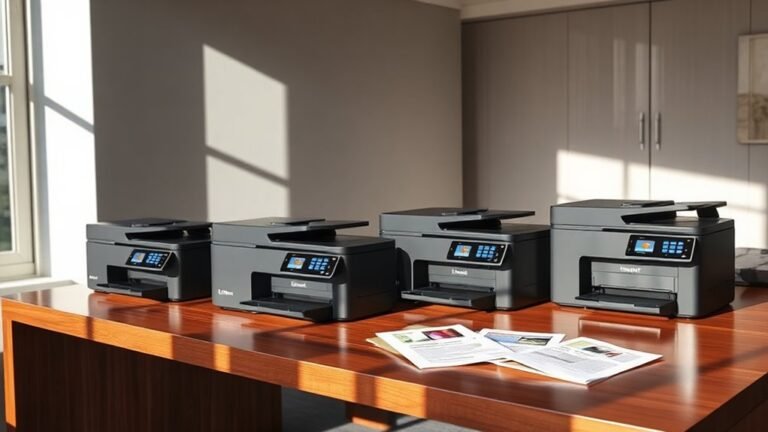
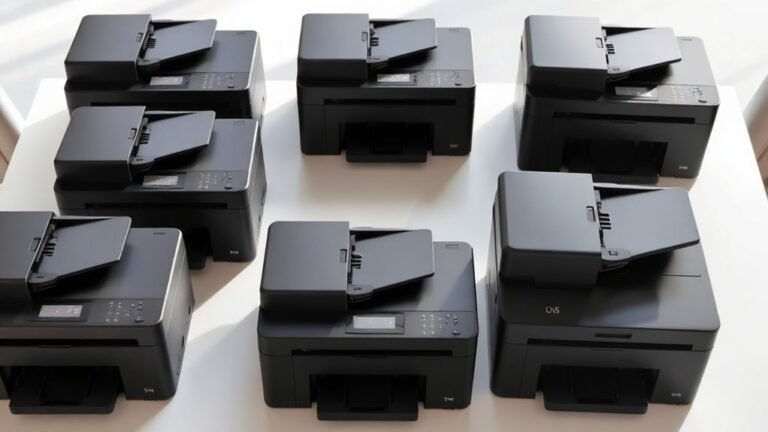
You’ll want a compact black and white printer that’s fast, reliable, and fits your space perfectly. Whether you’re printing documents for work or school, having a printer that delivers sharp text quickly is key. Plus, features like wireless connectivity and duplex printing can make your life a lot easier.
The Brother HL-L2405W and Canon imageCLASS LBP122dw both offer sharp 30 ppm printing with wireless duplexing options. These models are great if you want speed without sacrificing quality.
The HP LaserJet M110w is perfect for basic needs and comes with easy mobile app support, making printing from your phone a breeze. Meanwhile, the Brother MFC-L2820DW steps it up with speedy 36 ppm prints, plus copying and an automatic document feeder.
If you want to choose the best fit, there’s plenty more to explore.
| Image | Name | Editor's Rating | Price |
|---|---|---|---|

|
|
||

|
|
||

|
|
||

|
|
Brother HL-L2405W Wireless Monochrome Laser Printer
- BEST FOR HOMES & HOME OFFICES – Engineered for consistent, premium print quality, the Brother HL-L2405W Monochrome (Black & White) Laser Printer delivers sharp, crisp...
- COMPACT, CONNECTED PRINTER – Flexible connection options make this an ideal printer for home use and at-home offices. Securely connect to multiple devices with built-in...
- BROTHER MOBILE CONNECT APP – Manage your printer remotely and print from your mobile device anytime, from almost anywhere. Order Brother Genuine Supplies, track toner...
- VERSATILE PAPER HANDLING – Enjoy seamless, reliable everyday printing with the 250-sheet paper tray(4) and a manual feed slot that enables printing on envelopes and...
- BROTHER IS AT YOUR SIDE – Backed by Brother with a 1-year limited warranty and free online, call, or live chat support for the life of your printer

The Brother HL-L2405W Wireless Monochrome Laser Printer offers a practical solution for those needing fast, clear black-and-white prints without clutter. Its compact design fits neatly on any desktop, making it ideal for tight spaces at home or in small offices. This printer streamlines your workflow with sharp prints at up to 30 pages per minute.
Connectivity is simple and versatile. With dual-band wireless and USB options, it easily links to laptops, smartphones, and tablets. This flexibility helps reduce setup hassles and keeps you productive on various devices. The Brother Mobile Connect app further enhances convenience by letting you manage print jobs and toner levels remotely.
Maintenance is straightforward, though manual duplex printing requires a bit of handling. The device focuses on printing only, so it won’t replace a scanner or copier. Still, it excels in delivering consistent, high-quality monochrome documents with a resolution of 1200 x 1200 dpi.
Best for: individuals or small offices needing a compact, efficient monochrome printer with wireless capabilities for everyday black-and-white document printing.
What We Like:
- Fast print speed of up to 30 pages per minute.
- Clear 1200 x 1200 dpi resolution for sharp text.
- Dual-band wireless and USB connectivity.
- Remote print and toner management via Brother Mobile Connect.
- Compact footprint fits small workspaces.
Specification:
| Feature | Details |
|---|---|
| Manufacturer | Brother |
| Dimensions | Approx. 14.2 x 14.0 x 7.2 inches |
| Weight | Approx. 15.4 lbs (7.0 kg) |
| Color Options | White |
| Connectivity | Dual-band wireless, USB |
HP LaserJet M110w | Monochrome | Laser Printer
- FROM AMERICA'S MOST TRUSTED PRINTER BRAND – Perfect for small teams printing professional-quality black & white documents and reports. Perfect for 1-3 people
- WORLD'S SMALLEST LASER IN ITS CLASS – Precision laser printing that fits anywhere
- FAST PRINT SPEEDS – Up to 21 black-and-white pages per minute single-sided
- WIRELESS WITH SELF-RESET – Helps you stay connected
- PRINT FROM ANY DEVICE – Wireless printing from any mobile device, PC or tablet. Works with Microsoft, Mac, AirPrint, Android, Chromebook and more
The HP LaserJet M110w is designed to meet the demands of small teams and home offices seeking efficient, space-saving printing solutions. Its compact size makes it ideal for tight workspaces, while delivering reliable monochrome output. This printer helps reduce clutter without compromising productivity.
With print speeds up to 21 pages per minute and sharp 600 x 600 dpi resolution, it quickly produces clear black-and-white documents. Wireless and USB connectivity enable seamless printing from multiple devices, including smartphones via the HP Smart app, simplifying your workflow.
Maintenance is straightforward thanks to its preinstalled toner cartridge and easy setup. Although it handles a variety of media, the single 150-sheet tray means you’ll need to reload paper regularly. Automatic duplex printing aids in saving paper and streamlines double-sided tasks.
While limited to black-and-white printing and compatible only with original HP cartridges, the M110w offers dependable performance with minimal fuss. Its design and features suit users who value compactness and efficiency in a monochrome laser printer.
Best for: Small teams and home office users needing a compact, fast, and reliable monochrome laser printer with wireless connectivity.
What We Like:
- Compact design saves valuable desk space.
- Fast printing with crisp 600 x 600 dpi output.
- Wireless printing and HP Smart app compatibility.
- Automatic duplex printing for paper savings.
- Easy setup with preinstalled toner cartridge.
Specification:
| Feature | Details |
|---|---|
| Manufacturer | HP |
| Dimensions | 7.45 x 13.63 x 6.26 in |
| Weight | 9 lb |
| Technology | Monochrome Laser |
| Print Speed | Up to 21 ppm |
| Resolution | 600 x 600 dpi |
| Connectivity | Wireless, USB |
Canon imageCLASS LBP122dw – Wireless Monochrome Duplex Laser Printer
- Wireless, duplex printer (print-only)
- Fast print speeds up to 30 pages per minute (black and white)
- Print on-the-go with Canon PRINT app and more.
- Uses Canon GENUINE Toner 071 / 071 high-capacity
- Compact design fits almost anywhere in your home, great for home use and personal printing
Experience seamless and efficient printing with the Canon imageCLASS LBP122dw, designed to meet the needs of home users who require dependable monochrome printing. Its wireless connectivity allows you to print directly from smartphones or tablets using the Canon PRINT app, eliminating the hassle of cables and computer dependency.
This compact laser printer offers fast output speeds of up to 30 pages per minute, helping you complete tasks quickly. The automatic duplex feature reduces paper use by printing on both sides, saving resources and lowering costs. Its straightforward design focuses solely on printing, ensuring a smooth and reliable performance without extra functions.
Maintenance is simple with genuine Canon toner cartridges that deliver consistent quality and protect the printer’s longevity. The small footprint allows it to fit comfortably in limited spaces, making it an ideal choice for home offices or study areas. While it only supports black-and-white printing, it excels in providing clear, sharp text output quickly.
Best for: Home users needing a compact, fast, and reliable wireless monochrome laser printer for everyday printing.
What We Like:
- Fast print speed up to 30 ppm for quick document turnaround
- Automatic duplexing to save paper and reduce waste
- Wireless printing via Canon PRINT app for easy mobile access
- Compact design fits neatly in small spaces
- Uses genuine Canon toner for consistent print quality
Specification:
| Feature | Details |
|---|---|
| Manufacturer | Canon |
| Dimensions (W×D×H) | 13.7 × 14.9 × 9.1 in |
| Weight | 14.1 lb (6.4 kg) |
| Printer Type | Wireless Monochrome Laser |
| Duplex Printing | Automatic |
| Connectivity | Wireless (Wi-Fi) |
Brother MFC-L2820DW Wireless Monochrome Laser Printer
- BEST FOR SMALL OFFICES – Combining space-saving efficiency and premium monochrome (black & white) print quality with affordability, the Brother MFC-L2820DW delivers...
- EFFICIENT PRINTING & SCANNING – Produces black & white documents quickly with print speeds up to 36 ppm(2) and scan speeds up to 23.6/7.9 ipm(3) (bk/cl). A 50-page auto...
- FLEXIBLE CONNECTION OPTIONS – Securely connect to multiple devices with built-in dual-band wireless (2.4GHz / 5GHz), Ethernet, or connect locally to a single computer...
- 2.7" TOUCHSCREEN – The intuitive 2.7” touchscreen enables effortless navigation with the added ability to print-from and scan-to popular Cloud-based apps such as...
- BROTHER MOBILE CONNECT APP – Print, scan, and manage your wireless printer anytime, from almost anywhere from your mobile device. Order Brother Genuine Supplies, track...
The Brother MFC-L2820DW offers a compact all-in-one solution for those needing fast and dependable monochrome printing. Its ability to print and copy up to 36 pages per minute ensures you spend less time waiting and more time focused on your work. This printer is designed to handle everyday tasks efficiently without taking up much space.
With a 50-page automatic document feeder and a 250-sheet tray, it manages multi-page jobs smoothly, reducing interruptions. Wireless dual-band Wi-Fi, Ethernet, and USB connectivity give you the freedom to print from various devices easily. The 2.7″ touchscreen and Brother Mobile Connect app make operation straightforward and convenient.
Maintenance is simple with eco-friendly features like automatic duplex printing and Toner Save Mode, which help reduce paper and toner waste. This also supports cost savings over time. While it only prints in black and white, it covers essential office needs for most home or small business environments.
Security measures protect your data during use, ensuring peace of mind. This printer is ideal for users who want a reliable, space-saving device that balances performance with eco-conscious operation.
Best for: users seeking a fast, reliable, and compact monochrome all-in-one printer with wireless connectivity and eco-friendly features, ideal for home or small office use.
What We Like:
- Fast print and copy speeds of up to 36 ppm with sharp 1200 x 1200 dpi output
- Multiple connectivity options including dual-band Wi-Fi, Ethernet, and USB
- Easy control via 2.7″ touchscreen and mobile app
- Eco-friendly duplex printing and Toner Save Mode reduce waste
- Compact design fits well in small spaces
Specification:
| Feature | Details |
|---|---|
| Manufacturer | Brother |
| Dimensions | Compact (exact size not provided) |
| Weight | Not specified |
| Connectivity | Wireless dual-band Wi-Fi, Ethernet, USB |
| Print Speed | Up to 36 ppm |
| Print Resolution | 1200 x 1200 dpi |
| Paper Capacity | 250-sheet tray |
| Automatic Document Feeder | 50 pages |
| Display | 2.7″ touchscreen |
Factors to Consider When Choosing a Compact Black and White Printer

When choosing a compact black and white printer, you’ll want to contemplate print speed to keep up with your workload. Check the connectivity options to make sure it fits your setup, and don’t overlook print quality and paper handling capacity.
Also, think about the device’s footprint size to guarantee it fits comfortably in your space. It’s all about finding the right balance between performance and convenience.
Print Speed Importance
Although print speed might seem like a simple specification, it plays a vital role in how efficiently your compact black and white printer handles tasks. It’s measured in pages per minute (ppm), and higher speeds cut down wait times for large print jobs. This makes a big difference if you regularly print in bulk.
But don’t forget about the first-page-out time—it’s just as important. If your workflow involves many short, frequent prints, this tells you how quickly the first sheet appears.
For most home or small-office users, 20–30 ppm is plenty. However, busy offices might need faster machines to keep up.
Keep in mind that faster printers often draw more power and produce more noise. So, consider your typical print patterns. You’ll want to prioritize quick first-page times for short jobs or sustained ppm for longer runs.
Connectivity Options Available
In choosing a compact black and white printer, connectivity options play an essential role in matching your workflow needs. Look for support of both 2.4 GHz and 5 GHz Wi‑Fi bands to boost wireless reliability and reduce interference, especially in busy environments.
Don’t overlook USB connectivity for direct, local printing when network access is limited. If you share the printer in an office, Ethernet ports and automatic duplexing can speed up networked jobs and enable two-sided printing without hassle.
Mobile printing compatibility through AirPrint, Mopria, or vendor apps lets you print easily from smartphones and tablets without installing drivers. Finally, cloud printing and app-based management offer remote printing and toner monitoring, but keep in mind they require internet access and sometimes app registration.
Choose connectivity that suits your setup and keeps you productive. It’s all about finding what works best for you!
Print Quality Standards
Since print quality directly impacts the professionalism of your documents, you’ll want to focus on resolution, print speed, and toner technology when choosing a compact black and white printer. Aim for at least 600 x 600 dpi for crisp text and simple graphics.
Though, 1200 x 1200 dpi is ideal if you often print fine details or small fonts. Check the first-page-out time and pages per minute to make sure your printer handles multi-page jobs quickly, maintaining sharpness without delays.
Prioritize laser or toner-based models, as they deliver high-contrast black text with minimal banding, unlike low-resolution thermal or inkjet drafts. Also, verify the printer’s ability to render thin lines and small text cleanly.
This helps prevent feathering or jagged edges, which guarantees consistently professional output.
Paper Handling Capacity
Print quality matters, but how your printer handles paper can make or break your workflow. Start by checking the input tray capacity; a range of 150 to 250 sheets is ideal to avoid constant refills.
Don’t overlook the output tray size—100 to 150 sheets usually prevent overflow during large jobs. If you print envelopes or specialty media, choose a model with a manual feed or multipurpose slot.
Also, consider whether the printer offers automatic duplexing to save paper without slowing you down, rather than manual two-sided printing. Finally, verify the maximum supported media size, typically up to 8.5 x 14 inches, and compatible paper types like plain paper, labels, or envelopes to make certain the printer handles all your documents smoothly.
Device Footprint Size
When selecting a compact black and white printer, you’ll want to measure your available desk or shelf space carefully to make certain the device fits comfortably. Check the depth, width, and height of the printer against your space, remembering to add extra room for paper output and easy access to trays and control panels.
Also, consider the printer’s weight—if you plan to move it often, a lighter model makes sense. But keep in mind, a heavier one offers more stability on less sturdy surfaces.
Don’t forget to account for any added features like automatic document feeders or extended trays, since these increase the footprint. Finally, if your workspace is shared or tight, prioritize a smaller width and depth.
And be sure to leave room around the printer to make certain proper ventilation and prevent overheating. It’s all about making your space work for you!
Mobile Printing Support
Getting your documents from phone or tablet to printer should be seamless, so make sure the compact black and white printer you choose supports popular mobile protocols like AirPrint or Mopria. This lets you print directly without needing a PC.
Look for dual-band Wi-Fi (2.4 GHz and 5 GHz) to guarantee stable, fast connections, especially when handling large files. Check if the printer’s app offers remote print-job management, toner status updates, and scan-to-mobile features to make your workflow smoother.
Also, confirm it supports the file types you use and integrates with cloud services like email or storage platforms. Finally, consider how easy it is to set up and keep the app or firmware updated. Some solutions require periodic updates or account setups to maintain mobile printing functionality.
Maintenance And Supplies
Beyond seamless mobile printing, keeping your compact black and white printer running smoothly depends on how you handle maintenance and supplies. Check the type and yield of compatible toner cartridges—higher-yield ones cut replacement frequency and lower your cost per page.
It’s also important to understand if your printer uses separate drum and toner modules or integrated cartridges. Separate drums last longer but mean managing an extra consumable.
Look for mobile apps or onboard menus that track toner levels and send order reminders. This helps you avoid unexpected downtime.
See if the printer supports subscription or auto-replenishment services. Just be sure to read the terms carefully so you know the billing and delivery schedules.
Finally, factor in recommended maintenance like cleaning, fuser replacements, and firmware updates. This way, you can estimate ongoing service needs and costs accurately.
Frequently Asked Questions
How Do Black and White Printers Compare in Energy Consumption?
Black and white printers typically use less energy than color printers since they don’t need complex color processing. You’ll find they’re more efficient, especially in compact models, helping you save on power without sacrificing print quality.
Pretty handy, right? If you’re looking to cut down on electricity bills, going black and white might be the way to go. Plus, they often run cooler, which is a nice bonus.
What Is the Typical Lifespan of a Compact Monochrome Laser Printer?
Typically, a compact monochrome laser printer lasts three to five years. You’ll enjoy dependable, durable device design, delivering daily documents without delay.
With proper care, your printer performs perfectly, providing powerful printing for prolonged periods. It’s really about keeping up with maintenance to get the best out of it.
Are There Eco-Friendly Toner Options for Black and White Printers?
Yes, you can find eco-friendly toner options for black and white printers. These toners use recycled materials or are designed to reduce waste.
This helps you minimize your environmental impact without sacrificing print quality or performance. It’s a smart choice if you want to be greener while still getting great results.
Can These Printers Handle Printing on Different Paper Sizes?
You can print on almost any paper size imaginable with these printers—they handle it all without breaking a sweat. Just adjust the settings, and they’ll flawlessly tackle everything from tiny labels to legal-sized documents.
It’s pretty straightforward, really. Whether you’re dealing with standard sheets or something a bit more unusual, these printers have got you covered.
How Do Compact Printers Connect to Mobile Devices Securely?
You connect compact printers to mobile devices securely using encrypted Wi-Fi, Bluetooth with authentication, or dedicated apps that use secure protocols. Always enable password protection and update firmware to keep your connections safe from unauthorized access.
It’s pretty simple once you get the hang of it. Just remember, keeping your printer’s software up to date is key to blocking any unwanted access. And using strong passwords? Always a smart move.
Conclusion
When choosing your compact black and white printer, think of it as picking a trusty sidekick—reliable, fast, and ready to tackle your printing quests. Whether you prioritize wireless freedom, sharp laser quality, or duplex printing, these top picks have you covered.
Don’t let size fool you; these printers pack a punch, making your workspace sleek without sacrificing performance. So, gear up and let your perfect printer turn every page into a masterpiece.
Finding the best compact black and white printer means balancing efficiency with features like fast print speeds and crisp text quality. Whether you need wireless convenience or duplex printing for double-sided documents, these printers are designed to fit any compact space. With reliable performance and sleek designs, they’re perfect for home offices or small workspaces. Choosing the right one ensures your printing tasks are smooth, economical, and professional-looking every time.