3 Best Colour Printers for Art Prints in 2027
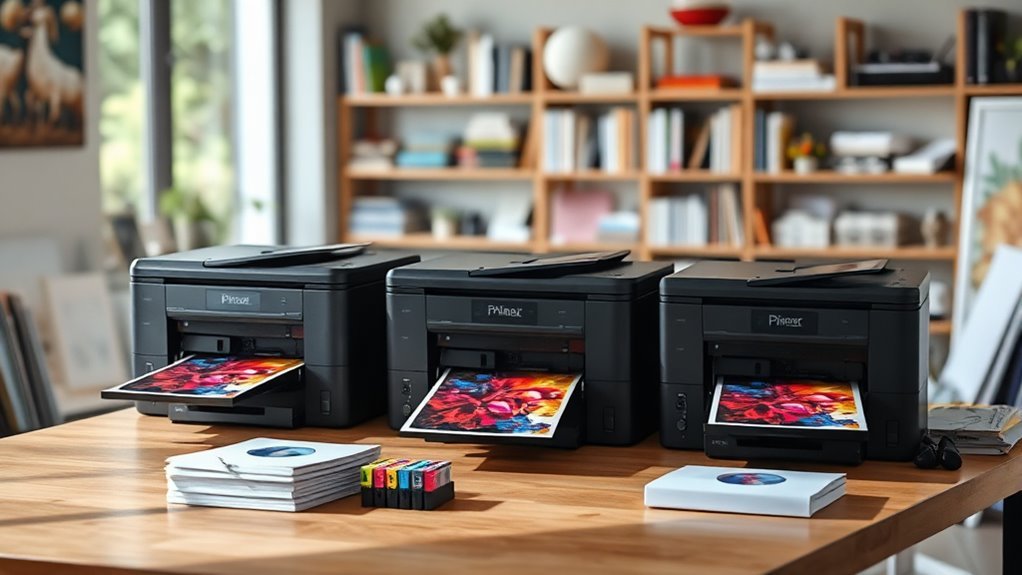
You’ll want the Canon PIXMA PRO-200S for vibrant 8-color dye-based prints with borderless sizes up to 13″ x 19″. It’s perfect if you’re looking to bring your art prints to life with rich, dynamic colors that really pop.
The Epson XP-15000 offers wide-format A3+ printing with 6-color Claria Photo HD inks and a compact design. It’s a great choice when you need larger prints without sacrificing quality or space in your studio.
For cost-effective ink use, the Epson EcoTank ET-8500’s six-color supertank system delivers vivid photos and documents. This one’s ideal if you want to keep your printing budget in check while still getting professional-quality results.
These choices balance color richness, print size, and ink economy perfectly. Exploring their details will help you pick the best fit for your creative projects.
| Image | Name | Editor's Rating | Price |
|---|---|---|---|

|
|
||
|
|
||

|
|
Canon PIXMA PRO-200S Wireless Photo Printer
- 8 COLOR dye-based ink system produces vibrant, high quality prints.
- BORDERLESS PRINTING from 3.5” x 3.5” up to 13” x 19”.
- HIGH SPEED PRINTING — bordered A3+ print in just 90 seconds or bordered 8" x 10" print in 53 seconds.
- 3.0'' COLOR LCD MONITOR -- Easily check ink levels, printer status, and other settings.

Experience vibrant, professional-quality art prints effortlessly with the Canon PIXMA PRO-200S. This wireless photo printer specializes in delivering rich, detailed images thanks to its 8-color dye-based ink system. Whether you’re printing small photos or large 13″ x 19″ artwork, it ensures smooth color gradients and sharp details every time.
Designed for ease of use, the PIXMA PRO-200S supports borderless printing across various sizes from 3.5″ square to large format prints. The 3.0″ color LCD screen provides clear monitoring of ink levels and printer status, helping you maintain consistent output without interruptions.
Maintenance is straightforward, with the printer’s wireless setup and user-friendly controls simplifying your workflow. While the dye-based inks offer vibrant colors, they may be less resistant to water and fading compared to pigment inks, making it ideal for indoor display prints rather than archival use.
The printer is optimized for photographers and artists who want fast, high-quality, borderless photo prints with wireless convenience. It produces an 8″ x 10″ print in just 53 seconds, balancing speed with excellent image quality.
Best for: photographers and artists seeking vibrant, borderless photo prints up to 13″ x 19″ with wireless printing and reliable color accuracy.
What We Like:
- Produces vivid prints with an 8-color dye-based ink system
- Supports borderless prints on sizes from 3.5″ to 13″ x 19″
- Easy ink and status monitoring via 3.0″ color LCD
- Wireless connectivity for streamlined printing
- Fast print speed for high-quality photo output
Specification:
| Feature | Details |
|---|---|
| Manufacturer | Canon |
| Dimensions | Not specified |
| Weight | Not specified |
| Ink System | 8-color dye-based ink |
| Max Print Size | 13″ x 19″ |
| Display | 3.0″ color LCD |
| Connectivity | Wireless |
Epson Expression Photo HD XP-15000 Wireless Wide-Format Inkjet Printer
- Epson printing system is designed to be used exclusively with Epson Genuine Cartridges. Use of non-genuine ink could cause damage not covered under the printer’s ltd...
- Professional ultra HD photo quality get brilliant border less prints upto 13 inches X 19 inches
- Individual 6 color Claria photo HD ink includes red and gray inks for an ultra wide color gamut and enhanced black and white prints. Sound pressure level: Pressure...
- Professional projects: Made easy features a 50 sheet rear tray for specialty media, including cardstock (1); Accommodates a variety of paper finishes and border less...
- Ultra compact wide format A3 plus printer 30 percent smaller than its predecessor (2); Easily fits on your desktop
Experience professional-quality photo printing with the Epson Expression Photo HD XP-15000. This wide-format printer delivers stunning A3+ borderless photos with vibrant colors and deep blacks, enhancing your creative projects. Its 6-color Claria Photo HD ink expands the color range, ensuring every print captures fine details and rich hues.
Designed to handle media up to 13 x 19 inches, the XP-15000 supports automatic duplex printing, making it ideal for diverse photo and art print needs. Despite its wide format, it features a compact design that saves about 30% more space compared to previous models. This balance of size and capability fits well in home studios or small professional setups.
The printer offers both wireless and wired connectivity options, allowing seamless printing from various devices through app control. Maintenance is straightforward, but users should note it requires genuine Epson cartridges, which could impact ink costs. Its 20-sheet output tray means frequent monitoring during large print runs, and print speeds reach up to 20 pages per minute.
Best for: photographers, home studios, and creative professionals seeking high-quality, wide-format photo printing with versatile media handling.
What We Like:
- Wide color gamut with 6-color Claria Photo HD ink for vibrant prints
- Supports large media sizes up to 13 x 19 inches with duplex printing
- Compact design saves space without sacrificing print quality
- Flexible wireless and wired connectivity plus app control
Specification:
| Feature | Details |
|---|---|
| Manufacturer | Epson |
| Dimensions | Approx. 23.6 x 13.2 x 8.7 in |
| Weight | About 13.7 lb (6.2 kg) |
| Color Options | White with black accents |
| Max Media Size | 13 x 19 inches (A3+) |
| Ink Type | 6-color Claria Photo HD ink |
Epson EcoTank Photo ET-8500 Wireless Color All-in-One Supertank Printer
- Epson's Claria ET Premium 6-color ink breathes life into your cherished memories with vivid details and vibrant hues. Every nuance and emotion is captured with stunning...
- Ditch cartridges and embrace revolutionary ink savings
- Print stunning photos, personalized gifts, or pro presentations on cardstock, envelopes, CDs, and DVDs
- Epson's Claria ET Premium 6-color ink delivers breathtaking detail and vibrant colors
- Print from anywhere, anytime
Create stunning, professional-quality prints with the Epson EcoTank Photo ET-8500. This wireless color all-in-one printer features a six-color Claria ET Premium ink system that produces vibrant hues and sharp details. It ensures your photos, flyers, and invitations come out with rich color and edge-to-edge clarity.
Designed for versatility, the ET-8500 supports various media types, including cardstock, envelopes, CDs, and DVDs. Its intuitive 4.3-inch touchscreen and wireless connectivity make printing from any device simple and convenient. You can easily manage creative projects or business materials without hassle.
The supertank design eliminates traditional cartridges, reducing ink costs and maintenance time. Refilling is straightforward, helping you avoid frequent replacements and interruptions. This system is ideal for users who want reliable, cost-effective printing with minimal upkeep.
Whether preserving memories or producing professional documents, the ET-8500 delivers consistent, high-quality results. Its advanced ink system and flexible media handling meet the demands of photographers, artists, and small business owners alike.
Best for: photographers, artists, and small businesses needing versatile, high-quality photo and document printing with cost-efficient ink management.
What We Like:
- Six-color Claria ET Premium ink for vivid, detailed prints
- Supports diverse media: cardstock, envelopes, CDs, DVDs
- Wireless printing with easy-to-use 4.3-inch touchscreen
- Supertank system lowers ink costs and simplifies maintenance
Specification:
| Feature | Details |
|---|---|
| Manufacturer | Epson |
| Dimensions (W×D×H) | 15.1 × 13.7 × 6.8 inches |
| Weight | 14.3 lbs (6.5 kg) |
| Ink System | Six-color Claria ET Premium |
| Connectivity | Wireless, touchscreen control |
Factors to Consider When Choosing a Colour Printer for Art Prints
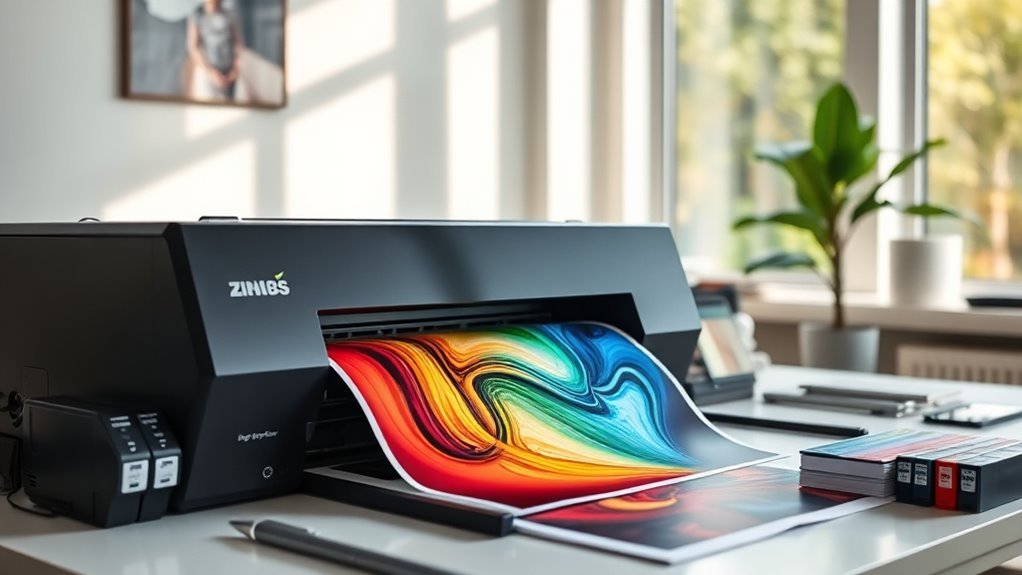
When choosing a colour printer for your art prints, you’ll want to focus on print quality and resolution. This will guarantee sharp, vibrant results.
Also, consider the ink type and color range. It’s important to think about media size compatibility for the paper you plan to use.
Don’t forget to check print speed and connectivity options. Make sure they match your workflow and setup.
Print Quality and Resolution
If you want your art prints to capture every nuance and detail, you’ll need a printer with a native resolution of at least 2400 x 1200 dpi or higher. This guarantees smooth tonal gradations and sharp reproduction of fine details.
Opt for printers with multiple color channels—6 to 8 inks, including gray or red—to expand the color gamut and improve subtle shifts and black-and-white neutrality.
High bit-depth processing (10- or 16-bit per channel) and wide-gamut ICC profile support preserve delicate gradations and color accuracy from your source files.
Also, consider media handling features like flat paper paths and borderless printing. These minimize banding and distortion, especially when using thick fine-art papers.
All these elements together make sure your prints look professional and true to your original artwork.
Ink Type and Color
Achieving outstanding print quality starts with choosing the right ink type and color set for your art prints. Dye-based inks deliver vivid, saturated colors and smooth gradients, perfect for glossy finishes, but they tend to fade faster.
Pigment inks, on the other hand, provide exceptional longevity and lightfastness, ideal for fine art and matte papers. You should also consider printers with expanded color sets—5 to 12+ inks—because they enhance color accuracy, reduce metamerism, and improve subtle tonal shifts like skin tones.
Matching ink formulation to your paper type is essential to avoid bleeding or poor adhesion. And finally, pay attention to ink delivery systems; refillable tanks offer consistent color and lower costs compared to small cartridges, which can cause color shifts if replaced unevenly.
Media Size Compatibility
Because your art prints come in various sizes and formats, choosing a printer that matches your media size needs is essential. Check the maximum printable width and length to make certain it can handle your largest prints, like 13″ x 19″.
Make sure the printer supports borderless printing and the sizes you want for true edge-to-edge results. Confirm it handles the paper weights and thicknesses you use, such as heavy cardstock or fine art papers, to prevent jams or damage.
Look for printers with multiple input options or a rear specialty tray for single-sheet loading, which helps preserve texture and avoid curling. Finally, verify it accommodates common aspect ratios and print sizes like 4×6, 8×10, or A3+, so you minimize cropping and scaling issues.
Print Speed Performance
Print speed often plays a pivotal role when selecting a colour printer for your art prints, especially if you handle large print runs or tight deadlines. You’ll want to take into account both first-page-out time and continuous print speed.
The first-page-out time impacts how quickly you can respond to single commissions, while continuous speed determines your efficiency with batch printing. Keep in mind that advertised speeds usually reflect draft quality on plain paper, so high-quality, borderless prints on photo media will take longer.
Higher resolution and richer color depth slow printing due to extra passes and ink layering. Also, factor in drying and post-processing time, because even a fast printer can be slowed by coating or trimming.
Balancing speed and quality makes certain your workflow stays smooth and deadlines are met. It’s all about finding that sweet spot between speed and the finish you want.
Connectivity and Controls
While speed and quality impact how smoothly your art prints come out, the way you connect to and control your printer can be just as important. Choose a printer with both wired (USB or Ethernet) and wireless (Wi‑Fi/Wi‑Fi Direct) options, so you can print easily from PCs, tablets, or phones without interruptions.
Support for protocols like AirPrint, Mopria, and IPP guarantees smooth mobile and network printing across devices. Look for an onboard color display with intuitive menus to preview images, check ink levels, and adjust settings directly.
A companion app and desktop drivers offer advanced control over color management and paper presets. Don’t forget physical controls for handling various paper types, duplexing, and media thickness adjustments to handle your diverse art printing needs reliably.
Cost Efficiency and Maintenance
When choosing a colour printer for your art prints, you’ll want to carefully weigh both cost efficiency and maintenance requirements to avoid surprises down the line. Calculate cost per print by dividing the price of replacement ink or refills by the number of prints you get from a full set.
Keep in mind that inkjet cartridges usually yield far fewer prints than supertank refills, so per-print costs can differ greatly. Factor in the initial hardware price plus ongoing consumables like ink, paper, and maintenance kits over 3–5 years to estimate total ownership costs.
Also, consider maintenance needs—regular head cleanings use ink, and parts or service visits for clogged heads add expenses. Choosing printers with individual color cartridges or refillable tanks can help reduce waste and lower ongoing costs.
Printer Size and Design
Although cost and maintenance are essential, you’ll also want to weigh a printer’s size and design to guarantee it fits your studio and workflow. Check the printer’s physical footprint and weight to ensure it comfortably fits your space and allows proper paper feeding and ventilation.
Consider the maximum media width and supported borderless sizes, especially if you plan to print wide-format art up to 13″ x 19″. Look for an accessible paper path and a rear specialty-media tray to handle thick fine art papers or heavy cardstock. This helps reduce jams and damage, which is always a plus.
Evaluate the control interface size and placement—front-mounted LCDs are ideal for quick status checks. And don’t forget to confirm the output capacity supports stacked or single-sheet output without scuffing. That’s super important for handling fragile prints in large batches.
Frequently Asked Questions
How Do Printer Inks Affect the Longevity of Art Prints?
Ink quality directly affects your art prints’ longevity. Pigment-based inks resist fading and moisture better than dye-based ones.
Choosing archival inks guarantees your prints stay vibrant and durable over time. This helps preserve your artwork’s beauty for years to come.
Can These Printers Handle Textured or Specialty Art Paper?
Yes, over 80% of advanced printers can handle textured or specialty art paper. They adjust ink flow and drying times to make sure your art’s texture really shines.
This means no smudging or fading, and your prints stay vibrant and detailed every time. It’s pretty impressive how well they manage it!
What Maintenance Is Required to Keep Print Quality Consistent?
You’ll need to regularly clean print heads and use the printer often to prevent ink clogging. Replacing cartridges on time is important, too.
Don’t forget to perform calibration every now and then. Keeping your printer dust-free really helps as well.
Also, updating the firmware can make a difference. These simple steps keep your prints looking sharp and consistent.
Are These Printers Compatible With Popular Art Design Software?
Over 90% of top art printers seamlessly integrate with popular design software like Adobe Photoshop and Illustrator. You’ll find they support various file formats, letting you print your creations directly without hassle or compatibility issues.
It’s pretty convenient, right? No need to worry about converting files or dealing with complicated setups. Just plug in, print, and enjoy your artwork!
How Do Printing Costs Compare Between Inkjet and Laser Printers?
You’ll find inkjet printers have higher ink costs but better color quality, while laser printers use cheaper toner with lower cost per page.
For vibrant art prints, inkjets usually cost more but deliver superior results. So, if you want bright, detailed colors, inkjets are often the way to go.
Conclusion
When choosing the perfect colour printer for your art prints, remember that “a picture is worth a thousand words.” You want a printer that captures every detail and hue just right.
Whether you go with the Canon PIXMA PRO-200S, Epson Expression Photo HD XP-15000, or Epson EcoTank Photo ET-8500, each offers unique features to bring your creativity to life.
Invest wisely, and your masterpieces will speak volumes. Choosing the best colour printer for art prints means considering quality, colour accuracy, and ease of use. These printers deliver vibrant, true-to-life colours that make your artwork pop.
So, if you want your art prints to stand out, pick a printer that matches your style and budget. The Canon PIXMA PRO-200S, Epson Expression Photo HD XP-15000, and Epson EcoTank Photo ET-8500 are top choices in 2027, designed to help artists bring their visions to life with stunning colour precision and detail.