10 Best Barcode Printers for Bulk Shipping Labels in 2027
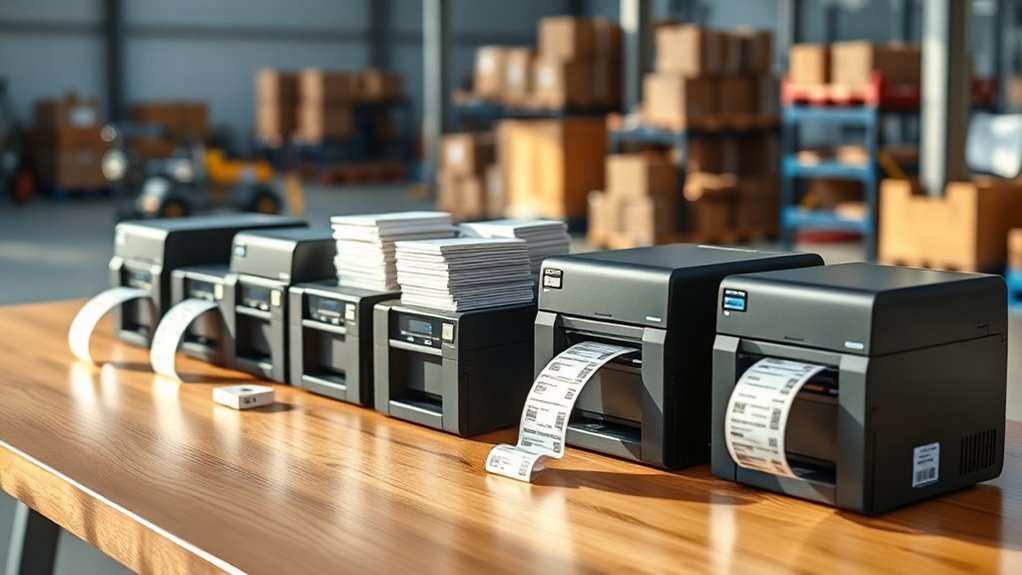
You’ll want a fast, reliable 4×6 thermal barcode printer with Bluetooth and USB options for high-volume shipping labels. These printers are perfect for bulk shipping tasks because they print quickly and deliver crisp, clear 203 dpi labels every time.
Whether you’re managing an online store or a busy warehouse, having the right barcode printer can make all the difference in efficiency and accuracy.
Models like the Rollo, Nelko, and JADENS are great picks. They support major shipping platforms and handle label rolls efficiently—some even hold up to 350 labels for batch printing.
That means less downtime and more productivity when you have lots of packages to prepare.
If portability is key, options like Rongta and KNAON offer wireless convenience and app integration. This makes it easy to print labels on the go without being tethered to a desk.
So, if you need to streamline your bulk labeling, the right printer is waiting as you explore these top choices.
| Image | Name | Editor's Rating | Price |
|---|---|---|---|

|
|
||

|
|
||
|
|
||

|
|
||

|
|
Rollo USB Shipping Label Printer – Commercial Grade 4×6 Thermal Printer
- ROLLO PRINTER: Rollo USB is compatible with both Windows (XP and newer) and Mac (10.9 and newer) with easy set up; Print shipping labels, warehouse labels, barcode...
- ROLLO SHIP: Our complimentary shipping app provides a streamlined and cost saving way to mail packages; Connect any ecommerce platform and gain access to exclusive...
- HIGH SPEED & HIGH SAVINGS: Stop buying ink and toner and start printing with advanced direct thermal technology at a speed of 150mm/s or one 4x6 label per second; Labels...
- CUSTOM LABEL MAKER: Our thermal label printer is also a custom label maker (labels from 1.57" to 4.1" width) making it ideal for more than shipping labels; Create from...
- VERSATILE COMPATIBILITY: Rollo thermal label printer is compatible with all major shipping platforms including Fedex, UPS, USPS, Rollo Ship Manager, ShipStation...
The Rollo USB Shipping Label Printer is designed to simplify shipping for small businesses. It prints 4×6 labels quickly and without ink, using direct thermal technology. This means you avoid the hassle and expense of ink replacements, keeping your workspace clean and running smoothly.
Its compact, lightweight design fits easily on any desk, helping you stay organized. The printer connects via USB, ensuring a stable and reliable connection for consistent performance. It supports both Windows and macOS, making it versatile for various setups.
Ideal for high-volume shipments, the Rollo works seamlessly with major carriers like FedEx, UPS, and Shopify. The included Rollo Ship app allows you to create custom labels and access exclusive shipping rates, helping you save time and money.
Maintenance is simple—since it uses thermal printing, you only need to replace the label rolls regularly. However, note that it prints in black and white only and holds up to 30 labels at a time, which may require frequent reloads during busy periods.
Best for: Small businesses and ecommerce sellers who need a fast, reliable, and cost-effective solution for printing high volumes of 4×6 shipping labels.
What We Like:
- Fast, inkless direct thermal printing at up to one label per second
- Compatible with Windows and macOS, integrates with major shipping platforms
- Compact design saves space and includes a free app for custom labels and exclusive rates
- Simple maintenance with no ink cartridges to replace
Specification:
| Feature | Details |
|---|---|
| Manufacturer | Rollo |
| Dimensions | Compact, fits on desk |
| Weight | Lightweight |
| Printing Method | Direct thermal (inkless) |
| Resolution | 203 dpi |
| Connectivity | USB wired connection |
| Supported OS | Windows, macOS |
| Label Size | 4×6 inches |
| Label Capacity | Up to 30 labels |
| Color Options | Monochrome (black only) |
Thermal Shipping Label Printer 4×6 Bluetooth Label Maker for Small Business
- 【High‑Quality, Energy‑Efficient Thermal Printing】The NULLTONEX shipping label printer uses direct thermal technology, eliminating the need for ink or toner and...
- 【Bluetooth & USB Dual Connectivity】 Connect seamlessly to your phone, laptop or PC via Bluetooth or USB. Download the free app for quick Bluetooth pairing to create...
- 【User‑Friendly Operation】 Easy setup and a dedicated app offer 1,800+ customizable templates, 300+ fonts, and multiple editing tools for everything from daily home...
- 【Wide Compatibility with Popular Shipping Platforms】 Works seamlessly with major shipping carriers and e‑commerce platforms including Amazon, Shopify, Etsy, USPS...
- 【Durable, Compact & Ready to Use】 Featuring a special matte finish with reinforced coating and a space‑saving design that fits neatly on any desk. Built‑in...
The Thermal Shipping Label Printer 4×6 Bluetooth Label Maker is designed to streamline your shipping process. It prints clear, crisp labels at 203 dpi using direct thermal technology, eliminating the need for ink or toner. This means less maintenance and no messy replacements, saving you time and hassle.
Its compact and lightweight design connects easily via Bluetooth or USB, working smoothly with Windows, Mac, iPhone, and Android devices. You can quickly customize labels on the go using a mobile app with over 1,800 templates, making label creation fast and flexible.
Ideal for businesses handling a high volume of shipments, this printer delivers up to 72 labels per minute. Its durable build supports popular shipping platforms, ensuring reliable performance during bulk printing tasks. However, it prints only in monochrome and has a limited tray capacity of 100 labels, which may require frequent refills.
Best for: Small business owners needing a fast, efficient, and low-maintenance label printer for high-volume shipping.
What We Like:
- Fast printing speed of up to 72 labels per minute with sharp 203 dpi quality
- Multiple connectivity options including Bluetooth and USB for versatile device compatibility
- Mobile app with extensive templates enables easy and offline label customization
- Direct thermal printing eliminates the need for ink or toner
Specification:
| Feature | Details |
|---|---|
| Manufacturer | Not specified |
| Print Resolution | 203 dpi |
| Print Speed | Up to 72 labels per minute |
| Connectivity | Bluetooth, USB |
| Supported Devices | Windows, Mac, iPhone, Android |
| Label Size | 4×6 inches |
| Tray Capacity | Up to 100 labels |
| Color Options | Monochrome only |
Rongta Wireless 4×6 Bluetooth Thermal Label Printer
- Wireless Bluetooth Connectivity for Flexible Use: The RONGTA RP425 Bluetooth thermal shipping label printer is fully compatible with iOS and Android phones/tablets...
- Automatic Label Identification: Rongta shipping label printer automatically detects, grabs, and feeds labels, eliminating manual adjustment hassle. It supports all direct...
- Easy Installation for Multiple Systems: The Windows and Mac driver software is available on Rongta official website for easy setup. Compatible with Windows 7 and newer...
- Compact and Portable Design: The Rongta thermal label printer features a space-saving compact build with dimensions of 10.2 x 7.4 x 5.3 inches, making it easy to store...
- High-Speed Printing Performance: Features fast printing speed of up to 150 mm/s with 203dpi resolution and thermal printing method, ensuring efficient label production...
The Rongta Wireless 4×6 Bluetooth Thermal Label Printer is designed to simplify your shipping and labeling tasks. Its wireless Bluetooth and USB Type-C connectivity let you print directly from smartphones, tablets, and computers without hassle. This ensures smooth and flexible operation whether you’re in the office or on the go.
Its compact, lightweight design makes it easy to carry and store. At just 0.65 kg, it won’t take up much space on your desk or in your bag. The printer automatically feeds labels, reducing manual handling and speeding up bulk label printing for busy environments.
With a printing speed of up to 150 mm/s and 203 dpi resolution, it produces clear, readable shipping labels. While the resolution is not suitable for high-detail graphics, it meets standard shipping needs efficiently. The maximum label capacity of 100 sheets supports moderate batch printing but may require refills for larger volumes.
Maintenance is straightforward due to its simple design and compatibility with the RONGTA app on iOS, Android, Windows, Mac, and Chrome OS. This makes it a versatile choice for small businesses and shipping professionals needing reliable label printing.
Best for: Small business owners and shipping professionals seeking a portable, easy-to-use label printer compatible with multiple devices for efficient 4×6 shipping label printing.
What We Like:
- Wireless Bluetooth and USB Type-C connectivity for versatile use
- Compact, lightweight design ideal for portability
- Automatic label feeding reduces manual work
- Compatible with major operating systems via RONGTA app
- Clear 203 dpi resolution suitable for standard shipping labels
Specification:
| Feature | Details |
|---|---|
| Manufacturer | Rongta |
| Dimensions | Not specified |
| Weight | 0.65 kg |
| Color | Black |
| Connectivity | Bluetooth, USB Type-C |
| Print Speed | Up to 150 mm/s |
| Print Resolution | 203 dpi |
| Label Size | Supports multiple sizes, including 4×6 inches |
Nelko Bluetooth Thermal Shipping Label Printer, 4×6 Thermal Label Printer
- Go Wireless by Bluetooth: Download the "NELKO"app to print via Bluetooth on your Nelko Bluetooth thermal label printer for iOS and Android. Printing shipping labels has...
- Print via USB: For Windows (7 and later), Mac OS,Chrome OS, you can connect the desktop label printer via USB cable. Note that Mac OS only works with USB connection, you...
- Good Helper for Cost Saving: Advanced thermal direct technology is adopted to achieve the printing speed of 150 mm/s, up to 72 sheets 4x6 labels/min. High speed brings...
- Strong Platform Compatibility: This bluetooth shipping label printer can work with virtually all platforms, including Amazon, Ebay, Shopify, USPS, UPS, Esty, PayPal...
- Suitable for Commercial and Home Use: Printer driver, instruction videos and problem shooting videos are provided in U-Disk for better setting. Nelko PL70E label printer...
The Nelko Bluetooth Thermal Shipping Label Printer is designed to streamline your shipping process with fast, reliable label printing. It prints up to 72 labels per minute, helping businesses manage bulk shipments efficiently without delays. This printer uses direct thermal technology, so it produces clear 4×6 labels quickly, without the need for ink or toner.
Its Bluetooth and USB connectivity allow easy pairing with Windows, Mac, iOS, and Android devices, supporting popular platforms like Shopify and USPS. The compact design fits neatly in any workspace, while features like auto paper return and intelligent self-test simplify daily use and maintenance.
This printer is ideal for businesses looking to reduce printing downtime and improve label handling. However, its print resolution of 203 × 203 DPI may not capture fine graphics in detail. Also, Bluetooth printing on Mac OS can be limited, so USB is recommended for optimal performance.
By minimizing consumable costs and supporting versatile connections, the Nelko thermal label printer offers a practical solution for busy shipping environments.
Best for: Small to medium-sized businesses and e-commerce sellers needing fast, efficient 4×6 shipping label printing with flexible connectivity.
What We Like:
- Prints up to 72 labels per minute, improving shipping speed
- Supports Bluetooth and USB across multiple operating systems
- Compact size with easy-to-use auto paper return and self-test features
- Direct thermal printing eliminates the need for ink or toner
Specification:
| Feature | Details |
|---|---|
| Manufacturer | Nelko |
| Print Speed | Up to 72 labels per minute |
| Print Resolution | 203 × 203 DPI |
| Label Size | 4 x 6 inches |
| Connectivity | Bluetooth, USB |
| Compatible OS | Windows, Mac, iOS, Android |
| Included Accessories | Power adapter, cables, 50 labels |
| Dimensions | Compact (exact size not specified) |
| Weight | Not specified |
JADENS Bluetooth Thermal Shipping Label Printer, Wireless 4×6 Label Printer
- [HIGH TECH LABEL PRINTER] Equipped with a Japanese high tech thermal print head, 203 DPI high printing quality. No ink, No toner, Clean with no mess, economical. Works...
- [PRINT WIRELESSLY]The label printer support printing wirelessly. For windows 8 or later and Mac, you can print via Bluetooth. For Android& iOS, you can’t print via...
- [PRINT VIA USB] USB connection works with both Windows (7 and newer) and Mac OS (10.9 and newer) devices. Please long and press the feed button to identify and calibrate...
- [WIDE USAGE] JADENS thermal label printer is widely used to print labels from various marketplaces and shipping platforms, such as Endicia, Dazzle, ShipStation, Shipping...
- [EASY TO SET UP & RELIABLE AFTER-SALE SERVICE] Set up in one minute. Printer driver, instruction videos and problem shooting videos are provided in U-Disk for better...
The JADENS Bluetooth Thermal Shipping Label Printer offers a smart solution for small businesses and sellers aiming to streamline their label printing. It quickly produces clear, sharp 4×6-inch labels using a high-tech Japanese thermal head at 203 DPI. This precision helps reduce errors in shipping and inventory management, saving time and improving workflow efficiency.
Designed for wireless convenience, the printer connects easily via Bluetooth or USB. It works seamlessly with Windows, Mac, Android, and iOS devices through the dedicated Jadens app. Setup is straightforward and fast, allowing you to start printing within minutes without complicated installations.
Maintenance is simple with this thermal printer since it uses direct thermal printing technology that doesn’t require ink or toner. However, the maximum label roll capacity is 50 sheets, which means frequent reloading for larger batches. The printer supports various label sizes to suit different shipping and warehouse needs.
While print speed information varies, the device reliably produces crisp monochrome labels for everyday business use. Its compact design fits well in busy workspaces, helping you stay organized and productive.
Best for: Small businesses, online sellers, and warehouse teams needing reliable wireless printing of 4×6 shipping and inventory labels.
What We Like:
- Supports Bluetooth and USB connections for versatile device compatibility
- High-resolution monochrome printing ensures clear, professional labels
- Fast and easy setup streamlines daily labeling tasks
- Direct thermal printing eliminates ink or toner replacement
- Compact and portable design fits well in small work areas
Specification:
| Specification | Details |
|---|---|
| Manufacturer | JADENS |
| Printing Technology | Thermal (Direct Thermal) |
| Print Resolution | 203 DPI |
| Label Size | 4 x 6 inches |
| Connectivity | Bluetooth, USB |
| Compatible OS | Windows, Mac, Android, iOS |
| Maximum Label Capacity | 50 sheets |
| Dimensions | Not specified |
| Color Options | Not specified |
Bluetooth Thermal Shipping Label Printer with Built-in Bin
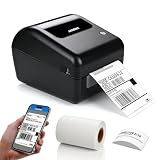
- Built-in Label Holder – This shipping label printer includes an integrated label holder that supports roll label installation within the printer structure. The holder...
- Wireless Printing – Supports printing via Bluetooth from iPhone, iPad, Android devices, and Windows computers. USB connection is available for Mac. The printer is...
- Label Compatibility – Supports direct thermal labels with widths from 1.57" to 4.1", including shipping labels, barcode labels, address labels, warehouse labels...
- Platform Compatibility – Works with USPS, UPS, FedEx, Amazon, Etsy, Shopify, eBay, ShipStation, Pirate Ship, Shippo, and other shipping and e-commerce platforms that...
- Package Includes – Comes with 50 pcs 4" x 6" thermal shipping labels. Supports direct thermal printing without ink, toner, or ribbons. Setup instructions are included...
The Bluetooth Thermal Shipping Label Printer with Built-in Bin is designed to streamline your shipping process. Its compact design and wireless connectivity make printing bulk shipping labels straightforward and efficient. This printer uses direct thermal technology, eliminating the need for ink or ribbons, which reduces maintenance and operating costs.
Labels feed smoothly from the built-in bin that holds up to 350 labels, minimizing interruptions during busy shipping periods. The printer supports fast printing speeds of up to 150 mm/s with clear 203 x 203 dpi resolution, ensuring your labels are crisp and easy to read. Connecting via Bluetooth or USB offers flexibility across multiple devices and shipping platforms.
This printer is ideal for businesses handling frequent shipments who need a reliable, space-saving solution. Its monochrome printing is perfect for standard black-and-white labels but limits versatility for color applications. The single tray design focuses on simplicity but may not support multiple label types simultaneously.
Overall, this label printer improves workflow by combining speed, convenience, and ease of use in a compact package.
Best for: Small to medium-sized businesses and online sellers needing a fast, wireless printer for bulk shipping labels.
What We Like:
- Fast direct thermal printing with clear 203 x 203 dpi output
- Built-in label bin holds large rolls up to 350 labels for uninterrupted printing
- Bluetooth and USB connectivity compatible with major shipping platforms
- No ink or ribbon required, reducing maintenance and costs
Specification:
| Feature | Details |
|---|---|
| Manufacturer | JADENS |
| Dimensions | Compact (exact size not specified) |
| Weight | Not specified |
| Material | Not specified |
| Color Options | Black |
KNAON Bluetooth Portable Thermal Shipping Label Printer
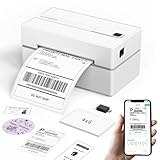
- Bluetooth Wireless Connection: KNAON Bluetooth shipping label printer enables wireless printing. For Mobile users, download the 'FlashLabel Pro' app from APP Store or...
- USB Cable Connectivity: This printer ensures seamless USB connectivity with macOS, Windows (7 and above), ChromeOS, and Linux. KNAON printer features a built-in USB drive...
- Versatile DIY Labeling Options: KNAON Thermal Shipping Label Printer offers a vast selection of pre-designed templates, including 3,000+ templates, 5,000+ icons, and...
- Seamless Multi-Platform Compatibility: This Bluetooth shipping label printer works effortlessly with all major platforms, including Amazon, eBay, Shopify, USPS, UPS...
- Portable & Stylish Design: KNAON multi-function thermal label printer offers user-friendly operation in a compact design. Its perfect size (7.17 x 3.9 x 3.43 inches...
The KNAON Bluetooth Portable Thermal Shipping Label Printer is designed to simplify your shipping process with compact efficiency. Its fast print speed and sharp 203 dpi resolution ensure your labels are clear and professional every time. This printer helps you avoid delays by quickly producing monochrome labels wherever you need them.
With wireless Bluetooth connectivity and the FlashLabel Pro app, printing becomes seamless across iOS, Android, macOS, and Windows devices. The app’s extensive template library and integration with major shipping platforms save you time and reduce errors. Its lightweight design makes it easy to carry for on-the-go label printing.
Maintenance is straightforward since the printer uses thermal technology, eliminating the need for ink or toner. Simply replace the thermal paper rolls as needed. This makes it a low-maintenance tool ideal for small businesses or busy e-commerce sellers looking for reliability and convenience.
While it only prints in black and does not support duplex printing, its focused functionality ensures consistent, high-quality shipping labels. The device’s portability and user-friendly app support make it a practical solution for fast-paced environments.
Best for: Small business owners and e-commerce sellers who need a reliable, portable thermal label printer for quick and clear monochrome shipping labels.
What We Like:
- Fast printing at up to 180 mm/s with crisp 203 dpi resolution
- Wireless Bluetooth connection paired with a versatile FlashLabel Pro app
- Compact and lightweight for easy portability
- Extensive label templates and major shipping service integrations
- Maintenance-free thermal printing without ink or toner
Specification:
| Feature | Details |
|---|---|
| Manufacturer | KNAON |
| Dimensions | Not specified |
| Weight | Not specified |
| Print Speed | Up to 180 mm/s |
| Resolution | 203 dpi |
| Label Width Supported | 1.5 to 4.2 inches |
| Connectivity | Bluetooth |
| Compatible Platforms | iOS, Android, macOS, Windows |
| Printing Type | Monochrome thermal |
Rongta Wireless Bluetooth 4×6 Thermal Label Printer

- Label maker for Shipping labels & small business labels
- supports multiple-size wide wireless printing
- Download "RONGTA" app for phone to bluetooth print
- Download computer driver for PC/Laptop to USB print
- Inkless Thermal Printing for Sharp Clarity
The Rongta Wireless Bluetooth 4×6 Thermal Label Printer is designed to streamline your shipping process. It delivers crisp, clear labels quickly without the hassle of wires. This printer helps small businesses manage bulk shipments efficiently by reducing setup time and simplifying printing tasks.
Its wireless Bluetooth and USB connections allow seamless pairing with Windows, macOS, Android, and iOS devices. You can print directly from smartphones or computers, enhancing your workflow flexibility. The compact white design fits neatly in any workspace, saving valuable desk space.
Maintenance is straightforward thanks to inkless thermal technology. You won’t have to worry about replacing ink cartridges, making operation cost-effective and low-maintenance. The printer handles standard 4×6 inch thermal paper with sharp 203 dpi resolution for professional-looking labels.
While it only prints in monochrome and supports single-sided labels, this printer meets the needs of most shipping label requirements. Its lightweight build makes it portable, ideal for busy environments where mobility is important.
Best for: Small business owners and e-commerce sellers needing a fast, reliable, and wireless thermal label printer for shipping and bulk shipments.
What We Like:
- Wireless Bluetooth and USB connectivity for versatile device compatibility
- Fast printing speed of 15 pages per minute with clear 203 dpi output
- Inkless thermal printing reduces maintenance and operating costs
- Compact and lightweight design fits easily in tight spaces
Specification:
| Feature | Details |
|---|---|
| Manufacturer | Rongta |
| Dimensions | Compact size (exact size not specified) |
| Weight | 16 ounces (approx. 0.45 kg) |
| Color | White |
| Print Resolution | 203 dpi |
| Max Label Size | 4 x 6 inches |
| Connectivity | Bluetooth, USB |
Bluetooth Thermal Label Printer,4×6 Shipping Label Printer

- Inkless Thermal Shipping Label Printer: This thermal label printer employs thermal printing technology, with a print head lifespan of approximately 1.25 million shipping...
- Wireless Bluetooth Label Printer 4x6: This portable label printer for small business features automatic calibration positioning, intelligent paper ejection, and smart...
- Widely Compatible with All Sorts of Platforms: This desktop label maker machine is compatible with label printing for major e-commerce platforms and logistics systems...
- Multi-functional Applications: This desktop usps mailing postage label printer accommodates foldable and roll-fed printer paper ranging from 25mm to 110mm in width...
- Smart Templates for Diverse Needs: The NADA Print app offers extensive icons, fonts, borders, and templates. Supports importing PDF/TXT files or utilising OCR text...
Experience hassle-free label printing with the Bluetooth Thermal Label Printer, designed to simplify shipping for online micro-businesses and small offices. This printer uses direct thermal technology, eliminating the need for ink and reducing operational costs.
Its compact design fits easily in tight workspaces while offering fast print speeds of up to 55 labels per minute at 203 dpi, ensuring clear, professional labels every time. Automatic calibration minimizes jams and waste, keeping your workflow smooth and efficient.
Connectivity is versatile, with Bluetooth and USB options that integrate seamlessly with platforms like Amazon, Shopify, and USPS. The Nada Print app enhances usability by providing smart templates and multilingual support, making label creation straightforward and adaptable.
Regular maintenance is straightforward, though occasional print head cleaning is necessary to maintain optimal performance. While it prints only monochrome labels up to 4×6 inches, it meets the core needs of shipping, warehousing, and e-commerce labeling.
Best for: Small-to-medium offices and online micro-businesses seeking a portable, efficient 4×6 shipping label printer with flexible connectivity and user-friendly app support.
What We Like:
- Fast printing at 55 labels per minute with sharp 203 dpi clarity
- Multiple connection options: Bluetooth and USB compatibility
- Compact size with automatic calibration reduces jams and waste
- Inkless printing lowers ongoing costs and maintenance
- User-friendly app with smart templates and multilingual support
Specification:
| Feature | Detail |
|---|---|
| Manufacturer | Not specified |
| Dimensions | Compact (exact size N/A) |
| Weight | Lightweight (exact N/A) |
| Printing Technology | Direct thermal |
| Print Resolution | 203 dpi |
| Max Label Size | 4 x 6 inches |
| Connectivity | Bluetooth, USB |
| Color Printing | Monochrome (black and white) |
Bluetooth Shipping Label Printer 4×6, Wireless Thermal Label Maker

- PRINT FROM YOUR PHONE WITH ONE APP:Design labels, create barcodes, and batch print directly from your iPhone or Android device with the MUNBYN App. A simple mobile...
- UP TO 70 4x6 LABELS PER MINUTE:Prints at speeds up to 150 mm/s, allowing you to produce approximately 70 standard 4x6 shipping labels per minute under continuous printing...
- COMPACT SIZE FOR TIGHT WORKSPACES:With a footprint of about 7.7 x 6.3 inches and a weight of just 1.6 lb, this compact thermal label printer takes up about the space of a...
- BLUETOOTH FOR MOBILE & WINDOWS, USB FOR MAC:Print wirelessly from iPhone and Android devices through the MUNBYN App, or connect directly via Bluetooth on compatible...
- THERMAL PRINTING FOR SHIPPING LABELS: Uses direct thermal technology to print shipping labels, return labels, and compatible barcodes. No ink, toner, or ribbon required...

Experience hassle-free shipping label printing with the Bluetooth Shipping Label Printer 4×6. Designed to streamline your shipping process, this wireless thermal label maker eliminates the need for ink or toner, using direct thermal technology for crisp, clear labels every time. Its fast printing speed of up to 150 mm/s helps you manage bulk orders with ease, saving valuable time.
This compact printer connects seamlessly via Bluetooth to iPhone, Android, and Windows devices, while USB compatibility ensures it works smoothly with Mac and desktop computers. Its lightweight design fits comfortably in small workspaces, perfect for home offices or storefronts. The included app simplifies label creation and batch printing, making your workflow more efficient.
Maintenance is straightforward since no ink cartridges are required, reducing ongoing costs and downtime. However, it prints only in monochrome and supports media sizes slightly larger than standard 4×6 labels, so careful media selection is advised. The single tray holds limited sheets, which could affect productivity during very high-volume printing.
This printer is ideal for small business owners and online sellers who need a reliable, easy-to-use solution for producing professional shipping labels quickly and wirelessly.
Best for: Small business owners and home-based online retailers requiring a compact, efficient 4×6 wireless shipping label printer.
What We Like:
- Quick, ink-free thermal printing up to 150 mm/s
- Bluetooth and USB connectivity for versatile device compatibility
- User-friendly app for easy label design and batch printing
- Compact, lightweight design ideal for tight spaces
Specification:
| Feature | Details |
|---|---|
| Manufacturer | MUNBYN |
| Dimensions | Compact size (approximate) |
| Weight | Lightweight |
| Printing Method | Direct Thermal |
| Print Speed | Up to 150 mm/s |
| Connectivity | Bluetooth (iPhone, Android, Windows), USB (Mac, desktop) |
| Media Size | Slightly larger than standard 4×6 inches |
Factors to Consider When Choosing a Barcode Printer for Bulk Shipping Labels
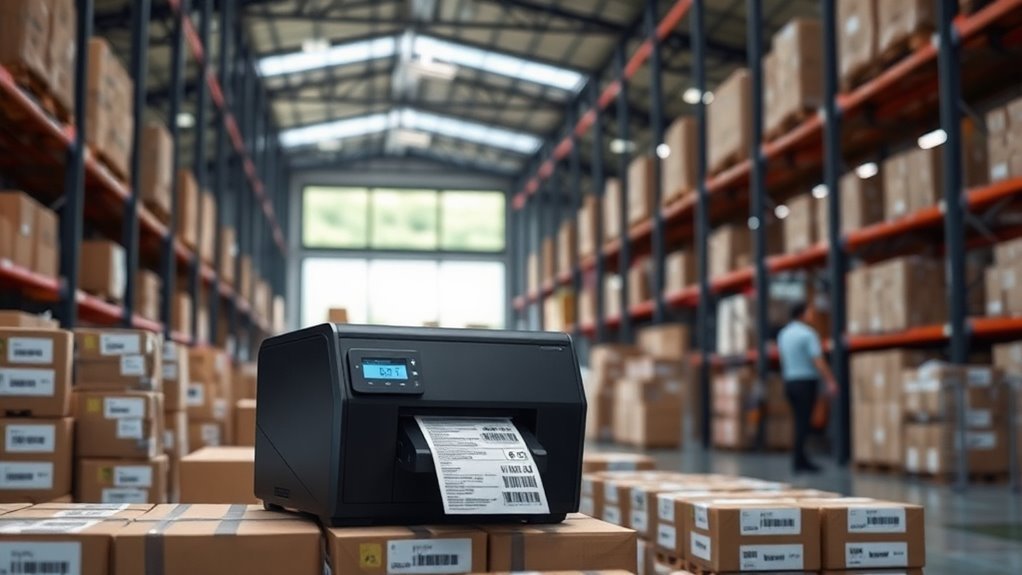
When choosing a barcode printer for bulk shipping labels, you need to take into account print speed to keep up with your volume. Make sure the printer supports the label sizes you use and offers the connectivity options that fit your setup.
Also, check if it works with your operating system and delivers the print resolution quality your labels require. It’s all about finding the right balance between speed, compatibility, and quality to keep your shipping process smooth.
Print Speed Importance
Choosing the right print speed for your barcode printer can markedly cut down your bulk shipping label processing time. Higher speeds, like 150 mm/s or around 70–80 labels per minute, let you churn out labels far faster than slower models rated 15–30 LPM.
But don’t just chase speed—make sure your printer’s media handling, connection, and software can keep up without bottlenecks. Also, check the print head’s duty cycle and cooling to avoid overheating during continuous runs.
Keep in mind that pushing speed too high might reduce print resolution, risking barcode readability. So, balance speed with the print quality needed for reliable scans.
Label Size Compatibility
Since label size directly impacts print quality and workflow efficiency, you should guarantee your barcode printer handles the exact dimensions you require—whether standard 4×6 inches or custom widths between about 1.57″ and 4.3″.
Verify the printer supports your label format, whether roll or fanfold, and meets your maximum capacity for uninterrupted bulk printing. Check the supported media width and maximum printable area to make certain your labels print without cropping or misalignment, maintaining necessary margins and barcode quiet zones.
Confirm the printer’s resolution, typically 203 dpi, suits your barcode symbologies and small text clarity. Finally, look for feed and auto-detection features like auto-calibration and gap detection to reduce misfeeds and waste when switching label sizes, keeping your bulk operations smooth and accurate.
Connectivity Options Variety
How do you make certain seamless printing in a busy shipping environment? Start by choosing a barcode printer with the right connectivity options. You’ll want USB 2.0 or USB‑C for reliable wired desktop connections.
For mobile use, Bluetooth is handy, but confirm the printer supports your mobile OS and has compatible apps or drivers. In high-volume warehouses, Ethernet or Wi‑Fi is essential to enable shared access, batch printing, and integration with your shipping system.
Operating System Support
When you select a barcode printer, make certain it supports the operating system you use daily, whether it’s Windows, macOS, Linux, or mobile platforms like iOS and Android. Confirm the printer offers drivers or native support for your OS version, as unsupported systems often need workarounds or block desktop printing.
For macOS and Linux, check if Bluetooth printing works natively or requires USB or third-party apps, since wireless features can be limited. It’s a good idea to verify driver types too—whether they come as official installers, built-in OS drivers, or virtual USB/serial—and ensure they match your system’s 32-bit or 64-bit architecture.
If you print from mobile devices, make certain the printer supports mobile apps or AirPrint/Android Print Service with batch printing ability. And if you’re working in cloud or multi-user setups, confirm network or shared printing support for smooth label queuing across devices. That way, you avoid hiccups when multiple users need to print at the same time.
Print Resolution Quality
Choose the right print resolution to make certain your shipping labels are both crisp and scannable. Aim for at least 203 dpi for standard 4×6 labels, which reliably prints barcodes and text.
If your labels include small 1D or 2D barcodes, tiny fonts, or logos, consider 300 dpi for finer detail and better scanner readability. Remember, higher resolution means slower printing and processing, so pick the lowest dpi that meets your scanner’s requirements.
Print resolution must match your label size and barcode density to maintain proper X-dimensions for accurate scanning. Always test your printed labels with your scanners, checking ISO/ANSI grading, quiet zones, and contrast to make certain consistent, machine-readable quality across batches.
This balance keeps your bulk shipping efficient and error-free.
Media Handling Capacity
To keep your bulk shipping labels flowing smoothly, you’ll want a printer that can handle your media needs without constant interruptions. First, check the maximum media width and supported label sizes to ensure compatibility with your label stock, especially common dimensions like 4×6 inches.
Also, verify the printer’s media capacity—tray or roll size—and whether it supports fanfold or roll-fed labels, so you don’t have to reload frequently. Consider the maximum output tray capacity too, to avoid jams during continuous runs.
Don’t forget to confirm supported roll core sizes and maximum roll diameter to match your label rolls and minimize downtime. Finally, look for features like automatic label detection, gap sensing, or peel-and-present, which help handle various media types and reduce misfeeds during bulk printing.
Software Integration Features
Since efficient label printing depends heavily on seamless software integration, you’ll want a barcode printer that works natively with your shipping platforms and ecommerce systems. Confirm it accepts label PDFs or direct print streams from popular solutions to skip manual conversions or extra middleware.
Make sure the printer supports drivers and APIs for your OS—Windows, macOS, iOS/Android, or Chrome OS—and offers SDKs or REST, USB, or Bluetooth APIs for custom workflows. Look for batch-printing features like CSV import, template merging, and print job scheduling to handle bulk jobs smoothly.
Also, verify support for common label sizes, barcode/QR generation, and dynamic data sources like databases or webhooks. Finally, check management tools for remote monitoring, auto-updates, usage reports, and error alerts to keep your operation running without interruptions.
Durability and Warranty
When you rely on barcode printers for high-volume shipping, durability becomes critical to avoid costly downtime. Choose printers with a rated printhead lifecycle and heavy-duty mechanisms to guarantee consistent uptime.
Check the build materials like metal chassis or reinforced plastics, ingress protection, and specified duty cycles to withstand dust, drops, and continuous use. These features really help your printer last longer in tough environments.
Compare warranty lengths and coverage—opt for at least one year covering printheads, motors, and electronics, with options to extend. It’s also smart to verify service terms such as advance replacement, on-site repair, and genuine spare parts availability to minimize downtime.
Also, consider maintenance needs and supplier support for consumables and repair guides. Lower maintenance complexity reduces total cost of ownership and extends your printer’s usable life.
Frequently Asked Questions
How Do Barcode Printers Connect to Different Operating Systems?
You connect barcode printers to different operating systems via USB, Ethernet, or Wi-Fi. Most printers use compatible drivers or software, ensuring seamless integration.
It doesn’t matter if you’re on Windows, macOS, or Linux systems — they’ve got you covered. This makes setting up pretty straightforward and hassle-free.
What Maintenance Is Required for Thermal Barcode Printers?
Think of your thermal printer as a trusty steed: clean its printhead regularly, replace worn ribbons or labels, and keep dust at bay.
You’ll guarantee smooth rides and crisp prints every time without unexpected breakdowns.
Can These Printers Handle Custom Label Sizes?
Yes, you can customize label sizes with most thermal barcode printers. Just adjust the printer settings or software to fit your specific dimensions.
This way, you ensure your labels print accurately for your unique shipping or inventory needs. It’s pretty straightforward once you get the hang of the settings!
Are There Software Compatibility Issues to Consider?
You might face software compatibility issues if the printer doesn’t support your labeling software or OS.
Always check the printer’s specs and make certain it integrates smoothly with your existing systems to avoid workflow disruptions.
It’s better to be sure upfront than to deal with headaches later on!
What Is the Average Lifespan of a Commercial-Grade Barcode Printer?
Commercial-grade barcode printers commonly clock an impressive lifespan of five to seven years. If you maintain them meticulously, you’ll maximize their performance.
This helps prevent premature problems and prolongs productivity. Plus, it ensures your printing process proceeds smoothly and steadily.
Conclusion
Choosing the right barcode printer for your bulk shipping labels doesn’t have to feel like sending a telegram in the digital age. You’ll want a reliable, fast, and wireless option that fits your business needs perfectly.
Whether you pick a commercial-grade Rollo or a versatile Bluetooth thermal printer, staying efficient and up-to-date is key. So, gear up with one of these top picks and watch your shipping process become smoother than ever!
When it comes to bulk shipping labels, speed and reliability are crucial. A good barcode printer helps you avoid delays and errors, making your workflow seamless. Plus, wireless connectivity options add convenience, letting you print from anywhere in your workspace.
Choosing the best barcode printer means considering your volume, label size, and connectivity needs. With the right device, you can handle bulk shipments with ease and boost productivity. So, invest smartly in a barcode printer designed for bulk shipping labels and watch your business run like clockwork!