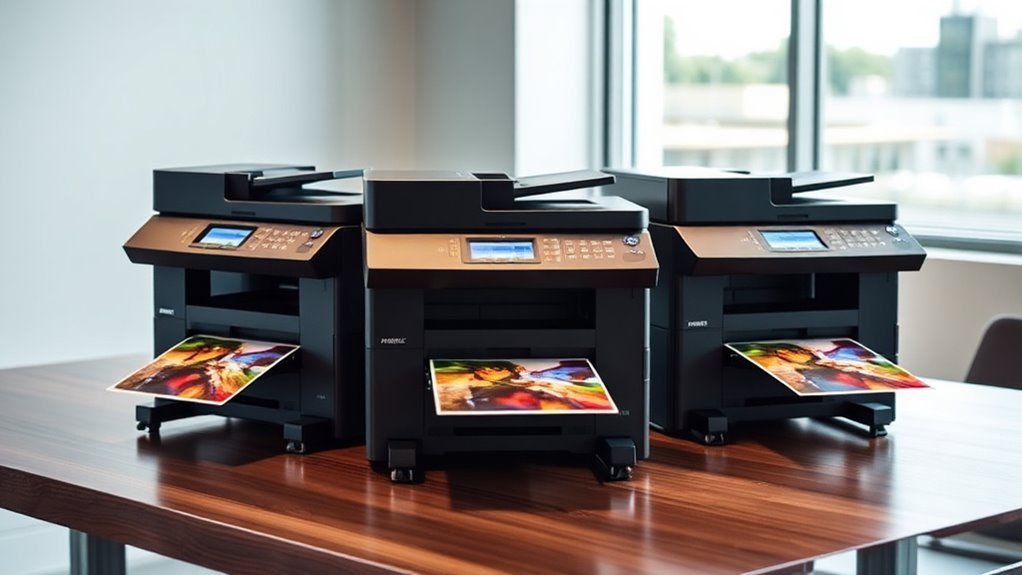
3 Best Commercial Photo Printers for 2027
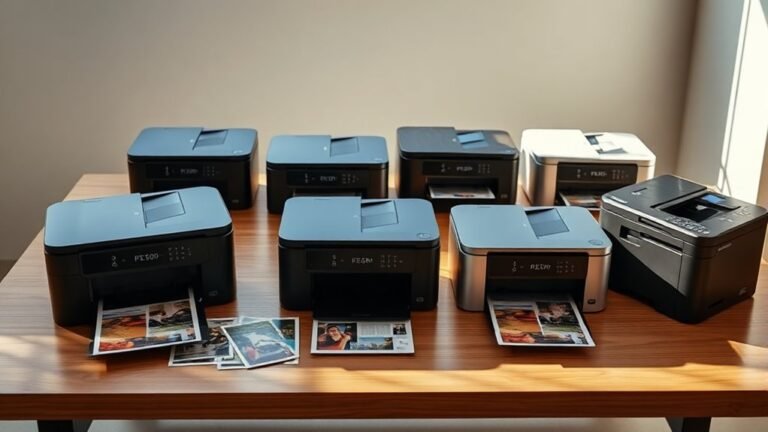
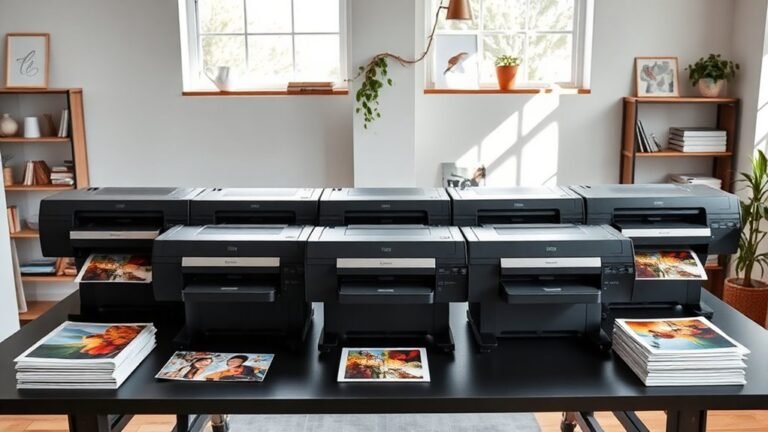
You want reliable and professional photo printers for 2027, so consider the Canon imagePROGRAF PRO-1100 for its 17” wide, 11-color pigment ink system that guarantees rich, lasting prints.
This printer is perfect if you’re looking for exceptional color accuracy and detail in your photos.
The DNP DS820A excels with fast 8” dye-sublimation printing, making it ideal for high-volume shops that need quick turnaround without sacrificing quality.
It’s a solid choice when speed and efficiency are top priorities.
For larger projects, the Canon TM-500 offers 24” wide prints with vibrant 5-color pigment ink.
This model is great if you want to produce wide, eye-catching prints with consistent color.
If you want to explore how these models match your needs, keep going for key details and features.
| Image | Name | Editor's Rating | Price |
|---|---|---|---|

|
|
||

|
|
||

|
|
Canon imagePROGRAF PRO-1100: 17” Professional Wireless Inkjet Photo Printer
- 11 PIGMENT-BASED INK SYSTEM PLUS CHROMA OPTIMIZER: The 11 pigment-based ink system provides a broad color gamut and improved gloss uniformity for superb glossiness and...
- WIDE COLOR GAMUT FOR EXCEPTIONAL IMAGE CLARITY: The LUCIA PRO II ink system helps you achieve an improvement in color-reproduction, image clarity, and enhanced darker...
- PROFESSIONAL PRINT & LAYOUT SOFTWARE: This powerful software provides professional photographers with intuitive printing solutions. A standalone application that also can...
- PRINTER MANAGEMENT SOLUTIONS: Every detail in your print must be perfect, why not have the same obsession for your workflow? The PRO-1100 is precisely managed with...
- ANTI-CLOGGING TECHNOLOGY: Via a FINE print head that controls precise ink ejection.

Experience unparalleled print quality with the Canon imagePROGRAF PRO-1100, a 17” wireless inkjet printer crafted for professionals. It delivers stunning color accuracy and deep detail, especially in shadowed areas, making your photographs and artwork truly stand out.
This printer’s advanced 11-color LUCIA PRO II pigment ink system and Chroma Optimizer work together to produce smooth, glossy prints that resist scratches and unwanted bronzing. Its air feeding system ensures paper feeds straight, eliminating misalignment and wasted media.
Designed to handle large, complex image files swiftly, the powerful L-COA PRO engine keeps your workflow efficient. Maintenance is straightforward, but note that the 80 mL ink cartridges may require frequent changes during high-volume printing.
The compact 17” width suits high-quality prints without taking up excessive space, ideal for studios focused on fine art and professional photography. While it doesn’t support wider media, its precision and color fidelity meet demanding creative standards.
Best for: Professional photographers and fine-art creators seeking precise color reproduction and reliable print performance for medium-format prints.
What We Like:
- 11-color LUCIA PRO II ink system delivers vivid, accurate colors
- Chroma Optimizer enhances gloss and reduces bronzing
- Air feeding system prevents paper skewing for precise prints
- Powerful L-COA PRO engine enables fast processing
- Compact 17” size fits professional studios with space constraints
Specification:
| Feature | Details |
|---|---|
| Manufacturer | Canon |
| Media Width | 17 inches (43.2 cm) |
| Ink System | 11-color LUCIA PRO II |
| Ink Cartridge Volume | 80 mL |
| Connectivity | Wireless |
| Print Technology | Inkjet |
| Print Head | FINE print head |
DNP DS820A 8″ Professional Dye-Sublimation Printer for 8×10″ and
- SUPERIOR PRINT QUALITY - Achieve stunning, professional-grade photos with 300 x 600 dpi resolution, ensuring every detail is captured with exceptional clarity and vibrant...
- INCREDIBLE PRINT SPEED - Maximize your efficiency with a rapid print speed of just 29.3 seconds for 8x10" photos, allowing you to fulfill orders quickly and keep your...
- VERSATILE PAPER HANDLING - Enjoy flexible media options with roll feed and a wide range of print sizes from 4x8" to 8x32", perfect for various applications from portraits...
- WIDE RANGE OF SURFACE OPTIONS - Create customized prints with multiple surface options including Glossy, Luster, Matte, and Fine Matte, providing the perfect finish for...
- BROAD COMPATIBILITY - Seamlessly integrate the printer into your existing workflow with USB 2.0 connectivity and compatibility with Windows and Mac OS X - macOS, ensuring...
Experience professional dye-sublimation printing with the DNP DS820A, designed to deliver vibrant, high-quality prints up to 8×32 inches. This printer solves the challenge of producing sharp images quickly, making it ideal for busy studios and print shops. Its sharp 300 x 600 dpi resolution ensures portraits and panoramic images come out with rich colors and fine details.
The DS820A prints an 8×10 photo in just 29.3 seconds, helping you manage high-volume orders efficiently. Its roll-feed system supports multiple print sizes from 4×8 to 8×32 inches, providing flexibility for various projects. You can easily switch between glossy, luster, matte, or fine matte finishes to match your clients’ preferences.
Maintenance is straightforward with the DNP DS820A, designed for consistent performance and minimal downtime. The printer connects via USB 2.0 and is compatible with both Windows and macOS systems, ensuring smooth integration into most workflows.
Best for: Professional photographers and print shops needing fast, versatile dye-sublimation prints up to 8×32 inches with multiple finish options.
What We Like:
- Delivers sharp, vibrant prints at 300 x 600 dpi resolution.
- Fast print speed of 29.3 seconds for 8×10 photos.
- Supports a wide range of print sizes via roll-feed system.
- Multiple finish options to satisfy different client needs.
- Easy maintenance for continuous, reliable operation.
Specification:
| Feature | Description |
|---|---|
| Manufacturer | DNP |
| Maximum Print Size | 8 x 32 inches |
| Print Resolution | 300 x 600 dpi |
| Print Speed (8×10) | 29.3 seconds |
| Finish Options | Glossy, luster, matte, fine matte |
| Connectivity | USB 2.0 |
| Compatible OS | Windows, macOS |
Canon imagePROGRAF TM-500 24″ Large Format Printer
- The 5-color pigment ink printer delivers crisp text, sharp lines, and vibrant images for attention grabbing posters on awide variety of media types.
- The imagePROGRAF TM-500 ships with 300 ml of ink BK/C/M/Y (55ml) MBK (80ml).
- With automatic media selection the TM-500 makes operating the printer simple and easy. Once users load the media, the TM-500 can determine the media type, width, and...
- Color calibration helps ensure that prints look consistent.
- Easy Setup and Maintenance: imagePROGRAF TM-500 printers have an intuitive tiltable touchscreen control panel and animated installation guides to provide quick-and-easy...
The Canon imagePROGRAF TM-500 is designed to deliver vibrant, sharp prints that make your posters and signage stand out. Its advanced 5-color pigment ink system ensures crisp text and vivid images across a variety of media, solving common issues with print clarity and color accuracy. This printer helps businesses create professional-quality visuals without added hassle.
Maintaining the TM-500 is straightforward thanks to its automatic media detection and remaining length measurement. These features reduce setup time and minimize errors, keeping your workflow smooth. The intuitive tiltable touchscreen paired with animated setup guides makes installation and routine maintenance simple and efficient.
Connectivity options are flexible, allowing you to easily connect via wired or wireless networks or use Mopria-certified driver-free printing. This versatility supports diverse office environments and reduces IT complexity. Additionally, the printer’s ENERGY STAR and EPEAT Gold certifications ensure environmentally responsible operation.
While limited to a 24-inch maximum print width, this large format printer balances quality and convenience for many commercial needs. Ink supply starts small, which might require more frequent replacements, and it lacks built-in finishing options like cutting or laminating.
Best for: Businesses and professionals needing reliable, vibrant large-format prints with easy setup and eco-conscious operation.
What We Like:
- Produces sharp, vivid prints with 5-color pigment ink technology
- Simplifies workflow with automatic media detection and measurement
- User-friendly tiltable touchscreen with animated setup guides
- Multiple connectivity options including wireless and driver-free printing
- Certified for energy efficiency and eco-friendly performance
Specification:
| Attribute | Details |
|---|---|
| Manufacturer | Canon |
| Maximum Print Width | 24 inches (61 cm) |
| Ink System | 5-color pigment ink |
| Touchscreen | Tiltable, with animated guides |
| Connectivity | Wired, wireless, Mopria-certified driver-free printing |
| Environmental Ratings | ENERGY STAR, EPEAT Gold |
Factors to Consider When Choosing a Commercial Photo Printer
When choosing a commercial photo printer, you’ll want to focus on print quality features and the benefits of the ink system. It’s important to think about how the printer handles different media types.
Also, check if it offers the connectivity and compatibility you need. These days, being able to connect easily can save you a lot of hassle.
Speed and efficiency play a big role too. Keeping your workflow smooth is key, so you don’t want to get stuck waiting around for prints.
Print Quality Features
Nailing down print quality features can make all the difference in choosing a commercial photo printer that meets your needs. First, check the ink system type and number of channels; multi-pigment setups with 8 to 11 channels and pigment-based inks deliver richer colors, deeper blacks, and longer-lasting prints than basic dye systems.
Look for a dedicated gloss optimizer or overcoat to reduce bronzing, improve gloss uniformity, and boost scratch resistance on glossy media. It really helps keep your prints looking sharp and vibrant.
Confirm the printhead’s resolution and anti-clogging technology—higher dpi and precise ink ejection guarantee finer detail and consistent dot placement. You want your images to be crisp every time.
Also, evaluate color management tools like ICC profile support for accurate, repeatable colors. This makes sure your prints match what you see on screen.
Finally, verify media handling features such as air-feed or anti-skew mechanisms to maintain precise ink placement on large or detailed prints. These features help avoid misalignment and keep everything spot-on.
Ink System Benefits
Choosing a commercial photo printer often hinges on understanding the benefits of its ink system. Multi-channel pigment or dye ink setups, with 6 to 11 channels, widen the color gamut and improve tonal gradation, giving you more accurate colors and smoother skin tones.
Look for printers with a dedicated gloss-optimizer or clear ink channel to enhance gloss uniformity, reduce bronzing, and boost scratch resistance on glossy and fine-art media. These features really make a difference if you want your prints to stand out.
Larger ink cartridges, ranging from 80 to 300 mL, cut running costs and limit cartridge swaps—key for high-volume work. It’s a simple way to save time and money.
Pigment-based inks offer superior lightfastness and archival quality, ideal for long-term displays. So, if your prints need to last, this is the way to go.
Plus, ink systems paired with precise print heads and anti-clogging tech guarantee consistent droplet placement, minimizing banding and downtime. That means your prints come out flawless every time, without the hassle.
Media Handling Options
A printer’s ink system can deliver stunning color, but without the right media handling capabilities, your prints might not reach their full potential. First, check the maximum media width and supported print sizes to make certain your largest projects fit without needing tiling.
Consider feed types—sheet feed, roll feed, or both—and whether the printer offers automatic roll-to-sheet cutting for mixed workflows. Reliable paper handling features like air-feed, anti-skew mechanisms, and automatic edge detection help prevent misfeeds and keep ink placement precise.
Also, verify the supported media finishes and thickness ranges, so you can handle glossy, matte, fine-art, or rigid substrates. Finally, automated media detection and calibration tools speed setup and maintain consistent color across different stocks, saving you time and reducing errors.
Connectivity And Compatibility
How seamlessly your commercial photo printer connects to your workflow can make or break your productivity. You need to guarantee it supports the network interfaces you use—Ethernet, Wi-Fi, USB, or direct roll-feed—to fit your studio setup and allow multi-user access.
Check driver and OS compatibility across Windows, macOS, and mobile platforms. Plus, look for support for driverless protocols like IPP or AirPrint for easy integration.
Confirm it handles file formats such as JPEG, TIFF, PSD, and PDF, with RIP and Adobe/ICC workflow support to maintain color accuracy and layout fidelity.
For large, high-res images, prioritize connectivity with high data throughput like Gigabit Ethernet or USB 3.0 to avoid slow transfers. Also, consider remote management and workflow integrations to streamline multi-printer environments and track usage efficiently.
Speed And Efficiency
When you need to keep up with high customer demand, speed and efficiency become critical factors in selecting your commercial photo printer. You should measure pages-per-hour or seconds-per-print—aim for under 30 seconds per 8×10 print in high-volume portrait workflows to meet throughput goals.
Don’t overlook warm-up and first-print-out times, since frequent short jobs suffer more from latency than rated ppm. It’s these little delays that can add up quickly.
Evaluate media handling features like roll-feed versus sheet-feed, automatic cutting, and duplexing, as substrate changes add time. Also, consider RIP processing and onboard image engines that quickly handle large, color-managed files to prevent bottlenecks.
Finally, factor in maintenance intervals and consumable changes—frequent nozzle cleanings or small ink cartridges reduce productive uptime. So, plan accordingly for uninterrupted efficiency.
Frequently Asked Questions
How Do Photo Printers Impact Environmental Sustainability?
Photo printers impact environmental sustainability by consuming energy and producing waste like ink cartridges and paper. You can reduce this by choosing eco-friendly models, recycling supplies, and using sustainable materials to minimize your carbon footprint.
It’s all about making smarter choices. For example, picking printers that use less power or cartridges that can be refilled really helps. Plus, recycling your old supplies cuts down on landfill waste.
What Are the Maintenance Costs for Commercial Photo Printers?
You’ll face maintenance costs like replacing ink cartridges, print heads, and cleaning supplies. Regular servicing prevents breakdowns but adds expenses.
It’s a good idea to budget for parts, labor, and downtime. That way, you avoid surprises and keep your printer running smoothly.
Can These Printers Integrate With Cloud-Based Photo Editing Software?
You might think integration is tricky, but these printers do connect seamlessly with cloud-based photo editing software.
You can easily print directly from apps like Adobe Creative Cloud or Lightroom, streamlining your workflow effortlessly.
Are There Subscription Services for Ink or Supplies?
Yes, many printers offer subscription services for ink and supplies, so you don’t have to worry about running out. These services deliver cartridges automatically, saving you time and often reducing costs with convenient, scheduled shipments.
It’s pretty handy, right? You don’t have to keep track or make last-minute trips to the store. Plus, it often works out cheaper in the long run.
What Warranty Options Are Available for Commercial Photo Printers?
When it comes to warranties, you’ll usually find one-year standard coverage, with options to extend up to three or five years.
You can often snag onsite repairs or replacement services, so you’re not left high and dry. It’s pretty handy to have that peace of mind!
Conclusion
When choosing your perfect commercial photo printer, picture your workspace as an artist’s canvas—each device a brushstroke shaping your masterpiece. Whether you need the precision of the Canon imagePROGRAF PRO-1100, the vibrant speed of the DNP DS820A, or the expansive reach of the Canon TM-500, your choice will bring your vision to life.
So, pick wisely and watch your photos bloom like colors on a fresh palette. Remember, the best commercial photo printers combine quality, speed, and versatility to elevate your business. Finding the right printer means more than just hardware—it’s about enhancing creativity and efficiency in your workflow.
With the right commercial photo printer, you’re not just printing photos; you’re crafting lasting impressions that captivate and inspire. Choose a printer that fits your professional needs and watch your photo business thrive in 2027 and beyond.