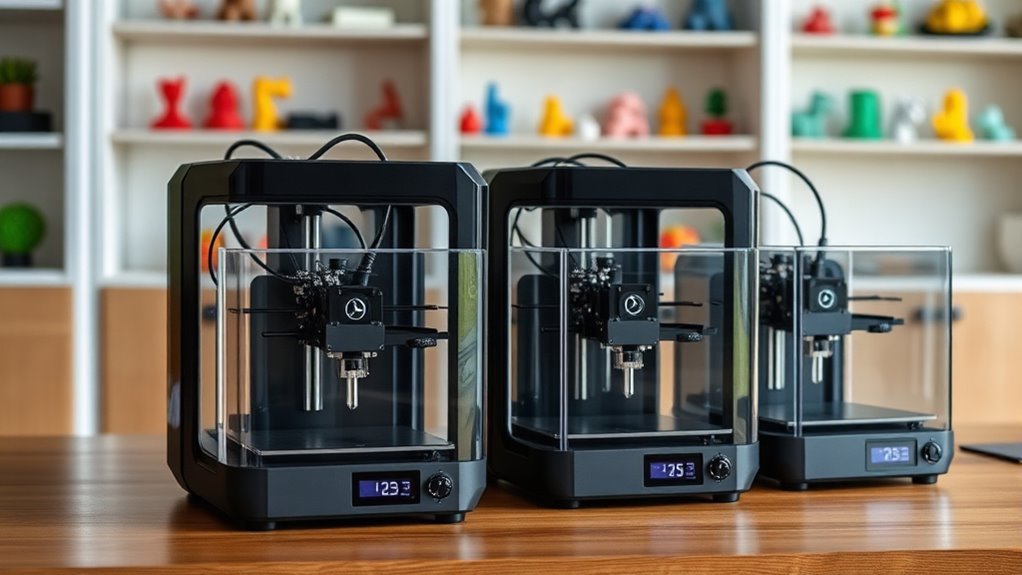
4 Best Cheap Resin 3D Printers for 2027
If you want sharp details and reliable speed without overspending, the ANYCUBIC Photon Mono 4’s ultra-high 10K resolution and easy 4-point leveling impress. This printer offers incredible precision for its price, making it a favorite among hobbyists and beginners alike. Plus, its user-friendly setup means you’ll be printing in no time.
The ELEGOO Mars 5 offers automatic leveling and bundled resin for smooth prints. It takes the hassle out of calibration, so you can focus on creating. If you want consistent results without the fuss, this one’s a solid pick.
Reflex RS Turbo excels with fast curing and force monitoring to reduce fails, which means less wasted resin and more successful prints.
Meanwhile, Creality HALOT-X1 Neo’s 9K screen and AI features streamline your workflow. These smart features help you get the most out of your resin printing experience without breaking the bank.
Keep going to discover how each matches your needs perfectly.
| Image | Name | Editor's Rating | Price |
|---|---|---|---|

|
|
||

|
|
||

|
|
||

|
|
ANYCUBIC Photon Mono 4, Resin 3D Printer with 7” 10K Mono LCD Screen
- 【7'' 10K High Resolution】Photon Mono 4 boasts an impressive 105% increase in print precision compared to Mono 2. With a resolution of 9024x5120, each pixel measures a...
- 【Powerful Light Source】The time-tested Anycubic LighTurbo matrix light source technology delivers stable, balanced, and uniform lighting to reduce layer lines and...
- 【Sufficient Print Size】With a generous maximum build volume of 6.04'' x 3.42'' x 6.49''/153.4mm x 87mm x 165mm, you have ample print space to easily tackle your daily...
- 【Laser-engraved Print Platform 2.0】With a new design, the laser engraving platform of the photon mono 4 improves adhesion to mitigate lifting and warping of the model...
- 【User-friendly Function】The 4-point leveling method is ideal for beginners, after the first leveling and tightening the 4 screws, no need to repeat leveling. Photon...
Experience precision and efficiency with the ANYCUBIC Photon Mono 4 resin 3D printer. Designed for users who demand exceptional detail and smooth finishes, this printer transforms your concepts into finely detailed models effortlessly. Its advanced 7-inch 10K mono LCD screen delivers ultra-high resolution, ensuring your prints capture every nuance.
Maintenance is straightforward with the Laser-engraved Print Platform 2.0, which provides strong adhesion and simplifies model removal. The 4-point leveling system minimizes setup time by requiring adjustment only once, making the printing process hassle-free. Additionally, the printer can resume jobs after power outages, reducing material waste and downtime.
The build volume of 153.4 x 87 x 165 mm suits small to medium projects, ideal for intricate models and prototypes. With printing speeds of up to 70 mm/h, this printer balances quality and efficiency, helping you meet deadlines without compromising detail.
Best for: hobbyists and professionals seeking high-resolution resin 3D printing with fine detail, fast speeds, and reliable print adhesion.
What We Like:
- Ultra-high 10K resolution for detailed, smooth prints
- Fast printing speed reduces project time
- Easy maintenance with strong adhesion platform
- Simple 4-point leveling system
- Power outage print recovery
Specification:
| Feature | Details |
|---|---|
| Manufacturer | ANYCUBIC |
| Screen Size | 7 inches |
| Screen Resolution | 9024 x 5120 (10K) |
| Build Volume | 153.4 x 87 x 165 mm |
| Print Speed | Up to 70 mm/h |
| Leveling System | 4-point leveling |
| Special Features | Laser-engraved Print Platform 2.0, Power outage resume |
ELEGOO Mars 5 Resin 3D Printer and Standard Resin Grey 1000g
- ELEGOO Mars 5 Resin 3D Printer with 4K Mono LCD,Automatic Leveling, Desktop 3D Printer with Printing Size of 5.65 * 3.53 * 5.91 inches
- ELEGOO Standard Photopolymer Resin LCD UV-Curing Resin 405nm 3D Printer Resin for Mars Saturn Jupiter MSLA DLP LCD 3D Printing Grey 1000g
Experience high-precision resin 3D printing with the ELEGOO Mars 5, designed to deliver detailed and sharp results. Its 4K Mono LCD technology ensures fine resolution, making it ideal for intricate models and prototypes. The printer’s automatic leveling feature reduces setup time and helps maintain consistent print quality.
The compact design fits neatly on any desktop, offering a build volume of 5.65 × 3.53 × 5.91 inches. This size suits users working on small to medium-sized projects without occupying too much workspace. Using 405 nm UV-curing grey resin, it supports high-detail MSLA/DLP/LCD workflows, enhancing the fidelity of your prints.
Maintenance is straightforward thanks to the printer’s user-friendly interface and reliable mechanical components. The included 1000g Standard Photopolymer Resin is formulated for smooth curing and consistent performance, but like all resins, it requires careful handling and post-processing to achieve optimal results.
While the Mars 5 excels in precision and ease of use, its build volume limits larger projects. It is specialized for resin printing only, so it won’t support filament-based methods. This setup is a practical choice for those prioritizing accuracy and detail in a compact, affordable device.
Best for: hobbyists and professionals seeking precise, affordable resin 3D printing with minimal setup and reliable results.
What We Like:
- High-resolution 4K Mono LCD for detailed prints
- Automatic leveling for easy setup
- Compatible with ELEGOO Mars, Saturn, and Jupiter printers
- Compact size fits small workspaces
- Consistent quality with included standard resin
Specification:
| Feature | Details |
|---|---|
| Manufacturer | ELEGOO |
| Build Volume | 5.65 × 3.53 × 5.91 in |
| Resin Type | 405 nm UV-curing Grey Resin |
| Included Resin | Standard Photopolymer Resin, 1000g |
| Printer Type | Resin MSLA/DLP/LCD |
Reflex RS Turbo Resin 3D Printer with High Contrast Amber Screen
- 𝐇𝐢𝐠𝐡-𝐬𝐩𝐞𝐞𝐝 𝐩𝐫𝐢𝐧𝐭𝐢𝐧𝐠 𝐚𝐧𝐝 𝐞𝐱𝐜𝐞𝐩𝐭𝐢𝐨𝐧𝐚𝐥 𝐃𝐞𝐭𝐚𝐢𝐥: Specifically...
- 𝐀𝐮𝐭𝐨𝐦𝐚𝐭𝐞𝐝 𝐏𝐫𝐞‑𝐏𝐫𝐨𝐜𝐞𝐬𝐬𝐢𝐧𝐠 & 𝐒𝐞𝐭𝐮𝐩 Get printing in one minute with true one‑click...
- 𝐈𝐧𝐭𝐞𝐥𝐥𝐢𝐠𝐞𝐧𝐭 𝐅𝐨𝐫𝐜𝐞‑𝐌𝐨𝐧𝐢𝐭𝐨𝐫𝐢𝐧𝐠 𝐒𝐲𝐬𝐭𝐞𝐦 Our proprietary system provides...
- 𝐏𝐫𝐞𝐜𝐢𝐬𝐢𝐨𝐧 𝐙‑𝐀𝐱𝐢𝐬 & 𝐂𝐎𝐁 𝐋𝐢𝐠𝐡𝐭𝐢𝐧𝐠 Industrial‑grade C5 ball‑screw Z‑axis ensures ≤2 μm...
- 𝐀𝐝𝐚𝐩𝐭𝐢𝐯𝐞 𝐏𝐫𝐨𝐜𝐞𝐬𝐬 & 𝐃𝐲𝐧𝐚𝐦𝐢𝐜 𝐌𝐨𝐭𝐢𝐨𝐧 𝐂𝐨𝐧𝐭𝐫𝐨𝐥 Unlock any resin’s...
The Reflex RS Turbo Resin 3D Printer offers precise, high-quality prints thanks to its high-contrast amber screen with a 566:1 ratio. This screen improves model detail and speeds up resin curing, reducing your overall print time. Its advanced motion control ensures every layer is accurate and consistent, making it ideal for detailed projects.
Maintenance is straightforward with the printer’s industrial-grade C5 ball-screw Z-axis, which guarantees repeat positioning accuracy within 2 microns and withstands heavy use. The built-in force monitoring detects issues early, preventing failed prints and saving material. Automatic features like one-click slicing and intelligent supports simplify setup and keep your workflow efficient.
Designed for professionals and advanced hobbyists, this printer excels in producing sharp, durable models quickly. Its Dynamic Motion Algorithm 3.0 boosts printing speed by 33% without compromising quality. While it may require some learning for beginners, its automation tools make complex prints manageable.
The Reflex RS Turbo Resin 3D Printer combines durability, precision, and smart automation to enhance your 3D printing experience. Its specialized components come with a higher initial cost but deliver consistent, professional results.
Best for: Professionals and advanced hobbyists needing fast, high-precision resin 3D printing with reliable automation.
What We Like:
- High contrast amber screen enhances detail and accelerates curing.
- Industrial-grade C5 ball-screw Z-axis ensures micron-level accuracy.
- Dynamic Motion Algorithm 3.0 increases speed without quality loss.
- One-click slicing and intelligent support simplify printing.
- Force monitoring reduces print failures.
Specification:
| Feature | Description |
|---|---|
| Manufacturer | Reflex |
| Dimensions (W×D×H) | Not specified |
| Weight | Not specified |
| Screen Type | High-contrast amber screen |
| Contrast Ratio | 566:1 |
| Z-axis Mechanism | Industrial-grade C5 ball-screw |
| Positioning Accuracy | Within 2 microns |
| Motion Algorithm | Dynamic Motion Algorithm 3.0 |
Creality HALOT-X1 Neo Resin 3D Printer
- 𝟗𝐊 𝐔𝐋𝐓𝐑𝐀-𝐇𝐈𝐆𝐇 𝐑𝐄𝐒𝐎𝐋𝐔𝐓𝐈𝐎𝐍: Bring fine details to life with a 6.8-inch 9K LCD, 8520 × 4320 resolution, and...
- 𝐏𝐋𝐔𝐆 & 𝐏𝐋𝐀𝐘 𝐅𝐎𝐑 𝐁𝐄𝐆𝐈𝐍𝐍𝐄𝐑𝐒: Start printing right out of the box with a factory pre-leveled build platform. Scan...
- 𝐀𝐈-𝐏𝐎𝐖𝐄𝐑𝐄𝐃 𝟐𝐃-𝐓𝐎-𝟑𝐃 𝐂𝐑𝐄𝐀𝐓𝐈𝐎𝐍: Powered by FanForge, AI model generation transforms 2D images into 3D...
- 𝐅𝐋𝐄𝐗𝐈𝐁𝐋𝐄 𝐂𝐎𝐍𝐍𝐄𝐂𝐓𝐈𝐕𝐈𝐓𝐘 & 𝐒𝐋𝐈𝐂𝐈𝐍𝐆: Transfer files via USB, 2.4GHz WiFi, or Creality Cloud...
- 𝐂𝐎𝐌𝐏𝐀𝐂𝐓 & 𝐇𝐈𝐆𝐇-𝐏𝐑𝐄𝐂𝐈𝐒𝐈𝐎𝐍 𝐏𝐑𝐈𝐍𝐓𝐈𝐍𝐆: With a 153.36 × 77.76 × 160 mm build volume and...
Creality HALOT-X1 Neo redefines resin 3D printing with its ultra-high resolution, capturing every fine detail in miniatures and intricate models. Its 6.8-inch 9K monochrome LCD and 18 μm XY pixel size ensure precision that elevates your creative projects. This printer simplifies the setup process with a factory pre-leveled build platform, letting you start printing without delays.
Designed for convenience, it supports USB, WiFi, and Creality Cloud connectivity, making file transfers effortless. The included AI-powered 2D-to-3D model generation enhances design flexibility, helping users bring ideas to life faster. Compatibility with slicers like HALOT BOX and CHITUBOX allows smooth workflow integration.
Maintenance is straightforward, though resin printing requires careful handling and proper post-processing to maintain quality. The moderate build volume suits most hobbyist projects but may limit very large prints. Overall, the HALOT-X1 Neo offers a balanced mix of precision, ease of use, and versatile connectivity.
Best for: hobbyists, miniature creators, and tabletop gamers seeking precise resin 3D printing with easy setup and smart features.
What We Like:
- Exceptional 9K resolution with 18 μm pixel accuracy for detailed prints
- Factory pre-leveled platform speeds up initial setup
- Multiple connectivity modes including WiFi and Creality Cloud
- AI-powered 2D-to-3D model generation boosts creative potential
- Compatible with popular slicing software for flexible printing
Specification:
| Feature | Details |
|---|---|
| Manufacturer | Creality |
| Display Size | 6.8 inches |
| Resolution | 9K monochrome LCD |
| XY Pixel Size | 18 μm |
| Connectivity | USB, WiFi, Creality Cloud |
| Supported Software | HALOT BOX, CHITUBOX |
| Build Platform | Factory pre-leveled |
| Print Type | Resin 3D printing |
Factors to Consider When Choosing a Cheap Resin 3D Printer
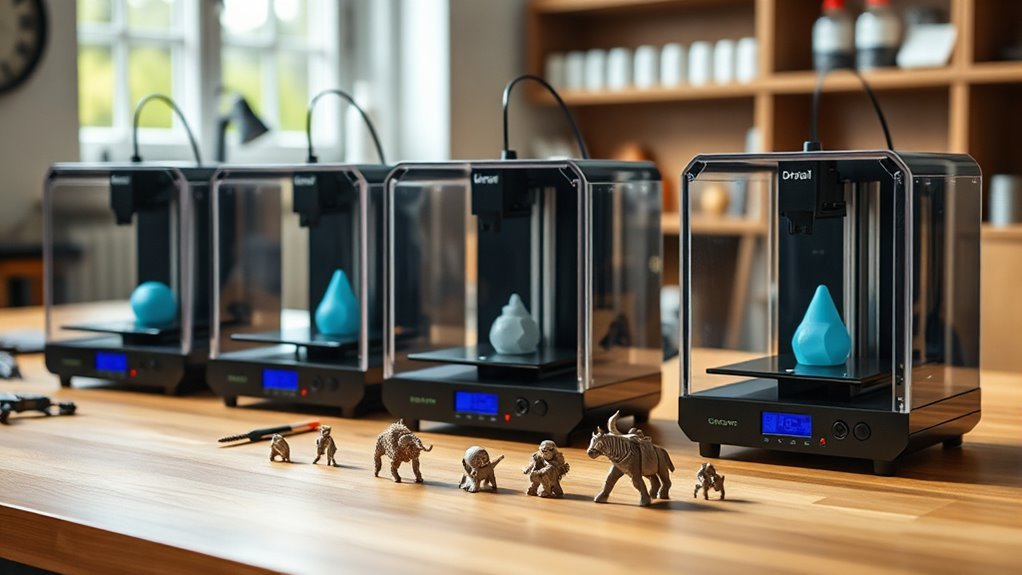
When choosing a cheap resin 3D printer, you’ll want to focus on print quality resolution and build volume size to match your projects.
Consider how fast the printer works and whether it’s easy to set up, so you can start printing quickly.
Don’t forget to check the connectivity options available to guarantee smooth file transfers.
Print Quality Resolution
Dialing in print quality resolution can make all the difference in your resin 3D prints, especially on a budget. Start by checking the LCD resolution and pixel size; smaller XY pixels and higher native resolution deliver finer surface detail and sharper edges.
Next, consider the layer thickness range—thinner layers (0.01–0.05 mm) provide smoother vertical details, though they do increase print time. Don’t overlook Z-axis positional accuracy and repeatability; micron-level consistency reduces visible layer steps and preserves intricate features.
Also, make sure the printer offers uniform light exposure across the screen to prevent uneven curing and detail loss. Finally, balance print speed with resolution—higher speeds might cause ringing or micro-detail loss unless the printer’s optics and motion control effectively compensate.
Prioritizing these factors assures crisp, detailed prints without breaking the bank.
Build Volume Size
Although print quality matters most, choosing a resin 3D printer with the right build volume size is essential to match your project needs. Small desktop resin printers usually offer volumes from about 90 × 56 × 90 mm up to roughly 155 × 87 × 165 mm.
If you print tall models, prioritize a larger Z height (over 150 mm) to avoid splitting parts and gluing seams. For production runs or multiple miniatures, a wider XY area lets you fit more parts per batch, boosting efficiency.
Keep in mind, larger volumes increase resin use and print time per layer, so balance size with operating costs. Also, check the usable build area carefully—advertised maximums may be smaller due to edge effects or platform clearance, which affects your actual print space.
Printing Speed Efficiency
Since print speed directly impacts how quickly you get your models, you’ll want a resin 3D printer that balances fast layer exposure with fine detail. Keep in mind that faster printers often need optimized resins and stronger light sources to maintain accuracy, as speed and XY resolution can trade off.
Typical consumer printers print between 30–70 mm/h on the Z-axis, so choose one matching your throughput needs. You can speed up prints by increasing layer thickness, but this reduces vertical detail and surface quality.
Also, maximize batch efficiency by stacking or tightly nesting parts to lower time per part. Look for printers with efficient light engines, uniform illumination, and optimized motion paths, as these features cut down per-layer time and overall print duration, making your workflow more efficient.
Ease Of Setup
After considering printing speed and efficiency, you’ll want to focus on how easy the printer is to set up. Check if it requires manual multi-point bed leveling or offers factory pre-leveling or auto-leveling—manual leveling can add 20–60 minutes to your initial setup.
Look for clear quick-start guides or QR tutorials, especially covering calibration like Z-offset and test exposures. Lack of guidance can easily double setup time for beginners, so having these resources is a big help.
Plug-and-play features such as pre-leveled platforms and automatic Z-homing usually cut first-print prep to under 15 minutes. That means less hassle and more printing fun right away.
Make sure the printer bundles essentials like resin vat, build plate, tools, and USB/SD cards with slicer profiles. This helps you avoid extra purchases and additional setup sessions.
Also, simple USB or SD workflows with preconfigured slicer profiles speed up your setup even more. It’s all about getting you printing quickly without the headache.
Connectivity Options Available
When choosing a cheap resin 3D printer, you’ll want to take into account how it connects to your devices and network. USB and wired connections like USB-C offer reliable, fast file transfers without needing a network. That’s great if you prefer offline operation.
Built-in Wi-Fi lets you transfer files remotely, update firmware, and even slice in the cloud. Though, it can sometimes suffer from connection hiccups.
Ethernet provides a more stable, lower-latency alternative for busy workflows. On-device options like SD cards or USB drives simplify job changes without a computer.
Some printers also support cloud integration or companion apps, making remote monitoring and job management easier. But they usually require internet access and account setup.
Consider these options based on your workflow and connectivity preferences. It’s all about what works best for you.
Resin Compatibility Range
Picking a cheap resin 3D printer means you’ll want to dig into its resin compatibility range to make certain it handles the materials you plan to use. Check which resin types the printer supports—standard, flexible, tough, castable, or dental—and confirm the UV wavelength matches the resin’s curing needs, usually around 405 nm.
Look at viscosity and temperature limits; thick or ceramic-filled resins might need heated vats or stronger peel forces, while thinner resins cure faster. Verify the max and min exposure times and if you can customize them per resin and layer thickness.
Also, make certain the Z-axis precision and layer thickness meet your detail requirements, especially for specialty resins needing sub-0.05 mm layers. Finally, confirm the vat and FEP film materials resist aggressive resins to avoid damage.
Warranty And Support
Understanding resin compatibility is important, but making sure your cheap resin 3D printer comes with solid warranty and support can really save you headaches later on.
Check the warranty length and what’s covered—whether it’s a full year for parts or just a limited 90-day electronics-only plan. Make sure technical support includes live options like phone or chat with clear response times. That way, you can troubleshoot quickly when issues pop up.
Also, confirm if firmware updates and software support, like slicer profiles and bug fixes, come free. Keeping your printer’s software up to date helps maintain reliable prints.
Don’t forget to look into the availability and lead times for replacement parts such as LCD panels and FEP film. Cheap printers often need repairs, so you want to avoid long waits.
Finally, review the warranty claim terms carefully to avoid surprises. It’s smart to budget for potential out-of-warranty costs just in case.
Frequently Asked Questions
How Do Resin 3D Printers Compare to Filament Printers in Print Quality?
Resin 3D printers deliver finer details and smoother surfaces than filament printers. You’ll notice sharper edges and higher resolution in your prints, making resin ideal for intricate models.
That said, filament printers excel in larger, more durable parts. So, it really depends on what you’re looking to create!
What Safety Precautions Are Necessary When Handling Resin Materials?
You should always wear nitrile gloves and work in a well-ventilated area since over 60% of resin users report skin irritation. Avoid direct contact, and cure prints properly to prevent harmful resin exposure.
It’s really important to keep your skin protected. Plus, good airflow helps reduce the fumes you might breathe in. Taking these steps makes handling resin much safer overall.
Can Resin 3D Prints Be Painted or Finished Easily?
Yes, you can easily paint and finish resin 3D prints. Just make sure to cure and sand them first.
Then, apply a primer before painting. This gives you a smooth, professional-looking result every time.
How Do Ambient Temperature and Humidity Affect Resin Printing?
Like “a watched pot never boils,” resin printing’s success depends on stable conditions. You’ll find that high humidity or extreme temperatures can cause curing issues.
This means you might need to adjust your environment for smoother, more accurate prints. It’s all about keeping things just right so your prints come out perfect every time.
What Are Common Troubleshooting Tips for Failed Resin Prints?
Check your resin’s exposure time, clean the build platform, and make sure proper leveling. You’ll want to inspect the resin for contamination and maintain correct ambient temperature and humidity to avoid print failures.
It’s all about getting those basics right. Sometimes, a little tweak here and there can make a big difference!
Conclusion
Choosing the right cheap resin 3D printer is like planting a seed in a garden—you want the right soil, sunlight, and care for it to flourish. Each model here offers unique nutrients for your creative growth.
By understanding their strengths, you’ll nurture your projects from tiny ideas into vibrant realities. So pick the one that fits your creative soil best, and watch your imagination bloom brilliantly in 2027 and beyond.
When it comes to finding the best cheap resin 3D printers, it’s all about balancing quality and affordability. These printers give you the tools to bring your creative visions to life without breaking the bank. Whether you’re a beginner or a hobbyist, choosing the right printer will help your designs grow strong and detailed.
In 2027, investing in a budget-friendly resin 3D printer means you can explore intricate prints with ease. So dive in, pick your perfect match, and get ready to create stunning 3D models that truly stand out!