4 Best Cheap Double Sided Printers for 2027
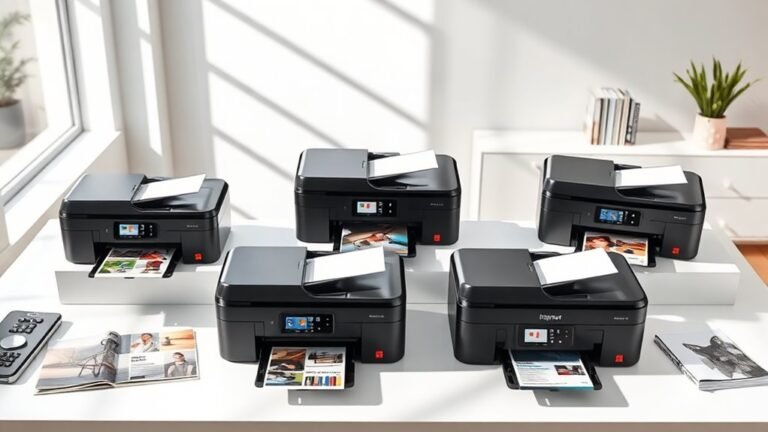
If you’re looking for a cheap double-sided printer for 2027, you’ve got some solid options to consider. These printers offer great value without breaking the bank, making them perfect for home offices or small businesses.
Take the HP Envy 6155, for example—it delivers vibrant colors and makes duplex printing super easy. Then there’s the Brother Work Smart 1410, which is known for fast printing speeds and comes with a handy 20-sheet automatic document feeder (ADF).
The Canon PIXMA TR7120 is another great pick, especially if you want Alexa support and automatic duplex printing. And don’t overlook the Epson Workforce WF-2830, which adds fax capabilities and a 30-page ADF to the mix. All of these models provide reliable wireless duplex printing, so you can print double-sided pages effortlessly.
Keep reading, and you’ll discover what makes each printer stand out from the rest!
| Image | Name | Editor's Rating | Price |
|---|---|---|---|

|
|
||

|
|
||

|
|
||

|
|
HP Envy 6155 Wireless All-in-One Color Printer
- FROM AMERICA'S MOST TRUSTED PRINTER BRAND – The Envy 6155 is perfect for homes printing everyday high-quality color documents like homework and borderless photos. Print...
- 3 MONTH TRIAL OF INSTANT INK – Subscribe to the Instant Ink delivery service to get ink delivered directly to your door before you run out, and you save up to 50% on...
- KEY FEATURES – Color print, copy and scan, plus auto 2-sided printing and a 100-sheet input tray
- HP'S MOST INTUITIVE COLOR TOUCHSCREEN – Smoothly navigate your printer with the easy-to-use 2.4" touchscreen
- WIRELESS PRINTING – Stay connected with our most reliable dual-band Wi-Fi, which automatically detects and resolves connection issues

If you need a reliable printer that fits your everyday tasks, the HP Envy 6155 Wireless All-in-One Color Printer is a practical choice. It handles printing, scanning, and copying effortlessly, making it ideal for homework, documents, and even borderless photo prints. Automatic duplex printing helps you save paper and reduces manual work.
This all-in-one printer connects easily through dual-band Wi-Fi, allowing wireless control via the HP App. The 2.4″ color touchscreen simplifies navigation, so you can manage tasks quickly from your smartphone or computer. Its compact design fits well in home offices or study areas.
Maintenance is straightforward, but keep in mind it requires original HP ink cartridges with chips, limiting third-party options. Print speeds reach up to 10 ppm for black and 7 ppm for color, suitable for moderate use but may feel slow if printing large volumes. After the 3-month Instant Ink trial, a subscription fee applies unless canceled.
The HP Envy 6155 is designed to improve productivity by delivering vibrant, true-to-screen colors with HP’s AI print optimization and P3 color technology. This ensures your documents and photos look sharp every time.
Best for: anyone needing an affordable, versatile home printer that manages everyday color tasks with wireless convenience.
What We Like:
- Automatic duplex printing saves paper and time
- Dual-band Wi-Fi with smartphone control via HP App
- Vibrant, true-to-screen color output with AI optimization
- Simple navigation via 2.4″ color touchscreen
Specification:
| Feature | Details |
|---|---|
| Manufacturer | HP |
| Dimensions | 17.2 x 14.5 x 5.9 inches (43.7 x 36.8 x 15 cm) |
| Weight | 13.9 lbs (6.3 kg) |
| Connectivity | Dual-band Wi-Fi |
| Display | 2.4″ color touchscreen |
| Print Speed | Up to 10 ppm black, 7 ppm color |
Brother Work Smart 1410 Wireless Color Inkjet Printer
- BEST FOR HOME OFFICE AND SMALL OFFICE: Get your work done with a multifunction printer. Print, copy, and scan on one convenient, compact printer, with quick and easy...
- EASY-TO-USE TOUCHSCREEN WITH CLOUD APP CONNECTIONS: Seamless integration with the Cloud(2). Print from and scan to popular Cloud apps(2), including Google Drive, Dropbox...
- PRODUCTIVITY-FOCUSED FEATURES: Automatic duplex (2-sided) printing, 20-sheet single-sided Automatic Document Feeder (ADF)(3), 150-sheet paper tray(3). Print at fast...
- MULTIPLE CONNECTION OPTIONS: Connect your way. Interface with your printer on your wireless network or via USB.
- THE BROTHER MOBILE CONNECT APP: Go mobile with the Brother Mobile Connect app(5) for easy onscreen menu navigation for printing, copying, scanning, and device management...
The Brother Work Smart 1410 Wireless Color Inkjet Printer is designed to simplify printing tasks for home and small office environments. Its automatic double-sided printing reduces paper waste and saves time on large documents. With a compact design and wireless connectivity, it fits easily on any desk and supports convenient printing from multiple devices.
The printer’s 2.7″ color touchscreen makes navigation intuitive, so you can manage print, copy, and scan jobs with ease. Its 150-sheet tray handles a variety of paper types, including envelopes and glossy photo paper, reducing the hassle of switching media. The 20-sheet automatic document feeder (ADF) speeds up multi-page scanning and copying tasks.
Maintenance is straightforward, with sharp print quality up to 1,200 x 6,000 dpi that ensures crisp documents and vibrant color prints. Although print speeds of up to 16 ppm in black and 9 ppm in color are moderate, they suit typical home and small office workloads. The single USB 2.0 port means wireless use is preferred for connectivity.
Best for: Home users and small offices needing a compact, versatile wireless color inkjet printer with reliable duplex printing and media handling.
What We Like:
- Automatic two-sided printing and 20-sheet ADF improve efficiency.
- Easy-to-use 2.7″ touchscreen and wireless printing via mobile app.
- High-resolution prints on diverse media types.
- Compact design fits small spaces comfortably.
Specification:
| Feature | Details |
|---|---|
| Manufacturer | Brother |
| Dimensions (W x D x H) | Approx. 16.1 x 14.7 x 7.2 in |
| Weight | Approx. 15.4 lb (7 kg) |
| Connectivity | Wireless, USB 2.0 |
| Media Capacity | 150-sheet tray, 20-sheet ADF |
Canon PIXMA TR7120 Wireless Color Inkjet Printer
- Affordable Versatility - A budget-friendly all-in-one printer perfect for both home users and hybrid workers, offering exceptional value
- Crisp, Vibrant Prints - Experience impressive print quality for both documents and photos, thanks to its 2-cartridge hybrid ink system that delivers sharp text and vivid...
- Effortless Setup & Use - Get started quickly with easy setup for your smartphone or computer, so you can print, scan, and copy without delay
- Reliable Wireless Connectivity - Enjoy stable and consistent connections with dual-band Wi-Fi (2.4GHz or 5GHz), ensuring smooth printing from anywhere in your home or...
- Seamless Multi-Page Handling - Tackle multi-page documents with ease using the Auto Document Feeder (ADF) for quick scanning and copying
Experience hassle-free printing with the Canon PIXMA TR7120, designed to simplify your multi-page tasks. Its automatic duplex printing lets you print on both sides without manual effort, saving time and paper. This compact all-in-one printer combines scanning, copying, and wireless printing in a sleek, space-saving design.
The built-in Auto Document Feeder (ADF) streamlines handling of multiple pages, making scanning and copying faster. Dual-band Wi-Fi and USB connectivity provide stable connections, while the Canon PRINT app and Amazon Alexa support offer flexible, hands-free control. These features help you stay productive whether working from home or remotely.
Maintenance is straightforward with its 2-cartridge hybrid ink system, which balances sharp text and vibrant photos. Though print speeds are moderate—9 ppm for color and 14 ppm for black—the PIXMA TR7120 meets everyday printing needs without complexity. A single 100-sheet tray means occasional refills but keeps the design compact.
Best for: professionals and home users who need reliable automatic duplex printing and versatile wireless functionality in a compact all-in-one printer.
What We Like:
- Auto Document Feeder (ADF) for efficient multi-page handling
- Automatic duplex printing reduces paper use and effort
- Dual-band Wi-Fi and USB ensure stable, flexible connections
- Canon PRINT app and Alexa voice control enhance usability
Specification:
| Feature | Details |
|---|---|
| Manufacturer | Canon |
| Dimensions (W×D×H) | 14.7 × 12.1 × 5.9 inches |
| Weight | 13.5 lbs (6.12 kg) |
| Ink System | 2-cartridge hybrid ink |
| Connectivity | Dual-band Wi-Fi, USB |
| Paper Capacity | 100 sheets |
Epson Workforce WF-2830 Wireless All-in-One Printer
- 【High-quality Main Features】 Fast printing, copying, scanning and faxing, plus double-sided printing and 1.4" color LCD. Plus 30-page auto document feeder for copying...
- 【Fast Printing Speed】 This wireless all-in-one printer has a fast printing speed of up to up to 10. 3 ISO ppm (black) and up to 4. 5 ISO ppm (color).
- 【Easy wireless】 Print from iPad, iPhone, Android tablets and smartphones; includes Wi-Fi Direct.
- 【High-quality performance】 Pigment Black Claria ink for crisp black text, plus professional-quality documents, proposals and reports.
- 【1.4" color LCD】Simple setup and navigation. 1.4" color LCD to easily print, copy, scan and fax
Experience seamless productivity with the Epson Workforce WF-2830, designed to simplify your daily printing tasks. This wireless all-in-one printer effortlessly handles printing, scanning, copying, and faxing, making it ideal for busy home offices and small businesses. Its automatic two-sided printing helps reduce paper use and saves time on large projects.
The 30-page auto document feeder streamlines multi-page scanning and copying, while the 100-sheet paper tray minimizes frequent refills. Navigation is straightforward thanks to the 1.4″ color LCD, though its compact size may limit complex menu interactions. Maintenance is easy with reliable Claria Pigment Black ink, ensuring crisp, professional-quality text.
Wireless connectivity with Wi-Fi Direct enables direct printing from smartphones and tablets without needing a network. While color print speed is modest at up to 4.5 ISO ppm, the printer remains dependable for everyday tasks. Its compact design fits well in limited spaces, balancing functionality with convenience.
Best for: small businesses and home office users seeking an affordable, wireless all-in-one printer with efficient double-sided printing.
What We Like:
- Automatic two-sided printing reduces paper waste and time
- 30-page auto document feeder improves workflow efficiency
- Wireless printing via Wi-Fi Direct supports mobile devices
- Crisp text quality with Pigment Black Claria ink
Specification:
| Feature | Details |
|---|---|
| Manufacturer | Epson |
| Dimensions (W x D x H) | 14.8 x 11.6 x 7.5 inches |
| Weight | Approx. 12.4 lb (5.6 kg) |
| Paper Tray Capacity | 100 sheets |
| Auto Document Feeder | 30 pages |
| LCD Display | 1.4-inch color LCD |
| Connectivity | Wireless (Wi-Fi Direct) |
Factors to Consider When Choosing a Cheap Double Sided Printer
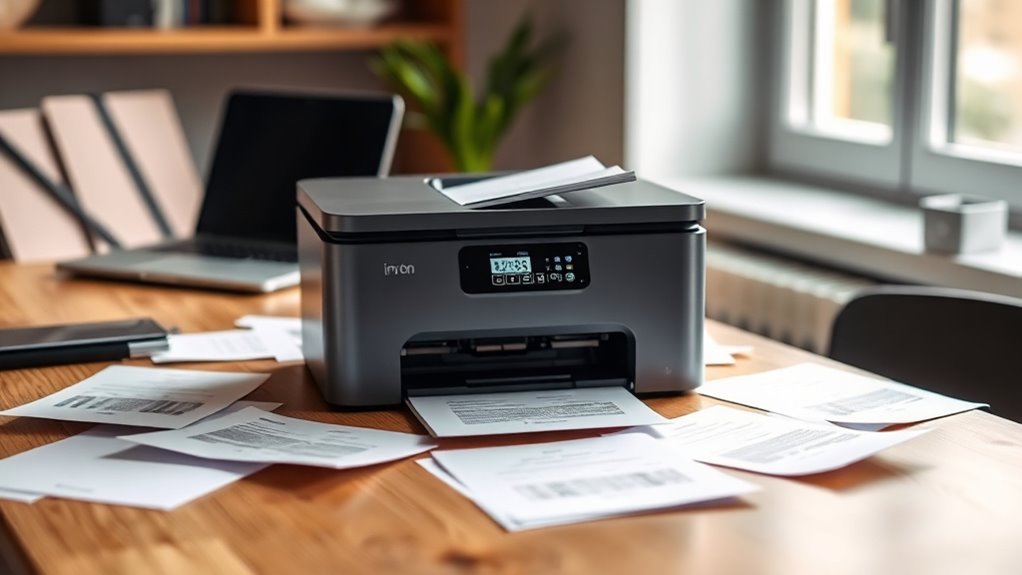
When choosing a cheap double-sided printer, you’ll want to compare print speeds and check the quality of duplex printing. Don’t forget to factor in connectivity options and how efficient the ink usage is to keep costs down.
Also, look at the paper handling capacity to make sure it fits your needs. It’s all about finding the right balance between price and performance for what you actually need.
Print Speed Comparison
Although print speed might seem straightforward, comparing pages per minute (ppm) for both black and color separately helps you match a printer’s performance to your workload. Entry-level duplex printers typically range from 10–16 ppm for black and 4–16 ppm for color, so check both to find what suits your needs.
Don’t overlook the first-page-out time, as a fast initial print guarantees quick single-document responsiveness despite average ppm. Keep in mind duplex printing usually slows throughput compared to simplex due to sheet-turning mechanics, so expect two-sided jobs to run slower than single-sided speeds.
Also, verify if the speed ratings follow industry standards like ISO/IEC to avoid misleading claims. Finally, if scanning or copying multi-page documents matters, consider the ADF scan speed and scanner duty cycle to gauge overall efficiency.
Duplex Printing Quality
Since duplex printing involves flipping pages internally or manually, you’ll want to check whether the printer uses automatic or manual duplexing. Automatic duplexing flips pages internally for consistent alignment, while manual duplexing needs your intervention and often leads to misfeeds or skewed prints.
Also, consider duplex print speed, as two-sided printing can take 30–50% longer per page due to internal handling. Pay close attention to alignment accuracy and margin handling to avoid shifted text or uneven gutters.
Check print quality on both sides—some inkjets produce lighter or smudged prints on the second pass. Finally, evaluate paper handling and supported media weights; heavier or coated papers might jam or not dry properly double-sided.
Look for models specifying anti-curl features and compatible paper weights. It really makes a difference in getting crisp, clean prints every time.
Connectivity Options Available
How do you make sure your double-sided printer stays connected effortlessly? First, choose a model that supports dual-band Wi-Fi (2.4 GHz and 5 GHz) to enjoy stable wireless connections and minimize interference in busy networks.
Look for Wi-Fi Direct or a similar peer-to-peer feature so you can print without relying on a router. Don’t forget to check mobile printing support like AirPrint, Mopria, or a dedicated app. This way, you can print seamlessly from your smartphone or tablet.
For wired options, make certain there’s a USB Type-B or USB-C port for direct computer connection, plus an Ethernet port for network sharing.
And if you handle multi-page scan or fax workflows, pick a printer with cloud service integration and email-to-print features to streamline your tasks. It just makes everything easier and faster!
Ink Efficiency And Cost
When choosing a cheap double-sided printer, you’ll want to zero in on ink efficiency and cost to keep your expenses low over time. Look for printers that support high-yield or XL cartridges to cut your cost per page by 30–70% compared to standard ones.
Check manufacturers’ page yield specs and divide cartridge price by yield to estimate real ink expenses. It’s a good way to see what you’re really paying for each page.
Consider models that accept third-party or refillable ink systems, but weigh warranty and reliability trade-offs. Sometimes saving money upfront can mean more hassle later.
Also, pick printers with duplex printing and software features that minimize ink waste by enabling two-sided layouts and draft modes. These little extras can add up to big savings.
If you print frequently, subscription ink plans or automated refills might save money, but analyze your monthly volume first. These services can be pricey if you don’t print a lot.
Paper Handling Capacity
Although budget double-sided printers often have limited paper handling features, you’ll want to make certain the input tray capacity matches your typical print volume to avoid frequent refills. Most budget models hold between 100 and 150 sheets, which suits light to moderate use.
Check if the printer supports automatic duplex printing and how that affects printing speed. If you plan to scan or copy double-sided documents, look for an automatic document feeder (ADF) with enough capacity—usually 20 to 30 sheets on budget models.
Don’t forget to verify the output bin size and paper path design to prevent jams or overflow during long print jobs. Finally, make sure the printer handles the paper sizes and weights you need, like Legal size or cardstock, so duplexing works smoothly across different media.
User Interface Ease
What makes a double-sided printer truly user-friendly? It starts with a clear, responsive touchscreen—ideally a color display around 2.4 inches or a high-contrast monochrome screen. This makes it easy to navigate duplex settings and check status messages.
You want an intuitive menu with dedicated duplex options and labeled icons. That way, you don’t have to dig through submenus when setting two-sided printing.
Physical buttons or shortcuts for common tasks like starting or stopping duplex prints really speed things up when you’re not at your computer.
If you print from your phone or tablet, look for mobile app control with simple one-tap duplex toggles. It makes printing on the go a breeze.
Finally, clear on-screen ink, toner, and paper indicators help you avoid failed two-sided jobs. They alert you before printing starts, keeping your workflow smooth and hassle-free.
Frequently Asked Questions
Can These Printers Print on Specialty Paper Types?
Yes, you can print on specialty paper with these printers, but you’ll want to check each model’s specifications first.
They usually handle cardstock, photo paper, and labels. Though thicker or textured papers may require adjustments.
What Is the Average Lifespan of the Printer Cartridges?
Printer cartridges usually last between 200 to 500 pages—like a reliable marathon runner pacing your print needs.
You’ll want to keep spare cartridges handy, so your workflow doesn’t hit a sudden, frustrating halt.
Are These Printers Compatible With Mac and Windows OS?
Yes, these printers are compatible with both Mac and Windows OS. You’ll find easy setup guides for each system, so getting started is a breeze.
Printing double-sided is effortless, too. No need to worry about operating system restrictions or complicated installations.
Do These Printers Support Mobile Printing Apps?
Yes, most of these printers support mobile printing apps, letting you print directly from your smartphone or tablet.
You’ll find compatibility with popular apps like Apple AirPrint, Google Cloud Print, and manufacturer-specific apps for easy wireless printing. It makes printing on the go super convenient!
How Noisy Are These Printers During Operation?
Imagine a gentle rain tapping on your window—that’s how quiet these printers are. You won’t get distracted by loud noises; they operate smoothly.
They let you focus on work without feeling like you’re in a noisy office. It’s like having peace and productivity all in one place.
Conclusion
Choosing cheap double-sided printers can feel confusing, but focusing on features, functionality, and affordability helps. Whether you pick the HP Envy 6155, Brother Work Smart 1410, Canon PIXMA TR7120, or Epson Workforce WF-2830, you’ll find fantastic features that fit your budget.
Remember, reliable printing paired with smart savings makes a winning combination. So, explore double-sided deals and deliver dazzling documents without draining your dollars!
When searching for the best cheap double-sided printers, it’s all about balancing quality and cost. These models offer great value without sacrificing performance. From crisp text to vibrant colors, they handle everyday printing tasks effortlessly.
In the end, choosing a budget-friendly double-sided printer means getting more for less. You’ll enjoy efficient printing, save paper, and keep your expenses low. So go ahead, pick one that suits your needs, and start printing smarter today!