8 Best Cell Phone Photo Printers for 2027
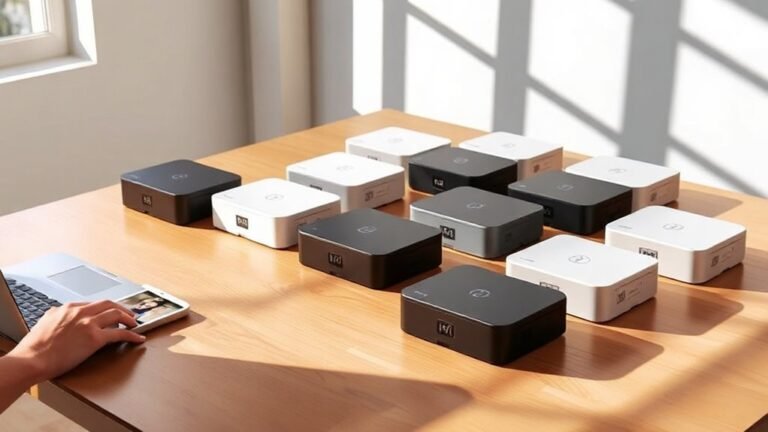
You’ll find high-quality options like the Liene M100 and Amber M110 for crisp 4×6 prints with Wi-Fi and Bluetooth convenience. These printers make it super easy to get your photos from phone to paper without any hassle. Plus, the wireless features mean you can print from anywhere in the room.
If you want peel-and-stick photos, try the KODAK Step or Liene Pearl K100 using ZINK technology. These are perfect for scrapbooks or decorating your space with instant, mess-free prints. The colors are vibrant, and the prints stay smudge-proof.
For docking and desktop ease, KODAK Dock Plus shines, while the Canon SELPHY CP1500 offers professional quality with extras. Both are great if you want something a bit more stationary but still user-friendly. Portable, user-friendly, and durable printers fit various lifestyles. Discover which one matches your needs perfectly next.
| Image | Name | Editor's Rating | Price |
|---|---|---|---|

|
|
||

|
|
||

|
|
||

|
|
||

|
|
Liene M100 Portable 4×6 Photo Printer with Wi-Fi
- User-Friendly Portable Photo Printer for iPhone, Android & PC - Get beautiful and colourful memories with Liene 4x6 photo printer! After opening the entire package, you...
- Superior Quality 4x6 Photo Printer - Print photos like no other thanks to the thermal-dye sublimation tech adopted by the picture printer for iphone. The dyes deeply...
- Wi-Fi Photo Printer for Smartphone - The built-in hotspot of the photo printer makes it easy to print pictures from your phone, avoiding outside interference with a fast...
- Multiple Device Compatibility - Liene phone printer provides instant photo printing for up to 5 simultaneous connections. Share with family and friends or print from your...
- Customize your Printing with the Liene App - Customize your photos with our specialized App! You can add a Square border, insert filters, enhance the contrast and...
The Liene M100 Portable 4×6 Photo Printer with Wi-Fi offers a compact and efficient solution for printing high-quality photos on the go. Its ability to connect with up to five devices simultaneously via built-in Wi-Fi or USB-C makes sharing and printing photos straightforward and convenient. This feature solves the common hassle of device compatibility and connection issues, especially useful in group settings or events.
Designed for portability, it weighs just 200 grams and comes with 100 glossy sheets and three color cartridges, allowing users to start printing immediately. The thermal dye-sublimation technology produces vibrant, borderless 4×6 photos that are water- and scratch-resistant, ensuring your memories stay vivid and protected.
Maintenance is straightforward but essential; users need to clean the print head regularly to prevent smudges and maintain print quality. Although the print speed is about one minute per photo and the paper tray holds only 20 sheets, these trade-offs are balanced by the printer’s compact size and quality output.
This device suits those who need a lightweight, portable printer with versatile connectivity and durable photo prints, making it ideal for casual photographers, travelers, and event attendees.
Best for: individuals seeking a lightweight, portable photo printer that supports multiple device connections and produces high-quality, durable 4×6 prints on the go.
What We Like:
- Connects up to 5 devices simultaneously via Wi-Fi and USB-C
- Produces borderless, full-color 4×6 photos with a laminated, water- and scratch-resistant finish
- Includes 100 glossy sheets and three color cartridges for immediate use
- Lightweight and portable design weighing only 200 grams
Specification:
| Feature | Details |
|---|---|
| Manufacturer | Liene |
| Dimensions | Not specified |
| Weight | 200 grams (0.44 lb) |
| Connectivity | Built-in Wi-Fi, USB-C |
| Print Size | 4×6 inches |
| Print Resolution | 300 dpi |
| Paper Capacity | 20 sheets |
| Included Supplies | 100 glossy sheets, 3 color cartridges |
KODAK Dock Plus 4×6 Photo Printer, Smartphone Docking, 4PASS, 50 Sheets
- Dock Photo Printer: The KODAK Dock Plus is a home photo printer that produces high-quality 4x6” prints directly from compatible smartphones. Featuring an integrated...
- Genuine 4PASS dye sublimation printing: Each photo is produced in three color layers and finished with a clear protective lamination layer. In approximately 55 seconds...
- Easy to Use: Print photos quickly without complicated setup or technical steps. Simply power on, connect wireless bluetooth, and start printing within seconds. The Dock...
- Home Printing Station: Designed for stable desktop use, this dock photo printer connects to a power outlet for consistent performance and larger 4x6” prints. Ideal for...
- KODAK Photo Printer APP: Featuring integrated Bluetooth connectivity, this portable printer connects to compatible iOS and Android devices through the KODAK Photo Printer...
Capture memories effortlessly with the KODAK Dock Plus 4×6 Photo Printer. Designed for smartphone users, it offers a simple docking station that holds and charges your phone while printing. This feature eliminates the hassle of managing cables and battery life during your photo sessions.
The printer uses genuine 4PASS dye sublimation technology to create vibrant, high-quality 4×6″ photos. Each print is layered with colors and sealed with a clear coating, making the photos fingerprint- and water-resistant. Prints are ready in about 55 seconds, balancing quality and speed for everyday use.
Setup and maintenance are straightforward. The compact dock fits neatly on any desktop, and the included 50 sheets allow you to start printing right away. The Bluetooth connection pairs seamlessly with iOS and Android devices via the KODAK app, enabling easy editing and customization before printing.
While the printer excels in convenience and photo durability, its print speed may not suit high-volume needs. Also, it prints only 4×6″ photos and requires a power outlet, limiting portability for outdoor use.
Best for: users seeking an easy-to-use, high-quality home photo printer that prints vibrant 4×6″ photos directly from smartphones with convenient docking and charging.
What We Like:
- Produces durable, fingerprint- and water-resistant photos with 4PASS dye sublimation
- Integrated smartphone dock charges device while printing
- Bluetooth connectivity with user-friendly app for photo editing
- Compact design with included 50 sheets for immediate use
Specification:
| Feature | Details |
|---|---|
| Manufacturer | KODAK |
| Print Size | 4 x 6 inches (10.16 x 15.24 cm) |
| Technology | 4PASS Dye Sublimation |
| Connectivity | Bluetooth |
| Included Media | 50 Sheets |
| Power | Requires power outlet |
KODAK Step Portable Wireless Instant Photo Printer
- STEP UP YOUR PRINTING GAME. KODAK Step Printer Connects to Any iOS or Android Device [Via Bluetooth or NFC] Turn Your Selfies, Portraits, Social Media Posts Into Physical...
- AMAZING ZERO-INK TECHNOLOGY. ZINK 2” x 3” Sticky-Back Paper with Embedded Dye Crystals Delivers High-Quality, Durable, Affordable, Beautifully Detailed Prints That...
- FULL EDITING SUITE VIA APP. Download the KODAK App to Create Collages & Customize Your Snaps with Stunning Filters, Interesting Borders, Cool Stickers, Funny Text & Other...
- TAKE YOUR PROJECTS TO GO. Our Palm-Sized Printer Weighs Less Than a Pound, Sets Up Fast & Delivers Gorgeous Prints You Can Peel & Stick Everywhere.
- CUTE, COMPACT & COLORFUL. Step Printer is Designed for Photo-Loving Influencers & Crafters of All Ages & Skill Levels! Portable, Lightweight Device Features Built-In...

Capture your favorite moments instantly with the KODAK Step Portable Wireless Instant Photo Printer. This compact device easily fits in your hand, making it simple to print photos anywhere. It connects smoothly via Bluetooth or NFC to your smartphone, eliminating the hassle of cables or complex setup.
Using advanced ZINK thermal technology, the printer produces vibrant 2×3-inch peel-and-stick photos in about a minute. These smudge-resistant prints are perfect for decorating scrapbooks or sharing memories on the go. The durable coating ensures your photos stay sharp and clean over time.
The KODAK app enhances your experience by letting you customize images with filters, stickers, and text. This adds a personal touch to every print and makes it ideal for creative projects or social sharing. A rechargeable battery powers about 25 prints per charge, balancing portability and convenience.
Maintenance is straightforward, requiring only occasional recharging and photo paper refills. The lightweight design and wireless functionality make it a reliable companion for travelers, influencers, and anyone who wants instant, high-quality prints without bulky equipment.
Best for: Travelers, social influencers, scrapbookers, and on-the-go photographers seeking a compact wireless instant photo printer with customizable peel-and-stick prints.
What We Like:
- Compact and lightweight for easy portability
- Wireless printing via Bluetooth and NFC
- Customization options in the KODAK app
- Durable, smudge-resistant photo prints
- Rechargeable battery supports multiple prints per charge
Specification:
| Feature | Details |
|---|---|
| Manufacturer | KODAK |
| Dimensions | Compact; fits in palm-sized |
| Weight | Lightweight |
| Printing Tech | ZINK thermal technology |
| Photo Size | 2 x 3 inches |
| Connectivity | Bluetooth and NFC |
| Battery Life | About 25 prints per charge |
Liene Amber M110 Bluetooth Portable Photo Printer
- Dual 4x6" & 3x3" Photo Printer Paper Tray Convenience: Seamlessly print both 6-inch standard photo paper and 3-inch sticky-backed paper with our innovative dual tray...
- Fast Bluetooth Connectivity: Experience lightning-fast printing with our liene photo printer's Bluetooth connection, which pairs in just 13 seconds. Enjoy a seamless and...
- Superior Quality Photo Printer 4x6 - Print photos like no other thanks to the thermal-dye sublimation tech adopted by the picture printer for iphone. The dyes deeply...
- Multiple Device Compatibility - Liene picture printer for iphone provides instant photo printing for up to mutiple simultaneous connections. Share with family and friends...
- Customize your Printing with the Liene App - Customize your photos with our specialized App! You can add a Polaroid border, insert filters, enhance the contrast and...
Capture and print your memories instantly with the Liene Amber M110 Bluetooth Portable Photo Printer, designed for users who want quick and vibrant prints on the go. This compact printer solves the hassle of waiting for photos by delivering sharp, glossy 4×6 and 3×3 inch prints and stickers in under a minute. Its thermal dye sublimation technology ensures your photos resist water and scratches, keeping your images vivid over time.
The M110 connects seamlessly via Bluetooth or USB, pairing in just 13 seconds, so you can start printing right away. The intuitive Liene app on iOS and Android lets you customize photos with filters, borders, and brightness adjustments before printing, adding a personal touch to every print. This ease of use makes it ideal for travel, events, or creative projects.
Weighing less than 3 pounds, the printer is highly portable and fits easily into bags or backpacks. Maintenance is straightforward but requires proprietary cartridges specific to the Liene 4×6 and 3×3 media, which might limit cartridge choices. Each tray holds up to 20 sheets, requiring occasional reloading for larger print jobs.
While the M110 focuses solely on printing, it supports manual duplexing and prioritizes convenience and quality in a sleek design. This printer enhances your ability to create instant, customized photos wherever you are.
Best for: Smartphone users who need a fast, portable printer for high-quality photo and sticker prints with easy Bluetooth connectivity.
What We Like:
- Quick 59-second prints with vibrant, scratch-resistant quality
- Lightweight, portable design supporting two media sizes
- User-friendly app with photo customization options
- Simple connectivity with fast Bluetooth pairing
Specification:
| Feature | Details |
|---|---|
| Manufacturer | Liene |
| Dimensions | Not specified |
| Weight | Under 3 pounds (approx. 1.36 kg) |
| Printing Sizes | 4×6 inch, 3×3 inch |
| Print Technology | Thermal dye sublimation |
| Connectivity | Bluetooth, USB |
| App Compatibility | iOS, Android |
HP Sprocket Studio Plus 4×6 Wireless Photo Printer
- PHOTOS MADE TO LAST – Print quality photos that will last for years on tear-resistant, smudge-proof, waterproof paper.
- CUSTOMIZE YOUR CREATIONS – Add your own style to each photo by decorate it with stickers, frames, filters, and more before you print them out.
- INSTANT PRINTING – Designed for efficiency and convenience, this printer will produce dry-to-the-touch 4x6” photos in an instant directly from your smartphone.
- WI-FI COMPATIBLITY – Download the user-friendly HP Sprocket app to your smartphone and easily connect your mobile device to Wi-fi-enabled printer in mere seconds.
- PICTURE-PERFECT PHOTO FEATURES – The HP Sprocket Studio Plus gives you several different and unique ways to take a photo. Don’t miss out on the chance to make a...
The HP Sprocket Studio Plus 4×6 Wireless Photo Printer brings your smartphone memories to life with vibrant, borderless prints you can hold instantly. It uses premium dye sublimation technology to produce dry-to-the-touch, smudge-proof, and waterproof photos that last. This ensures your prints stay crisp and colorful without worrying about damage from handling or spills.
Designed for convenience, the printer is compact and lightweight, making it easy to carry and set up anywhere. It connects effortlessly via Wi-Fi or USB, working smoothly with both Android and iOS devices through the HP Sprocket app. This app lets you personalize your photos with stickers, frames, and filters before printing, adding a creative touch to your keepsakes.
Maintenance is simple with a 10-sheet paper tray that supports glossy, tear-resistant paper. While the tray capacity suits casual users, it may require refilling during larger print sessions. The printer delivers about one photo per minute, balancing quality and speed for everyday use.
Ideal for quick photo printing on the go, this printer streamlines capturing and sharing moments without complex setup or bulky equipment. However, it’s focused solely on photo printing, lacking features like scanning or copying.
Best for: Individuals seeking a portable, easy-to-use wireless photo printer for quick, vibrant 4×6 prints directly from their smartphones.
What We Like:
- Produces smudge-proof, waterproof 4×6 photos with premium dye sublimation.
- Compact and lightweight design for true portability.
- Easy wireless and USB connectivity with a user-friendly customization app.
- Prints dry photos that are ready to handle immediately.
Specification:
| Feature | Details |
|---|---|
| Manufacturer | HP |
| Dimensions | Compact (exact size not provided) |
| Weight | 16 ounces (approximately 1 lb) |
| Printing Technology | Dye sublimation |
| Paper Size | 4×6 inches |
| Connectivity | Wi-Fi, USB |
| Compatible Devices | Android, iOS |
Liene Pearl K100 Mini Portable Photo Printer Bundle

- [Easy Printing via Bluetooth 5.2] The Liene photo printer does not need a Wi-Fi connection, just connect it via Bluetooth 5.2, and you can enjoy a smooth and fast...
- [Print Mono Photo Paper Function & Wireless Printing] Liene designed the portable photo printer to allow you to print color and mono photos(you could buy extra mono...
- [Zink Inkless Printing] Liene photo printer uses advanced inkless printing technology, which will significantly reduce damage to print head parts & extend the life of the...
- [2x3 Sticky-Backed Paper] The iphone picture printer comes with an extra 50 sheets of Zink photo paper 2x3. An economical 2x3 photo printer is the first choice for photo...
- [New App function - Clean print head] Don't know what to do when there are white spots, white lines or other dirt on the photo when printing? The Liene phone printer has...
Experience hassle-free photo printing with the Liene Pearl K100 Mini Portable Photo Printer. This compact device solves the challenge of bulky printers by offering a lightweight design that fits perfectly in your bag. It connects smoothly to your smartphone via Bluetooth 5.2, eliminating the need for Wi-Fi and complicated setups.
Designed for on-the-go use, the printer delivers vibrant 2 x 3-inch photos using inkless ZINK thermal technology. These prints are water-resistant and durable, lasting up to 10 years without fading. The included sticky-backed sheets transform your photos into convenient stickers, ideal for decorating or sharing.
Maintenance is simple thanks to the Liene app’s “clean print head” feature, which helps prevent white spots and ensures clear images. Charging is easy with a USB Type-C port, though keep in mind a single battery charge supports around 30 prints—suitable for casual use but limiting for heavy printing needs.
Best for: Anyone needing a portable, easy-to-use photo printer that creates durable sticker photos directly from smartphones.
What We Like:
- Portable and lightweight for travel and outdoor use
- Inkless ZINK printing with water-resistant, long-lasting photos
- Simple Bluetooth 5.2 pairing with iOS and Android devices
- USB Type-C charging for convenience
- App feature to clean print head and maintain print quality
Specification:
| Feature | Details |
|---|---|
| Manufacturer | Liene Pearl |
| Dimensions | Compact, pocket-sized |
| Weight | Lightweight |
| Printing Size | 2 x 3 inches |
| Connectivity | Bluetooth 5.2 |
| Charging | USB Type-C |
| Printing Technology | Inkless ZINK thermal |
| Included Supplies | 50 sticky-backed photo sheets |
Canon Ivy 2 Mini Photo Printer Blush Pink

- Print and customize your photos directly from your smartphone devices via the Canon Mini Print App.(1)
- NO INK NEEDED! The IVY 2 Mini Photo Printer uses ZINK (Zero Ink) technology, which features colorful dye-based crystals embedded inside the paper.
- Place your photos anywhere, thanks to a PEEL & STICK backing that adheres to your favorite surfaces.
- PRINT QUALITY IMPROVED in the IVY 2 Mini Photo Printer(optimized skin tone colors, improved photo contrast, optimized photo sharpness)
- BETTER CONNECTIVITY for mobile printing using compatible smartphone devices with Bluetooth 5.0 technology
Capture your favorite moments effortlessly with the Canon Ivy 2 Mini Photo Printer in Blush Pink. This compact printer solves the hassle of bulky devices by offering instant photo printing directly from your smartphone. Its pocket-sized design ensures you can carry it anywhere and print vibrant photos on the spot.
The printer uses ZINK technology, which means no ink cartridges are needed. This reduces mess and makes maintenance simple. Just load the ZINK paper, and you’re ready to print crisp 2″ x 3″ photos with peel-and-stick backing for easy display.
Connecting is straightforward with Bluetooth 5.0 and the Canon Mini Print app, compatible with both iOS and Android devices. Its lightweight and slim profile make it ideal for travel, parties, or creative projects without the bulk of traditional printers.
While it prints only small photos and holds up to 10 sheets at a time, the Canon Ivy 2 is perfect for quick, fun prints on the go. It’s designed for ease of use and portability, making photo sharing simple and enjoyable.
Best for: Anyone needing a portable, easy-to-use photo printer for quick, vibrant prints directly from a smartphone.
What We Like:
- Ink-free ZINK technology for mess-free printing
- Lightweight, pocket-sized design for portability
- Bluetooth 5.0 and app support for seamless wireless printing
- Peel-and-stick photos for easy decorating and sharing
Specification:
| Feature | Details |
|---|---|
| Manufacturer | Canon |
| Dimensions | Approx. 3.3 x 4.6 x 0.8 in |
| Weight | 8.8 oz (0.55 lb) |
| Technology | ZINK (Zero Ink) |
| Color Options | Blush Pink |
Canon SELPHY CP1500 Wireless Photo Printer Bundle

- COMPLETE CANON SELPHY CP1500 BUNDLE: Includes Canon SELPHY CP1500 Wireless Compact Photo Printer (Black), Genuine Canon RP-108 Color Ink & Paper Set (108 Sheets of 4x...
- 108 PHOTO PRINTS INCLUDED: Genuine Canon RP-108 Color Ink & Paper Set includes 108 sheets of 4x6-inch photo paper and 2 ink cartridges, each capable of producing...
- WIRELESS & CONVENIENT PHOTO PRINTING: Easily print beautiful photos directly from compatible smartphones, tablets, memory cards, USB flash drives, or Mac and Windows...
- MULTIPLE PHOTO SIZES: Supports four different paper sizes, including standard 4x6-inch postcard prints and 2.1x3.4-inch adhesive sticker prints (additional paper sold...
- VIBRANT, HIGH-QUALITY PHOTO PRINTS: Advanced dye-sublimation printing technology produces stunning 300 x 300 dpi photos with up to 16.7 million colors, delivering rich...
Experience quick and vibrant photo printing with the Canon SELPHY CP1500 Wireless Photo Printer. This compact device lets you print sharp 4×6 photos directly from your smartphone, eliminating the hassle of transferring files to a computer. Its dye-sublimation technology produces colorful images with up to 16.7 million colors, making your memories stand out.
Designed for wireless convenience, the printer connects effortlessly via built-in Wi-Fi. It works smoothly with iOS and Android devices through the Canon SELPHY Photo Layout app. This setup simplifies printing on the go, whether you’re at home or capturing moments outside.
Maintenance is straightforward with included ink cassettes and 108 sheets of glossy photo paper. The printer’s size and bundled accessories like screen protectors and a memory card wallet make it ideal for scrapbooking and portable use. However, note the print resolution is a modest 300 x 300 dpi, and printing speed is about 10 color pages per minute.
The optional battery pack enhances portability but requires a separate purchase, which may add to the overall cost. Despite this, the SELPHY CP1500 offers a practical solution for vibrant, wireless photo printing without complex setup.
Best for: Individuals seeking a compact, wireless photo printer for bright 4×6 prints directly from smartphones or tablets, perfect for scrapbooking and mobile photo printing.
What We Like:
- Produces vivid, high-quality photos with dye-sublimation technology
- Easy wireless connectivity with iOS and Android via Canon SELPHY app
- Includes 108 sheets of glossy photo paper and ink cassettes in the bundle
- Compact design with useful accessories for on-the-go printing
Specification:
| Feature | Details |
|---|---|
| Manufacturer | Canon |
| Dimensions | Compact size (exact size not specified) |
| Weight | Not specified |
| Printing Technology | Dye-sublimation |
| Print Size | 4 x 6 inches |
| Print Resolution | 300 x 300 dpi |
| Connectivity | Built-in Wi-Fi |
| Compatible OS | iOS, Android |
| Included Accessories | 108 sheets glossy paper, ink cassettes, screen protectors, memory card wallet |
Factors to Consider When Choosing a Cell Phone Photo Printer
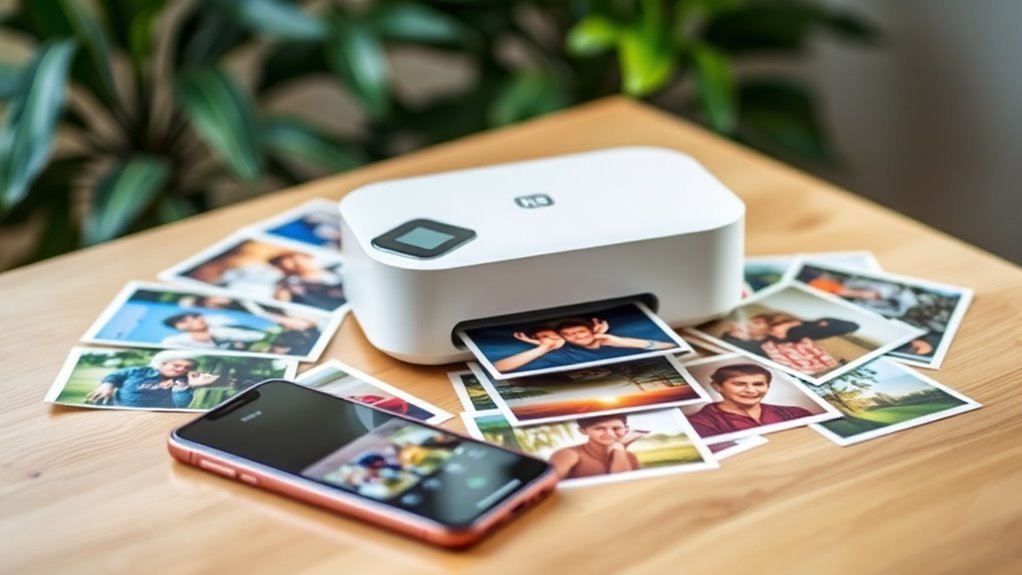
When choosing a cell phone photo printer, you’ll want to focus on print quality and resolution to get sharp, vibrant images. It really makes a difference in how your photos turn out.
Also, think about connectivity options and how portable the printer is. This is especially important if you plan to print on the go.
Don’t forget to check printing speed and efficiency. Plus, look at the types of consumables and paper it supports for the best overall experience.
Print Quality and Resolution
Choosing a cell phone photo printer starts with understanding print quality and resolution, as these factors directly impact how your images turn out. Aim for printers offering at least 300 dpi resolution for 4×6 prints to avoid banding and soft edges.
Next, consider the printing technology: dye-sublimation delivers smoother color gradations and laminated finishes, while ZINK uses embedded color crystals, affecting color rendering.
Check the color depth or color gamut—higher values mean more vibrant, accurate colors and better skin-tone reproduction. Don’t overlook lamination or protective coatings, which safeguard your prints against fingerprints, water, scratches, and fading.
Finally, look for color management features like app-based corrections and profile support to maintain consistent, true-to-life prints that match your phone’s edited images perfectly.
Connectivity Options Available
Beyond print quality, how your cell phone photo printer connects to your device can really shape your overall experience. Wi‑Fi, including built‑in hotspots, lets multiple devices connect and print from a distance. This is ideal for home use or when sharing with others.
Bluetooth offers quick, low-power pairing with faster reconnection, but it works best within a shorter range. If you want reliable, setup-free printing, USB Type‑C or similar wired options provide direct connections and charging.
NFC simplifies pairing with one-tap convenience for compatible phones, speeding up quick print jobs. And don’t forget to check that your chosen connectivity supports the printer’s mobile app features, like editing and status updates. That way, you get the most out of your printing experience.
Choose the connection type that fits your lifestyle and how you use your device. It makes a bigger difference than you might think!
Printer Portability and Size
Many factors influence how portable a cell phone photo printer really is, and size plays a key role. You’ll want to take into account weight and dimensions—printers under 300 grams or about a pound are easier to carry during travel or events.
Check if the printer fits in your pocket or if it’s more of a small desktop model. Keep in mind that paper tray size and capacity, often holding 10–20 sheets, can increase bulk.
Battery-powered models add convenience but may be heavier and thicker than AC-only units. Also, think about the paper size you need; smaller formats like 2×3 inches allow for more compact printers, while 4×6-inch prints usually require a bigger chassis.
Finally, look at how the paper tray and output stack affect the printer’s overall footprint when loaded. It’s all about balancing size and convenience.
Printing Speed and Efficiency
While portability matters, you’ll also want to take into account printing speed and efficiency when picking a cell phone photo printer. Check the per-photo print time—typically around 55–65 seconds for 4×6 dye-sublimation or about 60 seconds for small ZINK prints—to estimate how long batch jobs will take.
Separate the first-print time from steady-state speed since warm-up or processing can delay that initial photo. It’s a good idea to consider throughput factors like paper tray capacity and how often you’ll need to reload media.
Also, think about connectivity options and whether the printer supports multiple devices simultaneously. Wireless delays or limited connections can really slow you down.
Finally, make sure the printer can handle continuous printing without overheating or frequent maintenance interruptions that break your workflow. You want something that keeps up with you without any hassle.
Consumables and Paper Types
Printing speed and connectivity matter, but what you use to create your photos plays an equally important role. First, check the printing technology—dye-sublimation, ZINK (zero-ink), or inkjet—as it dictates whether you’ll need color ribbons, ink cartridges, or inkless paper. This choice affects print longevity and finish.
Confirm the exact paper sizes supported, like 4×6 or 2×3 inches. Also, see if the printer handles multiple sizes or just one.
Evaluate included consumable quantities and expected yields to estimate running costs and refill frequency. It’s good to know how often you’ll need to restock.
If you want peel-and-stick photos or extra durability, look for specialty media such as sticky-back ZINK sheets or laminated dye-sublimation paper with satin or semi-gloss finishes.
Finally, consider how paper loads, tray capacity, and maintenance needs impact daily use. You’ll want to avoid jams and defects as much as possible.
App Features and Compatibility
Since your phone is the main control hub, you’ll want to make sure the printer’s app works smoothly with your device’s operating system and supports the necessary Bluetooth or Wi-Fi connection. Confirm the app supports iOS or Android and the required connection type to guarantee seamless pairing.
Look for in-app editing tools like cropping, filters, brightness adjustments, stickers, and collage modes to save time using other apps. These features make it easier to get your photos just right before printing.
Check if the app offers print layout options, such as borderless or framed prints, ID templates, and control over resolution and paper type. This way, you can customize your prints exactly how you want them.
Features like print status indicators, cartridge alerts, and print head calibration simplify maintenance. They help you keep the printer running smoothly without the hassle.
If multiple users share the printer, make sure the app supports multi-device connections or easy switching between devices. That way, everyone can print without any fuss.
Frequently Asked Questions
Are These Printers Compatible With Both Android and iOS Devices?
Yes, these printers work seamlessly with both Android and iOS devices. You’ll just need to connect via Bluetooth or Wi-Fi and use their dedicated apps.
It’s super easy to print your favorite photos directly from your phone. No complicated setup—just quick and convenient printing whenever you want.
How Long Do the Printed Photos Typically Last Without Fading?
Printed photos typically last 10 to 50 years without fading, depending on the printer and paper quality.
You’ll want to keep them away from direct sunlight and moisture to help preserve their colors longer.
Taking a little care can really make a big difference in how long your photos stay vibrant.
Can These Printers Connect via Bluetooth and Wi-Fi Simultaneously?
Yes, many printers let you connect via Bluetooth and Wi-Fi simultaneously, so you can switch devices easily.
You’ll find this feature handy when printing from different phones or tablets without reconnecting every time.
What Types of Photo Paper Are Recommended for Best Print Quality?
For flawless, vivid visuals, you’ll want glossy, matte, or luster photo paper. These types deliver sharp, stunning shots with rich colors and deep details.
They ensure your prints pop perfectly every single time you print from your phone. So, if you’re aiming for top-notch quality, these are the go-to options.
Are There Any Subscription Services Required for Printer Software Updates?
You don’t usually need subscription services for printer software updates. Most updates come free via the manufacturer’s app or website.
Just keep your printer connected, and you’ll get notifications when updates are available to download. It’s pretty straightforward!
Conclusion
Choosing the right cell phone photo printer can turn your favorite snaps into lasting memories instantly. Imagine capturing a birthday party and printing vibrant 4×6 photos on the spot with the Liene M100 Portable Printer—no hassle, just joy.
Whether you want portability, speed, or quality, there’s a perfect match for you. Pick one that fits your lifestyle, and start bringing your photos to life anytime, anywhere.
Finding the best cell phone photo printer means considering what matters most to you—whether it’s compact design, fast printing, or sharp image quality. With so many options in 2027, you can easily find a printer that makes photo printing fun and convenient.
So go ahead, choose the right cell phone photo printer today and enjoy printing your favorite moments wherever you go. It’s all about making your memories tangible, quick, and hassle-free!