6 Best Canon Printer Scanner Copiers for 2027
You’ll find the 6 best Canon printer scanner copiers for 2027 that fit any need, whether it’s for home use, a busy small office, or even a creative workspace. These all-in-one devices combine printing, scanning, and copying with smart features to make your tasks easier and more efficient.
The PIXMA TR8620a is super versatile and eco-friendly, perfect if you want to save on energy without sacrificing quality. Meanwhile, the TS6520 is great for families and students thanks to its wireless features and sharp prints.
The TR4720 offers a nice balance between affordability and functionality. On the other hand, the TS4320 brings a sleek design to your desk without compromising performance.
If speed with monochrome printing is your priority, check out the imageCLASS MF462dw II. Or, if you want color printing plus duplex capability, the MF665Cdw is a solid choice.
Keep exploring to find which Canon printer scanner copier fits your workflow best.
| Image | Name | Editor's Rating | Price |
|---|---|---|---|

|
|
||

|
|
||

|
|
||

|
|
||
|
|
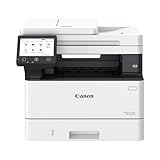
Canon PIXMA TR8620a All-in-One Printer Black
- Never run out of ink. Connect your printer to Alexa and receive notifications when you’re running low. Alexa can even place a smart reorder from Amazon on your behalf...
- Enrolling in Smart Reorders with Alexa ensures that you never have too much or too little ink supplies. No subscription needed.
- Wireless 4-in-1 (Print | Copy | Scan | Fax)
- 15 / 10 ipm Print Speed
- 200 Sheet Capacity (100 Cassette, 100 Rear Feed)

The Canon PIXMA TR8620a is designed to simplify home and small office printing tasks. It combines printing, copying, scanning, and faxing into one compact device. This all-in-one printer helps you manage busy workflows with features like an auto document feeder and automatic two-sided printing, reducing manual effort and saving time.
Maintenance is straightforward with a 200-sheet paper capacity that supports frequent use without constant refilling. The printer’s durability is suited for moderate workloads, with a 1,000-page duty cycle that fits most home office demands. Wireless connectivity options, including AirPrint, Android compatibility, and Alexa integration, make it easy to print from multiple devices without hassle.
Its thoughtful design includes a Micro SD slot, adding flexibility for photo projects or document storage. The Canon PIXMA TR8620a also supports eco-friendly printing, holding ENERGY STAR certification and an EPEAT Silver rating. These features ensure you balance performance with energy efficiency.
While the printer offers solid functionality, the limited duty cycle and paper capacity might require consideration for high-volume needs. Overall, it delivers reliable performance with smart features tailored for everyday use.
Best for: small home offices or individuals seeking a versatile, eco-conscious all-in-one printer with wireless capabilities.
What We Like:
- Combines print, copy, scan, and fax in a compact design
- Auto document feeder and duplex printing ease workflow
- Multiple wireless options including AirPrint and Alexa integration
- ENERGY STAR and EPEAT Silver certified for energy efficiency
Specification:
| Feature | Details |
|---|---|
| Manufacturer | Canon |
| Dimensions (W×D×H) | 14.6 × 11.2 × 7.5 inches |
| Weight | 15.4 lbs (7 kg) |
| Color Options | Black |
| Paper Capacity | 200 sheets |
| Duty Cycle | 1,000 pages |
Canon PIXMA TS6520 Wireless Color Inkjet Printer, 1.42″ OLED Display, White
- Affordable Versatility - A budget-friendly all-in-one printer perfect for both home users and hybrid workers, offering exceptional value
- Crisp, Vibrant Prints - Experience impressive print quality for both documents and photos, thanks to its 2-cartridge hybrid ink system that delivers sharp text and vivid...
- Effortless Setup & Use - Get started quickly with easy setup for your smartphone or computer, so you can print, scan, and copy without delay
- Reliable Wireless Connectivity - Enjoy stable and consistent connections with dual-band Wi-Fi (2.4GHz or 5GHz), ensuring smooth printing from anywhere in your home or...
- Scan & Copy Handling - Utilize the device’s integrated scanner for efficient scanning and copying operations
The Canon PIXMA TS6520 offers a compact and efficient solution for everyday home printing needs. Its small footprint fits neatly in any workspace, saving you valuable desk space. You can easily print, scan, and copy using the clear 1.42″ OLED display or simple voice commands via Alexa, making operation straightforward.
This printer produces sharp black-and-white documents and vibrant color prints at up to 1200 x 1200 dpi. Automatic duplexing allows you to print on both sides of a page, reducing paper waste and saving time. Wireless dual-band Wi-Fi enables smooth printing from smartphones, laptops, and other devices without hassle.
Maintenance is simple with its two-cartridge ink system, though it may require more frequent replacement during heavy use. The single paper tray holds a moderate number of sheets, suitable for typical daily tasks but not for large print jobs. While it lacks an automatic document feeder, the TS6520 remains a reliable choice for basic scanning and copying.
With its balance of functionality and ease of use, this printer suits families, students, and remote workers who need a versatile device without the bulk.
Best for: Families, students, and home or hybrid workers needing a compact, versatile printer for everyday printing, scanning, and copying tasks.
What We Like:
- Compact design with easy-to-use 1.42″ OLED display and Alexa voice control
- High-quality color and black-and-white printing with automatic duplexing
- Dual-band Wi-Fi for seamless wireless printing from multiple devices
- Simple maintenance with a two-cartridge ink system
- Lightweight and space-saving for home or small office use
Specification:
| Feature | Details |
|---|---|
| Manufacturer | Canon |
| Dimensions | Compact (exact size not provided) |
| Weight | Lightweight (exact weight not provided) |
| Display | 1.42″ OLED |
| Print Resolution | Up to 1200 x 1200 dpi |
| Connectivity | Wireless dual-band Wi-Fi |
| Ink System | Two cartridges |
| Duplex Printing | Automatic two-sided printing |
| Color Options | White |
Canon PIXMA TR4720 Wireless All-in-One Printer
- Wireless 4-in-1 (print | copy | scan | fax)..Power Consumption: 7W (0.8W Standby / 0.3W Off)
- Print speed up to: 4" x 6" Borderless Photo (PP-201): Approx. 65.0 Seconds / Black Document (Letter/Simplex): Approx. 8.8 ipm / Color Document (Letter/Simplex): Approx...
- Designed for easy ink cartridge installation and replacement.
- Auto 2-sided printing and auto document feeder.
- Produce quality documents, photos and boarderless prints up to 8.5" x 11".
The Canon PIXMA TR4720 Wireless All-in-One Printer brings simplicity and efficiency to your home or office tasks. It solves the hassle of tangled cables by offering smooth wireless printing and scanning. This compact device handles printing, copying, scanning, and faxing, making it a versatile solution for everyday needs.
Its design includes a 100-sheet front paper tray and an auto document feeder, which help you manage multi-page documents with ease. Automatic duplex printing cuts down paper use and saves time. The printer produces sharp text and vibrant photos with a resolution of up to 4800 x 1200 dpi, ensuring professional-quality results.
Maintenance is straightforward with smart ink notifications that alert you when supplies run low. You can control print jobs through the Canon app or Alexa, integrating technology that adapts to your workflow. However, print speeds are moderate, especially for color documents, which may affect large jobs.
The PIXMA TR4720 suits individuals and small offices that need an affordable, compact printer with wireless functionality. It balances performance and eco-friendliness with ENERGY STAR certification.
Best for: Small offices and home users looking for an affordable, multi-functional wireless printer to handle daily printing, scanning, copying, and faxing tasks.
What We Like:
- Wireless control via mobile app and Alexa for convenient printing and smart ink alerts
- Automatic duplex printing and auto document feeder enhance efficiency
- High-resolution output ensures sharp text and vibrant photos
- Compact design fits well in limited spaces
- ENERGY STAR certified for energy efficiency
Specification:
| Feature | Details |
|---|---|
| Manufacturer | Canon |
| Dimensions | Approx. 15.7 x 12.0 x 7.5 in (39.9 x 30.5 x 19 cm) |
| Weight | Approx. 13.2 lbs (6 kg) |
| Color | Black |
| Printing Technology | 4-in-1 Inkjet |
| Connectivity | Wireless, USB (1 port) |
Canon PIXMA TS4320 – Wireless Color Inkjet Printer with Print, Copy, Scan
- Affordable Versatility - A budget-friendly all-in-one printer perfect for both home users and hybrid workers, offering exceptional value
- Crisp, Vibrant Prints - Experience impressive print quality for both documents and photos, thanks to its 2-cartridge hybrid ink system that delivers sharp text and vivid...
- Effortless Setup & Use - Get started quickly with easy setup for your smartphone or computer, so you can print, scan, and copy without delay
- Reliable Wireless Connectivity - Enjoy stable and consistent connections with dual-band Wi-Fi (2.4GHz or 5GHz), ensuring smooth printing from anywhere in your home or...
- Scan & Copy Handling - Utilize the device’s integrated scanner for efficient scanning and copying operations
The Canon PIXMA TS4320 is designed to simplify your everyday printing needs. Whether you work from home or handle occasional tasks, this all-in-one inkjet delivers sharp prints and vibrant colors. Its compact size means it fits easily in tight spaces without compromising performance.
Maintenance is straightforward with easily replaceable ink tanks, though frequent users may find starter cartridges need early replacement. Auto duplex printing saves time and paper, while a 100-sheet capacity reduces frequent refills. The printer supports various media types, like glossy photo paper and envelopes, offering flexible usage.
Wireless connectivity via dual-band Wi-Fi and USB lets you print directly from smartphones or tablets using the Canon PRINT app or AirPrint. This seamless integration enhances convenience and reduces setup hassles. The TS4320 is ideal for light, occasional printing, copying, and scanning.
While print speeds are moderate and limited to letter-size media, the printer’s user-friendly design and efficient features make it a reliable choice for casual use.
Best for: Home users and hybrid workers needing a compact, versatile all-in-one printer for light printing and scanning tasks.
What We Like:
- Auto duplex printing for efficient double-sided output
- Dual-band Wi-Fi and mobile app support for easy wireless printing
- Compact and stylish design fits well in small spaces
- Supports multiple media types including photo paper and envelopes
Specification:
| Feature | Details |
|---|---|
| Manufacturer | Canon |
| Dimensions | Approx. 14.7 x 12.2 x 5.6 in (37.3 x 31 x 14.2 cm) |
| Weight | Approx. 8.7 lb (3.95 kg) |
| Color Options | Black, White |
| Connectivity | Dual-band Wi-Fi, USB |
Canon imageCLASS MF462dw II – Wireless, Monochrome Duplex Laser Printer
- Monochrome, Wireless, Duplex 4-in-1: Print, scan, copy, fax.
- Fast Print Speeds: Print up to 37 pages per minute and spend less time waiting with a quick first print time of approximately 5 seconds.
- Easy Wireless Setup: Setup your wireless connection and get up and running in just a few steps2
- 5-inch Color Touchscreen: Get the job done quickly with Application Library - an intuitive and easy to use customizable access to the features you use most.
- Mobile Device Printing: Print from your compatible mobile devices using the free Canon PRINT app, Apple AirPrint and Mopria Print Service.
Experience efficient document handling with the Canon imageCLASS MF462dw II, ideal for small offices and hybrid workspaces. This wireless monochrome laser all-in-one streamlines your workflow by combining printing, copying, scanning, and faxing into one device. Its fast output of up to 37 pages per minute ensures you meet deadlines without delay.
The device’s 5-inch color touchscreen offers easy navigation and quick access to frequently used functions. With a one-pass duplex automatic document feeder supporting 50 sheets, it simplifies scanning and copying multi-page documents. Paper capacity starts at 350 sheets and can expand to 900 with an optional cassette, reducing the need for frequent refills.
Designed for convenience, it supports mobile printing through Canon PRINT, Apple AirPrint, and Mopria, allowing flexible work from various devices. Maintenance is straightforward, with efficient toner yields helping reduce downtime and operating costs.
While it only prints in monochrome and has limited USB connectivity, its reliable performance and sharp 1200 x 1200 dpi resolution make it a strong choice for monochrome printing needs. Power consumption is higher compared to some models, which is a consideration for energy-conscious users.
Best for: Small and home offices or hybrid work environments needing a reliable, fast, and versatile wireless monochrome laser all-in-one printer.
What We Like:
- Fast print speed up to 37 ppm with sharp 1200 x 1200 dpi output
- One-pass duplex ADF and auto two-sided printing boost efficiency
- Wireless and mobile printing support via Canon PRINT, Apple AirPrint, and Mopria
- Expandable paper capacity up to 900 sheets for less frequent refills
Specification:
| Feature | Details |
|---|---|
| Manufacturer | Canon |
| Model | imageCLASS MF462dw II |
| Print Speed | Up to 37 ppm |
| Print Resolution | 1200 x 1200 dpi |
| Connectivity | Wireless, USB (1 port) |
| Paper Capacity | 350 sheets (expandable to 900) |
| ADF Capacity | 50 sheets |
| Display | 5-inch color touchscreen |
| Power Consumption | 1250 W |
Canon Color imageCLASS MF665Cdw – Wireless, All-in-One Duplex Laser Printer

- Color, Wireless, Duplex 4-in-1: Print, scan, copy, fax.
- Fast Print Speeds: Print up to 26 ppm in both color and monochrome and spend less time waiting with a quick first print time of approximately 10.3 seconds.
- Easy Wireless Setup: Setup your wireless connection and get up and running in just a few steps.
- 5-inch Color Touchscreen: Get the job done quickly with Application Library - an intuitive and easy to use customizable access to the features you use most.
- Mobile Device Printing: Print from your compatible mobile devices using the free Canon PRINT app, Apple AirPrint and Mopria Print Service.
Experience efficient, high-quality printing with the Canon Color imageCLASS MF665Cdw. This wireless, all-in-one duplex laser printer is designed to meet the demands of small offices and hybrid work environments. It solves common workflow bottlenecks by delivering fast print speeds of up to 26 ppm in both color and black-and-white, helping you complete tasks without delay.
The device simplifies multi-functionality by combining printing, copying, scanning, and faxing in one compact unit. Its 50-sheet duplex automatic document feeder enables smooth two-sided scanning, reducing manual handling and saving time. The 5-inch color touchscreen offers an intuitive way to customize settings and manage jobs easily.
Maintenance remains straightforward with wireless setup and mobile printing support through Canon PRINT, Apple AirPrint, and Mopria, allowing seamless integration with various devices. While the printer weighs 22.68 kg and includes only a single USB port, its ENERGY STAR certification reflects a commitment to eco-friendly operation. Overall, this model enhances productivity with reliable wireless connectivity and duplex functionality.
Best for: Small offices and hybrid work environments needing fast, reliable wireless all-in-one printing with duplex capabilities.
What We Like:
- Fast print speeds up to 26 ppm with quick first-page output.
- Efficient 50-sheet duplex automatic document feeder for two-sided scanning.
- Easy wireless setup with mobile printing support.
- User-friendly 5-inch color touchscreen for intuitive control.
Specification:
| Feature | Details |
|---|---|
| Manufacturer | Canon |
| Dimensions (W x D x H) | 16.1 x 19.6 x 16.9 inches |
| Weight | 22.68 kg (50 lbs) |
| Printing Technology | Color Duplex Laser |
| Connectivity | Wireless, USB (single port) |
| Display | 5-inch color touchscreen |
| Duplex Scanning | 50-sheet duplex ADF |
| Power Consumption | 1080 watts |
Factors to Consider When Choosing a Canon Printer Scanner Copier
When choosing a Canon printer scanner copier, you’ll want to focus on key features like functionality options and print speed.
Don’t forget to check connectivity, compatibility, and how much paper it can handle.
Energy efficiency is also important to keep your costs and environmental impact low.
It’s all about finding the right balance that suits your needs without overpaying or getting features you won’t use.
Printer Functionality Options
Choosing the right Canon printer scanner copier means deciding which functions fit your needs—whether that’s print-only, a print/scan/copy combo, or a full multifunction device with fax and an automatic document feeder.
If you often scan photos or books, a flatbed scanner suits you best. For multi-page documents, an ADF scanner speeds up duplex scanning.
Duplex printing and scanning save paper and effort if you handle double-sided pages regularly. Also, decide if you need borderless or high-resolution scanning for photos versus basic document quality.
Don’t forget to check mobile and cloud compatibility like Wi-Fi, AirPrint, or Mopria support. These features let you print or scan directly to your phone or cloud storage, making your workflow much smoother and more flexible.
Print Speed And Quality
Although print speed and quality can vary widely among Canon printer scanner copiers, you’ll want to focus on key specs like pages per minute (ppm) for both monochrome and color output to match your workload. Check the first-page-out time to avoid long waits when printing single pages or small jobs.
Higher print resolution (dpi) means sharper images and detailed photos, while crisp text often depends on pigment black inks or laser technology. Balance speed with duty cycle and recommended monthly volume to guarantee durability under heavy use.
Keep in mind duplex printing, automatic document feeder (ADF) scans, and color jobs usually slow down effective throughput compared to simple black-and-white, single-sided prints. Choosing a model that fits your specific print demands prevents frustration and downtime.
Connectivity And Compatibility
Since seamless connectivity can make or break your printing experience, you’ll want to assure your Canon printer scanner copier supports the network types you use most, such as dual-band Wi-Fi, Ethernet, and USB. This guarantees reliable connections to routers, wired networks, or individual devices.
Don’t forget to check for mobile and cloud printing compatibility like AirPrint, Mopria, or dedicated apps, so you can print directly from your smartphone or tablet. It’s super handy when you’re on the go.
If you use voice commands or smart-home setups, confirm support for voice assistants and automation features. Also, verify scanner connectivity options—Wi-Fi scanning to email or cloud, USB, or network TWAIN/WS-Scan—and whether scanning works via apps or drivers on your operating systems.
Finally, make certain drivers are regularly updated for Windows, macOS, Android, iOS, and Chromebook to avoid compatibility issues. Staying up to date helps keep everything running smoothly.
Paper Handling Capacity
When evaluating paper handling capacity in a Canon printer scanner copier, you’ll want to take into account the total input capacity, including both main and multipurpose trays. This helps you match your typical print volume. Larger capacities mean fewer refills, which is crucial if you print a lot.
Check if the device has an automatic document feeder (ADF) and its sheet capacity. This is super helpful when scanning or copying multiple pages without interruptions.
Make sure the printer supports duplex printing and understand if the duplexer affects capacity or slows print speed. Also, verify which media types and sizes it handles. Special feeds might reduce main tray space, so keep that in mind.
Finally, think about the output tray size to avoid overflow during big print jobs. It’s a simple thing, but it can save you some headaches!
Energy Efficiency Standards
If you want to keep your energy bills low and reduce environmental impact, choosing a Canon printer scanner copier with strong energy efficiency standards is essential. Look for ENERGY STAR certification—it guarantees the device meets EPA guidelines and uses less electricity in both active and standby modes.
Also, check for low power consumption during sleep, ideally under 1–3 watts. This helps minimize energy use when the device is idle.
Opt for models with automatic duplex printing to save paper and the energy tied to production. Devices featuring programmable power-saving schedules or automatic sleep timers help cut energy during predictable downtime.
Finally, compare estimated annual energy consumption or TEC ratings to evaluate expected energy costs across models. These factors help you select a Canon copier that’s both eco-friendly and cost-effective.
Warranty And Support
Although selecting a Canon printer scanner copier with advanced features is important, you shouldn’t overlook warranty and support options, as they protect your investment and guarantee smooth operation. Start by checking the warranty length and type—whether it’s a 1-year limited or multi-year plan—and what parts and labor it covers.
Also, understand if consumables like print heads and fusers are included or only mechanical components. It’s good to verify the claim process and available support channels, such as phone, online chat, or authorized service centers.
Don’t forget to note typical repair turnaround times. Consider warranty extensions or protection plans, their costs, and if they offer onsite service or just depot repair.
Finally, make sure spare parts and software updates remain available for at least 1–3 years to maintain long-term compatibility. This way, your Canon device stays reliable and up-to-date.
Frequently Asked Questions
What Is the Average Lifespan of a Canon Printer Scanner Copier?
You can expect a Canon printer scanner copier to last around 3 to 5 years with regular use. Proper maintenance and timely cartridge replacements help you extend its lifespan and keep it running smoothly longer.
Taking good care of your device really makes a difference. So, don’t skip those routine check-ups and cartridge changes! It’s a simple way to get the most out of your printer scanner copier.
Are Canon Printer Scanner Copiers Compatible With macOS and Windows?
Yes, Canon printer scanner copiers are compatible with both macOS and Windows. You’ll find drivers and software that support seamless integration, so you won’t struggle connecting or using them across different operating systems.
It’s pretty straightforward to get them up and running. Whether you’re on a Mac or a PC, Canon has you covered with the right tools to make everything work smoothly.
How Do I Perform Firmware Updates on Canon Printer Scanner Copiers?
You perform firmware updates by visiting Canon’s official website, downloading the latest firmware for your model, and running the update tool on your computer.
Make sure your printer is connected and powered on during the process. It’s pretty straightforward, but staying connected is key!
What Type of Ink Cartridges Do Canon Printers Use?
You’d think Canon printers run on magical ink, but nope—they use specific Canon ink cartridges like PGI and CLI series.
Make sure you grab the right ones, or your printer might throw a tantrum bigger than a toddler!
Can Canon Printer Scanner Copiers Connect to Mobile Devices via Bluetooth?
Yes, you can connect Canon printer scanner copiers to mobile devices via Bluetooth on many models. Just enable Bluetooth on both devices, pair them, and you’ll easily print, scan, or copy wirelessly from your phone or tablet.
It’s pretty straightforward and super convenient. Once paired, you won’t have to deal with cables or complicated setups every time. Just a quick tap and you’re good to go!
Conclusion
When choosing your next Canon printer scanner copier, remember that 60% of people say a reliable all-in-one device boosts their productivity markedly. You want a model that fits your needs—whether it’s vibrant color prints or fast, monochrome copies.
With options like the PIXMA TR8620a or the imageCLASS MF665Cdw, you’re set for quality and convenience. Don’t settle for less; the right Canon can transform your workspace and save you time every day.
Finding the best Canon printer scanner copier for 2027 means focusing on what matters most to you. Whether it’s speed, print quality, or multifunction features, Canon offers models tailored to your workflow. Investing in a reliable all-in-one device not only enhances productivity but also simplifies your tasks, making your daily printing, scanning, and copying smoother than ever. So, pick a Canon that matches your needs and enjoy a seamless, efficient experience every day.