10 Best Cost Effective 3D Printers for 2027
You’ll want cost-effective 3D printers that blend speed, reliability, and multi-material options. Finding affordable 3D printers that don’t compromise on quality is key for hobbyists and professionals alike.
Whether you need fast printing or versatile materials, there’s a budget-friendly option for you.
Consider the Bambu Lab P2S Combo for fast, precise multi-color prints with AI failure detection. It’s great if you want cutting-edge features without breaking the bank.
FLASHFORGE Adventurer 5M offers easy setup and CoreXY speed up to 600 mm/s, perfect for those who value speed and simplicity.
Beginners might prefer the Bambu Lab A1 or Creality Ender 3 V3 SE for user-friendly auto leveling and smooth extrusion.
Exploring these options will help you find the perfect fit for your projects and budget.
| Image | Name | Editor's Rating | Price |
|---|---|---|---|

|
|
||

|
|
||

|
|
||

|
|
||

|
|
Bambu Lab P2S Combo, P2S 3D Printer & AMS 2 Pro, Multi-Color 3D Printing
- High-Speed Precision: The Bambu Lab P2S 3D printer prints up to 600 mm/s while maintaining exceptional accuracy. With the PMSM Servo Extruder and Active Flowrate...
- Ready to Print in 15 Minutes: Set up your P2S FDM 3D printer and start printing in just 15 minutes. With AI failure detection, quick-swap nozzles, and automatic...
- Effortless Multi-Color Printing: The AMS 2 Pro enables seamless multi-color/multi-material 3D printing. It features built-in filament drying at up to 65 °C, keeping...
- Smart Airflow for Any Filament: The Adaptive Airflow System automatically balances cooling and heat retention—keeping overhangs crisp with cool air, or maintaining a...
- Limitless Creativity, Seamless Workflow: Explore over one million 3D models on MakerWorld and bring them to life with a smooth, unified workflow using Bambu Studio, Bambu...
The Bambu Lab P2S Combo with AMS 2 Pro offers a powerful solution for those needing fast, precise 3D printing with multi-color capabilities. It tackles the challenge of producing sharp, detailed prints at high speeds, reaching up to 600 mm/s. Thanks to its advanced PMSM servo extruder and active flowrate compensation, it ensures smooth, consistent layers that bring your designs to life with accuracy.
This Combo model solves the limitation of the P2S alone, enabling seamless multi-material and multi-color printing. The AMS 2 Pro module also includes built-in filament drying, reducing print failures caused by moisture and simplifying maintenance. This integration supports longer print runs and more complex projects without frequent interruptions.
Setup and operation are streamlined through automatic calibration, AI-assisted failure detection, and quick-swap nozzles. These features reduce downtime and make the printing process more reliable, even for demanding workflows. However, the unit’s size and weight might affect portability and workspace arrangement.
Overall, the Bambu Lab P2S Combo with AMS 2 Pro is designed for users who prioritize speed, precision, and vibrant multi-color prints. It balances advanced functionality with practical maintenance benefits to support professional and enthusiast use alike.
Best for: professionals and makers focused on fast, accurate multi-material 3D printing for complex and colorful projects.
What We Like:
- High-speed printing up to 600 mm/s with precise, smooth layers
- AMS 2 Pro enables hassle-free multi-color and multi-material printing
- Built-in filament drying reduces moisture-related print issues
- Automatic calibration and AI failure detection improve reliability
- Quick-swap nozzles simplify maintenance and setup
Specification:
| Feature | Details |
|---|---|
| Manufacturer | Bambu Lab |
| Dimensions | 18 x 22 x 18 inches |
| Weight | 46.3 pounds (21 kg) |
| Main Material | Not specified |
| Color Options | Not specified |
FLASHFORGE Adventurer 5M 3D Printer, All-Metal CoreXY, 600mm/s Max Travel
- One-Click Automatic Printing: Experience hassle-free 3D printing with the Adventurer 5M Series. Enjoy automatic bed leveling for flawless first layers, ensuring...
- 12X Ultra Fast Printing: Featuring a CoreXY structure with 600mm/s travel speed and 20000mm/s² acceleration, the AD5M maximizes efficiency, reduces production cycles...
- Smart and Efficient Design: Quick 3-second nozzle changes, a high-flow 32mm³/s nozzle, and fast 35-second warm-up to 200°C deliver stable high-speed printing. Its...
- Superior Print Quality & Adaptability: Combines a 280°C direct drive extruder with dual-fan cooling and vibration compensation. Includes a standard 0.4mm nozzle and...
- Real-Time App Monitoring: Monitor print progress, adjust settings, and receive instant status alerts remotely with the Flash Studio. Smart mobile control ensures a...
Experience fast, precise 3D printing with the FLASHFORGE Adventurer 5M, designed to simplify your workflow. Its one-click automatic printing and self-leveling bed eliminate manual setup frustrations. This means less downtime and more focus on creating.
The all-metal CoreXY structure reaches speeds up to 600mm/s with smooth acceleration, enabling rapid prototyping and efficient small-scale production. Quick nozzle swaps in just 3 seconds and a fast 35-second warm-up reduce maintenance delays.
Built for precision, the printer features a stable 280°C direct drive extruder and dual-fan cooling, ensuring consistent print quality. The dual-sided PEI platform improves adhesion and ease of part removal, though it requires manual flipping for certain prints.
You can monitor and control your projects remotely via the Flash Studio app, giving you flexibility and peace of mind. This printer is engineered to enhance productivity while maintaining user-friendly operation.
Best for: Professionals and businesses needing high-speed, precise 3D printing with minimal setup for rapid prototyping and small-batch manufacturing.
What We Like:
- One-click automatic printing with self-leveling bed simplifies setup
- High-speed CoreXY system delivers precise, accelerated printing
- Quick 3-second nozzle swaps streamline maintenance
- Remote print monitoring through Flash Studio app
- Stable, high-temperature extruder supports diverse materials
Specification:
| Feature | Details |
|---|---|
| Manufacturer | FLASHFORGE |
| Max Travel Speed | 600 mm/s |
| Acceleration | 20,000 mm/s² |
| Nozzle Swap Time | 3 seconds |
| Warm-Up Time | 35 seconds |
| Extruder Temperature | Up to 280°C |
| Bed Type | Self-leveling, dual-sided PEI |
| Cooling | Dual-fan |
| Design | All-metal CoreXY |
Bambu Lab A1 3D Printer, Ready-to-Use FDM 3D Printer for Beginners and Kids
- High-Speed Precision: Experience unparalleled speed and precision with the Bambu Lab A1 3D Printer. With an impressive acceleration of 10,000 mm/s², the A1 delivers...
- Multi-Color Printing with AMS lite: Unlock your creativity with vibrant and multi-colored 3D prints. The Bambu Lab A1 3D printers make multi-color printing accessible and...
- Full-Auto Calibration: Say goodbye to manual calibration hassles. The A1 3D printer takes care of all the calibration processes automatically, ensuring optimal...
- Active Flow Rate Compensation: Achieve consistently smooth prints with active flow rate compensation. The algorithm actively compensates the flow rate according to the...
- Easy and Quiet 3D Printing: Experience effortless printing with the Bambu Lab A1 FDM 3D printer. Its user-friendly interface and simplified touchscreen make it easy to...
The Bambu Lab A1 3D printer offers a fast and precise way to explore 3D printing, especially for beginners and kids. Its high acceleration rate allows for detailed and accurate models, helping users create quality prints without frustration.
Setup is simple thanks to fully automatic calibration, which adjusts the Z-offset and levels the bed. This means less time fiddling with settings and more time printing. The Active Flow Rate Compensation ensures smooth material extrusion, resulting in consistent print quality every time.
Maintenance is hassle-free with the quiet operation and intuitive touchscreen interface. The innovative 1-Clip quick swap nozzle makes changing parts easy and fast, reducing downtime and keeping the printer ready for your next project.
The printer supports multi-color printing through the AMS lite accessory, adding variety to creative projects. However, this accessory is sold separately unless you choose the A1 Combo. While perfect for beginners and kids, it may lack advanced features that professionals require.
Best for: Beginners and children looking for an easy-to-use, reliable 3D printer that delivers fast, multi-color prints with minimal setup.
What We Like:
- High-speed precision with acceleration up to 10,000 mm/s²
- Fully automatic calibration for quick and easy setup
- Active Flow Rate Compensation for smooth, consistent prints
- User-friendly touchscreen and quiet operation
- Convenient 1-Clip quick swap nozzle for simple maintenance
Specification:
| Feature | Details |
|---|---|
| Manufacturer | Bambu Lab |
| Dimensions | Not specified |
| Weight | Not specified |
| Material | FDM 3D printing filament |
| Color Options | Multi-color via AMS lite accessory |
Entina Tina2 Plus Fast WiFi 3D Printer
- 【Start Printing in Minutes – Beginner Friendly】No setup required. Tina2 Plus 3d printer comes fully assembled and ready to use out of the box. With included TF card...
- 【Fast 250mm/s Printing Performance】This Tina2 Plus high speed 3D printer print speeds up to 250 mm/s help reduce waiting time and support fast project turnaround...
- 【WiFi App Control & STEM Model Library】Powered by the Poloprint Cloud app, this WiFi-enabled 3D printer gives access to 3,500+ printable models and 25+ creative DIY...
- 【40-Second Fast Heat Ceramic Hotend】High-efficiency ceramic hotend heats up in just 40 seconds for faster start-up and less downtime. The quick-swap nozzle design...
- 【Compact 3D Printer for Home & Classroom】Designed with a space-saving footprint while maintaining practical print capacity, this compact 3D printer fits easily on...
The Entina Tina2 Plus Fast WiFi 3D Printer is designed to make 3D printing accessible to beginners and young users. Its fully assembled setup means you can start printing with minimal effort. A preloaded TF card with models lets you dive right into projects without delay.
This printer offers fast print speeds up to 250 mm/s and heats up in just 40 seconds, helping you complete projects quickly. Efficient cooling ensures consistent print quality, reducing the need for frequent maintenance. Its compact design fits well in homes, classrooms, or small workspaces.
With WiFi connectivity and the Poloprint Cloud app, you can easily access thousands of 3D models and control prints from your mobile device. The auto-leveling feature simplifies setup and improves print accuracy. Safety features make it suitable for supervised use by kids, though it lacks full enclosure for unsupervised operation.
Overall, the Tina2 Plus balances speed, ease of use, and convenience, making it ideal for educational and beginner use, while some advanced features may be limited compared to professional models.
Best for: Beginners, kids, and educators needing a fast, user-friendly 3D printer for home or classroom projects.
What We Like:
- Ready to print out of the box with preloaded models
- Fast printing and quick heat-up for efficient workflows
- WiFi access to 3,500+ models via Poloprint Cloud app
- Auto-leveling for hassle-free setup
- Compact design suitable for small spaces
Specification:
| Feature | Details |
|---|---|
| Manufacturer | Entina |
| Dimensions | Compact design (exact size not provided) |
| Weight | Not specified |
| Connectivity | WiFi with Poloprint Cloud app |
| Print Speed | Up to 250 mm/s |
| Heat-up Time | 40 seconds |
| Safety Features | Partial enclosure, supervised use recommended |
| Included Accessories | TF card with preloaded models |
FLASHFORGE AD5X Multi-Material 4-Color 3D Printer
- Build for Speed and Full-Color Printing: Bring your creative vision to life with vibrant and multicolored 3D prints in 4-colors. With speed of up to 600mm/s and...
- Seamless Printing, Precise Control: Full auto leveling sensor measures multiple points on the print bed to ensure consistent distance between nozzle and bed. As well as...
- Multi-Material and Multi-Color Capability: Intelligent Filament System (IFS) allows you to print in multiple colors and materials simultaneously. Among the wide selection...
- CoreXY Structure, Vibration Compensation: With its all-metal motion CoreXY structure offers highly rigid, reducing the risk of errors caused by vibration or mechanical...
- Compact Design, Space Saving: With its lightweight, modular design and intelligent filament system (IFS), Four spools of filament arranged side by side, AD5X offers...
The FLASHFORGE AD5X transforms complex multi-color 3D printing into a streamlined experience. Its CoreXY all-metal design and vibration suppression deliver fast, precise prints, reaching speeds up to 600mm/s without sacrificing detail. This printer solves common issues with speed and accuracy, making it ideal for projects that demand both.
Equipped with an Intelligent Filament System, the AD5X allows you to print with four colors or different materials like PLA, TPU, and PETG simultaneously. This capability expands creative possibilities and reduces the time spent switching filaments manually. Maintenance is simplified through its auto-leveling sensors, which accurately measure multiple points on the build platform to ensure perfect first layers every time.
Compact and stable, the printer fits easily on most desks at just 22 pounds, making it suitable for small workspaces. Its one-click printing and filament backup system help avoid interruptions during long prints, supporting consistent, reliable results without constant supervision.
Best for: hobbyists and small businesses needing fast, multi-material 3D printing with easy setup and dependable performance.
What We Like:
- High-speed printing up to 600mm/s with precision
- Four-color/material simultaneous printing capability
- Auto-leveling sensors for flawless first layers
- Compact, stable design ideal for limited space
- Filament backup system prevents print failures
Specification:
| Feature | Details |
|---|---|
| Manufacturer | FLASHFORGE |
| Dimensions | Not specified |
| Weight | 22 lb (10 kg) |
| Material | All-metal CoreXY frame |
| Color Options | Not specified |
Anycubic Kobra X Multicolor 3D Printer, Easy One-Click Printing

- 【Vivid 19-Color and Versatile Materials】Unleash creativity beyond limits. The Kobra X supports 4-color standard and expands up to 19 colors with 4 ACE 2 Pro for...
- 【600mm/s High Speed Performance】Don't let slow speeds limit your creativity. This high-speed FDM 3D printer reaches up to 600mm/s, completing tasks significantly...
- 【True Plug & Play Experience】Start your first project in as little as 15 minutes. The Kobra X arrives with a user-friendly setup and LeviQ 3.0 automatic bed leveling...
- 【LeviQ 3.0 Perfect First Layer】Forget the frustration of manual bed leveling that plagues beginner machines. The LeviQ 3.0 system utilizes 49-point full-auto leveling...
- 【Quiet & Reliable for Home】The ultra-quiet ≤48 dB operation ensures the living or learning space remains peaceful. Combined with power loss recovery and filament...
The Anycubic Kobra X Multicolor opens new possibilities for effortless multi-material 3D printing. It lets you create vibrant, complex models by supporting up to 19 colors with four ACE 2 Pro extruders. This setup eliminates the hassle of manual filament changes, streamlining your workflow.
Its adaptive extrusion force compensation ensures smooth transitions between different materials like PLA, TPU, and PETG. This means fewer print errors and consistent quality, even when switching colors or textures mid-print. Maintenance is simplified with true plug & play design and LeviQ 3.0 automatic bed leveling, which guarantees precise first layers every time.
The printer’s AI-powered monitoring offers real-time error alerts and print protection features such as power loss recovery. This reduces failed prints and saves you time and materials. Its fast print speeds of up to 600 mm/s come with vibration compensation and quiet operation, making it efficient and suitable for various environments.
Best for: hobbyists and professionals seeking a fast, reliable 3D printer capable of seamless multi-material and multi-color printing with advanced monitoring and safety features.
What We Like:
- Supports up to 19 colors with adaptive extrusion force for smooth multi-material printing
- Fast printing speeds up to 600 mm/s with vibration compensation
- Easy setup with plug & play and automatic 49-point bed leveling
- AI-powered real-time monitoring and power loss recovery for print protection
Specification:
| Feature | Details |
|---|---|
| Manufacturer | Anycubic |
| Build Volume | 260 × 260 × 260 mm |
| Extruders | 4 ACE 2 Pro |
| Supported Materials | PLA, TPU, PETG |
| Print Speed | Up to 600 mm/s |
| Bed Leveling | LeviQ 3.0 Automatic (49 points) |
Portable Compact FDM 3D Printer for Beginners

- Foolproof Setup with Video Guides – Never get stuck! We provide a crystal-clear Quick Start Guide and step-by-step video tutorials. Watch them online to get started.
- Simple Assembly with Video Guide – Requires quick modular setup (watch our step-by-step video). Comes with 10m PLA filament, TF card, tools, and 12V Type-C power...
- Versatile Filament Compatibility – Unleash your creativity with both PLA and flexible TPU (1.75mm). The reliable 0.4mm nozzle and precise 0.05-0.3mm layer thickness...
- Reliable Performance & Compact Design – Features stable FDM technology and a removable build plate for easy model removal. The perfect 100x100x100mm build volume is...
- Complete Package – No Hidden Costs – Includes printer, 10m PLA filament, 8GB TF card + reader, tools, illustrated manual, and 12V Type-C power adapter. Plus free...
Discover the ease of 3D printing with this portable compact FDM 3D printer designed specifically for beginners. Its straightforward setup and clear guidance eliminate the common frustration of complex assembly. You can start printing quickly thanks to modular components and simple bed leveling.
The printer’s build volume of 100 × 100 × 100 mm is perfect for small projects like toys and home décor. It supports PLA and TPU filaments, offering flexibility for creative designs. Its stable FDM technology ensures consistent print quality, making it a dependable tool for learning and experimentation.
Maintenance is hassle-free with a removable build plate and included tools, allowing users to keep the printer in optimal condition without difficulty. Its compact size fits well in limited spaces, ideal for students, hobbyists, or educators focused on STEM activities.
While the fixed 0.4 mm nozzle and single filament diameter of 1.75 mm limit some advanced printing options, this printer’s simplicity and reliability make it an excellent choice for those starting their 3D printing journey.
Best for: Beginners, students, hobbyists, and educators seeking an easy-to-use 3D printer for small-scale projects and STEM learning.
What We Like:
- Guided setup with clear tutorials for quick, hassle-free printing
- Compact design with a removable build plate for easy maintenance
- Supports PLA and TPU filaments, enabling versatile project options
- Stable FDM technology ensures consistent print results
Specification:
| Specification | Details |
|---|---|
| Manufacturer | Not specified |
| Build Volume | 100 × 100 × 100 mm |
| Filament Diameter | 1.75 mm |
| Nozzle Size | 0.4 mm |
| Supported Filaments | PLA, TPU |
| Design | Portable, compact |
Creality Ender 3 V3 SE 3D Printer Upgrade

- 【250mm/s High-speed Printing】Creality Ender 3 V3 SE 3d printer supports a maximum printing speed of 250mm/s, 2500mm/s² acceleration.The speed has been greatly...
- 【Powerful ""Sprite"" Direct Extruder】Ender 3 V3 SE is the upgrade of ender 3, ender 3 v2, ender 3 pro, ender 3 neo, ender 3 v2 neo, ender 3 s1, ender 3 s1 pro etc 3d...
- 【Worry-free CR Touch Auto Leveling & Strain Sensor】Creality Ender 3 upgraded 3d printer features a CR Touch sensor for auto leveling and a strain sensor for auto...
- 【Stable Dual Z-axis & Y-axis Linear Shafts】High-precision dual Z-axis lead screws reduce Z wobbling effectively, avoid printing deviation in single-axis printing...
- 【Quick Assembly & Easy to Use】Preassembly has solved those hassles and worries of parts assembly, It only takes 3 steps to complete the assemble the ender-3 v3 se 3d...

The Creality Ender 3 V3 SE offers a powerful balance of speed and precision, making 3D printing accessible and efficient. It tackles long print times with a max speed of 250mm/s and acceleration up to 2500mm/s², cutting project durations by nearly three-quarters. This means faster prototyping and more time for creativity.
Its upgraded Sprite full metal dual-geared extruder improves filament feeding, reducing jams and ensuring smooth prints with PLA, TPU, and PETG. Auto filament loading and unloading simplify maintenance, so you spend less time troubleshooting and more time printing.
The printer features CR Touch auto leveling and strain sensor-assisted Z-offset, minimizing manual calibration and improving first-layer adhesion. Stability is enhanced by dual Z-axis screws and reinforced Y-axis shafts, which support consistent, high-quality output.
Assembly is straightforward with a quick 3-step process, and the solid design supports reliable use over time. While the 250 x 250 x 250 mm build volume fits most hobby projects, it may not suit larger or more complex prints.
Best for: hobbyists and beginners seeking a fast, reliable 3D printer that delivers quality prints with minimal setup and maintenance.
What We Like:
- High-speed printing reduces project time significantly
- Smooth filament handling with upgraded full metal extruder
- Auto leveling and assisted Z-offset for easy calibration
- Stable dual Z-axis and reinforced Y-axis ensure accuracy
- Quick assembly process for fast startup
Specification:
| Feature | Details |
|---|---|
| Manufacturer | Creality |
| Build Volume | 250 x 250 x 250 mm |
| Max Print Speed | 250 mm/s |
| Max Acceleration | 2500 mm/s² |
| Extruder Type | Sprite full metal dual-geared |
| Filament Compatibility | PLA, TPU, PETG |
| Auto Leveling | CR Touch |
| Z-axis Configuration | Dual Z-axis screws |
| Assembly Time | Approximately 20 minutes |
Creality Ender 3 V3 SE Beginner-Friendly 3D Printer with Auto Leveling

- 250mm/s High-Speed Printing: Print at speeds of up to 250mm/s with 2500mm/s² acceleration, helping you complete prototypes, functional parts, and everyday projects...
- Easy Setup with Auto Leveling: Designed for a fast and straightforward setup, the Ender 3 V3 SE can be assembled in just a few simple steps. CR Touch Auto Leveling and...
- Proven Sprite Direct Drive Extruder: The upgraded Sprite Direct Drive Extruder provides smooth and consistent filament feeding for PLA, PETG, and TPU. Its proven design...
- Stable Motion System for Consistent Results: Dual synchronized Z-axis lead screws and precision Y-axis linear shafts work together to help reduce vibration and Z...
- Quiet Operation with Easy Print Removal: A 32-bit silent mainboard helps reduce operating noise for a more comfortable printing experience, while the flexible PC spring...
The Creality Ender 3 V3 SE makes 3D printing approachable for beginners by simplifying the setup process. Its CR Touch Auto Leveling and automatic Z-offset calibration solve the common problem of uneven first layers, ensuring prints start perfectly every time. This reduces frustration and saves time during initial setups.
Designed with user convenience in mind, the printer features a quiet 32-bit mainboard for near-silent operation. The Sprite Direct Drive Extruder handles materials like PLA, PETG, and TPU smoothly, allowing for versatile printing without frequent adjustments. The flexible PC spring steel build plate makes removing finished prints quick and hassle-free.
Maintenance is straightforward thanks to durable components and clear calibration steps. The dual Z-axis lead screws and precision linear shafts provide stable, accurate printing at speeds up to 250mm/s. Its compact, solid frame balances workspace efficiency and build quality.
While the Ender 3 V3 SE supports popular filaments, it is limited to a few materials, which may restrict advanced users. It’s also heavier and less portable than some entry-level models, but this adds to its stability during printing.
Best for: Beginners and hobbyists seeking an easy-to-use 3D printer with reliable auto leveling and quiet performance for consistent, quality results.
What We Like:
- Easy CR Touch Auto Leveling and Z-offset calibration improve first layer success
- Quiet 32-bit mainboard reduces noise during operation
- Flexible spring steel build plate simplifies print removal
- Supports PLA, PETG, and TPU for versatile printing
- Dual Z-axis and precision shafts ensure accurate, fast prints
Specification:
| Specification | Details |
|---|---|
| Manufacturer | Creality |
| Dimensions | Compact size (exact size not specified) |
| Weight | Heavier than typical beginner printers |
| Material | PC spring steel build plate, metal frame |
| Color Options | Not specified |
Flashforge Adventurer 5M Beginner 3D Printer

- 600mm/s Hyper-Speed Printing with Klipper Engine. Industry-leading 20,000mm/s² Acceleration - Equipped with 32mm³/s high-flow nozzle and 50W ceramic heater reaching...
- Auto Bed Leveling. 0.01mm Precision Calibration - Features 25-point detecting and pressure-sensor compensation, achieving perfect first-layer adhesion.
- Industrial-Grade CoreXY Frame with Anti-Vibration. Dual linear rails & aluminium frame reduces resonance by 63% compared to bed-slingers. 24/7 continuous printing capable...
- Smart Workshop Ecosystem. MagSwitch PEI plate (removal in 3s) + Nozzle X quick-change system (swap <15s). Built-in filament sensor & remote monitoring via Flashforge App...
- Multi-Material Pro Configuration. 0.25-0.8mm nozzles for miniature models to architectural prints. Optional enclosure with your own printing plate offers a cost-effective...
The Flashforge Adventurer 5M offers a smart solution for beginners who want fast and accurate 3D printing without complex setup. Its ability to print at speeds up to 600mm/s paired with precise 0.01mm calibration significantly reduces project times, helping users complete prints more efficiently.
This printer features a direct drive extruder that quickly reaches 280°C, allowing for a wide range of common filaments. Automatic bed leveling and pressure-sensor compensation work together to ensure reliable first layers, minimizing print failures and the need for manual adjustments.
Designed with a sturdy industrial-grade CoreXY frame, the Adventurer 5M reduces vibrations by 63%, enhancing print quality. Its compact size and quiet operation make it suitable for home or small workshop environments. Maintenance is straightforward, with quick nozzle swaps taking less than 15 seconds.
Users can monitor prints remotely through the Flashforge app, adding convenience and control. While the build volume is moderate, the option to upgrade with a dust-free enclosure supports multi-material printing and better temperature control, though it requires additional assembly.
Best for: beginners and hobbyists seeking a fast, precise, and easy-to-maintain 3D printer with options for future upgrades.
What We Like:
- High-speed printing up to 600mm/s with precise calibration
- Auto bed leveling and pressure-sensor compensation for consistent first layers
- Durable CoreXY frame that minimizes vibrations
- Remote print monitoring via Flashforge app
- Quick and simple nozzle changes
Specification:
| Feature | Details |
|---|---|
| Manufacturer | Flashforge |
| Build Volume | 8.7 in³ (approximate) |
| Maximum Nozzle Temp | 280°C |
| Frame Type | Industrial-grade CoreXY |
| Printer Dimensions | Compact size (exact not provided) |
| Weight | Not specified |
Factors to Consider When Choosing a Cost Effective 3d Printer
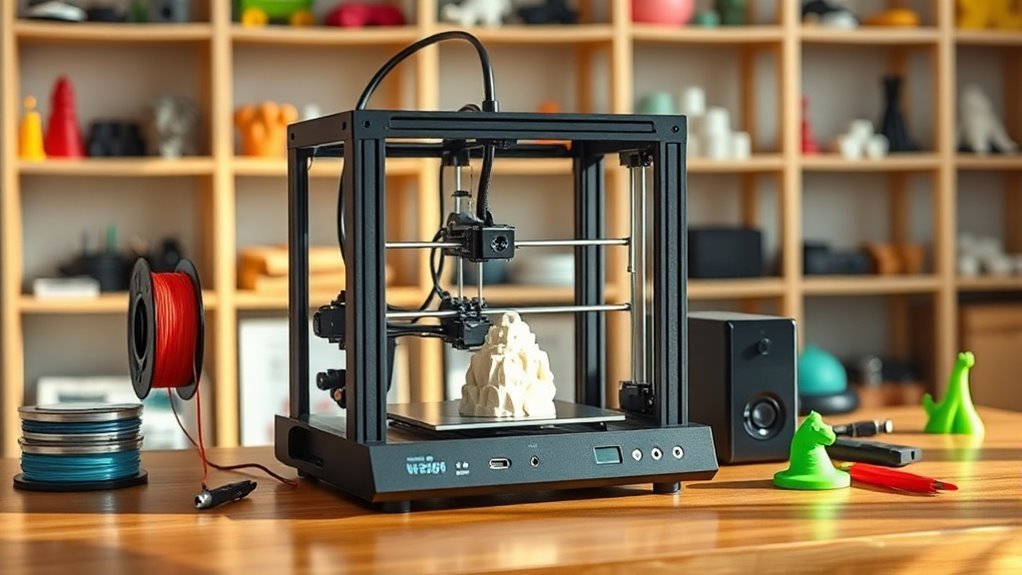
You’ll want to focus on printing speed and accuracy to get reliable results without wasting time.
Think about whether multi-color printing and easy setup matter for your projects. These features can make a big difference depending on what you’re creating.
Also, consider material compatibility and the build volume to match your creative needs. It’s all about finding the right fit for your ideas.
Printing Speed And Accuracy
While fast print speeds catch your eye, you should also focus on how accurately a 3D printer performs at those speeds. Don’t just compare maximum print speeds like 600 mm/s versus 250 mm/s; check the acceleration rates too. High acceleration (e.g., 20,000 mm/s²) impacts time saved on quick moves, so it really matters.
Look for features like automatic calibration, flow compensation, and first-layer calibration to maintain layer consistency, especially at high speeds. You want a printer that keeps things precise even when it’s moving fast.
Prefer printers that claim accuracy alongside speed, not just raw speed numbers. Also, consider vibration compensation systems—they reduce motion artifacts as speed increases.
Finally, prioritize machines with reliable first-layer tools, like dense point bed leveling and nozzle-to-bed distance calibration. These ensure dimensional accuracy from the start, so your prints don’t suffer despite fast printing.
Multi-Color Printing Capability
Speed and precision matter a lot, but if you want vibrant, detailed prints, multi-color capability becomes just as important. You’ll need a dedicated multi-material system, since single-extruder printers can’t switch colors reliably during one print.
Check how many colors the printer supports—some handle four by default, while others expand to 19 with extra hardware. Also, find out if color changes happen simultaneously with coordinated toolheads or sequentially with manual swaps.
Don’t overlook filament management features like run-out detection and backup systems; these prevent print failures during long, multi-color jobs. Finally, confirm the printer supports your material types—like PLA, PETG, or TPU—to avoid issues with extrusion or adhesion when switching colors or composites.
This ensures your multi-color prints come out flawless and hassle-free.
Setup And Calibration Ease
Because setup and calibration directly affect your printing success, choosing a 3D printer with automated features can save you time and hassle.
Look for models with fully automatic calibration or bed leveling, like 49-point full-auto or 25-point detection, to reduce manual first-layer adjustments. Automatic Z-offset calibration and clear first-layer guidance help ensure the correct nozzle-to-bed distance, preventing costly print failures.
Quick nozzle-change systems, such as 3-second swaps or one-clip designs, let you switch sizes or replace worn parts without extra calibration hassle.
Printers with built-in failure detection and real-time monitoring catch issues early, cutting down re-calibration.
Finally, pick machines that offer guided startup and are ready to print in about 15 minutes, so you can spend less time prepping and more time creating.
Material Compatibility Range
Once your 3D printer is set up and calibrated with ease, the next step is to evaluate the range of materials it can handle. Check which filament types your printer supports—common ones include PLA, PETG, and TPU, but some also handle ASA, PVA, or composites like PLA-CF.
Confirm the nozzle’s temperature capability; materials like ASA need around 280–300 °C. Make sure the filament diameter matches your reels, usually 1.75 mm, but don’t assume—verify it.
If you want to print with multiple materials, ensure your printer manages handoffs well, especially for flexible filaments like TPU. Also, see if it supports various nozzle sizes (0.25–0.8 mm) since different materials and print details often require nozzle changes.
This flexibility helps you get the most from your printer without extra costs.
Build Volume And Size
Consider your typical print size carefully when choosing a 3D printer’s build volume, as it directly impacts both cost and convenience. Larger build volumes, like 250×250×250 mm or around 260×260×260 mm, cost more but let you print bigger models without splitting them.
If you mainly produce small parts, a 100×100×100 mm printer may suffice and save money. Don’t forget to check the printer’s real usable size—sometimes frame or enclosure designs reduce effective space.
Also, think about height; compact models often limit Z-axis capacity, while square volumes offer more flexibility for taller prints. To stay cost-effective, balance the build volume against your usual project dimensions so you’re not paying for unused space.
This approach ensures you get the right size without overspending.
Noise Levels And Operation
When choosing a budget-friendly 3D printer, paying close attention to noise levels and overall operation can make a big difference in your printing experience. Aim for models with sound levels at or below 48 dB to keep your workspace quiet, especially if you plan to print at home or in a learning environment.
Look for printers equipped with silent 32-bit mainboards or noise-dampening features to reduce distractions. Consider vibration compensation and resonance reduction for smoother, quieter motion. It really helps keep things calm while the printer works.
Don’t overlook cooling systems—dual-fan or adaptive airflow designs minimize fan noise during long prints. If you intend to run prints unattended, choose printers offering monitoring options like cameras or error alerts. That way, you can stay informed without having to stay close to a noisy machine.
These factors ensure quieter, hassle-free printing. So, keeping an eye on these details will make your 3D printing experience much more pleasant.
Reliability And Failure Detection
Quiet operation makes your 3D printing sessions more enjoyable, but reliability keeps your projects on track. You should look for printers with built-in AI or failure detection that alert you in real time, cutting down wasted filament and time.
Filament run-out protection and automatic recovery are crucial—they let your print pause and resume smoothly after interruptions. Advanced first-layer safeguards like automatic bed leveling and Z-offset calibration prevent common failures caused by poor nozzle distance.
Hardware features such as stable motion control and vibration compensation help avoid layer shifts that monitoring alone can’t fix. Multiple sensors, including multi-point bed sensing, improve extrusion consistency and catch errors early, especially during long or fast prints.
Prioritizing these features ensures your printer works reliably and saves you frustration. It’s all about making your printing experience smoother and worry-free.
Connectivity And Remote Control
Although reliable hardware is essential, seamless connectivity and remote control can take your 3D printing experience to the next level. Look for printers with built-in WiFi and app remote control so you can start, pause, and monitor prints without staying by the machine.
Real-time monitoring, like camera-based views and instant error alerts, helps you catch issues early and avoid wasted material. Choose models that let you track print progress and adjust settings remotely, such as temperature or print parameters.
Multiple connectivity options—WiFi, USB, or TF card—ensure you’re not stuck if one method fails. And lastly, pair remote control with print protection sensors like filament-run-out detection, so your app notifies you during long prints.
That way, you keep your projects on track without constant supervision. It’s all about making 3D printing easier and more convenient for you.
Frequently Asked Questions
What Types of Filaments Are Compatible With Budget 3D Printers?
You’ll typically use PLA, ABS, and PETG filaments with budget 3D printers since they’re affordable and easy to print.
Some models also handle TPU for flexible prints, but always check your printer’s specs before buying filament. It’s a good idea to know what your machine can handle to avoid any surprises.
How Does 3D Printer Maintenance Affect Long-Term Costs?
You’ll save up to 30% on repairs by regularly maintaining your 3D printer. Cleaning, lubricating, and calibrating prevent costly breakdowns.
Are There Any Subscription Services for 3D Printing Software?
Yes, you’ll find subscription services like Ultimaker Cura and Autodesk Fusion 360 offering advanced 3D printing software with regular updates and cloud features.
These subscriptions keep your tools current without large upfront costs, boosting your efficiency. It’s a great way to stay updated without breaking the bank.
Can Cost-Effective 3D Printers Handle Large-Scale Printing Projects?
Yes, you can handle large-scale printing with cost-effective 3D printers, but you’ll need to choose models with bigger build volumes and reliable components.
Just make sure to manage print times and material costs carefully for best results. It’s all about finding the right balance between size, quality, and budget.
What Safety Precautions Should Beginners Follow When Using 3D Printers?
Wear gloves and make sure your workspace has strong ventilation. Avoid touching any heated parts to keep yourself safe.
Also, never leave the printer unattended while it’s running. This helps protect you, preserve your workspace, and ensures smooth printing.
Conclusion
Choosing the right 3D printer can boost your creativity without breaking the bank. Did you know that the global 3D printing market is expected to grow by over 20% annually through 2027? This means more affordable, high-quality options are becoming available every year.
Models like the Bambu Lab P2S Combo and Creality Ender 3 V3 SE are perfect examples of cost-effective printers that keep getting better. Whether you’re just starting out or you’re a seasoned pro, there’s a 3D printer that fits your needs and budget.
So, if you want to bring your ideas to life without spending a fortune, choosing from the best cost-effective 3D printers in 2027 is the way to go. You’ll find reliable, innovative, and budget-friendly options ready to fuel your creativity.