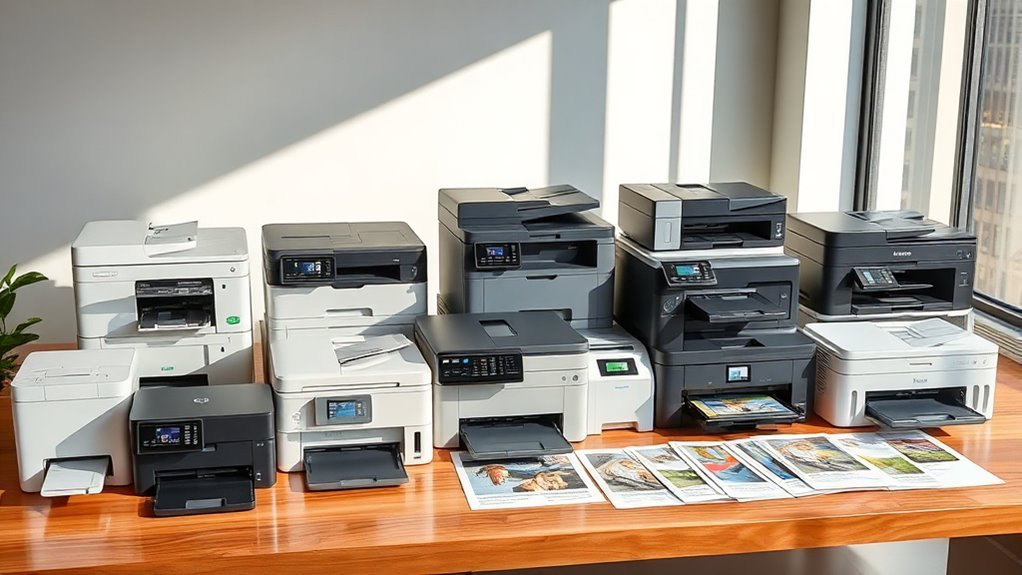
13 Best Cost Benefit Printers for 2027
You’ll want printers like the Canon MegaTank G3270 or HP Smart Tank Plus 570 for super low ink costs and refillable tanks that cut ongoing expenses. These models are perfect if you’re looking to save money on ink without sacrificing print quality.
For compact home use, consider Canon PIXMA models with automatic duplex printing to save paper. They’re great for everyday tasks and fit nicely on your desk without taking up too much space.
If you need office productivity, HP OfficeJet Pro 8135 offers duplex and high-capacity trays. It’s designed to handle larger print jobs efficiently.
Epson’s EcoTank ET-15000 handles wide-format with minimal ink hassle. This one’s ideal if you want to print bigger documents without worrying about frequent refills.
Keep exploring to find the perfect balance of features, cost, and convenience for 2027. There’s definitely a printer out there that matches your needs and budget!
| Image | Name | Editor's Rating | Price |
|---|---|---|---|

|
|
||

|
|
||

|
|
||

|
|
||

|
|
Canon MegaTank G3270 All-in-One Wireless Color Printer
- Wireless Print/Copy/Scan
- Up to 2 years of ink included (2)
- Print up to 6,000 black & white / 7,700 color pages using a single set of inks! (1)
- Save up to $1,000 on ink (1)
- 1.35” Square LCD display

The Canon MegaTank G3270 All-in-One Wireless Color Printer is designed to keep your printing costs low without compromising on quality. It tackles the common problem of expensive ink replacements by including up to two years’ worth of ink. This means you can print up to 6,000 black-and-white or 7,700 color pages, ideal for heavy daily use.
Wireless functionality allows you to print, copy, and scan from anywhere in your workspace, reducing clutter and increasing convenience. The printer’s compact design features a 1.35-inch LCD display, which keeps operation simple and straightforward. While it only supports single-sided printing, this helps maintain ease of use.
Maintenance is easy since the MegaTank system uses refillable ink tanks, preventing frequent cartridge changes and lowering ongoing costs. This model is best suited for individuals or small offices that need a reliable all-in-one printer capable of handling large volumes without complex features.
Best for: Small offices or home users seeking a cost-efficient, wireless all-in-one printer for high-volume printing, copying, and scanning.
What We Like:
- Includes up to two years’ ink supply for high-volume printing
- Wireless printing, copying, and scanning for flexible use
- Refillable ink tanks reduce maintenance and ink costs
- Compact design with simple LCD interface
Specification:
| Feature | Details |
|---|---|
| Manufacturer | Canon |
| Dimensions | Not specified |
| Weight | Not specified |
| Color Options | Not specified |
| Display | 1.35-inch LCD |
| Printing Type | Single-sided |
Canon PIXMA TS4320 – Wireless Color Inkjet Printer with Print, Copy, Scan
- Affordable Versatility - A budget-friendly all-in-one printer perfect for both home users and hybrid workers, offering exceptional value
- Crisp, Vibrant Prints - Experience impressive print quality for both documents and photos, thanks to its 2-cartridge hybrid ink system that delivers sharp text and vivid...
- Effortless Setup & Use - Get started quickly with easy setup for your smartphone or computer, so you can print, scan, and copy without delay
- Reliable Wireless Connectivity - Enjoy stable and consistent connections with dual-band Wi-Fi (2.4GHz or 5GHz), ensuring smooth printing from anywhere in your home or...
- Scan & Copy Handling - Utilize the device’s integrated scanner for efficient scanning and copying operations
The Canon PIXMA TS4320 is designed to make everyday printing tasks simple and efficient. Its compact size fits easily into small spaces, perfect for home offices or hybrid work setups. This all-in-one printer handles printing, copying, and scanning with ease, helping you stay productive without clutter.
Wireless dual-band Wi-Fi and mobile printing via the Canon PRINT App keep you connected and flexible. Automatic duplex printing reduces paper use and saves time. The printer delivers crisp, vibrant prints with a sharp 1200 dpi resolution and a hybrid 2-cartridge ink system, ensuring high-quality output for documents and photos.
Maintenance is straightforward with starter ink tanks included, and the single paper tray holds up to 100 sheets, minimizing frequent refills for light to moderate use. The flatbed scanner adds convenience for digitizing documents, though the absence of an automatic document feeder limits batch scanning.
While it lacks an OLED display, the PIXMA TS4320 focuses on reliable, essential functions that meet everyday needs. Its wireless features and compact design make it a practical choice for basic home or hybrid work environments.
Best for: users needing an affordable, compact all-in-one printer for routine home or hybrid work tasks like school projects, recipes, and photo printing.
What We Like:
- Wireless dual-band Wi-Fi and mobile printing for easy connectivity
- Automatic duplex printing to save paper and time
- Sharp 1200 dpi output with vibrant color from a hybrid ink system
- Compact design fits tight spaces
- Simple maintenance with included starter ink tanks
Specification:
| Feature | Details |
|---|---|
| Manufacturer | Canon |
| Dimensions | Compact size (exact size not specified) |
| Weight | Not specified |
| Ink System | Hybrid 2-cartridge ink |
| Paper Tray Capacity | 100 sheets |
| Connectivity | Wireless dual-band Wi-Fi |
| Additional Features | Automatic duplex printing, flatbed scanner |
Canon PIXMA TR4720 Wireless All-in-One Printer
- Wireless 4-in-1 (print | copy | scan | fax)..Power Consumption: 7W (0.8W Standby / 0.3W Off)
- Print speed up to: 4" x 6" Borderless Photo (PP-201): Approx. 65.0 Seconds / Black Document (Letter/Simplex): Approx. 8.8 ipm / Color Document (Letter/Simplex): Approx...
- Designed for easy ink cartridge installation and replacement.
- Auto 2-sided printing and auto document feeder.
- Produce quality documents, photos and boarderless prints up to 8.5" x 11".
The Canon PIXMA TR4720 offers a compact design that fits easily in tight spaces. It simplifies everyday tasks by combining printing, copying, scanning, and faxing into one versatile device. This all-in-one printer delivers sharp black text and vibrant color prints, addressing the need for reliable document quality at home or in small offices.
Its automatic two-sided printing and 100-sheet front tray reduce the time spent on manual tasks. The auto document feeder handles multi-page documents efficiently, easing workflow for users managing various paperwork. Wireless and USB connectivity enable seamless mobile printing, making it easier to print from smartphones or laptops.
Maintenance is straightforward with an energy-efficient hybrid ink system that balances sharp text and bright colors. The printer supports Canon’s PIXMA Print Plan, which helps lower ink costs through a subscription model, though this service is limited in certain U.S. regions. The device’s moderate print speed is suitable for typical home or office use but may be slower for large color print jobs.
Best for: Individuals and small office users needing a compact, versatile all-in-one printer that offers wireless connectivity and cost-effective ink management.
What We Like:
- Automatic two-sided printing and auto document feeder improve efficiency
- Wireless printing and Alexa integration for added convenience
- Energy-efficient design with cost-saving ink subscription options
Specification:
| Feature | Details |
|---|---|
| Manufacturer | Canon |
| Dimensions (W x D x H) | 17.7 x 11.7 x 7.5 inches |
| Weight | 11.5 lbs |
| Color Options | Black |
| Connectivity | Wireless, USB |
HP DeskJet 2923 Color Inkjet Printer | Wireless | All-in-One
- Perfect for basic printing needs – Print everyday color documents like to-do lists, letters, financial documents and recipes
- KEY FEATURES – Color print, copy, scan, and a 60-sheet input tray, plus mobile and wireless printing
- OPTIMIZE PRINT FORMATTING WITH HP AI – Print web pages and emails with precision—no wasted pages or awkward layouts; HP AI easily removes unwanted content, so your...
- ICON LCD – Print your basic documents with ease from the intuitive control panel
- PRINT SPEED – Up to 7.5 ppm black, 5.5 ppm color
Experience seamless printing, scanning, and copying with the HP DeskJet 2923 Color Inkjet Printer. Designed for everyday use, this compact all-in-one printer fits neatly into your home workspace, helping you manage daily tasks without hassle. Its wireless capability means you can print directly from your smartphone or laptop, eliminating the need for cables and extra setup.
Maintaining the DeskJet 2923 is straightforward, with a simple interface and easy access for replacing ink cartridges. The printer supports dual-band Wi-Fi, ensuring a stable connection even in busy networks. While manual duplex printing requires flipping pages yourself, it still offers a convenient way to save paper when needed.
This printer is ideal for producing clear color documents such as recipes, letters, and school projects. With print speeds of up to 7.5 ppm in black and 5.5 ppm in color, it handles moderate workloads efficiently. The high resolution of up to 4800 x 1200 dpi delivers sharp text and vibrant images.
Included with the DeskJet 2923 is a 6-month Instant Ink trial, helping to lower running costs by delivering ink before you run out. Its ENERGY STAR certification highlights a design focused on energy efficiency and sustainability.
Best for: Individuals and families needing a compact, affordable all-in-one printer for everyday wireless printing, scanning, and copying at home.
What We Like:
- Wireless printing with dual-band Wi-Fi and mobile app support for easy device connectivity
- High print resolution (up to 4800 x 1200 dpi) for sharp text and vibrant color
- Includes a 6-month Instant Ink trial to help reduce ink expenses
- ENERGY STAR-certified design promotes energy efficiency and sustainability
Specification:
| Feature | Details |
|---|---|
| Manufacturer | HP |
| Dimensions (W×D×H) | 16.04 × 6.69 × 5.75 inches |
| Weight | Approximately 5.2 lb (2.36 kg) |
| Color Options | White with black accents |
| Print Speed | Up to 7.5 ppm (black), 5.5 ppm (color) |
| Print Resolution | Up to 4800 × 1200 dpi |
| Copy Resolution | Up to 300 × 300 dpi |
| Input Tray Capacity | 60 sheets |
| Connectivity | Dual-band Wi-Fi, USB |
Canon PIXMA TS6520 Wireless Color Inkjet Printer, 1.42″ OLED Display, White
- Affordable Versatility - A budget-friendly all-in-one printer perfect for both home users and hybrid workers, offering exceptional value
- Crisp, Vibrant Prints - Experience impressive print quality for both documents and photos, thanks to its 2-cartridge hybrid ink system that delivers sharp text and vivid...
- Effortless Setup & Use - Get started quickly with easy setup for your smartphone or computer, so you can print, scan, and copy without delay
- Reliable Wireless Connectivity - Enjoy stable and consistent connections with dual-band Wi-Fi (2.4GHz or 5GHz), ensuring smooth printing from anywhere in your home or...
- Scan & Copy Handling - Utilize the device’s integrated scanner for efficient scanning and copying operations
Experience hassle-free printing at home or school with the Canon PIXMA TS6520. This compact all-in-one printer simplifies your tasks by combining printing, scanning, and copying in one device. It delivers crisp, detailed prints with a sharp 1200 × 1200 dpi resolution and supports automatic duplex printing to save paper and time.
Setting up and using the printer is straightforward thanks to its dual-band Wi-Fi and mobile device compatibility. You can print wirelessly from smartphones or tablets without any complicated steps. The 1.42-inch OLED display provides clear status updates, so you always know your ink levels and printer readiness at a glance.
Maintenance is easy with its two-cartridge hybrid ink system, which balances vibrant color output with sharp black text. The printer’s compact design and lightweight build make it easy to fit into small workspaces. While it lacks an automatic document feeder and has a modest paper capacity, it is well-suited for light to moderate printing needs.
Best for: individuals or students seeking a versatile, space-saving all-in-one printer with wireless convenience for everyday home use.
What We Like:
- High-quality prints and copies with 1200 × 1200 dpi resolution.
- Wireless dual-band Wi-Fi and mobile printing support.
- Clear 1.42″ OLED display for easy monitoring.
- Compact and lightweight design for limited spaces.
Specification:
| Feature | Details |
|---|---|
| Manufacturer | Canon |
| Dimensions (W×D×H) | 14.7 × 12.1 × 5.6 inches |
| Weight | 15.4 lbs (7 kg) |
| Color Options | White |
| Ink System | Two-cartridge hybrid ink |
| Display | 1.42-inch OLED |
| Connectivity | Dual-band Wi-Fi, Mobile |
HP OfficeJet Pro 8125 Wireless All-in-One Printer

- FROM AMERICA'S MOST TRUSTED PRINTER BRAND – The OfficeJet Pro 8125 is perfect for home offices printing professional-quality color documents like business documents...
- 3 MONTH TRIAL OF INSTANT INK INCLUDED – Subscribe to the Instant Ink delivery service to get ink delivered directly to your door before you run out, and you save up to...
- KEY FEATURES – Fast color printing, scan, copy, auto 2-sided printing, auto document feeder, and a 225-sheet input tray
- 2.7-INCH TOUCHSCREEN – Quickly navigate your printer with a large color touchscreen and a phone-like user interface
- WIRELESS PRINTING – Stay connected with our most reliable dual-band Wi-Fi, which automatically detects and resolves connection issues
Experience seamless productivity with the HP OfficeJet Pro 8125 Wireless All-in-One Printer. Designed to simplify your home office tasks, it combines printing, scanning, copying, and faxing in one compact device. This all-in-one functionality helps you manage documents efficiently without needing multiple machines.
The printer’s automatic duplex printing saves time and reduces paper waste, while its 225-sheet capacity ensures you can handle large jobs without frequent refills. You get sharp, professional-quality prints that are water, smear, and fade-resistant, keeping your documents looking crisp and clear.
Connectivity options like dual-band Wi-Fi, Ethernet, and AirPrint provide flexible ways to print directly from smartphones or computers. The HP app lets you control tasks remotely, making it easier to stay productive from anywhere. Maintenance is straightforward, but note that it requires original HP cartridges with chips for optimal performance.
With smart layout optimization to reduce waste and built-in security features, the OfficeJet Pro 8125 balances performance and sustainability for busy professionals.
Best for: Professionals and home office users needing a reliable all-in-one printer with versatile wireless features and smart document handling.
What We Like:
- Multifunction print, scan, copy, and fax via smartphone app
- Automatic duplex printing with a large 225-sheet tray
- Durable, water and fade-resistant print quality
- Flexible connectivity including dual-band Wi-Fi and Ethernet
- Smart layout optimization reduces paper waste
Specification:
| Feature | Details |
|---|---|
| Manufacturer | HP |
| Dimensions | Approx. 17.3 x 14.9 x 8.5 in (44 x 38 x 21.6 cm) |
| Weight | About 15.4 lb (7 kg) |
| Color Options | White with black accents |
| Connectivity | Dual-band Wi-Fi, Ethernet, USB, AirPrint |
Brother MFC-L8930CDW Color Laser All-in-One Printer

- Updated design, professional results. High-quality output with sharp color and black printing. Fast print and copy speeds up to 33ppm(1) help boost productivity. Reliable...
- Maximize printing budgets. Offers built-in value with included Brother Genuine 3,000-page black and 1,800-page color standard yield toner cartridges. Help lower printing...
- Advanced scanning. High-speed, two-sided scanning up to 104ipm(3) with 80-page auto document feeder(4) and legal-size glass. Scan to cloud, email, SharePoint, and more...
- Productivity-enhancing features. Flexible connectivity, including built-in dual-band (2.4GHz / 5GHz) wireless networking and Gigabit Ethernet networking. 7” color...
- Triple Layer Security. Advanced security features to help keep devices secure, protect documents in transit to and from print devices, and safeguard networks. Includes an...
The Brother MFC-L8930CDW is designed to meet the needs of small businesses looking for efficient, high-quality color printing. It delivers crisp prints at a fast rate of 33 pages per minute, helping you keep up with busy workloads without sacrificing detail. Its compact design fits neatly into limited office spaces, making it a practical choice for any workspace.
This all-in-one printer simplifies document handling with a multipurpose tray and an 80-page automatic document feeder. You can easily manage double-sided scanning and send documents directly to cloud services or email using the intuitive 7-inch touchscreen. The touchscreen offers up to 64 customizable shortcuts, saving time on repetitive tasks.
Connectivity is seamless with dual-band wireless and Gigabit Ethernet, ensuring stable and fast network access. Security is a priority, featuring triple-layer protection and NFC badge authentication to safeguard sensitive information. Maintenance is straightforward, though standard toner cartridges may need frequent replacement unless you opt for higher-yield versions.
Energy efficiency and sustainability are built in, as the printer carries ENERGY STAR certification and incorporates recycled materials. This makes it an eco-friendly choice for businesses aiming to reduce their environmental impact.
Best for: Small businesses needing a fast, reliable color laser printer with versatile scanning and strong security in a compact, eco-conscious design.
What We Like:
- Fast printing and scanning speeds with sharp color and black output
- Easy-to-use 7-inch touchscreen with customizable shortcuts
- Multiple connectivity options including dual-band wireless and Ethernet
- Strong security features with triple-layer protection and NFC authentication
- ENERGY STAR certified and made with recycled materials
Specification:
| Feature | Details |
|---|---|
| Manufacturer | Brother |
| Dimensions (W×D×H) | Compact (specific size not provided) |
| Weight | Not specified |
| Material | Not specified |
| Color Options | Not specified |
HP Smart Tank Plus 570 Tank Printer | 2 Years of Ink Included | All-in-One

- SET IT UP ONCE AND PRINT WITH CONFIDENCE. No complicated maintenance. Just easy, reliable printing you can count on.
- INK FOR YEARS. NOT MONTHS. Up to 2 years of ink included. Get thousands of pages of cartridge-free printing. More pages, less hassle
- KEEPS PRINTING WELL AFTER COMPETITORS HAVE QUIT. No complex maintenance. Sharper text, richer colors.[2] Only with HP Smart Tank
- INNOVATION YOU CAN TRUST. Cartridge-free printing that keeps you printing longer with fewer interruptions, powered by the trusted HP innovation you rely on today
- THE LAST PRINTER YOU'LL EVER NEED. Enjoy years of refillable, cartridge-free printing.[
Experience hassle-free printing with the HP Smart Tank Plus 570, designed to keep your home or school projects flowing smoothly. This all-in-one printer combines printing, copying, and scanning in one compact device, so you can handle multiple tasks without switching machines. Its refillable ink tank system comes with up to 2 years of ink, helping you avoid frequent cartridge changes and interruptions.
The mess-free refill design prevents spills, making maintenance simple and clean. Wireless connectivity lets you print from various devices without cables, while the 100-sheet tray reduces the need for constant paper refills. High-resolution color printing (4800 x 1200 dpi) ensures sharp, vibrant documents for everyday needs.
Though it does not support duplex printing, the printer offers reliable performance for single-sided documents. Its moderate print speed suits typical home or student use. The variety of supported media sizes and types adds flexibility for diverse printing tasks.
Best for: individuals and families needing reliable, high-volume home or student printing with minimal maintenance and mess-free ink refills.
What We Like:
- Up to 2 years of ink included with high page yield
- Mess-free, cartridge-free refillable ink tanks
- Wireless all-in-one functionality with sharp color prints
- Supports multiple media sizes and types
- Compact design with easy maintenance
Specification:
| Feature | Details |
|---|---|
| Manufacturer | HP |
| Dimensions | Not specified |
| Weight | Not specified |
| Ink System | Refillable ink tank |
| Print Resolution | Up to 4800 x 1200 dpi |
| Paper Capacity | 100-sheet tray |
| Connectivity | Wireless |
| Functions | Print, copy, scan |
Brother HL-L8430CDW Wireless Color Laser Printer

- Optimize business productivity. Built for dependable performance and professional results with print speeds up to 33ppm(1), vibrant color, and sharp black output. Durable...
- Maximize printing budgets. Offers built-in value with included Brother Genuine 3,000-page black and 1,800-page color toner cartridges. Help lower printing costs by using...
- Expandable paper capacity. 250-sheet capacity paper tray and 50-sheet capacity multipurpose tray for printing on custom media and envelopes. Expandable up to 1,340 sheets...
- Productivity-enhancing features. Flexible connectivity and a 2.7” color touchscreen enables seamless menu navigation and direct printing from popular business cloud...
- Triple Layer Security. Advanced security features to help keep devices secure, protect documents in transit to and from print devices, and safeguard networks. Includes an...
The Brother HL-L8430CDW Wireless Color Laser Printer is designed for business environments where speed and quality matter. It handles high-volume printing with ease, delivering crisp, vibrant color pages at up to 33 pages per minute. This printer helps teams produce professional documents quickly, reducing delays in busy workflows.
Its flexible paper handling supports various media types, including card stock and envelopes. The standard 300-sheet tray can expand to 1,340 sheets, minimizing interruptions during peak printing times. Automatic duplex printing also saves time and paper, enhancing overall efficiency.
Maintenance is straightforward with the user-friendly 2.7” color touchscreen for easy navigation. The printer’s dual-band Wi-Fi allows seamless printing from mobile devices or cloud services, keeping your workspace clutter-free. Security is a priority, featuring triple-layer protection and NFC authentication to safeguard sensitive data.
While it focuses solely on printing without scanning or copying, the HL-L8430CDW stands out for its reliability and robust security. Its ENERGY STAR certification and EPS-free packaging show a commitment to environmental responsibility.
Best for: Business teams and high-demand offices requiring fast, vibrant color printing with strong security and efficient media handling.
What We Like:
- Fast print speed up to 33 ppm with sharp color and black output
- Supports various media with expandable paper capacity
- User-friendly touchscreen and mobile/cloud printing options
- Strong security with triple-layer protection and NFC authentication
- Energy-efficient design with eco-friendly packaging
Specification:
| Feature | Details |
|---|---|
| Manufacturer | Brother |
| Dimensions (W×D×H) | 16.1 × 18.9 × 15.0 inches |
| Weight | 46.3 lb (21 kg) |
| Paper Capacity | 300 sheets (expandable to 1,340) |
| Connectivity | Dual-band Wi-Fi, NFC |
| Display | 2.7” color touchscreen |
Epson Workforce Pro WF-4930 Wireless All-in-One Printer

- Built for Speed — PrecisionCore Heat-Free technology delivers fast, high-volume printing with 25 (black)/12 (color) ISO ppm and fast first-page-out
- High-Precision Office Printing — Accurate dot placement and DURABrite Ultra instant-dry pigment inks for professional-quality prints
- High-Volume Durability for Heavy Workloads — Innovative heat-free technology engineered for reliability and reduced downtime
- Complete Duplex Solution — All-in-one printer with auto 2-sided print, copy, scan and fax; plus 50-sheet ADF
- Maximize Printing Productivity — High-performance office printer with 500-sheet paper capacity; includes two 250-sheet trays for added convenience
The Epson Workforce Pro WF-4930 transforms your busy home office or small business with reliable, high-speed printing. It tackles heavy workloads by producing up to 25 black and 12 color pages per minute, helping you meet tight deadlines without sacrificing quality. This all-in-one printer handles printing, copying, scanning, and faxing, reducing the need for multiple devices.
Its smart design includes automatic duplexing and a 50-sheet automatic document feeder, streamlining double-sided document handling. Dual 250-sheet trays minimize paper refills, keeping your workflow steady and efficient. Wireless and Ethernet connectivity add flexibility, while the 4.3-inch touchscreen and voice-activated printing simplify operation.
Maintenance is straightforward with DURABrite Ultra inks that dry instantly, preventing smudges and keeping output sharp. However, it requires Epson Genuine Cartridges to avoid potential damage and maintain performance. The device supports paper sizes up to 8.5 x 14 inches, fitting most office needs but not oversized prints.
Compact yet powerful, the WF-4930 blends speed, quality, and versatility. It’s designed to improve productivity by addressing common office printing challenges with dependable technology.
Best for: small business professionals needing a fast, multifunctional printer with advanced duplex and wireless features.
What We Like:
- Fast print speeds up to 25 ppm black and 12 ppm color
- Automatic duplexing with ADF and dual 250-sheet trays
- Flexible connectivity including wireless, Ethernet, and voice commands
- Crisp, smudge-free prints using DURABrite Ultra inks
Specification:
| Feature | Details |
|---|---|
| Manufacturer | Epson |
| Dimensions | 16.7 x 19.8 x 14.7 inches |
| Weight | 23.6 lbs |
| Technology | Inkjet (PrecisionCore Heat-Free) |
| Paper Capacity | 2 x 250-sheet trays + 50-sheet ADF |
| Connectivity | Wireless, Ethernet, Voice-activated |
| Maximum Paper Size | 8.5 x 14 inches |
HP OfficeJet Pro 8135 Wireless All-in-One Printer

- FROM AMERICA'S MOST TRUSTED PRINTER BRAND – The OfficeJet Pro 8135 is perfect for home offices printing professional-quality color documents like business documents...
- 3 MONTH TRIAL OF INSTANT INK INCLUDED – Subscribe to the Instant Ink delivery service to get ink delivered directly to your door before you run out, and you save up to...
- KEY FEATURES – Fast color printing, scan, copy, fax, auto 2-sided printing, auto document feeder, and a 225-sheet input tray
- 2.7-INCH TOUCHSCREEN – Quickly navigate your printer with a large color touchscreen and a phone-like user interface
- WIRELESS PRINTING – Stay connected with our most reliable dual-band Wi-Fi, which automatically detects and resolves connection issues
The HP OfficeJet Pro 8135 Wireless All-in-One Printer is designed to meet the needs of home offices requiring fast, high-quality color printing. It simplifies daily tasks with automatic duplex printing and a 225-sheet tray, helping you manage multiple jobs without constant refills. The intuitive 2.7-inch touchscreen enhances ease of use, reducing time spent on setup and adjustments.
This printer improves your workflow by using HP’s AI formatting technology, which trims unnecessary content for efficient, professional prints. Wireless connectivity options like dual-band Wi-Fi, AirPrint, and Ethernet ensure smooth integration with your home network, minimizing interruptions. Prints deliver sharp, water-resistant, and fade-proof results with a resolution of up to 4800 x 1200 dpi.
Maintenance is straightforward, but note that it requires original HP cartridges with chip compliance enforced through firmware updates. The single-sided ADF and moderate copy speed mean it’s best suited for moderate, not heavy, office use. While media size is limited to standard letter and legal formats, it covers most home office needs effectively.
Best for: home users and small offices that want reliable, wireless all-in-one printing with professional color quality and smart functionality.
What We Like:
- Fast, automatic duplex printing with a large input tray
- Sharp, durable color prints enhanced by AI formatting
- Versatile wireless connectivity including dual-band Wi-Fi and Ethernet
- Easy navigation via a responsive 2.7-inch touchscreen
Specification:
| Feature | Details |
|---|---|
| Manufacturer | HP |
| Dimensions (W×D×H) | 17.3 × 14.6 × 9.2 inches |
| Weight | 19.8 lbs (9 kg) |
| Color Options | Black |
| Max Print Resolution | Up to 4800 × 1200 dpi |
| Input Tray Capacity | 225 sheets |
Epson EcoTank ET-15000 Wireless All-in-One Wide-Format Supertank Printer

- PHOTO PRINTING — Ultra HD photo printer delivers borderless prints up to 13 in x 19 in with 6-color Claria Photo HD ink system including red and gray for enhanced color...
- COMPACT DESKTOP PRINTER — Wide format A3 plus printer is 30% smaller than predecessor and fits on desktop, easily fits on desktop while accommodating specialty media...
- WIRELESS CONNECTIVITY — Wi-Fi printer enables convenient printing from computers, smartphones and tablets with auto 2-sided document printing capability and 200-sheet...
- INDIVIDUAL INK SYSTEM — 6-color cartridge system with Claria Photo HD technology provides color accuracy and longevity; Designed for use with genuine Epson printer ink...
- SMART CONVENIENCE — Amazon Dash Replenishment Ready feature automatically tracks ink usage and orders replacement cartridges when running low; Supports uninterrupted...
The Epson EcoTank ET-15000 is designed to meet the needs of users seeking wide-format, cartridge-free printing without the hassle of frequent ink replacements. This all-in-one inkjet printer simplifies large-format printing by delivering borderless photos up to 13 × 19 inches and supporting automatic duplex printing, making it ideal for both creative projects and business documents.
Maintenance is easy thanks to the 6-color Claria Photo HD ink system, which drastically reduces ink costs by up to 90%. The EcoTank design means fewer interruptions for refills, and the included Amazon Dash Replenishment keeps ink levels managed automatically, so you can focus on your work rather than supplies.
Its wireless connectivity and intuitive 2.7-inch touchscreen allow seamless printing from multiple devices, enhancing convenience in busy environments. With a 250-sheet paper capacity, this model handles high-volume tasks efficiently, although its physical size requires ample workspace.
While it excels in photo and document versatility, note that standard paper prints max out at 11 × 17 inches, and print speeds are moderate, which may not suit users needing rapid output. Still, its performance and cost savings make it a solid choice for wide-format printing needs.
Best for: users who require a versatile, cost-effective wide-format all-in-one printer with reliable wireless connectivity for photo and document projects.
What We Like:
- Cartridge-free 6-color ink system cuts ink costs by up to 90%
- Wide-format borderless printing up to 13 × 19 inches
- Automatic duplex printing for efficient double-sided output
- Wireless printing with a user-friendly 2.7-inch touchscreen
- Amazon Dash Replenishment for hassle-free ink management
Specification:
| Feature | Details |
|---|---|
| Manufacturer | Epson |
| Dimensions (W×D×H) | 29.6 × 19.6 × 14.3 inches |
| Weight | 26.5 lb (12 kg) |
| Ink System | 6-color Claria Photo HD |
| Max Borderless Photo | 13 × 19 inches |
| Max Standard Paper | 11 × 17 inches |
| Paper Capacity | 250 sheets |
| Connectivity | Wireless |
| Touchscreen Size | 2.7 inches |
HP OfficeJet Pro 9730 Wide-Format All-in-One Printer

- FROM AMERICA'S MOST TRUSTED PRINTER BRAND – The wide-format OfficeJet Pro 9730 is perfect for offices printing professional-quality color documents like floorplans...
- 3 MONTH TRIAL OF INSTANT INK INCLUDED – Subscribe to the Instant Ink delivery service to get ink delivered directly to your office door before you run out, and you save...
- KEY FEATURES – Fast color printing up to 11 x 17, copy, auto 2-sided printing, auto document feeder with single-pass 2-sided scanning, and two 250-sheet input trays
- EASILY ACHIEVE VIBRANT, SCREEN-ACCURATE PRINTS – Print true to screen with the world's first and only wide-format printer with P3 for a wider color gamut vs. sRGB
- 4.3-INCH TOUCHSCREEN – Quickly navigate your printer with a large color touchscreen and a phone-like user interface
Experience versatile wide-format color printing with the HP OfficeJet Pro 9730, designed to meet the demands of busy offices. It handles documents up to 11 x 17 inches, ideal for detailed floorplans and complex spreadsheets. This all-in-one printer streamlines tasks by combining printing, scanning, copying, and faxing in one device.
The device delivers sharp prints at a high resolution of 4800 x 1200 dpi and maintains fast speeds of 22 ppm for black and 18 ppm for color. Automatic duplexing reduces paper waste and saves time during two-sided printing. Navigation is simple with a responsive 4.3-inch touchscreen, while dual-band Wi-Fi and Ethernet ensure stable connectivity.
Maintenance is easy with a single-pass duplex automatic document feeder that efficiently scans both sides in one pass. HP’s Instant Ink subscription helps you avoid running out of ink, though it’s important to manage the subscription to prevent unexpected charges. Security is enhanced by HP Wolf Pro Security, protecting your network from threats.
Overall, this printer is a practical solution for offices needing reliable wide-format capabilities, efficient workflows, and strong security features.
Best for: Offices and professionals needing versatile wide-format color printing and scanning for detailed documents like floorplans, spreadsheets, and marketing materials.
What We Like:
- Wide-format printing up to 11 x 17 inches with high resolution and speed
- Single-pass duplex scanning and copying for efficient two-sided tasks
- Robust connectivity options including dual-band Wi-Fi, Ethernet, and mobile support
- Enhanced security with HP Wolf Pro Security
- Convenient touchscreen interface for easy navigation
Specification:
| Feature | Details |
|---|---|
| Manufacturer | HP |
| Dimensions (W x D x H) | 21.5 x 18.9 x 10.5 inches |
| Weight | 43 lb (19.5 kg) |
| Maximum Print Size | 11 x 17 inches |
| Print Resolution | Up to 4800 x 1200 dpi |
| Connectivity | Dual-band Wi-Fi, Ethernet |
| Display | 4.3-inch touchscreen |
Factors to Consider When Choosing a Cost Benefit Printer
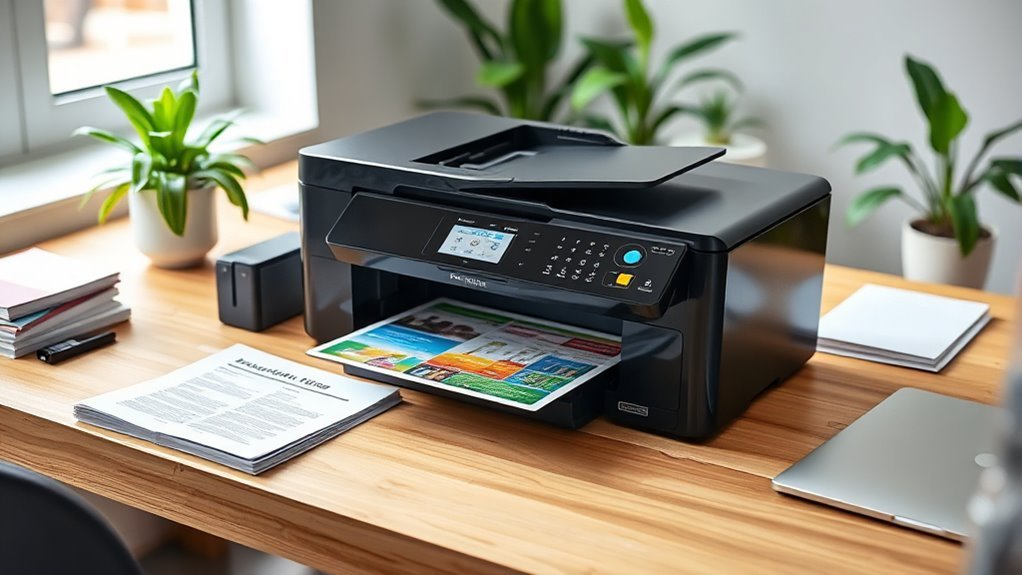
When choosing a cost benefit printer, you’ll want to weigh factors like the initial purchase price and ongoing ink or toner costs.
Think about how fast the printer works and whether it connects easily with your devices. Don’t forget to check if the print quality meets your needs for sharp, clear documents.
Initial Purchase Price
To get the best value from your printer purchase, start by comparing the upfront costs of different models. Features like automatic duplex printing, touchscreen controls, and wide-format support typically raise the initial price, so decide which you truly need.
Choose an all-in-one printer that matches your usage—print/copy/scan units cost less than those with added fax or automatic document feeder (ADF) functions. Think about whether you want a tank or cartridge-based printer; tank models often cost more initially but offer long-term savings.
Look for included starter ink or claims like “up to 2 years of ink included,” which can help offset the initial cost. And don’t forget to check paper-handling capacity—higher input limits and duplex support usually increase the price but can boost your efficiency.
Ink And Toner Costs
How much you spend replacing ink or toner can make or break the overall value of your printer. Compare page yields carefully—inkjet cartridges usually print between 6,000 to 7,700 pages, while laser toners vary from standard yields around 3,000 black pages to high-yield options reaching 7,500 pages.
Tank or supertank printers offer a different approach with refillable ink systems that often include ink for up to two years and large page yields, drastically lowering your cost per page. If you opt for subscription plans, watch for internet and regional shipping restrictions that might delay ink delivery.
Also, consider starter cartridge page counts, as low initial yields can increase early costs. Evaluating these factors helps you find a printer that balances ink or toner expenses with your printing needs.
Print Speed Efficiency
Ink and toner costs impact your printer’s overall value, but print speed efficiency directly affects your daily productivity. When comparing printers, focus on real output speeds like pages per minute (PPM) for both black-and-white and color. Color printing tends to be slower—often between 5 and 10 ppm versus around 14 ppm for black-and-white.
Don’t overlook the “first page out” time; even a fast printer can feel sluggish if it takes 7.5 to 20 seconds to start printing. Also, check if the speed ratings are for simplex or duplex printing, as duplex slows throughput.
If your workflow involves scanning or copying, consider the ADF and duplex scanning speeds separately. Match the printer’s speed profile to your typical jobs—favor black-and-white speed for text-heavy tasks and color speed for graphics or photos.
Connectivity And Compatibility
Selecting a printer with the right connectivity and compatibility capabilities guarantees you stay productive without frustrating setup or connection issues. First, check if the printer supports the wireless standards you need, like dual-band Wi‑Fi (2.4GHz/5GHz), and offers mobile printing options such as AirPrint or Mopria.
Make sure it works well with your devices and operating systems, including smartphones, tablets, and PCs. You don’t want to run into compatibility problems down the line.
If you want reliable access in busy environments, look for multiple network options like Wi‑Fi plus Ethernet. Having choices can really come in handy.
Also, check out the interfaces available for setup and backup access. USB ports and Wi‑Fi Direct are great for router-free printing when you need it.
Finally, think about your connectivity needs for cloud features or ink subscription programs. These often depend on consistent internet access, so keep that in mind.
Print Quality Standards
While print speed and connectivity matter, you’ll want to prioritize print quality standards to get the best value from your printer. Look for a high maximum print resolution—some inkjets reach around 4800 × 1200 dpi, while color lasers go up to 2400 × 600 dpi.
Make sure to check if these are optimized or true resolutions. Don’t overlook copy quality specs, since sharp prints don’t always mean sharp copies.
If you need edge-to-edge prints, choose a model with borderless printing support. Color accuracy also matters; think about ink types, multi-cartridge CMY+Black systems, and pigment versus dye inks for sharp text and vivid colors.
Finally, if scanning is part of your workflow, compare scanner resolutions. Flatbed scanners with around 4800 × 2400 dpi deliver better print-ready scans.
Maintenance And Durability
Because frequent interruptions can disrupt your workflow, choosing a printer designed for low-maintenance operation is essential. Opt for tank or supertank models that refill ink via bulk bottles to reduce cartridge replacement frequency and save upkeep time.
Look for features like automatic document feeders (ADF) and automatic duplex printing to minimize manual paper handling and lower jam risks. For durability, prioritize business-oriented printers with larger input/output trays (225 sheets or more) and faster throughput, reducing wear from constant reloading.
Check if maintenance is easy by ensuring replaceable parts are accessible and the printer shows ink levels to prevent late-run-outs that can damage printheads. Also, consider energy-efficient models with low standby power to decrease heat-related strain and support long-term reliability.
Frequently Asked Questions
How Do Printer Ink Cartridges Impact Long-Term Cost Savings?
Printer ink cartridges impact your long-term cost savings by determining how often you replace them and their price.
Choosing high-yield or refillable cartridges can lower expenses, so you don’t spend too much on frequent replacements.
It’s all about finding the right balance between cost and convenience. That way, you keep your printing budget in check without the hassle of constant changes.
Can These Printers Connect Directly to Smartphones Without Wi-Fi?
Think of your printer as a bridge; some connect directly to your smartphone without Wi-Fi using Bluetooth or USB, letting you print instantly.
What Is the Average Lifespan of These Printers Under Heavy Use?
You can expect these printers to last around 3 to 5 years under heavy use, depending on maintenance and print volume.
Regular cleaning and timely part replacements will help you extend their lifespan noticeably. It’s really about staying on top of upkeep to keep things running smoothly.
Are There Any Eco-Friendly Features in These Printers?
Looking for eco-friendly features? You’ll find many printers with energy-saving modes, recycled materials, and duplex printing to reduce waste.
Don’t you want a printer that saves money and helps the planet at the same time?
How Do These Printers Handle Duplex Printing Efficiency?
These printers handle duplex printing efficiently by automatically flipping pages, saving time and reducing paper waste. You’ll appreciate their fast double-sided printing speeds and minimal jams, making your workflow smoother and more eco-friendly.
It’s pretty handy, right? No need to manually turn the pages yourself. Plus, it helps you cut down on paper use without slowing you down.
Conclusion
Choosing the right cost-benefit printer is like planting a seed in your garden—you want one that grows efficiently, saving you time and money while bearing quality results. Just as a well-tended plant flourishes, the right printer will support your needs without draining your resources.
So, pick wisely and nurture your choice with proper care. Watch your printing experience bloom effortlessly for years to come. Finding the best cost-benefit printer means balancing affordability with performance, ensuring you get the most value without compromise.
With the right printer, you’ll enjoy smooth, high-quality prints and lower running costs. This makes your investment worthwhile and stress-free. Ultimately, choosing a cost-benefit printer for 2027 sets you up for reliable, efficient printing that fits both your budget and lifestyle perfectly.