5 Best AutoCAD Printers for 2027 That Deliver Precision
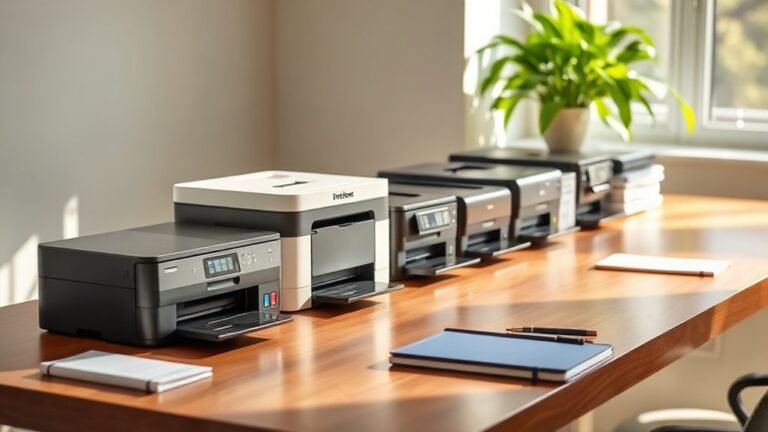
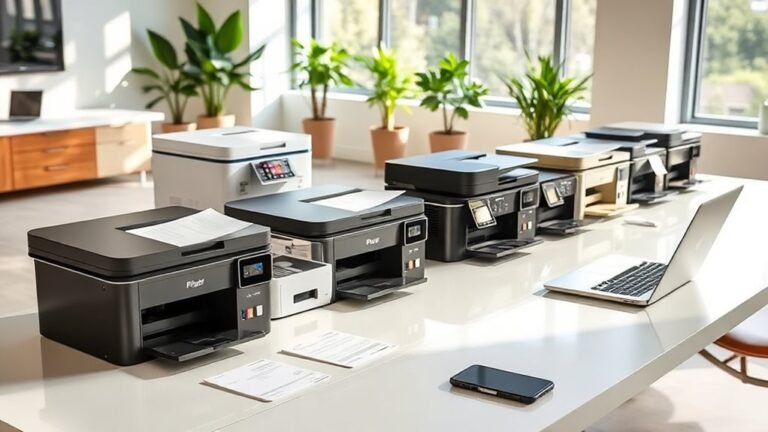
If you’re searching for the best AutoCAD printers for 2027, you want models that deliver precision, handle large formats, and produce sharp, detailed prints.
Whether you’re an architect, engineer, or designer, having the right printer is essential for bringing your digital plans to life with accuracy. From large-scale blueprints to vibrant project presentations, the best AutoCAD printers combine speed, quality, and reliability to meet your specific needs.
Take the HP DesignJet T210 and the Epson EcoTank Photo ET-8550, for example. These printers handle large formats with ease and produce crisp, sharp prints every time.
Then, there’s the Canon Color imageCLASS MF753Cdw, known for its speed and versatility.
The Epson WorkForce Pro WF-7840 shines when it comes to vibrant images, while the HP LaserJet Pro 3105sdw offers dependable performance for everyday office tasks.
Explore these options and find the perfect fit for your AutoCAD printing needs.
| Image | Name | Editor's Rating | Price |
|---|---|---|---|

|
|
||

|
|
||

|
|
||

|
|
HP DesignJet T210 Large Format Plotter Printer
- Ideal for: Technical line drawings, renders requiring precise, accurate line-quality and crisp text, posters, maps, and professional sewing patterns.
- Media Sizes: Up to 24-inch wide media rolls (large format), and up to 13-inch by 19-inch sheets (wide format) using the optional automatic sheet feeder accessory.
- Media Handling: Sheet feed, roll feed, automatic horizontal cutter.
- Simple & Cost Effective: Print multi-size projects automatically, without needing to manually switching the media source. Cost saving efficiencies like using 95% less ink...
- Simplify Printing with Included HP Click Software: Save time, ink, and paper waste with PDF error checking, alerts, and auto-nesting. Predefine your print settings and...

The HP DesignJet T210 Large Format Plotter Printer transforms complex technical drawings into crisp, clear prints with remarkable precision. Designed for professionals who demand accuracy, it effortlessly handles detailed line work and large-format visuals. This printer streamlines your workflow by delivering prints up to 24 inches wide, perfect for maps, posters, and sewing patterns.
Its fast printing speed means you spend less time waiting and more time focused on your project. The automatic media handling reduces manual adjustments, helping you maintain productivity throughout busy workdays. With intuitive HP Click software, sending print jobs becomes straightforward, minimizing the learning curve.
Maintenance is simple, thanks to its efficient ink system and eco-conscious design, which lowers CO2 emissions by using 30% recycled plastic. This reduces environmental impact without compromising print quality. Connectivity options keep you reliably linked to your devices, ensuring smooth operation in any office setting.
Though the 24-inch width may limit some large-format needs, and initial setup requires some familiarization, the T210 is a valuable tool for precision-driven professionals.
Best for: Architects, engineers, and construction professionals needing precise, large-format prints for technical drawings and renderings.
What We Like:
- Fast print speed, producing A1/D size prints in about 45 seconds
- Eco-friendly design using recycled materials to reduce emissions
- Automatic media handling for efficient workflow
- User-friendly HP Click software simplifies print jobs
- Reliable connectivity options for versatile use
Specification:
| Feature | Details |
|---|---|
| Manufacturer | HP |
| Maximum Print Width | 24 inches (61 cm) |
| Print Speed | Up to 45 seconds per A1/D print |
| Media Handling | Automatic sheet and roll feed |
| Material | 30% recycled plastic components |
| Connectivity | Multiple robust options |
Epson EcoTank Photo ET-8550 Wireless Wide-Format All-in-One Tank Printer
- CARTRIDGE-FREE PRINTING — Print lab-quality photos, graphics and creative projects; Get vibrant colors and sharp text with Epson's high-accuracy printhead and Claria ET...
- INK BOTTLES — Save on photos1 and creative projects with affordable in-house printing; All-in-one printer allows you to print 4" x 6" photos for about 4 cents each vs...
- LESS FREQUENT INK REPLACEMENT — Replacement ink bottles don't have to be changed nearly as often as ink cartridges¹; Printer, scanner and copier lets you print up to...
- PRINT FOR LONGER — Up to 2 years of ink in the box² (and with every replacement ink set) for fewer out-of-ink frustrations with this wireless printer
- ZERO CARTRIDGE WASTE — Epson EcoTank printer helps reduce the amount of cartridge waste ending up in landfills; Cartridge-free printer uses high-yield ink bottles; Each...
Discover the Epson EcoTank Photo ET-8550, designed to deliver stunning wide-format prints without the hassle of cartridges. This all-in-one printer offers wireless convenience and a cartridge-free system, helping you avoid frequent ink replacements and reduce waste.
Ideal for creating detailed architectural drawings or vibrant design presentations, it uses Epson’s high-precision printhead combined with Claria ET Premium 6-color inks. This combination produces sharp, vivid images with smooth color transitions, ensuring your work stands out.
Maintenance is simple with large ink tanks that provide up to 6,200 color pages per refill, included with nearly two years’ worth of ink. This means fewer interruptions and lower printing costs, making it a practical solution for busy professionals.
While it requires more space than typical printers and a higher initial investment, the EcoTank Photo ET-8550’s long-term savings and eco-friendly design benefit both your workflow and the environment.
Best for: Architects and designers seeking reliable, high-quality, and cost-efficient wide-format printing solutions.
What We Like:
- Cartridge-free ink system reduces waste and lowers printing expenses
- High-accuracy printhead delivers sharp, vibrant prints
- Large ink capacity minimizes refills and maintenance frequency
- Wireless functionality enhances convenience and workspace flexibility
Specification:
| Feature | Details |
|---|---|
| Manufacturer | Epson |
| Dimensions | Not specified |
| Weight | Not specified |
| Ink System | Cartridge-free EcoTank tanks |
| Color Options | 6-color Claria ET Premium inks |
| Connectivity | Wireless |
Canon Color imageCLASS MF753Cdw II – All-in-One Color Duplex Laser Printer
- Color, Wireless, Duplex 4-in-1: Print, scan, copy, fax.
The Canon Color imageCLASS MF753Cdw II is designed to meet the demands of small and home offices with ease. It streamlines everyday tasks by combining print, scan, copy, and fax functions in one compact unit. This multifunctional device helps you save time and space without sacrificing quality.
With print speeds up to 35 pages per minute, it tackles high-volume jobs quickly. The automatic duplex printing feature reduces paper use and simplifies double-sided document handling. A 50-sheet document feeder further enhances efficiency by allowing batch scanning and copying.
Maintenance is straightforward thanks to its user-friendly 5-inch customizable touchscreen, which makes navigation intuitive. Wireless connectivity provides flexibility, letting you print directly from your mobile devices or laptops. Its Energy Star certification ensures an energy-efficient operation that helps reduce costs.
While the printer offers robust performance, its initial size requires a dedicated workspace. The standard paper capacity suits regular office needs but may need expansion for heavy printing demands. Overall, it delivers reliable functionality with convenient features tailored for busy work environments.
Best for: Small and home offices seeking a versatile all-in-one color laser printer with fast output and simple operation.
What We Like:
- Fast printing speeds up to 35 ppm for improved productivity
- Automatic duplex printing reduces paper waste and effort
- Intuitive 5-inch touchscreen enhances user interaction
- Wireless connectivity supports flexible device printing
Specification:
| Feature | Details |
|---|---|
| Manufacturer | Canon |
| Dimensions | 17.7 x 18.1 x 19.1 in |
| Weight | Approx. 47.4 lb |
| Color Options | White and gray |
| Print Resolution | Up to 1200 x 1200 dpi |
Epson WorkForce Pro WF-7840 Wireless All-in-One Wide-Format Inkjet Printer
- ALL-IN-ONE FUNCTIONALITY — The Epson WorkForce Pro WF-7840 wireless all-in-one printer handles print, copy, scan, and fax tasks from a single machine, streamlining your...
- WIDE-FORMAT PRINTING — Capable of producing color prints up to 13x19, this wide format printer 13x19 is well-suited for presentations, marketing materials, and detailed...
- WIRELESS CONNECTIVITY — Built-in 802.11a/b/g/n/ac Wi-Fi enables seamless wireless printing from computers, smartphones, and tablets, eliminating cables and supporting...
- MOBILE PRINTING SUPPORT— This airprint printer is compatible with Apple AirPrint, Android printing, and Mopria Print Service, letting you print directly from your phone...
- HIGH-CAPACITY PAPER TRAY— A 500-sheet main paper capacity combined with a 50-sheet rear tray gives this office printer the volume needed to handle demanding print jobs...
When your work demands precise, wide-format printing, the Epson WorkForce Pro WF-7840 delivers consistent, high-quality results up to 13×19 inches. This all-in-one printer simplifies office tasks by combining printing, copying, scanning, and faxing in one device. Its sharp 4800 x 2400 dpi resolution ensures vibrant images and crisp text, helping you produce professional documents effortlessly.
Designed to keep productivity flowing, this model handles up to 500 sheets in the main tray and includes a 50-sheet automatic document feeder. Wireless connectivity and mobile printing options let you send jobs from virtually anywhere, reducing wait times and boosting flexibility. The 4.3-inch touchscreen offers an intuitive interface, making navigation and setup straightforward.
Maintenance is manageable, though the printer’s size may require ample workspace. Ink consumption can be significant for high-volume users, so monitoring supplies is important. Initial setup might take some time for those less familiar with multifunction printers, but the device’s functionality justifies the effort.
Best for: Small to medium-sized businesses or creative professionals needing versatile wide-format printing and efficient office workflow.
What We Like:
- Sharp print quality with up to 4800 x 2400 dpi resolution
- Large 500-sheet capacity and 50-sheet ADF for efficient handling
- Wireless and mobile printing for added convenience
- User-friendly 4.3-inch touchscreen for easy operation
Specification:
| Feature | Details |
|---|---|
| Manufacturer | Epson |
| Printing Size | Up to 13 x 19 inches |
| Resolution | 4800 x 2400 dpi |
| Print Speed | 12 ppm (color), 25 ppm (B&W) |
| Paper Capacity | 500-sheet main tray, 50-sheet ADF |
| Connectivity | Wireless, mobile printing support |
| Display | 4.3-inch touchscreen |
| Dimensions (W×D×H) | Not specified |
| Weight | Not specified |
HP LaserJet Pro 3105sdw Monochrome Laser Printer | All-in-One
No products found.
The HP LaserJet Pro 3105sdw offers a streamlined solution for busy office environments requiring reliable monochrome printing. It simplifies daily tasks by combining print, copy, and scan functions into one efficient device. This printer supports up to seven users, making it ideal for small to medium teams.
Designed for productivity, it prints up to 33 pages per minute and features automatic two-sided printing. These capabilities help reduce paper waste and speed up document processing. The scanner’s smart features also simplify digitizing documents, improving workflow efficiency.
Maintenance is straightforward with original HP cartridges, ensuring consistent print quality. While this limits cartridge options and may increase costs, it protects the printer’s performance and longevity. The device’s weight of 23.1 pounds means it stays stable but is less portable.
Wireless connectivity and compatibility with mobile printing apps allow users to print easily from various devices. Security features safeguard sensitive information, giving peace of mind in shared office settings. Its compact design fits comfortably on desks without compromising space.
Best for: Small office teams seeking a dependable all-in-one monochrome printer that enhances productivity and secures workflow.
What We Like:
- Fast printing speeds of up to 33 ppm improve efficiency
- Automatic duplex printing reduces paper usage
- Smart scanning features streamline document management
- Robust security protects confidential data
- Wireless and mobile printing support adds convenience
Specification:
| Feature | Details |
|---|---|
| Manufacturer | HP |
| Dimensions | Not specified |
| Weight | 23.1 lb (10.5 kg) |
| Color Options | Monochrome (black/white) |
| Connectivity | Wireless, mobile printing |
Factors to Consider When Choosing an AutoCAD Printer
When you’re choosing an AutoCAD printer, several key factors can make a big difference in your overall experience. You’ll want to evaluate print quality, media handling capabilities, and how fast the printer can keep up with your workload.
Additionally, think about connectivity options and the long-term costs associated with ownership. This way, you can guarantee you make the best choice for your needs.
Print Quality and Resolution
Print quality stands as an essential factor for any AutoCAD user, especially when it comes to technical drawings and designs. A resolution of at least 1200 x 1200 dpi is recommended to achieve clear, detailed outputs.
High-resolution printing guarantees you get crisp lines and accurate representations, which are essential for presentations and professional documentation. The type of ink technology also plays a significant role.
Inkjet printers typically excel in color gradients and photo-quality prints. If you’re dealing with large-format prints, opt for a printer that can handle media sizes up to 24 inches wide to maintain detail and scale.
Consistency in print quality across various media types is imperative for meeting your design workflow needs. So, make sure your printer keeps up no matter what you’re printing!
Media Handling Capabilities
Choosing the right media handling capabilities for your AutoCAD printer can greatly enhance your workflow. Look for printers that support a range of media sizes, ideally up to 24-inch rolls and various sheet formats.
This flexibility is essential for large technical drawings and posters. Automatic features like sheet feed and roll feed can boost efficiency, allowing you to switch between media types effortlessly.
Evaluate the printer’s maximum media size and capacity. Options that handle larger formats (like 13×19 inches) offer added versatility for diverse projects.
An automatic cutter can save you time by neatly trimming documents without manual effort. Finally, confirm your printer can accommodate various media types, including glossy paper and cardstock, to meet your project needs.
Printing Speed and Efficiency
Efficient media handling sets the stage for the next important aspect of your AutoCAD printer: printing speed and efficiency. When you’re on a tight deadline, you’ll appreciate printers that deliver up to 59 A1/D prints per hour.
Look for models that can produce an A1/D print in just 45 seconds to keep your workflow flowing smoothly. Automatic media source switching is a game-changer, minimizing downtime between jobs and streamlining the entire process.
An onboard memory of 500 MB or more helps you handle larger files faster, reducing waiting times. Plus, consider ink efficiency; some printers use up to 95% less ink for routine maintenance, cutting operational costs while boosting your productivity.
Choose wisely to enhance your printing experience. It really makes a difference when every second counts!
Connectivity Options Available
When selecting an AutoCAD printer, connectivity options play a crucial role in guaranteeing that your workflow remains uninterrupted. Look for printers with multiple connectivity options like Gigabit Ethernet, USB, and Wi-Fi to suit various network setups.
Make certain they support mobile printing technologies, such as Apple AirPrint and Android, so you can print directly from your smartphone or tablet. Cloud printing capabilities are also important, allowing you to print documents from anywhere using internet-connected devices.
Evaluate how easy the network setup and management are, especially if the printer will be shared among multiple users. Finally, check for software integrations that guarantee seamless printing from design applications, keeping compatibility with common file formats like PDF and DWG.
Cost of Ownership
Understanding the cost of ownership is essential for anyone investing in an AutoCAD printer. It goes beyond the initial purchase price, encompassing ongoing ink or toner expenses and maintenance costs throughout the printer’s lifespan.
If you opt for an inkjet printer with high ink efficiency, you might save up to 95% on ink for routine maintenance. That’s a huge deal when you think about how often you need to replace ink.
Consider cartridge-free systems, like tank printers, which can lower in-house printing costs to just 4 cents per 4 x 6 photo. Compare that to 40 cents with traditional cartridges—pretty impressive savings, right?
Longevity of the ink supply is vital too; some printers come with enough ink for thousands of pages. So, you won’t have to worry about frequent replacements.
Finally, energy-efficient models can reduce utility bills, further impacting your total cost of ownership. It’s all about saving money in the long run while getting the job done efficiently.
Frequently Asked Questions
What Is the Average Lifespan of an Autocad Printer?
Oh, the joys of printer life! Most AutoCAD printers last around 5 to 7 years, if you treat them right.
Neglect them, and they might just join the printer graveyard much sooner than that!
How Often Should I Replace Printer Ink or Toner?
You should replace printer ink or toner when you notice fading prints or when the printer alerts you. Typically, this happens every few months, depending on usage.
Regular checks help maintain print quality and efficiency. It’s a good idea to keep an eye on your printer’s performance so you’re not caught off guard.
Can I Use Third-Party Ink With These Printers?
Using third-party ink can feel like dancing on a tightrope—you might save money, but you risk quality and warranty issues.
Always check your printer’s compatibility before diving in to guarantee smooth sailing ahead.
Are There Specific Maintenance Tips for Autocad Printers?
Yes, you should regularly clean the print heads and check for firmware updates. It’s also important to make sure the ink levels are adequate.
Besides that, keep the printer’s environment dust-free. Performing routine maintenance checks can really help boost performance and extend the printer’s life.
What Connectivity Options Do These Printers Support?
Most modern AutoCAD printers support USB, Ethernet, and wireless connectivity. You’ll find that these options enhance flexibility and ease of use.
They allow you to print from various devices without being tethered to a single workstation. It’s pretty convenient, especially if you’re working in a busy office or on the go.
Conclusion
When choosing the right AutoCAD printer, remember that 70% of engineers say print quality directly impacts project success. By considering factors like print speed, size, and color accuracy, you can select a printer that meets your needs.
Whether you opt for the HP DesignJet T210 for large formats or the Epson EcoTank for vibrant photos, investing in a quality printer can elevate your projects. It guarantees your designs come to life with precision.
In the end, picking one of the best AutoCAD printers for 2027 means focusing on reliability and detail. A great printer not only boosts efficiency but also ensures every line and color in your AutoCAD drawings is sharp and accurate. So, take your time, compare features, and choose a printer that truly supports your design goals. Happy printing!