10 Best Cordless Printers for 2027
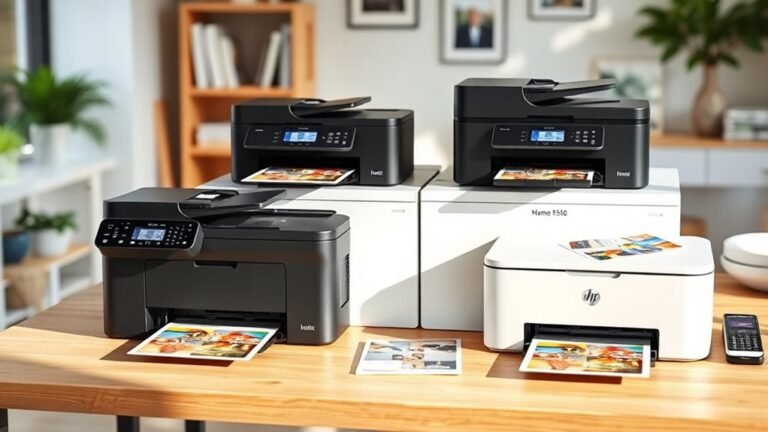
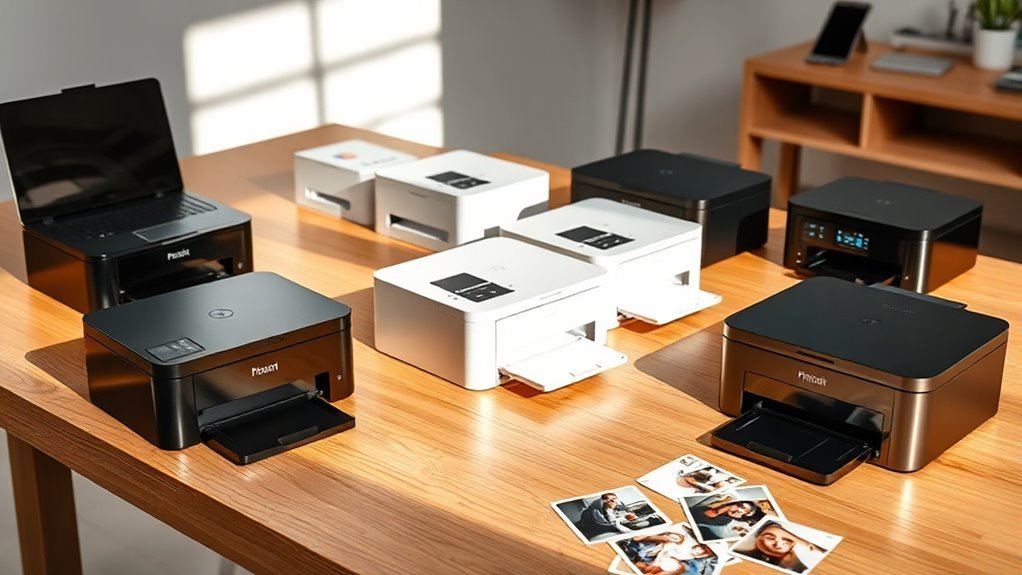
If you’re on the hunt for reliable cordless printers for 2027, you’ve come to the right place. These wireless printers offer the convenience of printing without being tethered to a desk, making your workspace cleaner and more flexible.
Whether you need something for everyday use or high-volume printing, there’s a model out there that fits your needs perfectly.
Look for options like the HP DeskJet 2923 and 4327, which combine wireless convenience with solid all-in-one features.
Canon’s PIXMA TS6520 and TS4320 deliver sharp prints and handy duplex printing options, so you can save paper without any hassle.
For those with heavy printing demands, the Canon MegaTank G3270 is a great pick thanks to its impressive ink savings.
Epson’s XP-4205 stands out with versatile mobile support, letting you print directly from your smartphone or tablet.
And if portability is key, the Rongta thermal printer adds a flexible, on-the-go solution.
Keep these essentials in mind to find the perfect cordless printer for your tasks.
| Image | Name | Editor's Rating | Price |
|---|---|---|---|

|
|
||

|
|
||

|
|
||

|
|
||

|
|
HP DeskJet 2923 Color Inkjet Printer | Wireless | All-in-One
- Perfect for basic printing needs – Print everyday color documents like to-do lists, letters, financial documents and recipes
- KEY FEATURES – Color print, copy, scan, and a 60-sheet input tray, plus mobile and wireless printing
- OPTIMIZE PRINT FORMATTING WITH HP AI – Print web pages and emails with precision—no wasted pages or awkward layouts; HP AI easily removes unwanted content, so your...
- ICON LCD – Print your basic documents with ease from the intuitive control panel
- PRINT SPEED – Up to 7.5 ppm black, 5.5 ppm color

The HP DeskJet 2923 Color Inkjet Printer offers a simple solution for everyday home printing needs. It combines printing, copying, and scanning into one compact device, making it easy to manage all your basic documents like letters, recipes, and lists in color. Its wireless capability lets you print directly from laptops and smartphones, saving time and effort.
Setup is straightforward with included guides and a power cord, so you can start quickly. The printer’s 60-sheet input tray supports your daily tasks without overwhelming complexity. Manual duplexing allows double-sided printing when you want to reduce paper use, though it requires user involvement.
Designed specifically for home use, the DeskJet 2923 balances performance and convenience. It includes a 6-month Instant Ink trial that helps lower ink expenses and ensures you don’t run out unexpectedly. Its compact size fits neatly in small spaces while meeting ENERGY STAR and EPEAT sustainability standards.
This all-in-one printer offers reliable, straightforward functionality with wireless and mobile printing support. It suits users who want an easy-to-use device for basic color printing, copying, and scanning.
Best for: individuals needing a compact, wireless all-in-one printer for everyday home document tasks.
What We Like:
- Wireless printing with dual-band Wi-Fi and mobile app support
- 6-month Instant Ink trial reduces ink costs and ensures supply
- Compact design with ENERGY STAR and EPEAT certification
- Simple setup with included power cord and guides
- Manual duplex printing for occasional double-sided documents
Specification:
| Feature | Details |
|---|---|
| Manufacturer | HP |
| Dimensions | Compact size (exact dimensions not specified) |
| Weight | Not specified |
| Color Options | Standard (not specified) |
| Connectivity | Wireless (dual-band Wi-Fi) |
| Input Tray Capacity | 60 sheets |
Canon PIXMA TS6520 Wireless Color Inkjet Printer, 1.42″ OLED Display, White
- Affordable Versatility - A budget-friendly all-in-one printer perfect for both home users and hybrid workers, offering exceptional value
- Crisp, Vibrant Prints - Experience impressive print quality for both documents and photos, thanks to its 2-cartridge hybrid ink system that delivers sharp text and vivid...
- Effortless Setup & Use - Get started quickly with easy setup for your smartphone or computer, so you can print, scan, and copy without delay
- Reliable Wireless Connectivity - Enjoy stable and consistent connections with dual-band Wi-Fi (2.4GHz or 5GHz), ensuring smooth printing from anywhere in your home or...
- Scan & Copy Handling - Utilize the device’s integrated scanner for efficient scanning and copying operations
The Canon PIXMA TS6520 is a compact wireless printer designed to simplify your home or student printing tasks. Its all-in-one functionality lets you print, scan, and copy with ease, making it a versatile solution for everyday needs. The printer’s automatic duplex feature helps save paper by printing on both sides without extra effort.
Maintenance is straightforward with the clear 1.42” OLED display, which shows ink levels and printer status at a glance. Dual-band Wi-Fi ensures a reliable connection for smooth mobile printing, while Alexa compatibility adds convenient voice control options. This makes managing your print jobs easier and more flexible.
Its sleek white design fits neatly into small spaces, ideal for dorm rooms or home offices. While print speeds of up to 14 pages per minute for black-and-white and 9 for color are suitable for occasional use, the limited paper capacity means it’s not built for high-volume work. The lack of an automatic document feeder means multi-page scans require manual input.
Overall, the PIXMA TS6520 addresses the needs of users who want a reliable, space-saving wireless printer with duplex and borderless printing for everyday tasks.
Best for: Compact home or student users needing an all-in-one wireless printer with duplex and borderless printing for occasional use.
What We Like:
- Automatic duplex and borderless printing up to letter size
- Dual-band Wi-Fi with mobile and Alexa voice control
- Easy-to-read OLED display showing ink levels and status
- Compact design ideal for small spaces
Specification:
| Feature | Details |
|---|---|
| Manufacturer | Canon |
| Dimensions | Not specified |
| Weight | Not specified |
| Color Options | White |
| Display | 1.42” OLED |
| Connectivity | Dual-band Wi-Fi, Alexa compatible |
| Functions | Print, scan, copy |
Brother Work Smart 1360 Wireless Color Inkjet All-in-One Print, Scan, Copy
- AFFORDABLE ALL-IN-ONE FOR HOME AND HOME OFFICE: Print, copy, and scan on one compact wireless printer designed for everyday home office printing, schoolwork, documents...
- EASY TO USE WITH CLOUD APP CONNECTIONS: Print from and scan to popular Cloud apps(2), including Google Drive, Dropbox, Box, OneDrive, and more from the simple-to-use...
- FULL-SIZE FEATURES IN A COMPACT DESIGN: This printer includes automatic duplex (2-sided) printing, a 20-sheet single-sided Automatic Document Feeder (ADF)(3), and a...
- MULTIPLE CONNECTION OPTIONS: Connect your way. Interface with your printer on your wireless network or via USB.
- MOBILE PRINTING MADE EASY: Go mobile with the Brother Mobile Connect app(5) that delivers easy onscreen menu navigation for printing, copying, scanning, and device...
The Brother Work Smart 1360 Wireless Color Inkjet All-in-One printer brings convenience and efficiency to your home office. Its wireless functionality lets you print, scan, and copy without the hassle of cables. This helps reduce clutter and streamlines your workspace.
Designed for versatility, it handles various tasks with ease. The automatic duplexing and 20-sheet ADF improve productivity by simplifying multi-page scanning and copying. The 150-sheet tray supports different media types, including envelopes and glossy photo paper, so you can tackle diverse projects.
Maintenance is straightforward with this model, but be aware that starter cartridges may need early replacement for frequent users. The printer connects effortlessly through Wi-Fi, Wi-Fi Direct, USB, and supports mobile printing via AirPrint and Brother Mobile Connect, making it easy to print from smartphones and tablets.
With sharp print resolution and a user-friendly 1.8” color display, managing your print jobs is intuitive. While print speeds are moderate, they suit typical home office needs without overwhelming complexity or bulk.
Best for: Home users needing a wireless, all-in-one inkjet printer that balances color and black-and-white printing with scanning and copying capabilities.
What We Like:
- Automatic duplex printing and 20-sheet ADF for efficient multi-page tasks
- Supports various media, including envelopes and photo paper
- Multiple connection options: Wi-Fi, Wi-Fi Direct, USB, and mobile apps
- Clear 1.8” color display for easy operation
Specification:
| Feature | Details |
|---|---|
| Manufacturer | Brother |
| Dimensions | Not specified |
| Weight | Not specified |
| Media Capacity | 150 sheets |
| Maximum Media Size | 8.5 x 14 inches |
| Connectivity | Wi-Fi, Wi-Fi Direct, USB |
| Display | 1.8” color LCD |
Canon PIXMA TS4320 – Wireless Color Inkjet Printer with Print, Copy, Scan
- Affordable Versatility - A budget-friendly all-in-one printer perfect for both home users and hybrid workers, offering exceptional value
- Crisp, Vibrant Prints - Experience impressive print quality for both documents and photos, thanks to its 2-cartridge hybrid ink system that delivers sharp text and vivid...
- Effortless Setup & Use - Get started quickly with easy setup for your smartphone or computer, so you can print, scan, and copy without delay
- Reliable Wireless Connectivity - Enjoy stable and consistent connections with dual-band Wi-Fi (2.4GHz or 5GHz), ensuring smooth printing from anywhere in your home or...
- Scan & Copy Handling - Utilize the device’s integrated scanner for efficient scanning and copying operations
The Canon PIXMA TS4320 is a compact wireless printer designed to simplify everyday printing tasks. Its small size fits neatly on your desk, making it ideal for home and hybrid workspaces. This printer handles printing, copying, and scanning with ease, helping you complete school projects or vibrant photo prints without hassle.
With automatic duplex printing, it saves paper by producing two-sided documents effortlessly. It supports a variety of media types, from plain paper to glossy photos, so you can easily switch between documents and creative projects. The dual-band Wi-Fi ensures a stable wireless connection, allowing you to print from your phone or tablet through the Canon PRINT App, AirPrint, or Mopria.
Maintenance is straightforward thanks to the two-cartridge hybrid ink system, which delivers sharp text and rich colors while keeping ink use efficient. However, the printer lacks an OLED display and automatic document feeder, which may limit some advanced tasks. Its single paper tray holds up to 100 sheets, suitable for moderate daily use.
Best for: Individuals seeking a compact, affordable all-in-one printer for home and hybrid work, including school projects and photo printing.
What We Like:
- Efficient two-sided printing with automatic duplex support
- Versatile media handling including glossy photo paper and labels
- Reliable wireless connectivity with dual-band Wi-Fi and mobile printing options
Specification:
| Feature | Details |
|---|---|
| Manufacturer | Canon |
| Dimensions (W×D×H) | 12.0 × 12.7 × 5.0 inches |
| Weight | 9.1 lbs (4.13 kg) |
| Ink System | Two-cartridge hybrid ink |
| Connectivity | Dual-band Wi-Fi, USB |
| Functions | Print, Copy, Scan |
Canon MegaTank G3270 All-in-One Wireless Color Printer
- Wireless Print/Copy/Scan
- Up to 2 years of ink included (2)
- Print up to 6,000 black & white / 7,700 color pages using a single set of inks! (1)
- Save up to $1,000 on ink (1)
- 1.35” Square LCD display
The Canon MegaTank G3270 is designed to meet the demands of high-volume printing without frequent ink replacements. With up to two years of ink included, it allows you to print thousands of pages effortlessly, reducing interruptions and maintenance needs. This makes it ideal for busy offices or home users who require a dependable printer for everyday tasks.
This all-in-one wireless color printer simplifies your workflow by combining printing, copying, and scanning in one device. Its wireless connectivity offers the freedom to print from multiple devices without tangled cables. The compact design includes a 1.35” LCD display that helps navigate basic functions quickly, though it supports only single-sided printing.
Maintenance is straightforward with the MegaTank system, providing a cost-effective way to manage ink. You’ll save significantly on ink expenses, with savings up to $1,000, helping to lower your overall printing costs. However, additional ink purchases will be necessary once the initial supply is exhausted.
Overall, the Canon MegaTank G3270 is a practical choice for users needing a budget-friendly printer that handles large print volumes reliably. It balances convenience, efficiency, and cost savings in a wireless all-in-one package.
Best for: Individuals or small businesses requiring a high-volume, cost-efficient wireless printer for printing, copying, and scanning with minimal ink replacement.
What We Like:
- Long-lasting ink supply supports thousands of pages, reducing refill frequency.
- Wireless capability for flexible and clutter-free operation.
- Significant ink cost savings for heavy printing needs.
- Combines printing, copying, and scanning in one compact unit.
Specification:
| Feature | Details |
|---|---|
| Manufacturer | Canon |
| Dimensions | Not specified |
| Weight | Not specified |
| Color Options | Not specified |
| Display | 1.35” square LCD |
| Printing Type | Wireless color all-in-one |
| Ink Included | Up to 2 years supply |
Canon PIXMA TS3720 Wireless All-in-One Printer White
No products found.
The Canon PIXMA TS3720 is an ideal solution for those who need a compact, all-in-one printer that fits easily in any home or small office space. It streamlines your daily tasks by handling printing, scanning, and copying without complications. This printer excels at quick, single-sided printing, delivering sharp black and white pages at a speed of 7.7 per minute.
Designed to produce vivid photos and crisp text, it supports prints up to 8.5” x 14” and offers borderless printing on smaller photo sizes. Its hybrid ink system ensures your documents and images look professional, whether for school projects or home office needs. The simple two-cartridge system makes replacing ink straightforward and mess-free.
Connectivity is smooth and flexible thanks to dual-band Wi-Fi and mobile app support. This allows you to print directly from your smartphone or tablet without hassle. Weighing just 8.7 pounds, the TS3720 is easy to move and fits well in limited spaces.
While it lacks automatic duplex printing and has a modest 60-sheet paper capacity, it remains a reliable choice for everyday tasks without overwhelming complexity.
Best for: Home users needing a straightforward, compact all-in-one printer for quick single-sided printing, scanning, and copying with good photo quality.
What We Like:
- Fast black and white print speed of 7.7 pages per minute
- Dual-band Wi-Fi and mobile printing options ensure versatile connectivity
- Simple, mess-free ink cartridge replacement with only two cartridges
- Compact design weighing just 8.7 pounds for easy placement
Specification:
| Feature | Details |
|---|---|
| Manufacturer | Canon |
| Dimensions | Not specified |
| Weight | 8.7 lb (3.95 kg) |
| Color Options | White |
| Print Speed (B&W) | 7.7 pages per minute |
| Paper Capacity | 60-sheet rear tray |
Canon PIXMA TS7720 Wireless All-in-One Printer

- ALL-IN-ONE: Print, Copy, Scan features for full control at your fingertips.
- FAST PRINT SPEEDS: Print approximately 15 (black) / 10 (color) images per minute.
- EASY SETUP: Get running in just a few minutes thanks to a streamlined and easy setup process out of the box.
- EASY TO INSTALL INK: Print full color with only 2 (no mess) easy-to-replace ink cartridges.
- 2.7” LCD SCREEN: Get the job done with an intuitive and easy to use 2.7” LCD touchscreen.
Experience seamless printing with the Canon PIXMA TS7720, designed to simplify your home photo and document needs. This compact all-in-one printer delivers sharp, clear results with a resolution of 1200 x 1200 dpi, ensuring your prints look professional every time.
Its versatile design handles a variety of media, from envelopes to borderless photos, making it easy to switch between tasks. The hybrid ink system enhances color vibrancy and text clarity, providing vivid prints and crisp documents without hassle.
Maintenance is straightforward, thanks to the simple two-cartridge system that makes replacing ink quick and easy. Wireless connectivity and a 2.7” touchscreen add convenience, allowing you to print directly from mobile devices with ease.
While the paper capacity is moderate at 100 sheets per tray and the two-cartridge format may require frequent replacement for heavy color use, the printer’s compact footprint and duplex printing support make it an efficient choice for everyday tasks.
Best for: Home users seeking a compact, versatile all-in-one printer for photo printing, document handling, and wireless mobile access.
What We Like:
- High-quality prints at 1200 x 1200 dpi for both color and black-and-white
- Supports various media types including borderless photos and envelopes
- Easy ink replacement with a two-cartridge hybrid system
- Convenient wireless printing with a responsive 2.7” touchscreen
Specification:
| Feature | Details |
|---|---|
| Manufacturer | Canon |
| Dimensions | Compact size (exact size not specified) |
| Weight | Not specified |
| Ink System | Hybrid two-cartridge |
| Resolution | 1200 x 1200 dpi |
| Connectivity | Wireless |
| Display | 2.7” touchscreen |
Rongta Portable Bluetooth Thermal Printer Black

- Easy to Set Up: RONGTA F11A portable thermal printer for travel go by bluetooth.Download "RONGTA" APP from Google Play or APP store for iOS and Android Phone or...
- RONGTA portable printer, 203DPI resolution, large to 8.5" design, easy to use and maintain. Print forms, letters, assignments, study materials, and travel documents...
- Stylish Thermal Printer:Rongta bluetooth wireless printer, It is compatible with your go-to paper sizes—including US Letter, Legal, A4 thermal papers. What’s more, it...
- Portable and Compact: When traveling you can take Rongta portable printer wireless in your backpack or tote bag wherever you need. It is compact and portable whether in...
- Warm Tips: Do Not Support Chrome. Rongta portable printers wireless for travel can't support pair bluetooth via Phone or tablet directly, must be pair on the"RONGTA" APP...
The Rongta Portable Bluetooth Thermal Printer Black is designed for those who need a compact, inkless printer that works seamlessly on the go. It allows you to print black-and-white documents quickly without the hassle of ink cartridges or ribbons. This makes it ideal for busy professionals who require efficient printing from mobile devices or laptops.
Connecting is simple through the RONGTA app, available on both iOS and Android. You can print wirelessly via Bluetooth or use a USB connection on Windows and macOS. Its advanced thermal printing technology ensures clear, sharp prints up to letter size with a resolution of 203 dpi.
Weighing just 0.43 kg, this printer fits easily in a bag or briefcase. Its compact design supports portability for travel, office, or home use. Maintenance is straightforward since it only requires thermal paper and no additional consumables.
Keep in mind, this printer only supports thermal paper and prints single-sided documents. Bluetooth pairing is done exclusively through the app, which may limit direct device connectivity.
Best for: professionals and mobile users needing a reliable, lightweight thermal printer for black-and-white printing from smartphones or laptops.
What We Like:
- Easy wireless setup via the RONGTA app on iOS and Android
- Inkless thermal printing eliminates the need for ribbons or cartridges
- Compact and lightweight design for true portability
- Supports USB connection for Windows and macOS devices
Specification:
| Manufacturer | Rongta |
|---|---|
| Dimensions | Compact, portable size |
| Weight | 0.43 kg (approx. 0.95 lbs) |
| Material | Durable plastic casing |
| Color | Black |
Epson Expression Home XP-4205 Wireless Color All-in-One Inkjet Printer

- Remarkable Print Quality for Home and Photo Printing — Epson’s leading-edge imaging technology produces crisp documents, vibrant borderless photos with rich colors...
- Stress-Free Setup and Operation — Large 2.4" color display for effortless navigation, plus easy installation and operation through your smartphone or tablet using the...
- Convenient Connectivity — Supports easy wireless connections and printing from Android or iOS devices (2)
- Engineered for Reliability — Consistently delivers high-quality prints with heat-free technology and a permanent printhead designed to last the life of the printer
- Easy, Affordable Printing — Individual ink cartridges make it easy to only replace the ink you need
Experience hassle-free wireless printing with the Epson Expression Home XP-4205. This compact all-in-one printer is designed to fit seamlessly into your home, delivering vibrant, borderless photos and sharp documents with a resolution of up to 5760 x 1440 dpi. It tackles everyday printing challenges by offering automatic duplex printing, saving time and paper.
Maintaining the XP-4205 is simple thanks to its individual Claria 232 ink cartridges. This system lets you replace only the color that runs out, reducing waste and lowering your printing costs. The printer connects easily to your home network via Wi-Fi, allowing you to print, scan, and copy from mobile devices with the Epson Smart Panel app.
Voice command compatibility with Alexa and Siri adds convenience, making tasks quicker and hands-free. While print speeds are moderate—10 pages per minute for black and 5 for color—the XP-4205 balances performance with quality. Its single USB 2.0 port offers a wired option, though it’s limited compared to more extensive connectivity setups.
Best for: Home users seeking a compact, wireless all-in-one printer that supports photo printing and voice-activated controls.
What We Like:
- Automatic duplex printing with high-resolution borderless photo output
- Wireless and mobile printing via Epson Smart Panel app plus Alexa and Siri voice commands
- Individual ink cartridges reduce waste and allow selective replacement
- Compact design fits well in home environments
Specification:
| Feature | Details |
|---|---|
| Manufacturer | Epson |
| Dimensions | 14.8 x 11.6 x 5.7 inches |
| Weight | 8.1 lbs |
| Ink Type | Claria 232 individual cartridges |
| Connectivity | Wi-Fi, USB 2.0 |
| Max Paper Size | 8.5 x 14 inches |
HP DeskJet 4327 Color Inkjet Printer | Wireless | All-in-One
No products found.
If you need a compact all-in-one printer that handles everyday color documents with ease, the HP DeskJet 4327 is a smart choice. It simplifies your workflow by combining printing, copying, and scanning in one device. The built-in 35-sheet auto document feeder and 60-sheet input tray make multitasking smoother and more efficient.
This printer improves your printing experience with HP AI, which automatically optimizes layouts for web pages and emails. This feature helps reduce paper waste and ensures better formatting each time. Dual-band Wi-Fi and the HP app allow seamless mobile printing, giving you wireless freedom at home.
Maintenance is straightforward, supported by a 6-month Instant Ink trial that keeps ink replacement hassle-free. The DeskJet 4327 also carries ENERGY STAR certification, reflecting its energy-efficient design. Print speeds of up to 8.5 ppm in black and 5.5 ppm in color fit well with moderate home use.
While it covers basic home printing needs effectively, it may not be suited for high-volume or advanced office tasks. Its compact design and wireless features make it a practical choice for daily color document management.
Best for: users seeking a compact, all-in-one wireless printer ideal for everyday color document printing, copying, and scanning in a home environment.
What We Like:
- Efficient multitasking with 35-sheet auto document feeder and 60-sheet input tray
- HP AI technology reduces waste and improves print formatting
- Dual-band Wi-Fi and HP app support for convenient mobile printing
- ENERGY STAR-certified for energy-efficient operation
- Easy maintenance with a 6-month Instant Ink trial
Specification:
| Feature | Detail |
|---|---|
| Manufacturer | HP |
| Dimensions (W×D×H) | 16.34 × 11.54 × 6.85 in |
| Weight | 6.6 lb (3 kg) |
| Printer Type | Color Inkjet, All-in-One |
| Connectivity | Dual-band Wi-Fi, Wireless |
| Input Tray Capacity | 60 sheets |
| Auto Document Feeder | 35 sheets |
Factors to Consider When Choosing a Cordless Printer
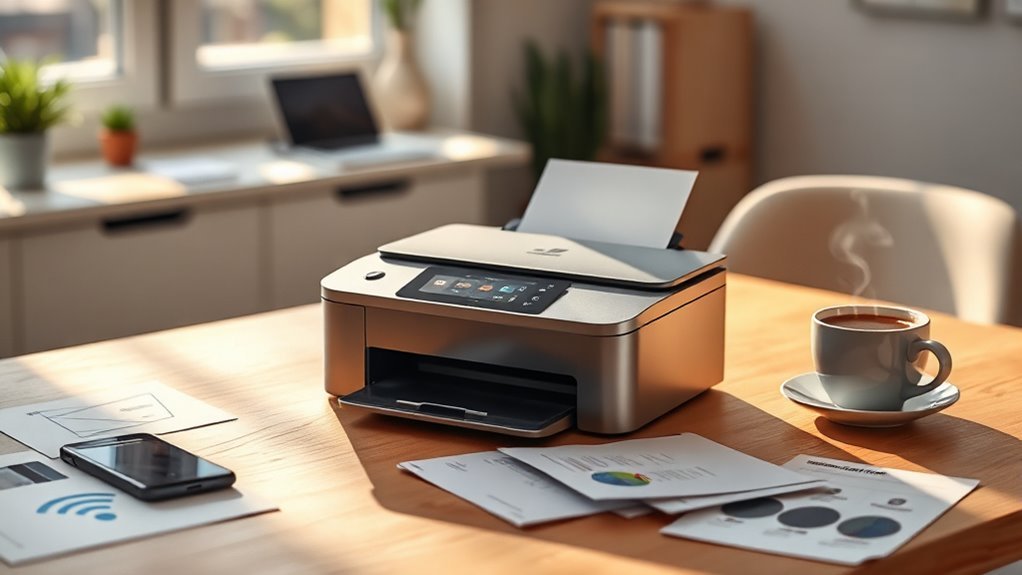
When choosing a cordless printer, you’ll want to check its wireless connectivity options and make sure it supports your devices. Consider print quality and resolution to get sharp, clear results every time.
Also, think about ink efficiency, mobile printing compatibility, and print speed to find a model that fits your needs. It’s all about matching the printer to how you plan to use it.
Wireless Connectivity Options
Although cordless printers offer great convenience, you’ll want to ensure they support reliable wireless connectivity to avoid frustrating interruptions. Look for models with dual-band Wi-Fi (2.4GHz and 5GHz) to ensure stable connections and better compatibility with your home network.
Check if the printer supports wireless direct printing, so you can print straight from your device without routing through Wi-Fi. Mobile printing compatibility is key—make sure it works with Apple AirPrint, Mopria, or vendor apps to print effortlessly from smartphones or tablets.
While a USB port can serve as a backup, your main focus should be Wi-Fi features. Also, consider printers that offer automatic connection detection or similar tools to reduce failed print jobs and ensure your printing runs smoothly.
Print Quality And Resolution
Assess print quality and resolution carefully to make sure your cordless printer meets your needs. Higher optimized maximum color resolution, often up to around 4800 × 1200 dpi, delivers sharper edges and smoother color gradients.
For crisp text and lines, check the black-and-white rendering resolution, usually up to 1200 × 1200 dpi. Also, compare copy resolution figures, as they influence the clarity of scanned documents and handouts.
If you print photos, ensure the printer supports high dpi and borderless printing for true photo-quality output. Recall, input dpi affects scanning detail, but the rendered or optimized dpi determines actual print clarity.
Emphasize these specs based on your typical print tasks to get the best results from your cordless printer. It really makes a difference when you match the printer to what you usually print.
Ink Efficiency And Cost
Ink efficiency plays an essential role in the overall cost of owning a cordless printer, so you’ll want to make sure to assess how ink usage and replacement affect your budget. Start by comparing ink subscription programs, like Instant Ink or PIXMA Print Plan trials, since fees after the trial determine true costs.
Look for savings claims tied to your print volume—some offer up to 70% savings for frequent use. Check if cartridges are sold individually or in multipacks; replacing only empty colors reduces waste and cost.
Confirm your printer supports duplex printing, which cuts paper use and lowers consumable expenses. Finally, prioritize printers with ink monitoring features so you can replace cartridges just in time and avoid costly interruptions or wasted ink.
These factors ensure smarter ink management and better overall value.
Mobile Printing Compatibility
Managing ink costs is just one piece of the puzzle when picking a cordless printer. You also want to make sure it supports mobile printing standards like Apple AirPrint and Mopria Print Service, so your iPhone, iPad, or Android device can print seamlessly.
Dual-band Wi-Fi (2.4GHz and 5GHz) is essential for a stable connection between your phone and printer. It really makes a difference in keeping things smooth and reliable.
Check if the printer comes with a dedicated print/scan app, offering more control beyond simple wireless printing. These apps often give you extra features that make printing easier.
Features like wireless direct printing let you print straight from your phone without needing a router—perfect for on-the-go flexibility. It’s super handy when you’re out and about.
Finally, confirm the printer clearly lists compatibility with your smartphones, tablets, or laptops. Also, note if any functions require internet access to work properly, so you’re not caught off guard.
Print Speed Performance
When choosing a cordless printer, you’ll want to assess how quickly it can handle your printing tasks. Compare the rated pages-per-minute (ppm) for black-and-white versus color prints since black often prints faster—up to 14–16 ppm versus 5–9 ppm for color.
Don’t overlook the initial page out time; a slow first page (7.5–20 seconds for color) can make short jobs feel sluggish even if steady-state speeds are good. Check if the printer supports automatic duplex printing, as manual duplex can slow multi-page jobs.
Make sure the speed matches your real use by considering document sizes and input tray capacity, so you don’t waste time refilling. Remember, while resolution affects clarity, print speed mainly depends on ppm and first-page timing.
Paper Handling Capacity
Print speed is important, but consider this as well how much paper your printer can hold before you need to reload. Check the maximum sheet capacity since some models hold just 60–100 sheets, while others offer trays up to 150 sheets.
Also, consider whether the printer has multiple input trays; a single tray limits flexibility if you switch paper types often. Verify the maximum supported paper size to ensure it fits your needs—whether Letter (8.5×11), Legal (8.5×14), or smaller sizes.
If you print in high volumes, look at both input and output tray capacities, as full output trays require clearing to avoid jams. For duplex printing, confirm the printer supports automatic or manual two-sided handling, since this affects efficiency and how paper feeds during larger jobs.
Device Compatibility And Support
Although choosing a cordless printer often focuses on hardware specs, ensuring your devices can seamlessly connect and interact with it is just as important. First, check that your devices support the printer’s connection methods, like dual-band Wi-Fi, USB, Wi-Fi Direct, or Bluetooth. This helps guarantee reliable printing from both computers and mobile devices.
Also, confirm mobile compatibility with your ecosystem—Apple AirPrint, Mopria, or Android/iOS app support—since this affects setup and everyday use. Don’t forget to verify that the scanner or copy workflows match your needs, especially if the model includes an automatic document feeder.
Finally, make sure the printer offers the control features and driver support you require. Keep in mind, some advanced functions may need an active internet connection to work properly.
Frequently Asked Questions
How Long Do Cordless Printer Batteries Typically Last?
Cordless printer batteries typically last between 4 to 8 hours of continuous use, but it depends on your model and usage.
You’ll want to recharge them regularly to avoid interruptions and keep printing smoothly whenever you need. It’s pretty simple to manage once you get the hang of it!
Can Cordless Printers Connect to Multiple Devices Simultaneously?
Just like a vintage rotary phone juggling calls, your cordless printer can connect to multiple devices simultaneously.
You’ll easily print from your laptop, tablet, or phone without switching connections, making your workflow smooth and efficient.
It’s super convenient, right? No need to fuss with reconnecting every time you switch gadgets.
This way, everyone in your home or office can print hassle-free whenever they need.
Are There Any Security Risks With Wireless Printing?
Yes, wireless printing can expose you to risks like unauthorized access or data interception. You should use strong passwords, enable encryption, and update firmware regularly to protect your documents.
This helps keep your printer secure from hackers. It’s really important to stay on top of these steps to avoid any unwanted access.
Do Cordless Printers Support Mobile Printing Apps?
Did you know 75% of users print directly from mobile apps?
Yes, cordless printers support mobile printing apps, letting you print effortlessly from your phone or tablet.
What Is the Average Range for Wireless Printer Connections?
You can generally expect wireless printer connections to work within 30 to 50 feet indoors. Walls and interference might lower this range, so keeping your printer close to your device helps ensure a consistent, fast connection.
It’s a good idea to avoid too many obstacles between your printer and device. That way, you’ll get a smoother experience without those annoying drops or slow speeds.
Conclusion
Choosing the perfect cordless printer isn’t just about specs—it’s about what fits your lifestyle. Whether you need blazing-fast prints, vibrant colors, or ultimate portability, one of these top picks will elevate your setup.
But here’s the twist: the best printer for you might surprise you. Ready to discover which model will revolutionize your printing experience in 2027?
Step in, and you might just find your new favorite gadget waiting. With so many options for cordless printers, finding the right one can truly transform how you work and create. From compact designs to advanced features, these printers combine convenience and quality like never before.
Get ready to upgrade your printing game with the best cordless printer tailored for your needs in 2027!