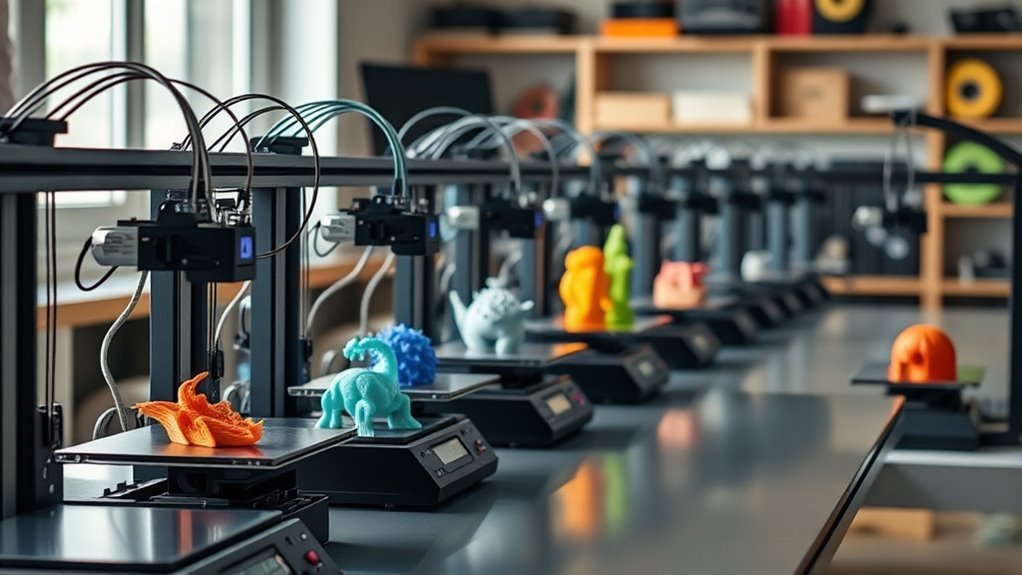
14 best consumer 3d printer 2026
You’ll find top consumer 3D printers in 2026 offering multi-color precision, high-speed CoreXY performance, and smart automation. These printers are designed to make your 3D printing experience smoother and more reliable than ever.
Whether you’re a hobbyist or a professional, the latest models pack impressive features to meet your needs.
Models like the Bambu Lab P2S Combo and Creality K2 Plus bring advanced filament drying and AI monitoring for reliability.
Snapmaker’s 4-toolhead system switches tools in seconds, making multi-tasking easier than before.
Anycubic supports up to 19 colors with large build volumes, perfect for complex projects.
Whether you want speed, multi-material capability, or hassle-free printing, these options have you covered.
Discover what features best fit your creative needs and take your 3D printing to the next level.
| Image | Name | Editor's Rating | Price |
|---|---|---|---|

|
|
||

|
|
||

|
|
||

|
|
||

|
|
Bambu Lab P2S Combo, P2S 3D Printer & AMS 2 Pro, Multi-Color 3D Printing
- High-Speed Precision: The Bambu Lab P2S 3D printer prints up to 600 mm/s while maintaining exceptional accuracy. With the PMSM Servo Extruder and Active Flowrate...
- Ready to Print in 15 Minutes: Set up your P2S FDM 3D printer and start printing in just 15 minutes. With AI failure detection, quick-swap nozzles, and automatic...
- Effortless Multi-Color Printing: The AMS 2 Pro enables seamless multi-color/multi-material 3D printing. It features built-in filament drying at up to 65 °C, keeping...
- Smart Airflow for Any Filament: The Adaptive Airflow System automatically balances cooling and heat retention—keeping overhangs crisp with cool air, or maintaining a...
- Limitless Creativity, Seamless Workflow: Explore over one million 3D models on MakerWorld and bring them to life with a smooth, unified workflow using Bambu Studio, Bambu...
Experience the future of 3D printing with the Bambu Lab P2S Combo and AMS 2 Pro. This setup addresses the challenge of combining speed, precision, and multi-color printing in one machine. It delivers fast and accurate prints, allowing you to produce detailed models without compromising quality.
The P2S Combo prints at speeds up to 600 mm/s, ensuring projects finish quickly. Its intelligent extruder and flowrate compensation provide sharp, smooth layers. Multi-material printing is effortless thanks to the AMS 2 Pro, which also features built-in filament drying to prevent print failures.
Maintenance is straightforward with an advanced airflow system and carbon filter that keep the workspace safe and the printer running smoothly. While the base P2S lacks multi-color support, upgrading to the Combo version unlocks this powerful capability. The unit’s size and weight require a dedicated workspace and some familiarity with FDM 3D printing setup.
This versatile system is perfect for professionals and enthusiasts who need a reliable, high-speed printer with seamless multi-color and multi-material functionality.
Best for: Professionals and advanced users wanting fast, precise, multi-color 3D printing in a single integrated setup.
What We Like:
- Prints up to 600 mm/s with high accuracy and smooth layers
- AMS 2 Pro enables seamless multi-material and multi-color printing
- Built-in filament drying reduces print failures
- Advanced airflow and carbon filter ensure safe, clean operation
Specification:
| Feature | Details |
|---|---|
| Manufacturer | Bambu Lab |
| Dimensions | 18 x 22 x 18 inches |
| Weight | 46.3 pounds |
| Printing Speed | Up to 600 mm/s |
| Multi-Color Support | Yes, with AMS 2 Pro Combo |
Creality K2 Plus Combo 2026 Multi Color 3D Printer with CFS
- Multicolor Printing with CFS: The K2 Plus Combo includes the K2 Plus 3D printer and one CFS (Color Filament System) unit. The CFS has four slots to hold different...
- Ultra-Fast Speed & High Precision: Achieve an incredible 600mm/s print speed with up to 30,000mm/s² acceleration while maintaining fine details at 0.05mm precision...
- Spacious Build Volume: With a 350×350×350mm print area, you can create large models, intricate designs, or multiple parts in one go. The aerospace-grade aluminum alloy...
- Smart Filament Management: The included CFS unit allows for automatic filament switching between four different colors. It also provides sealed storage and drying...
- Next-Gen AI Automation & Monitoring: Equipped with dual AI cameras and 18 sensors, the system actively monitors the nozzle and print chamber, detecting spaghetti faults...
The Creality K2 Plus Combo 2026 brings a new level of ease and precision to multi-color 3D printing. It solves common challenges by integrating a Color Filament System (CFS) that holds and dries four filaments, allowing smooth color transitions without manual intervention. This reduces print interruptions and ensures vibrant, consistent results.
With printing speeds up to 600 mm/s and a fine 0.05 mm resolution, the K2 Plus delivers detailed prints fast. Its aerospace-grade aluminum frame provides stability, supporting a generous 350 mm³ build volume for diverse projects. The printer’s design focuses on reliability and efficiency, making it well-suited for creators who demand quality and speed.
Maintenance is simplified through the CFS’s automatic filament drying and switching features, minimizing filament jams and color mixing errors. Advanced AI monitoring uses dual cameras and 18 sensors to detect print issues early, preventing failures and saving time and materials.
This combo is ideal for professionals and hobbyists seeking a smart, high-performance solution for multi-color 3D prints with less hassle.
Best for: creators and professionals needing reliable, fast, and automated multi-color 3D printing.
What We Like:
- Dynamic mixing of up to 16 colors with automatic filament management
- Fast printing at 600 mm/s with 0.05 mm precision
- Sturdy aerospace-grade aluminum frame for stable prints
- AI-powered dual cameras and 18 sensors reduce print failures
- Automatic filament drying and switching improve print continuity
Specification:
| Feature | Details |
|---|---|
| Manufacturer | Creality |
| Dimensions (Build Volume) | 350 mm³ |
| Printing Speed | Up to 600 mm/s |
| Layer Resolution | 0.05 mm |
| Frame Material | Aerospace-grade aluminum |
| Filament System | Color Filament System (CFS) with 4 filaments |
Creality Ender-3 V3 Mega Combo 3D Printer
- 𝐋𝐚𝐫𝐠𝐞𝐫 𝐏𝐫𝐢𝐧𝐭 𝐒𝐢𝐳𝐞𝐬: The Creality Ender-3 V3 Mega features a 16.5 ×16.5×16.5 in build volume fits larger models and more...
- 𝐑𝐞𝐥𝐢𝐚𝐛𝐥𝐞 𝟖𝟓𝐀 𝐒𝐨𝐟𝐭‑𝐓𝐏𝐔 𝐏𝐫𝐢𝐧𝐭𝐢𝐧𝐠: Sprite 2 features enhanced grip and a 14% shorter feed...
- 𝐄𝐚𝐬𝐢𝐥𝐲 𝐒𝐰𝐢𝐭𝐜𝐡 𝐂𝐨𝐥𝐨𝐫𝐬: Creality 3d printer ender 3 v3 mega combo enables automatic 4‑color filament switching...
- 𝐒𝐭𝐚𝐛𝐥𝐞 𝐇𝐢𝐠𝐡‑𝐒𝐩𝐞𝐞𝐝 𝐋𝐚𝐫𝐠𝐞‑𝐅𝐨𝐫𝐦𝐚𝐭 𝐏𝐫𝐢𝐧𝐭𝐢𝐧𝐠: Rigid metal frame, dual...
- 𝐄𝐚𝐬𝐲 𝐒𝐞𝐭𝐮𝐩 & 𝐌𝐚𝐢𝐧𝐭𝐞𝐧𝐚𝐧𝐜𝐞: Equipped with 81‑point auto‑leveling to calibrate the large build plate for...

Discover the power of large-format 3D printing with the Creality Ender-3 V3 Mega Combo. Designed to handle big projects, its 16.5-inch cubic build volume lets you print larger models or several parts simultaneously, making your workflow more efficient. This printer solves the common problem of TPU slipping and clogging with an optimized extrusion path and the enhanced Sprite 2 grip, ensuring smooth, flexible prints.
The Ender-3 V3 Mega Combo features automatic 4-color filament switching with continuous feed and RFID recognition. This means you can create multi-color prints seamlessly without manual intervention, saving time and reducing errors. Its rigid metal frame, dual motors, and vibration compensation support speeds up to 500 mm/s, delivering reliable performance.
Maintenance is straightforward thanks to automated 81-point leveling and filament tangle detection. These features reduce downtime and simplify setup, allowing you to focus on your projects. While weighing 50.6 pounds, it offers stability but may be less portable.
Best for: users who require large-format 3D printing with dependable TPU extrusion and multi-color capabilities for prototyping and production.
What We Like:
- Large build volume supports bigger and multiple prints
- Optimized TPU extrusion reduces slipping and clogs
- Automatic 4-color filament switching with RFID recognition
- Sturdy metal frame with vibration compensation for speed and reliability
- Automated leveling and tangle detection ease maintenance
Specification:
| Feature | Details |
|---|---|
| Manufacturer | Creality |
| Build Volume | 16.5 x 16.5 x 16.5 in |
| Weight | 50.6 lb (23 kg) |
| Frame Material | Metal |
| Filament Compatibility | TPU (down to 85A), multi-color |
| Max Print Speed | Up to 500 mm/s |
FLASHFORGE Adventurer 5M 3D Printer, All-Metal CoreXY, 600mm/s Max Travel
- One-Click Automatic Printing: Experience hassle-free 3D printing with the Adventurer 5M Series. Enjoy automatic bed leveling for flawless first layers, ensuring...
- 12X Ultra Fast Printing: Featuring a CoreXY structure with 600mm/s travel speed and 20000mm/s² acceleration, the AD5M maximizes efficiency, reduces production cycles...
- Smart and Efficient Design: Quick 3-second nozzle changes, a high-flow 32mm³/s nozzle, and fast 35-second warm-up to 200°C deliver stable high-speed printing. Its...
- Superior Print Quality & Adaptability: Combines a 280°C direct drive extruder with dual-fan cooling and vibration compensation. Includes a standard 0.4mm nozzle and...
- Real-Time App Monitoring: Monitor print progress, adjust settings, and receive instant status alerts remotely with the Flash Studio. Smart mobile control ensures a...
Experience rapid prototyping and efficient mass production with the FLASHFORGE Adventurer 5M. Its all-metal CoreXY design enables exceptionally fast and precise printing speeds up to 600mm/s, helping you complete projects much faster. This printer addresses the need for speed without compromising print quality.
Maintenance is simplified with features like one-click automatic start and auto bed leveling, eliminating time-consuming setup. The quick 3-second nozzle swap makes changing print heads effortless, reducing downtime and enabling smoother workflow.
Designed for high-performance use, the Adventurer 5M boasts a 280°C direct drive extruder paired with dual-fan cooling and vibration compensation. These elements ensure stable, detailed prints even at high speeds. The dual-sided PEI platform provides consistent adhesion and easy print removal.
Control and monitor your prints remotely through the Flash Studio app, giving you greater flexibility and oversight. While fast operation may require occasional fine-tuning, this printer balances speed and precision to meet demanding production needs.
Best for: Designers, engineers, and manufacturers needing a high-speed 3D printer for rapid prototyping and streamlined production.
What We Like:
- High-speed CoreXY system with up to 600mm/s travel and rapid acceleration
- Easy setup with automatic start, bed leveling, and quick nozzle swaps
- Stable printing from advanced cooling, vibration control, and dual-sided PEI platform
- Remote print monitoring and control via Flash Studio app
Specification:
| Feature | Details |
|---|---|
| Manufacturer | FLASHFORGE |
| Dimensions | Not specified |
| Weight | Not specified |
| Material | All-metal CoreXY structure |
| Max Travel Speed | 600 mm/s |
| Max Acceleration | 20,000 mm/s² |
| Extruder Temperature | Up to 280°C |
Snapmaker U1 3D Printer,4-Toolhead with 5s Toolchanger,Multi-Color Printing
- 【4-Toolhead System with 5-Second Tool Changer】 Powered by the SnapSwap system, Snapmaker U1 multi-color 3D printer features four independent toolheads with filaments...
- 【5X Faster Printing, 5X Less Waste】 Unlike traditional filament-changing systems, Snapmaker U1 3D printer swaps toolheads instead of repeatedly loading, unloading...
- 【True Multi-Material & Mixed-Material Printing】 Snapmaker U1 3D printer combines rigid and flexible materials, water-soluble supports, and engineering materials in a...
- 【Smart Calibration】 Automatic toolhead offset calibration, vibration compensation, fine-tuned extrusion, and perfect first-layer work together to deliver smooth...
- 【Easy to Use for Beginners & Professionals】 With a built-in model library, Snapmaker Orca — custom open-source slicing software, makes it easy to get started with...
The Snapmaker U1 3D printer transforms multi-color and multi-material printing by eliminating the hassle of manual filament changes. Its innovative 4-toolhead system with a SnapSwap toolchanger switches tools in just 5 seconds. This saves you time and reduces filament waste, enhancing overall print efficiency.
Designed for versatility, the U1 handles materials like PLA, TPU, and ABS, plus soluble supports—all in a single job. Its CoreXY motion system and smart calibration work together to deliver precise, high-speed prints up to 500 mm/s. The printer’s 270 x 270 x 270 mm build volume allows for a variety of projects, balancing size with workspace convenience.
Maintenance is straightforward thanks to the easy toolhead swaps and AI monitoring. This keeps the printer running smoothly and helps catch issues early, minimizing downtime. The touchscreen interface simplifies operation, making it accessible for both hobbyists and professionals.
With a solid build weighing nearly 58 pounds, the Snapmaker U1 prioritizes stability and print quality, though it may be less portable. Its combination of speed, precision, and multi-material capability addresses the needs of users seeking efficient, high-quality 3D printing.
Best for: Makers and small businesses needing fast, multi-color 3D printing with versatile material support and minimal filament waste.
What We Like:
- SnapSwap toolchanger enables ultra-fast 5-second toolhead changes.
- Supports rigid, flexible, and soluble materials for complex projects.
- CoreXY motion and smart calibration deliver accurate, high-speed prints.
- AI monitoring helps maintain consistent print quality.
- Touchscreen interface simplifies user experience.
Specification:
| Feature | Details |
|---|---|
| Manufacturer | Snapmaker |
| Dimensions | 270 x 270 x 270 mm |
| Weight | ~58 lb (26.3 kg) |
| Material Support | PLA, TPU, ABS, Soluble |
| Toolchanger | 4-toolhead SnapSwap |
| Max Print Speed | 500 mm/s |
FLASHFORGE Creator 5 3D Printer, 4-Toolhead Multi-Color and Multi-Material

- 4 Independent Toolheads for True Multi-Color: Unlike traditional single-nozzle multi-color printers, the Creator 5 utilizes 4 independent toolheads to prevent color...
- 7-Second Swaps with Intelligent Preheating: Standard single-nozzle setups demand constant filament loading, unloading, and purging for every color change. The Creator...
- Up to 80% Less Filament Waste: Single-nozzle multi-color printing generates massive amounts of wasted "poop." The Creator 5's independent architecture completely bypasses...
- True Multi-Material & Clean Support Removal: Print PLA, PETG, TPU, PETG-CF and support materials in a single job. By allocating one toolhead exclusively to specialized...
- 600mm/s CoreXY Speed & Auto Calibration: Built upon a rigid CoreXY motion system with fully automatic calibration, the Creator 5 delivers stable high-speed printing up to...
The FLASHFORGE Creator 5 redefines multi-color and multi-material 3D printing with its four independent toolheads. This design eliminates color mixing and clogs, ensuring crisp and flawless prints every time. Its FlashSwap technology switches tools in just seven seconds, using smart preheating to cut filament waste by up to 80%.
Designed for efficiency, the Creator 5 handles a variety of filaments like PLA, TPU, PETG, and carbon-fiber blends. A dedicated support material head makes removing supports cleaner and easier, simplifying post-printing maintenance. The printer’s rigid CoreXY system delivers fast, stable printing speeds up to 600mm/s, while automatic calibration ensures accuracy with minimal user effort.
Maintenance is straightforward thanks to the printer’s smart tool-switching and support head setup, reducing downtime. Its compact and sturdy build fits well in professional or maker spaces where versatility and reliability matter most. While weighing 30.8 pounds, it balances portability with robustness for demanding print jobs.
Best for: Makers and professionals seeking precise multi-material 3D printing with fast tool changes and reduced filament waste.
What We Like:
- Four independent toolheads prevent color mixing and clogs
- FlashSwap tech enables quick 7-second tool changes with preheating
- CoreXY system supports fast, accurate printing up to 600mm/s
- Dedicated support head simplifies cleanup and improves print quality
Specification:
| Feature | Details |
|---|---|
| Manufacturer | FLASHFORGE |
| Dimensions | Compact (exact size not specified) |
| Weight | 30.8 lb (14 kg) |
| Supported Materials | PLA, TPU, PETG, Carbon-fiber blends |
| Toolheads | Four independent toolheads |
Anycubic Kobra X Multicolor 3D Printer, Easy One-Click Printing

- 【Vivid 19-Color and Versatile Materials】Unleash creativity beyond limits. The Kobra X supports 4-color standard and expands up to 19 colors with 4 ACE 2 Pro for...
- 【600mm/s High Speed Performance】Don't let slow speeds limit your creativity. This high-speed FDM 3D printer reaches up to 600mm/s, completing tasks significantly...
- 【True Plug & Play Experience】Start your first project in as little as 15 minutes. The Kobra X arrives with a user-friendly setup and LeviQ 3.0 automatic bed leveling...
- 【LeviQ 3.0 Perfect First Layer】Forget the frustration of manual bed leveling that plagues beginner machines. The LeviQ 3.0 system utilizes 49-point full-auto leveling...
- 【Quiet & Reliable for Home】The ultra-quiet ≤48 dB operation ensures the living or learning space remains peaceful. Combined with power loss recovery and filament...
Experience the freedom of seamless multi-material 3D printing with the Anycubic Kobra X Multicolor. This printer solves the challenge of creating vivid, colorful prints by supporting up to 19 colors through four ACE 2 Pro extruders. It handles various materials like PLA, TPU, PETG, and ASA with adaptive extrusion force compensation, ensuring smooth layering and strong adhesion.
Setup is straightforward and quick. With LeviQ 3.0 automatic leveling, you can start printing in just 15 minutes, achieving perfect first layers every time. The printer also maintains high detail even at speeds up to 600 mm/s, thanks to its vibration compensation technology that reduces print defects.
Maintenance is simplified by AI-powered monitoring, which detects errors early and prevents wasted filament. Sensors for power loss and filament presence help avoid interruptions, making your printing process more reliable. Its 260 × 260 × 260 mm build volume is ideal for most hobbyist and professional projects.
Best for: hobbyists and professionals seeking efficient, multi-material 3D printing with vivid colors and smart error prevention.
What We Like:
- Supports up to 19 colors with adaptive extrusion force compensation
- Fast printing speeds up to 600 mm/s with vibration control
- AI-powered monitoring minimizes errors and filament waste
- Easy setup with LeviQ 3.0 automatic leveling
Specification:
| Feature | Details |
|---|---|
| Manufacturer | Anycubic |
| Build Volume | 26 × 26 × 26 cm |
| Extruders | 4 × ACE 2 Pro |
| Supported Materials | PLA, TPU, PETG, ASA |
| Max Print Speed | 600 mm/s |
Anycubic Kobra S1 Max Combo 3D Printer, Large Build Size 350x350x350 mm³
- 【Massive 350x350x350mm³ Build Volume】 Anycubic Kobra S1 Max Combo has extra-large 350x350x350mm³ workspace, provides expansive space for engineers and makers to...
- 【Fully-Enclosed CoreXY Structure】 Built with a solid all-metal frame that stays rock-steady even at top speed. Core XY design eliminates shaking and wobbling, giving...
- 【600mm/s Ultra High-Speed Printing】 Delivers up to 600mm/s print speed and 20,000mm/s² acceleration, finishing a standard Benchy in just 15 minutes. Stop wasting...
- 【Native 4-Color to Max 16-Color】 Bundled with the ACE 2 Pro for 4-color printing out of the box, expanding up to 16 colors with 4 ACE 2 Pro boxes. Say goodbye to...
- 【65°C Heated Chamber for Advanced Materials】Features a 65°C heated chamber and 350°C hotend to easily print tough engineering materials and consumer-grade...
Experience the freedom to create large, intricate models with the Anycubic Kobra S1 Max 3D printer. Its spacious 350x350x350 mm³ build volume lets you print sizable projects without segmenting parts. This solves the common issue of limited print size, enabling more ambitious designs.
The printer’s all-metal CoreXY frame offers stability and precision at speeds up to 600mm/s. This significantly reduces print times, helping you meet tight deadlines. The heated chamber maintains a steady 65°C, preventing warping when working with materials like ABS, TPU, and PLA.
Maintenance is simplified with the Smart LeviQ 3.0 system, which performs 49-point auto-leveling and real-time flow calibration. This ensures consistent first layers and reduces the need for manual adjustments. The ACE 2 Pro combo supports 4-color printing immediately and expands to 16 colors, cutting down on filament changes for vibrant multi-colored prints.
While the printer’s size and weight demand ample workspace, its robust construction suits professional environments. The complexity of setup is balanced by smart automation features, though beginners may face a learning curve.
Best for: professionals and enthusiasts needing a large-volume 3D printer with fast multi-color printing and high precision for complex projects.
What We Like:
- Large 350x350x350 mm³ build volume for expansive prints
- Fast CoreXY system reduces print times by up to 80%
- Heated chamber stabilizes temperature, minimizing warping
- Smart LeviQ 3.0 auto-leveling simplifies maintenance
- ACE 2 Pro bundle enables multi-color printing up to 16 colors
Specification:
| Feature | Specification |
|---|---|
| Manufacturer | Anycubic |
| Build Volume | 350 x 350 x 350 mm³ |
| Print Speed | Up to 600 mm/s |
| Frame Material | All-metal CoreXY frame |
| Heated Chamber Temp | 65°C |
| Weight | 77.8 lbs (35.3 kg) |
| Dimensions (WxDxH) | 21 x 23 x 19 inches |
Creality K2 3D Printer with Smart Auto Leveling
- Multicolor 3D Printing: 4 × CFS for up to 16 colors. By hooking up as many as four CFS units together, you are able to print in the splendor of 16 colors. Saves the need...
- Ultra Quiet Printing: Silent Mode for a quieter printing experience. Annoyed by the buzzing noise? Not K2. By adopting step-servo motors and dynamically balanced fans. It...
- Out-of-the-Box Experience: Pre-assembled for plug and play. You can use K2 right after unpacking and screen installation. Unlocks a wider selection of materials...
- Smart Auto Leveling & AI Camera: Faster leveling of only the target print area. The leveling sensor only probes and levels the bed area relevant to the desired print...
- Superior Print Quality: Sturdy frame and precise step-servo motor system. K2 uses 3 step-servo motors, both in the extruder and on the X/Y axis. They can adjust torque...
Experience vivid multicolor 3D printing like never before with the Creality K2. By linking four CFS units, it delivers up to 16 colors, enabling detailed and dynamic prints that bring your designs to life. Its 260 × 260 × 260 mm build volume accommodates a wide range of projects without overwhelming your workspace.
The K2 is designed for efficiency and precision. With a maximum speed of 600 mm/s, next-generation direct drive extruder, and innovative step-servo motors, it adjusts torque in milliseconds. This means smoother, more accurate prints with reduced noise, enhancing your printing experience.
Setup and maintenance are straightforward. The printer arrives 95% pre-assembled and features smart auto leveling that only probes the print area, saving time and reducing errors. Its AI camera continuously monitors prints in real time, detecting problems like spaghetti failures early, so you can intervene promptly.
While the K2 excels in speed and multicolor capabilities, its weight of 55.9 pounds may limit portability. The build volume suits most tasks but might restrict very large prints. Overall, it offers a balanced solution for those seeking high performance with smart features.
Best for: hobbyists and professionals who want fast, precise multicolor 3D printing with easy setup and intelligent monitoring.
What We Like:
- Supports up to 16 colors via four linked CFS units for vibrant prints
- High-speed printing at 600 mm/s with quiet, precise step-servo motors
- 95% pre-assembled design with smart auto leveling for hassle-free setup
- AI camera provides real-time monitoring to catch print errors early
Specification:
| Feature | Details |
|---|---|
| Manufacturer | Creality |
| Build Volume | 260 × 260 × 260 mm |
| Max Print Speed | 600 mm/s |
| Weight | 55.9 lb (25.35 kg) |
| Color Options | Up to 16 colors (via CFS) |
Anycubic Kobra S1 Max FDM 3D Printer Only, Fully-Enclosed CoreXY System

- 【Stable CoreXY Motion System】 Built with CoreXY structure, Kobra S1 Max delivers smooth and stable movement with reduced vibration during printing. It also helps...
- 【Large-Scale Printing Capability】 Kobra S1 Max large format printer features 350×350×350mm³ build volume, giving you more freedom to create large models and...
- 【600mm/s High-Speed Printing】 Kobra S1 Max delivers speeds up to 600mm/s, with a default speed of 300mm/s and acceleration up to 20000mm/s². Achieve faster printing...
- 【Dual Auxiliary Part Cooling Fans】 Equipped with dual auxiliary part cooling fans, S1 Max improves airflow around the model and extrusion system. Enhanced cooling...
- 【Multi-Material Freedom】 Kobra S1 Max handles various materials with a 350°C hotend, 120°C heated bed, and 65°C heated chamber. Compatible with PLA, PETG, TPU...
The Anycubic Kobra S1 Max is designed for users who need large-format, precise 3D printing with reliable performance. Its fully enclosed CoreXY system provides stable and smooth motion, reducing vibrations that often cause print defects. This means your complex models come out consistently detailed and accurate.
With a spacious 350×350×350mm build volume, the printer lets you create bigger parts without breaking projects into smaller pieces. It supports printing speeds up to 600mm/s and accelerations as high as 20,000mm/s², helping you finish jobs faster without losing quality.
Maintenance is straightforward thanks to its dual cooling fans and heated chamber. These features reduce stringing and warping, enabling you to work with materials like PLA, ABS, and TPU more effectively. The enclosed design also helps maintain a stable printing environment.
Despite its size, the printer operates quietly under 48dB, making it suitable for office or home use. However, its weight of 69.3 pounds may limit portability, and the relatively low number of customer reviews means long-term reliability is less documented.
Best for: users who require large-format, high-speed, and precise 3D printing with stable CoreXY motion and versatile multi-material capabilities.
What We Like:
- Large 350×350×350mm build volume for bigger projects
- High-speed printing up to 600mm/s with smooth CoreXY motion
- Fully enclosed design with dual cooling fans reduces defects
- Heated chamber supports a variety of materials
- Quiet operation under 48dB
Specification:
| Feature | Details |
|---|---|
| Manufacturer | Anycubic |
| Build Volume | 350 × 350 × 350 mm |
| Printing Speed | Up to 600 mm/s |
| Acceleration | Up to 20,000 mm/s² |
| Weight | 31.4 kg (69.3 lbs) |
| Cooling | Dual fans |
| System Type | Fully enclosed CoreXY |
FLASHFORGE Adventurer 5M Pro High-Speed 3D Printer

- 【Succeed with a Perfect First Layer】Full-auto one-click leveling calibrates and levels the bed properly, making you a perfect first layer for every 3D print. It...
- 【Vibration Compensation&Less Waiting Time】Vibration compensation, eliminating ghosting in prints. Nozzle with a flow of 32mm³/s, 50w heating power, 200℃ heating up...
- 【Remote Camera Monitoring & Automatic Shutdown】The built-in chamber camera enables easy print monitoring on Adventurer 5M Pro. The automatic shutdown function ensures...
- 【Ultra-Fast and Exceptional Quality】Core XY up to 20000 mm/s² Acceleration, Maximum speed 600mm/s, the acceleration from zero to 600 mm/s takes just 0.025 seconds...
- 【Dual air filtration system & 50dB Silent Printing】Adventurer 5M Pro adopts a dual filtration system of internal and external circulation. Dual-layer...
Experience precise and reliable first-layer printing with the FLASHFORGE Adventurer 5M Pro. Its full-auto one-click leveling simplifies setup, ensuring every print starts with a smooth, accurate base. This reduces errors and saves you time on adjustments.
Designed for speed and precision, the printer uses Core XY motion to accelerate from 0 to 600 mm/s in just 0.025 seconds. Vibration compensation technology minimizes ghosting, resulting in sharp, detailed prints. The detachable extruder heats up to 280°C quickly, maintaining thermal stability with auxiliary chamber cooling.
Maintenance is straightforward, thanks to the easy-to-remove extruder and silent operation that won’t disturb your workspace. Dual HEPA13 and activated carbon filters keep the environment clean, making it suitable for home or classroom use.
While the 220 x 220 x 220 mm build volume fits most projects, it may limit larger designs. The printer’s weight of 32.2 pounds balances stability with moderate portability but may be less convenient for frequent transport.
Best for: users needing a fast, precise 3D printer with reliable first-layer performance for home or educational settings.
What We Like:
- Full-auto one-click leveling for consistent first layers
- High-speed Core XY motion with vibration compensation
- Dual HEPA13 and carbon filtration for safe, quiet use
- Quick detachable 280°C extruder with thermal stability
Specification:
| Feature | Details |
|---|---|
| Manufacturer | FLASHFORGE |
| Build Volume | 220 x 220 x 220 mm |
| Maximum Nozzle Temp | 280°C |
| Weight | 32.2 pounds (14.6 kg) |
| Filtration | Dual HEPA13 and carbon |
| Motion System | Core XY |
Anycubic Kobra 3 Max V2, Large Format 3D Printer Only, Full-Metal Hotend

- 【16.5"x16.5"x19.7" Build Volume】 Bring full-scale ideas to life with an expansive 88L build volume, roughly equivalent to two carry-on suitcases. Print oversized...
- 【300°C High-Temp Hotend】 The 300°C full-metal hotend supports PLA, PETG, and TPU, giving you more flexibility across different projects. The optimized extrusion...
- 【Expanded Multicolor Printing】 Pair the Kobra 3 Max V2 with 1 or 2 Anycubic ACE 2 Pro units for 4- or 8-color printing. Create vibrant, intricate models with smooth...
- 【Up to 600mm/s Printing Speed】 The Anycubic Kobra 3 Max V2 reaches speeds of up to 600mm/s with 10,000mm/s² max acceleration to shorten printing time. Its 18-minute...
- 【Smooth Surfaces, Fine Details】 One-click calibration helps reduce vibration marks and uneven surfaces, while smart flow adjustment controls material output in real...
Step into the world of large-scale 3D printing with the Anycubic Kobra 3 Max V2. Its expansive build volume of 16.5 × 16.5 × 19.7 inches lets you create sizable models in fewer parts, reducing assembly time and improving project efficiency. This makes it ideal for printing large props, pet houses, or functional prototypes with ease.
The full-metal hotend operates at temperatures up to 300°C, ensuring smooth extrusion of materials like PLA, PETG, and TPU. Its optimized extrusion path promotes consistent filament feeding, minimizing jams and print failures. Maintenance is straightforward, keeping downtime low for continuous productivity.
For those needing vibrant multicolor prints, the Kobra 3 Max V2 supports up to eight colors by adding one or two ACE 2 Pro units. This expands creative possibilities, letting you produce detailed, eye-catching models without complex manual color changes. The printer also features one-click calibration, smart flow control, and remote monitoring through the Anycubic app, simplifying setup and print management.
With speeds up to 600 mm/s, it balances fast production with precision. However, large size demands ample workspace, and multicolor printing incurs additional costs. Fine-tuning may be necessary to maintain quality on very large prints.
Best for: Creators and professionals needing a reliable large-format 3D printer for oversized, multicolored projects with efficient material handling.
What We Like:
- Massive build volume reduces assembly needs for large prints
- High-temp full-metal hotend supports versatile materials
- Expandable multicolor printing with up to 8 colors
- Simple maintenance and reliable filament feeding
- One-click calibration and remote app monitoring
Specification:
| Specification | Details |
|---|---|
| Manufacturer | Anycubic |
| Build Volume | 16.5 × 16.5 × 19.7 inches |
| Hotend Temperature | Up to 300°C |
| Materials Supported | PLA, PETG, TPU |
| Multicolor Capability | Up to 8 colors (with ACE 2 Pro units) |
| Max Print Speed | 600 mm/s |
Creality K1C 3D Printer, 600mm/s with AI Camera and Auto Leveling
- 【CoreXY, 12X Faster Performance】The Creality K1C 3D Printer utilizes an advanced CoreXY system with 600mm/s printing speed and 20000mm/s² acceleration, offering up...
- 【Enhanced Direct Extruder with Tri-metal Nozzle】Equipped with a clog-free direct extruder and a tri-metal Unicorn nozzle, the K1C handles high-temperature materials...
- 【One-tap Auto Calibration with Reduced Vibration】With a single tap, the K1C auto-calibration system accurately levels the bed. Its dynamically balanced printhead fans...
- 【AI Camera for Real-time Monitoring】The built-in AI camera enables continuous real-time monitoring, detecting foreign objects or malfunctions during printing. It also...
- 【Quiet Operation with Efficient Filtration】K1C features an effective air purification system using activated carbon to remove odors and particles. Switch to silent...
Experience the power of ultra-fast 3D printing with the Creality K1C. Designed for precision and speed, it delivers print speeds up to 600mm/s, dramatically cutting your project times. Its CoreXY system accelerates quickly, allowing you to complete detailed prints much faster than typical printers.
Maintenance is simple with the clog-free direct extruder and durable tri-metal Unicorn nozzle. These features handle high-temperature materials like carbon fiber smoothly, reducing downtime and improving print reliability. The printer’s one-tap auto-leveling ensures perfect bed calibration every time, minimizing setup hassles.
The built-in AI camera keeps a watchful eye on your prints, capturing time-lapses and detecting issues early. This smart monitoring helps prevent failed prints and saves material. Additionally, balanced fans reduce vibration, while silent mode and activated carbon filtration keep noise and odors low.
Compact yet powerful, the K1C fits well in small workspaces. It’s ideal for users needing high-speed, dependable printing with advanced monitoring and easy maintenance.
Best for: professionals and enthusiasts who need fast, precise 3D printing with support for specialty filaments and smart print supervision.
What We Like:
- Fast print speeds up to 600mm/s with high acceleration
- One-tap auto-leveling for hassle-free setup
- AI camera for real-time print monitoring and time-lapses
- Clog-free extruder and tri-metal nozzle for tough materials
- Quiet operation with effective odor filtration
Specification:
| Specification | Details |
|---|---|
| Manufacturer | Creality |
| Dimensions (inches) | 10 x 10 x 10 |
| Weight (lb) | 35.2 |
| Print Speed | Up to 600mm/s |
| Acceleration | 20,000 mm/s² |
| Nozzle Type | Tri-metal Unicorn nozzle |
| Features | Auto-leveling, AI Camera |
| Filament Compatibility | High-temp materials (e.g., carbon fiber) |
FLASHFORGE AD5X Multi-Color 3D Printer

- Build for Speed and Full-Color Printing: Bring your creative vision to life with vibrant and multicolored 3D prints in 4-colors. With speed of up to 600mm/s and...
- Seamless Printing, Precise Control: Full auto leveling sensor measures multiple points on the print bed to ensure consistent distance between nozzle and bed. As well as...
- Multi-Material and Multi-Color Capability: Intelligent Filament System (IFS) allows you to print in multiple colors and materials simultaneously. Among the wide selection...
- CoreXY Structure, Vibration Compensation: With its all-metal motion CoreXY structure offers highly rigid, reducing the risk of errors caused by vibration or mechanical...
- Compact Design, Space Saving: With its lightweight, modular design and intelligent filament system (IFS), Four spools of filament arranged side by side, AD5X offers...
The FLASHFORGE AD5X Multi-Color 3D Printer transforms your creative workflow with its ultrafast, four-color printing capabilities. Designed for users who demand vibrant, multi-material projects, it helps you achieve detailed results quickly and efficiently. With speeds up to 600mm/s and rapid acceleration, this printer balances speed and precision without sacrificing quality.
Its Intelligent Filament System allows simultaneous printing with PLA, TPU, PETG, and other materials, solving common multi-material printing challenges. The full auto-leveling sensor simplifies setup by ensuring perfect first layers, reducing failed prints and saving time.
Built on a sturdy CoreXY all-metal frame, the AD5X minimizes vibration to deliver consistent, high-quality results. Despite its solid construction, its compact size and 22-pound weight make it suitable for various workspaces. Maintenance is straightforward, and the stable design reduces the need for frequent adjustments.
This printer is ideal for professionals and hobbyists who need a fast, reliable 3D printer capable of multi-color and multi-material output with minimal hassle.
Best for: Professionals and enthusiasts seeking efficient, precise multi-color 3D printing with easy operation.
What We Like:
- Ultrafast printing speeds up to 600mm/s maintaining fine detail
- Intelligent Filament System supports multiple materials and colors simultaneously
- Full auto-leveling sensor simplifies setup and improves print reliability
- CoreXY all-metal frame reduces vibration for consistent quality
- Compact design fits easily in diverse workspaces
Specification:
| Feature | Details |
|---|---|
| Manufacturer | FLASHFORGE |
| Dimensions | Compact (exact dimensions not specified) |
| Weight | 22 lb (10 kg) |
| Frame Material | All-metal CoreXY |
| Supported Materials | PLA, TPU, PETG, multi-material use enabled |
| Color Options | Four-color printing |
Factors to Consider When Choosing a Consumer 3D Printer 2026
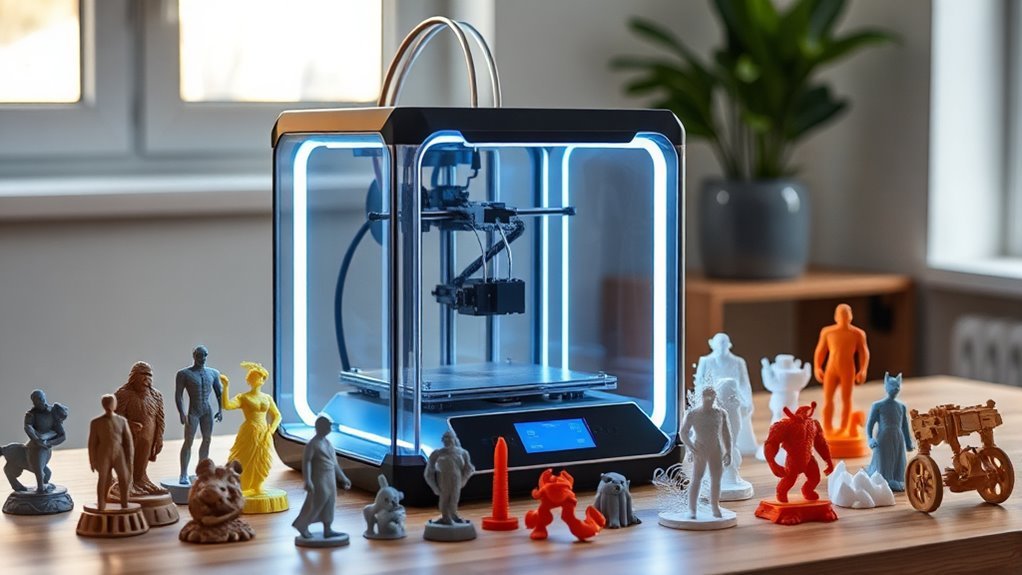
When choosing a consumer 3D printer in 2026, you’ll want to focus on print speed and accuracy to get quality results fast. Consider whether multi-color printing and a large build volume fit your creative needs.
Also, check for material compatibility and features like automation and calibration. These can make your printing experience a lot smoother and less hassle.
Print Speed And Accuracy
Although many printers boast impressive top speeds, you’ll want to focus on models that balance velocity with precision—think around 600 mm/s combined with fine detail down to 0.05 mm. Speed alone won’t help if accuracy suffers.
Check acceleration rates; too high (20,000–30,000 mm/s²) without proper vibration compensation can cause ringing and layer shifts. Look for printers with active calibration systems—auto-leveling and flow consistency ensure stable first layers, which directly impact dimensional accuracy.
Evaluate whether the printer maintains steady, quiet motion at speed to keep sharp corners and smooth surfaces. Also, consider nozzle handling features like quick swaps and flow control to maintain extrusion consistency.
Ultimately, a printer’s ability to marry speed with precision determines the quality of your final prints.
Multi-Color Printing Capability
How do you ensure vibrant, detailed prints that truly stand out? Start by choosing a printer with true multi-color hardware—separate toolheads or dedicated multi-filament systems—rather than relying on manual filament changes.
Dedicated systems reduce color mixing and minimize purging waste. Check the printer’s multi-color scaling: some offer 4 colors out of the box and can expand to 16–19 with additional modules, perfect for wide palettes.
Consider filament logistics, like sealed storage with built-in drying and automatic switching, to keep colors ready and ensure consistent extrusion. Pay attention to switching speed and waste, aiming for systems that switch tools in 5–7 seconds.
Finally, look for quality controls like AI cameras and sensors that detect flow issues and prevent print failures during color changes.
Build Volume And Size
Since the build volume limits the maximum size of your prints, you’ll want to carefully match it to your typical projects. Check the printer’s build volume dimensions—common sizes range from about 260×260×260 mm to 350×350×350 mm.
Larger chambers let you print bigger parts without splitting them, saving time on assembly. Consider how an enclosure impacts usable space and comfort for tall prints, especially if you plan full-height jobs.
Also, pay attention to maximum print speed relative to size; bigger beds demand careful setup to maintain consistent quality. Finally, don’t just focus on build volume numbers—verify the printer’s overall footprint and weight, since larger volumes usually mean bigger, heavier machines that require more workspace.
Material Compatibility Support
Discover the range of materials your 3D printer can handle to make sure it meets your project needs. Check the supported filament types and temperature ranges—some printers offer hotends up to 350°C and heated chambers around 65°C for tougher materials like ABS or ASA.
If you want to print flexible filaments, confirm the minimum Shore hardness supported and extrusion path design to avoid issues like slipping. For multi-color or multi-material projects, verify true multi-material capability, including simultaneous printing and filament blending limits.
Some systems support up to 16-color blending in a single print, which is pretty impressive. Also, look for filament handling features like built-in drying or sealed storage. These help maintain filament quality and reduce feeding problems or print failures.
This guarantees reliable, versatile printing for various materials. So, taking these factors into account will really help you get the most out of your printer.
Automation And Calibration Features
When selecting a consumer 3D printer in 2026, you’ll want to prioritize automation and calibration features that simplify setup and ensure consistent print quality. Look for fast, mostly one-click auto-calibration with built-in bed leveling—such as 49-point or full-auto sensor probing—that reduces first-layer failures and gets you printing in about 15 minutes.
Choose printers offering vibration and flow compensation to keep dimensional accuracy at high speeds, often around 600 mm/s. Automatic nozzle aids like quick-swap nozzles and background preheating help maintain thermal consistency and repeatability.
Also, verify if AI-driven cameras or sensors monitor calibration quality by detecting issues like spaghetti faults or flow inconsistencies. Machines with smart runtime adjustments and real-time first-layer tuning reduce manual corrections, ensuring smooth prints every time.
Noise And Air Filtration
Consider noise levels and air filtration carefully when selecting a consumer 3D printer in 2026, especially if you plan to use it in shared or quiet spaces like offices or bedrooms. Check the printer’s stated noise level—models running around 45–50 dB or offering a “silent mode” suit such environments best.
Also, opt for printers with mechanical noise control features like vibration compensation and dynamic fan balancing. Plus, smart enclosure designs help reduce whooshing and tonal noise during fast printing.
For air filtration, look beyond enclosure sealing. Prefer printers with active systems including HEPA13 filters combined with activated carbon to cut particulates, odors, and VOCs.
Make sure to confirm filtration claims such as blocking 99% of particles and VOCs. It’s also important that the printer’s airflow management effectively circulates filtered air inside the chamber for safer, cleaner printing.
Ease Of Setup And Use
Although 3D printing technology has advanced, you still want a printer that gets you printing quickly without complex setup. Look for models with automatic bed leveling and quick calibration to start your first print in as little as 15 minutes.
Prioritize one-click or full-auto leveling systems—like 49-point auto leveling—that minimize tuning and re-leveling. This ensures a reliable first layer every time.
Choose printers with easy maintenance features, such as quick-swap nozzles that change in seconds. Onboard alerts can also help reduce downtime by notifying you of issues promptly.
If you plan multi-color prints, opt for true multi-material toolchanger designs with fast filament swaps. These are much better than slow purging cycles.
Also, practical monitoring tools like AI cameras and app-based alerts help you catch errors early. This way, you can manage prints remotely without constant supervision.
Frequently Asked Questions
What Are the Best Filaments for Consumer 3D Printers in 2026?
You’ll want PLA for ease, PETG for durability, and TPU for flexibility.
Advanced users might try carbon-fiber blends or biodegradable filaments.
These options balance print quality, strength, and environmental impact perfectly for 2026’s consumer 3D printers.
How Do I Maintain and Clean My 3D Printer Regularly?
Just like Emma did weekly, clean your nozzle with a brass brush and wipe the build plate after every print. This helps keep things running smoothly and prevents any leftover material from causing issues.
Regularly lubricate the rods and check the belts to make sure everything is moving as it should. These small steps can really help avoid costly jams and keep your 3D printer working great.
Are There Any Safety Concerns With Home 3D Printing?
Yes, you should watch for fumes from melting plastics and keep your printer in a well-ventilated area. Also, avoid touching hot parts and always supervise the printer while it’s running.
This helps prevent fire hazards or injuries. It’s better to be safe than sorry when using your 3D printer at home.
What Software Is Recommended for 3D Printer Design and Slicing?
You should try Ultimaker Cura for slicing and Fusion 360 or Tinkercad for design. These tools are user-friendly, powerful, and widely supported.
They help you create and prepare your 3D models efficiently for printing. It’s a great way to get started without much hassle.
Can Consumer 3D Printers Handle Flexible or Specialty Materials?
You can absolutely print with flexible or specialty materials using consumer 3D printers, much like using a rotary phone in a smartphone era.
Just make sure your printer’s compatible and you adjust settings for proper extrusion and bed adhesion.
It might take a bit of tweaking, but once you get it right, the results can be pretty impressive.
Conclusion
So, you’ve got a treasure trove of top-tier 3D printers to choose from in 2026—because who doesn’t want the delightful challenge of picking just one? Whether you crave multi-color magic or speed that rivals your morning coffee rush, there’s a perfect gadget waiting.
Just remember, with all this tech at your fingertips, the real test might be figuring out what to print first. Happy printing—if you can decide!
Choosing the best consumer 3D printer in 2026 means balancing features like precision, speed, and multi-material capabilities. With so many options, from budget-friendly models to high-end machines, you’re sure to find one that fits your needs and creativity. So dive in, explore the latest tech, and get ready to bring your ideas to life with the best 3D printer for consumers this year!