9 Best Avery Label Printers for 2027 That Simplify Organization
If you’re on the hunt for the best Avery label printers for 2027, you’re in the right place.
These printers are designed to simplify your organization tasks, whether you’re labeling files, jars, or office supplies.
From versatile 3/4″ x 1-1/2″ rectangle labels to customizable round labels, there’s something here for every need.
Plus, they work seamlessly with both laser and inkjet printers, so you get professional results every time.
What’s even better? Easy-to-use online design tools make creating your perfect labels a breeze.
Stick around, and you’ll discover the top picks that’ll help you stay organized effortlessly.
| Image | Name | Editor's Rating | Price |
|---|---|---|---|

|
|
||
|
|
|
||
|
|
|
||
|
|
|
||
|
|
|
3/4″ x 1-1/2″ Rectangle labels
When organizing your workspace or home, clear labeling is key to efficiency. The 3/4″ x 1-1/2″ rectangle labels offer a practical solution that fits a wide range of needs. Designed for smooth printing, these labels ensure your items are easy to identify, saving you time and frustration.
These labels work with both laser and inkjet printers, providing flexibility regardless of your device. You’ll appreciate the large pack of 4,000 labels, which means fewer trips to restock and more uninterrupted projects. Their rectangular shape suits a variety of labeling tasks, from files to storage bins.
Maintenance is simple—just load your printer with the sheets and adjust settings for best alignment. While the single size limits some uses, the consistent quality and clean print results make them reliable for everyday labeling. Keep your space organized with labels that deliver professional clarity.
Best for: Small business owners and home organizers needing versatile, easy-to-print rectangular labels.
What We Like:
- Works with laser and inkjet printers for broad compatibility
- Large quantity of 4,000 labels per pack reduces frequent reordering
- Delivers clear, professional-looking prints for neat organization
- Simple maintenance with standard printer settings
Specification:
| Feature | Details |
|---|---|
| Manufacturer | Avery |
| Dimensions | 0.75 x 1.5 inches |
| Quantity | 4,000 labels (100 sheets) |
| Compatible Printers | Laser and Inkjet |
| Shape | Rectangle |
3/4″ x 2-1/4″ Blank Rectangle Labels, Print to the Edge
Avery’s 3/4″ x 2-1/4″ blank rectangle labels offer a simple solution for clear, precise organization. Designed for edge-to-edge printing, these labels help you create neat, professional tags without worrying about white borders. Their compact size fits perfectly on files, jars, and small containers, making identification quick and easy.
These labels work seamlessly with both laser and inkjet printers, ensuring consistent, smooth results every time. The rounded corners not only add a polished look but also make peeling and application hassle-free. Using the Presta® Template 94216 allows for swift customization, streamlining your design process.
Maintenance is straightforward—labels adhere well and resist curling, so your organization stays intact. While the smaller size suits many labeling needs, it may not be ideal for larger items. Also, using the specific template guarantees optimal alignment and print quality.
With these labels, you can improve your workspace or home organization effortlessly and efficiently.
Best for: Individuals needing versatile, high-quality labels for small to medium-sized organizational tasks.
What We Like:
- Compatible with laser and inkjet printers for versatile use
- Rounded corners ensure professional appearance and easy handling
- Presta® Template 94216 simplifies label customization
Specification:
| Feature | Details |
|---|---|
| Manufacturer | Avery |
| Dimensions | 0.75″ x 2.25″ (19 x 57 mm) |
| Labels per Sheet | 30 |
| Total Labels | 3000 |
| Material | Blank adhesive paper |
| Printer Compatibility | Laser and Inkjet |
2-1/2″ x 4″ Blank Rectangle Labels, Print to the Edge
If you need a labeling solution that adapts to various tasks, the 2-1/2″ x 4″ Blank Rectangle Labels are an excellent choice. These labels print right to the edge, allowing your designs to cover the entire surface without borders. This feature is especially helpful for creating clean, professional-looking labels.
Each sheet measures 8-1/2″ x 11″ and contains three labels, making it easy to manage your projects with a total of 300 labels across 100 sheets. They work well with both laser and inkjet printers, ensuring smooth, hassle-free printing. The rounded corners add a refined finish, preventing peeling and enhancing durability.
Maintenance is simple—just allow the ink to dry completely to avoid smudging, especially with certain printer types. These labels are perfect for organizing files, marking products, or crafting personalized gifts. Their size and design make them versatile for home, office, or creative use.
Best for: Users seeking customizable, edge-to-edge labels that combine ease of use with professional appearance.
What We Like:
- Prints to the edge for full-surface customization
- Compatible with laser and inkjet printers
- Rounded corners for a polished, durable finish
- Large quantity offering great value for bulk projects
Specification:
| Feature | Details |
|---|---|
| Manufacturer | Avery |
| Label Size | 2-1/2″ x 4″ (6.35 x 10.16 cm) |
| Sheet Size | 8-1/2″ x 11″ (21.59 x 27.94 cm) |
| Labels per Sheet | 3 |
| Total Labels | 300 (100 sheets) |
| Printer Compatibility | Laser and Inkjet |
| Shape | Rectangle with rounded corners |
2-1/2″ x 4″ Blank Rectangle Labels
The 2-1/2″ x 4″ Blank Rectangle Labels from Avery offer a simple yet effective solution for your labeling needs. These labels help streamline organization and shipping tasks by providing a clean, professional surface for clear identification. Their size fits various applications, reducing the hassle of finding the right label for different projects.
Designed to work seamlessly with both laser and inkjet printers, these labels save you time and effort in the printing process. Their rounded corners deliver a polished look, enhancing the overall presentation of your packages or files. With 800 labels per pack, you can handle large-scale labeling without frequent reordering.
Maintenance is straightforward, as these labels adhere well to many surfaces and resist peeling during handling. However, the lack of print-to-edge capability means you should plan your label designs carefully to avoid margin restrictions. The single size offers convenience but may not suit every labeling requirement.
This product combines functionality and design to make labeling tasks easier and more efficient. Its bulk quantity and compatibility with common printers make it a practical choice for office or shipping environments.
Best for: Professionals and businesses needing versatile, bulk label solutions for organization and shipping.
What We Like:
- Compatible with laser and inkjet printers for flexible printing options
- Rounded corners provide a neat, professional finish
- Large pack size of 800 labels supports extensive labeling tasks
Specification:
| Feature | Details |
|---|---|
| Manufacturer | Avery |
| Dimensions | 2-1/2″ x 4″ (6.35 x 10.16 cm) |
| Quantity | 800 labels per pack |
| Printer Type | Laser and Inkjet |
| Shape | Rectangle with rounded corners |
2-3/4″ Blank Round Labels, Print to the Edge
Looking for a labeling solution that adapts to your diverse needs? The 2-3/4″ blank round labels deliver consistent, high-quality results for both personal and professional use. Their 2.75-inch diameter offers ample space for clear, customized designs that stand out.
These labels print edge-to-edge on both inkjet and laser printers, ensuring a polished, seamless appearance. With six labels per standard sheet, they are easy to handle and perfect for projects requiring precision and neatness.
Designed for versatility, these labels come in over 25 materials, including glossy foils and neon colors, allowing you to match your label to any style or purpose. Their water-resistant surface adds durability, making them suitable for product packaging or organizational tasks.
Maintenance is straightforward—labels peel off cleanly and apply smoothly without residue. If your project demands frequent updates, these labels offer flexibility and ease of customization.
Best for: Users needing customizable, durable labels for product packaging, personal projects, or organizational tasks.
What We Like:
- Compatible with inkjet and laser printers for versatile printing options
- Edge-to-edge printing capability for a professional finish
- Water-resistant materials enhance label durability
- Wide variety of materials, including glossy and neon options
- Easy to apply and remove without leaving residue
Specification:
| Feature | Details |
|---|---|
| Manufacturer | Avery |
| Diameter | 2.75 inches (2-3/4″) |
| Labels per Sheet | 6 |
| Sheet Size | 8.5 x 11 inches |
| Material Options | Over 25, including glossy foils and neon colors |
| Printer Compatibility | Inkjet and laser printers |
Avery Easy Peel Address Labels (Box of 750)
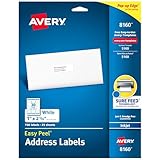
- These versatile rectangle labels are great for mailing and shipping, product labels, organization, identification, and much more
- Get a more reliable feed through your printer with printable label sheets featuring patented Sure Feed technology designed to reduce misalignments and printer jams
- Save time and effort with our Easy Peel with Pop-up Edge feature that pops up the edges of the label stickers for quick, hassle-free peeling
- Create personalized address labels using Avery Design & Print Online, which offers templates, designs, and easy-to-use tools for creating professional-quality labels
- Handwrite on labels for quick and easy personalization, or print clear text and crisp graphics with label paper optimized for inkjet printers to help prevent smearing or...

Avery Easy Peel Address Labels simplify your mailing and organization tasks with ease and efficiency. Designed to minimize frustration, these labels feature an innovative Pop-up Edge that lets you peel them quickly without tearing or wasting time. This thoughtful design helps you stay productive and focused on your work.
Each label measures 1″ x 2-5/8″, making them suitable for a variety of surfaces including paper, cardboard, and glass. The Sure Feed technology ensures smooth printing by reducing misalignments and paper jams. This reliability means less time troubleshooting and more time completing your projects.
Maintenance is straightforward since the labels come on sheets compatible with most inkjet printers. The strong, permanent adhesive holds firmly without smudging or peeling, even on different materials. These labels are easy to personalize using Avery’s online design tools or by handwriting.
While these labels are excellent for inkjet printing, they are not compatible with laser printers, limiting printing choices. The box weighs 3.4 pounds, so handling might be a consideration for some users.
Best for: Professionals and home users needing reliable, easy-to-use address labels for mailing and general organization.
What We Like:
- Pop-up Edge for quick, hassle-free peeling
- Sure Feed technology reduces printing errors
- Strong, permanent adhesive for secure labeling
- Versatile label size fits various surfaces
- Easy personalization with online or manual methods
Specification:
| Feature | Details |
|---|---|
| Manufacturer | Avery |
| Label Size | 1″ x 2-5/8″ (2.54 x 6.67 cm) |
| Quantity | 750 labels per box |
| Weight | 3.4 lb (1.54 kg) |
| Printer Type | Inkjet only |
Avery Easy Peel Printable Address Labels (3,000 Pack)
No products found.
Make your office tasks smoother with the Avery Easy Peel Printable Address Labels (3,000 Pack). These labels help reduce printer jams and misalignments thanks to Avery’s Sure Feed Technology. You can print clear, sharp addresses on each 1″ x 2-5/8″ label, making mailing and organizing faster and more efficient.
The easy peel design saves time by letting you quickly remove each label without fuss. Their permanent adhesive holds firmly to envelopes, packages, and folders, so your labels stay put during handling and shipping. You can customize them using Avery’s online tools or write on them by hand for added flexibility.
Maintaining these labels is simple. They work best with laser printers, ensuring your prints won’t smudge or smear. While only available in white, their clean design fits most professional settings and labeling needs. Keep in mind, the paper material may not be ideal for environments requiring high durability or waterproof labels.
Best for: Busy offices and small businesses seeking reliable, time-saving printable address labels.
What We Like:
- Sure Feed Technology reduces printer jams and misalignments
- Easy peel edges for quick label removal
- Strong permanent adhesive for secure placement
- Optimized for laser printers to prevent smudging
Specification:
| Feature | Details |
|---|---|
| Manufacturer | Avery |
| Dimensions | 1″ x 2-5/8″ (2.54 x 6.67 cm) |
| Quantity | 3,000 labels (100 sheets) |
| Material | Paper |
| Color Options | White |
Avery Round Address Labels, 2.5″, White, 300 Labels

- Get Noticed Instantly: Give your products, packages, and projects a professional edge with custom label stickers featuring a white matte finish that makes colors and text...
- Print with Confidence: Avery labels featuring Sure Feed technology provides a more reliable feed through your printer, helping to reduce misalignments, printer jams, and...
- Easily Create Custom Labels: Design your labels using Avery Design & Print and the available Avery templates and design tools or create one-of-a-kind personalized labels...
- Enjoy Sharp, Vibrant Prints: Print personalized stickers and labels on demand with 8.5" x 11" label paper sheets optimized for laser & inkjet printers to deliver crisp...
- Use Anywhere You Need Them: Perfect for address labels, product labels, candle labels, jar labels, and more, these versatile sticker labels are ideal for a wide range of...
For those who need reliable labeling that looks professional, the Avery Round Address Labels, 2.5″, White, offer a straightforward solution. These labels help keep your mail, products, and files organized with a clean, consistent look. Their simple round design fits well on envelopes, jars, and packages, making them adaptable for many tasks.
Designed for both laser and inkjet printers, these labels deliver clear, sharp prints without smudging. The permanent adhesive ensures your labels stay firmly in place on smooth surfaces, reducing the risk of peeling or curling. This makes them practical for long-term use in homes or offices.
Using Avery’s Sure Feed Technology, you can avoid common printer jams and misalignments. This saves time and frustration during printing. Maintenance is minimal, as the matte finish resists fingerprints and provides a clean writing surface if you prefer handwriting your labels.
The pack includes 300 labels, giving you plenty to work with for various projects. Although limited to a round shape, these labels cover many labeling needs with a classic, professional style. They can be customized easily using Avery Design & Print software or handwritten for a personal touch.
Best for: Individuals or businesses needing versatile, high-quality round address labels for organization and branding.
What We Like:
- Compatible with both laser and inkjet printers for sharp printing
- Strong permanent adhesive keeps labels secure on smooth surfaces
- Sure Feed Technology reduces printer jams and misfeeds
- Matte finish suitable for handwriting or printing
- Large pack size offers good value for multiple uses
Specification:
| Feature | Details |
|---|---|
| Manufacturer | Avery |
| Label Shape | Round |
| Label Size | 2.5 inches (diameter) |
| Quantity | 300 labels per pack |
| Color | White |
| Printer Compatibility | Laser and Inkjet |
| Adhesive Type | Permanent |
Avery Printable Shipping Labels 2″ x 4″ (250-Pack)

- Quickly update or correct old information with printable labels featuring True Block technology that completely covers existing shipping labels, markings, and everything...
- Get a more reliable feed through your printer with printable label sheets featuring patented Sure Feed technology designed to reduce misalignments and printer jams
- Handwrite on labels for quick and easy personalization, or print clear text and crisp graphics with label paper optimized for inkjet printers to help prevent smearing or...
- Create personalized address labels using Avery Design & Print Online, which offers templates, designs, and easy-to-use tools for creating professional-quality labels
- Versatile rectangle labels stick securely to most smooth surfaces, including cardboard, paper, plastic, glass, tin, and metal, making them perfect for mailing and...
Need dependable labels that make shipping and organizing hassle-free? Avery Printable Shipping Labels 2″ x 4″ (250-Pack) are designed to simplify your labeling tasks. These labels cover old markings completely with TrueBlock Technology, giving you a fresh, clean surface every time.
Printing is smooth and reliable thanks to Sure Feed Technology, which helps prevent misalignments and paper jams. The ultrahold permanent adhesive sticks firmly to a variety of surfaces, including paper, cardboard, glass, and metal, so your labels stay put through handling and shipping.
Made specifically for inkjet printers, these labels resist smudging, maintaining clear and sharp prints. Customize your labels easily using Avery Design & Print Online, making them perfect for bulk mailing, product identification, and organization.
While these labels offer great adhesion, they may be difficult to remove if repositioning is needed. Also, compatibility with laser printers is limited, and the bright white color may not fit every brand style.
Best for: Professionals and businesses needing customizable, reliable labels for shipping, mailing, and organization purposes.
What We Like:
- TrueBlock Technology ensures a clean, fresh label surface
- Sure Feed Technology reduces printer jams and misalignments
- Ultrahold adhesive provides strong, lasting adhesion on multiple surfaces
- Designed for inkjet printers to prevent smudging
- Easy customization with Avery Design & Print Online
Specification:
| Feature | Details |
|---|---|
| Manufacturer | Avery |
| Dimensions | 2 inches x 4 inches |
| Quantity | 250 labels per pack |
| Material | Printable adhesive paper |
| Color | Bright White |
Factors to Consider When Choosing an Avery Label Printer

When choosing an Avery label printer, you’ll want to contemplate a few key factors. Think about print compatibility options, label size variety, and the quality of adhesives you need.
Also, don’t overlook customization features and how easy the printer is to use. These things can really make a difference when you’re picking the right printer for your needs.
Print Compatibility Options
Choosing the right Avery label printer hinges on understanding print compatibility options, especially since labels are tailored for either laser or inkjet printers. Always confirm your printer type before selecting labels.
Inkjet labels often feature smudge-free technology to prevent ink from smearing, while laser labels are designed to endure high heat, guaranteeing durability and clarity.
Some Avery labels come with “print to the edge” capabilities, which maximize your printable area and enhance design possibilities. Plus, check the specific margin requirements and layout templates associated with the labels to verify proper alignment and performance with your printer.
This way, you’ll avoid frustrating misprints and achieve professional-looking results every time.
Label Size Variety
Avery offers a variety of label sizes, making it easy to find the perfect fit for your specific needs. You can choose from options like 3/4″ x 1-1/2″, 3/4″ x 2-1/4″, and 2-1/2″ x 4″.
These diverse sizes cater to different applications, whether you’re addressing packages, identifying products, or organizing your workspace. Each label is compatible with both laser and inkjet printers, giving you flexibility in your printing methods.
Plus, the availability of various shapes—like rectangles and circles—enhances usability for specific tasks. With different quantities per sheet and total labels per pack, you can easily select sizes that match your volume and frequency of labeling projects.
This way, you ensure efficiency and convenience every time you label.
Adhesive Quality Assessment
Finding the right label size is just the beginning; adhesive quality plays a vital role in guaranteeing your labels stay put. You’ll want to evaluate the adhesive’s strength, as Ultrahold permanent adhesive offers reliable sticking power on various surfaces like paper, cardboard, glass, and metal.
If you’re looking for a clean look, labels with TrueBlock technology can cover existing markings completely, enhancing professionalism. Keep in mind that environmental factors, such as temperature and humidity, can impact adhesive performance.
To achieve the best results, select labels with adhesives specifically designed for your intended surface and application. This attention to adhesive quality guarantees that your labels won’t curl or fall off over time, providing lasting organization.
Customization Features Available
When it comes to label printers, customization features can make all the difference in meeting your specific needs. Many Avery labels offer online design tools that let you create personalized labels tailored just for you.
You’ll find templates for various applications, whether it’s shipping, addressing, or product labeling. Plus, you can choose from a variety of shapes and sizes—rectangles, circles, and specialty formats—to guarantee a perfect fit.
Avery labels typically support edge-to-edge printing, allowing full-color designs without any white borders, which enhances visual appeal. And the best part? Integrated features like mail merge capabilities make it easy to create bulk labels efficiently.
This really streamlines your labeling process for larger projects. With these options, your labels can truly reflect your style and purpose.
Ease of Use
Choosing an Avery label printer that’s easy to use can greatly enhance your labeling experience. Look for printers with user-friendly interfaces and intuitive software that simplify design and printing.
Make sure the printer is compatible with your computer’s operating system and offers a straightforward installation process for quick setup. Features like automatic feed and alignment technology help minimize misprints, making your label production smoother.
Opt for models that support templates and customization options, allowing you to design labels without needing advanced graphic skills. Finally, choose printers that provide clear instructions and accessible customer support resources.
This way, you can easily troubleshoot any issues or questions that come up during use. You’ll enjoy a seamless labeling journey.
Return Policy Considerations
Before purchasing an Avery label printer, it’s essential to evaluate the return policy, as this can greatly impact your buying decision. Avery typically offers a 30-day return policy, allowing you to return items for a full refund if you’re not satisfied.
This policy doesn’t affect your legal rights of withdrawal, ensuring you’re protected under consumer rights. Make sure to review the return conditions and any exceptions to understand potential limitations before buying.
If you have feedback about pricing or returns, you’ll need to sign in online for processing. Overall, this return policy aims to enhance your satisfaction by providing a straightforward process for returning products that don’t meet your expectations.
Frequently Asked Questions
What Types of Printers Are Compatible With Avery Labels?
Most inkjet and laser printers are compatible with Avery labels. You’ll find that many all-in-one printers also work well.
Just make sure to check your printer settings so they match the label size for the best results. This little step really helps avoid any printing mishaps.
How Do I Troubleshoot Printing Issues With Avery Labels?
If your labels smudge, check the printer settings first. Confirm you’re using the right paper type.
If that doesn’t work, try cleaning the printer heads or replacing the ink cartridges for clearer prints. Sometimes, a little maintenance goes a long way!
Can I Use Avery Labels for Inkjet and Laser Printers?
Yes, you can use Avery labels for both inkjet and laser printers. Just check the label packaging for compatibility before printing.
It’ll guarantee your labels look great and stick properly without any issues. Easy, right?
Are Avery Labels Waterproof or Resistant to Moisture?
Avery labels aren’t typically waterproof, but some are moisture-resistant. If you need durability, look for labels specifically marked as water-resistant.
Always check the product details to guarantee they meet your needs for moisture exposure. That way, you won’t be caught off guard if they get wet.
What Software Is Best for Designing Avery Labels?
You’ll find that Avery Design & Print is the ultimate software for designing labels. It’s user-friendly and packed with features, letting you create stunning, personalized labels faster than a cheetah on roller skates!
Seriously, it makes the whole process super easy and even fun. You’ll be amazed at how quickly you can get professional-looking results without any hassle.
Conclusion
In choosing the right Avery label printer, you’re not just picking a tool; you’re investing in a smoother, more organized life. Imagine effortlessly labeling everything from jars to packages, transforming chaos into order with just a few clicks.
With so many options available, you’re bound to find one that fits your needs perfectly. So go ahead, release your creativity and turn your labeling tasks into a breeze.
Because why settle for ordinary when you can have extraordinary? The best Avery label printers for 2027 simplify organization and add a touch of ease to your daily routine. Whether you’re labeling for home, office, or business, these printers help you stay neat and efficient.
Choosing the right Avery label printer means embracing convenience, style, and precision all in one. Get ready to organize smarter and label faster!