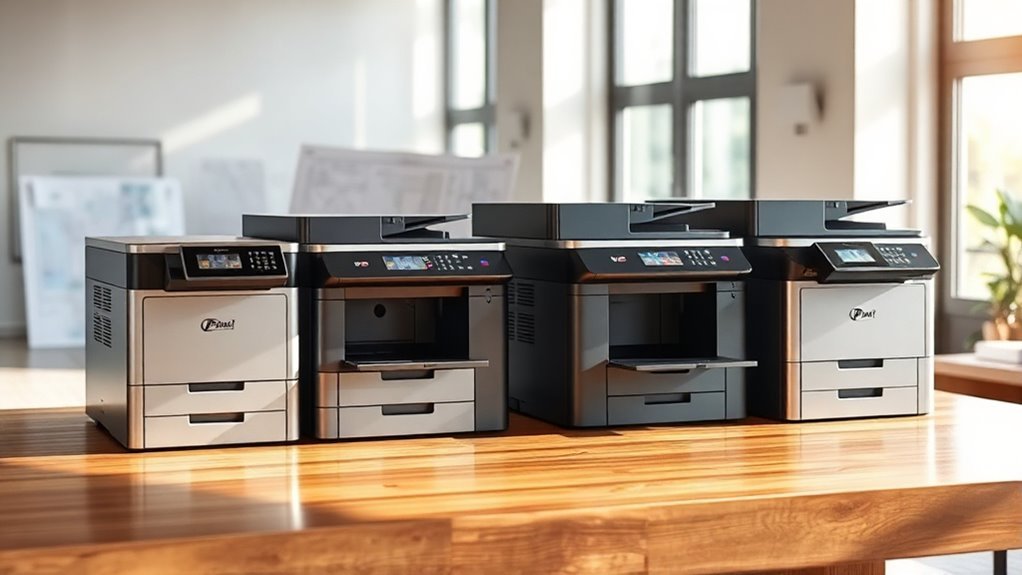
4 Best Construction CAD Printers for 2027
For precise, fast construction CAD printing in 2027, you’ll want reliable printers that handle large formats and deliver sharp details. The HP DesignJet T630 stands out with its 36-inch wide media and 2400×1200 dpi resolution, making it perfect for detailed blueprints.
Plus, its automatic media switching keeps your workflow smooth on busy construction sites.
The HP DesignJet T210 is another great option, offering 24-inch rolls and crisp output. It’s also super convenient with easy connectivity features like Wi‑Fi Direct.
These models strike a great balance between speed, accuracy, and media handling, helping you get more done without hassle.
Take a closer look to see which printer fits your project needs best and keeps your construction plans on track.
| Image | Name | Editor's Rating | Price |
|---|---|---|---|

|
|
||

|
|
||

|
|
||
|
|
|
HP DesignJet T210 24-inch Large Format Printer
- Ideal for: Technical line drawings, renders requiring precise, accurate line-quality and crisp text, posters, maps, and professional sewing patterns.
- Media Sizes: Up to 24-inch wide media rolls (large format), and up to 13-inch by 19-inch sheets (wide format) using the optional automatic sheet feeder accessory.
- Media Handling: Sheet feed, roll feed, automatic horizontal cutter.
- Simple & Cost Effective: Print multi-size projects automatically, without needing to manually switching the media source. Cost saving efficiencies like using 95% less ink...
- Simplify Printing with Included HP Click Software: Save time, ink, and paper waste with PDF error checking, alerts, and auto-nesting. Predefine your print settings and...

The HP DesignJet T210 24-inch Large Format Printer is designed to handle detailed technical drawings and CAD prints with sharp precision. It supports media up to 24 inches wide, including rolls and sheets up to 13″×19″ when paired with an optional feeder. This versatility helps professionals produce high-quality posters, maps, and sewing patterns efficiently.
Maintenance is straightforward thanks to its automatic horizontal cutter and smooth media switching. These features reduce manual handling and help minimize waste. The printer also integrates with HP Click software, allowing users to drag and drop PDFs or CAD files easily, speeding up print preparation.
Connectivity options include Gigabit Ethernet, USB, Wi-Fi, and mobile printing through the HP Smart app. This range of choices improves workflow by enabling printing directly from smartphones or tablets, adding convenience for busy professionals on the go.
While the printer offers reliable functionality, it requires an optional automatic sheet feeder for handling wide-format sheets, which adds extra cost. Print speed is moderate, and the one-year hardware warranty may be short for some users.
Best for: professionals and businesses needing precise, large-format technical drawings and CAD prints with flexible media handling and mobile printing.
What We Like:
- Supports large 24-inch media rolls and sheets up to 13″×19″ with automatic cutter
- HP Click software simplifies PDF and CAD file printing with waste reduction
- Multiple connectivity options including Ethernet, USB, Wi-Fi, and mobile printing
- Automatic media switching reduces manual intervention and errors
Specification:
| Feature | Details |
|---|---|
| Manufacturer | HP |
| Max Media Width | 24 inches (rolls) |
| Max Sheet Size | 13″×19″ (with optional feeder) |
| Connectivity | Gigabit Ethernet, USB, Wi-Fi, HP Smart app |
| Cutter | Automatic horizontal cutter |
HP DesignJet T210 24-inch Large Format Printer
- Includes up to 1-year of ink: A full set of extra ink cartridges is also included to give you up to 1 year of high-quality prints.
- Ideal for: Poster printing, technical line-drawings, blueprints, indoor signage, maps, sewing patterns, and other professional wide or large format prints. This printer...
- Media Sizes: Up to 24-inch wide media rolls (large format), and up to 13-inch by 19-inch sheets (wide format) using the optional automatic sheet feeder accessory.
- Media Handling: Sheet feed, roll feed, automatic horizontal cutter.
- Simple & Cost Effective: Print multi-size projects automatically, without needing to manually switching the media source. Cost saving efficiencies like using 95% less ink...
The HP DesignJet T210 large format printer is designed to streamline your CAD and technical drawing needs. It prints up to 24 inches wide, making it ideal for detailed plans and designs. With automatic switching between rolls and sheets, it adapts smoothly to projects of varying sizes, saving time and effort.
This printer delivers sharp, clear images at 2400 x 1200 dpi resolution, ensuring your drawings are precise and professional. Its fast print speed keeps your workflow moving, producing up to 59 A1/D prints per hour. Connectivity options like Gigabit Ethernet, USB, and Wi-Fi allow easy printing from multiple devices.
Maintenance is simple with HP 712 cartridges and an extra ink set included to get you started. The compact design fits neatly into most workspaces without sacrificing performance. While its 500 MB memory and single tray limit multitasking, it handles everyday print jobs efficiently.
Best for: Architects, engineers, designers, and construction professionals requiring reliable, precise wide-format printing for CAD drawings and signage.
What We Like:
- Sharp 2400 x 1200 dpi print quality for detailed output
- Automatic media switching between rolls and sheets
- Multiple connectivity options for flexible printing
- Compact design suitable for tight workspaces
- Includes extra ink set for immediate use
Specification:
| Feature | Details |
|---|---|
| Manufacturer | HP |
| Maximum Media Width | 24 inches (61 cm) |
| Print Resolution | 2400 x 1200 dpi |
| Print Speed | Up to 59 A1/D prints/hour |
| Connectivity | Gigabit Ethernet, USB, Wi-Fi |
| Memory | 500 MB |
| Ink Cartridges | HP 712 |
| Dimensions | Not specified |
| Weight | Not specified |
HP DesignJet T630 36-inch Large Format Printer
- Ideal for: Technical line-drawings, renders requiring precise, accurate line-quality and crisp text, posters, and maps. This printer is popular among architects...
- Media Sizes: Up to 36-inch wide media rolls (large format), and up to 13-inch by 19-inch sheets (wide format) using the included automatic sheet feeder accessory.
- Media Handling: Sheet feed, roll feed, automatic sheet/roll switch, media bin, automatic horizontal cutter.
- Connectivity: Gigabit Ethernet (1000Base-T), Hi-Speed USB 2.0, Wi-Fi 802.11 b/g/n.
- Simplify Printing with Included HP Click Software: Save time, ink, and paper waste with PDF error checking, alerts, and auto-nesting. Predefine your print settings and...
The HP DesignJet T630 is engineered to deliver precise and reliable large-format printing tailored for architects, engineers, and construction professionals. This 36-inch printer produces detailed line drawings and CAD prints that meet the demanding accuracy needed for technical projects. It effortlessly handles complex maps and signage, improving workflow efficiency.
Designed for versatility, the T630 supports both 36-inch roll media and 13×19-inch sheets. Its automatic switching and cutting features reduce manual intervention, allowing you to focus on your work. Connectivity options like Wi-Fi, Ethernet, and USB make it easy to print directly from various devices, helping streamline your project timelines.
Maintenance is straightforward with an automatic feeder and media bin, keeping everything organized and reducing downtime. The printer’s compact design and eco-friendly features make it suitable for busy offices or construction sites where space and sustainability matter.
While it does not include scanning or copying functions and limits sheet size to 13×19 inches, the T630 excels as a dedicated large-format printer for high-precision technical documents.
Best for: Architects, engineers, and construction professionals needing accurate, fast large-format prints for technical designs and plans.
What We Like:
- Crisp 2400 x 1200 dpi resolution for detailed line work
- Automatic media switching and cutting for smooth operation
- Multiple connectivity options with user-friendly HP smart apps
Specification:
| Feature | Details |
|---|---|
| Manufacturer | HP |
| Maximum Print Width | 36 inches (91.4 cm) |
| Maximum Sheet Size | 13 x 19 inches (33 x 48 cm) |
| Connectivity | Wi-Fi, Ethernet, USB |
| Print Technology | Thermal |
HP DesignJet T210 24-Inch Large Format Printer
- Includes 2-year HP Care Pack with Onsite Support.
- Ideal for: Technical line-drawings, blueprints, posters, indoor signage, maps, sewing patterns, and other professional wide or large format prints. This printer is...
- Media Sizes: Up to 24-inch wide media rolls (large format), and up to 13-inch by 19-inch sheets (wide format) using the optional automatic sheet feeder accessory.
- Media Handling: Sheet feed, roll feed, automatic horizontal cutter.
- Simple & Cost Effective: Print multi-size projects automatically, without needing to manually switching the media source. Cost saving efficiencies like using 95% less ink...
The HP DesignJet T210 24-inch printer is built to deliver precise, large-format prints that meet the needs of engineers and architects. It tackles complex technical drawings and blueprints with sharp text and clear line quality. This printer simplifies handling both rolls and sheets, making it easier to switch media without interrupting workflow.
With a high resolution of 2400 x 1200, the DesignJet T210 ensures every detail is crisp and accurate. It prints efficiently at up to 59 A1/D pages per hour, helping professionals meet tight deadlines. The included HP Click software streamlines job submission, while Wi-Fi Direct lets you print directly from multiple devices with minimal setup.
Maintenance is straightforward thanks to HP 712 inks, which reduce ink use and help lower CO2 emissions. While it has limited onboard memory and a single processor, the model performs reliably for typical large-format printing tasks. Its eco-friendly design supports sustainability efforts without sacrificing quality.
Best for: Architects, engineers, and construction professionals needing precise, large-format technical prints such as blueprints, maps, and posters.
What We Like:
- Sharp print resolution (2400 x 1200) for detailed line work and text
- Versatile media support with automatic roll/sheet switching and cutter
- Eco-conscious ink system reduces consumption and emissions
Specification:
| Feature | Details |
|---|---|
| Manufacturer | HP |
| Dimensions | Not specified |
| Weight | Not specified |
| Printing Width | 24 inches |
| Print Resolution | 2400 x 1200 dpi |
| Media Handling | Roll and sheet feed |
| Connectivity | Wi-Fi Direct, USB 2.0 |
Factors to Consider When Choosing a Construction Cad Printer
When choosing a construction CAD printer, you’ll want to focus on print quality and precision to make sure your designs come out clear and accurate.
Also, consider media handling options, file compatibility, and how well the printer integrates with your existing workflow. These things can really make a difference.
Don’t forget to think about print speed and connectivity. Keeping your projects moving efficiently is key.
Print Quality Precision
Although many factors influence your choice of a construction CAD printer, print quality precision stands out as crucial. You want a printer with a high maximum resolution—up to 2400 × 1200 dpi—to keep thin construction lines crisp and readable, even at architectural scale.
Make sure it supports CAD-appropriate vector output like HP/GL-2, which ensures accurate line rendering for plans and details. It really makes a difference when you need those fine lines to stay sharp.
Balance throughput and precision by choosing models that deliver up to 59 A1/D prints per hour without sacrificing quality. It’s all about getting the job done fast, but without losing that crisp detail.
Choose printers designed for technical line drawings and clear CAD-style text to improve construction markings. This way, your plans are easy to read and professional-looking every time.
Finally, pick one with maintenance features that reduce ink waste by up to 95%, preserving printhead health and consistent precision over time. That means less downtime and more reliable prints down the line.
Media Handling Options
Since your construction projects demand varied print sizes and formats, choosing a printer with versatile media handling capabilities is essential. Make sure your printer supports the exact media you use—typically wide rolls from 24 to 36 inches and smaller sheets up to about 13×19 inches.
Look for models with automatic sheet and roll switching so you can print mixed-size jobs without stopping to change media manually. It really saves time and hassle on busy days.
Prioritize printers with built-in sheet and roll feeds plus automatic horizontal cutters for clean, consistent blueprint trimming. This way, your prints come out looking professional every time.
Check if the printer handles your usual sheet volume—some support up to 50 sheets—and includes the right media bin or stand for smooth, unattended runs. It’s all about keeping your workflow efficient and hands-free.
Finally, verify it can run sheets and rolls in one workflow using CAD-compatible drivers that complement media handling automation. That keeps everything running seamlessly, just the way you want.
File Compatibility Support
Ensuring your construction CAD printer supports the right file formats lets you print complex drawings without errors or delays. You should verify that the printer and driver handle essential CAD formats like HP-GL/2, plus common types such as PDF, JPEG, TIFF, DWF, and PNG for broader use.
Check if the bundled submission tool, like HP Click, supports drag-and-drop printing for CAD outputs, mixing vector and raster files seamlessly. It’s crucial that the system prints vector linework accurately, as construction drawings rely on precise lineweights and geometry.
Make sure the driver explicitly supports your CAD exports to avoid translation issues. Finally, confirm all formats your team uses—DWF, HP-GL/2, PDF—are recognized within the same workflow to streamline your printing process and prevent compatibility hiccups.
Connectivity And Integration
A reliable construction CAD printer needs seamless connectivity and integration to keep your workflow smooth and efficient. Look for high-speed transfer options like Gigabit Ethernet and Hi-Speed USB 2.0 to handle large CAD files without delays.
Wireless capabilities such as Wi-Fi 802.11 b/g/n and optional Wi-Fi Direct let your team print from anywhere without cables. It’s super convenient and keeps things moving fast.
Make sure the printer supports CAD-specific command standards like HP-GL/2 to preserve precise linework. This helps maintain accuracy in your designs without any hiccups.
Workflow software integration, like HP Click’s drag-and-drop submission for formats like PDF, DWF, and HP-GL/2, reduces errors and simplifies printing tasks. It really takes the stress out of managing complex files.
Finally, choose a printer with app and driver compatibility across Windows, macOS, ChromeOS, and mobile platforms. That way, everyone on your construction design team can enjoy consistent, hassle-free printing no matter what device they use.
Print Speed Efficiency
You’ll often find that print speed plays a key role in meeting tight deadlines on construction projects. When choosing a construction CAD printer, compare throughput using “A1/D size prints per hour” and “seconds per A1/D plot.”
Faster printers, reaching up to 59 A1/D prints per hour at around 45 seconds each, directly reduce turnaround times. Make sure the printer keeps consistent speeds in both black-and-white and color since construction plans combine crisp line art with colorful details.
Look for clear page-speed rates, like 1.3 pages per minute, to help estimate output per shift. Also, prioritize printers with workflow features such as automatic sheet switching and integrated cutters—they really help cut down idle time.
After that, check for enough onboard memory (500MB or more) to buffer large CAD files and keep printing smooth. These features together make a big difference when you’re racing against the clock.
Ink System Reliability
Fast print speeds won’t matter much if the ink system falters during a long CAD run. You need a printer with an OEM ink system that uses a designated set of cartridge colors and an integrated printhead model. This ensures consistent, dependable performance throughout extended jobs.
Look for designs that reduce routine ink use—some cut maintenance ink consumption by up to 95%, which minimizes waste and stabilizes maintenance intervals. It’s definitely worth considering if you want to keep things running smoothly without constant refills.
Prioritize printers with automated ink system maintenance and error detection. This helps prevent interruptions and media waste, keeping your workflow steady.
Also, confirm the ink and printhead pairing is calibrated for consistent line quality and sharp text without frequent manual adjustments. You want your prints looking crisp every time without having to tweak settings.
Finally, make sure the printer comes with starter and extra full cartridge sets plus a printhead. This avoids early reliability issues caused by low ink or mismatched consumables, so you’re set up for success right from the start.
Warranty And Support
When selecting a construction CAD printer, understanding the warranty and support options can save you from costly downtime later. Check the warranty length and terms carefully—some models offer a 1-year limited hardware warranty, while others include a 2-year extended Care Pack with onsite support.
Confirm whether support covers onsite assistance or just phone help. Onsite support can drastically reduce job delays, so it’s worth knowing exactly what you’re getting.
Look for included setup tools and diagnostic apps that simplify troubleshooting. These can be real time-savers when issues pop up.
Make sure the warranty aligns with your printer’s maintenance and ink or printhead replacement schedule. This helps avoid any coverage gaps that might leave you unprotected.
Finally, verify what the warranty covers—hardware only or broader service. Also, know how to initiate a claim so you’re fully prepared if issues arise.
Frequently Asked Questions
How Do Construction CAD Printers Handle Color Accuracy Over Time?
You’ll notice construction CAD printers maintain color precision by using high-quality inks and regular calibration.
Over time, you’ll need to replace cartridges and run upkeep to prevent fading and ensure consistent, accurate color output.
Keeping an eye on these things helps your prints stay sharp and true to color.
It’s all about staying on top of maintenance so your printer doesn’t lose its edge.
Can These Printers Integrate With Mobile Devices and Cloud Services?
Yes, these printers easily integrate with mobile devices and cloud services, letting you print directly from your phone or tablet. You’ll enjoy seamless file sharing, remote printing, and real-time updates.
It really boosts your workflow efficiency whether you’re on-site or working remotely. Plus, it’s super convenient to manage everything right from your device.
What Maintenance Routines Extend the Lifespan of CAD Printers?
Like tuning a guitar, you should clean print heads routinely, update firmware, and calibrate settings.
Don’t forget to use high-quality ink and keep the printer free from dust to extend your CAD printer’s lifespan and ensure consistent performance.
Are There Eco-Friendly Ink Options Available for These Printers?
Yes, you can choose eco-friendly ink options like soy-based or water-based inks for your CAD printers. They reduce environmental impact and emit fewer toxins.
Plus, these inks often provide vibrant, durable prints without compromising quality or performance. It’s a smart choice if you want to be more environmentally conscious while still getting great results.
How Do Printer Speeds Affect Large-Scale Project Deadlines?
You’ll speed up large-scale project deadlines noticeably since printers that are 30% faster can cut printing time by hours daily.
This lets you review and revise plans quicker, which is a huge time-saver.
Ultimately, it helps keep your project on schedule and budget without the usual stress.
Conclusion
When choosing your next construction CAD printer, remember that 85% of professionals say print quality directly affects project accuracy. You want a dependable printer like the HP DesignJet T210 or T630 to keep your designs crisp and your deadlines on track.
Choosing the right printer not only boosts efficiency but also ensures your work stands out. So, invest wisely—you’ll save time and avoid costly errors later on.
In the world of construction CAD printers, quality and reliability are key. Picking the best printer can make all the difference in your project’s success. With the right construction CAD printer, you’ll enhance accuracy, speed up your workflow, and deliver top-notch results every time.