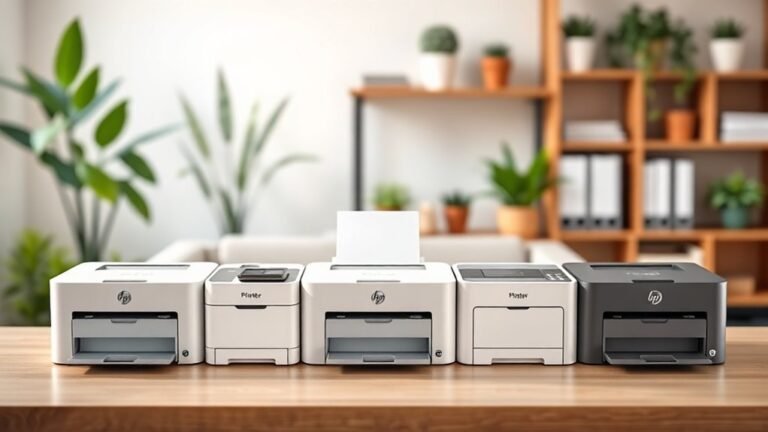
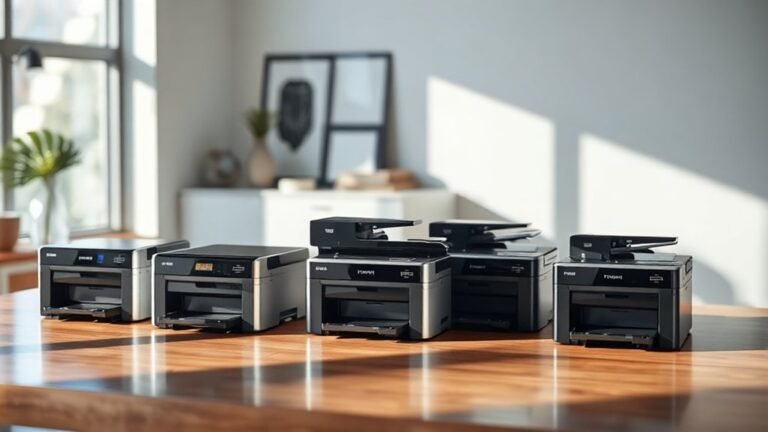
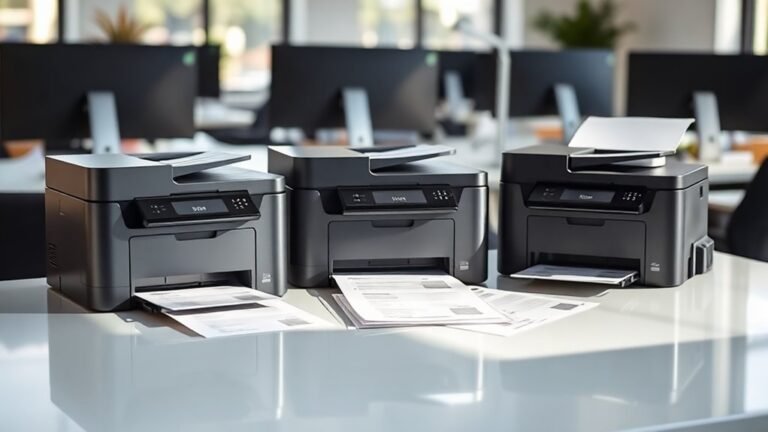
13 Best Compact Printers for 2027
You’ll find top compact printers like the Canon PIXMA TR160 and HP Envy 6155 that offer wireless convenience, sharp print quality, and easy portability.
These models are perfect for anyone looking to save space without sacrificing performance.
For those who need mobile use, the HP OfficeJet 250’s built-in battery really stands out.
Plus, the Gloryang Inkless thermal printer provides mess-free printing on the go, which is a game-changer for travel or quick tasks.
Whether you want all-in-one versatility or crisp monochrome output, there’s definitely a model for you.
Keep exploring to discover which compact printer perfectly matches your printing needs and lifestyle.
| Image | Name | Editor's Rating | Price |
|---|---|---|---|

|
|
||

|
|
||

|
|
||

|
|
||

|
|
Canon PIXMA TR160 Color Wireless Portable Printer
- LIGHTWEIGHT AND PORTABLE - Connect and print on the go with the PIXMA TR160. This lightweight portable printer can fit into a bag or backpack with room to spare.
- HIGH-QUALITY PRINTING ON THE GO - Print documents and photos up to 8.5” x 11” that showcase sharp black text and vibrant details with rich color thanks to a 5-Color...
- SIMPLE & EASY CONNECTIVITY - Printing is only an app away when using the Canon PRINT app, Apple AirPrint4, or Mopria Print Service5 with your compatible device(s) or the...
- WIRELESS DIRECT MODE - Connect your compatible device to the printer even without a wireless router.
- 1.44” OLED DISPLAY - Easily check ink levels, printer status, and other settings with the 1.44” Monochrome OLED.

The Canon PIXMA TR160 offers a compact and portable printing solution for users who need sharp color and black-and-white prints on the move. Its lightweight design fits easily into bags, making it ideal for travel or remote work. This printer helps you produce vibrant documents and photos with a high print resolution of 4800 x 1200 dpi.
You can print on standard sheets or glossy photo paper up to 8.5 by 11 inches, ensuring versatility for different projects. The wireless connectivity options, including the Canon PRINT app, AirPrint, and Wireless Direct mode, allow effortless printing from various devices without needing a router. This feature simplifies printing in environments with limited network access.
Maintenance is straightforward, but keep in mind the 50-sheet paper capacity may require frequent refills during larger print tasks. While the print speed is moderate, the option to add a battery pack enables true portability for printing without power outlets, though this comes at an extra cost.
Overall, the PIXMA TR160 balances mobility, print quality, and wireless convenience to meet the needs of users who print on the go.
Best for: Mobile professionals and students needing a lightweight, wireless printer for high-quality color and black-and-white prints in various locations.
What We Like:
- Lightweight and compact for easy transport
- High-resolution printing delivers vibrant, detailed output
- Multiple wireless options including Wireless Direct for flexible connectivity
- Supports printing on glossy photo paper and standard sheets
Specification:
| Feature | Details |
|---|---|
| Manufacturer | Canon |
| Dimensions (L×W×H) | 12.7 × 7.3 × 2.6 inches |
| Weight | 4.5 lbs |
| Print Resolution | 4800 × 1200 dpi |
| Max Paper Size | 8.5 × 11 inches |
HP DeskJet 2923 Color Inkjet Printer | Wireless | All-in-One
- Perfect for basic printing needs – Print everyday color documents like to-do lists, letters, financial documents and recipes
- KEY FEATURES – Color print, copy, scan, and a 60-sheet input tray, plus mobile and wireless printing
- OPTIMIZE PRINT FORMATTING WITH HP AI – Print web pages and emails with precision—no wasted pages or awkward layouts; HP AI easily removes unwanted content, so your...
- ICON LCD – Print your basic documents with ease from the intuitive control panel
- PRINT SPEED – Up to 7.5 ppm black, 5.5 ppm color
The HP DeskJet 2923 is a compact all-in-one printer designed to simplify your daily tasks. It lets you print, copy, and scan in full color, helping you manage multiple needs with a single device. The 60-sheet input tray keeps your workspace clutter-free, while the printer’s design saves space.
This model connects easily through dual-band Wi-Fi, ensuring stable wireless printing from your computer or smartphone. The HP app enhances convenience by allowing you to print and scan remotely. With HP AI technology, layouts are optimized automatically, removing unwanted content for cleaner results.
Maintenance is straightforward thanks to its energy-efficient build, using 70% recycled plastics and certifications like ENERGY STAR and EPEAT. The included 6-month Instant Ink trial offers automatic ink delivery, reducing the hassle of manual refills and helping to control printing costs.
While the print speed is moderate, it suits home or small office environments where volume is manageable. The smaller input tray may require more frequent refilling, and after the trial, Instant Ink becomes a paid subscription.
Best for: individuals and small home offices needing a compact, wireless all-in-one color printer with eco-friendly design and easy maintenance.
What We Like:
- Versatile all-in-one functionality: print, copy, and scan in color
- Reliable dual-band Wi-Fi and smartphone app support
- Eco-conscious design with recycled materials and energy certifications
- HP AI technology improves print quality by optimizing layouts
- Convenient 6-month Instant Ink trial for automated ink management
Specification:
| Feature | Details |
|---|---|
| Manufacturer | HP |
| Dimensions (W×D×H) | 16.46 × 11.73 × 6.69 in |
| Weight | 4.41 lb (2.0 kg) |
| Material | 70% recycled plastics |
| Color Options | White |
HP Envy 6155 Wireless All-in-One Inkjet Printer
- FROM AMERICA'S MOST TRUSTED PRINTER BRAND – The Envy 6155 is perfect for homes printing everyday high-quality color documents like homework and borderless photos. Print...
- 3 MONTH TRIAL OF INSTANT INK – Subscribe to the Instant Ink delivery service to get ink delivered directly to your door before you run out, and you save up to 50% on...
- KEY FEATURES – Color print, copy and scan, plus auto 2-sided printing and a 100-sheet input tray
- HP'S MOST INTUITIVE COLOR TOUCHSCREEN – Smoothly navigate your printer with the easy-to-use 2.4" touchscreen
- WIRELESS PRINTING – Stay connected with our most reliable dual-band Wi-Fi, which automatically detects and resolves connection issues
Experience seamless printing with the HP Envy 6155 Wireless All-in-One Inkjet Printer, designed to handle your daily tasks with ease. Its compact size fits effortlessly on any desk, making it ideal for home or small office setups. This versatile printer combines printing, scanning, and copying in one device, streamlining your workflow.
The Envy 6155 delivers sharp, vibrant prints at a resolution of 4800 x 1200 dpi. It also features automatic duplex printing, helping you save paper and reduce manual effort. Wireless connectivity with dual-band Wi-Fi and the HP app lets you print and scan directly from your smartphone, enhancing convenience.
Maintenance is straightforward with eco-conscious design elements. Made from 60% recycled plastic, the printer supports ongoing firmware updates to keep your device secure and running smoothly. Its lightweight build means you can easily move or store it when needed.
While print speeds are moderate and the paper tray holds 100 sheets, the Envy 6155 is well-suited for everyday use without overwhelming volume. This all-in-one printer balances functionality, ease of use, and environmental responsibility.
Best for: users seeking a compact, versatile all-in-one printer that offers wireless convenience and high-quality color printing for home or small office use.
What We Like:
- Automatic duplex printing saves time and paper
- Dual-band Wi-Fi and HP app enable mobile printing and scanning
- Eco-friendly design with 60% recycled plastic
- High-quality prints with vibrant color resolution
- Lightweight and compact for easy placement
Specification:
| Feature | Details |
|---|---|
| Manufacturer | HP |
| Dimensions | 17.05″ D x 5.35″ W x 14.21″ H |
| Weight | 11.2 lb (5.08 kg) |
| Material | Plastic (60% recycled) |
| Color Options | Not specified |
Canon PIXMA TS6520 Wireless Color Inkjet Printer, 1.42″ OLED Display, White
- Affordable Versatility - A budget-friendly all-in-one printer perfect for both home users and hybrid workers, offering exceptional value
- Crisp, Vibrant Prints - Experience impressive print quality for both documents and photos, thanks to its 2-cartridge hybrid ink system that delivers sharp text and vivid...
- Effortless Setup & Use - Get started quickly with easy setup for your smartphone or computer, so you can print, scan, and copy without delay
- Reliable Wireless Connectivity - Enjoy stable and consistent connections with dual-band Wi-Fi (2.4GHz or 5GHz), ensuring smooth printing from anywhere in your home or...
- Scan & Copy Handling - Utilize the device’s integrated scanner for efficient scanning and copying operations
The Canon PIXMA TS6520 delivers vibrant, high-quality color printing that meets the needs of creative professionals and busy households alike. Its compact design fits easily into any space, while dual-band Wi-Fi ensures a smooth wireless connection for hassle-free printing from multiple devices. The printer’s 2-cartridge hybrid ink system produces sharp documents and photos with up to 1200 x 1200 dpi resolution, enhancing every print’s detail and vibrancy.
Maintenance is straightforward thanks to the use of specific PG-295 and CL-286 cartridges, designed for reliable performance and easy replacement. The 1.42” OLED display simplifies navigation through settings, making daily tasks quick and efficient. Automatic two-sided printing helps save paper and speeds up your workflow, reducing manual effort.
Beyond printing, the PIXMA TS6520 adds versatility with a flatbed scanner and fast copying features. While its print media size is limited to 8.5” x 11”, it covers most home and office needs. Copy speed is moderate, but sufficient for typical household or small office use.
Best for: creative professionals and busy households seeking a compact, high-quality wireless printer with versatile scanning and copying capabilities.
What We Like:
- Sharp and vibrant prints with a hybrid ink system and 1200 x 1200 dpi resolution
- Reliable dual-band Wi-Fi and voice control via Alexa for easy connectivity
- User-friendly 1.42” OLED display and automatic two-sided printing to streamline tasks
- Versatile flatbed scanner and quick copying add multi-functionality
Specification:
| Feature | Details |
|---|---|
| Manufacturer | Canon |
| Dimensions | Compact, fits most spaces |
| Weight | Lightweight |
| Ink System | 2-cartridge hybrid (PG-295, CL-286) |
| Print Resolution | Up to 1200 x 1200 dpi |
| Display | 1.42” OLED |
| Connectivity | Dual-band Wi-Fi, Alexa voice support |
| Media Size | Up to 8.5” x 11” |
Gloryang Inkless Portable Wireless Thermal Printer Kit
- Inkless Printing – Gloryang portable printer uses advanced thermal technology, requiring no ink, toner, or ribbons. The package includes the printer, 3 thermal paper...
- Seamless Bluetooth Connectivity – The Gloryang mobile sticker printer connects easily to iOS and Android via Bluetooth through the “Jadens Printer” app. It also...
- Ultra-Portable Design - Weighing just 1.75lb and measuring 1.7in thick, the Gloryang portable printer is incredibly lightweight and compact. Perfect for on-the-go...
- Space-Saving Design - Say goodbye to clutter with the built-in paper bin of the Gloryang printer. It saves space and keeps your workspace tidy, whether you're on the go...
- Perfect Gift for Holiday-Gloryang thermal printer can print clear photos, image, design drawings and text. It's perfect for busy professionals and students. Come with a...
Experience hassle-free printing with the Gloryang Inkless Portable Wireless Thermal Printer Kit. This compact device removes the need for ink, toner, or ribbons by using advanced thermal technology, making printing cleaner and more convenient. It’s ideal for those who require quick, ink-free printouts anytime, anywhere.
Weighing just 1.75 pounds and only 1.7 inches thick, this printer fits easily into a backpack or briefcase. Its wireless Bluetooth connection allows seamless printing through the “Jadens Printer” app on iOS and Android, or via a driver on your laptop. This versatility supports a variety of on-the-go printing needs.
Maintenance is simple since the printer only requires thermal paper, which is included in the kit along with a case and charging cable. The print speed reaches up to 35 pages per minute at a resolution of 203 x 203 dpi, offering sharp, legible results for everyday documents. However, it’s limited to thermal paper and may not suit tasks needing high-detail prints.
Best for: Travelers, students, and professionals who need a compact, inkless, and fast wireless printer for mobile document printing.
What We Like:
- Inkless thermal printing eliminates mess and refills
- Lightweight and thin design enhances portability
- Bluetooth app compatibility on iOS and Android
- Fast printing speed of up to 35 pages per minute
- Includes essential accessories: paper rolls, case, charging cable
Specification:
| Feature | Details |
|---|---|
| Manufacturer | Gloryang |
| Dimensions | 1.7 inches thick |
| Weight | 1.75 pounds |
| Printing Tech | Inkless Thermal |
| Resolution | 203 x 203 dpi |
| Connectivity | Bluetooth, USB driver |
| Included Items | Paper rolls, case, cable |
Rongta Wireless Thermal Portable Printer for Mobile

- Easy to Set Up: RONGTA F11A portable thermal printer for travel go by bluetooth.Download "RONGTA" APP from Google Play or APP store for iOS and Android Phone or...
- RONGTA portable printer, 203DPI resolution, large to 8.5" design, easy to use and maintain. Print forms, letters, assignments, study materials, and travel documents...
- Stylish Thermal Printer:Rongta bluetooth wireless printer, It is compatible with your go-to paper sizes—including US Letter, Legal, A4 thermal papers. What’s more, it...
- Portable and Compact: When traveling you can take Rongta portable printer wireless in your backpack or tote bag wherever you need. It is compact and portable whether in...
- Warm Tips: Do Not Support Chrome. Rongta portable printers wireless for travel can't support pair bluetooth via Phone or tablet directly, must be pair on the"RONGTA" APP...
The Rongta Wireless Thermal Portable Printer offers a lightweight, efficient solution for printing documents on the move. Its compact design and wireless Bluetooth connectivity ensure you can print important forms, letters, or travel papers without hassle. This printer works seamlessly with Android, iOS, Windows, and MacOS devices through the RONGTA APP, simplifying the printing process.
Designed for monochrome thermal printing, it produces clear, legible documents at 203 DPI and a steady speed of 3.23 pages per minute. The portability means it fits comfortably in a bag, making it ideal for business trips or remote work environments. Maintenance is straightforward since it only requires thermal paper, eliminating the need for ink or toner.
While it excels in convenience and mobility, the printer’s limitations include support only for thermal paper and monochrome output. Additionally, pairing must be done via the dedicated RONGTA APP, which does not support Chrome browsers, potentially restricting some users.
Best for: professionals needing a reliable, portable printer for quick, monochrome document printing across multiple devices.
What We Like:
- Compact, lightweight design for easy transport
- Simple Bluetooth setup with a dedicated app compatible with multiple operating systems
- Clear monochrome prints at a decent speed
- Low maintenance with ink-free thermal printing
Specification:
| Feature | Details |
|---|---|
| Manufacturer | Rongta |
| Dimensions | Approximately 10.2 inches wide |
| Weight | 0.43 kg (0.95 lb) |
| Printing Type | Monochrome thermal |
| Resolution | 203 DPI |
| Connectivity | Bluetooth via RONGTA APP |
| Compatible OS | Android, iOS, Windows, MacOS |
Epson WorkForce WF-110 Wireless Color Mobile Portable Inkjet Printer

- PORTABLE DESIGN — Ultra-compact wireless portable printer designed for on-the-go, measuring 12.2 x 8.5 x 9.1 inches, suitable for travel and small office spaces where...
- RECHARGEABLE BATTERY — Built-in rechargeable lithium-ion battery provides wireless printing freedom with USB and AC charging options, plus optional external accessory...
- WIRELESS CONNECTIVITY — Wi-Fi 5 wireless printer technology with Wi-Fi Direct enables seamless printing from laptops, tablets, smartphones, iPad and iPhone without...
- GENUINE INK COMPATIBILITY — Exclusively designed for genuine Epson cartridges to support color printer performance, protecting it with reliable mobile printer...
- COMPACT PRINT SPECIFICATIONS — Compact mobile printer delivers color printing with AC-powered operation for presentations, invoices and contracts in portable business...
The Epson WorkForce WF-110 redefines mobile printing with its compact and lightweight design. Weighing just 4.6 pounds, this wireless color inkjet printer fits easily into your bag, making it an ideal companion for professionals on the move. It delivers sharp prints at a high resolution of up to 5760 x 1440 dpi, ensuring your documents look crisp wherever you are.
This printer addresses the challenge of printing away from the office by featuring a rechargeable lithium-ion battery that supports both USB and AC charging. You can print wirelessly via Wi-Fi 5 or Wi-Fi Direct from laptops, tablets, or smartphones without hassle. Its small footprint and portability do not compromise print quality, but note the color print speed is moderate at 2 pages per minute.
Maintenance is straightforward, as the WF-110 is designed exclusively for genuine Epson cartridges, which help maintain print quality and reliability. It handles A6-sized media with a 20-sheet capacity, perfect for quick business documents but less suited for large print jobs. Battery-powered operation may be slower compared to AC power but offers freedom from power outlets.
Best for: Professionals and business travelers needing a lightweight, portable printer for reliable color and black-and-white document printing on the go.
What We Like:
- Ultra-compact and lightweight for easy portability
- High print resolution delivers sharp, vibrant prints
- Wireless connectivity via Wi-Fi 5 and Wi-Fi Direct
- Rechargeable lithium-ion battery supports mobile use
- Designed for genuine Epson cartridges to ensure quality
Specification:
| Feature | Details |
|---|---|
| Manufacturer | Epson |
| Dimensions | Compact, ultra-portable design |
| Weight | 4.6 lbs (2.09 kg) |
| Connectivity | Wi-Fi 5, Wi-Fi Direct |
| Media Size | A6 (maximum) |
| Paper Capacity | 20 sheets |
| Print Resolution | Up to 5760 x 1440 dpi |
| Battery | Rechargeable lithium-ion, USB & AC charging |
HP OfficeJet 250 Wireless Mobile Inkjet Printer

- BUSINESS PRINTING—VIRTUALLY ANYWHERE - Use your laptop, tablet, or smartphone to print, scan, and copy on the go, without having to connect to a network
- EASY PORTABLE PRINTING, SCANNING, AND COPYING WHEREVER YOU NEED IT - Print business documents anytime, anywhere, with a compact, portable all-in-one printer that fits...
- HP APP - Print and scan right from your smartphone with the easiest-to-use print app
- EASY SETUP AND PRINTING FROM MOBILE DEVICES - HP Auto Wireless Connect allows for easy setup right out of the box so you can print from your laptop or mobile devices...
- POWER UP, FAST - Charge within 90 minutes while the printer is turned off, with HP Fast Charge; plug in your AC power source at home, in the car, or the office
The HP OfficeJet 250 Wireless Mobile Inkjet Printer is designed for those who need printing on the move without sacrificing quality. Its compact, lightweight design fits easily into a backpack or briefcase, making it perfect for mobile professionals and students. The built-in battery lets you print, scan, or copy without needing a power outlet, keeping you productive anywhere.
Wireless connectivity is straightforward with the HP app, which allows you to manage printing tasks from your laptop, tablet, or smartphone. You don’t need a router to set up, which simplifies use in remote or temporary locations. This flexibility ensures you can handle documents quickly and efficiently while traveling or working remotely.
Maintenance is simple with Original HP 62 cartridges, offering high page yields for fewer replacements. The printer supports various paper sizes, so it adapts to different needs without hassle. Fast charging means you spend less time waiting and more time printing.
While the inkjet technology is ideal for moderate use, it may run slower than laser printers for heavy-duty tasks. Cartridge options are limited to Original HP 62, which might be costlier than generic alternatives.
Best for: Professionals and students needing a portable, wireless all-in-one printer for on-the-go printing, scanning, and copying.
What We Like:
- Compact and lightweight with a built-in battery for true mobility
- Easy wireless setup via HP app without requiring a router
- Supports multiple paper sizes and high-yield Original HP 62 cartridges
- Fast charging in just 90 minutes for quick use
Specification:
| Feature | Details |
|---|---|
| Manufacturer | HP |
| Dimensions | Compact (fits backpacks) |
| Weight | Lightweight |
| Cartridge Type | Original HP 62 |
| Connectivity | Wireless (via HP app) |
| Power | Rechargeable battery |
Canon Selphy CP1500 Wireless Compact Photo Printer Kit

- The sleek and modern design of the SELPHY CP1500 is reflected in how easy it is to use even with powerful features such as Wi-Fi (1) and smartphone connectivity. (2)
- Thanks to a small footprint, the SELPHY CP1500 is incredibly portable, and with the optional battery pack, you can print and share your memories from just about anyplace...
- Not only will your photos look great, they will also be instantly dry and water resistant, and continue to look great for up to 100 years. (3)
- Enjoy the flexibility of Wi-Fi, USB, and memory card (4) connections for your SELPHY CP1500 to connect to just about anything and print from devices like your smartphone...
- A large built-in 3.5” display allows you to view, edit, and add filter effects like sepia, or B/W to the images you want to print.
Experience hassle-free photo printing with the Canon Selphy CP1500 Wireless Compact Photo Printer. Designed for those who want quick and vibrant 4″x6″ prints, this printer brings convenience right to your fingertips. Its wireless connectivity options let you print effortlessly from smartphones, computers, or cameras without needing cables.
The intuitive 3.5” display allows you to preview and edit photos easily. You can apply filters or even add QR codes, making each print personalized and creative. Thanks to thermal printing technology, your photos dry instantly and resist water, ensuring they remain vivid for up to 100 years.
Compact and lightweight, the Selphy CP1500 fits easily into any workspace or travel bag. Maintenance is straightforward, with included photo sheets and simple paper loading. The printer supports the SELPHY app, which enhances printing via iOS devices with Siri shortcuts, though full app features are limited on Android.
While the print resolution is capped at 300 x 300 dpi and the output size is fixed at 4″x6″, this printer excels at delivering fast, reliable photos for casual and on-the-go use.
Best for: Casual photographers and users seeking fast, wireless 4″x6″ photo printing with easy editing features.
What We Like:
- Compact design with versatile wireless and wired connectivity.
- Instant dry, water-resistant photos that last up to 100 years.
- Easy-to-use 3.5” display for previewing and customizing prints.
- Supports SELPHY app with Siri shortcuts for iOS convenience.
Specification:
| Feature | Details |
|---|---|
| Manufacturer | Canon |
| Dimensions | Compact (exact dimensions not specified) |
| Weight | Lightweight (exact weight not specified) |
| Print Size | 4″x6″ |
| Print Resolution | 300 x 300 dpi |
| Connectivity | Wi-Fi, USB, Memory cards |
| Display | 3.5-inch LCD |
| Color Options | Not specified |
Brother Work Smart 1360 Wireless Color Inkjet All-in-One Print, Scan, Copy

- AFFORDABLE ALL-IN-ONE FOR HOME AND HOME OFFICE: Print, copy, and scan on one compact wireless printer designed for everyday home office printing, schoolwork, documents...
- EASY TO USE WITH CLOUD APP CONNECTIONS: Print from and scan to popular Cloud apps(2), including Google Drive, Dropbox, Box, OneDrive, and more from the simple-to-use...
- FULL-SIZE FEATURES IN A COMPACT DESIGN: This printer includes automatic duplex (2-sided) printing, a 20-sheet single-sided Automatic Document Feeder (ADF)(3), and a...
- MULTIPLE CONNECTION OPTIONS: Connect your way. Interface with your printer on your wireless network or via USB.
- MOBILE PRINTING MADE EASY: Go mobile with the Brother Mobile Connect app(5) that delivers easy onscreen menu navigation for printing, copying, scanning, and device...
The Brother Work Smart 1360 is a compact all-in-one printer designed to simplify your home or small office tasks. It combines printing, scanning, and copying into one space-saving device. With a print speed of up to 16 ppm in black and 9 ppm in color, it handles everyday documents efficiently.
This printer addresses common workflow challenges with automatic duplex printing and a 20-sheet automatic document feeder, reducing manual effort. Wireless connectivity options like Wi-Fi Direct, AirPrint, and Mopria keep you connected without cables. The Brother Mobile Connect app allows remote printing, adding convenience to busy schedules.
Maintenance is straightforward thanks to the 1.8” color display that guides you through settings and status updates. The Page Gauge feature helps you monitor ink levels, preventing unexpected interruptions. Its lightweight design and Energy Star certification make it a practical, eco-conscious choice.
While the color print speed may not suit high-volume needs, it delivers sharp images with a resolution up to 1,200 x 6,000 dpi. This printer balances functionality and ease of use for versatile media types.
Best for: Individuals or small office users needing a compact, versatile all-in-one printer with reliable wireless connectivity and efficient document handling.
What We Like:
- Automatic duplex printing and 20-sheet ADF boost productivity
- Multiple wireless printing options including mobile app support
- High print resolution for crisp color and black outputs
Specification:
| Feature | Details |
|---|---|
| Manufacturer | Brother |
| Dimensions (W x D x H) | Not specified |
| Weight | Lightweight (exact weight N/A) |
| Color Options | Not specified |
| Connectivity | Wi-Fi Direct, AirPrint, Mopria |
| Display | 1.8” color screen |
Canon PIXMA TS3720 Wireless All-in-One Printer
No products found.
The Canon PIXMA TS3720 offers a smart solution for those who need reliable printing without the clutter. Its compact design fits easily in small spaces, making it ideal for home or small office setups. You get the convenience of wireless printing, so you can send documents and photos directly from your smartphone or Chromebook.
This all-in-one printer handles printing, copying, and scanning tasks smoothly. The hybrid ink system ensures sharp text and vibrant images with up to 4800 x 1200 dpi resolution. Setup is straightforward, and the 1.5” LCD screen guides you through basic functions with ease.
Maintenance is simple, thanks to the hybrid ink cartridges that reduce frequent replacements. The rear tray holds up to 60 sheets, which suits light to moderate use. However, print speeds are modest, especially for color documents, so it’s best for users who don’t require high-volume output.
Its dual-band Wi-Fi and compatibility with Apple AirPrint and the Canon PRINT app make wireless connectivity versatile. While the basic display limits advanced controls, the printer’s functionality covers essential everyday needs efficiently.
Best for: users seeking a compact, easy-to-use all-in-one printer with wireless features for home or small office use.
What We Like:
- Dual-band Wi-Fi and multiple mobile printing options for flexible connectivity
- High-quality output with hybrid ink system and up to 4800 x 1200 dpi resolution
- Compact footprint with simple setup and an intuitive 1.5” LCD screen
- Easy maintenance with hybrid ink cartridges
- Supports direct printing from smartphones and Chromebooks
Specification:
| Feature | Details |
|---|---|
| Manufacturer | Canon |
| Dimensions | Compact size (exact size not provided) |
| Weight | Not specified |
| Ink Type | Hybrid ink system |
| Connectivity | Dual-band Wi-Fi, Apple AirPrint, Canon PRINT app |
| Display | 1.5” LCD screen |
| Paper Capacity | 60 sheets (rear tray) |
Brother HL-L2405W Wireless Monochrome Laser Printer

- BEST FOR HOMES & HOME OFFICES – Engineered for consistent, premium print quality, the Brother HL-L2405W Monochrome (Black & White) Laser Printer delivers sharp, crisp...
- COMPACT, CONNECTED PRINTER – Flexible connection options make this an ideal printer for home use and at-home offices. Securely connect to multiple devices with built-in...
- BROTHER MOBILE CONNECT APP – Manage your printer remotely and print from your mobile device anytime, from almost anywhere. Order Brother Genuine Supplies, track toner...
- VERSATILE PAPER HANDLING – Enjoy seamless, reliable everyday printing with the 250-sheet paper tray(4) and a manual feed slot that enables printing on envelopes and...
- BROTHER IS AT YOUR SIDE – Backed by Brother with a 1-year limited warranty and free online, call, or live chat support for the life of your printer
The Brother HL-L2405W Wireless Monochrome Laser Printer delivers fast, efficient printing with a compact design that fits easily into small spaces. Its sharp black-and-white output, at up to 30 pages per minute, ensures your documents look professional and clear every time.
Wireless connectivity lets you print directly from your phone or laptop without hassle. The 250-sheet tray reduces interruptions by holding plenty of paper, while the manual feed slot handles envelopes and specialty papers with ease. This makes it versatile for different printing needs.
Maintenance is simple with the Refresh EZ Print Subscription, keeping toner replacement stress-free. The printer’s advanced security features help keep your data safe during wireless printing. Its reliable performance is designed to support home users and small offices efficiently.
While it prints only in monochrome, it excels at delivering sharp, high-speed prints in a compact footprint. The moderate paper capacity suits light to moderate workloads but may require more frequent refills in busier environments.
Best for: small office or home users needing fast, reliable wireless monochrome printing in a compact space.
What We Like:
- Fast printing speed of up to 30 ppm with crisp 1200 x 1200 dpi quality
- Dual-band wireless plus USB 2.0 for versatile connectivity
- Large 250-sheet tray with manual feed slot for specialty media
- Easy toner management via subscription service
- Compact design ideal for tight spaces
Specification:
| Feature | Details |
|---|---|
| Manufacturer | Brother |
| Dimensions (W x D x H) | 14.2 x 14.2 x 7.2 inches |
| Weight | 15.4 lbs (7 kg) |
| Printing Technology | Monochrome Laser |
| Print Speed | Up to 30 ppm |
| Resolution | 1200 x 1200 dpi |
| Connectivity | Dual-band Wi-Fi, USB 2.0 |
| Paper Tray Capacity | 250 sheets + manual feed |
Canon PIXMA TS702a Wireless Print-Only Printer
- Efficient Everyday Printing: It can print great looking borderless photos and even supports various paper types & sizes, from 3.5” x 3.5” Square up to legal size...
- Print Connectivity: Whether that is a smartphone, tablet or computer. Have peace of mind and connect with AirPrintFootnote4, Mopria Print ServiceFootnote...
- Big Performance with Compact Design: With a 350 SHEET plain paper capacity the PIXMA TS702 is ready to take on large print jobs.
- Wireless Single-Function: Print only featuring Auto 2-Sided (Duplex) Printing.
- Sharp Text: The hybrid ink system combines dye ink for rich colors and black pigment ink.
Experience hassle-free, high-quality wireless printing with the Canon PIXMA TS702a. This compact printer delivers sharp photos and crisp documents at a resolution of 4800 x 1200 dpi, making your prints look professional every time. Its design focuses on straightforward, reliable printing without unnecessary extras.
The TS702a simplifies your workflow with automatic duplex printing, allowing you to print double-sided documents effortlessly, saving paper and time. It supports various paper sizes, including borderless photos, and holds up to 350 sheets, reducing the need for frequent refills during busy tasks.
Connectivity is seamless with Wi-Fi, Ethernet, and USB options. Mobile printing is easy through AirPrint® and Mopria®, so you can print directly from your smartphone or tablet. Despite its compact 14.71-inch width, this printer offers robust performance suited for home or small office environments.
Maintenance is minimal due to its print-only function, which means no scanning or copying parts to manage. This focus ensures consistent printing quality and simpler upkeep, though it may not suit users needing multifunction capabilities.
Best for: users seeking a fast, wireless print-only printer with automatic duplexing and mobile support for home or small office use.
What We Like:
- Sharp print quality with 4800 x 1200 dpi resolution
- Automatic two-sided printing saves time and paper
- Multiple connections including Wi-Fi, Ethernet, USB, and mobile compatibility
- Large 350-sheet paper capacity reduces refills
- Compact size fits easily in limited spaces
Specification:
| Feature | Details |
|---|---|
| Manufacturer | Canon |
| Dimensions (W x D x H) | 14.71 x [Not Provided] x [Not Provided] inches |
| Weight | [Not Provided] |
| Color Options | [Not Provided] |
| Print Resolution | 4800 x 1200 dpi |
| Paper Capacity | 350 sheets |
| Connectivity | Wi-Fi, Ethernet, USB |
Factors to Consider When Choosing a Compact Printer

When choosing a compact printer, you’ll want to focus on print quality and resolution to guarantee sharp results. It’s all about making sure your prints look great every time.
Think about portability, weight, and battery life if you plan to take it on the go. You don’t want something bulky or that dies on you halfway through the day.
Also, check connectivity options and print speed to match your workflow needs. After all, you want it to fit smoothly into how you work without any hiccups.
Print Quality And Resolution
Choosing a printer with the right print quality can make all the difference in your projects. Look for a resolution measured in dots per inch (dpi); higher numbers like 4800 x 1200 dpi yield sharper images and text.
For color prints, 300 dpi usually delivers great photo quality, but if you want professional results, aim for 1200 dpi or more. Pay attention to the ink technology—dye-based inks offer vibrant colors, while pigment-based inks provide better durability.
Also, check how the printer performs on different paper types to guarantee consistent output. Finally, maintain your printer regularly by cleaning print heads and using quality cartridges.
This keeps your prints crisp and vivid over time, ensuring your compact printer meets your quality expectations.
Portability And Weight
Portability and weight are key factors you’ll want to evaluate if you need a printer that moves with you. Look for models weighing as little as 3.1 pounds, which makes carrying them effortless.
Pay attention to dimensions too—some printers are as thin as 1.18 inches, fitting easily into backpacks or briefcases. Choose printers designed with travel in mind, often built from lightweight materials and compact shapes.
Battery-powered options boost portability, letting you print without plugging in, perfect for outdoor or mobile use. Don’t forget to balance size and weight with paper capacity; some lightweight printers handle up to 50 sheets, so you won’t sacrifice convenience.
Connectivity Options Available
Beyond size and weight, how your printer connects to your devices plays a big role in convenience and usability. You’ll want to prioritize wireless options like Wi-Fi and Bluetooth so you can print from multiple devices without tangled cables.
Look for dual-band Wi-Fi (2.4GHz and 5GHz) to guarantee stable connections and faster data transfers. Mobile printing compatibility is also key—support for Apple AirPrint, Google Cloud Print, or specific manufacturer apps lets you print seamlessly from smartphones and tablets.
Don’t overlook USB ports for direct, reliable connections to laptops or desktops when wireless isn’t available. If you’re using the printer in an office setting, an Ethernet port can provide consistent network access.
Choosing the right connectivity options guarantees your compact printer fits smoothly into your workflow. It’s all about making printing easy and hassle-free, no matter where you are.
Print Speed Performance
Print speed plays an essential role when you’re picking a compact printer, especially if you need fast turnaround times. Typically measured in pages per minute (ppm), black and white prints usually come faster than color ones.
For instance, high-quality inkjet printers can print up to 15 ppm in black and white and about 10 ppm for color. Many compact models include automatic duplex printing, which speeds things up by printing on both sides without your help.
Keep in mind that higher print resolutions, while sharper, can slow down the process. So, when choosing, balance speed and quality to fit your specific needs.
This way, you won’t sacrifice efficiency for detail or vice versa, ensuring your printer keeps pace with your workflow.
Battery Life And Power
While fast print speeds keep your workflow moving, how long your printer lasts on a single charge can be just as important—especially if you plan to use it on the go. Many portable printers come with built-in rechargeable batteries that handle multiple pages per charge, so check the estimated battery life before buying.
Look for models that offer USB charging for versatile power options, letting you recharge from laptops, power banks, or car chargers. Fast charging is a bonus, with some printers reaching full power in as little as 90 minutes when off.
Keep in mind, portable printers usually consume less energy than standard ones, and some maintain solid print speeds even while running on battery. That way, you won’t have to compromise efficiency when unplugged.
Media And Paper Handling
When choosing a compact printer, you’ll want to evaluate the types and sizes of media it can handle. Check if it supports the maximum media size you need, whether standard letter size or smaller formats like 3.5” x 3.5” for photos.
Consider the paper capacity of the input tray; some hold as few as 20 sheets, while others handle up to 100. This affects how often you’ll need to refill it.
Look for automatic duplex printing to save paper by printing on both sides. Also, confirm the printer supports the media types you use, such as glossy photo paper, envelopes, or specialty papers.
Finally, keep print speed in mind, as it varies by media type and can reach up to 30 pages per minute for black and white prints. It’s good to know so you’re not stuck waiting forever!
Additional Features And Functions
Although choosing a compact printer often focuses on size and paper handling, you shouldn’t overlook additional features that boost convenience and functionality. Look for all-in-one models that print, copy, and scan to get the most out of a small device.
Wireless connectivity like Wi-Fi and Bluetooth lets you print effortlessly from multiple devices without tangled cables. It’s a real game-changer for home or office use.
Pay attention to print speed and resolution: higher dpi guarantees crisp photos and text, while faster pages per minute improve efficiency. These details really make a difference when you need quick, quality output.
Energy-efficient printers with ENERGY STAR certification save power and help the environment. Plus, features like automatic duplex printing reduce paper waste, which is always a bonus.
Built-in displays make setup and navigation straightforward. These extras enhance your overall experience and make a compact printer truly versatile.
Frequently Asked Questions
How Do Compact Printers Handle Duplex Printing?
Compact printers handle duplex printing by either automatically flipping the paper for double-sided printing or prompting you to manually reinsert the paper.
Most newer models include automatic duplexing, saving you time and effort during printing.
It’s pretty handy because you don’t have to worry about flipping pages yourself.
And if your printer doesn’t do it automatically, it’ll guide you through the manual process, so you won’t get confused.
What Types of Paper Sizes Do Compact Printers Support?
Compact printers typically support standard sizes like A4, Letter, and Legal. Some also handle smaller sizes like envelopes and photo paper.
You’ll want to check each model’s specs to guarantee it fits your printing needs. It’s always good to make sure before you buy, right?
Are Compact Printers Compatible With macOS and Windows?
Yes, you’ll find most compact printers are compatible with both macOS and Windows. Just check the specs before buying to guarantee the drivers support your operating system.
That way, you won’t run into any connectivity issues. It’s always better to be safe than sorry!
How Do Compact Printers Connect to Smartphones?
Connecting your smartphone to a compact printer is like pairing dance partners—they sync via Wi-Fi, Bluetooth, or NFC. Just tap, link, and print instantly.
It’s super easy and fast, letting your ideas leap from screen to paper with effortless grace. No fuss, no hassle—just smooth printing whenever you need it.
What Is the Average Lifespan of Compact Printer Ink Cartridges?
You’ll find compact printer ink cartridges usually last between 200 to 400 pages. Your actual lifespan depends on usage, print quality, and cartridge type.
Conclusion
Choosing the perfect compact printer isn’t just about specs—it’s about what fits your life seamlessly. You might think you’ve seen all the options, but the ideal printer for you could be hiding in plain sight.
It’s ready to transform your daily tasks effortlessly. So, before you decide, pause and consider: which one will truly keep up with your pace and style?
When looking for the best compact printer, think about how it fits into your routine. Whether you need quick prints on the go or high-quality photos at home, the right model is out there.
Your perfect match might be closer than you expect. Choosing from the 13 best compact printers for 2027 ensures you find a device that balances convenience, performance, and style perfectly.