3 Best Colour Printers for Commercial Use in 2027
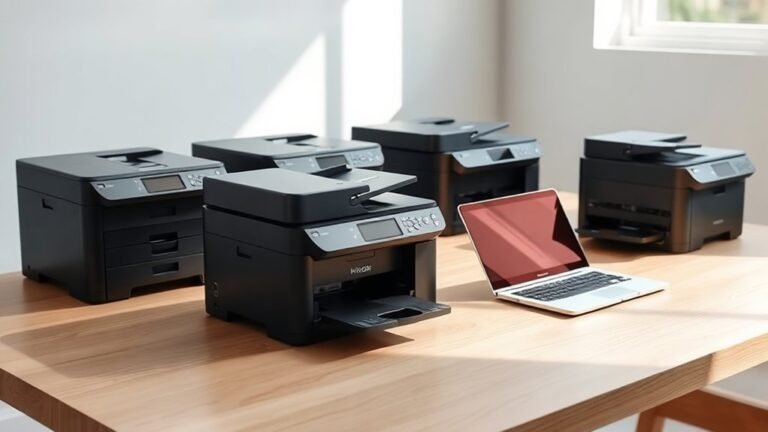
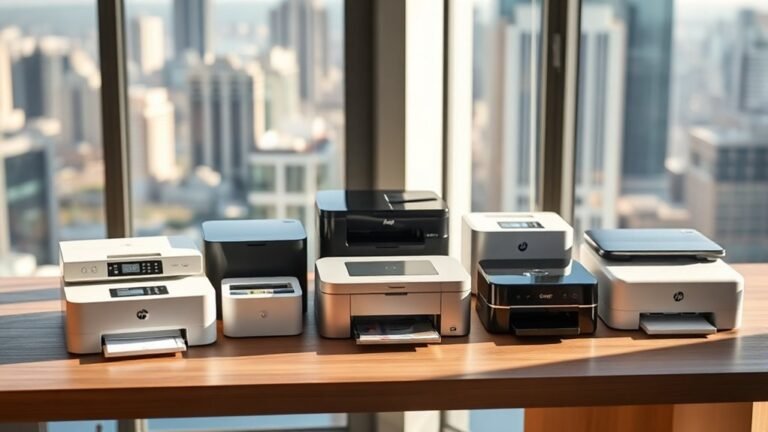
If you’re looking for reliable, high-speed color printers for commercial use in 2027, you’ve got some great options to consider. These printers deliver sharp, vibrant prints with features designed to boost your productivity and security.
Whether you need crisp 1200 dpi resolution or advanced connectivity, the right printer can make a big difference in your workflow.
The Canon Color imageCLASS MF753Cdw II is perfect if you want sharp, detailed prints and versatile connectivity options. Meanwhile, the Xerox VersaLink C625 impresses with a speedy 52 ppm print rate, advanced security features, and a large touchscreen that’s easy to use. HP’s Color LaserJet Enterprise M480f offers solid performance and strong security, though it has a slightly lower resolution.
Choosing the right printer means balancing speed, capacity, and security—you’ll find detailed insights ahead to help make your decision easier.
| Image | Name | Editor's Rating | Price |
|---|---|---|---|

|
|
||

|
|
||

|
|
Canon Color imageCLASS MF753Cdw II – All-in-One Color Duplex Laser Printer
- Color, Wireless, Duplex 4-in-1: Print, scan, copy, fax.

The Canon Color imageCLASS MF753Cdw II is designed to keep your small business or hybrid workspace running smoothly. It solves common office bottlenecks by combining printing, scanning, copying, and faxing into one efficient machine. This all-in-one color laser printer handles busy workloads with ease.
With a fast print speed of up to 35 pages per minute and sharp 1200 x 1200 dpi resolution, you get clear, professional documents quickly. The 50-sheet duplex automatic document feeder (ADF) and 250-sheet paper capacity reduce frequent paper refills, helping maintain productivity. Connectivity options like Ethernet, USB, Wi-Fi, and mobile printing support make it simple to integrate into any work environment.
Maintenance is straightforward, thanks to its user-friendly 5-inch touchscreen that simplifies navigation and settings. Energy Star certification also means it operates with energy efficiency in mind. While the printer is fairly heavy at 50 pounds and has limited paper capacity without an optional cassette, its features support demanding office tasks well.
Best for: Small businesses and hybrid work environments needing a reliable, fast, all-in-one color laser printer with duplex and mobile printing capabilities.
What We Like:
- Fast print speed with high-resolution output
- Efficient 4-in-1 functionality including duplex scanning and faxing
- Multiple connectivity options for seamless office integration
- User-friendly touchscreen for easy operation
- Energy-efficient design
Specification:
| Feature | Details |
|---|---|
| Manufacturer | Canon |
| Dimensions | Not specified |
| Weight | 50 lb (22.7 kg) |
| Printing Technology | Color Duplex Laser |
| Print Speed | Up to 35 ppm |
| Resolution | 1200 x 1200 dpi |
| Paper Capacity | 250 sheets standard |
| ADF Capacity | 50 sheets duplex |
| Connectivity | Ethernet, USB, Wi-Fi, Mobile Printing |
| Display | 5-inch customizable touchscreen |
Xerox VersaLink C625 Color Laser All-in-One Printer for Business
- FAST COLOR PRINTING: Deliver professional results with print speeds up to 52 ppm, with scanning and copying capabilities to keep demanding business teams and enterprise...
- VIBRANT PRINT QUALITY: Produce sharp text and clear color graphics, so business documents, presentations and reports look polished and professional.
- FLEXIBLE CONNECTIVITY: Connect through Gigabit Ethernet and print easily from laptops, smartphones and tablets with Apple AirPrint and Mopria. Optional Wi‑Fi provides...
- EASY SMARTPHONE SETUP: Get printing in minutes. Use the Xerox Easy Assist App for a simplified, guided installation that eliminates complex manuals and traditional driver...
- PROFESSIONAL VALUE & PROACTIVE PROTECTION: Built for enterprise workgroups printing up to 20,000 pages per month. TPM 2.0, FIPS 140-3, and Trellix DXL whitelisting...
The Xerox VersaLink C625 is designed to meet the demands of busy enterprise workgroups needing reliable, high-quality color printing. It delivers fast output with speeds up to 52 ppm and sharp 1200 x 1200 dpi resolution, ensuring every document looks professional. This printer tackles multiple tasks—printing, scanning, copying, and faxing—helping streamline workflows with its all-in-one functionality.
Maintenance is straightforward thanks to its user-friendly 7-inch touchscreen and ConnectKey apps, which simplify setup and daily operations. The device supports automatic duplex printing, reducing paper waste and saving time. Its design accommodates various paper sizes up to 8.5 x 14 inches, making it versatile for different business needs.
Security is a key benefit of the VersaLink C625, featuring TPM 2.0, FIPS 140-3 certification, and Zero Trust integration to protect sensitive information. While it offers optional Wi-Fi, this may require extra setup. The printer’s larger size and weight might be less suited for compact office spaces.
Best for: Businesses and enterprise workgroups requiring fast, secure, and multifunctional color printing solutions.
What We Like:
- High-speed printing and copying with crisp 1200 x 1200 dpi output
- Multifunction capabilities including automatic duplexing
- Strong security features like TPM 2.0 and Zero Trust integration
- Intuitive 7-inch touchscreen with ConnectKey apps for easy management
- Supports a variety of paper sizes up to legal (8.5 x 14 inches)
Specification:
| Feature | Details |
|---|---|
| Manufacturer | Xerox |
| Dimensions (in) | 20.9 (D) x 18.9 (W) x 24.4 (H) |
| Weight (lb) | 86 |
| Color Options | Color |
| Paper Handling | Single tray, up to 8.5 x 14 in |
HP Color LaserJet Enterprise M480f | Color Printer | All-in-One | Duplex
- Easy to use, simple to manage: Print, scan, copy, HP Color LaserJet Enterprise M480f Multifunction Printer, a laser printer with speeds up to 29 ppm, a 50-sheet automatic...
- Enhanced productivity to empower work teams: Support mobile workers with optional multifunction apps that meet your specific business needs
- Build business efficiency: Centralize control of your printing environment with HP Web JetAdmin
- HP Wolf Enterprise Security: The world's most secure printers are always on guard with defensive layers to detect and self-heal from malware, and protect your data and...
- Automatic 2-sided printing: Speed through tasks and save paper by printing two-sided documents
Experience efficient, high-quality color printing with the HP Color LaserJet Enterprise M480f, designed to meet the demands of busy office environments. This all-in-one printer combines fast printing speeds of up to 29 ppm with sharp 600 x 600 dpi resolution, ensuring crisp documents every time.
Handling more than just printing, it supports copying, scanning, and faxing, simplifying your workflow. The automatic duplex feature reduces paper use, making it both cost-effective and eco-friendly. Its 300-sheet capacity keeps you printing longer without frequent refills.
Maintenance is straightforward with a user-friendly LCD touchscreen and a 50-sheet automatic document feeder (ADF) for smooth batch scanning and copying. Connectivity options include Ethernet and USB, allowing secure network integration backed by HP Wolf Enterprise Security.
While compact in design, it weighs 51.2 pounds and includes a single paper tray, which may require occasional attention in high-volume settings. Compatible with Windows 7–11 and macOS 10.12–10.15, it fits well into standard office setups.
Best for: busy offices needing a fast, secure, and versatile color printer with multifunction capabilities.
What We Like:
- Fast print speeds with sharp color and black-and-white output
- Automatic duplex printing for paper savings
- Multifunction features including copying, scanning, and faxing
- Easy-to-navigate LCD touchscreen and 50-sheet ADF
- Strong security with HP Wolf Enterprise Security
Specification:
| Feature | Details |
|---|---|
| Manufacturer | HP |
| Dimensions (W×D×H) | Not specified |
| Weight | 51.2 lbs (23.2 kg) |
| Color Options | Standard office white/gray |
| Connectivity | Ethernet, USB |
Factors to Consider When Choosing a Colour Printer for Commercial Use

When choosing a colour printer for your business, you’ll want to focus on print speed and quality to keep up with demand and maintain professional standards.
Think about how much paper the printer can handle and what connectivity options it offers to fit your workflow.
Also, don’t forget to check out the security features that protect your sensitive information. It’s important to keep your business data safe.
Print Speed Importance
Often, print speed plays a pivotal role in keeping your commercial operations efficient and responsive. Measured in pages per minute (ppm), it must match your daily volume and peak-hour demand to avoid bottlenecks.
For busy workgroups, choose printers with ppm ratings exceeding your typical load to handle growth and unexpected spikes. Don’t overlook first-page-out time; quicker starts reduce wait times for short, interactive jobs.
Also, consider duplex and single-pass duplex speeds separately since two-sided printing and multi-page scanning can dominate workflows. Remember, rated ppm reflects ideal test conditions; real-world speeds vary with resolution, media, network traffic, and file complexity.
To guarantee efficiency, test printers with jobs that mirror your everyday tasks before committing. It’s always better to see how a printer handles your actual workload than just relying on specs alone.
Print Quality Standards
Although print speed keeps your operations moving, print quality ultimately defines your brand’s professionalism. You’ll want a printer offering at least 600 x 600 dpi resolution for sharp text and graphics, with up to 1200 x 1200 dpi for detailed marketing materials or photo-quality prints.
Color accuracy is vital—look for wide color gamut support like Adobe RGB or CMYK profiles and a Delta E below 3 to guarantee true-to-life colors. Toner-based printers provide crisp text and consistent color over long runs, while inkjets excel in smooth gradients and photographic fidelity.
Don’t overlook halftoning methods, as they impact detail and banding in images, so choose screening compatible with your finishing process. Also, consider how your printer handles different paper types, ensuring it maintains color and contrast across coatings and substrates.
Paper Handling Capacity
Print quality sets the tone, but how your printer handles paper keeps your workflow efficient and reliable. For commercial use, prioritize printers with a monthly duty cycle well above your peak volume to prevent premature wear.
Check both standard and maximum paper input capacities—ranging from 250 to over 1,000 sheets. See if extra trays or high-capacity cassettes fit your daily demands.
Don’t overlook the ADF and output bin sizes; a 50–100 sheet ADF and 250+ sheet output help maintain smooth batch scanning and efficient high-volume jobs.
Make sure the printer supports your required paper sizes, types, and weights, from envelopes to heavy stock. Features like multipurpose trays, duplexing, and finishing options cut down manual handling and speed up your work.
Connectivity Options Available
When choosing a colour printer for commercial use, you’ll want to zero in on connectivity options that keep your office running smoothly and securely. Prioritize wired Ethernet with Gigabit support for fast, reliable high-volume printing.
USB host or print-server ports let you print or scan directly to flash drives, which is perfect for kiosk-style setups. Make sure the printer supports dual-band Wi-Fi (2.4 GHz and 5 GHz) and Wi-Fi 5 or 6 standards to maintain stable wireless connections in busy offices.
Compatibility with mobile printing standards like AirPrint, Mopria, and cloud protocols such as IPP-over-HTTPS is essential for seamless printing from smartphones and tablets. Finally, look for network features like VLAN support, SNMP, and LDAP integration to easily manage your printer within your enterprise network.
Security Features Needed
Since commercial printers handle sensitive documents daily, you need to prioritize robust security features to protect your data and network. Choose printers with hardware-based security like TPM or secure boot to safeguard firmware integrity and block unauthorized modifications.
Make sure they support encrypted network protocols such as TLS, HTTPS, IPsec, SMB3, and SNMPv3 to secure data in transit and remote management. Strong user authentication—via LDAP, Active Directory, PINs, cards, or multi-factor methods—helps control access to print, scan, and admin functions.
Opt for secure printing options like encrypted job release or pull-printing to keep confidential documents safe at the output tray. Finally, verify audit logging, tamper-evident event records, and remote firmware updates to meet compliance and facilitate incident investigations.
Consumables Cost Efficiency
Although initial printer costs often draw your attention, consumables expenses usually account for the largest portion of your total printing budget. To get a clear picture, calculate the cost per page by dividing the price of replacement toner or ink by its rated yield, separating figures for color cartridges and black ink.
Compare standard and high-yield cartridges; high-yield options typically cut per-page costs by 20–50%. This usually pays off in high-volume settings, so it’s worth considering if you print a lot.
Remember, manufacturer yields assume 5% coverage—if your prints have heavy color coverage, your actual costs can double. Don’t forget to include ancillary consumables like drums and fusers, as their replacement impacts overall expenses too.
Finally, model your total consumables spend over 3–5 years based on expected volume. Doing this helps you spot the best value and find break-even points for your printing setup.
Warranty And Support
Choosing a colour printer for commercial use means you’ll want to carefully evaluate the warranty and support options offered by the manufacturer. Verify the warranty length and coverage, ensuring it protects major parts like the imaging unit, fuser, and control board for at least one to three years.
Also, confirm if support includes phone, email, remote diagnostics, and on-site service. It’s good to know the typical response times or SLAs for urgent issues so you’re not left waiting.
Check whether consumables and wear items like toner and drums are covered or excluded. And see if there are extended maintenance contracts available, especially if you have high-volume printing needs.
Make sure firmware updates and security patches are provided throughout the device’s life. Ideally, these updates should be deployed remotely to keep things simple.
Finally, review the vendor’s service network and parts availability. Don’t forget to ask about any extra costs for expedited repairs so you can accurately gauge total support expenses.
Frequently Asked Questions
What Is the Environmental Impact of Commercial Colour Printers?
You’ll find commercial colour printers consume significant energy and generate waste from cartridges and paper.
Choosing eco-friendly models and recycling supplies helps reduce their environmental impact.
Plus, you can still maintain vibrant, high-quality prints for your business needs.
How Do Commercial Printers Handle Security and Data Protection?
Commercial printers use encryption, secure login, and user authentication to protect your data. They also offer audit trails and automatic deletion of sensitive files.
What Are the Typical Maintenance Costs for Colour Printers?
You’ll typically spend on ink or toner, replacement parts, and occasional servicing. Maintenance costs vary but expect to budget around 10-20% of the printer’s price annually.
This helps keep it running smoothly and avoid downtime. It’s a good idea to plan for these expenses so you’re not caught off guard.
Can These Printers Integrate With Cloud Printing Services?
Over 70% of modern colour printers integrate seamlessly with cloud printing services. You’ll find it easy to print directly from your devices, boosting convenience and efficiency.
And the best part? You don’t need any complicated setups or extra hardware to get started. It’s all designed to make your printing experience smooth and hassle-free.
Are There Subscription Plans for Ink or Toner Replacements?
Yes, many printers offer subscription plans for ink or toner replacements, so you won’t run out unexpectedly.
These plans often save you money and time by delivering cartridges automatically based on your usage and printer alerts.
It’s pretty convenient, right? You get what you need without having to remember to order it yourself.
Conclusion
Choosing the perfect colour printer for your business is like picking the right brush for a masterpiece—you need precision, reliability, and vibrant results. Whether you go with Canon’s sharp imageCLASS, Xerox’s versatile VersaLink, or HP’s powerful LaserJet, each will paint your commercial needs with efficiency and flair.
Keep your business printing smoothly, turning every page into a vivid stroke of success that captures attention and drives growth. Investing in the best colour printers for commercial use ensures your documents look professional and your workflow stays uninterrupted. With top-notch features and consistent performance, these printers help your business stand out and thrive in a competitive market.