8 Best Compact Multifunction Laser Printers for 2027
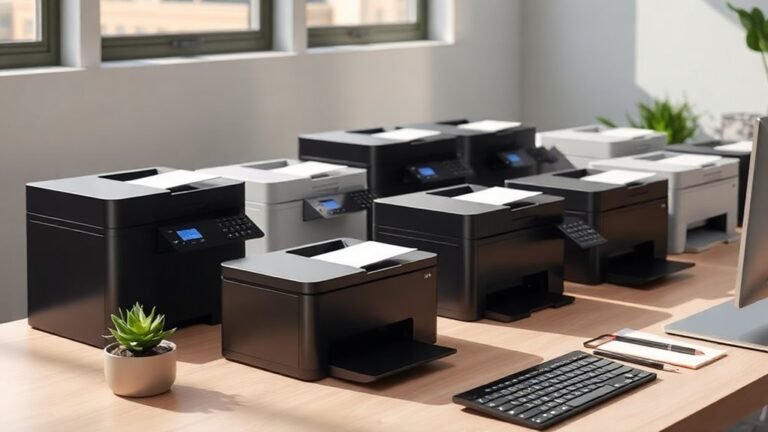
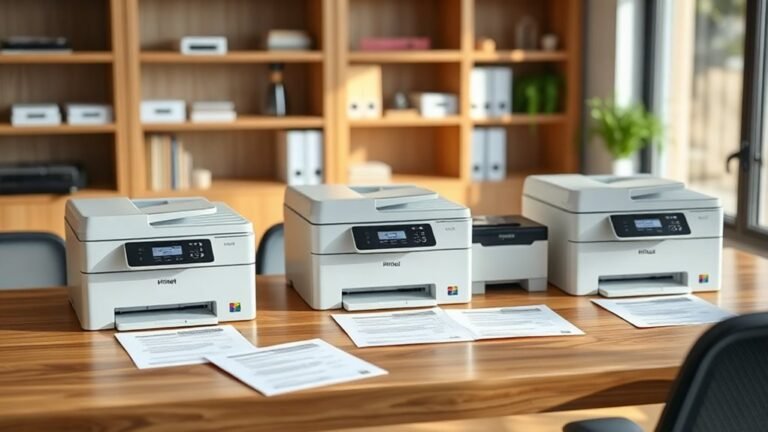
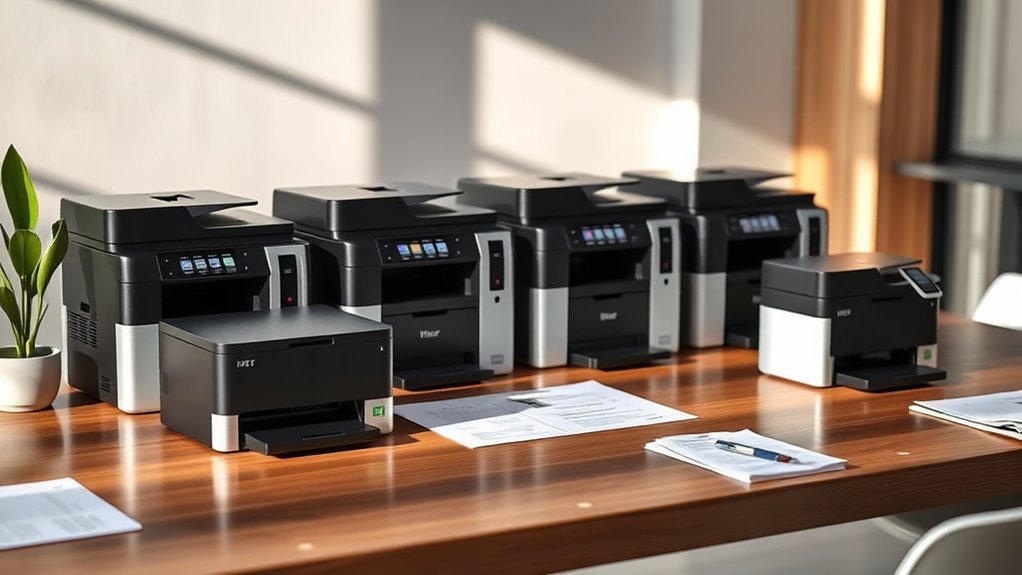
You’ll find top compact multifunction laser printers like the Brother DCP-L2640DW and Canon MF465dw II offer fast speeds up to 42 ppm, crisp print quality, and versatile functions including scanning, copying, and faxing.
These printers are perfect for anyone looking to save space without sacrificing performance. Plus, they come with wireless and wired connectivity options, making it easy to connect from anywhere.
These models fit easily in small spaces and include energy-saving features to help cut costs.
Whether you need monochrome or color printing, there’s an efficient choice for your needs. Keep exploring to discover which printer matches your workspace perfectly.
| Image | Name | Editor's Rating | Price |
|---|---|---|---|

|
|
||

|
|
||

|
|
||

|
|
||

|
|
Brother DCP-L2640DW Wireless Monochrome Printer
- BEST FOR SMALL BUSINESSES – Engineered for extraordinary productivity, the Brother DCP-L2640DW Monochrome (Black & White) 3-in-1 combines laser printer, scanner, copier...
- FAST PRINTER WITH EFFICIENT SCANNING – Produces documents quickly with print speeds up to 36 ppm(2) and scan speeds up to 23.6/7.9 ipm(3) (black/color). A 50-page auto...
- FLEXIBLE CONNECTION OPTIONS – Easily navigate the changing demands of your business with secure multi-device connectivity via built-in dual-band wireless (2.4GHz...
- BROTHER MOBILE CONNECT APP – Print, scan, and manage your wireless printer anytime, from almost anywhere from your mobile device. Order Brother Genuine Supplies, track...
- CHOOSE BROTHER GENUINE TONER – When it’s time to replace your toner, be sure to choose Brother Genuine TN830 or TN830XL replacement toner. And with Refresh EZ Print...

If you need a compact printer that handles large volumes of black-and-white documents efficiently, the Brother DCP-L2640DW fits the bill. This wireless monochrome laser printer offers fast printing speeds up to 36 pages per minute, helping you stay productive without delays. Its automatic duplexing feature reduces paper use, making it practical and eco-friendly.
Designed for multitasking, it combines printing, copying, and scanning in one device. The 50-page auto document feeder and 250-sheet tray minimize the need for constant paper refills. Connectivity options include dual-band Wi-Fi, Ethernet, and USB, allowing flexible setup in various workspaces.
Maintenance is straightforward, with reliable components that support consistent performance. The printer’s energy-efficient design lowers power consumption without sacrificing speed or quality. While it only prints in monochrome and weighs 25 pounds, its sturdy build suits busy home offices or small workplaces.
Best for: Small offices or individuals needing a fast, multifunction monochrome printer with versatile wireless connectivity.
What We Like:
- Fast printing at up to 36 pages per minute with automatic duplexing
- Multiple connection options: dual-band Wi-Fi, Ethernet, and USB
- Efficient multitasking with print, copy, and scan functions
- Large paper capacity with 250-sheet tray and 50-page feeder
- Energy-efficient design for reduced power use
Specification:
| Feature | Details |
|---|---|
| Manufacturer | Brother |
| Dimensions (W×D×H) | Approx. 16.1 × 15.7 × 12.5 in (41 × 40 × 31.7 cm) |
| Weight | 25 lb (11.3 kg) |
| Color | Monochrome (Black & White) |
| Connectivity | Dual-band Wi-Fi, Ethernet, USB |
HP LaserJet M234sdw Monochrome Laser Printer | All-in-One
No products found.
The HP LaserJet M234sdw offers fast, reliable monochrome printing designed to keep small teams productive. Its versatile all-in-one functions combine printing, scanning, and copying in a compact device that fits easily into any workspace. This printer tackles daily document tasks efficiently, helping reduce downtime.
With print speeds up to 30 ppm and automatic duplexing, it handles double-sided documents with ease. The 150-sheet input tray and capacity for up to 20,000 copies per run ensure smooth operation through busy workdays. Wireless, Ethernet, and USB connectivity allow for seamless integration into your existing workflow.
Maintenance is straightforward, with simple cartridge replacements and minimal upkeep needed to keep the device running smoothly. The 600 x 600 dpi resolution delivers clear, sharp text, ideal for standard office printing needs. Integration with the HP Smart App and Alexa adds extra convenience for remote control and monitoring.
While it’s limited to monochrome output and a one-year warranty, the M234sdw is a solid choice for small offices that prioritize efficiency over color printing. Its lightweight, space-saving design makes it easy to move or reposition as needed.
Best for: Small teams of 1-5 people needing a compact, connected all-in-one monochrome printer that balances speed and versatility.
What We Like:
- Efficient print speed of up to 30 ppm with automatic duplex printing
- Multiple connectivity options including dual-band Wi-Fi and Ethernet
- Compact and lightweight design ideal for limited office space
- Large input tray and high copy capacity for uninterrupted workflow
- Easy maintenance with user-friendly cartridge replacement
Specification:
| Feature | Details |
|---|---|
| Manufacturer | HP |
| Dimensions (W×D×H) | 15.4 × 14.1 × 10.4 inches |
| Weight | 19 lb (8.6 kg) |
| Print Technology | Monochrome Laser |
| Print Speed | Up to 30 pages per minute (ppm) |
| Resolution | 600 x 600 dpi |
| Input Tray Capacity | 150 sheets |
| Connectivity | Dual-band Wi-Fi, Ethernet, USB |
| Functions | Print, Scan, Copy |
Canon imageCLASS MF465dw II Wireless Laser Printer
- Monochrome Wireless, Duplex 4-in-1: Print, Scan, Copy, Fax
- Print up to 42 ppm
- Easy Wireless Setup
- 5-inch Touchscreen
- Mobile Device Printing
The Canon imageCLASS MF465dw II transforms busy office workflows with fast and reliable monochrome printing. Designed for small offices, it prints up to 42 pages per minute with crisp 1200 x 1200 dpi resolution. This speed helps reduce wait times and keeps productivity high.
Its multifunction design combines printing, copying, scanning, and faxing in one compact device. The 5-inch customizable touchscreen makes operation intuitive and quick. A 50-sheet automatic document feeder streamlines scanning tasks, saving valuable time.
Connectivity options include wireless, Ethernet, and USB, allowing seamless printing from laptops, smartphones, and tablets. The printer’s paper capacity starts at 250 sheets and can be expanded to 900 with an optional cassette, accommodating higher volume needs.
Maintenance is straightforward, though users should consider toner replacement costs and page yield for heavier workloads. The monochrome output suits environments where black-and-white documents are standard, but it’s not designed for color printing needs.
Best for: Small and home office users seeking a fast, versatile monochrome laser printer with multifunction capabilities and flexible connectivity.
What We Like:
- Fast print speed with sharp 1200 x 1200 dpi output
- Intuitive 5-inch touchscreen for easy navigation
- Multifunction: print, copy, scan, and fax in one device
- Multiple connectivity options including wireless and Ethernet
- Expandable paper capacity for growing print demands
Specification:
| Feature | Specification |
|---|---|
| Manufacturer | Canon |
| Dimensions (W×D×H) | Approx. 16.4 × 15.6 × 12.3 in (41.6 × 39.6 × 31.2 cm) |
| Weight | Approx. 27.3 lb (12.4 kg) |
| Printing Technology | Monochrome Laser |
| Print Speed | Up to 42 ppm |
| Print Resolution | 1200 x 1200 dpi |
| Connectivity | Wireless, Ethernet, USB |
| Paper Capacity | 250 sheets (expandable to 900) |
Canon Color imageCLASS MF753Cdw II – All-in-One Color Duplex Laser Printer
- Color, Wireless, Duplex 4-in-1: Print, scan, copy, fax.
The Canon Color imageCLASS MF753Cdw II is designed to streamline printing tasks for small offices and hybrid workers. It delivers sharp, high-quality prints at up to 35 pages per minute, helping you handle busy workloads efficiently. Whether printing in color or black and white, this printer ensures professional results with crisp 1200 x 1200 dpi resolution.
Its duplex scanning and copying capabilities, combined with a 50-sheet automatic document feeder, simplify multi-page tasks and reduce manual effort. The 250-sheet paper cassette supports continuous printing, and you can expand capacity to 850 sheets with an optional tray, accommodating larger projects without constant refills.
Mobile printing is made easy through wireless connectivity and the Canon PRINT app, allowing you to print directly from your smartphone or tablet. The intuitive 5-color touchscreen offers straightforward navigation, reducing setup time and making operation user-friendly.
Maintenance is hassle-free thanks to its efficient design and Energy Star certification, which helps minimize energy consumption. However, reaching maximum paper capacity requires an additional cassette, and the printer supports media up to legal size, which may not meet all specialized needs.
Best for: Small offices and hybrid workers needing a fast, versatile, and wireless all-in-one color duplex laser printer.
What We Like:
- Fast print speed with sharp 1200 x 1200 dpi resolution
- Duplex scanning and copying with a 50-sheet automatic document feeder
- Expandable paper capacity up to 850 sheets with optional tray
- Wireless printing via Canon PRINT app for mobile convenience
- User-friendly 5-color touchscreen interface
Specification:
| Feature | Details |
|---|---|
| Manufacturer | Canon |
| Dimensions | 18.5 x 19.4 x 18.7 inches |
| Weight | 46.3 lbs (21 kg) |
| Printing Technology | Color Duplex Laser |
| Print Speed | Up to 35 pages per minute |
| Print Resolution | 1200 x 1200 dpi |
| Paper Capacity | 250 sheets (expandable to 850) |
| Media Size Supported | Up to Legal size |
| Connectivity | Wireless, USB |
| Touchscreen | 5-color customizable display |
Xerox C245 Wireless Color All-in-One Printer – Amazon Exclusive – 3 in 1
- AMAZON EXCLUSIVE & COMPACT MULTIFUNCTION DESIGN: This full-featured Xerox color MFP fits neatly on small desks, packing Print, Scan, and Copy functionality into a compact...
- VIBRANT PRINT QUALITY: Produce sharp text and brilliant color graphics. Ensure your business documents, presentations, and reports look professional and impressive every...
- WIRELESS & MOBILE PRINTING: Stay connected with dual-band Wi-Fi, Apple AirPrint, and Mopria. Effortlessly print and scan from your laptop, smartphone, or tablet from...
- EASY SMARTPHONE SETUP: Get printing in minutes. Use the Xerox Easy Assist App for a simplified, guided installation that eliminates complex manuals and traditional driver...
- 3-IN-1 VERSATILITY: Maximize productivity with 26ppm printing, scanning, and copying. The 50-sheet document feeder ensures efficient document handling for real estate...
The Xerox C245 Wireless Color All-in-One Printer is designed to fit seamlessly into compact workspaces. Its small footprint makes it ideal for home offices or remote work setups where space is limited. This model combines printing, scanning, and copying functions to streamline everyday tasks efficiently.
With a fast printing speed of 26 pages per minute, it delivers vibrant color and sharp black-and-white prints. Automatic double-sided printing saves paper and reduces manual effort. The 50-sheet feeder helps manage multiple documents with ease.
Connectivity is straightforward thanks to dual-band Wi-Fi, Apple AirPrint, and Mopria support. Setup and troubleshooting are simplified through the Xerox Easy Assist App, reducing downtime and maintenance hassle. The printer is Energy Star certified, promoting energy efficiency during regular use.
While it supports a monthly duty cycle of up to 1,500 pages, it is best suited for individuals or small teams with moderate printing needs. Its slightly heavier weight might limit portability despite the compact size. Being an Amazon-exclusive model in North America limits purchase options.
Best for: individuals and small teams needing a compact, efficient all-in-one printer for home office or remote work environments.
What We Like:
- Fast 26 ppm color and black & white printing
- Easy wireless connection with dual-band Wi-Fi and mobile printing options
- Energy Star certified for energy-efficient operation
- Automatic duplex printing reduces paper use
- Simplified setup with Xerox Easy Assist App
Specification:
| Feature | Details |
|---|---|
| Manufacturer | Xerox |
| Dimensions | Compact size (exact not provided) |
| Weight | 42.8 lb (19.4 kg) |
| Color Options | Standard color (not specified) |
| Connectivity | Dual-band Wi-Fi, Apple AirPrint, Mopria |
Canon imageCLASS MF3010 Wired Monochrome Laser Printer
No products found.
The Canon imageCLASS MF3010 is designed to meet the needs of small offices and home users looking for a dependable monochrome laser printer. It delivers fast printing speeds of up to 19 pages per minute, helping to keep your workflow smooth and efficient. The sharp 600 x 600 dpi output ensures clear, professional-quality documents with every print.
This all-in-one device combines printing, scanning, and copying, reducing the need for multiple machines. Its compact design and lightweight build make it easy to fit into tight workspaces. Handling different paper types like card stock and envelopes is simple, thanks to a 150-sheet paper capacity.
Maintenance is straightforward with this model, which uses a wired USB connection for reliable performance. Energy-saving features lower power consumption to just 1.2 watts in sleep mode, making it an eco-friendly choice. While it only supports black-and-white printing and has moderate scan and copy resolutions, it excels where fast, reliable monochrome output is essential.
Best for: Small offices or home users needing a fast, reliable monochrome laser printer with multifunction capabilities.
What We Like:
- Fast print speeds up to 19 ppm for increased productivity
- Supports various media types including card stock and envelopes
- Compact and lightweight design fits small spaces easily
- Energy-efficient with low power consumption in sleep mode
- Simple USB wired connectivity for stable operation
Specification:
| Feature | Details |
|---|---|
| Manufacturer | Canon |
| Dimensions | Approx. 15.9 x 12.2 x 9.8 in (40.4 x 31 x 24.9 cm) |
| Weight | 16.8 lb (7.6 kg) |
| Color Options | Black |
| Print Technology | Monochrome Laser |
HP LaserJet Pro 3105sdw Monochrome Laser Printer | All-in-One
No products found.
Experience efficient monochrome printing designed for busy small offices with the HP LaserJet Pro 3105sdw. This all-in-one printer simplifies daily tasks by combining printing, scanning, copying, and faxing into one compact device. It delivers sharp, clear documents at speeds up to 33 pages per minute, helping your team stay productive without delays.
The automatic duplex printing feature reduces paper use and cuts down on manual handling, saving time and resources. Connectivity options like Wi-Fi, Ethernet, USB, and AirPrint ensure seamless integration with laptops, PCs, and smartphones, making it easy to print from multiple devices without hassle.
Maintenance is straightforward, with smart AI functions that optimize scan-to-email workflows and minimize wasted pages. The HP app guides setup and operation, offering convenience but requiring some familiarity. Data security is enhanced through HP Wolf Pro Security, keeping sensitive information protected during everyday use.
While it supports up to seven users effectively, this printer is best suited for offices that do not require color printing. Its design focuses on functionality and reliability, making it a practical solution for monochrome document management.
Best for: Small office teams needing a fast, multifunction monochrome laser printer with smart features and strong security.
What We Like:
- Fast printing speed with automatic two-sided printing
- Multifunction capabilities streamline office workflows
- Smart AI reduces paper waste and simplifies scanning
- Multiple connectivity options for flexible use
- Robust security features protect sensitive data
Specification:
| Feature | Details |
|---|---|
| Manufacturer | HP |
| Dimensions | Approx. 16.5 x 15.7 x 11.0 in |
| Weight | Approx. 25.3 lb (11.5 kg) |
| Color | White/Grey |
| Print Speed | Up to 33 pages per minute |
| Print Resolution | 1200 dpi |
| Connectivity | Wi-Fi, Ethernet, USB, AirPrint |
Canon imageCLASS MF287dw Wireless Monochrome Printer
- Print up to 35 pages-per-minute with a first print out of time of less than 4.9 seconds (letter)
- Print on-the-go with Canon Print App, Canon PRINT Business, Apple AirPrint and Mopria Print Service
- High capacity toner option keeps up with your printing needs and limits toner replacement interruptions
- Duplex print saves paper and related costs
- Send scanned documents to / forward received faxes to email or file server
Experience efficient printing tailored for busy professionals with the Canon imageCLASS MF287dw. This wireless monochrome printer streamlines your workflow by delivering sharp, fast prints at 35 pages per minute. Its automatic duplex printing helps reduce paper waste, making your office more eco-friendly.
Designed as an all-in-one solution, it combines printing, scanning, copying, and faxing in a compact unit. This versatility saves space and simplifies your daily tasks. The 250-sheet paper capacity means fewer interruptions, while the high-capacity toner reduces the frequency of replacements, minimizing maintenance efforts.
Connectivity options are flexible, with Wi-Fi, USB, and mobile printing via Canon Print App, AirPrint, or Mopria. This ensures seamless integration with various devices, enhancing convenience and productivity. Despite its robust features, the printer remains lightweight and compact, fitting easily into any workspace.
While limited to monochrome printing and equipped with a single USB 2.0 port, the MF287dw excels in delivering reliable, high-speed performance for small offices and professional settings.
Best for: busy professionals and small office users who require fast, dependable monochrome printing with versatile multifunction features and wireless connectivity.
What We Like:
- Rapid 35 ppm print speed with automatic duplex to save paper
- Multifunction design combining print, copy, scan, and fax
- Multiple connectivity options including Wi-Fi and mobile printing
- Compact and lightweight for easy placement in tight spaces
Specification:
| Feature | Detail |
|---|---|
| Manufacturer | Canon |
| Dimensions | 15.7 x 15.9 x 14.2 inches |
| Weight | 27.6 lbs |
| Color | Monochrome (Black & White) |
| Connectivity | Wi-Fi, USB 2.0, Mobile Apps |
Factors to Consider When Choosing a Compact Multifunction Laser Printer

When choosing a compact multifunction laser printer, you’ll want to focus on print speed and quality to match your workload. Consider connectivity options and paper handling capacity to guarantee smooth operation.
Also, don’t forget to check energy efficiency features and the warranty for reliable long-term support. It’s all about finding a printer that fits your needs without any hassle.
Print Speed And Quality
Print speed and quality play essential roles in choosing a compact multifunction laser printer that meets your needs. You’ll find many models offering print speeds from 26 to 42 pages per minute (ppm). This helps keep your workflow smooth, especially in busy environments.
Sharp text and clear graphics come from resolutions typically at 600 x 600 dots per inch (dpi) or higher. This guarantees professional-looking documents. Look for automatic duplex printing to save paper and reduce costs by printing on both sides without extra effort.
Toner save modes also help extend cartridge life while maintaining acceptable print quality. This makes your printer more cost-effective over time. Balancing these factors assures you get a printer that’s fast, efficient, and reliable for daily use.
Connectivity And Compatibility
Because connectivity options directly impact how easily you can integrate a compact multifunction laser printer into your setup, it’s crucial to choose one that supports both dual-band Wi-Fi and wired connections like Ethernet or USB. Dual-band Wi-Fi (2.4GHz and 5GHz) guarantees a stable connection whether you’re at home or in a busy office environment.
You’ll also want a printer compatible with multiple operating systems, including Windows, Mac, and mobile platforms, so you can print seamlessly from any device. Support for mobile printing apps like AirPrint or proprietary solutions adds convenience when printing from smartphones or tablets.
Finally, having Ethernet and USB ports boosts reliability, especially in networked settings. This makes your printer both versatile and easy to integrate into your daily workflow.
Paper Handling Capacity
Along with connectivity, you’ll want to pay close attention to paper handling capacity to keep your workflow smooth. Most compact multifunction laser printers come with standard trays holding 150 to 250 sheets, which suits moderate daily use.
If you print in high volumes, opt for models with expandable capacities up to 900 sheets through optional cassettes. An Automatic Document Feeder (ADF) with around 50-sheet capacity streamlines multi-page scanning and copying tasks, boosting productivity.
Don’t overlook duplex printing—it automatically prints on both sides, cutting paper use and managing supply better. Also, check the maximum media size your printer supports; most handle up to legal size (8.5 x 14 inches), which covers common document types without hassle.
These factors guarantee your printer matches your workload efficiently. So, it’s worth considering them carefully before making a choice.
Energy Efficiency Features
When choosing a compact multifunction laser printer, you’ll want to prioritize energy efficiency features to lower both costs and environmental impact. Look for ENERGY STAR® certification, which guarantees the printer meets strict EPA energy guidelines.
Features like Toner Save Mode help extend cartridge life by reducing toner use, cutting waste and expenses. Automatic duplex printing lets you print on both sides, halving paper consumption and operational costs.
Energy-saving modes such as Sleep Mode and Auto Power On minimize power use when the printer is idle. Additionally, opting for high-capacity toner cartridges means fewer replacements, reducing waste and the energy involved in manufacturing and shipping.
Warranty And Support
After considering energy efficiency features to save costs and reduce environmental impact, you should also evaluate warranty and support options to protect your investment. Warranty periods typically range from one to three years, covering defects in materials and workmanship but excluding damage from misuse or accidents.
Check if the manufacturer offers extended warranty plans to lengthen coverage for extra peace of mind. Reliable customer support is essential, so look for brands providing online resources, phone assistance, and live chat to help with troubleshooting and maintenance.
Additionally, review the return policy carefully—many companies provide a satisfaction guarantee or a 30-day return window, allowing you to test the printer risk-free. Prioritizing these factors guarantees you get durable service and responsive support when you need it most.
Frequently Asked Questions
How Do Compact Multifunction Laser Printers Compare in Energy Efficiency?
You’ll find compact multifunction laser printers generally use less energy than older models, thanks to improved technology. They often have energy-saving modes and quick sleep functions, helping you reduce power consumption during idle times efficiently.
These features make a big difference if you’re looking to save on your electricity bill. Plus, it’s better for the environment, so it’s a win-win!
What Are the Typical Maintenance Costs for These Printers?
Maintenance costs usually dance around toner and drum replacements, which can add up like small pebbles in your shoe.
You’ll spend roughly $50 to $150 yearly, depending on usage and brand efficiency. Keep an eye on it!
Can These Printers Handle Heavy-Duty Printing Tasks?
Yes, these printers can handle heavy-duty tasks, but you’ll want to check each model’s monthly duty cycle.
Staying within those limits guarantees reliable performance without overworking the machine or causing premature wear and tear.
It’s all about using the printer within its designed capacity. That way, you get the best results and a longer lifespan.
Are Replacement Toner Cartridges Readily Available for All Models?
Toner cartridges are the lifeblood flowing through your printer’s veins. And yes, you’ll find replacements readily available for all models.
You won’t struggle to keep your printer running smoothly with easy access to cartridges. It’s pretty convenient, right?
Do These Printers Support Mobile Printing Apps?
Yes, these printers support mobile printing apps, letting you print directly from your smartphone or tablet.
You’ll find compatibility with popular apps like Apple AirPrint, Google Cloud Print, and manufacturer-specific apps for easy wireless printing.
It’s pretty convenient, making printing on the go super simple. Just connect and print without any hassle!
Conclusion
Choosing the perfect compact multifunction laser printer doesn’t have to be an intimidating task. With options like Brother, HP, Canon, and Xerox, you’re spoiled for choice in finding a reliable companion for your printing needs.
Whether you lean toward wireless convenience or wired stability, monochrome simplicity or vibrant color, there’s a model just waiting to make your workspace a little smarter and your tasks a bit lighter.
When picking the best compact multifunction laser printer, think about what fits your daily routine. Are you after fast printing speeds, crisp text quality, or maybe scanning and copying features? Whatever your priorities, these top brands have you covered with efficient and space-saving designs.
So go ahead, explore the options, and find a compact multifunction laser printer that perfectly blends functionality with convenience. Happy printing!