4 Best Compact Laser Printer Scanners for 2027
If you need fast, reliable printing and scanning in a compact design, the HP LaserJet M234sdw, Brother DCP-L2640DW, HP LaserJet MFP M140w, and HP LaserJet Pro 3105sdw are top choices for 2027.
These compact laser printer scanners are perfect for small offices or home workspaces where space is limited but quality and speed are a must.
They offer speedy output, energy-saving features, and versatile connectivity like Wi-Fi and Ethernet.
Plus, these models fit snugly into tight spaces without sacrificing performance. They deliver sharp scans and help reduce waste, making them both efficient and eco-friendly.
To find the best match for your workspace and workflow, explore how each one stands out.
You’ll see why these compact laser printer scanners are going to be your go-to devices in 2027.
| Image | Name | Editor's Rating | Price |
|---|---|---|---|

|
|
||
|
|
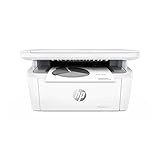
HP LaserJet M234sdw Monochrome Laser Printer | All-in-One
No products found.
The HP LaserJet M234sdw offers a smart solution for small teams needing a dependable all-in-one device. It streamlines daily tasks like printing, scanning, and copying, helping you stay organized and efficient. Its monochrome laser technology ensures crisp text, making it ideal for professional documents.
This printer handles up to 30 pages per minute, with two-sided printing at 19 pages per minute, so large jobs finish quickly. Wireless and mobile printing options reduce cable clutter and allow seamless printing from smartphones or laptops. The auto document feeder adds convenience, speeding up multi-page scanning or copying.
Designed for small workspaces, its compact form fits neatly without sacrificing functionality. Maintenance is straightforward, though the 150-sheet paper tray means you might refill more often during heavy use. The device supports Wi-Fi, Ethernet, and USB connections, offering flexibility in how you set up your workspace.
The HP Smart App enhances productivity by simplifying cloud scanning and mobile printing tasks. While it lacks color printing and has a copy limit of 20,000 pages, it meets the needs of small teams focused on reliable monochrome output and ease of use.
Best for: Small teams of 1-5 people needing an efficient, monochrome all-in-one printer with versatile connectivity and mobile capabilities.
What We Like:
- Fast printing and copying speeds up to 30 pages per minute
- Multiple connectivity options: dual-band Wi-Fi, Ethernet, and USB
- Compact design with an auto document feeder for multitasking
- Energy-efficient operation suitable for small office environments
Specification:
| Feature | Details |
|---|---|
| Manufacturer | HP |
| Dimensions (W x D x H) | Approx. 16.5 x 14.3 x 10.2 inches (42 x 36.3 x 25.9 cm) |
| Weight | Not specified |
| Printing Technology | Monochrome Laser |
| Connectivity | Wi-Fi (dual-band), Ethernet, USB |
| Paper Tray Capacity | 150 sheets |
Brother DCP-L2640DW Wireless Monochrome Printer
- BEST FOR SMALL BUSINESSES – Engineered for extraordinary productivity, the Brother DCP-L2640DW Monochrome (Black & White) 3-in-1 combines laser printer, scanner, copier...
- FAST PRINTER WITH EFFICIENT SCANNING – Produces documents quickly with print speeds up to 36 ppm(2) and scan speeds up to 23.6/7.9 ipm(3) (black/color). A 50-page auto...
- FLEXIBLE CONNECTION OPTIONS – Easily navigate the changing demands of your business with secure multi-device connectivity via built-in dual-band wireless (2.4GHz...
- BROTHER MOBILE CONNECT APP – Print, scan, and manage your wireless printer anytime, from almost anywhere from your mobile device. Order Brother Genuine Supplies, track...
- CHOOSE BROTHER GENUINE TONER – When it’s time to replace your toner, be sure to choose Brother Genuine TN830 or TN830XL replacement toner. And with Refresh EZ Print...

Experience efficient monochrome printing with the Brother DCP-L2640DW, designed to simplify both home and office tasks. This compact laser printer delivers fast print speeds of up to 36 pages per minute, helping you complete large jobs quickly without sacrificing quality.
Its wireless connectivity options, including dual-band Wi-Fi and Ethernet, eliminate the hassle of cables and allow remote printing through the Brother Mobile Connect app. The 50-sheet auto document feeder streamlines scanning and copying of multi-page documents, saving you time and effort.
Maintenance is straightforward with eco-friendly features like automatic duplex printing and toner save mode that reduce paper and toner waste. The printer’s robust design ensures reliable performance, though its monochrome output limits it to black-and-white documents.
While it requires dedicated space due to its size and weight, the DCP-L2640DW stands out for its blend of speed, convenience, and energy efficiency. Its advanced security features provide peace of mind by protecting your sensitive information.
Best for: Small offices or home users needing fast, reliable black-and-white printing with wireless and multi-function capabilities.
What We Like:
- Fast printing at up to 36 ppm for efficient document handling
- Multiple connectivity options including dual-band Wi-Fi and Ethernet
- Eco-friendly duplex printing and toner save mode reduce waste
- 50-sheet auto document feeder simplifies multi-page scanning and copying
- Advanced security features protect sensitive data
Specification:
| Feature | Details |
|---|---|
| Manufacturer | Brother |
| Dimensions (W x D x H) | 16.1 x 15.7 x 12 inches |
| Weight | 17.6 lbs (8 kg) |
| Color Options | White |
| Connectivity | Dual-band Wi-Fi, Ethernet, USB |
HP Laserjet MFP M140w Wireless All-in-One Printer
- All-in-One Functionality: The HP LaserJet MFP M140w offers the convenience of printing, copying, and scanning in a single, compact device, saving valuable space in your...
- Wireless Connectivity for Easy Printing: Enjoy the flexibility of wireless printing with seamless Wi-Fi connectivity. You can easily print documents from your phone...
- Fast, High-Quality Monochrome Printing: Achieve clear, sharp, black-and-white prints with fast print speeds, making this printer perfect for handling high-volume tasks...
- Effortless Setup and User-Friendly Operation: The HP LaserJet MFP M140w is designed for quick and simple setup. With a user-friendly interface, you'll be up and running...
- Energy-Efficient with Auto-On/Off Technology: Save on energy costs with HP’s Auto-On/Off technology, which automatically powers the printer on when you send a print job...
The HP LaserJet MFP M140w offers a compact and efficient solution for everyday document tasks. It seamlessly combines printing, copying, and scanning into one lightweight device, ideal for small offices and home users. Its space-saving design fits neatly on your desk, helping to keep your workspace organized.
This all-in-one printer connects effortlessly to your wireless network. With the HP Smart App, you can print directly from your phone, tablet, or laptop, simplifying your workflow and saving time. The monochrome prints come out sharp and clear at up to 600 dpi, meeting typical office document standards.
Maintenance is straightforward with the M140w. Its Auto-On/Off technology conserves energy by powering down when idle, reducing electricity use without any hassle. However, it is designed for monochrome printing only, so color document needs require another device.
Overall, this model balances functionality and efficiency for users who need reliable black-and-white printing and scanning without complicated setup or maintenance.
Best for: Small offices and home users needing a compact, reliable monochrome all-in-one printer for daily document handling.
What We Like:
- Combines printing, copying, and scanning in one compact device
- Wireless connectivity with easy mobile printing setup
- Energy-saving Auto-On/Off feature
- Crisp monochrome output at 600 dpi resolution
Specification:
| Feature | Details |
|---|---|
| Manufacturer | HP |
| Dimensions | Compact, fits on desk |
| Weight | Lightweight |
| Color Options | White/Gray |
| Print Technology | Monochrome LaserJet |
| Resolution | Up to 600 dpi |
| Print Speed | Up to 21 ppm |
HP LaserJet Pro 3105sdw Monochrome Laser Printer | All-in-One
No products found.
Experience seamless productivity with the HP LaserJet Pro 3105sdw, designed to meet the demands of busy office teams. This all-in-one monochrome laser printer combines printing, scanning, copying, and faxing in a compact device. Its fast output of up to 33 pages per minute ensures your documents are ready without delay.
The printer handles tasks efficiently with automatic duplex printing, reducing paper use and saving time. Scanning and copying are equally swift, with copy speeds reaching 35 pages per minute. Connectivity is flexible, supporting Wi-Fi, Ethernet, USB, and Apple AirPrint, allowing easy integration into various work environments.
Maintenance is straightforward, supported by smart AI features that streamline scan-to-email processes and minimize waste through HP AI Precise Print technology. Setup is convenient using the HP app, while HP Wolf Pro Security safeguards your data from potential threats.
Though it only prints in monochrome and is best suited for smaller teams, the HP LaserJet Pro 3105sdw delivers reliable multifunction performance for everyday office needs.
Best for: Office teams of up to seven users requiring a fast, multifunction monochrome laser printer with smart connectivity and efficient document handling.
What We Like:
- Fast print and copy speeds up to 33 ppm and 35 ppm.
- Multiple connectivity options including Wi-Fi, Ethernet, USB, and Apple AirPrint.
- Intelligent AI features that enhance scanning and reduce print waste.
- Automatic duplex printing for efficient paper use.
- Easy setup with the HP app and strong security with HP Wolf Pro.
Specification:
| Feature | Details |
|---|---|
| Manufacturer | HP |
| Dimensions (W×D×H) | Compact size (exact size not specified) |
| Weight | Not specified |
| Printing Technology | Monochrome Laser |
| Print Speed | Up to 33 pages per minute |
| Copy Speed | Up to 35 pages per minute |
| Resolution | 1200 dpi |
| Connectivity | Wi-Fi, Ethernet, USB, Apple AirPrint |
| Duplex Printing | Automatic |
| Scan Type | One-sided automatic scan |
Factors to Consider When Choosing a Compact Laser Printer Scanner
When choosing a compact laser printer scanner, you’ll want to evaluate how fast it prints and the connectivity options it offers.
Also, pay attention to scan quality, as well as the device’s size and weight for easy placement. It’s all about finding something that fits your space and needs.
Don’t forget to check its energy efficiency to save on power costs over time. Little things like that can make a big difference in the long run.
Print Speed Importance
Since you need a compact laser printer scanner that keeps up with your workflow, print speed plays a vital role in your choice. Many models offer speeds between 21 and 36 pages per minute, letting you handle tasks quickly, especially in busy settings.
If you work with a small team, a faster printer reduces waiting times, keeping everyone productive. Don’t overlook duplex printing—automatic two-sided printing saves time and paper, boosting efficiency.
It’s also important to pick a model that maintains consistent speed across different document types to avoid slowdowns during heavy use. By understanding print speed specs, you can select a printer scanner that fits your workload perfectly and keeps your daily tasks running smoothly.
Connectivity Options Available
Connectivity options can make or break your experience with a compact laser printer scanner. Look for dual-band Wi-Fi support so you can switch between 2.4GHz and 5GHz networks. This helps improve connectivity and reduce interference.
Don’t overlook mobile printing features like AirPrint and dedicated apps. They let you print directly from your smartphone or tablet with ease.
If you need more stable connections, check for wired options such as USB and Ethernet. Cloud printing capabilities add convenience by enabling remote access and printing from anywhere with an internet connection.
Finally, confirm the printer’s compatibility with your devices and operating systems. This guarantees seamless integration with your existing hardware. Prioritizing these connectivity factors will keep your workflow smooth and hassle-free.
Scan Quality Features
Although many compact laser printer scanners look similar, their scan quality features vary widely and can make a big difference in your results. You should look for a high resolution, like 1200 x 1200 dpi, to get sharper, clearer images, especially for detailed documents.
Speed matters too—some models scan up to 23.6 images per minute, saving you time on multi-page jobs. An automatic document feeder (ADF) with a capacity of 50 pages or more lets you scan multiple pages without hassle.
Duplex scanning, which scans both sides in one pass, helps reduce paper use and speeds up your workflow. Plus, advanced features like scan-to-email and cloud storage integration make managing and sharing your scans easier and more efficient.
Device Size and Weight
When choosing a compact laser printer scanner, you’ll want to pay close attention to its size and weight. Models typically range from 12 to 16 inches wide, so consider how much desk space you have.
A smaller footprint helps if you’re working in a tight home office or small workspace. Weight also matters: many weigh between 11.9 and 25 pounds.
Lighter models are easier to move around or store, while heavier ones might offer sturdier builds and more features. Make sure the device’s design allows easy access to controls and paper trays without causing clutter or obstruction.
Energy Efficiency Standards
Since energy costs can add up quickly, choosing a compact laser printer scanner with strong energy efficiency standards makes a big difference. Look for models that meet ENERGY STAR® standards, which guarantee lower power use during both operation and standby.
Features like auto-on/off technology help by powering the device down when it’s idle, saving you energy without extra effort. Toner Save Mode is another handy feature that stretches your toner life and reduces waste.
Consider printers with the EPEAT® Silver rating, as they meet strict environmental and energy criteria. Also, automatic duplex printing cuts paper use and shortens printing time, further lowering energy consumption.
Multi-Function Capabilities
If you need a device that handles printing, copying, and scanning, a multi-function compact laser printer scanner offers great versatility in one package. You’ll appreciate features like automatic document feeders, which speed up multi-page scanning and copying, boosting your productivity.
Look for models with duplex printing to save paper by printing on both sides automatically. Print speeds matter too—some devices reach up to 36 pages per minute, ensuring fast output for busy tasks.
Connectivity options, including wireless and mobile printing support, let you manage jobs from your smartphone or laptop with ease. By choosing a multi-function printer that combines these capabilities, you streamline your workspace and handle diverse document needs efficiently without juggling multiple devices.
Warranty and Support
Though compact laser printer scanners often come with a standard one-year limited warranty, you should look closely at what it covers to avoid unexpected costs. Make certain the warranty protects key components like the print head and other critical parts.
Also, check if the manufacturer offers accessible replacement parts and supplies. This can really impact your long-term satisfaction with the device.
Don’t overlook customer support options—some brands provide free online, phone, or live chat assistance throughout the device’s life. That kind of help can be invaluable if issues pop up.
Finally, consider the return policy, which is typically around 30 days. This gives you a chance to test the scanner risk-free and return it if it doesn’t meet your needs.
Paying attention to warranty and support guarantees a smoother ownership experience. It’s definitely worth taking the time to get these details right.
Frequently Asked Questions
How Long Do Toner Cartridges Typically Last in Compact Laser Printers?
Toner cartridges typically last between 2,000 to 5,000 pages, depending on your printer and usage. You’ll get more pages with high-yield cartridges, but it varies.
Can These Printers Scan Directly to Cloud Storage Services?
You can definitely scan directly to cloud storage services with these printers. Like sending a telegram in the digital age, they effortlessly upload your documents to platforms like Google Drive or Dropbox.
It saves you time and hassle instantly. Pretty neat, right?
Are Compact Laser Printers Compatible With macOS and Linux?
Yes, many compact laser printers support macOS and Linux, but you’ll want to check each model’s specifications. Manufacturers often provide drivers for these systems, ensuring smooth compatibility and easy setup.
That way, you usually won’t need any extra software. It makes getting your printer up and running pretty straightforward.
What Security Features Protect Wireless Laser Printers From Hacking?
Oh, hackers just love easy targets, right? You’ll find wireless laser printers protected by WPA3 encryption, secure boot, firmware updates, and user authentication.
These features keep your printer—and your data—safe from unwanted intruders. It’s all about making sure no one sneaks in where they shouldn’t.
How Energy-Efficient Are Compact Laser Printer Scanners Compared to Inkjets?
You’ll find compact laser printer scanners generally use less energy than inkjets during printing, especially for high volumes. They don’t waste ink drying time, so they’re more efficient.
That means they save you power and money over time. Pretty handy if you print a lot!
Conclusion
Choosing the perfect compact laser printer scanner is like picking the right brush to paint your productivity masterpiece. You want a device that blends speed, quality, and convenience effortlessly.
Whether you lean toward the sleek HP models or the reliable Brother, think of your printer as the engine that drives your workflow smoothly.
With the right choice, you’ll turn your workspace into a well-oiled machine. It will be ready to tackle any task with ease and precision.
In today’s fast-paced work environment, a compact laser printer scanner is essential. It offers the perfect balance of efficiency and space-saving design. By investing in a reliable model, you enhance your productivity and streamline your daily tasks. So, whether you’re printing, scanning, or copying, the right compact laser printer scanner will keep your workflow smooth and hassle-free.