7 Best Barcode Label Printers for 2027 That Boost Efficiency
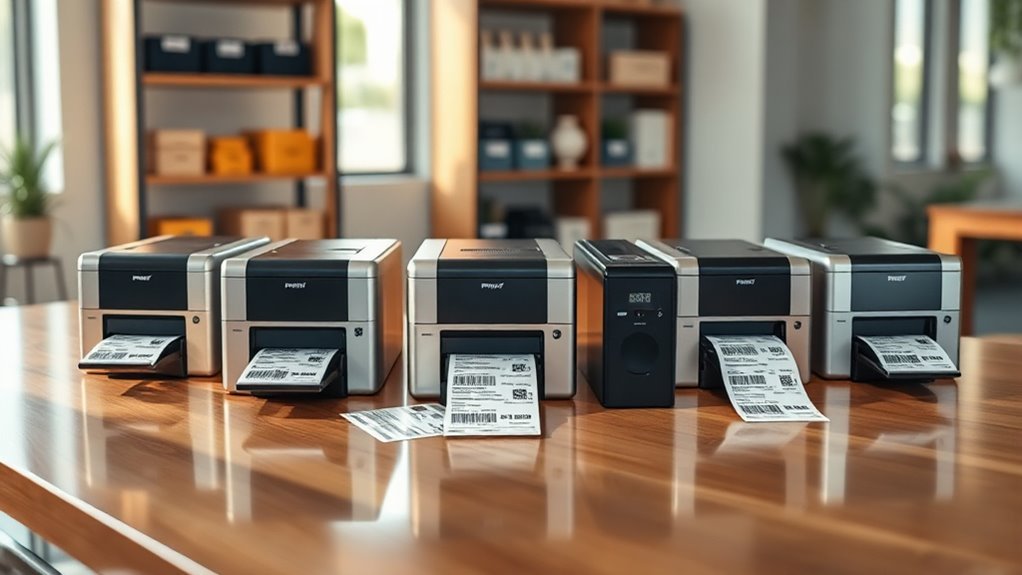
For 2027, choosing the right barcode label printers can really boost your efficiency and streamline your workflow. Whether you need fast printing speeds or versatile connectivity options, there’s a printer to match your needs perfectly.
The DYMO LabelWriter 550 Series is great for quick, eco-friendly office labeling using genuine DYMO materials. If you’re often on the move, CLABEL’s 221D and 221B models offer portable Bluetooth printing, ideal for small businesses that need flexibility.
The iDPRT SP310 handles various label widths and supports multiple operating systems, making it a versatile choice. When it comes to high-volume 4×6 shipping labels, the Thermal Shipping Label Printer stands out for speed and reliability.
For robust station use, both the Zebra ZP450 and DYMO 450 Twin Turbo are solid picks. Take a closer look at these key features to find the barcode label printer that fits your specific needs perfectly.
| Image | Name | Editor's Rating | Price |
|---|---|---|---|

|
|
||

|
|
||

|
|
||

|
|
||

|
|
DYMO LabelWriter 550 Series Thermal Label Printer
- Print precise quantities instead of wrestling with sheet labels
- ONLY WORKS WITH AUTHENTIC DYMO LABELS: Uses only high-quality, BPA-free DYMO Authentic LabelWriter labels; paper labels are made from FSC certified material
- NEVER BUY INK AGAIN: Direct thermal label printer, no expensive ink or toner required
- ELIMINATE WASTE AND HASSLE OF SHEET LABELS: Print precise label quantities with ease
Compact and efficient, the DYMO LabelWriter 550 Series offers a smart solution for precise label printing. It helps reduce waste by automatically detecting label size, type, and color, so you print only what you need. This feature simplifies your workflow and cuts down on excess materials.
Using direct thermal printing, the LabelWriter 550 eliminates the need for ink or toner, making maintenance straightforward and cost-effective. Its design supports fast printing speeds, up to 20% quicker than earlier models, saving valuable time during busy workdays.
The printer is designed to work exclusively with BPA-free, FSC-certified DYMO labels, ensuring high-quality results while supporting sustainable practices. Its plastic-free packaging further emphasizes its eco-friendly approach.
Ideal for small business owners and office environments, this label printer balances performance with environmental responsibility. Its compact frame fits easily into tight spaces, making it a practical choice for various labeling tasks.
Best for: Small businesses and office users who need a fast, compact, and eco-friendly label printer compatible only with genuine DYMO labels.
What We Like:
- Automatic label recognition minimizes waste and errors.
- Direct thermal printing requires no ink or toner, reducing upkeep.
- Compact, portable design with sustainable packaging.
- Works exclusively with BPA-free, FSC-certified DYMO labels.
Specification:
| Feature | Details |
|---|---|
| Manufacturer | DYMO |
| Dimensions | Compact size (exact size not specified) |
| Weight | Not specified |
| Printing Technology | Direct thermal |
| Compatible Labels | DYMO-branded, BPA-free, FSC-certified |
| Packaging | Plastic-free |
CLABEL 221D 2″ Bluetooth Barcode Label Printer for Small Business
No products found.
The CLABEL 221D 2″ Bluetooth Barcode Label Printer is designed to help small businesses print labels quickly and efficiently. Its direct thermal printing technology requires no ink, producing sharp, clear barcodes and tags at a rapid 50 pages per minute. This makes it perfect for busy environments where speed and quality matter.
Connectivity is simple and versatile with built-in Bluetooth for iOS and Android devices, as well as USB for bulk desktop printing. This flexibility streamlines your workflow whether you’re on the move or working from a fixed station. The printer handles label widths from 0.96 to 1.78 inches, ideal for price tags, jewelry labels, and other small items.
Maintenance is straightforward due to its inkless design, eliminating the need to replace cartridges. However, the media capacity is limited to 150 sheets, so frequent refills may be necessary in high-volume settings. Note that it only prints in monochrome black and is not suitable for larger labels like 4×6 shipping tags.
Compact and reliable, the CLABEL 221D integrates easily with apps, making label printing more convenient and less time-consuming for small business owners.
Best for: Small business owners needing a fast, portable Bluetooth barcode label printer for retail and small item labeling.
What We Like:
- Fast, inkless direct thermal printing at 50 pages per minute
- Wireless Bluetooth and USB connectivity for flexible printing options
- Supports various label widths from 0.96 to 1.78 inches
- Compact design ideal for mobile or desktop use
Specification:
| Feature | Details |
|---|---|
| Manufacturer | CLABEL |
| Print Width | 2 inches (approx. 5.08 cm) |
| Label Width Range | 0.96–1.78 inches (2.44–4.52 cm) |
| Print Speed | 50 pages per minute |
| Connectivity | Bluetooth (iOS/Android), USB |
| Media Capacity | 150 sheets |
| Color Printing | Monochrome black only |
| Dimensions | Compact design |
iDPRT SP310 Thermal Label Printer, Label Maker Fits 1″-3.35″ Width
No products found.
The iDPRT SP310 Thermal Label Printer offers a dependable, inkless solution for clear and quick label printing. Designed to handle label widths from 1″ to 3.35″, it delivers crisp, monochrome prints at 203 DPI. This makes it perfect for creating sharp barcodes, address labels, and inventory tags efficiently.
Its direct thermal technology means no ink or toner is needed, reducing maintenance and operating costs. The printer connects easily via USB, ensuring a stable setup for busy offices or small businesses. Compatibility with Windows, macOS, Linux, and ChromeOS allows flexible use across various systems.
Compact and lightweight, the SP310 fits comfortably on any desk without taking up much space. The included HereLabel software simplifies label design and bulk printing, streamlining your workflow. Additionally, it supports third-party label rolls, avoiding the hassle of proprietary restrictions.
While it only prints in monochrome and lacks wireless connectivity, the SP310 focuses on reliability and ease of use. Its maximum print run suits moderate volume needs, making it ideal for everyday labeling tasks without complexity.
Best for: Small businesses and office environments needing a versatile, inkless label printer that supports multiple operating systems and flexible label sizes.
What We Like:
- Inkless direct thermal printing with sharp 203 DPI resolution and fast 4 ips speed
- Wide OS compatibility including Windows, macOS, Linux, and ChromeOS
- Accepts third-party label rolls, avoiding proprietary restrictions
- Compact and lightweight design for easy placement
- Included HereLabel software simplifies design and bulk printing
Specification:
| Feature | Details |
|---|---|
| Manufacturer | iDPRT |
| Dimensions | Compact, fits small spaces |
| Label Width Range | 1″ to 3.35″ (2.54–8.5 cm) |
| Print Resolution | 203 DPI |
| Print Speed | Up to 4 inches per second |
| Connectivity | USB only |
| Compatible OS | Windows, macOS, Linux, ChromeOS |
Thermal Shipping Label Printer 4×6 Bluetooth Label Maker for Small Business
- 【High‑Quality, Energy‑Efficient Thermal Printing】The NULLTONEX shipping label printer uses direct thermal technology, eliminating the need for ink or toner and...
- 【Bluetooth & USB Dual Connectivity】 Connect seamlessly to your phone, laptop or PC via Bluetooth or USB. Download the free app for quick Bluetooth pairing to create...
- 【User‑Friendly Operation】 Easy setup and a dedicated app offer 1,800+ customizable templates, 300+ fonts, and multiple editing tools for everything from daily home...
- 【Wide Compatibility with Popular Shipping Platforms】 Works seamlessly with major shipping carriers and e‑commerce platforms including Amazon, Shopify, Etsy, USPS...
- 【Durable, Compact & Ready to Use】 Featuring a special matte finish with reinforced coating and a space‑saving design that fits neatly on any desk. Built‑in...
Streamline your shipping process with the Thermal Shipping Label Printer 4×6 Bluetooth Label Maker, built for efficiency and ease. This printer uses direct thermal technology, eliminating the need for ink or toner. It produces sharp, black-and-white labels at a crisp 203 dpi, speeding up your workflow with up to 72 labels per minute.
Designed for small businesses, this label maker connects seamlessly via Bluetooth or USB to Windows, Mac, iOS, and Android devices. The companion mobile app offers over 1,800 templates and supports offline editing, giving you flexibility in label design without needing constant internet access.
Compact and lightweight, it fits easily in limited spaces and handles high-volume labeling with minimal upkeep. Its simple design reduces maintenance hassles, letting you focus on your business. While it prints only monochrome labels and supports just one label size (4×6 inches), it remains a practical choice for straightforward shipping needs.
Best for: Small businesses and e-commerce sellers needing a fast, reliable, and low-maintenance thermal label printer for high-volume shipping tasks.
What We Like:
- Fast printing speed up to 72 labels per minute with clear 203 dpi resolution
- Dual connectivity options: Bluetooth and USB for versatile device compatibility
- Extensive mobile app templates and offline editing for easy customization
- Compact build fits in tight spaces and supports high-volume workloads
Specification:
| Feature | Details |
|---|---|
| Manufacturer | Not specified |
| Dimensions | Compact (exact size not given) |
| Weight | Lightweight (exact weight not given) |
| Label Size | 4 x 6 inches |
| Connectivity | Bluetooth, USB |
| Resolution | 203 dpi |
| Printing Speed | Up to 72 labels per minute |
| Color Output | Black and white only |
CLABEL 221B 2″ Bluetooth Thermal Label Printer with 3 Label Rolls, Black
- 【No Brand Lock-in】 No RFID chips, no brand lock-in. Use any standard thermal label rolls you like. Say goodbye to expensive proprietary paper and enjoy the freedom to...
- 【2" Printing for Business & Home】 The CLABEL 221B supports a wider range of 25mm-50mm (0.98-2Inch). Perfect for small business needs. Generate scannable barcodes...
- 【NO Learning Curve – Easy Setup】 Open, connect, print. Our "Clabel trade" App offers quick Bluetooth connection in seconds. Access hundreds of creative templates...
- 【Durable, Sharp & Smudge Quality】 Our matched thermal labels are waterproof, oil-proof, and highly resistant to friction or scratches. Whether used in a busy kitchen...
- 【Bluetooth Connection】 Our printer supports Bluetooth connection with Android and iOS smartphones. It does not support iPad. For computer connection, please use USB...

Experience hassle-free labeling with the CLABEL 221B 2″ Bluetooth Thermal Label Printer, designed for those who need fast and durable labels on the go. Its compact size and Bluetooth connectivity make pairing with Android and iOS smartphones simple, allowing you to print clear monochrome labels up to 2 inches wide.
This thermal printer uses advanced technology to create waterproof, oil-proof, and scratch-resistant labels without ink, saving you the trouble of replacements and maintenance. It prints quickly—up to 35 pages per minute—helping you keep up with busy workflows in retail, warehouses, or home organization.
The device is lightweight and user-friendly, featuring an LCD touch interface that makes label creation straightforward. It supports USB connection for computers and comes with three label rolls, offering versatility for various labeling needs without brand restrictions.
While it excels in portability and durability, note that it does not support iPad Bluetooth printing and is limited to black-and-white labels. Its maximum output per run is 50 labels, which suits small to medium volume tasks.
Best for: Small business owners, retail staff, and home organizers seeking a fast, portable thermal label printer compatible with multiple devices.
What We Like:
- Lightweight design with easy Bluetooth pairing for smartphones
- Produces durable, waterproof, and scratch-resistant labels fast
- Compatible with standard thermal label rolls and free app templates
- Simple LCD touch interface for quick label setup
- USB connectivity expands device compatibility
Specification:
| Feature | Details |
|---|---|
| Manufacturer | CLABEL |
| Label Width | 2 inches (5.08 cm) |
| Print Resolution | 203 dpi |
| Print Speed | Up to 35 pages per minute |
| Connectivity | Bluetooth, USB |
| Included Supplies | 3 label rolls |
| Color | Black |
| Weight | Lightweight (exact weight not specified) |
ZP450 Zebra Direct Thermal Label Barcode Printer – USB, Serial & Parallel
- [Efficient Label Printing] The Zebra ZP 450 is purpose-built for label printing, offering direct thermal technology with a max print speed 5 ips & max print resolution...
- [Plug-and-Play Connectivity] With Parallel, USB, and Serial connectivity options, this printer easily integrates into various low-volume printing environments, such as...
- [Cost-Effective Labeling] No need for toner or ribbons, reducing operational costs and provide monochrome color output. The fixed media width optimizes label printing...
- [Compact and Durable Design] The double-walled construction and sleek design make this desktop printer robust enough for busy work environments, ensuring it can withstand...
- [Versatile Label Compatibility] The printer can handle a variety of label types, including UPS, FedEx, labels, making it a versatile choice for businesses that require...
The ZP450 Zebra Direct Thermal Label Barcode Printer offers a simple and effective solution for businesses needing clear, reliable label printing. Using direct thermal technology, it prints sharp 203 dpi labels quickly without the fuss of ribbons or toner. This reduces ongoing costs and simplifies maintenance, saving time and effort.
Its compact and sturdy design fits neatly into busy workspaces like shipping departments, retail counters, or office stations. With versatile connection options, including USB, serial, and parallel ports, it integrates smoothly into existing setups without compatibility issues. The printer is designed to keep your operations running smoothly with minimal downtime.
While it handles monochrome labels efficiently, it’s best suited for low to moderate volume printing needs. The print speed of up to 5 inches per second keeps tasks moving but may not meet very high-volume demands. Its straightforward setup and maintenance make it a practical choice for businesses focused on efficiency without complexity.
This printer is ideal for those who want an affordable, hassle-free way to produce quality labels on demand, enhancing productivity with minimal fuss.
Best for: Small to medium-sized businesses and office environments needing reliable, low-volume label printing with minimal setup and maintenance.
What We Like:
- Eliminates ribbon and toner costs with direct thermal printing
- Multiple connectivity options ensure easy integration
- Compact, durable design fits tight workspaces
- Simple maintenance reduces downtime
Specification:
| Feature | Details |
|---|---|
| Manufacturer | Zebra |
| Dimensions | Compact size (exact dimensions not provided) |
| Weight | Not specified |
| Printing Technology | Direct thermal |
| Print Resolution | 203 dpi |
| Connectivity | USB, Serial, Parallel |
| Color Options | Monochrome printing only |
DYMO LabelWriter 450 Twin Turbo Label Printer
- QUICKLY SWITCH BETWEEN 2 ROLLS OF LABELS: Ideal for enhancing efficiency and print two different label types without swapping label rolls
- ELIMINATE THE WASTE AND HASSLE OF SHEET LABELS: The DYMO LabelWriter 450 Twin Turbo prints precise quantities without difficulty
- NEVER BUY INK AGAIN: Direct Thermal printing technology eliminates the cost of ink and toner
- EASILY CUSTOMIZE AND PRINT LABELS: Create labels directly from text in Microsoft Word, Excel, Outlook, and Google Contacts
- USE WITH AUTHENTIC DYMO LABELS: For best performance, use DYMO LabelWriter Labels in a variety of sizes
Experience seamless labeling with the DYMO LabelWriter 450 Twin Turbo Label Printer, designed to handle busy work environments effortlessly. This printer solves the hassle of constantly changing labels by allowing you to switch between two rolls instantly, saving time and reducing interruptions.
Its fast direct thermal printing produces sharp, monochrome labels up to 71 per minute, ideal for managing multiple labeling tasks with ease. The compact design fits neatly on any desk, keeping your workspace organized without sacrificing performance.
Maintenance is simple since it uses thermal printing technology—no ink or toner required. Just load your authentic DYMO labels, and you’re ready to go. Its USB connectivity ensures easy setup with both Windows and macOS systems, integrating smoothly with applications like Word and Outlook.
While it prints only in black and white and depends on DYMO’s supplied labels, the printer’s efficiency and dual-roll feature outweigh these minor limitations. It is a practical choice for offices needing reliable, fast, and flexible label printing.
Best for: Busy offices and professionals who require quick switching between multiple label types to streamline labeling workflows.
What We Like:
- Dual-roll system enables uninterrupted switching between labels.
- High-speed printing with clear monochrome output.
- Easy integration with Windows and macOS software.
- Compact form factor fits easily on desks.
- Low maintenance with no ink or toner needed.
Specification:
| Feature | Details |
|---|---|
| Manufacturer | DYMO |
| Dimensions | Compact (exact size not specified) |
| Weight | Not specified |
| Printing Technology | Direct thermal |
| Print Speed | Up to 71 labels per minute |
| Maximum Label Size | Up to 3 x 4 inches |
| Connectivity | USB 2.0 |
| Compatibility | Windows, macOS |
| Color Output | Monochrome (black and white) |
Factors to Consider When Choosing a Barcode Label Printer
When choosing a barcode label printer, you need to contemplate print resolution to guarantee clear codes and connectivity options that fit your setup.
Think about which label materials the printer supports and how fast you need it to print. Also, decide if portability is important for your workflow.
These factors will help you pick a printer that works smoothly and meets your specific needs.
Print Resolution Importance
Consider how print resolution directly impacts the clarity and scannability of your barcode labels. Higher dpi means sharper barcodes and crisp small text, which is essential for dense 2D codes or tiny fonts.
Standard printers offer 203 dpi, which works great for most barcodes. But if you’re dealing with compact labels that have higher-density codes like QR or PDF417, 300 dpi or more is a better fit.
You want to keep module widths within recommended sizes to avoid scanning errors. For instance, 203 dpi supports about 0.25–0.5 mm bars, while 300 dpi can handle finer details.
Keep in mind, increasing dpi can slow down print speed and require more processing power. So, it’s all about balancing quality with how fast you need to print.
Always test your printed labels at actual scanning distances and lighting conditions. This way, you can be sure they’ll be consistently readable in real-world use before you finalize your resolution choice.
Connectivity Options Available
Although print quality matters, connectivity options play a pivotal role in how easily you can integrate a barcode label printer into your workflow. USB offers a fast, reliable wired connection perfect for single computers.
Ethernet supports wired network access, ideal if multiple workstations share the printer or for high-volume use. Wi‑Fi enables full wireless integration, letting you print remotely from PCs, mobile devices, and cloud services—great for distributed workspaces.
Bluetooth pairs wirelessly with smartphones and tablets but has limited range and slower speeds compared to Wi‑Fi. Some industrial settings still use serial or parallel ports to connect older POS or automation hardware without network support.
When choosing, consider bandwidth, latency, security protocols like WPA3, and whether you need simple USB or scalable Ethernet/Wi‑Fi solutions for multiple users. It really depends on your specific setup and how many people will be using the printer.
Compatible Label Materials
Choosing compatible label materials plays an essential role in getting the best performance from your barcode label printer. First, match your printer technology: direct thermal printers need heat-sensitive paper, while thermal transfer models require ribbon-compatible materials like coated paper or synthetic films.
Next, pick substrates based on use—paper suits short-term indoor labels, coated paper resists smudges, and synthetic films like polyester or polypropylene handle outdoor durability. Also, verify label stock dimensions and roll specs to fit your printer’s media bay and sensors.
Don’t forget adhesive types; choose permanent, removable, or high-tack adhesives depending on surfaces and removal needs. Lastly, make certain the label finish and coating align with your printer’s resolution and ribbon chemistry to keep barcodes clear and scannable.
Print Speed Requirements
When you pick a barcode label printer, matching its print speed to your workflow can make all the difference. For low-volume desktop tasks, aim for 1–4 inches per second (ips). Meanwhile, moderate business use benefits from 4–8 ips.
High-volume shipping or warehouse environments demand speeds above 8 ips. Don’t just focus on peak speed; check the printer’s sustained throughput to guarantee it can handle long runs. Look for 50–150 labels per minute without overheating or throttling.
Remember, larger labels or complex prints like dense graphics slow down effective speed. Also, consider peripheral factors like connection type and host software, which can bottleneck actual printing speed.
If you print batches or on-demand, prioritize printers with fast warm-up and quick time-to-first-label to avoid workflow delays. It really helps keep things moving smoothly.
Device Portability Needs
Matching print speed to your workflow is just one piece of the puzzle. When choosing a barcode label printer, you need to take into account device portability needs closely.
Look for lightweight models under about 2 pounds with compact dimensions—around 7 to 9 inches in depth and 2 to 5 inches in width—so they’re easy to carry and stash in bags or tight workspaces. If you require true mobility, battery-operated printers with 5 to 8+ hours of runtime or clear label-per-charge info are essential.
Connectivity matters too: Bluetooth and Wi-Fi enable seamless printing from smartphones or tablets on the move, unlike USB-only printers meant for desks. Also, weigh media capacity; smaller rolls reduce weight but mean more frequent refills.
Finally, pick rugged devices rated for drops and environmental exposure if you work outdoors or in warehouses. It just makes sense to have gear that can keep up with where you work.
Software and Compatibility
Although hardware specs are important, software compatibility can make or break your experience with a barcode label printer. Make sure the printer supports your operating systems—whether Windows, macOS, Linux, iOS, or Android—and that reliable drivers or SDKs are available.
Check that the label design software includes essential features like barcode symbologies (Code128, QR, UPC, EAN), serialization, batch imports, and template saving to fit your workflow. If you need integration with POS or inventory systems, verify support for APIs or printer control languages like ZPL or EPL.
Also, confirm file format compatibility (PNG, JPEG, PDF) and image resolution for crisp logos and barcodes. Finally, prioritize printers offering regular firmware updates to keep security and compatibility current as your platforms evolve.
Label Size Flexibility
Software compatibility guarantees your printer works smoothly with your systems, but the physical label sizes you need to print matter just as much. You should verify the printer supports the exact label widths and lengths you require—whether narrow 25–50 mm price tags or wide 4×6 inch shipping labels—to avoid feeding issues or wasted roll changes.
Look for adjustable label-width guides or software-configurable roll settings so you can print formats from about 1″ (25 mm) up to at least 4″ (100 mm) if your tasks vary. It’s also important to confirm the printer’s gap or black-mark detection handles small labels and die-cut gaps reliably to prevent misfeeds.
Also, consider max media roll diameter and spool capacity to reduce roll changes. If you switch label sizes frequently, opt for printers with multiple roll bays or fast-switch roll-loading to cut downtime. This way, you won’t be stuck waiting around when it’s time to swap rolls.
Warranty and Support
When choosing a barcode label printer, you’ll want to carefully review the warranty and support options to protect your investment and minimize downtime. Check the length and coverage of the manufacturer’s warranty—whether it’s 90 days, a year, or longer—and confirm exactly what’s covered, like parts, printhead, and labor.
Keep in mind that consumables and accidental damage are often excluded. Also, verify the availability and responsiveness of technical support through phone, email, or live chat, along with their support hours in your region.
If you run high-volume operations, consider extended warranties, on-site service, or paid support plans to speed up repairs. Finally, ask about spare-part availability and typical repair turnaround times to estimate potential downtime and keep your workflow smooth.
Frequently Asked Questions
Can Barcode Label Printers Connect to Mobile Devices Without Bluetooth?
Yes, you can connect barcode label printers to mobile devices without Bluetooth using Wi-Fi, USB, or Ethernet connections. Just make sure your printer and device support these options, so you’ll have flexible ways to print labels efficiently.
These connections can be just as handy as Bluetooth, especially if you’re working in an environment where wireless signals are spotty or you prefer a wired setup. It’s all about finding what works best for your workflow!
What Types of Ink or Ribbons Are Compatible With Thermal Label Printers?
Did you know 80% of thermal printers use ribbon types?
You’ll need wax, resin, or wax-resin ribbons for thermal transfer printers.
On the other hand, direct thermal printers only use heat-sensitive labels—no ribbons required.
That actually helps save on supplies and maintenance. Pretty handy, right?
How Do Environmental Conditions Affect Barcode Label Printer Performance?
You’ll find that extreme temperatures, humidity, and dust can cause jams, smudging, or fading in your barcode printer.
Keeping the environment clean and stable helps your printer perform reliably and extends its lifespan.
It’s pretty simple—when conditions are just right, your printer works better and lasts longer.
Are There Any Software Options for Customizing Barcode Label Designs?
Like painting on a blank canvas, you can use software like BarTender or NiceLabel to customize barcode label designs. They let you tweak every detail, so your labels fit your needs perfectly without any hassle.
It’s pretty straightforward. You get to play around with fonts, colors, and layouts until it looks just right. Plus, these tools often support different barcode types, giving you plenty of options to choose from.
What Maintenance Is Required to Prolong the Lifespan of a Label Printer?
You should clean the printhead regularly and use proper label materials. Avoid dust buildup to keep everything running smoothly.
Also, remember to update the firmware when needed. Inspect and replace worn parts promptly.
Taking these steps will help your label printer last longer and perform better over time.
Conclusion
Choosing the right barcode label printer is like finding the perfect key to release your business’s efficiency. Whether you’re steering small batches or heavy-duty shipping, these seven printers offer a blend of speed, clarity, and convenience tailored to your needs.
Don’t let outdated tools slow you down—embrace the power of precision and watch your workflow transform into a well-oiled machine. These printers are designed to boost efficiency, helping you tackle 2027 and beyond with confidence.
By investing in the best barcode label printers, you ensure faster processing, clearer labels, and smoother operations. It’s not just about printing; it’s about enhancing your entire business flow with reliable, high-quality technology. Get ready to streamline your labeling tasks and boost productivity like never before.