8 Best Compact Laser Printer All-in-One Models for 2027
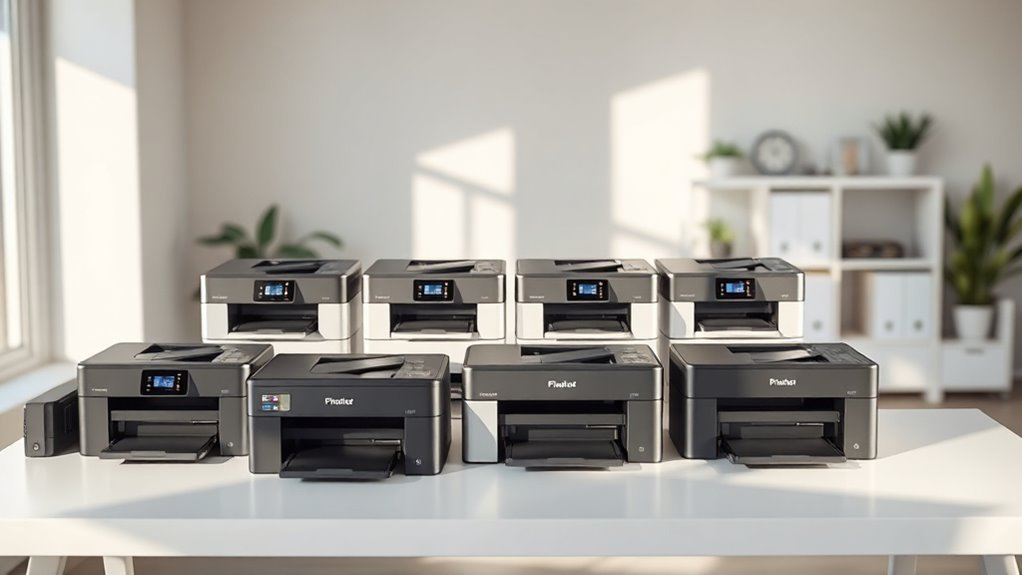
If you need a compact all-in-one laser printer for 2027, you’ve got some great options to consider. Models like the HP LaserJet M234sdw and Brother DCP-L2640DW deliver reliable monochrome printing with fast speeds and multiple connectivity choices.
These printers are perfect if you want something that fits neatly into smaller spaces without sacrificing performance.
The Canon imageCLASS MF465dw II really stands out with its customizable touchscreen and high efficiency.
On the other hand, the HP LaserJet Pro 3105sdw offers strong security features, which is a big plus for protecting your documents.
All of these models balance space-saving design, speed, and usability—making them ideal for small offices or home use.
Keep exploring to find the best fit for your workspace and workflow needs.
| Image | Name | Editor's Rating | Price |
|---|---|---|---|

|
|
||
|
|
||

|
|
||

|
|
||

|
|
HP LaserJet M234sdw Monochrome Laser Printer | All-in-One
No products found.
Experience efficient printing tailored for small teams with the HP LaserJet M234sdw monochrome all-in-one printer. This device combines printing, scanning, and copying into one compact unit, designed to save space without sacrificing performance. Its fast output of up to 30 pages per minute helps keep your workflow smooth and uninterrupted.
Maintenance is straightforward thanks to its auto document feeder and duplex printing, which reduce paper use and manual handling. The printer supports multiple connectivity options including dual-band Wi-Fi, Ethernet, and USB, ensuring seamless integration with various devices. The HP Smart app further simplifies mobile and cloud printing tasks, making remote work more accessible.
Designed for teams of 1-5 people, this printer fits well in tight office spaces while delivering reliable mono printing. Its modest tray capacity means it’s best suited for moderate print volumes, helping you manage supplies efficiently. While it doesn’t support color printing, it excels at handling everyday black-and-white documents with ease.
Best for: small teams seeking a reliable, fast, and compact monochrome all-in-one printer with versatile connectivity and mobile printing support.
What We Like:
- Fast print and copy speeds up to 30 pages per minute
- Multiple connectivity options including dual-band Wi-Fi, Ethernet, and USB
- Auto document feeder and duplex printing for efficient paper use
- Easy mobile and cloud printing via the HP Smart app
Specification:
| Feature | Details |
|---|---|
| Manufacturer | HP |
| Dimensions (W×D×H) | Compact, fits tight spaces |
| Weight | Lightweight |
| Connectivity | Dual-band Wi-Fi, Ethernet, USB |
| Printing Type | Monochrome Laser |
Brother DCP-L2640DW Wireless Monochrome Printer
- BEST FOR SMALL BUSINESSES – Engineered for extraordinary productivity, the Brother DCP-L2640DW Monochrome (Black & White) 3-in-1 combines laser printer, scanner, copier...
- FAST PRINTER WITH EFFICIENT SCANNING – Produces documents quickly with print speeds up to 36 ppm(2) and scan speeds up to 23.6/7.9 ipm(3) (black/color). A 50-page auto...
- FLEXIBLE CONNECTION OPTIONS – Easily navigate the changing demands of your business with secure multi-device connectivity via built-in dual-band wireless (2.4GHz...
- BROTHER MOBILE CONNECT APP – Print, scan, and manage your wireless printer anytime, from almost anywhere from your mobile device. Order Brother Genuine Supplies, track...
- CHOOSE BROTHER GENUINE TONER – When it’s time to replace your toner, be sure to choose Brother Genuine TN830 or TN830XL replacement toner. And with Refresh EZ Print...

The Brother DCP-L2640DW is designed to keep up with the demands of busy small offices and home workspaces. Its fast printing speed of up to 36 pages per minute helps you complete tasks quickly, reducing wait times and improving productivity. This monochrome laser printer combines printing, copying, and scanning functions in a compact design that fits easily on a desk.
Maintenance is simple with features like a 250-sheet paper tray and a 50-page auto document feeder, allowing you to handle large, multi-page jobs without constant intervention. The printer supports automatic duplex printing, which saves paper and cuts down on waste. Toner Save Mode further extends cartridge life, helping to reduce operating costs over time.
Wireless dual-band connectivity and mobile printing via the Brother Mobile Connect app let you print and scan from anywhere. This flexibility means you can manage your tasks remotely, which is ideal for modern work environments. While it only prints in black and white, its reliable performance makes it a practical choice for text-heavy documents.
Best for: Small offices and home users who need a fast, reliable, and compact monochrome printer with wireless multi-function capabilities.
What We Like:
- High-speed printing at up to 36 ppm for efficient output
- Automatic duplex printing and Toner Save Mode to reduce waste
- Wireless dual-band, Ethernet, USB, and mobile app connectivity
- 50-page auto document feeder and 250-sheet paper capacity
Specification:
| Feature | Details |
|---|---|
| Manufacturer | Brother |
| Dimensions (W x D x H) | 16.1 x 15.7 x 12.0 inches |
| Weight | 25 lbs (11.3 kg) |
| Color | Monochrome (Black & White) |
| Connectivity | Wireless dual-band, Ethernet, USB |
HP LaserJet Pro 3105sdw Monochrome Laser Printer | All-in-One
No products found.
Experience efficient and reliable printing with the HP LaserJet Pro 3105sdw, designed to streamline office workflows. This monochrome laser printer delivers crisp documents at up to 33 pages per minute, helping teams meet tight deadlines with ease.
Its multifunction design simplifies tasks by combining printing, scanning, copying, and faxing in one device. Automatic duplex printing reduces paper waste, while the document feeder and flatbed scanner add flexibility for handling various document types.
Connectivity options include Wi-Fi, Ethernet, and USB, allowing seamless integration into different office setups. Smart features like AI-powered scan-to-email enhance productivity, and HP Wolf Pro Security safeguards sensitive information throughout your workflow.
Maintenance is straightforward with user-friendly setup via the HP app and reliable performance for small teams. However, it supports only monochrome printing and is best suited for offices with up to seven users.
Best for: Small office teams needing a fast, multifunction monochrome printer with strong security and versatile connectivity.
What We Like:
- Fast printing speed of up to 33 pages per minute with sharp 1200 x 1200 dpi quality
- All-in-one functionality including scanning, copying, and faxing with duplex printing
- Multiple connectivity options: Wi-Fi, Ethernet, and USB for flexible setup
- AI-powered scan-to-email feature boosts efficiency
- Robust data protection with HP Wolf Pro Security
Specification:
| Feature | Details |
|---|---|
| Manufacturer | HP |
| Dimensions | 16.5 x 15.4 x 11.2 inches |
| Weight | 19.4 lb (8.8 kg) |
| Printing Speed | Up to 33 pages per minute |
| Print Resolution | 1200 x 1200 dpi |
| Connectivity | Wi-Fi, Ethernet, USB |
| Functions | Print, Scan, Copy, Fax |
| Duplex Printing | Automatic |
HP Laserjet MFP M140w Wireless All-in-One Printer
- All-in-One Functionality: The HP LaserJet MFP M140w offers the convenience of printing, copying, and scanning in a single, compact device, saving valuable space in your...
- Wireless Connectivity for Easy Printing: Enjoy the flexibility of wireless printing with seamless Wi-Fi connectivity. You can easily print documents from your phone...
- Fast, High-Quality Monochrome Printing: Achieve clear, sharp, black-and-white prints with fast print speeds, making this printer perfect for handling high-volume tasks...
- Effortless Setup and User-Friendly Operation: The HP LaserJet MFP M140w is designed for quick and simple setup. With a user-friendly interface, you'll be up and running...
- Energy-Efficient with Auto-On/Off Technology: Save on energy costs with HP’s Auto-On/Off technology, which automatically powers the printer on when you send a print job...
The HP LaserJet MFP M140w offers a practical solution for those needing a compact all-in-one printer that fits easily in tight spaces. It combines printing, scanning, and copying functions in one device, helping you manage daily tasks without clutter. Its lightweight design makes it simple to place wherever you need it.
Wireless connectivity and the HP Smart App let you print directly from your smartphone or tablet. This feature streamlines workflows and reduces the hassle of connecting cables. You can get crisp monochrome prints at up to 21 pages per minute, ideal for regular document needs.
Maintenance is straightforward, with an Auto-On/Off feature that saves energy and reduces running costs. While it only prints in black and white, the 600 dpi resolution ensures clear text and simple graphics. This printer suits small offices or home users who want reliability without complex setup.
Best for: individuals or small businesses needing a compact, wireless monochrome printer for everyday document management.
What We Like:
- Compact and lightweight for easy placement
- Wireless printing with HP Smart App convenience
- Energy-saving Auto-On/Off feature
- Reliable monochrome output at a steady speed
Specification:
| Feature | Details |
|---|---|
| Manufacturer | HP |
| Dimensions | Not specified |
| Weight | 11.9 lb (5.4 kg) |
| Color Options | Not specified |
| Print Speed | Up to 21 pages per minute |
| Print Resolution | 600 dpi |
Canon imageCLASS MF465dw II Wireless Laser Printer
- Monochrome Wireless, Duplex 4-in-1: Print, Scan, Copy, Fax
- Print up to 42 ppm
- Easy Wireless Setup
- 5-inch Touchscreen
- Mobile Device Printing
The Canon imageCLASS MF465dw II is designed to meet the demands of small and home offices that require efficient and reliable printing. It delivers fast printing speeds of up to 42 pages per minute with clear, sharp text thanks to its 1200 x 1200 dpi resolution. This helps reduce wait times and keeps your workflow smooth.
The printer’s 5-inch customizable touchscreen simplifies navigation and operation. With a 50-sheet automatic document feeder, it handles scanning and copying tasks quickly without constant supervision. Its wireless setup supports easy mobile printing through the Canon PRINT app, making connectivity hassle-free and flexible.
Maintenance is straightforward, with a 250-sheet paper cassette that supports everyday printing needs and allows for paper capacity expansion when necessary. Though it only offers monochrome printing, this laser printer excels in delivering crisp black-and-white documents, ideal for professional use.
While toner replacement can be on the higher side, the overall design keeps your workspace compact and organized, improving productivity without clutter.
Best for: Small and home office users needing fast, dependable monochrome printing with wireless multifunction capabilities.
What We Like:
- Fast printing at 42 ppm with sharp 1200 x 1200 dpi output
- Easy-to-use 5-inch touchscreen and 50-sheet automatic document feeder
- Simple wireless setup and mobile printing with Canon PRINT app
- Expandable paper capacity for growing office needs
Specification:
| Feature | Details |
|---|---|
| Manufacturer | Canon |
| Dimensions (W x D x H) | 16.3 x 16.3 x 14.0 in |
| Weight | 36.2 lb |
| Printing Technology | Monochrome Laser |
| Print Speed | Up to 42 pages per min |
| Print Resolution | 1200 x 1200 dpi |
| Touchscreen Size | 5 inches |
| Automatic Document Feeder | 50 sheets |
| Paper Capacity | 250 sheets (expandable) |
Brother HL-L2480DW Wireless Monochrome Laser Printer
- BEST FOR SMALL OFFICES & WORK FROM HOME – Engineered for efficiency, the Brother HL-L2480DW Monochrome (Black & White) 3-in-1 Laser Printer is equipped with a...
- COMPACT, CONNECTED, DYNAMIC – Connect with built-in dual-band wireless (2.4GHz/5GHz), Ethernet, or to a single computer via USB interface. Produces B/W prints at speeds...
- 2.7" TOUCHSCREEN – The intuitive 2.7” touchscreen enables effortless navigation with the added ability to print-from and scan-to popular Cloud-based apps such as...
- BROTHER MOBILE CONNECT APP – Print, scan, and manage your wireless printer anytime, from almost anywhere from your mobile device. Order Brother Genuine Supplies, track...
- VERSATILE PAPER HANDLING – Tackle high-volume black & white printing with the 250-sheet capacity paper tray.(5) The manual feed slot enables printing on envelopes and...
The Brother HL-L2480DW is designed to enhance productivity with fast, reliable black-and-white printing. Its 36 pages per minute speed helps small offices and home users complete tasks quickly, reducing wait times. Automatic duplex printing cuts paper use and streamlines workflow.
This printer’s compact design fits easily into tight spaces without sacrificing functionality. It supports various media sizes through a 250-sheet tray and manual feed slot, making it adaptable for different printing needs. The 2.7” touchscreen offers intuitive control, simplifying operation for all users.
Connectivity is versatile, featuring dual-band wireless, Ethernet, and USB options. Mobile and cloud printing capabilities allow seamless remote job submission, keeping work flexible and efficient. Maintenance is straightforward, with easy access to paper trays and consumables.
While it excels in monochrome output, the lack of color printing limits its use for color documents. Copy resolution maxes out at 600 x 600 dpi, which may be modest compared to some alternatives. Still, it is a solid choice for those prioritizing speed and connectivity in black-and-white printing.
Best for: Small offices and home users needing efficient, fast monochrome printing with flexible connectivity.
What We Like:
- Fast print speed of up to 36 ppm with automatic duplex
- Multiple connectivity options including dual-band Wi-Fi and Ethernet
- Compact footprint with easy-to-use touchscreen interface
- Supports various media sizes with a 250-sheet tray and manual feed slot
Specification:
| Feature | Details |
|---|---|
| Manufacturer | Brother |
| Dimensions | Compact footprint (exact size not provided) |
| Weight | Not specified |
| Media Size Support | Up to 8.5 x 14 inches |
| Connectivity | Dual-band wireless, Ethernet, USB |
| Display | 2.7-inch touchscreen |
Canon Color imageCLASS MF753Cdw II – All-in-One Color Duplex Laser Printer
- Color, Wireless, Duplex 4-in-1: Print, scan, copy, fax.
The Canon Color imageCLASS MF753Cdw II is designed to simplify your busy workday. It combines printing, scanning, copying, and faxing into one compact device, making it ideal for small offices and remote setups. This all-in-one laser printer delivers sharp, professional-quality documents with a resolution of 1200 x 1200 dpi.
Handling large volumes is easy thanks to its 250-sheet cassette and a 50-sheet multipurpose tray. Need more capacity? You can expand paper storage up to 850 sheets, reducing interruptions during high-demand tasks. The 50-sheet duplex automatic document feeder speeds up two-sided printing and scanning, saving you valuable time.
Operating the printer is straightforward with a customizable 5-color touchscreen that offers intuitive control. Wireless mobile printing through the Canon PRINT app adds convenience, letting you print directly from your smartphone or tablet. Energy Star certification ensures efficient power use, helping to lower operating costs.
Maintenance is simple, with accessible paper trays and user-friendly controls that minimize downtime. While the fax feature may be less essential today, having it integrated can still support diverse communication needs. The optional cassette for increased paper capacity is an added investment but enhances workflow flexibility.
Best for: Small business owners and remote workers needing a versatile, high-speed color laser printer with efficient duplex and wireless capabilities.
What We Like:
- Fast 35 ppm print speed with sharp 1200 x 1200 dpi output
- Time-saving 50-sheet duplex automatic document feeder
- Expandable paper capacity up to 850 sheets
- Intuitive, customizable 5-color touchscreen interface
- Wireless printing via Canon PRINT app
Specification:
| Feature | Details |
|---|---|
| Manufacturer | Canon |
| Dimensions (W x D x H) | Approx. 16.1 x 18.1 x 16.7 in |
| Weight | Approx. 48.5 lb (22 kg) |
| Print Resolution | 1200 x 1200 dpi |
| Print Speed | Up to 35 pages per minute |
| Paper Capacity | 250-sheet cassette + 50-sheet multipurpose tray, expandable to 850 sheets |
| Connectivity | Wireless, USB |
| Display | 5-inch customizable color touchscreen |
Canon imageCLASS MF273dw Wireless Monochrome Printer

- Wireless 3-in-1: Print | Copy | Scan
- Print up to 30 Pages Per Minute (BW, Letter)
- First Print Out in Approximately 5.3 Seconds (Letter)
- Auto 2-sided Printing
- Uses Toner 071 / 071 High-Capacity Toner
The Canon imageCLASS MF273dw brings efficiency and convenience to your workspace with its fast, high-quality monochrome printing. Designed to handle busy tasks, it prints up to 30 pages per minute with sharp 2400 x 600 dpi resolution. This printer helps reduce workflow interruptions by supporting duplex printing and an automatic document feeder.
Its compact design fits easily into small office areas or home setups. Wireless connectivity through Wi-Fi and USB options simplifies installation and placement, letting you print from multiple devices without hassle. Maintenance is straightforward, with a 150-sheet paper capacity that balances everyday use and easy refilling.
This multifunction printer combines printing, copying, and scanning in one device, saving space and streamlining your tasks. While it only prints in black and white, it excels in delivering clear, crisp documents quickly. Energy Star certification ensures it operates efficiently, keeping power consumption low.
Best for: small office or home users needing a reliable, compact monochrome printer with wireless features for everyday document handling.
What We Like:
- Fast printing speed with sharp monochrome output
- 3-in-1 functionality including auto duplex and document feeder
- Flexible wireless connectivity via Wi-Fi and Wi-Fi Direct
- Compact footprint suitable for limited spaces
- Energy-efficient design for lower power use
Specification:
| Feature | Details |
|---|---|
| Manufacturer | Canon |
| Dimensions (W×D×H) | 16.1 × 14.1 × 11.6 in |
| Weight | 35.7 lb (16.2 kg) |
| Printing Technology | Laser Monochrome |
| Max Print Speed | Up to 30 ppm |
| Print Resolution | 2400 x 600 dpi |
| Paper Capacity | 150 sheets |
| Connectivity | Wi-Fi, Wi-Fi Direct, USB |
Factors to Consider When Choosing a Compact Laser Printer All in One
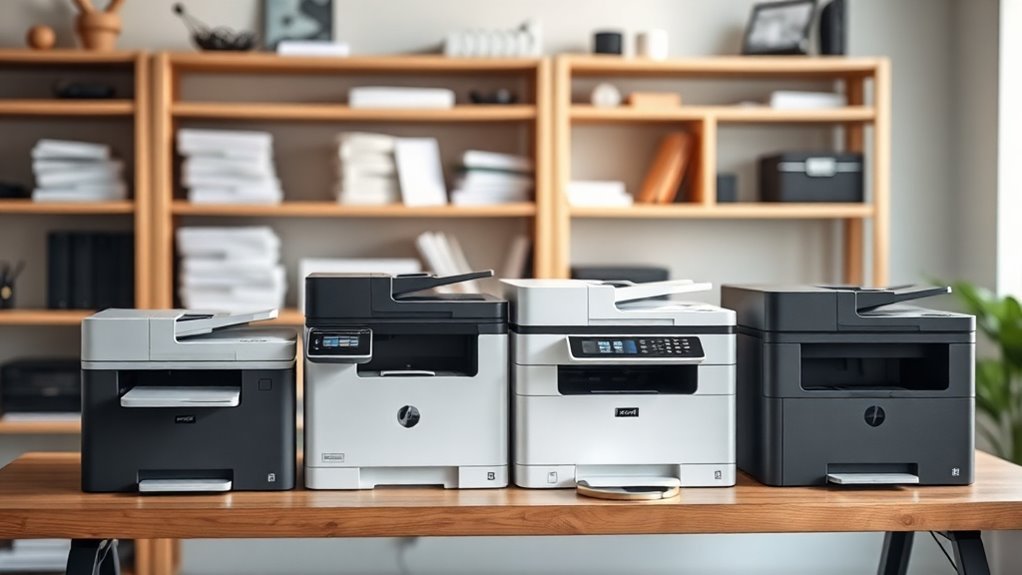
When choosing a compact laser printer all in one, you’ll want to evaluate how fast it prints and the connectivity options it offers. Make sure it can handle the amount of paper you need and fits comfortably in your space without being too heavy.
Don’t forget to check its energy efficiency to keep your costs and environmental impact low. It’s all about finding the right balance between performance and convenience.
Print Speed Requirements
Choosing a compact laser printer with the right print speed can make a big difference in your daily workflow. Print speed, measured in pages per minute (PPM), usually ranges from 21 to 42 PPM for black-and-white output.
If you handle high-volume printing or work in a busy office, a faster printer boosts productivity and reduces wait times. Keep in mind that duplex printing, which automatically prints double-sided, often slows down the process compared to single-sided printing.
Also, consider the first-page-out time—some models deliver the first page in as little as 5.3 seconds, letting you access documents quickly. Match the printer’s speed to your workload to guarantee efficiency and minimize downtime.
This way, you can maintain smooth operation every day without unnecessary delays.
Connectivity Options Available
Since connectivity plays a crucial role in how easily you can integrate a compact laser printer into your workspace, it’s important to look for multiple options like dual-band Wi-Fi, Ethernet, and USB ports. Dual-band Wi-Fi supports both 2.4GHz and 5GHz networks, boosting wireless performance and reducing interference.
Ethernet and USB connections offer reliable alternatives, especially for stationary setups. Don’t forget mobile printing compatibility—features like AirPrint, Google Cloud Print, or dedicated apps let you print directly from smartphones and tablets.
Also, check if the printer works smoothly with your devices’ operating systems, whether it’s Windows, macOS, iOS, or Android. By ensuring diverse connectivity options, you’ll enjoy a flexible, hassle-free printing experience that fits your exact needs.
Paper Handling Capacity
Beyond connectivity, your printer’s paper handling capacity greatly influences how smoothly your printing tasks run. When choosing a compact laser printer, consider the tray size—higher capacity trays hold 150 to 250 sheets, reducing how often you need to refill.
Models with automatic document feeders (ADF) let you scan or copy batches efficiently, typically handling 50 to 100 sheets. Duplex printing is a smart feature, letting you print on both sides automatically, saving paper and time.
Some printers offer expandable trays, which is handy if your volume grows. Also, check the maximum media size the printer supports; most handle standard letter and legal sizes, with some accommodating smaller or specialty papers.
Prioritizing these factors guarantees your printer keeps up with your workflow smoothly. It’s all about making your printing experience hassle-free and efficient.
Device Size And Weight
One key factor to evaluate when picking a compact laser printer is its size and weight, as these directly impact where and how you can place it. Most models range from 12 to 16 inches in width and height, fitting nicely in small offices or home setups where space is tight.
Weights vary between about 12 to 25 pounds, so choosing a lighter option can make moving the printer easier. If you plan to shift it around or need to save desk space, look for devices around 12 pounds with integrated trays and slim profiles.
These design features help the printer fit comfortably on desks or shelves without cluttering your workspace. That way, you get the most efficiency from a compact footprint.
Energy Efficiency Features
Along with considering size and weight, you’ll want to pay close attention to a printer’s energy efficiency features. Look for models with Auto-On/Off technology, which powers the printer only when needed, cutting unnecessary energy use.
ENERGY STAR® certification is another key indicator that the printer meets strict efficiency standards set by the EPA and Department of Energy. Features like duplex printing help reduce paper waste, saving energy indirectly by lowering resource use.
Toner Save Mode extends cartridge life, meaning fewer replacements and less energy spent manufacturing new toner. Additionally, compact printers for home or small office often include mobile printing and automatic document feeders, streamlining your workflow and enhancing energy efficiency.
Choosing these features helps you reduce your environmental impact without sacrificing performance. It’s a smart way to save energy and keep things running smoothly.
Frequently Asked Questions
How Do Compact Laser Printers Compare to Inkjet Printers in Cost?
You’ll find compact laser printers cost more upfront, but they save you money long-term with cheaper toner and less frequent replacements.
Inkjet printers are cheaper initially but often cost more over time due to ink expenses. It’s kind of like paying a little now versus paying a lot more later. So, if you print a lot, a laser printer might be the smarter choice.
What Maintenance Is Required for Compact Laser Printers?
You’ll need to replace toner cartridges occasionally, clean the drum unit, and clear paper jams.
Regularly dusting the printer and updating firmware also helps keep it running smoothly without unexpected interruptions.
It’s pretty simple once you get into the habit, and it really saves you from headaches down the line.
Are Compact Laser Printers Eco-Friendly?
Yes, compact laser printers can be eco-friendly if you use energy-saving modes, recycle toner cartridges, and minimize waste.
You’ll also want to choose models with efficient power consumption and durable components to reduce environmental impact. It’s all about making smart choices to help the planet.
Can These Printers Handle Heavy-Duty Printing Tasks?
Yes, you can handle heavy-duty printing tasks with some compact laser printers. But you’ll need to choose models designed for high volume.
Otherwise, frequent use might cause wear or slower performance over time. So, it’s all about picking the right printer for the job.
What Security Features Do Compact Laser Printers Offer?
You’ll find compact laser printers offer robust security like encrypted printing, secure PIN release, and user authentication. These features protect your sensitive documents, so you won’t worry about unauthorized access or data breaches when printing confidential files.
It’s pretty reassuring to know your important files stay safe. Plus, these security measures make printing hassle-free and trustworthy every time.
Conclusion
Choosing the right compact laser printer all-in-one is like picking the perfect tool for your creative workshop. Each model here is a reliable companion, ready to help you craft sharp documents and vivid prints with ease.
Whether you need speed, color, or wireless freedom, you’ve got options that fit your space and style. So, gear up with the one that fits your flow, and watch your ideas come to life effortlessly.
When it comes to compact laser printer all-in-one models, finding one that blends functionality with convenience is key. These printers offer everything from fast printing to crisp color quality, all while saving you valuable desk space. In 2027, the best compact laser printer all-in-one will seamlessly support your workflow—whether at home or in a busy office. With wireless connectivity and user-friendly features, these models make printing, scanning, and copying simpler than ever. So, choose wisely, and enjoy a reliable, space-saving solution that meets your unique needs and keeps your productivity on point.