8 Best 3D Printers for Young Kids in 2027 (Safe & Fun)
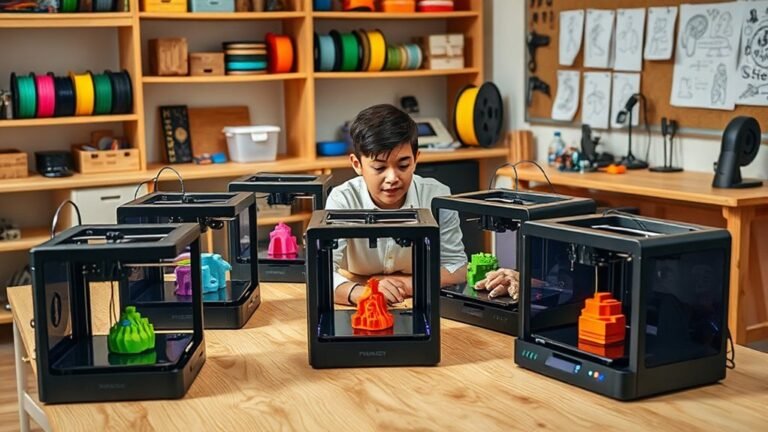
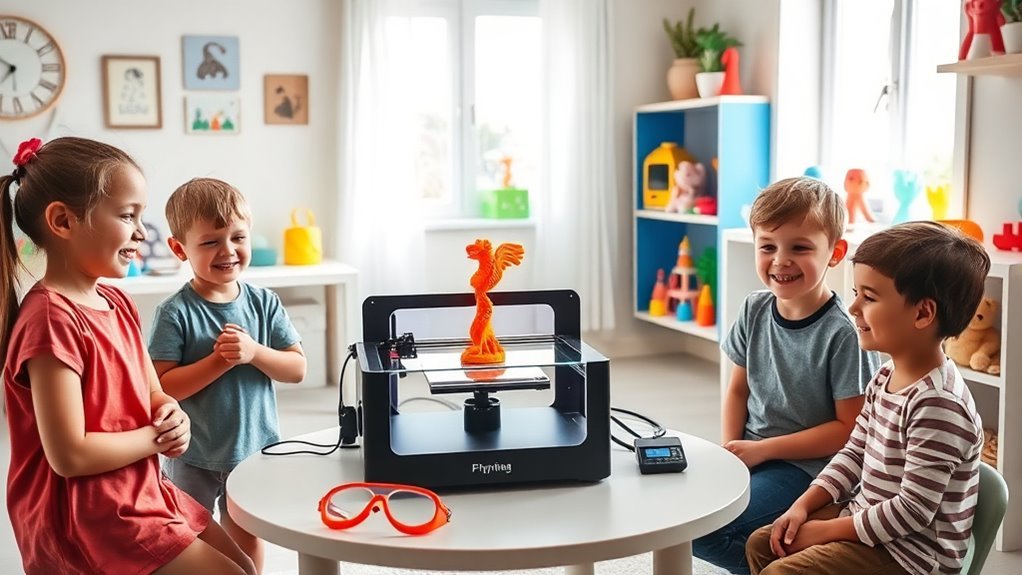
You’ll love how 3D printers like the Entina Tina2C Mini and Spark AI make STEM learning fun and safe for kids. These printers come with features like enclosed chambers and non-toxic PLA filament, ensuring a safe experience. Plus, easy auto-leveling takes the hassle out of setup.
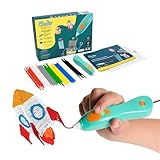
For younger kids, options like the 3Doodler Start+ pen offer burn-free creativity, making it perfect for little hands. Models such as the SainSmart PrintyGo include colorful filament spools and touchscreen controls, adding more excitement to the creative process.
These user-friendly 3D printers turn imagination into reality quickly. So, explore further to find the perfect fit for your child’s creative journey and watch their ideas come to life!
| Image | Name | Editor's Rating | Price |
|---|---|---|---|

|
|
||
|
|
||

|
|
||

|
|
||

|
|
Entina Tina2C Mini 3D Printer for Beginners & Kids
- 【Easy to Use 3D Printer – Ready in 5 Minutes】 Meet the Entina Tina2C, a plug-and-play mini 3D printer designed for first-time users. Fully assembled with factory...
- 【3500+ 3D Models & Easy One-Tap Printing】 Explore 3500+ ready-to-print 3D models and 25+ DIY projects in the Poloprint Cloud app, with new designs added daily...
- 【Smart WiFi 3D Printer & AI-Powered App】 Connect via 2.4GHz WiFi and enjoy convenient 3D printer app control through Poloprint Cloud. Explore models, manage prints...
- 【Auto Leveling 3D Printer & Power-Loss Recovery】 Automatic bed leveling helps improve first-layer adhesion and reduces manual adjustments for a smoother 3D printing...
- 【Flexible Magnetic Print Bed & Quick-Swap Nozzle】 The flexible magnetic build plate makes finished 3D prints easier to remove with a gentle bend. A removable...
The Entina Tina2C Mini 3D Printer offers a seamless introduction to 3D printing for kids and families. Its fully assembled design means you can start printing within minutes, eliminating setup frustration. The auto-leveling feature ensures accurate printing every time, removing a common barrier for beginners.
This compact printer fits easily on any desk and operates quietly, making it ideal for home use without disruption. The built-in LED lighting helps you monitor your projects closely, while the flexible magnetic build plate and removable nozzle simplify print removal and routine maintenance.
Power interruptions won’t ruin your work thanks to its power-loss recovery, which resumes prints automatically. This thoughtful feature keeps your creative projects on track, reducing wasted time and materials. Although the build volume is small, it perfectly suits educational and beginner projects.
The Entina Tina2C is designed specifically for STEM learning and creative exploration, providing a safe and manageable platform for young users. Its ease of use and reliable functionality make it a practical choice for family engagement in technology.
Best for: beginners, kids, and families seeking a compact, easy-to-use 3D printer for STEM learning and creative projects at home.
What We Like:
- Fully assembled with quick plug-and-play setup and auto-leveling.
- Quiet operation with built-in LED lighting for clear project visibility.
- Flexible magnetic build plate and removable nozzle for easy maintenance.
- Power-loss recovery ensures uninterrupted printing.
- Compact size fits conveniently on any desktop.
Specification:
| Feature | Details |
|---|---|
| Manufacturer | Entina |
| Dimensions | Compact desktop size |
| Build Volume | 3.9 x 3.9 x 3.9 inches |
| Operation | Quiet |
| Lighting | Built-in LED |
| Build Plate | Flexible magnetic |
| Nozzle | Removable |
3Doodler Start+ 3D Pen Set for Kids Ages 6
- Award-Winning 3D Pen: The original 3D printing pen for kids ages 6+ and an entry point to hands-on STEAM learning
- Child-Safe: No external hot parts, designed for safe use by children while creating in 3D
- Rechargeable Design: USB-C charging lets kids enjoy hands-on fun wherever inspiration strikes
- Learning Through Play: Supports creativity, storytelling, fine motor skills, spatial awareness, and STEAM learning
- Easy 3D Projects: Heated filament extrudes and hardens quickly

The 3Doodler Start+ 3D Pen Set offers a safe and intuitive way for kids aged 6 and up to explore 3D art and STEM concepts. Its design eliminates hot parts, so children can create confidently without burn risks. This thoughtful safety feature makes it ideal for young makers developing fine motor skills.
The pen’s slim shape fits comfortably in small hands, encouraging longer creative sessions without fatigue. It uses proprietary plastic strands that are easy to load and maintain, reducing frustration during use. The included DoodlePad and extra stencils provide guided projects to spark imagination while promoting screen-free learning.
Charging is quick with the USB-C cable, minimizing downtime between creations. The eco-friendly packaging reflects a commitment to sustainability, making this set a responsible choice for families. While the pen is plastic-based and limited to specific materials, it balances durability with lightweight construction for ease of use.
Best for: Kids aged 6 and above eager to develop STEM skills and artistic creativity through a secure, screen-free 3D drawing tool.
What We Like:
- Child-safe design with no hot parts for worry-free use
- Ergonomic pen shape tailored for small hands
- Quick USB-C charging for uninterrupted creativity
- Comes with extra stencils and a DoodlePad for guided projects
- Eco-conscious packaging supports sustainability
Specification:
| Feature | Details |
|---|---|
| Manufacturer | 3Doodler |
| Dimensions | Pen: Slim, easy grip |
| Weight | Lightweight (exact not specified) |
| Material | Plastic-based pen and accessories |
| Color Options | Not specified |
3D Printer for Kids, AI-Powered, Fully Assembled, STEM Gift
- AI-powered design tools built for kids: AI Craft, AI Doodle, AI MiniMe and MiniMakie — draw, design, customize and print your own 3D creations. AI Craft turns your...
- Fully enclosed child-safe design: The enclosed printing chamber keeps all hot components and moving parts away from children at all times. Non-toxic PLA filament only...
- Fully assembled and ready to use out of the box: No tools, no manual assembly required. Connect to WiFi, load the included 5 * 200g PLA filament, and start printing. Once...
- 12,000+ toy models and creative design tools: Browse a growing library of toys, animals, vehicles, and STEM projects on iOS, Android, or Windows. New models added...
- Fast printing at up to 400mm/s with built-in camera: Small models complete in as little as 20 minutes. Most library models print in 1 to 3 hours. The built-in camera...
Unlock your child’s creativity with this AI-powered 3D printer designed specifically for kids. It comes fully assembled, so there is no complicated setup. The enclosed printing chamber and cool-touch exterior ensure a safe experience, letting children print confidently.
This printer uses non-toxic PLA filament, making it ideal for both home and classroom STEM projects. It connects easily via WiFi, allowing quick loading of filament and fast printing. Some toys and models can be completed in as little as 20 minutes, keeping kids engaged.
The AI tools convert sketches, text, or photos into printable 3D models. Plus, the vast library of over 12,000 designs fuels endless creative possibilities. A live camera view lets parents and teachers monitor prints safely without interrupting the process.
Maintenance is simple with easy filament replacement and a durable design tailored for young users. While large prints may take several hours and WiFi is required for full features, this printer balances safety, ease of use, and creative learning.
Best for: Parents and educators seeking a safe, user-friendly, and innovative STEM tool that inspires imagination through 3D printing.
What We Like:
- Ready to use right out of the box, no assembly needed
- AI-powered design tools with a large model library
- Safe, enclosed design with cool-touch exterior and non-toxic filament
- Fast printing speeds for small models keep kids engaged
- Live camera monitoring enhances supervision and safety
Specification:
| Feature | Details |
|---|---|
| Manufacturer | Not specified |
| Dimensions | Not specified |
| Weight | Not specified |
| Material | PLA filament (non-toxic) |
| Color Options | Not specified |
Spark AI 3D Printer for Kids, 20,000+ Models, Enclosed Safe
- [NOTE] This printer prints one filament at a time, so each print is a single color. PLA comes in many colors, including gradient. For multi-color models, print parts...
- Fully enclosed child-safe design: The enclosed printing chamber keeps all hot components and moving parts away from children at all times. Non-toxic PLA filament only...
- Fully assembled and ready to use out of the box: No tools, no manual assembly required. Connect to WiFi, load the included white PLA filament, and start printing. Once...
- 12,000+ toy models and creative design tools: Browse a growing library of toys, animals, vehicles, and STEM projects on iOS, Android, or Windows. New models added...
- Fast printing at up to 400mm/s with built-in camera: Small models complete in as little as 20 minutes. Most library models print in 1 to 3 hours. The built-in camera...
Step into the future of creative learning with the Spark AI 3D Printer for Kids. Designed to make STEM projects accessible and safe, this printer features a fully enclosed chamber and a cool-touch exterior. These safety measures let children explore 3D printing without any risk of burns or injuries.
The printer arrives fully assembled and requires no leveling, so young users can start printing immediately. Its AI-powered design tools allow kids to transform sketches or photos into 3D models, encouraging hands-on creativity. With access to over 20,000 models, including more than 12,000 toys and STEM projects, there is always something new to create.
Maintenance is simple, thanks to its use of non-toxic PLA filament, which ensures a safe crafting environment and easy cleanup. The built-in app control and live camera monitoring keep the printing process engaging and manageable for both kids and parents.
While the Spark AI prints in a single color, this limitation encourages creativity through painting or assembling multi-colored designs. Print times can range from 1 to 3 hours, offering a balance between detail and patience-building.
Best for: Parents and educators seeking a safe, user-friendly 3D printer that inspires kids to learn STEM skills through creative AI-assisted design.
What We Like:
- Fully enclosed design with cool-touch exterior prioritizes child safety
- No assembly or leveling needed for immediate use
- AI-powered tools and vast model library boost creativity and learning
- Non-toxic PLA filament ensures a safe printing environment
Specification:
| Feature | Details |
|---|---|
| Manufacturer | Spark AI |
| Dimensions | Not specified |
| Weight | Not specified |
| Material | Enclosed chamber, cool-touch exterior |
| Filament Type | Non-toxic PLA |
| Model Library Size | 20,000+ models (12,000+ toys and STEM projects) |
Mini 3D Printer Starter Kit for Kids & Beginners
No products found.
Step into the world of 3D printing with the Mini 3D Printer Starter Kit, designed to make creativity accessible for beginners and kids. This compact printer arrives fully assembled, allowing you to start printing immediately without any setup hassles. It combines ease of use with precise results, making learning both fun and productive.
The printer’s one-button auto-leveling and one-touch filament loading simplify operation, reducing frustration for new users. Its PEI heated bed ensures prints stick well during the process, while the automatic nozzle cleaning keeps maintenance minimal and smooth. These features help users focus on creating, not troubleshooting.
With a print speed of up to 250 mm/s and a precision of 0.01 mm, this mini printer produces detailed models quickly. It includes a test roll of PLA filament and a pre-sliced file for a spool holder, giving beginners everything they need to get started. The small build volume is ideal for simple projects and learning the basics.
While designed primarily for PLA filament and smaller prints, this kit offers a solid introduction to 3D printing. It supports young creators and newcomers by providing a user-friendly platform, making 3D printing accessible and enjoyable.
Best for: beginners and kids interested in learning 3D printing with an easy-to-use, fully assembled starter kit that delivers professional-quality results.
What We Like:
- Fully assembled and ready to print out of the box
- Simple maintenance with automatic nozzle cleaning and heated bed
- High precision and fast printing speed for detailed models
- User-friendly controls like one-button auto-leveling and filament loading
Specification:
| Feature | Details |
|---|---|
| Manufacturer | Mini 3D Printer |
| Dimensions | Compact design (exact size not specified) |
| Weight | Lightweight (exact weight not specified) |
| Material | PLA filament (included) |
| Color Options | Standard (not specified) |
TINA2 Plus Beginner 3D Printer Friendly for Kids, Fully Assembled
- FULLY ASSEMBLED: Tina2 plus beginner & kids friendly 3d printer, auto bed leveling, is an entry-level mini 3d printer for beginners, fully assembled, no complicated...
- ONE TAP PRINT: TINA2Plus beginner 3d printer for kids provides 3000+ massive model library, ready to print. 25+ Degsin Modules for your easy customizing, and allows AI...
- SMART WIRELESS PRINTING: Tina2 Plus 3D printers equipped with the newest self-developed APP "Poloprint Cloud", which has a massive model library, you can slice and wifi...
- 250mm/s HIGH-SPEED PRINTING: Updated Tina2 Plus up to 250mm/s Max high-speed fast 3d printer, is the first one high printing speed small 3d printers with WiFi on the...
- FULLY OPEN SOURCE: This mini 3d printer is also compatible with Wiibuilder/Cura/Kiri(Chromebook)/PrusaSlicer/Simplify 3d software, you can diy your own projects and fast...
Get started with 3D printing quickly and easily using the TINA2 Plus Beginner 3D Printer. This fully assembled printer is designed to get kids and beginners printing within minutes, eliminating the hassle of setup. Its intuitive features help users focus on creativity rather than technical challenges.
The printer’s auto bed leveling and rapid heating hotend improve print reliability and speed. These functions reduce common printing issues, meaning less time troubleshooting and more time producing quality models. The compact size makes it ideal for small spaces without sacrificing performance for smaller projects.
Maintenance is simple, with a built-in cooling fan that helps protect the printer during use and keeps components running smoothly. The TINA2 Plus supports WiFi control through the Poloprint Cloud app, allowing remote management and easy file transfers. It also works with popular slicing software like Cura and PrusaSlicer, offering flexibility for various skill levels.
With a library of over 3,000 preloaded models, this device encourages STEM learning and hands-on creativity. While the print bed heats up to 80°C, it limits some specialty materials, and the smaller build volume suits beginners rather than advanced users.
Best for: Beginners, kids, and teens looking for a user-friendly, fully assembled 3D printer to explore creative projects and STEM skills.
What We Like:
- Fully assembled for quick and easy startup
- Auto bed leveling enhances print accuracy
- WiFi app control and compatibility with popular slicers
- Compact design fits well in small spaces
- Large library of preloaded models to inspire creativity
Specification:
| Feature | Details |
|---|---|
| Manufacturer | TINA2 |
| Dimensions | Compact size (exact size unspecified) |
| Weight | Not specified |
| Material | Not specified |
| Color Options | Not specified |
| Max Print Speed | Up to 250 mm/s |
| Heated Bed Max Temp | 80°C |
| Connectivity | WiFi via Poloprint Cloud app |
SainSmart PrintyGo 3D Printer for Kids with 12 PLA Filament Spools

- [Complete 3D Printing Bundle with 12 PLA Spools] Everything kids need to start creating right out of the box. Includes the PrintyGo enclosed 3D printer, 4-color PLA...
- [8 Planet-Inspired Colors for Creative Projects] Expand every project with 8 × 250g PLA mini spools inspired by the solar system: Cream White, Grey, Taro Purple, Sky...
- [Designed for Kids Aged 8+ with Child-Safe Enclosure] PrintyGo combines STEM learning with a fully enclosed design that helps prevent contact with moving and heated...
- [Easy Printing with Auto Leveling & 5" Touch Screen] Start printing without complicated setup. PrintyGo features automatic leveling, a responsive 5-inch touchscreen...
- [1500+ Models Plus Reliable High-Precision PLA] Explore a growing library of more than 1,500 printable models, including animals, puzzles, geometric designs, landmarks...
Step into the world of 3D printing with the SainSmart PrintyGo 3D Printer for Kids, designed to spark creativity in children aged 8 and up. This printer offers a safe, enclosed environment that pauses printing whenever the door opens, ensuring peace of mind for parents and guardians.
Equipped with 12 vibrant PLA filament spools in various sizes and colors, it empowers young users to bring their imaginative designs to life effortlessly. The intuitive 5-inch touchscreen and WiFi control simplify operation, allowing kids to print independently and explore STEM projects confidently.
Maintenance is straightforward thanks to the printer’s auto-leveling feature, which reduces setup time and ensures consistent print quality. Access to over 1,500 printable models provides endless inspiration, making learning hands-on and enjoyable.
While the PrintyGo delivers reliable performance, it’s optimized for PLA filament, which limits advanced material use. Its printing speed is suitable for beginners but may not meet the demands of highly detailed professional projects.
Best for: Kids aged 8 and older eager to explore beginner-friendly 3D printing with safety and ease of use.
What We Like:
- Enclosed child-safe design with door-lock pause function
- Comes with 12 colorful PLA filament spools for varied projects
- Auto-leveling and 5-inch touchscreen for simple, accurate printing
- WiFi connectivity and access to 1,500+ printable models
Specification:
| Feature | Details |
|---|---|
| Manufacturer | SainSmart |
| Dimensions | Not specified |
| Weight | Not specified |
| Material | PLA filament |
| Color Options | Multiple filament colors included |
Mini DIY 3D Printer Kit for Kids Orange

- ❤【DESIGNED FOR YOUR CHILD】With the support of printing toy models, small architectural buildings, automotive, art, aerospace and other fields, the K7 desktop 3D...
- ❤【SMOOTH AND BEAUTIFUL PRINTING EFFECT】The K7 3D printer supports a printing size of 100*100*100mm, 1.75mm (diameter) PLA filament and an accuracy of 0.05mm, which...
- ❤【ONE-KEY PRINTING】The mini DIY 3D printers desktop kit features an innovative true leveling-free technology .You will no longer have the same troubles of leveling...
- ❤【EASY TO USE】User can adjust the filament feeding or extraction with the + and - buttons. In addition, the Start/Stop/Resume printing function can be achieved by...
- ❤【QUIET PRINTING】The K7 mini desktop 3D printer finishes each printing model quickly and efficiently, never disturbs children's rest when operating in quiet working...
Step into the world of 3D printing with the Mini DIY 3D Printer Kit for Kids Orange. This compact and vibrant kit is designed to make learning accessible and fun for young creators aged 7 and up. Its user-friendly design removes common barriers like complicated leveling, allowing users to print with just one touch.
The printer’s quiet operation and low-voltage 12V power supply ensure a safe environment, especially suitable for children and beginners. The detachable platform simplifies maintenance by making it easy to remove prints and keep the surface clean. Printing with PLA filament makes it straightforward to get started without worrying about complex material setups.
With a print volume of 100×100×100 mm, this kit is perfect for crafting small toys, models, and educational projects. It supports popular file formats and slicing software, enabling users to experiment and grow their skills. Although the print speed is modest and lacks a heated bed, it’s ideal for introducing basic 3D printing concepts safely and effectively.
Best for: Young beginners and families seeking a safe, easy-to-use 3D printer for educational and creative projects.
What We Like:
- True leveling-free technology for hassle-free printing
- Safe, quiet operation with low-voltage power supply
- Compatible with common slicing software and file formats
- Detachable platform simplifies print removal and maintenance
Specification:
| Feature | Details |
|---|---|
| Manufacturer | — |
| Dimensions | Compact desktop size |
| Weight | Lightweight |
| Material | — |
| Color Options | Orange |
| Print Volume | 100 × 100 × 100 mm |
| Power Supply | 12V low-voltage adapter |
| Supported Filament | PLA |
Factors to Consider When Choosing a 3D Printer for Young Kids

When picking a 3D printer for young kids, you’ll want to focus on safety features and how easy it is to set up. It’s important that the printer is kid-friendly and doesn’t have any tricky parts that could be dangerous.
Also, consider the print quality. You want to make sure the printer produces good results, and the software should work smoothly with your devices.
Don’t forget to think about the printer’s size and portability. It needs to fit well in your space and be easy to move around if needed.
Safety Features Importance
Because safety should always come first with young kids, you’ll want a 3D printer that includes features like an enclosed chamber with cool-touch surfaces to keep hot parts out of reach. Choose printers using child-safe filament materials like non-toxic PLA and low-temperature nozzles to minimize burn risks and toxic fumes.
Look for automatic safety features such as filament sensors, power-loss recovery, and child-lock door switches that prevent accidents and reduce wasted prints. Auto or assisted bed leveling and one-touch filament loading minimize manual handling of hot components.
Additionally, quiet operation, low-voltage power supplies, and stable magnetic or PEI build plates help prevent noise stress, electrical hazards, and accidental model detachment. Prioritizing these safety features guarantees a secure, enjoyable 3D printing experience for your child.
Ease of Setup
Ensuring your child’s safety with a 3D printer is just the start; you’ll also want a model that’s easy to set up and begin using right away. Look for fully assembled or plug-and-play printers to avoid complicated mechanical assembly.
Prioritize models with guided setup through an app or on-device prompts and features like auto bed leveling, which simplify calibration. Choose printers with one-touch filament loading and quick-release nozzles or magnetic build plates to make maintenance and print removal hassle-free.
Factory presets, pre-sliced files, or SD card one-touch printing help kids start creating without diving into slicing software. Finally, confirm the availability of clear instructions, tutorial videos, and responsive customer support to quickly resolve any setup issues.
This way, your child can enjoy printing fun projects with minimal frustration.
Print Quality Expectations
Although 3D printers for kids often come with smaller build volumes and simpler settings, you can still expect good-quality prints suited for toys and classroom projects. Most kid-friendly models offer build spaces ranging from about 4 to 25 cm per side, so you might need to print larger items in parts.
Typical layer heights fall between 0.1 and 0.3 mm—0.1 mm delivers finer detail but takes longer, while 0.2–0.3 mm balances speed and quality well. PLA filament is standard, printing cleanly at lower temps with minimal odor, perfect for colorful figurines.
Expect print times from 20 minutes up to a few hours depending on complexity. Flexible or magnetic build plates help remove prints easily, and simple post-processing like sanding or painting can enhance the final look beyond the raw output.
Software Compatibility Options
After understanding what to expect from print quality, you’ll want to take into account how the printer handles software. Make sure it supports beginner-friendly slicing software with preset profiles and one-click slicing, so your kid can avoid complicated tuning.
Check if the printer accepts common file formats like STL, OBJ, and G-code, letting your child easily import designs from educational libraries. It’s helpful if the printer works across platforms—Windows, macOS, iOS, and Android—so you can use your existing devices without hassle.
Also, choose a printer that supports both cloud/app control and offline use via SD cards or USB, in case internet access is limited. Finally, look for options that let kids start with simple apps and later explore advanced slicers like Cura or PrusaSlicer to grow their skills.
Size and Portability
When picking a 3D printer for young kids, size and portability play a big role in making the experience convenient and enjoyable. Choose a compact build volume around 100–120 mm cube to fit small desks, keep print times short, and make sure models suit kids’ projects.
Opt for lightweight printers weighing under 6–9 pounds with small external dimensions. This way, you can easily move the printer between rooms or classrooms and store it without hassle.
Fully enclosed or foldable designs with tabletop-friendly footprints maximize safety and save workspace. Look for models with simple, tool-free setup and quick-access panels so moving it doesn’t mean complex disassembly.
If you’ll use it in different locations, pick one supporting battery or low-voltage operation and using common filament spools for easy transport and refilling. Makes it super convenient to bring along wherever the fun is!
Connectivity and Control
How can you make 3D printing easy and safe for kids? Start by choosing a printer with simple controls like one-button start/stop, touchscreen menus, or an app featuring large icons. This minimizes accidental commands and keeps things straightforward.
Look for multiple connectivity options—offline SD or TF cards, USB, and 2.4 GHz Wi‑Fi—so kids can print independently without always relying on an adult’s device or internet access. Printers with on-device slicing or one-tap cloud/app printing and integrated model libraries help avoid exposing kids to complex slicer settings.
Also, prioritize safety with remote monitoring, pause/resume features, live cameras, power-loss recovery, and child-locks that pause printing when the door opens. Finally, ensure compatibility with common file formats like STL and G-code to grow with your child’s skills while keeping initial controls simple.
Educational Value
Since 3D printing teaches spatial reasoning and geometry through hands-on design, choosing a printer that supports age-appropriate projects helps your child grasp concepts like scale, proportion, and volume. Look for printers that integrate well with STEM learning by encouraging project-based activities where your child can design, test, and refine their models.
This approach builds computational thinking and basic CAD skills, introducing file formats and slicing principles in a simple way. Selecting printers with quick print times and safe, guided tasks boosts creativity, fine motor skills, and confidence by producing tangible results.
Prioritize options that promote problem-solving and reflection, such as keeping design journals or comparing before-and-after prints. These strategies maximize long-term understanding and help your child transfer knowledge to new challenges.
Frequently Asked Questions
What Materials Are Safest for Kids to Use in 3D Printers?
You’ll find PLA filament safest for kids since it’s non-toxic and easy to use. Avoid ABS due to fumes.
Always supervise and guarantee good ventilation. Stick to kid-friendly, low-temperature materials for fun, safe printing sessions.
How Much Adult Supervision Is Needed During 3D Printing?
You’ll want to keep a friendly eye nearby during printing, especially when kids are involved. While some steps are kid-friendly, adult guidance guarantees safety and smooth operation.
This way, the experience turns into a fun, shared adventure. It’s all about keeping things safe and enjoyable for everyone!
Are There Any Health Risks Associated With 3D Printing for Children?
Yes, 3D printing can release fumes and tiny particles, so you’ll want to make certain good ventilation and keep kids away from hot parts.
Using kid-friendly printers with enclosed designs reduces health risks markedly.
It’s all about creating a safe environment. Keep the area ventilated, and always supervise children while they’re around the printer. That way, they can enjoy learning without any worries.
Can Kids Learn Basic Coding Through These 3D Printers?
You can teach kids basic coding with these 3D printers—over 70% include kid-friendly software that turns programming into fun, hands-on projects.
They’ll create designs while learning logic and sequencing, making coding exciting and accessible. It’s a great way to get them interested without feeling overwhelmed.
What Maintenance Is Required to Keep the Printers Kid-Friendly?
You’ll need to regularly clean the print bed, check filament quality, and lubricate moving parts.
Always supervise kids during use, update firmware, and store the printer safely to keep it kid-friendly and running smoothly.
Conclusion
Choosing the right 3D printer for your young kid means finding one that’s safe, easy to use, and packed with fun features. Whether you want a fully assembled model, an AI-powered option, or a creative 3D pen, you’ll want something reliable, educational, and engaging.
Remember to look for safety, simplicity, and versatility. These elements are key to making sure your child enjoys the experience without any hassle or risk.
With the right choice, you’ll inspire creativity, spark curiosity, and build skills—all while having a great time together. A kid-friendly 3D printer not only entertains but also encourages learning and imagination. So, pick a 3D printer that’s safe, fun, and designed for young users to get the best out of this exciting technology!